
7 min read
BuddyX on the WordPress Theme Repository: What You Get


BuddyX is a free community theme you can install from the WordPress.org theme directory in under a minute, and it is the theme we recommend for most new BuddyPress or BuddyBoss Platform sites. This post covers what the repository version actually ships with, how it differs from BuddyX Pro, and the setup order that gets a working community live without the usual false starts.
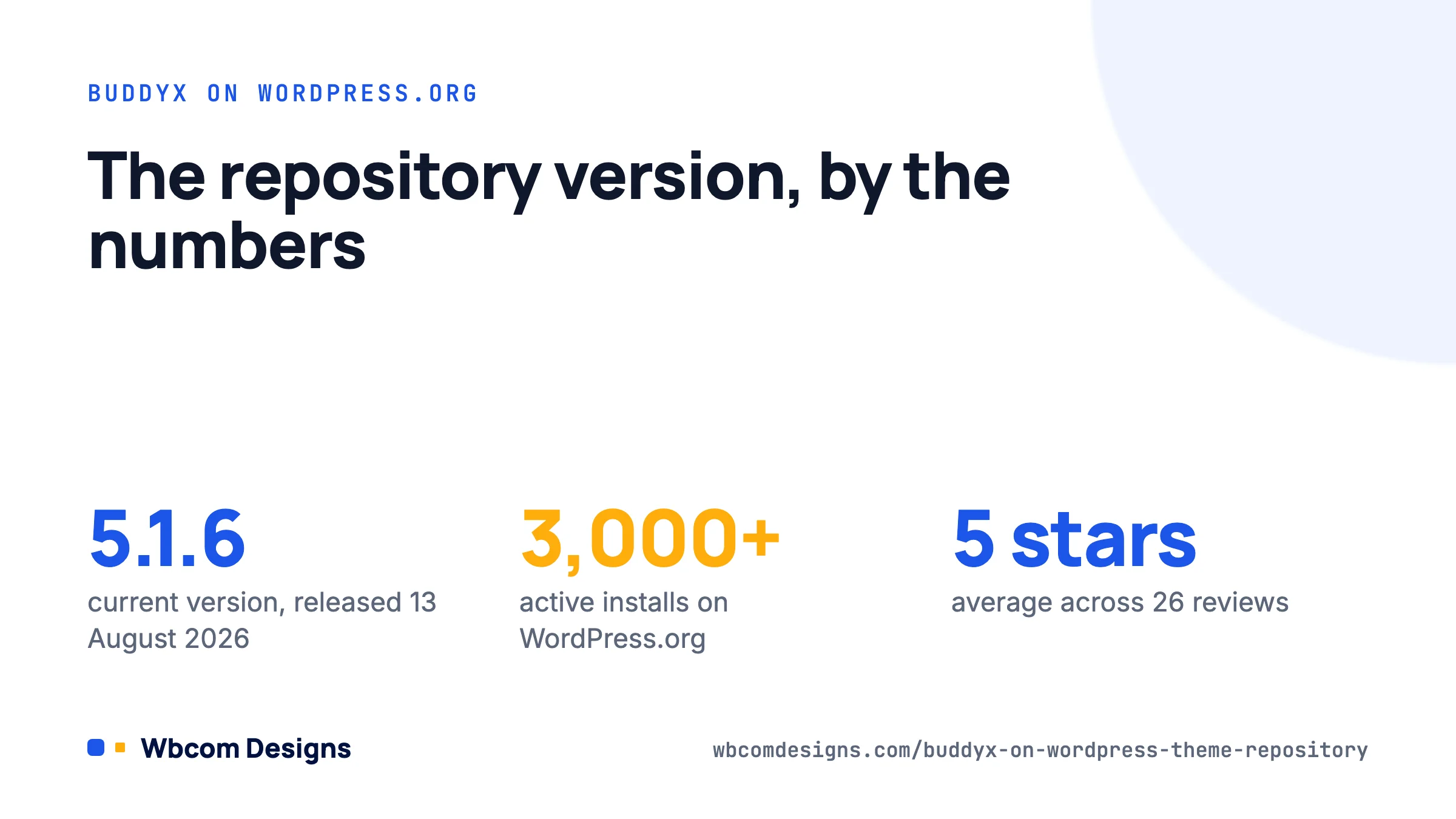
We first submitted BuddyX to WordPress.org back in 2020, after three years of shipping Reign as a premium-only community theme. The review took a few weeks and forced us to clean up a lot of things (no bundled plugins, escaped output everywhere, no Customizer options that belong in a plugin). That discipline stuck. The theme is now on version 5.1.6 (released 13 August 2026), requires WordPress 6.5 and PHP 8.0, and sits at 3,000+ active installs with a 5-star average across 26 reviews.
Why a repository theme matters for a community site
A theme from WordPress.org is reviewed by volunteers against the theme directory requirements. That means every template escapes output, the theme does not lock content behind a shortcode you lose when you switch themes, and updates arrive through the normal Dashboard → Updates screen with no licence key.
For community sites that matters more than for a brochure site. BuddyPress adds a lot of templates (activity, members, groups, messages, profiles), and a theme that has gone through review has at least had someone check that the template overrides do not break when BuddyPress itself updates. We release BuddyX alongside BuddyPress and BuddyBoss Platform releases for exactly that reason. The BuddyX changelog shows which BuddyPress version each release was tested against.
There is one more practical benefit. Hosts that restrict theme uploads (some managed WordPress plans, some university and enterprise installs) still allow installs from the directory. If you cannot upload a zip, you can still run BuddyX.
What the free version includes
The directory listing describes BuddyX as an “editorial-grade” theme, which is marketing language, so here is the concrete list.
- 27 block patterns for hero, about, services, testimonials, pricing, FAQ, call-to-action, footer and query loop sections. These appear in the block inserter under the BuddyX category and work on any page.
- Two style variations and a semantic colour token system. Colours are defined once as CSS custom properties (the
--bx-color-*set) and every component reads from them, which is why changing the primary colour in the Customizer updates buttons, links, BuddyPress tabs and WooCommerce badges together. - Self-hosted fonts and fluid typography. No Google Fonts requests from the visitor’s browser, which helps with GDPR and with Largest Contentful Paint. Type scales with
clamp()rather than breakpoint jumps. - WCAG 2.1 AA contrast on the default palette. Screen-reader text, skip links and focus styles are in place out of the box.
- Full template coverage for BuddyPress and BuddyBoss Platform: activity streams, member directory with grid and list layouts, group directory, single group, profile header, messages and notifications.
- WooCommerce and LMS styling for shop, cart, checkout, account pages, plus LearnDash, LifterLMS, Tutor LMS and LearnPress course pages.
- Layout options in the Customizer: boxed or full width, left, right or no sidebar, one or two columns, header variants and a sticky header toggle.
What the free version does not include: a demo importer, extra colour presets, the login page designer, and the deeper integrations (GamiPress, bbPress, FluentCart). Those are in BuddyX Pro. More on that below.
Installing BuddyX from the dashboard
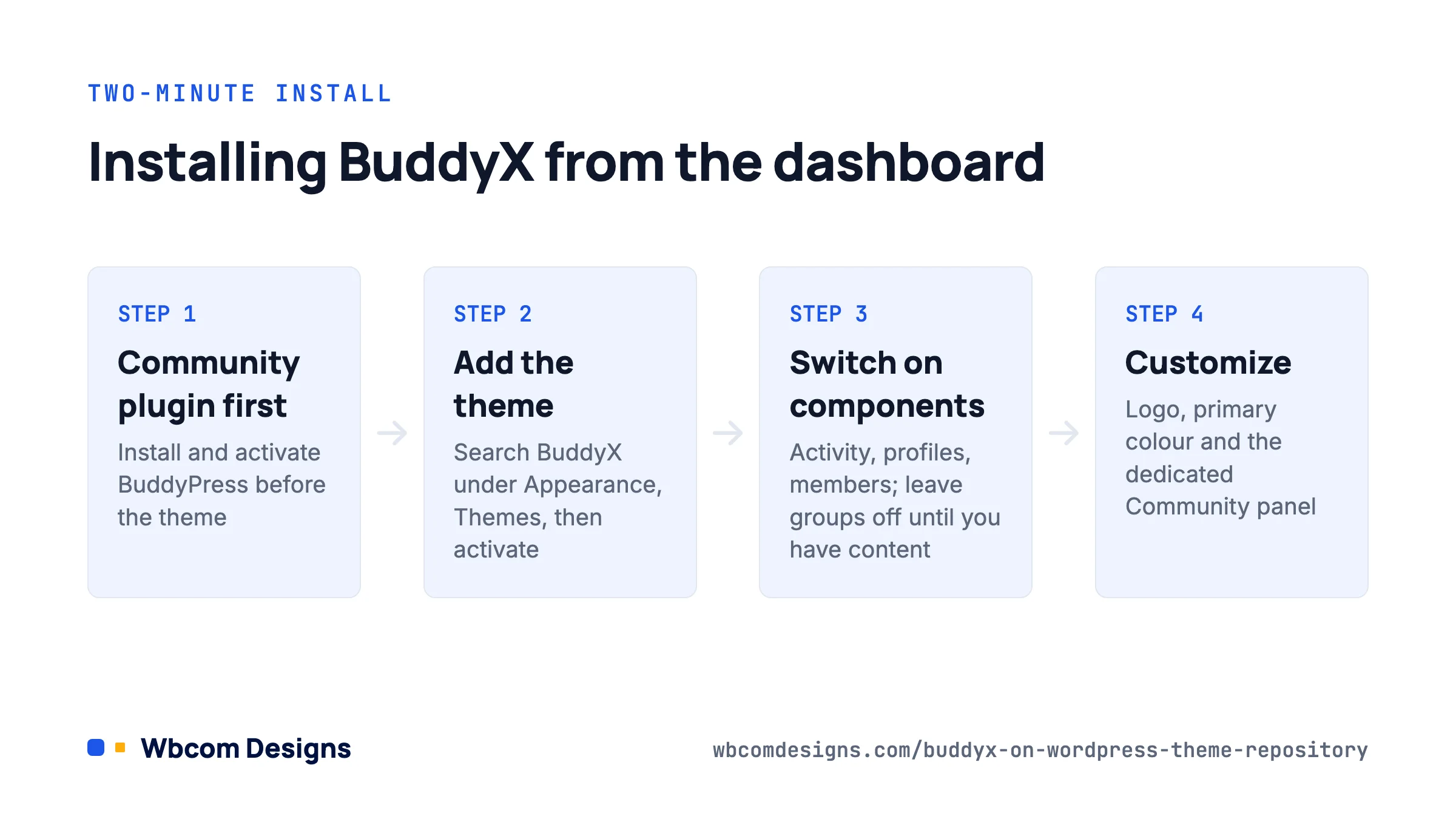
The whole process takes about two minutes, but the order matters because BuddyX adjusts some of its defaults based on which community plugin it finds active.
- Install and activate your community plugin first. Go to Plugins → Add New, search for BuddyPress, install and activate. (If you are using BuddyBoss Platform, upload that instead.)
- Go to Appearance → Themes → Add New Theme and search for BuddyX. Click Install, then Activate.
- BuddyX will show a notice about recommended plugins. None are required, but we suggest installing Wbcom Essential, which adds the widgets and Elementor/block components the demo layouts use.
- Go to Settings → BuddyPress → Components and switch on the components you actually need. Activity Streams, Extended Profiles, Members and Friend Connections are the usual minimum. Leave Groups and Private Messaging off until you have content, or the site will look empty.
- Under Settings → BuddyPress → Pages, confirm the Activity and Members pages exist. BuddyPress creates them on activation, but if you activated it before setting permalinks to “Post name” the links may 404. Save Settings → Permalinks once to flush rewrite rules.
- Open Appearance → Customize. Set the site logo, primary colour and header layout. BuddyX has a dedicated Community panel for member directory layout, profile header style and activity stream options.
If you are building locally or on staging, set Settings → Reading → Discourage search engines while you work. Community sites generate a lot of thin member and activity URLs, and you do not want those indexed before the site has real content.
Free BuddyX or BuddyX Pro
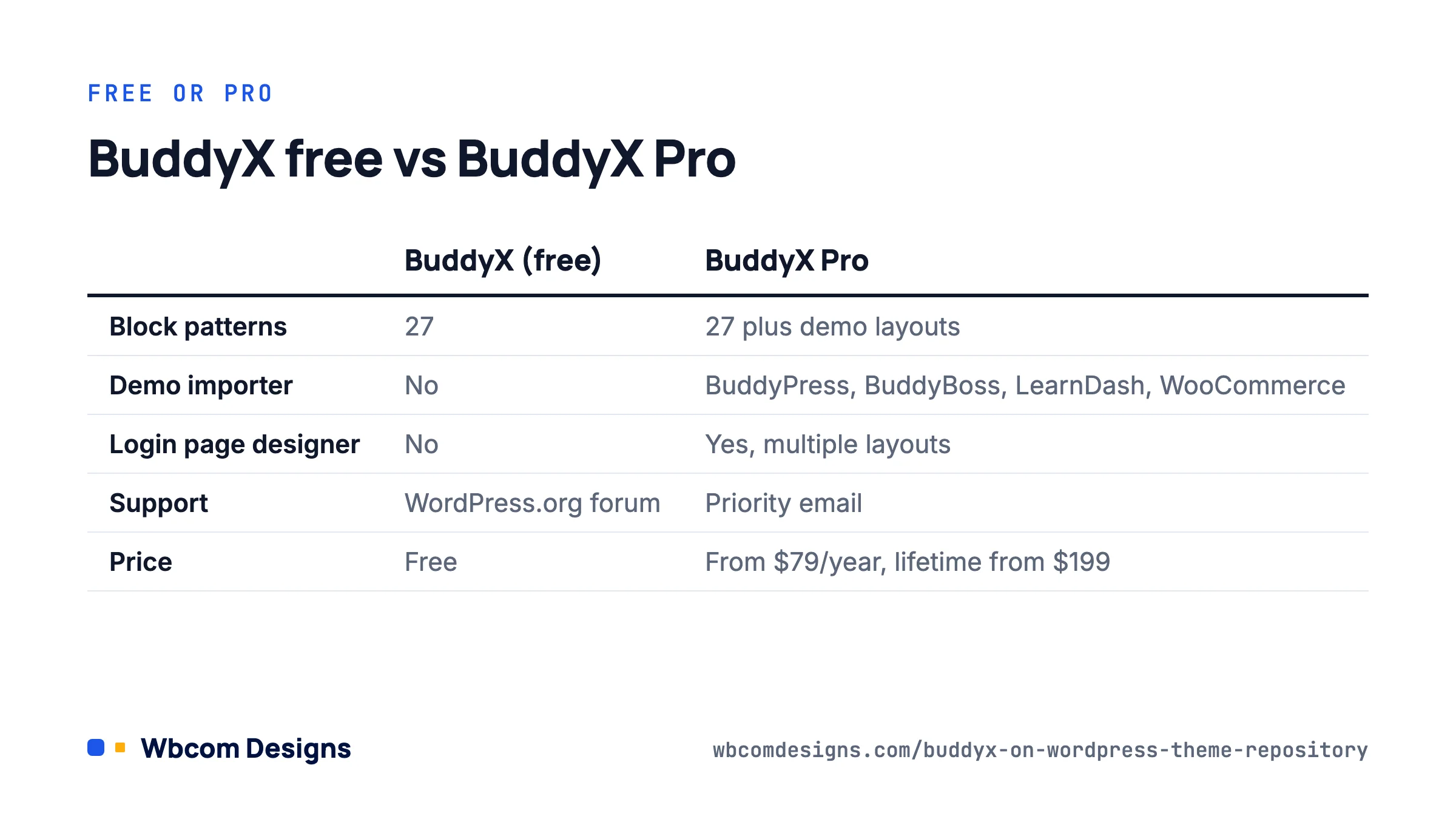
We get asked this constantly, so here is an honest comparison. The free theme is not a crippled trial. It is the same codebase; Pro is a companion plugin that adds features on top.
| Feature | BuddyX (free) | BuddyX Pro |
|---|---|---|
| Block patterns | 27 | 27 plus demo layouts |
| Colour presets | 2 style variations | 6 one-click presets |
| Demo importer | No | Yes (BuddyPress, BuddyBoss, LearnDash, WooCommerce demos) |
| Login page designer | No | Yes, multiple layouts |
| GamiPress, bbPress, FluentCart integrations | Basic styling | Full templates and widgets |
| Support | WordPress.org forum | Priority email support |
| Price | Free | $79/year (1 site), $119/year (5 sites), $199/year (unlimited); lifetime options from $199 |
Our rule of thumb: start with free. If you find yourself spending more than an afternoon recreating a demo layout by hand, or you need the login designer for a members-only site, the Personal licence pays for itself. If you run client sites, the Agency licence at $199/year covers all of them. Details and demos are on the BuddyX Pro page.
One thing to avoid: do not buy Pro expecting it to fix performance problems. Performance on a community site is almost always a plugin or hosting issue, not a theme one. Pro adds features, not speed.
A realistic first-week setup
Here is the sequence we follow when we set up a BuddyX site for a client. It assumes a paid membership community with a small course catalogue, which is the most common brief we see.
Day one: structure. WordPress, BuddyPress, BuddyX, Wbcom Essential. Set permalinks, create Home, About, Pricing and Contact pages using the BuddyX patterns. Create a primary menu with Activity, Members and Groups.
Day two: profiles. Under Users → Profile Fields, add the xProfile fields you actually need (location, role, short bio). Resist the urge to add fifteen. Every empty field makes a new profile look unfinished.
Day three: access. Decide what logged-out visitors can see. BuddyX respects BuddyPress visibility settings, but if you need to hide the member directory entirely you will want a membership plugin or the BuddyPress Member Types plugin to segment access.
Day four: seed content. Create five to ten groups, post a dozen activity updates from different accounts, upload avatars. An empty activity stream kills sign-ups faster than anything else.
Day five: test on a phone. BuddyX is responsive, but your content may not be. Check the profile header, group cover images and any pattern you customised at 375px wide.
Troubleshooting the common problems
Member directory shows a plain list with no styling
Usually a template pack mismatch. Go to Settings → BuddyPress → Options and confirm the template pack is set to BP Nouveau (BuddyX does not style BP Legacy). Clear any page cache afterwards.
Customizer changes are not showing
Check for a caching plugin or a host-level cache. BuddyX writes Customizer output as inline CSS, so a cached HTML page will keep serving the old values until purged. Also check whether a child theme is overriding style.css with hard-coded colours.
Activity stream looks fine, but the profile header is broken after a BuddyPress update
Update BuddyX. We ship compatibility releases within days of a BuddyPress major, and the changelog names the version. If you are several releases behind, update in order and test on staging.
The theme says it needs PHP 8.0
It does. PHP 7.4 reached end of life in November 2022 and BuddyX 5.x uses typed properties and match expressions. Most hosts let you change the PHP version from their control panel; ask support if you cannot find it.
Frequently asked questions
Does BuddyX work without BuddyPress?
Yes. Without a community plugin it behaves as a fast block-based business or blog theme, and the 27 patterns still work. Several of our customers run it on plain WooCommerce stores because of the checkout styling.
Can I use BuddyX with a page builder?
Elementor and the block editor are both supported. Wbcom Essential adds BuddyPress-aware Elementor widgets (member carousels, group grids, activity lists). We would not add Elementor only for the landing pages; the bundled patterns cover those.
Is a child theme necessary?
Only if you plan to edit template files. For CSS tweaks, use Appearance → Customize → Additional CSS, which survives updates. A starter child theme is linked from the theme documentation if you need one.
Where to start
Install BuddyPress, then BuddyX, then open the Customizer. Spend your first hour on the Community panel and the header, not on colours. Seed real content before you invite anyone. If you hit a wall, the WordPress.org support forum is monitored by our team, and the BuddyX theme page links to documentation and live demos for both BuddyPress and BuddyBoss Platform. If you later outgrow what a theme plus BuddyPress can do, BuddyNext is our full community platform built on the same design system, so the move is a short one.
Related reading