
8 min read
6 Best iSpring Learn LMS Alternatives Compared for 2026


Pricing checked August 2026. Most enterprise LMS vendors quote rather than publish, and published tiers change often, so treat these as indicative and confirm directly before budgeting.
Almost nobody leaves iSpring because the authoring tool is bad. iSpring Suite is one of the better PowerPoint-based authoring tools on the market. People leave iSpring Learn, the delivery LMS, because they are paying for a bundled authoring-plus-delivery subscription when they only need one half of it.
That distinction is the whole story on this page: authoring and delivery are separate decisions, and bundling them into one vendor is what created the lock-in you may now be trying to undo.
Six alternatives below, with an honest account of when the bundle is worth keeping and when it is not.
What iSpring gets right
iSpring Suite’s authoring tools are genuinely strong, especially for anyone already fluent in PowerPoint. Quiz creation, dialogue simulations, and conversion of existing slide decks into SCORM packages are smoother here than in most competitors’ authoring layers.
If you are actively producing new authored content every week and value that specific workflow, keeping iSpring Suite for authoring while reconsidering only the delivery side is a reasonable middle path, not all-or-nothing.
Why people actually leave
Paying for authoring and delivery as one subscription. The dominant reason. Teams that author occasionally but deliver constantly are paying authoring-tier pricing for a delivery job.
Wanting the LMS to live inside a broader site. iSpring Learn is a standalone platform. Organizations that want training folded into an existing WordPress site, membership system, or community find that harder here.
Outgrowing the reporting depth. As programs scale, some teams want reporting and gradebook features iSpring Learn does not prioritize.
Do you need authoring, delivery, or both?
This decides the right move. Four questions, answered honestly:
- Are you actively creating new SCORM content, or mostly delivering what already exists? If it is mostly delivery, you do not need an authoring-tier subscription.
- Could you author in a free or lower-cost tool (Articulate Rise trials, Google Slides plus a free SCORM packager, or simple in-platform course builders) and still hit your quality bar?
- Does your content library already exist as SCORM or QTI? If yes, moving delivery elsewhere does not require re-authoring anything.
- Do you need the LMS to live inside a broader website or community? If yes, a standalone platform like iSpring Learn is working against you structurally.
Mostly-delivery answers point toward unbundling. Active, frequent authoring in iSpring Suite specifically is the one case where keeping that half makes sense, while still moving delivery to something cheaper.
How the authoring-plus-delivery bill builds
Month one. You buy iSpring Suite for authoring, and iSpring Learn comes bundled or heavily discounted with it. It feels like one purchase, one problem solved.
Months two through six. You author a handful of courses, then shift into mostly-delivery mode: onboarding new hires, running the same courses repeatedly, tracking completions.
Renewal. You are renewing the full authoring-plus-delivery subscription for a program that is now 90% delivery. The authoring half sits mostly idle between content refreshes.
Nobody made a bad decision at any single step. The bundle just never asked whether your usage pattern had shifted.
Best List of 6 iSpring LMS Alternatives
1. Learnomy
Fixes: paying for authoring you rarely use, per-user delivery cost. Does not fix: authoring itself, it is a delivery platform, not an authoring tool.
Learnomy imports SCORM and QTI content directly in its free version, alongside a proctored exam engine and a weighted gradebook, a combination that normally sits on an enterprise price list. It is free and self-hosted, with no per-user fee as the audience grows.
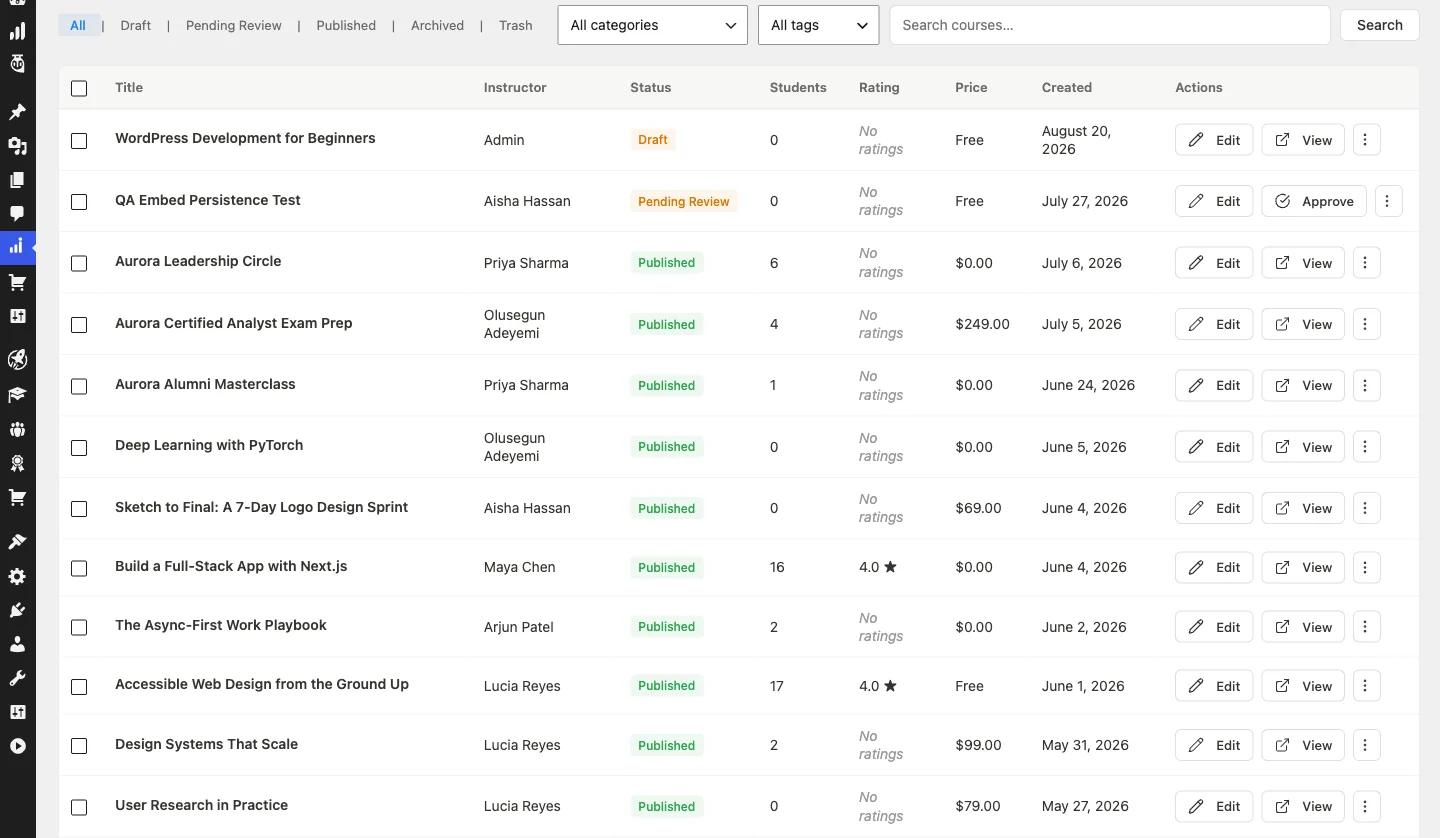
Weakness: no dedicated authoring tool, so you keep using iSpring Suite or another authoring tool to build content, and there is no vendor SLA or dedicated implementation team for regulated buyers.
2. LearnDash
Fixes: WordPress-native control, vendor credibility. Does not fix: cost, plans start at $259/year and add-ons increase that.
LearnDash offers a suite of features including advanced quiz capabilities, drip-feed content, and dynamic forums, with deep WordPress integration allowing extensive customization. The WordPress dependency means someone needs to manage hosting and updates.
3. Thinkific
Fixes: monetization, ease of use for non-technical creators. Does not fix: deep customization or SCORM-heavy corporate training workflows.
Thinkific offers a drag-and-drop course builder, integrated e-commerce, and customizable templates, running from $36/month (Basic) to $374/month (Expand), with custom Plus pricing above that. Advanced analytics sit behind higher tiers.
4. TalentLMS
Fixes: content-standard compatibility (SCORM, xAPI, cmi5), fast setup. Does not fix: cost at scale, since pricing is per active user.
TalentLMS includes AI-powered course creation, gamification, and extensive reporting, with a free plan for up to 5 users and 10 courses, then paid plans scaling with user count. Customization is narrower than an open or WordPress-based option.
5. Moodle
Fixes: cost, if you have technical staff. Does not fix: setup and maintenance effort, which lands entirely on you.
Moodle allows users to modify and extend functionality through plugins and custom development. The software is free; hosting, customization, and maintenance are not.
6. Absorb LMS
Fixes: enterprise reporting, security compliance (SOC 2 Type 2). Does not fix: pricing transparency, it is quote-only.
Absorb LMS provides AI-powered course creation, robust analytics, and smooth business-tool integrations. Higher cost may be a barrier for smaller organizations, and customization is narrower than open-source alternatives.
Side by side
| Alternative | Pricing model | SCORM/QTI import | WordPress-native | Includes authoring | Switch worth it if |
|---|---|---|---|---|---|
| iSpring Learn (incumbent) | Authoring+delivery bundle | Native (own format) | No | Yes | You author new SCORM content weekly |
| Learnomy | Free | Yes | Yes | No, delivery only | You mostly deliver existing content |
| LearnDash | Licence plus add-ons | Yes | Yes | No | You want a WordPress-native vendor |
| Thinkific | Monthly, hosted | Limited | No | Partial, built-in builder | You are monetizing polished courses |
| TalentLMS | Per active user | Yes | No | Partial, in-platform builder | You want fast hosted setup |
| Moodle | Free core plus hosting | Yes | No | Partial, plugin-based | You have technical staff |
| Absorb LMS | Quoted | Yes | No | Partial, in-platform builder | You need SOC 2 compliance and enterprise reporting |
Before you migrate, do this instead
Check your actual authoring frequency. Pull the last six months of course creation activity. If it is one or two new courses versus dozens of delivery sessions, the bundle is mispriced for your usage.
Confirm your content actually exports clean SCORM. Test one real course export before committing to a delivery-only move, some authoring tools produce SCORM packages with quirks that surface only on a different LMS.
Price authoring and delivery separately. Even if you stay with iSpring for authoring, check whether a cheaper delivery platform for the finished SCORM packages makes sense.
Switching effort, realistically
Content import, half a day to two days. SCORM and QTI packages generally import cleanly; budget time to spot-check formatting on a handful of courses.
Completion history, does not transfer. Historical completions stay in iSpring’s records. New enrollments start fresh on the new platform, plan the cutover date around a natural break in the training calendar.
Communication, ongoing. Learners need new login instructions and advance notice of the change.
Two teams, two different answers
The compliance team delivering the same 12 courses to new hires monthly
Content was authored two years ago and rarely changes. Every month is pure delivery: enroll new hires, track completion, issue certificates.
They should move. The existing SCORM library imports directly, and they stop paying for authoring capability they have not touched since the original build.
The training studio authoring new client courses weekly
Every week brings a new SCORM package for a different client, built fresh in iSpring Suite’s authoring tools.
They should keep the authoring half. The workflow depends on it. Whether they also move delivery elsewhere depends on whether client-facing reporting needs iSpring Learn specifically, worth pricing separately either way.
Decide in one line
- You mostly deliver existing SCORM content. Learnomy.
- You want a WordPress-native vendor. LearnDash.
- You want to monetize polished courses fast. Thinkific.
- You want fast hosted setup. TalentLMS.
- You have technical staff and want full control. Moodle.
- You need SOC 2 compliance and enterprise reporting. Absorb LMS.
- You author new SCORM content every week. Keep iSpring Suite for authoring, reconsider delivery separately.
Frequently Asked Questions About iSpring Learn LMS Alternatives
Can I move away from iSpring Learn without losing my existing content?
Yes, as long as your content is exported as SCORM or QTI. Learnomy imports both formats directly, so authored courses come across without rebuilding them from scratch.
Is there a free alternative to iSpring Learn LMS?
Learnomy is free and self-hosted, with courses, quizzes, assignments, certificates, proctored exams, SCORM import, and a weighted gradebook included at no per-user cost.
Do I need to replace my authoring tool too?
No. Authoring and delivery are separate decisions. You can keep using the authoring tool you already know and just change where the finished SCORM package is delivered from.
What is the best WordPress-based iSpring alternative?
LearnDash and Learnomy are the two most common picks for WordPress users, LearnDash for its mature plugin ecosystem, Learnomy for bundling the LMS with community and monetization features out of the box.
Does completion history transfer when switching delivery platforms?
No, historical completion records generally stay with the original platform. Plan a cutover date and start fresh enrollments on the new system rather than expecting historical data to migrate.
Is it worth keeping iSpring Suite just for authoring?
If you author new SCORM content weekly, yes, the authoring tools are genuinely strong. Price delivery separately rather than assuming the bundle is required.
Interesting Reads
Bridge LMS Alternatives for Advanced Learning Needs
6 Best Adobe Learning Manager LMS Alternatives in 2026
Best Docebo Alternatives for Corporate Training and Employee Learning
Related reading