
15 min read
Taking Over a Page-Builder Site: A Handover Checklist

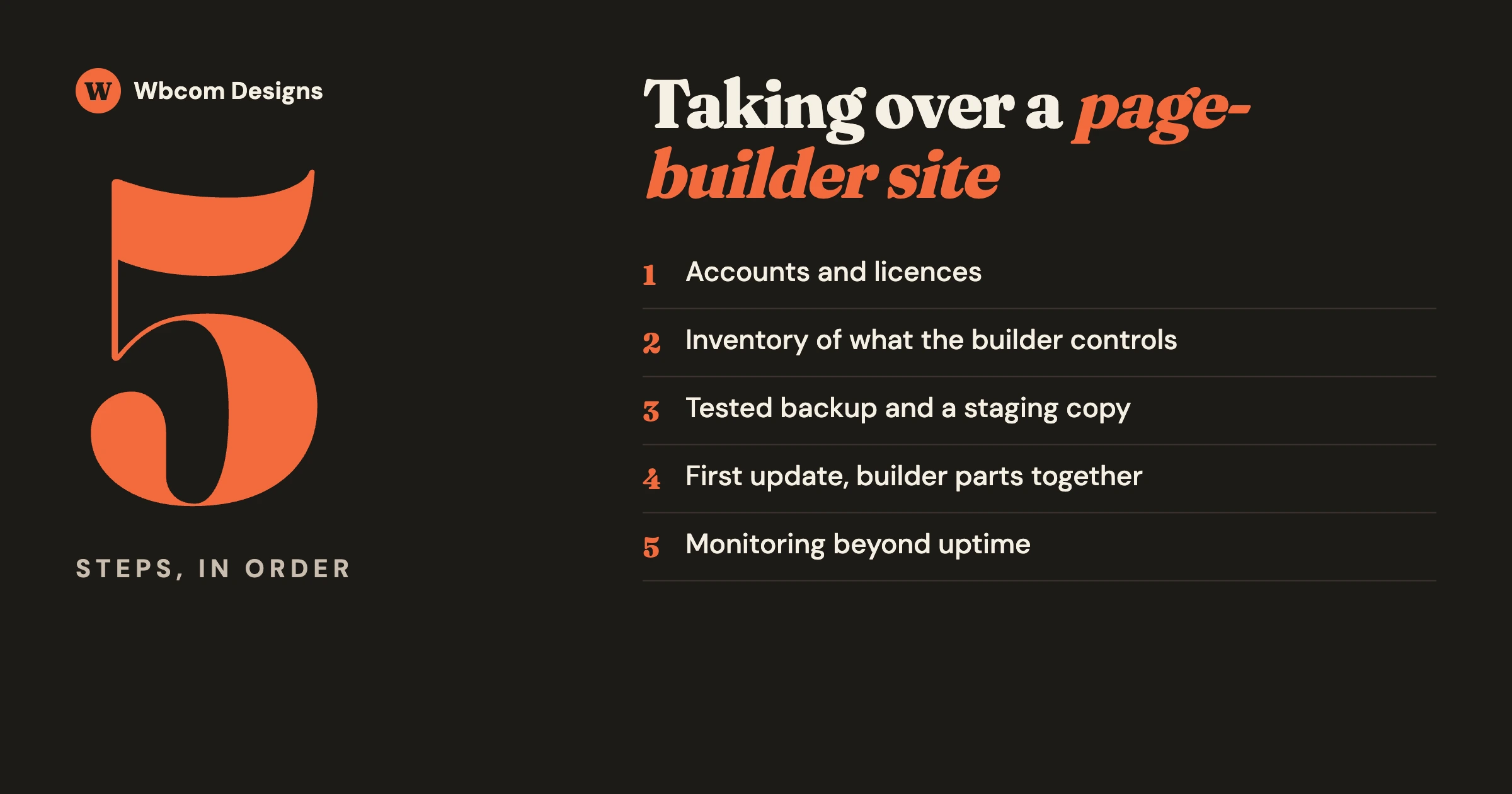
If you have been handed a site built with Elementor, Divi, Beaver Builder or another page builder and asked to host or look after it, do not rebuild it. Take it over in a fixed order: get the accounts and licences into the right hands, list what the builder controls, make a backup you have tested, set up a staging copy, and only then run the first update. A working site is an asset. The risk is not the builder. The risk is taking responsibility for something you have not looked inside.
This guide is for agencies, freelancers and hosts who inherit page-builder sites, and for owners whose site is changing hands. It covers the access list for day one, the licence questions that cause the most expensive surprises, a safe order for updates, what to watch afterwards, and what to put in the handover document. Most examples use Elementor because it is the builder people most often inherit, and where we state how it behaves we link to Elementor’s own help pages.
In this guide
- Should you rebuild an inherited page-builder site?
- Day one: the access and ownership list
- The licence check: who holds it, what plan, what happens if it lapses
- Inventory: what the builder controls on this site
- Backup and staging before you touch anything
- The safe order for the first update
- What to monitor after you take over
- Pricing: why a flat package with a builder inside is a risk
- The handover document
- Questions people ask
Should you rebuild an inherited page-builder site?
Almost never as a first step. Agencies ask this often when a designer passes them a finished site to host: is it safer to rebuild it in our own stack? The honest answer is that a rebuild replaces a known site with an unknown one, costs the client money for something visitors will not notice, and puts search rankings at risk while pages are recreated. Hosting and maintaining a site does not require you to like how it was built.
| Situation | What to do |
|---|---|
| The site works, the client is happy with it, and you are asked to host or maintain it | Take it over as it is. Follow the steps below. |
| The site works but is slow | Take it over, then measure. Most slow builder sites are slow because of images, too many add-ons or weak hosting, all of which can be fixed in place. |
| The builder licence cannot be transferred or renewed | Take it over, sort out the licence first, and plan a gradual move only if the cost makes it necessary. |
| The site uses two or three builders layered on each other, or a builder that is no longer maintained | Take it over and stabilise it. Then plan a rebuild with the client as a separate, costed project. |
| The client wants a redesign anyway | That is a new project. Quote it as one. |
A rebuild is a business decision the client makes with a quote in front of them. It is not a condition of hosting.
Day one: what access do you need?
Before any technical work, find out who holds each account. This is where takeovers go wrong: the site works, and six months later a renewal fails on an account nobody can log in to.
| Account | What to find out | Who should hold it |
|---|---|---|
| Domain name | Which registrar, whose account, when it renews | The client |
| DNS | Where the records are managed (registrar, Cloudflare, host) | The client, with access for you |
| Hosting | Whose account, what plan, whether backups are included | The client or you, by written agreement |
| WordPress admin | Every administrator account, and who each person is | Named people only. Remove the rest. |
| Page builder account | Whose account the licence is under, and which email gets the renewal notices | The client, or you with a written term |
| Add-on packs and premium plugins | The same three questions for each one | The client |
| Forms, email sending, fonts, stock images, maps | Any outside service the pages depend on, and its key | The client |
| Analytics and Search Console | Who owns the property | The client |
How to check: ask the previous builder for this list in writing. Then verify it yourself by logging in to each one. A password that works today is not ownership. The account email is.
What to do about gaps: if the designer holds the builder licence under their own multi-site plan, the site is running on borrowed access. Agree a date by which the client buys their own licence, or put in writing that the designer will keep the site on their plan and for how long. We go through the whole list from an owner’s side in Who Holds the Keys to Your Website?
The licence check: three questions
The builder licence deserves its own step, because it is the one dependency that can change the cost of every site you look after.
1. Whose account is it under?
Open the builder’s licence screen in the WordPress admin. It normally shows whether the site is connected and to which account. If the email belongs to a freelancer who has moved on, you have found your first job.
2. What kind of plan is it?
Builder plans are usually priced by the number of sites: one site, a small bundle, or a large agency allowance. Some older plans are no longer sold. That matters, because a discontinued plan can often be kept only for as long as it is renewed on time, and cannot be bought again if it lapses.
Elementor’s own help page states this directly for one of its old plans: “Legacy Expert Subscriptions (Legacy 1,000) are canceled if not renewed on time, as this plan is discontinued as of March 9th, 2021.” If the site you are inheriting sits on a legacy plan, the renewal date is the most important date in the handover.
3. What happens to the site if the licence lapses?
Do not guess. Read the vendor’s page. For Elementor Pro, the help article (last updated 3 June 2026) says that if you do not renew, “you will no longer be able to update Elementor Pro or add Pro features to your site, and you may only have limited access to existing Pro features”. Anything in the free version carries on working and can still be updated.
The same page gives a warning that is easy to miss: “Updating the free version of Elementor without updating the Pro version can lead to compatibility problems and cause issues with your site.” So a lapsed Pro licence does not take the site offline. It leaves you with a choice between two risks: stop updating the free plugin and fall behind on fixes, or keep updating it while Pro stays frozen and risk a break.
What to write down for each site: plan name, number of sites allowed and used, renewal date, account email, and the vendor’s stated behaviour on lapse. Prices and plan names change, so check the vendor’s current pricing page when you do this, and do not rely on a figure from a forum post or from memory.
Inventory: what does the builder control here?
A page builder is rarely only the page content. On an inherited site, list every place it is used, because each one can be affected by an update.
- Site-wide templates. Header, footer, blog post layout, archive pages, the 404 page and search results are often built in the builder’s theme-building feature. A change there affects every page.
- Popups and sticky bars. Often forgotten until one stops appearing.
- Forms. If the contact or enquiry form is the builder’s own form widget, find out where submissions go: an email address, a stored list, a connected service. Send a test and confirm it arrives.
- Global colours, fonts and custom CSS. Stored in the builder’s settings, not the theme.
- Add-on packs. Third-party plugins that add extra widgets. List each one, its vendor, its licence and its last update. These break more often than the builder itself, because they depend on it.
- Custom code. Snippets added through the builder, a code plugin, or the theme’s files.
- Shop, course or membership pages. If WooCommerce or a course plugin’s templates were restyled in the builder, an update to either side can change how a checkout or lesson page looks.
How to do it quickly: open the builder’s template library in the admin and list what is there by type. Open the plugin list and mark every plugin whose name or description mentions the builder. Then browse the live site and screenshot the ten pages that matter most: home, main service or product pages, the contact page, the checkout if there is one. Those screenshots are what you compare against after every update.
Backup and staging before you touch anything
Do both before the first update, even a small one.
- Take a full backup of files and database and store a copy somewhere other than the server the site runs on.
- Restore it once, to a staging copy. This proves the backup works and gives you the staging site in one step.
- Stop the staging copy from sending email or taking payments. A copied site will happily email real customers.
- Check the staging copy matches the live one against your ten screenshots. Builder sites store generated style files, and a copied site sometimes needs those regenerated before it looks right. Elementor has a “Regenerate Files & Data” tool for this in its Tools screen.
- Note the current version of every plugin. If an update goes wrong you need to know what to go back to.
What is the safe order for the first update?
Inherited sites are often months behind. Do not press “update all”. Work in this order on staging, check the screenshots after each step, and repeat on live only when staging is clean.
- The builder’s free and paid plugins, together. They are designed to be updated as a pair. Elementor’s help page warns about updating one without the other, and the same applies to most builders with a free core and a paid extension.
- Add-on packs for the builder. One at a time, because these are the most likely to break.
- The theme. If there is a child theme, check it is still active afterwards.
- Other plugins, starting with anything that prints on the page: forms, sliders, shop, courses.
- WordPress itself.
- PHP version, last and separately, with the host’s help.
If something breaks: roll back that one plugin to the version you noted, confirm the page is right again, and read the plugin’s release notes before trying again. Elementor includes a rollback option under its Tools screen, and other builders offer similar tools or keep older versions available to download. A break after an update is not unusual and is not a reason to abandon the builder. It is the reason you tested on staging.
If the site is very far behind: update in two or three stages over a week instead of jumping years of versions in one go. Large jumps make it hard to tell which change caused a problem.
What should you monitor after you take over?
A page-builder site can fail in ways an uptime check does not see. The server answers, the page loads, and the layout is gone or the form sends nowhere. Set up five checks.
| Check | What it catches | How often |
|---|---|---|
| Uptime | The site is not answering | Every few minutes, automated |
| Visual check of key pages | A layout that collapsed after an update, a missing header | After every update, and weekly |
| Form test | Enquiries going nowhere | Weekly, and after every update |
| Required plugins are active | The builder or a key add-on being switched off by a failed update or a change on the server | Daily, automated if possible |
| Licence status and renewal dates | A lapse you would otherwise learn about from a broken update | Monthly, with a reminder 30 days before each renewal |
The fourth check is worth explaining. A plugin can end up deactivated without anyone clicking the button, for example when an update fails part of the way through. On a builder site that means pages showing raw content with no layout. An alert that says “a required plugin is inactive” turns a day of confusion into a five-minute fix.
Why is a flat package with a builder inside a risk?
Because you are selling something at a fixed price whose cost is set by someone else.
A pattern comes up regularly in agency and hosting communities. A provider sells a low yearly package that includes hosting, a site and a page builder, with hundreds of client sites running on one large builder plan bought years ago. The plan is later discontinued for new buyers. Everything depends on one renewal going through on one day. When that renewal has a problem, every client site is affected, and by other users’ accounts the plans on sale today cost more than the old one did. The replies such a provider gets from peers are consistent: the package was priced too low to absorb a change, and there was time to plan for it.
Nothing in that pattern is the builder vendor behaving unusually. Vendors retire plans. The exposure comes from how the package was put together. If you are taking over sites, or selling packages that include a builder, these rules prevent it:
- Do not put a third-party licence inside a fixed price without a pass-through clause. Your terms should say that if a vendor changes its pricing, the difference is passed on with notice.
- Prefer client-owned licences. The client buys the builder licence in their own name and you manage it. Your margin is on your work, not on reselling someone else’s product.
- If you do hold a multi-site plan, keep a register. Which sites are on it, the renewal date, the payment method and a second person who gets the renewal emails. Confirm the vendor’s emails are reaching your inbox, since a renewal notice in a spam folder is how these stories start.
- Price so that one vendor change does not sink the package. Work out what each site would cost you on the vendor’s current plans, not the plan you happen to have.
- Know which sites need the paid version at all. Many simple sites use only what the free builder provides. Those do not need to be on your plan.
We covered the owner’s view of the same risk, licences priced per site or held by someone else, in Is WordPress Still the Right Base for Your Site? Six Routes and How to Choose.
What goes in the handover document?
One document per site, kept where both you and the client can find it. If you are the one handing a site over, write this. If you are receiving one, ask for it, and fill the gaps yourself.
- Accounts: the table from day one, completed, with the account email for each.
- Licences: product, plan, sites allowed, renewal date, who pays, what happens on lapse.
- Builder inventory: site-wide templates, popups, forms and where they send, add-on packs, custom code.
- Versions: WordPress, PHP, theme, builder and add-ons on the day of handover.
- Backups: where they are, how often, and the date of the last restore test.
- Known issues: anything the previous builder knows is fragile. A page that breaks if a certain widget is edited, an add-on that must not be updated yet.
- Key pages: the ten screenshots and their addresses.
- Who to call: the person responsible now, and who they escalate to.
- What is not covered: content changes, new pages, redesign. Say so, so nobody assumes.
What should a care plan promise for a page-builder site?
The same things as for any WordPress site, plus the builder-specific items above. In plain terms: updates tested on staging before they reach the live site, a visual check of key pages after each update, a form test, a monitored licence register with renewal reminders, backups with a restore test, and a named person who responds when something breaks. If a plan only says “plugin updates”, ask what happens when an update changes how a page looks.
Our post on the difference between WordPress maintenance and care plans sets out what each level should include.
Should you plan to move off the builder later?
Only if there is a reason: the licence cost no longer fits the site, the builder is holding back speed you need, or the client wants to edit without it. If one of those applies, move gradually and not in one launch.
- Build new pages in the WordPress block editor and leave existing ones alone.
- Replace site-wide templates last, since they affect everything.
- Keep every page address the same, so search traffic is not disturbed.
- Remove the builder only when no page uses it, and check on staging first.
Our guide to page builder alternatives covers the options. For many sites the right answer is to stay on the builder with the licence and updates properly managed.
Questions people ask
Do I need to rebuild an Elementor site to host it?
No. A working Elementor site can be moved to new hosting and maintained as it is. What you need before taking responsibility is access to every account, a clear picture of the licence, a tested backup and a staging copy.
What happens to an Elementor site if the Pro licence expires?
According to Elementor’s help page, you can no longer update Elementor Pro or add Pro features, and you may have only limited access to existing Pro features. The free version continues to work and can be updated, but Elementor warns that updating the free version without updating Pro can cause compatibility problems.
The site does not go offline on the day of expiry. The cost arrives later, as updates you cannot safely apply.
Can a designer keep a client’s site on their own multi-site licence?
Technically yes, for as long as the designer keeps the plan and keeps the site on it. It means the site depends on someone who is no longer responsible for it. Put the arrangement and its end date in writing, or move the site to a licence the client owns.
In what order should I update an inherited page-builder site?
On a staging copy: the builder’s free and paid plugins together, then add-on packs one at a time, then the theme, then other plugins, then WordPress, then PHP. Check your key pages after each step, and repeat on the live site only when staging is clean.
Why did the layout break after an update?
The usual causes are the free and paid parts of the builder being on mismatched versions, an add-on pack that has not caught up with the builder, or generated style files that need regenerating. Roll back the plugin you last updated, confirm the page recovers, and read the release notes before trying again.
Who should own the page builder licence?
The site owner, in their own name and with their own email on the account. An agency can manage it for them. An owner who does not hold the licence cannot change provider without the previous provider’s cooperation.
If you have inherited a page-builder site and would like someone to run this takeover for you, or to look after it afterwards, tell us about the site through our contact page. Our WordPress retainer page explains how ongoing care is organised. This guide is general information and not legal advice on any specific licence agreement.
Related reading