
18 min read
Moving Off bbPress Without Losing Your Community: Forums, Q&A and Ideas in One Place

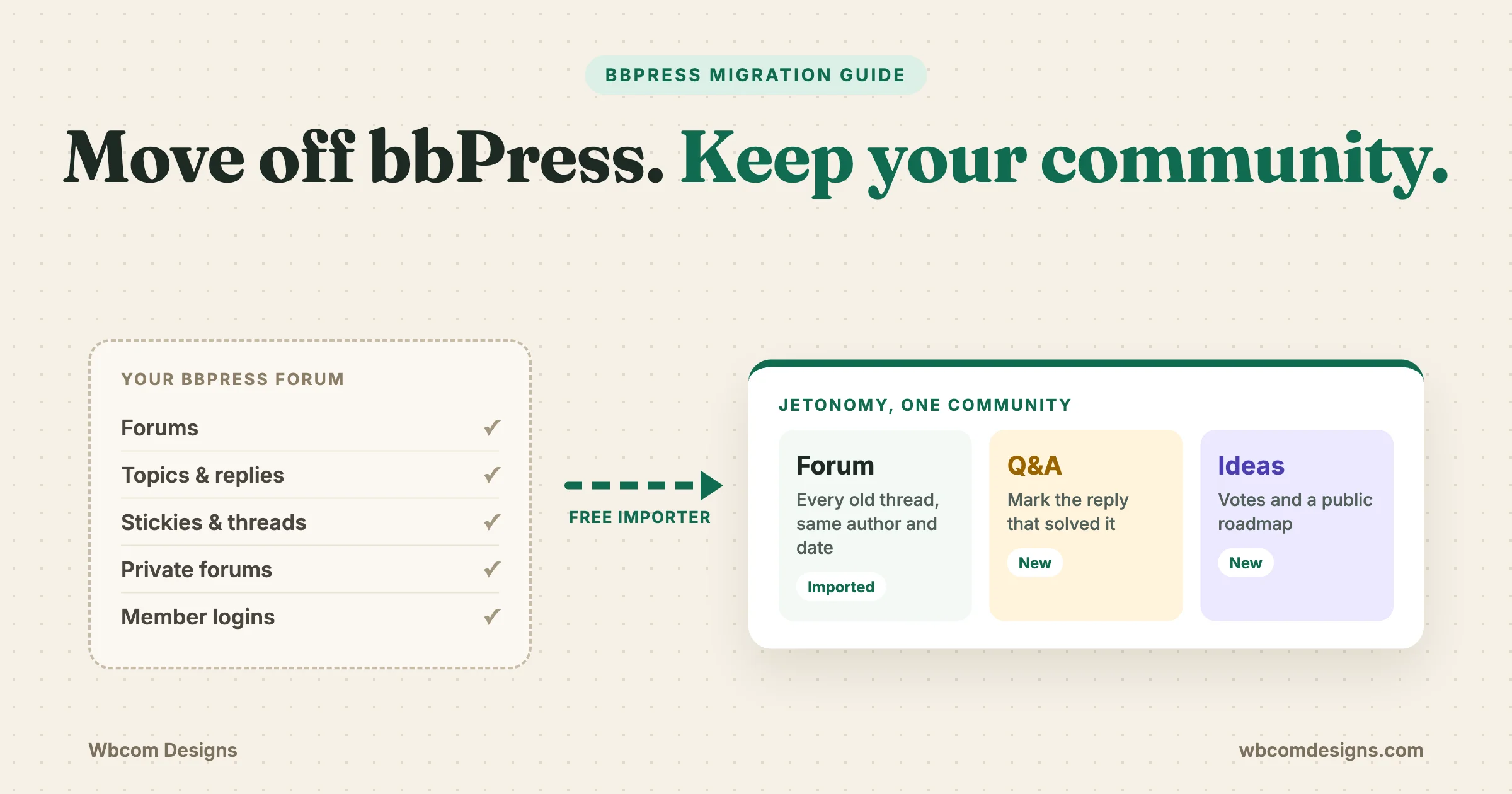
Moving off bbPress does not mean starting over. You can move an existing bbPress forum to Jetonomy and keep its history. Jetonomy’s free importer reads your bbPress forums, topics and replies straight from the WordPress database and rebuilds them as Jetonomy spaces and threads, with stickies, closed topics, reply threading and private forums carried across. Your members keep the same WordPress accounts and passwords. Once the move is done you can add Q&A spaces with accepted answers and Ideas spaces with voting beside your old forums, all in one place.
This guide is for the owner of a working bbPress forum who wants something better but cannot afford to lose posts, members or search traffic. It covers what moving off bbPress actually moves, what it leaves behind, what to check before and after, and a step list for switching without taking the forum offline. Every product detail here was checked against the Jetonomy 2.0.1 source code, not the sales page.
What can you do after moving off bbPress?
After the move you run the same community, with the same history, on a forum plugin built for discussion, questions and feature requests together. Old threads stay readable. New questions can get a marked answer. Feature requests can be voted on and placed on a public roadmap. Here is what changes for you as the owner:
- Run four kinds of spaces from one plugin. Jetonomy has Forum, Q&A, Ideas and a feed-style Show & Tell space. Your imported bbPress forums arrive as Forum spaces, and you add the others when you need them.
- Mark the answer that solved a question. In a Q&A space, the person who asked, or a moderator, can accept a reply as the answer. Search engines get told which answer was accepted through QAPage structured data.
- Let members vote on ideas. Ideas spaces have voting and a roadmap board where you move ideas through Planned, In Progress, Shipped or Declined.
- Moderate from a queue instead of by hand. Members flag posts, moderators work through a queue, and you can hold new posts for approval per space.
- Grow without the forum slowing down. Jetonomy keeps forum content in its own database tables (24 of them in 2.0.1) instead of storing every topic and reply as a WordPress post.
None of that needs Jetonomy Pro. The importer, Q&A, Ideas, voting, the flag queue and spam checks are all in the free plugin. Pro adds extras on top, which we list further down so you know exactly where the line sits.
Why do bbPress owners start looking for a way out?
Most owners do not leave bbPress because it broke. They leave because the forum grew and bbPress stayed the same. It still works, it is still free, and it has had only small maintenance releases since version 2.6 shipped in 2019. The gaps show up as the community gets busier.
Questions get buried instead of answered
bbPress shows replies in order. If the fifth reply solved the problem, a visitor from Google still has to read the four replies above it and every “thanks, same here” below it. There is no built-in way to mark one reply as the answer, so the same question gets asked again next week. Support forums feel this first.
Feature requests turn into long, messy threads
Product communities collect ideas. In bbPress an idea is just another topic, and “+1” replies are the only voting system. You cannot sort by demand or show members what is planned. Owners end up running a separate feedback tool and linking to it, which splits the community in two.
Spam and moderation take more time each month
bbPress has basic tools, and most busy forums bolt on a stack of add-ons for reporting, approval and anti-spam. Each add-on is one more thing to update and one more thing that can stop working after a WordPress release. Moderators often end up reading the whole forum every day because there is no single queue of things that need a decision.
The forum shares a table with everything else
bbPress stores forums, topics and replies as WordPress post types in the same table as your pages, blog posts and, on many sites, WooCommerce orders. That is simple, and it is fine for a small forum. On a forum with tens of thousands of replies, every forum query competes with the rest of the site, and counts and lists get slower to build.
It looks dated on a phone
bbPress output depends heavily on your theme. On many themes the forum tables squeeze badly on a phone, and fixing it means custom CSS. Members who read on mobile, which is most of them now, notice before you do.
If you are still comparing options, our roundup of the best free WordPress forum plugins and the best bbPress alternative covers the field, and our honest bbPress review explains where bbPress is still a fair choice. This guide assumes you have decided to move and want to do it safely.
What does the bbPress migration bring across?
The Jetonomy importer brings across your forum structure, every published topic and reply, who wrote them and when, sticky and closed topics, reply threading, private and hidden forums with access for their participants, and attachments added through the GD bbPress Attachments plugin. You start it from Jetonomy > Import in wp-admin, or with WP-CLI.
| In bbPress | In Jetonomy after import |
|---|---|
| Forum | A Forum space, filed under an “Imported bbPress” category. The forum description comes across. |
| Sub-forum | A sub-space under its parent, so the board layout survives. |
| Category-type forum (holds only other forums) | A Jetonomy category that groups those spaces, not an empty space nobody can use. |
| Published topic | A thread with the same title, content, author and original date. |
| Closed topic | A thread that stays readable but takes no new replies. |
| Sticky and super sticky topic | A sticky thread in its space. Jetonomy has no site-wide sticky, so super stickies stay sticky in their own space. |
| Published reply | A reply with the same author and date, threaded under the reply it answered. |
| Private forum | A private space. Everyone who posted in it is added as a member so they keep access. |
| Hidden forum | A hidden, invite-only space, with its participants added as members. |
| BuddyPress group forum | A space linked back to its group, with confirmed group members added. |
| GD bbPress Attachments files | Re-linked to the imported thread or reply. The files stay where they are in your media library. |
| Topic and forum slugs | Kept where possible. If a slug is already taken, a number is added (for example, general-1). |
Two details matter more than they look. First, threading: bbPress records which reply a member was answering, and Jetonomy uses that so threaded conversations import as threads, not as one flat list. Jetonomy displays threads up to three levels deep. Second, private forums: in bbPress, “private” means any logged-in member can read it. In Jetonomy, a private space is readable only by its members. The importer handles that difference by adding each private forum’s participants as members, so nobody who could read a thread yesterday is locked out today.
The importer also works when bbPress is already switched off. If the import screen finds bbPress data in your database without the plugin active, it says so and lets you import anyway. And it imports in batches with a progress bar, so a large forum does not time out halfway. If a run is interrupted, the screen offers Resume Import from where it stopped.
Coming from somewhere else? The same Import screen also handles wpForo and Asgaros Forum, which bring forums, topics, replies and member profiles across in the same way. The Jetonomy migration and import page summarises all three.
What does the importer leave behind?
The importer does not create redirects, and it does not import topic tags, subscriptions or reputation. It also skips content that was not public in bbPress. Knowing this before you start is what keeps the move from going wrong.
- No redirects. Old bbPress addresses will not point to the new threads on their own. You set up redirects yourself, and we show how below.
- No topic tags. bbPress topic tags do not come across. Jetonomy has its own tags, which you can start using from day one.
- No subscriptions. Members who followed topics or forums in bbPress need to follow them again in Jetonomy. Tell them in your announcement.
- No reputation history. Jetonomy’s reputation points and trust levels start fresh from activity on the new forum.
- Only public content. Topics are imported when published or closed. Replies are imported when published. Pending, spam and trashed items stay in bbPress, which is usually what you want.
- No add-on data. Anything a third-party bbPress add-on stored for itself (signatures, custom fields, ranks) is not read. Make a list of the add-ons you rely on before you start.
Is the bbPress importer free or Pro?
The bbPress importer is free. It ships in the free Jetonomy plugin together with the wpForo and Asgaros importers, and the attachment re-linking is free too. You do not need a Pro licence to move your forum.
Jetonomy Pro is optional and adds features on top of the free plugin. The ones forum owners ask about most after a move are:
- Email digests, so members get a daily or weekly summary instead of one email per reply.
- Private messaging between members.
- Web push notifications.
- Advanced moderation rules: keyword filters, regex patterns, link limits, new-user restrictions and a spam score, each set to flag, hold, block or mark as spam, globally or per space.
- Attachment previews and a PDF viewer. Without Pro, imported attachments still show; Pro adds the previews.
Pro also has polls, reactions, custom badges, analytics, reply-by-email and webhooks. See the full side-by-side on the Jetonomy comparison page.
What happens to member accounts and logins?
Nothing changes for logins. bbPress and Jetonomy both use your normal WordPress user accounts, so there are no users to export, no passwords to reset and no “please create a new account” email to send. Every member signs in exactly as before.
What the importer adds is a Jetonomy profile for every member who wrote a topic or reply, created in a separate step after the replies. Each topic and reply keeps its original author, so post histories line up on the new profile pages. Profile pages live at /community/u/username/.
Two groups of people get extra handling so they keep access:
- Participants of private and hidden forums become members of the matching space.
- Members of BuddyPress groups that had a group forum become members of the linked space, with group admins mapped to space admins and group moderators to space moderators. Banned group members are left out. This covers members who never posted, because the group is the list, not the post history.
What should you check before you start?
Before you import anything, take a backup, write down your current numbers and make a list of your most valuable URLs. Twenty minutes of preparation is the difference between a quiet move and a week of “where did my thread go?” messages.
- Back up the database. The import screen itself warns that importing creates new records and cannot be automatically reversed. Take a full backup and confirm you can restore it.
- Record your counts. Note how many forums, topics and replies bbPress shows. The import screen shows its own counts before you start, and you want them to agree.
- List private and hidden forums. Check who should see them. You will compare this against the space members afterwards.
- Export your top forum URLs. In Google Search Console, open Pages and filter to your forum path (usually
/forums/). Export the pages that get clicks. These are the URLs your redirects must cover first. - Find forum shortcodes and widgets. Search your pages for
[bbp-shortcodes and check sidebars for bbPress widgets. They stop working once bbPress is off. - List your bbPress add-ons. For each one, decide whether Jetonomy already does the job, whether you need a Pro feature, or whether you can drop it.
- Pick your forum address. Jetonomy lives at
/community/by default. You can change that base in Jetonomy’s settings. Decide before launch so you only set up redirects once. - Do a trial run on a staging copy. If your host offers one-click staging, run the full import there first and click around as a member.
If you or your developer use WP-CLI, there is also a true dry run for bbPress: wp jetonomy import bbpress --dry-run validates and counts everything without writing a single row. This is available for bbPress only; the wpForo and Asgaros importers refuse the flag rather than pretend.
How do you handle moving off bbPress with no downtime?
You switch with no downtime by importing while bbPress stays live, running the import again just before launch to pick up anything new, and only then pointing members and old URLs at Jetonomy. This works because a repeat bbPress import recognises what it already brought across and adds only what is new, without making duplicates.
- Install and activate Jetonomy on the live site. Leave bbPress running. Skip the demo content in the setup wizard and keep Jetonomy out of your menus for now.
- Run the first import. Go to Jetonomy > Import and click Import from bbPress. On a large forum this can take a while; you can leave it running and resume if it stops.
- Check the results while members keep posting in bbPress. Open a few old threads, a private forum, a sticky and a long threaded discussion. The Import screen keeps a “Past imports” log that lists anything skipped and why.
- Set up spaces you did not have before. Add a Q&A space for support questions and an Ideas space for requests. Set moderators, approval rules and spam protection.
- Prepare your redirects (next section) but do not switch them on yet.
- Announce the date. Tell members when the new forum goes live, that their login stays the same, and that they need to re-follow threads they care about.
- On launch day, close bbPress to new posts. Close the bbPress forums so nobody posts into the old system during the last step.
- Run the import again. It picks up every topic and reply posted since the first run and skips the rest. Members lose nothing written in the gap.
- Switch on redirects and update your menus. Point your navigation at
/community/and turn on the redirect rules. - Deactivate bbPress. Leave its data in the database for a few weeks as a safety net. Jetonomy does not need it, and you can delete it later once you are confident.
The safe re-run is what makes a no-downtime move possible. You can import on Monday, test all week while bbPress stays open, and catch up the last few days of posts in minutes on launch day.
One caution: the “import again, only new items” behaviour is specific to bbPress. A repeat wpForo or Asgaros import creates duplicates, so for those sources close the old forum first and import once.
How do you keep your URLs and search rankings?
You keep rankings by sending every old bbPress URL to its new Jetonomy URL with a permanent (301) redirect. Jetonomy does not write these for you, so plan them with a redirect plugin such as Redirection or the redirect tool in your SEO plugin. The good news is that slugs mostly carry over, which keeps the work small.
| Page | Typical bbPress URL | Jetonomy URL |
|---|---|---|
| Forum index | /forums/ | /community/ |
| Single forum | /forums/forum/general/ | /community/s/general/ |
| Topic | /forums/topic/reset-password/ | /community/s/general/t/reset-password/ |
| Member profile | /forums/users/jane/ | /community/u/jane/ |
Forum and profile redirects can usually be one pattern rule each. Topics are different: the new address includes the space name, which the old one did not. That means topic redirects need a list, one old URL to one new URL. Build it from the Search Console export you made earlier, starting with the pages that get the most clicks, and import the list into your redirect plugin. Redirection accepts CSV imports, so a spreadsheet of old and new addresses works fine.
Watch for two exceptions. A forum or topic slug that clashed with an existing one gets a number added, so check those by hand. And profile links in Jetonomy use the member’s login name, while bbPress uses the “nicename” WordPress makes from it. For most members they match. For logins with spaces, capitals or an email address, they may not, so test a few.
Jetonomy helps with the rest of search out of the box, in the free plugin:
- Structured data. Forum threads are marked up as DiscussionForumPosting. Q&A threads are marked up as QAPage, including the accepted answer once you mark one.
- Its own sitemap at
/community-sitemap.xml. Submit it in Search Console after launch.
After launch, check the Pages report in Search Console weekly for a month. A rise in “Not found (404)” for /forums/ addresses tells you which redirects you missed. Expect some movement in rankings for a few weeks while Google re-crawls; correct redirects make that short.
What will members notice on day one?
Members notice a new look and new addresses, but the same login, the same threads and the same names on every post. Tell them up front what changed and what they need to do, and the questions stay small.
- The same login. No new account, no password reset.
- Their old posts, under their name, with the original dates.
- Voting on posts and replies. Upvotes and downvotes help good replies rise.
- Threaded replies they can collapse, and a richer editor with image paste and @mentions.
- A notification bell for replies, mentions and votes, with email notifications they can tune.
- Reputation and trust levels. Members earn their way up from Level 0 through activity; the top levels are granted by you.
- One thing to redo: follow the threads and spaces they care about again, because bbPress subscriptions do not come across.
A short pinned post in your new main space works well for this: what changed, what stayed the same, and where to report anything that looks wrong.
How do Q&A and Ideas fit next to your old forums?
Your imported forums stay as Forum spaces, and you add Q&A and Ideas spaces beside them for the kinds of posts that never fitted a plain forum. Members browse them all from the same community home, with one profile and one notification bell.
Q&A spaces for support and how-to questions
In a Q&A space, replies are answers. The person who asked, or a moderator, can mark one as accepted, and the accepted answer earns reputation for whoever wrote it. Replies can be sorted by best, so the answers that were voted up show first. Visitors arriving from search see the solution without scrolling through the thread. If your bbPress forum had a “Support” or “Help” section, open a Q&A space for new questions and leave the imported forum as an archive.
Ideas spaces for feature requests and suggestions
In an Ideas space, members post an idea and others vote on it. You set each idea’s status to Planned, In Progress, Shipped or Declined, and ideas with a status appear on the space’s roadmap board. When you move an idea to Planned, its author earns reputation, which is a nice signal that suggestions are heard. This replaces the “+1” threads and the separate feedback tool many bbPress owners end up running.
Members-only spaces
Each space has its own join policy: open, request to join, or invite only. If you sell memberships, the free plugin can gate spaces by MemberPress or Paid Memberships Pro level. Our post on gating Jetonomy spaces with Paid Memberships Pro walks through that setup.
How do you keep spam out of the new forum?
Turn on Akismet checks, add a CAPTCHA to sign-up, hold new posts for approval in spaces that attract spam, and let trust levels limit what brand-new accounts can do. All of that is in the free plugin, and it replaces several bbPress add-ons at once.
- Akismet. If Akismet is active on your site, Jetonomy checks new posts and replies with it.
- CAPTCHA. Google reCAPTCHA or Cloudflare Turnstile on Jetonomy’s sign-in and registration forms.
- Approval per space. Switch on “require approval” for a space and new posts from regular members wait in the queue. Space staff skip the queue.
- Flags and a moderation queue. Members flag content; moderators review it in wp-admin or on the front end.
- Ban and silence. A ban stops someone signing in; silence stops them posting while letting them read.
- Trust levels. New accounts start at Level 0 and earn more as they take part, so a fresh spam account has less reach than a long-standing member.
For busier communities, the Pro advanced moderation rules add automatic keyword, link and new-user filters, as listed earlier.
Should you do the move yourself or have it done for you?
Do it yourself if your forum is small to mid-sized, you have a staging site and you are comfortable setting up redirects. Have it done for you if the forum brings in real search traffic, has many private or group forums, or relies on bbPress add-ons whose data you need to keep.
For the do-it-yourself route, start with the free plugin at jetonomy.org, run the import on staging and follow the steps above. You can read more about why we built it in Introducing Jetonomy.
For a done-for-you move, our community platforms team handles the full switch: the trial import on staging, the redirect map built from your Search Console data, space and moderation setup, the launch-day catch-up import, and checks in the weeks after. We built Jetonomy, so we know where an import needs a second look.
Frequently Asked Questions
Will my members need new accounts or passwords?
No. bbPress and Jetonomy both use your WordPress user accounts, so members sign in exactly as before. The importer only adds a Jetonomy profile for each member who wrote a topic or reply.
Does Jetonomy create redirects from my old bbPress URLs?
No. The importer keeps slugs where it can but does not create redirects. Set them up with a redirect plugin, using pattern rules for forums and profiles and a list for topics, starting with your highest-traffic pages.
Can I run the import more than once?
Yes, for bbPress. A repeat bbPress import recognises what it already imported and adds only new topics and replies, so you can import early and catch up on launch day. This does not apply to wpForo or Asgaros, where a second run creates duplicates.
Do I need Jetonomy Pro to move from bbPress?
No. The bbPress importer, attachment re-linking, Q&A with accepted answers, Ideas with voting and the moderation queue are all free. Pro adds extras such as email digests, private messaging, web push and advanced moderation rules.
What happens to my private bbPress forums?
They become private Jetonomy spaces, and hidden forums become hidden, invite-only spaces. Everyone who posted in them is added as a member so they keep access. Check the member list afterwards, because people who could read a private forum but never posted are not on it, unless it was a BuddyPress group forum.
Related reading