
10 min read
10 Best Software for Source Code Management


Managing source code effectively is now non-negotiable. GitHub alone was used by 81.1% of respondents in the Stack Overflow 2025 Developer Survey, so choosing source code management (SCM) software is a decision almost every team faces. Whether you’re a solo coder, part of a hybrid engineering team, or leading a large-scale enterprise project, the right SCM tool can drastically improve your workflow, reduce bugs, and keep teams in sync, wherever they work.
Codebases are larger, deployment cycles are faster, and security gets more scrutiny every year. This list covers 10 SCM platforms and tools, each matched to a team size, tech stack and workflow. Pricing below comes from each vendor’s own pricing page, opened on 13 November 2026.
Last updated: 13 November 2026
Quick answer: For most teams the best source code management software is GitHub (largest community, $4 per user per month on Team), GitLab if you want CI/CD and DevOps in one platform ($29 per user per month on Premium), or Bitbucket if you run Jira ($3.65 per user per month on Standard). Gitea is the pick for lightweight self-hosting, and Perforce P4 for huge binary assets.
All prices are in US dollars as shown on each vendor’s page. Your local-currency price at checkout can differ with exchange rates and tax.
| Tool | Best for | Entry paid price (USD) | Free option |
|---|---|---|---|
| GitHub | Open source and general teams | $4 per user/month (Team) | Free plan |
| GitLab | Built-in DevOps lifecycle | $29 per user/month (Premium, billed annually) | Free plan |
| Bitbucket | Atlassian and Jira teams | $3.65 per user/month (Standard) | Free for up to 5 users |
| Azure DevOps | Microsoft-centric teams | $6 per user/month after 5 users (Basic) | First 5 users free |
| Perforce P4 (Helix Core) | Large binary assets, game studios | P4 Cloud $39 per user/month | Free up to 5 users |
| AWS CodeCommit | Existing AWS customers | $1 per active user/month beyond 5 | Not open to new customers |
| Assembla | Git and Subversion together | $12.50 per user/month (Starter) | 14-day trial only |
| SourceForge | Open-source project hosting | Check the vendor | Check the vendor |
| GitKraken | Visual Git client | Per-seat, billed annually (see vendor) | Free Community plan |
| Gitea | Lightweight self-hosting | Enterprise and Cloud are paid | Free, MIT license |

What Is Source Code Management?
Source Code Management (SCM) is the practice of tracking and controlling changes in software code. It’s a critical part of the software development lifecycle, helping teams manage revisions, collaborate on codebases, and avoid conflicts during development. Whether you’re a solo developer or part of a large distributed team, SCM tools provide a structured way to store, edit, merge, and deploy code.
At its core, SCM software offers version control, allowing you to revert to earlier code versions, compare changes, and monitor contributions from each team member. Modern tools also offer integrations with CI/CD pipelines, issue tracking, and security scanning. This makes SCM not just a utility for developers but a vital component for maintaining code quality and enabling agile, DevOps-driven workflows.
How to Choose the Best Software for Source Code Management
Choosing the best software for source code management starts with understanding your team’s size, workflow, and collaboration needs. If you’re working in a small team or solo, lightweight tools with basic version control might be enough. But for larger or distributed teams, look for robust platforms that offer advanced branching, merging, permission settings, and seamless integration with your CI/CD pipeline.
You’ll also want to evaluate the tool’s compatibility with your existing tech stack, ease of use, and security features. Built-in code review systems, issue tracking, and automation support can streamline development and reduce errors. Ultimately, the best software for source code management should improve team productivity, maintain code integrity, and fit into your development ecosystem without adding friction.
The Best Software for Source Code Management
1. GitHub (Web, Android, iOS)
Best for: Open-source projects and collaborative development.
Pros:
- Extensive community support.
- Integrated CI/CD with GitHub Actions.
Cons:
-
Advanced features may require a learning curve.
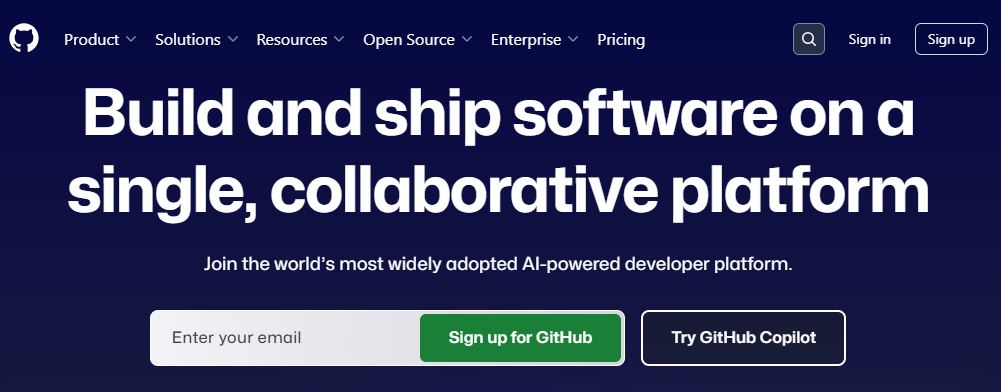
GitHub remains a dominant force in the SCM landscape. Its user-friendly interface, coupled with powerful features like GitHub Actions for automation, makes it a favorite among developers. The platform supports seamless collaboration through pull requests, code reviews, and issue tracking. GitHub’s integration with various tools enhances its versatility.
Pricing: Free plan at $0; Team is $4 per user per month and Enterprise is $21 per user per month, according to GitHub’s pricing page.
Ideal for: Developers seeking a robust, community-driven platform with extensive integration capabilities.
2. GitLab (Web, Android, iOS)
Best for: Integrated DevOps lifecycle management.
Pros:
- Built-in CI/CD pipelines.
- Comprehensive DevOps toolchain.
Cons:
-
Interface can be overwhelming for new users.
GitLab offers an all-in-one platform that covers the entire DevOps lifecycle. From source code management to CI/CD, monitoring, and security, GitLab provides a cohesive environment. Its self-hosted and cloud options cater to various organizational needs.
Pricing: Free tier available; Premium is $29 per user per month billed annually, and Ultimate is custom-priced, according to GitLab’s pricing page.
Ideal for: Teams looking for a unified platform that streamlines development and operations.
3. Bitbucket (Web, Android, iOS)
Best for: Integration with Atlassian products.
Pros:
- Seamless Jira integration.
- Built-in Bitbucket Pipelines for CI/CD.
Cons:
-
Limited community compared to GitHub.
Bitbucket, part of the Atlassian suite, excels in integrating with tools like Jira and Trello. It offers robust branching strategies and pull request features, making it suitable for teams already invested in the Atlassian ecosystem.
Pricing: Free for up to 5 users; Standard is $3.65 per user per month and Premium is $8 per user per month, according to Bitbucket’s pricing page.
Ideal for: Organizations using Atlassian tools seeking tight integration and streamlined workflows.
4. Azure DevOps (Web)
Best for: Microsoft-centric development environments.
Pros:
- Deep integration with Visual Studio.
- Comprehensive suite including boards, pipelines, and artifacts.
Cons:
-
Can be complex to set up initially.
Azure DevOps provides a complete set of tools for software development, from planning to deployment. Its tight integration with Microsoft products makes it a go-to choice for enterprises operating within the Microsoft ecosystem.
Pricing: The first 5 users are free, then the Basic plan is $6 per user per month, according to Microsoft’s Azure DevOps pricing.
Ideal for: Enterprises leveraging Microsoft technologies seeking an integrated development platform.
5. Perforce P4 (Helix Core) (Web, Windows, macOS, Linux)
Best for: Large-scale enterprise projects.
Pros:
- Handles large binary files efficiently.
- Granular access controls.
Cons:
-
Higher cost compared to other SCM tools.
Perforce P4, the platform formerly sold under the Helix Core name, is designed for enterprises requiring high performance and scalability. It manages large codebases and binary files effectively, making it suitable for industries like gaming and automotive.
Pricing: Free for up to 5 users and 20 workspaces; P4 Cloud, the hosted option for teams under 100, is $39 per user per month, according to Perforce. Larger deployments are quoted individually.
Ideal for: Enterprises needing a high-performance SCM solution for large-scale projects.
6. AWS CodeCommit (Web)

Best for: Teams already on AWS.
Pros:
- Fully managed and scalable.
- Seamless integration with AWS services.
Cons:
-
Limited features compared to other SCM platforms.
AWS CodeCommit offers a secure and scalable source control service hosted by AWS. It’s ideal for teams already utilizing AWS infrastructure, providing easy integration with other AWS services.
Pricing: Billing is per active user, so six active users in a month cost $1, and the free tier does not expire, according to AWS CodeCommit pricing. Important: AWS states CodeCommit is no longer available to new customers, so this suits only teams already using it.
Ideal for: Teams operating within the AWS ecosystem seeking a managed SCM solution.
7. Assembla (Web)
Best for: Managing Subversion and Git repositories.
Pros:
- Supports multiple version control systems.
- Enhanced security features.
Cons:
-
Interface may feel dated.
Assembla caters to teams needing to manage both Subversion and Git repositories. Its focus on security and compliance makes it suitable for industries with strict regulatory requirements.
Pricing: Starter is $12.50 per user per month (up to 5 users) and Growth is $19 per user per month (up to 25 users); there is no permanent free plan, only a 14-day trial, according to Assembla’s pricing page.
Ideal for: Organizations requiring support for multiple version control systems with a focus on security.
8. SourceForge (Web)
Best for: Hosting open-source projects.
Pros:
- Free hosting for open-source projects.
- Integrated tools for project management.
Cons:
-
Less modern interface compared to competitors.
SourceForge has been a staple for open-source project hosting. It provides tools for code management, bug tracking, and project documentation, all in one platform.
Pricing: Listed as free for open-source projects. Check the current hosting terms on SourceForge before you migrate, because its homepage does not spell them out.
Ideal for: Open-source developers seeking a comprehensive project hosting platform.
9. GitKraken (Windows, macOS, Linux)
Best for: Visual Git repository management.
Pros:
- Intuitive graphical interface.
- Built-in Git client and issue tracking.
Cons:
-
Limited functionality in the free version.
GitKraken offers a visually appealing interface for managing Git repositories. Its drag-and-drop functionality and visual commit history make it accessible for beginners and experienced developers alike.
Pricing: A free Community plan covers open-source work, local repositories and public remotes; Pro, Advanced and Business plans add private repositories and are billed per seat annually, according to GitKraken’s pricing page. Check that page for current seat prices.
Ideal for: Developers preferring a visual approach to Git repository management.
10. Gitea (Web, Linux, macOS, Windows)

Best for: Small to mid-sized teams looking for a lightweight, self-hosted Git service.
Pros:
- Open-source and lightweight
- Easy to self-host and configure
- Active community support
Cons:
- UI not as polished as GitHub or GitLab
- Limited enterprise-level features out of the box
Gitea is a fast and easy-to-use self-hosted Git service built on Go. It offers features like issue tracking, code review, pull requests, and continuous integration hooks, making it a solid SCM platform for developers who prefer open-source alternatives. Since it has a small footprint, it’s ideal for teams that want full control over their codebase without the bloat or cost of enterprise solutions. It integrates well with CI/CD tools like Jenkins, Drone, and others.
Pricing: The open-source edition is free under the MIT license with unlimited users and repositories; Gitea Cloud and Gitea Enterprise are paid, each with a 30-day trial, according to Gitea.
Ideal for teams that want a simple, fast, and private alternative to GitHub or GitLab.

How to pick
Choosing source code management software shapes your development workflow for years, because moving history, permissions and pipelines later is slow. With more teams working remotely or in hybrid environments, having a reliable SCM tool ensures collaboration stays smooth, code stays clean, and deployments stay on schedule. Whether you’re a solo developer building personal projects or part of a large DevOps team managing enterprise-grade software, there’s a tool tailored to your needs.
From GitHub’s massive community to GitLab’s built-in CI/CD and Bitbucket’s tight integration with Atlassian products, each platform brings something valuable to the table. The key is to balance functionality, user experience, and integration support. Start with a trial, test features with your workflow, and choose a platform that grows with your team. Great code deserves great management.
Frequently asked questions
What is the best software for source code management?
GitHub is the best default for most teams because of its community and ecosystem, with a Team plan at $4 per user per month. GitLab suits teams that want CI/CD, security and planning in one product, and Bitbucket suits teams built around Jira.
Is Git the same as GitHub?
No. Git is the open-source version control system that tracks changes on your machine. GitHub, GitLab, Bitbucket and Gitea are hosting platforms built around Git that add pull requests, access control and CI/CD.
Which SCM tool is free?
GitHub, GitLab and Gitea all have free options, Bitbucket and Azure DevOps are free for up to 5 users, and Perforce P4 is free for up to 5 users and 20 workspaces. Gitea’s open-source edition is MIT-licensed with no user limit if you host it yourself.
Can I still start a new project on AWS CodeCommit?
Not as a new AWS customer. AWS states on its pricing page that CodeCommit is no longer available to new customers, while existing customers can keep using it. New teams should pick another host.
Which tool is best for large binary files such as game assets?
Perforce P4 (Helix Core) is built for large binary files and many contributors, and its free tier covers 5 users. Git-based platforms can work with extra tooling, but they are not designed for terabyte-scale art repositories.
Should I self-host or use a cloud service?
Use a cloud service when you want zero maintenance. Self-host, with GitLab or Gitea, when compliance or data location rules require your code to stay on servers you control.
Related reading:
10 Best Software for IT Asset Management in 2026
Related reading