
9 min read
9 Best Software for Cinematic Video Editing

“Cinematic” is less about the editing app and more about what it lets you do with the footage: handle high-quality camera files, grade color precisely, build sound, and finish at a quality a cinema or streaming platform expects. The right editor depends on your camera, your computer and whether you work alone or with a team.
This list covers 9 editors, from free tools to industry-standard suites, checked against vendor pages and app store listings in November 2026. It focuses on what matters for film-style work rather than quick social clips.
Quick answer
The best software for cinematic video editing is DaVinci Resolve for most people, because it combines editing, color, effects and audio and has a free version. Adobe Premiere Pro suits Adobe-based teams, Final Cut Pro suits Mac users, Avid Media Composer suits long-form and collaborative post work, and Lightworks and Kdenlive are lower-cost alternatives.
Last updated: 15 November 2026

What Is Cinematic Video Editing Software?
Cinematic editing software is a non-linear editor (NLE) that handles the parts of film-style work beyond cutting clips: high bit-depth footage, color grading with LUTs and scopes, multicam, effects and audio mixing. Some editors bundle all of that, while others expect you to round-trip to a separate grading or sound app.
Four capabilities separate serious tools from simple ones:
- Color: Wheels, curves, LUT support and scopes for matching shots.
- Format support: High-resolution and professional camera codecs without slow workarounds.
- Audio: Multitrack mixing and sound repair on the timeline.
- Collaboration: Shared projects and handoff to other apps.
If grading is your main interest, read our guide to software for video color grading, which covers grading tools in more depth. For video that sells products, see product video ads for online stores.
How to Choose the Right Cinematic Editor
Match the tool to your machine first. Final Cut Pro runs only on Apple devices, VEGAS Pro is a desktop app tied to a Boris FX account, and Resolve, Premiere Pro, Lightworks and Kdenlive run on multiple systems.
Next, weigh price models. Premiere Pro is a subscription, Final Cut Pro offers a one-time purchase, Resolve has a free version and a paid Studio version, and Lightworks offers free, subscription and perpetual options. Over three years, a one-time license often costs less than a subscription, but upgrades and support terms vary.
Finally, test with your own footage. Export a one-minute sequence with a grade, a title and a sound mix before you commit.
Pricing note: prices below are as listed on vendor pages in November 2026 and are US dollars unless stated. Lightworks lists USD, GBP and EUR, and Adobe, Apple and Blackmagic prices will change with your local currency, for example INR, and local taxes. Promotions change often, so confirm at checkout.
Comparison Table
| Editor | Platforms | Price model (as listed) | Strongest for |
|---|---|---|---|
| DaVinci Resolve | Windows, macOS, Linux | Free; Studio $236 (listed down from $295) | Color, VFX and audio in one app |
| Adobe Premiere Pro | Windows, macOS | From US$22.99/month, annual billed monthly | Adobe workflows and teams |
| Final Cut Pro | macOS, iPad | $299.99 one-time, or Apple Creator Studio from $12.99/month | Fast editing on Apple silicon |
| VEGAS Pro | Desktop (Boris FX account) | Annual subscription; 15-day trial | Windows editors who want built-in effects |
| Avid Media Composer | Desktop | Free tier plus paid tiers (confirm on vendor site) | Long-form and collaborative post |
| CapCut Desktop | Windows, macOS | See pricing page | Beginners and social video |
| Lightworks | Windows, macOS, Linux | Free to 1080p; subscription or perpetual | Straightforward editing at low cost |
| Kdenlive | Linux, Windows, macOS, BSD | Free and open source | Budget and open-source users |
| LumaFusion | iPhone, iPad, Mac, Apple Vision | $29.99 plus optional purchases | Mobile editing |
9 Best Software for Cinematic Video Editing
1. Adobe Premiere Pro (Windows, macOS)
Best for: Professional editors and teams in the Adobe ecosystem.
Pros:
- Long-established professional timeline
- Works with other Creative Cloud apps
- Team licenses available
Cons:
- Subscription only
- Steeper learning curve than simple editors
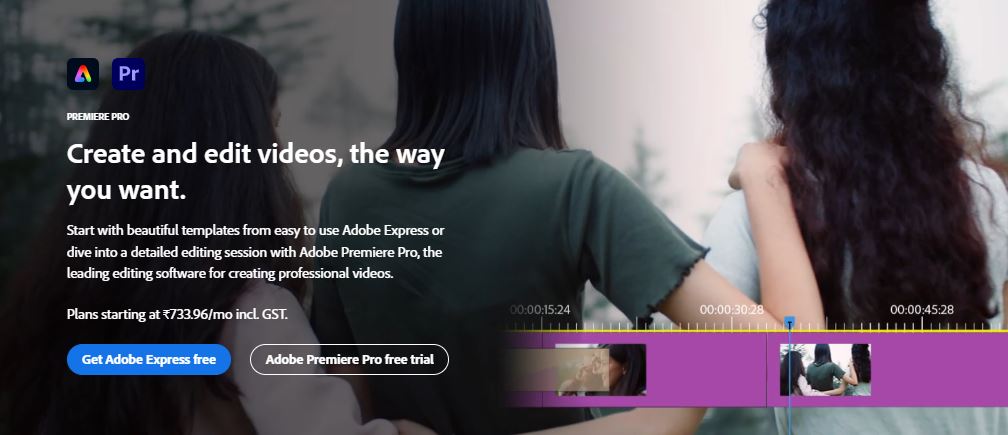
Adobe’s plans page lists Premiere for individuals at US$22.99 a month on an annual plan billed monthly, and Premiere for teams at US$37.99 per license. A 7-day free trial is offered for individuals. The Creative Cloud Pro price appears inconsistently on the page, so check the checkout price.
Adobe’s help pages say Premiere Rush was withdrawn from sale in September 2025 and that support ended on 30 September 2026, so it is not listed here. Adobe points users to Premiere on desktop and mobile.
Recommendation: A solid choice if your clients, collaborators or other tools already run on Adobe.
2. DaVinci Resolve (Windows, macOS, Linux)
Best for: Filmmakers and colorists who want grading, effects and audio in one app.
Pros:
- Color tools, Fusion VFX and Fairlight audio in one application
- Free version available
- Studio adds noise reduction and higher frame rates
Cons:
- Resource-heavy on weaker computers
- Large feature set takes time to learn
Blackmagic’s DaVinci Resolve page lists version 21 for Mac, Windows and Linux. The free version handles most 8-bit formats up to 60 fps at Ultra HD, and Studio, priced at $236 on a reduced offer from $295, adds temporal and AI noise reduction, 10-bit video up to 120 fps, resolutions beyond 4K, Magic Mask and more.
Fusion is a node-based VFX and motion graphics environment, and Fairlight handles real-time mixing of up to 2,000 tracks, according to the page.
Recommendation: The best all-round starting point, since the free version covers most of what a small team needs.
3. Final Cut Pro (macOS, iPad)
Best for: Mac and iPad users who want fast editing and a one-time purchase.
Pros:
- Magnetic Timeline keeps clips in sync as you edit
- Color curves, wheels and LUT support
- One-time purchase or subscription options
Cons:
- Apple devices only
- Collaboration tools are lighter than Avid or Resolve
Apple’s Final Cut Pro page lists a one-time $299.99 price, and says it is also included in an Apple Creator Studio subscription at $12.99 a month or $129 a year for new subscribers, with a 30-day free trial. It requires macOS 15.6 or later, or an iPad with an M1 chip or later on iPadOS 18.6.
Some features, such as Visual Search and Transcript Search, need a Mac with Apple silicon.
Recommendation: A strong pick for Apple users who prefer to buy once.
4. VEGAS Pro (Desktop)
Best for: Editors who want an all-in-one timeline with built-in effects.
Pros:
- Editing, color, audio, titles and delivery in one app
- Boris FX tools such as Mocha Pro and Particle Illusion built in
- AI tools: automatic reformatting, AI Quick Mask and text-based editing
Cons:
- Pricing is not shown on the product page
- The page does not list supported operating systems
The VEGAS Pro page highlights Vegas Pro 23 and a new annual subscription option, with a free 15-day trial. One license works on up to two computers and signs in with a Boris FX account. See the system requirements page before buying.
Recommendation: Worth a trial if you want editing and effects in one package without Adobe.
5. Avid Media Composer (Desktop)
Best for: Long-form, collaborative and broadcast-style post production.
Pros:
- Free Media Composer First tier, which Avid says no longer has track and resolution limits in the 2026.8 release
- AI multicam auto cut and transcript tools
- Shared projects across Standard, Ultimate and Enterprise tiers
Cons:
- Avid’s official site blocked our request, so prices are unconfirmed
- Interface and workflow differ from other editors
CineD reports that Media Composer 2026.8 removes the track and resolution limits from the free tier, adds PhraseFindAI Multicam Auto Cut, and restructures Shared Projects across the Standard, Ultimate and Enterprise tiers.
Confirm current subscription prices with Avid, because the figures we saw in secondary sources disagreed.
Recommendation: A good fit for teams that cut long projects together and need robust shared-project handling.
6. CapCut Desktop (Windows, macOS)
Best for: Beginners and social video creators.
Pros:
- Color wheel and auto-adjust for quick grading
- Advanced keyframes and graphs
- Simple interface
Cons:
- Less depth than full NLEs for feature-length work
- Pricing is not shown on the product page
CapCut’s desktop editor page lists Windows and macOS support, color grading, keyframes and aspect-ratio reframing, but links elsewhere for pricing. Check its pricing page for what is free and what needs a paid plan.
Recommendation: A friendly first editor, not a replacement for a full cinematic workflow.
7. Lightworks (Windows, macOS, Linux)
Best for: Editors who want a long-standing professional tool with flexible licensing.
Pros:
- Free version with 1080p export
- Create and Pro plans add 4K and 8K export and professional codecs such as ProRes and BRAW decode
- Monthly, yearly or one-time perpetual licensing
Cons:
- Free version limits export to Full HD and proxies to H.264 at 720p
- Plan prices were not shown in the text we could read
Lightworks’ pricing page lists Free, Create and Pro plans, shown in USD, GBP and EUR. Free is limited to 1080p export, and 4K and 8K export and BRAW or ProRes decode need Create or Pro.
Recommendation: Useful if you want a free start and a clear upgrade path to 4K.
8. Kdenlive (Linux, Windows, macOS, BSD)
Best for: Budget-conscious editors and open-source fans.
Pros:
- Free and open source
- Proxy editing for smooth playback on low-end systems
- Keyframed effects and nested sequences
Cons:
- Less polished than commercial rivals
- Fewer built-in finishing tools than Resolve
The Kdenlive site shows version 26.08.3, announced on 7 November 2026, and describes it as a free and open source video editor with proxies, nested sequences, markers and keyframes.
Recommendation: A capable no-cost editor, especially on Linux.
9. LumaFusion (iPhone, iPad, Mac, Apple Vision)
Best for: Mobile filmmakers who want a capable editor on Apple devices.
Pros:
- Touch-first editing on iPhone and iPad
- Version 5.6.1 supports Mac and Apple Vision
- Optional purchases such as Multicam Studio and FCPXML Export
Cons:
- Several features, including multicam, are extra purchases
- Not a replacement for a desktop color and audio suite
The App Store listing shows a $29.99 price with in-app purchases, including Creator Pass at $9.99 a month or $69.99 a year, Multicam Studio at $19.99 and FCPXML Export at $19.99. It lists Luma Touch LLC as the developer.
Recommendation: A good field editor, as long as you budget for the add-ons you need.


Find the Right Software for Cinematic Video Editing
If you want one app that does nearly everything, start with the free version of DaVinci Resolve. If your studio runs on Adobe, Premiere Pro is the natural choice. Mac users who prefer to buy once should look at Final Cut Pro, and teams cutting long projects together should test Avid Media Composer.
For tight budgets, Lightworks and Kdenlive are credible, and CapCut or LumaFusion fit quick turnarounds. Whatever you pick, run the same short test project through two or three before deciding.
Final Thoughts
A cinematic look comes from craft: good lighting, pacing, sound and a consistent grade. The editor only has to stay out of the way. Choose the one that handles your footage smoothly and that you will open every day.
Frequently asked questions
What is the best software for cinematic video editing?
DaVinci Resolve is the best all-round choice because it combines editing, color, effects and audio, and it has a free version. Premiere Pro, Final Cut Pro and Avid Media Composer are strong alternatives depending on your platform and team.
Is DaVinci Resolve free?
Yes. Blackmagic offers a free version and a paid Studio version, which was listed at $236 on a reduced offer from $295 in November 2026. Studio adds noise reduction, 10-bit video up to 120 fps and other features.
Is Premiere Rush still available?
No. Adobe’s help pages say Rush stopped being sold in September 2025 and that support ended on 30 September 2026. Adobe points users to Premiere on desktop and mobile.
Is HitFilm still available?
No. Digital Production reported that its owner, Artlist, discontinued HitFilm and Imerge, with no new licenses sold and development stopped, so it is not listed here.
Do I need a powerful computer for cinematic editing?
High-resolution footage and effects benefit from a fast GPU and plenty of memory. Proxy editing, which Kdenlive and Lightworks support, lets lower-end systems edit smoothly.
Is Final Cut Pro a one-time purchase?
Yes, it is listed at $299.99. Apple also includes it in an Apple Creator Studio subscription.
Interesting Reads:
10 Best Software for GIF Creation in 2026
Related reading