
9 min read
WordPress Events in the Near Future


WordPress events are the fastest way to turn a plugin you use into a plugin you understand, and a name on a support forum into a person you can message. The problem is that the calendar is scattered: flagship WordCamps, hundreds of local camps, monthly meetups, online workshops and a handful of commercial conferences all run on their own sites. This guide explains what each kind of event is for, where to find the current schedule, what the next twelve months look like, and how to get something concrete out of attending.
We first published this list in 2016, when the upcoming events were Post Status Publish in Philadelphia, Human Made’s A Day of Rest in Boston and PressNomics 5 in Tempe. Those specific events are long gone, but the shape of the calendar has not changed much. What has changed is that you no longer have to hunt for it.
The kinds of WordPress events, and who each one is for
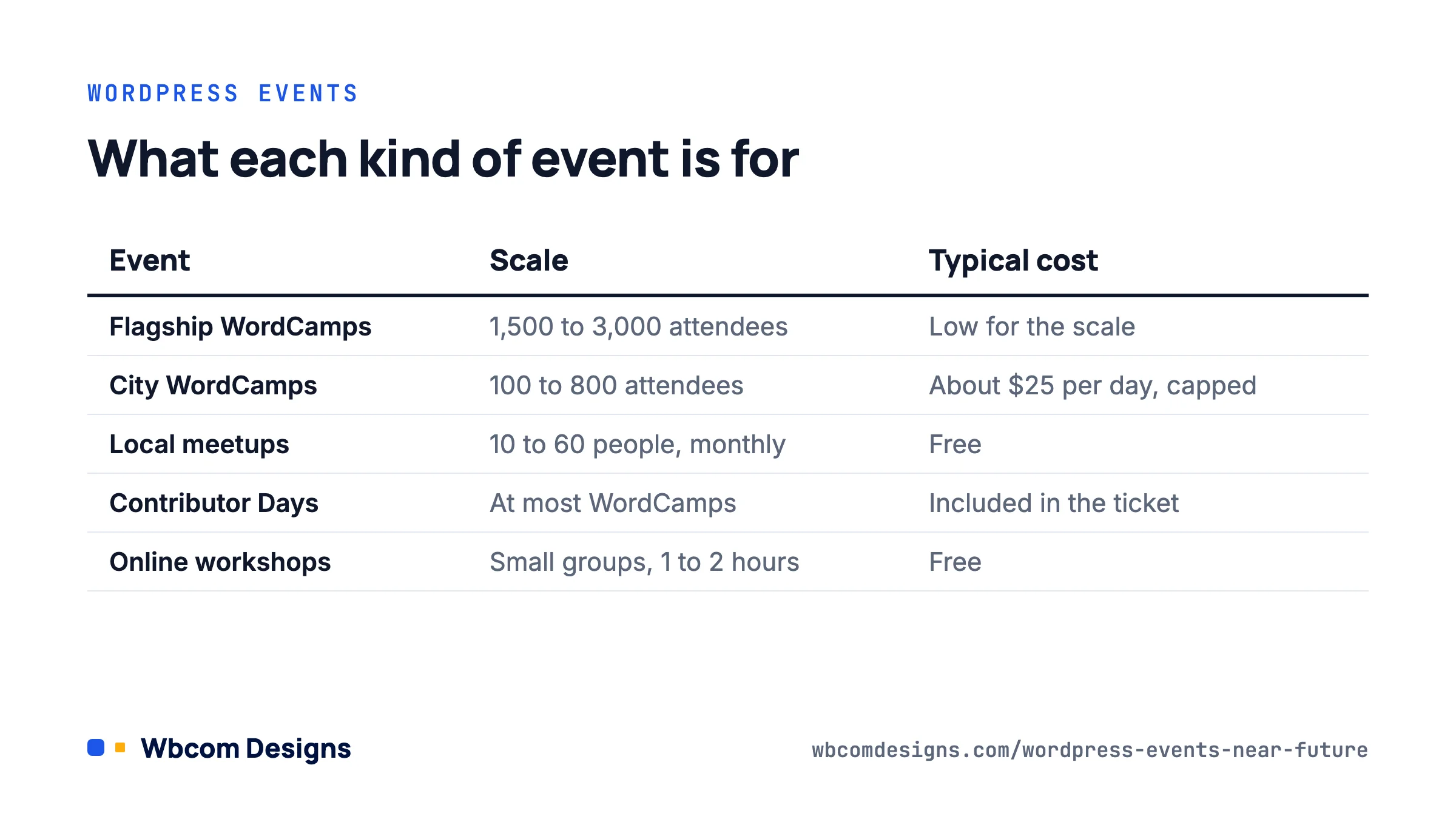
Not every event is worth your travel budget. It helps to know the categories before picking one.
| Event type | Scale | Typical cost | Best for |
|---|---|---|---|
| Flagship WordCamps (Asia, Europe, US) | 1,500 to 3,000 attendees, 2 to 3 days plus Contributor Day | Low for the scale; WCEU and WCUS tickets have stayed well under typical tech-conference prices | Meeting plugin and hosting teams in person, sponsor expo, big-picture talks |
| Regional and city WordCamps | 100 to 800 attendees, 1 to 2 days | The organiser handbook caps tickets at about $25 USD per person per day | Practical talks, local freelancers and agencies, first-time speakers |
| Local meetups | 10 to 60 people, one evening a month | Free | Regular contact, asking specific questions about your own site |
| Contributor Days | Attached to most WordCamps | Included in the ticket | Learning how core, docs, support and polyglots teams actually work |
| Online workshops (Learn WordPress) | Small groups, 1 to 2 hours | Free | Focused skills: block themes, accessibility, WP-CLI, contributing |
| Commercial conferences (WordSesh, PressConf, Post Status events, CloudFest) | Varies widely | Free online up to four figures for business retreats | Agency owners and product businesses rather than general users |
The WordCamp organiser handbook is explicit that tickets “should cost $25 USD/person/day (or less)” and that the price mostly covers lunch and a t-shirt. That policy is why a two-day WordCamp with forty sessions costs less than a single hour of most commercial training. If cost has been the reason you have not gone, it is not a good reason.
Where the schedule actually lives
Three sources cover almost everything, and two of them are already in your WordPress dashboard.
WordCamp Central
Every official WordCamp is listed at central.wordcamp.org/schedule, with city, dates and a link to the individual event site. Camps appear there as soon as they are approved, often before tickets go on sale, so it is the place to plan a quarter ahead. Each WordCamp site has its own Tickets, Schedule and Speakers pages; the schedule normally lands four to six weeks before the event.
The Events widget in your dashboard
Log in to any WordPress site and look at the “WordPress Events and News” box on the Dashboard home screen. It geolocates by your IP (you can type a different city) and lists the next few meetups and WordCamps nearby. It pulls from the same data as WordCamp Central and the Meetup chapter program, so it is accurate, and it is the reason you can stop bookmarking event pages.
Meetup.com chapter accounts
Local WordPress meetups run under the WordPress Foundation’s chapter account on Meetup.com, which is why they are free to attend and do not ask you to pay group dues. Search Meetup for “WordPress” plus your city. If nothing turns up within an hour’s travel, the Community team will help you start one; the requirements are small (a venue, a regular date and a willingness to show up even when four people do).
Learn WordPress online events
learn.wordpress.org lists online workshops and “social learning” sessions run by volunteers in multiple time zones. They are the best option if you cannot travel, and the recordings go to WordPress.tv afterwards, as do most WordCamp talks.
The next twelve months
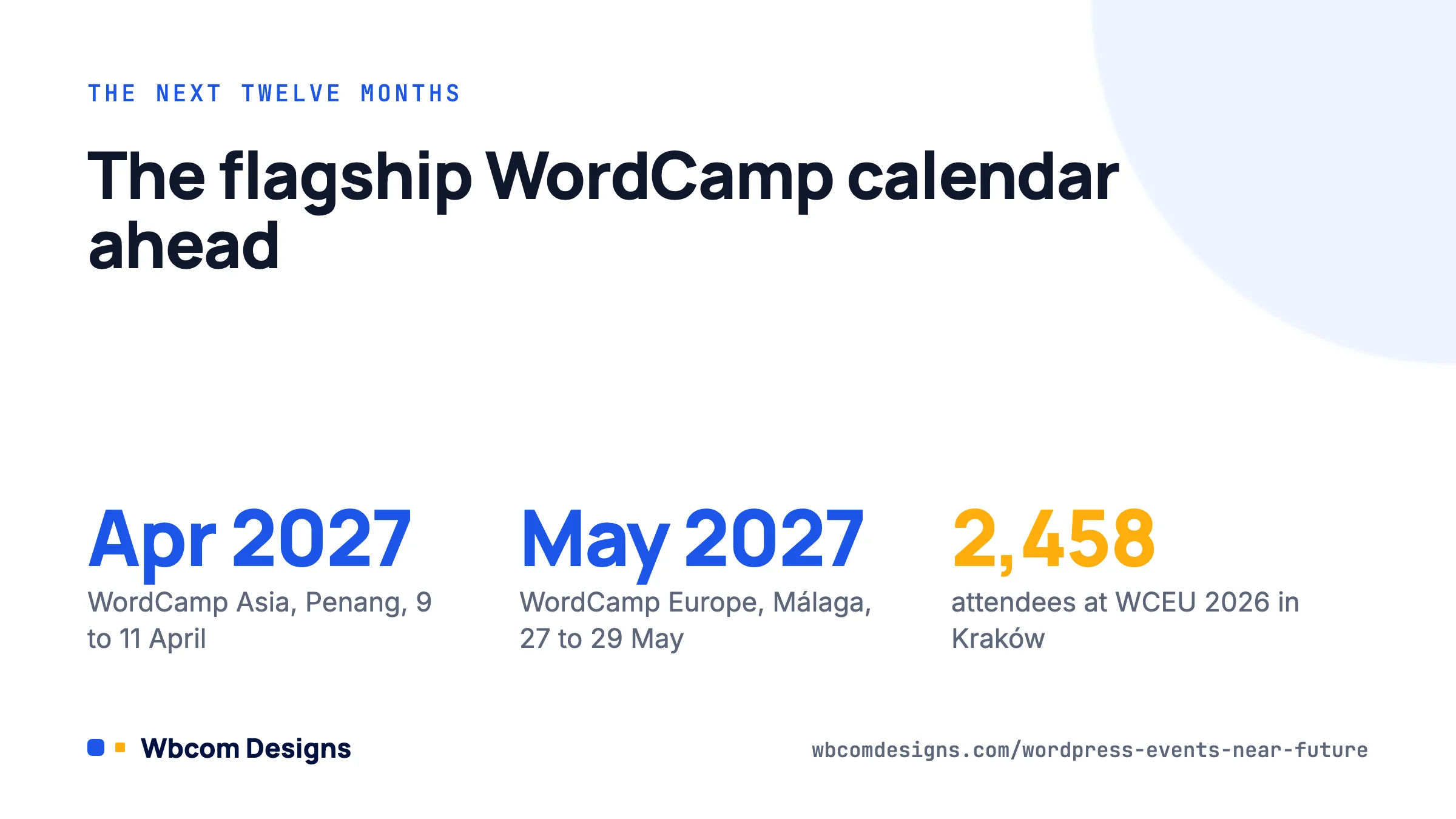
As of late August 2026 the calendar on WordCamp Central looks like this. Dates come from the individual event sites; check them before booking anything.
Flagships
- WordCamp US 2026, Phoenix Convention Center, 16 to 19 August 2026. Just finished; talks will appear on WordPress.tv over the coming weeks.
- WordCamp Asia 2027, Penang, Malaysia, 9 to 11 April 2027. Call for speakers and sponsors usually opens in the autumn.
- WordCamp Europe 2027, Málaga, Spain, 27 to 29 May 2027. WCEU 2026 in Kraków drew 2,458 attendees from 81 countries, which gives you an idea of the scale.
- WordCamp US 2027 is confirmed as happening but without dates or a city at the time of writing.
Regional WordCamps, September to December 2026
- September: WordCamp Philippines (Iloilo, 28 to 29 Aug), WordCamp Lira (Uganda, 29 to 30 Aug), WordCamp Bretagne (Rennes, 18 Sep), WordCamp Costa Rica (18 to 19 Sep), WordCamp Belgrade (18 to 19 Sep), WordCamp Kathmandu (18 to 19 Sep), WordCamp Jinja (19 to 20 Sep), WordCamp Managua (26 to 27 Sep).
- October: WordCamp Wrocław (2 to 3 Oct), WordCamp Sylhet (2 to 3 Oct), WordCamp Rajasthan (Jaipur, 3 to 4 Oct), WordCamp Galicia (A Coruña, 16 to 18 Oct), WordCamp Sofia (24 to 25 Oct), WordCamp Johannesburg (30 Oct), WordCamp Brasil (Belo Horizonte, 30 to 31 Oct), WordCamp Valencia (31 Oct to 1 Nov).
- November: WordCamp Canada (Vancouver, 5 to 6 Nov), WordCamp Netherlands (12 to 13 Nov), WordCamp Pisa (13 to 14 Nov), WordCamp Bengaluru (21 to 22 Nov).
- December: WordCamp Athens (11 to 12 Dec), WordCamp Delhi (New Delhi, 12 to 13 Dec).
For our own team, based in India, WordCamp Rajasthan, Bengaluru and Delhi are the ones on the calendar this year. The Indian camps have grown steadily and the hallway conversations are heavily weighted towards agencies and product companies, which suits us.
Getting something out of a WordCamp
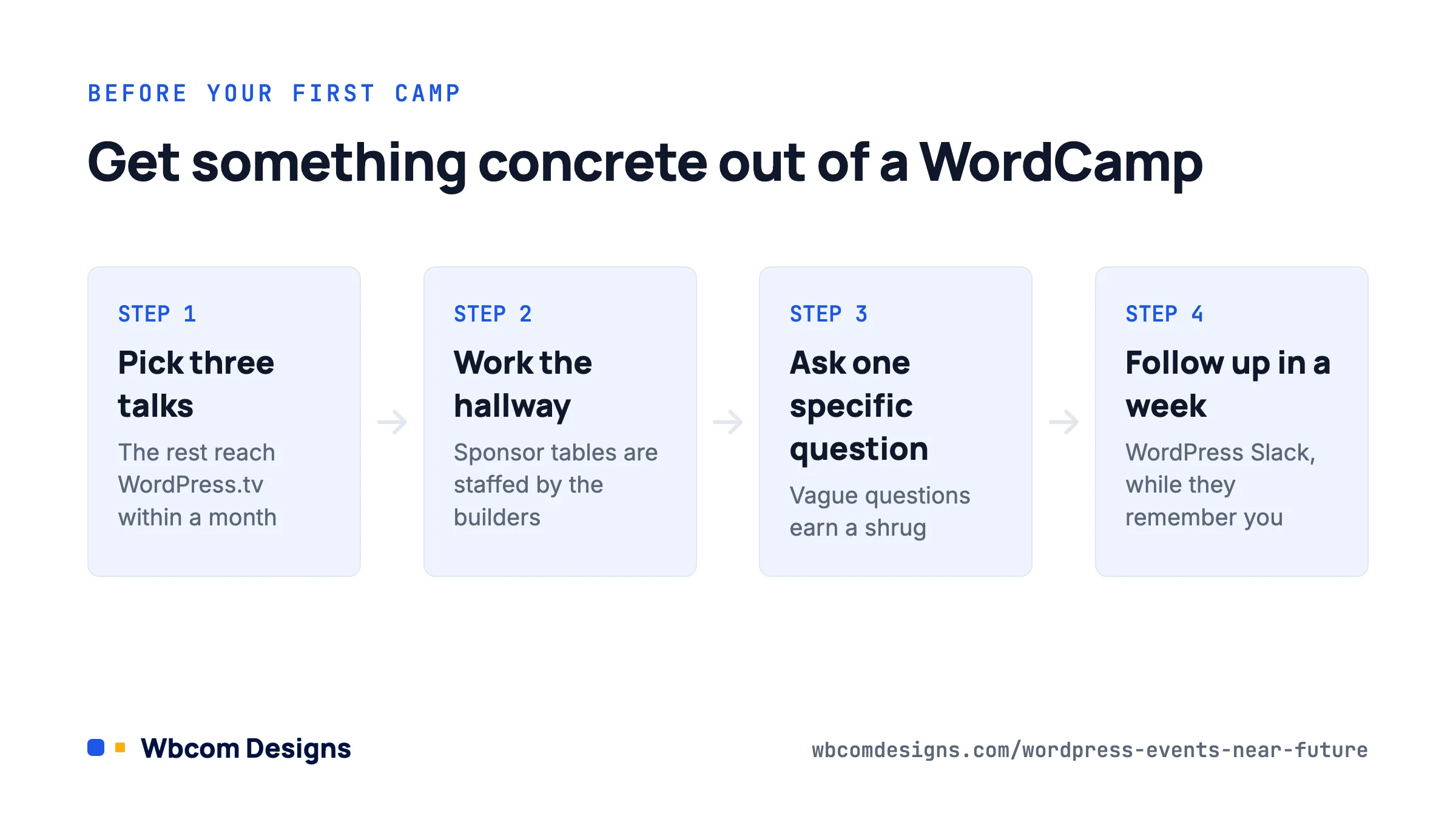
Attending is easy. Coming home with something useful takes a little planning. This is the routine we give new team members before their first camp.
- Pick three sessions, not twelve. Read the schedule the week before and choose the talks that address a problem you currently have. Everything else is on WordPress.tv within a month, usually with better audio than the room.
- Spend the rest of the time in the hallway and the sponsor area. Hosting companies, plugin vendors and agencies staff their tables with the people who actually build the product. If you have a support ticket that has gone nowhere, this is where it gets solved.
- Bring one specific question. “My BuddyPress activity stream is slow with 40,000 members” gets a useful conversation. “Any tips for performance?” gets a shrug.
- Go to Contributor Day even if you do not write code. The docs, support, polyglots, training and marketing tables need people, and the onboarding is designed for first-timers. Two hours at the support table teaches you more about how WordPress sites break than a year of your own.
- Follow up within a week. Connect on the WordPress Slack (chat.wordpress.org) or by email while they still remember the conversation.
Speaking and sponsoring
Most regional camps struggle to fill their speaker lineup and actively want first-time speakers. The call for speakers usually closes two to three months before the event; a twenty-minute case study about something you built is exactly what selection teams look for. Sponsorship at a city WordCamp typically starts at a few hundred dollars and gets you a table; flagship sponsorship runs into the tens of thousands and is booked out months ahead. We have sponsored and spoken at camps in India and found the small-camp table far better value per conversation than the large-camp logo.
Events worth knowing outside the WordCamp programme
The official programme has rules (non-profit, low ticket prices, GPL-only sponsors) that some organisers find limiting, so a parallel set of events exists. A few that have stuck around:
- WordSesh: a free online conference, recorded, with a practitioner focus. Good for people who cannot travel.
- PressConf (from the team behind the old PressNomics): a business-focused conference for product and agency owners in the US, limited attendance, priced accordingly.
- Post Status events and the Post Status Slack: a paid community for WordPress professionals, with meetups attached to the flagship WordCamps.
- CloudFest in Germany and the WP Hackathon attached to it: not WordPress-only, but the hosting industry shows up in force.
- Vendor conferences from hosts and plugin companies: worth it if you already use the product, otherwise mostly a sales funnel.
If you run a community or membership site yourself, it is worth seeing how these organisers handle the event side: ticketing, schedules, speaker pages and post-event recordings. That is a pattern you can reproduce on your own WordPress site with an events plugin; our Eventonomy Pro ticketing add-on exists because community sites kept asking for it.
Running your own event
If no meetup exists near you, starting one is the most effective thing you can do, and it is easier than it looks. The Community team’s requirements are deliberately light: you apply at make.wordpress.org/community, agree to the code of conduct and the “five good faith rules”, and they add your group to the chapter account so you pay nothing for Meetup. A venue can be a coworking space, a library room or a cafe’s back area. Ten people and a projector is a meetup.
The pattern that works in our experience: pick a fixed slot (second Thursday of the month, say), alternate a talk month with a “bring your laptop and your problem” help-desk month, and post the next date before people leave. Groups that skip months die. Groups that meet every month for a year become the local hiring network for WordPress work, which is a useful thing to be at the centre of.
Once a meetup has run for a while, the same team can apply to organise a WordCamp. The handbook covers budgets, venue contracts and the WordCamp payment system in detail, and a mentor from the Community team is assigned to every first-time organising team.
FAQ
Are WordCamps only for developers?
No. Most camps run parallel tracks for users, designers, marketers and business owners, and the sponsor area is aimed at site owners. Developers are usually the minority.
Do I need a ticket for Contributor Day?
Usually it is a separate free registration on the same event site, because the organisers need to know numbers for tables and lunch. Check the camp’s Contributor Day page.
What happens to the talks afterwards?
Nearly all WordCamp sessions are recorded and published on WordPress.tv, normally within a few weeks. Slides are often linked from the session page on the WordCamp site.
Is there a WordCamp refund policy?
Yes, tickets are refundable on request up to a cut-off date set by each camp. Since tickets cost little, most people who cannot attend donate the ticket instead.
Where to start
Open your WordPress dashboard, look at the Events and News widget, and see what is within reach in the next three months. If there is a meetup, go to the next one. If there is a WordCamp, buy the ticket now and decide on sessions later. And if there is nothing, the Community team would like to hear from you.
Related reading