
9 min read
Best WordPress eSignature Solutions to Sign Documents Online

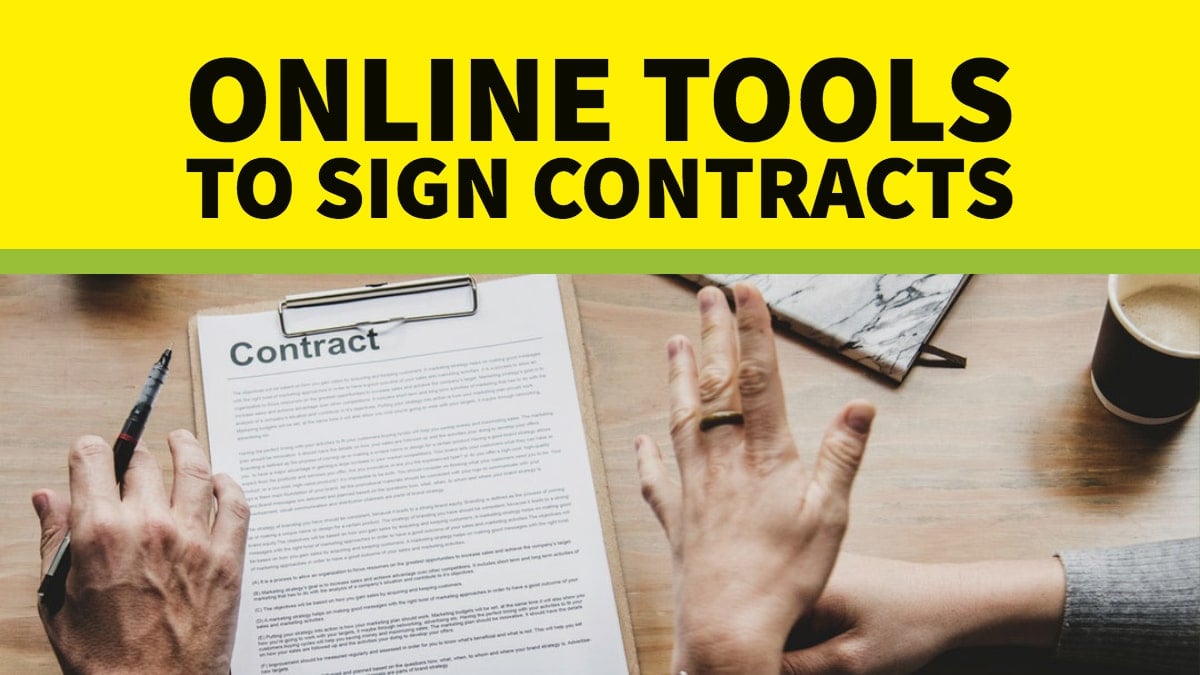
You wouldn’t start working for a company in the offline world without signing an employment contract, right? Both sides want clear terms, and signing a contract before starting work is the usual way to do that. But online, things often look different. Many freelancers start projects without any written agreement at all. And when contracts are used, the back-and-forth process of printing, signing, scanning, and uploading can feel slow and frustrating.
This is where eSignature technology steps in.
Last updated: 6 November 2026
Quick answer: To collect legally valid signatures on a WordPress site, use WP E-Signature by ApproveMe if you want a self-hosted plugin that keeps documents on your own server, or a hosted service such as Dropbox Sign, Adobe Acrobat Sign, Jotform Sign or DocHub if you prefer a monthly plan. Form-based options like the WPForms Signature addon suit simple consent forms.
eSignature tools have grown quickly in the last few years. The idea first appeared in 1992 when IBM introduced its “Electronic Signature” program. Since then, many companies have adopted digital signatures for everything from sales contracts and invoices to tax documents and onboarding forms. Today, anyone can create an e-signature using a smartphone, tablet, laptop, or desktop.

An electronic signature, or eSignature solution, is simply a digital mark that shows approval or consent on a document. Instead of signing with a pen on paper, you sign electronically on a digital file. In most cases, an eSignature can replace a handwritten one, though the rules depend on the country and the type of document.
Before comparing the tools, it helps to understand how eSignatures work so you can choose the right one for your needs.
Are electronic signatures legally valid?
In the United States, the federal ESIGN Act says that for a transaction in or affecting interstate or foreign commerce, a signature or contract “may not be denied legal effect” solely because it is in electronic form. You can read the wording in 15 U.S.C. 7001.
In the European Union, the eIDAS Regulation applies. As Blueink explains in its eIDAS overview, it recognises three types: simple, advanced and qualified. None can be denied legal effect or admissibility in legal proceedings solely because it is electronic, and a qualified electronic signature has the same legal effect as a handwritten one. The European Commission describes its eSignature building block as producing signatures compliant with eIDAS that are legally valid in all Member States.
Some documents, such as wills or certain property transfers, may be excluded or need extra formalities in your country. This is general information, not legal advice, so check with a lawyer before relying on any tool for high-stakes agreements.
WordPress eSignature solutions compared
| Tool | Type | Pricing (checked 6 November 2026) | Best for |
|---|---|---|---|
| WP E-Signature (ApproveMe) | Self-hosted WordPress plugin | Plus $199.50 for 1 site (renews at $249.50/year); Elite $299.50 for 5 sites; lifetime deal $699 for 10 sites, all shown as promotional prices | Agencies and freelancers who want contracts inside WordPress |
| Dropbox Sign (formerly HelloSign) | Hosted service | Essentials $15/month or $180/year; Standard from $25/user/month | Small teams that want a simple hosted tool |
| Adobe Acrobat Sign | Hosted service | Acrobat Pro for teams US$23.99/month, Acrobat Studio for teams US$29.99/month (annual commitment) | Businesses with compliance needs |
| DocHub | Hosted service | Free (3 uses a month); Basic EUR 8/month; Pro EUR 12/month | Low-volume PDF signing |
| Foxit eSign (formerly eSign Genie) | Hosted service | Per-user yearly plans; 250 envelopes a year on Essentials | Teams that want unlimited envelopes on Business |
| RightSignature | Hosted service | Check vendor | Simple upload-and-send workflows |
| Jotform Sign | Hosted service | Free Starter (10 signed documents/month); Bronze $39/month; Silver $49/month; Gold $129/month | Teams already using Jotform forms |
| WPForms Signature addon | Form addon | Included from the WPForms Pro tier (up to 5 sites) | Consent and waiver forms |
Prices come from each vendor’s pricing page, checked on 6 November 2026, and change often. Confirm them before you buy.
The Benefits of Freelancing Contracts with WordPress eSignature Plugins
A clear contract protects you from misunderstandings and difficult situations. It should outline the project scope, payment terms, deadlines, and any important details you expect from the client. When everything is written down, it becomes harder for either party to dispute the agreement. And if conflict arises, you have a written record to point to.
To help you create secure agreements, here are some of the best eSignature tools available online. They make it easy for people to sign important documents directly from your WordPress website or through a link you send.
WP E-Signature by ApproveMe
WP E-Signature is one of the first WordPress-focused electronic signature solutions. ApproveMe describes it as a self-hosted application that runs as a WordPress plugin, so it does not work on non-WordPress sites or on WordPress.com. You manage contracts and document signing from your WordPress dashboard, which suits freelancers and agencies who already work inside WordPress every day.
Listed plans on the ApproveMe pricing page include Plus (1 site, 1 user), Elite (5 sites, unlimited users, multisite support) and a lifetime deal for 10 sites. The displayed prices are promotional and renewals differ, so read the renewal line before you commit. ApproveMe also publishes a Signature Add-On for Gravity Forms on WordPress.org, which needs a WP E-Signature Elite or Lifetime license.
Dropbox Sign (formerly HelloSign)
Dropbox Sign, which began as HelloSign, is a popular eSignature tool built for small businesses. It offers a clean, user-friendly interface, and the vendor describes signature requests as unlimited on paid plans. Essentials is $15 a month for one user ($180 billed yearly) and Standard starts at $25 per user per month. It is a hosted service, so check the current options for connecting it to your WordPress site before you buy.
WPForms Signature addon
If you only need people to sign a waiver, consent or simple agreement, the WPForms Signature addon adds a drag-and-drop signature field to any form. Signers can use a finger, mouse or stylus, and the signature is saved as a transparent PNG with the form entry in your dashboard. It is included from the Pro tier. WPForms says signatures are legally binding in most countries as long as intent is clear and the signed document is stored intact, and it advises checking your jurisdiction with a legal professional.
The Swift Signature plugin, which relied on a separate SwiftCloud account, has had its signing functionality removed according to its WordPress.org changelog (version 2.0), so this addon is a more reliable form-based route.
Also Read: Best Practices For Managing Your Business Emails to Boost Productivity
Adobe Acrobat Sign
Originally known as EchoSign, Adobe Acrobat Sign sits under the Adobe brand and is aimed at medium and large businesses. Security and compliance are central to the product. Adobe lists Acrobat Pro for teams at US$23.99 per license per month and Acrobat Studio for teams at US$29.99, on an annual commitment with up to 10 licenses, so confirm which plan includes the signing features you need.
DocHub
DocHub is one of the simplest tools for online signatures. It lets you add fields to PDF files using drag-and-drop actions. Its free plan allows 3 feature uses a month, shared across all features, which is enough for freelancers and small teams who sign only a few documents. Basic costs EUR 8 a month and Pro costs EUR 12 a month, with unlimited PDF editing and sign requests on Pro.
Also Read: 8 Mistakes to Avoid When Creating a Website Design Contract for Your Client
Foxit eSign (formerly eSign Genie)
The eSign Genie website now redirects to Foxit eSign. Foxit lists eSign Essentials for individuals (250 envelopes a year, 10 templates) and eSign Business with unlimited envelopes and templates, custom branding, signable web forms and bulk sending, priced per user per year with a five-license minimum. Foxit does not show dollar amounts on that page, so request a quote.
RightSignature

Acquired by Citrix in 2014, RightSignature is a long-running eSignature tool. You upload your document, add the required fields, and send it to your recipients. They can sign using a mouse-drawn signature and return it within minutes. Public sources disagree on its current pricing and ownership, so check the vendor before you buy.
These tools make it easy to send and sign contracts with just a few clicks. Whether you’re a freelancer or a client, they offer the clarity needed for a smooth working relationship.
Jotform Sign
Jotform Sign is built for contracts, agreements and other documents that need a signature. It has the same drag-and-drop builder as other Jotform tools, with customizable templates. The free Starter plan includes 10 signed documents a month. Paid plans run Bronze at $39 a month (100 signed documents), Silver at $49 (250) and Gold at $129 (1,000), with lower prices on annual billing.

How to choose a WordPress eSignature tool
- Pick a self-hosted plugin like WP E-Signature if contract data must stay on your own server.
- Pick a hosted service if you sign few documents and prefer a predictable monthly bill.
- Check the free tier limits. DocHub allows 3 uses a month and Jotform Sign 10 signed documents.
- For regulated documents, look for audit trails and compliance statements, and ask a lawyer whether a simple signature is enough or you need a qualified one.
Final Thought
From WP E-Signature and Dropbox Sign to Adobe Acrobat Sign, DocHub, Foxit eSign, RightSignature and Jotform Sign, each tool has its own strengths. A self-hosted plugin suits agencies that want contracts inside WordPress, while hosted tools suit teams that sign less often.
Whether you’re a freelancer managing client deals or a business streamlining operations, adding an eSignature workflow can protect your agreements and speed up project starts. If you want help picking the right option, Wbcom Designs can guide you.
Frequently asked questions
Are electronic signatures legally binding?
In most cases yes. The US ESIGN Act says a signature or contract may not be denied legal effect solely because it is electronic, and under eIDAS in the EU none of the three signature types can be denied legal effect solely for that reason. Some document types need extra formalities, so check with a lawyer.
What is the difference between a simple, advanced and qualified electronic signature?
A simple signature is data such as a typed name or an “I agree” click. An advanced signature must be uniquely linked to the signer and tamper-evident. A qualified signature adds a qualified certificate and a secure signature device, and has the same legal effect as a handwritten signature in the EU.
Is there a free eSignature option for WordPress?
Yes, with limits. Jotform Sign offers 10 signed documents a month and DocHub offers 3 feature uses a month on their free plans. Self-hosted options like WP E-Signature are paid.
What is the best WordPress eSignature plugin?
WP E-Signature by ApproveMe is the most WordPress-focused option because it runs as a plugin on your own site. Hosted tools such as Dropbox Sign or Adobe Acrobat Sign suit teams that prefer a managed service.
Can I collect signatures with a WordPress form?
Yes. The WPForms Signature addon adds a signature field to any form and stores the signature with the entry. It suits waivers and consent forms rather than complex multi-party contracts.
Did HelloSign and eSign Genie change names?
Yes. HelloSign is now Dropbox Sign, and the eSign Genie website redirects to Foxit eSign.
Interesting Reads:
8 Mistakes to Avoid When Creating a Website Design Contract for Your Client
Related reading