
8 min read
.htaccess Testing: Best Tools for Developers and Web Admins


The best .htaccess tester for most jobs is Madewithlove’s Htaccess Tester: paste your rules and a URL, and it shows you line by line how Apache’s mod_rewrite evaluates them. Pair it with HtaccessCheck for syntax errors and a redirect checker such as httpstatus.io to confirm the live result, and you have covered the three ways an .htaccess change goes wrong: bad logic, bad syntax, and a different outcome on the real server.
The .htaccess file gives you directory-level control over URL rewriting, redirects, access rules, caching headers, and security on Apache and LiteSpeed servers. One typo produces a 500 error across the whole site, and one bad rewrite loop takes WordPress offline. Testing before you save is cheap. Fixing a site that is down is not.
We re-checked every tool in this list on 21 August 2026. Two tools from the earlier version of this article, the Curious Website Designer tester and Ralf van Veen’s validator, no longer resolve, so we replaced them with tools that do.
Best .htaccess Tester Tools
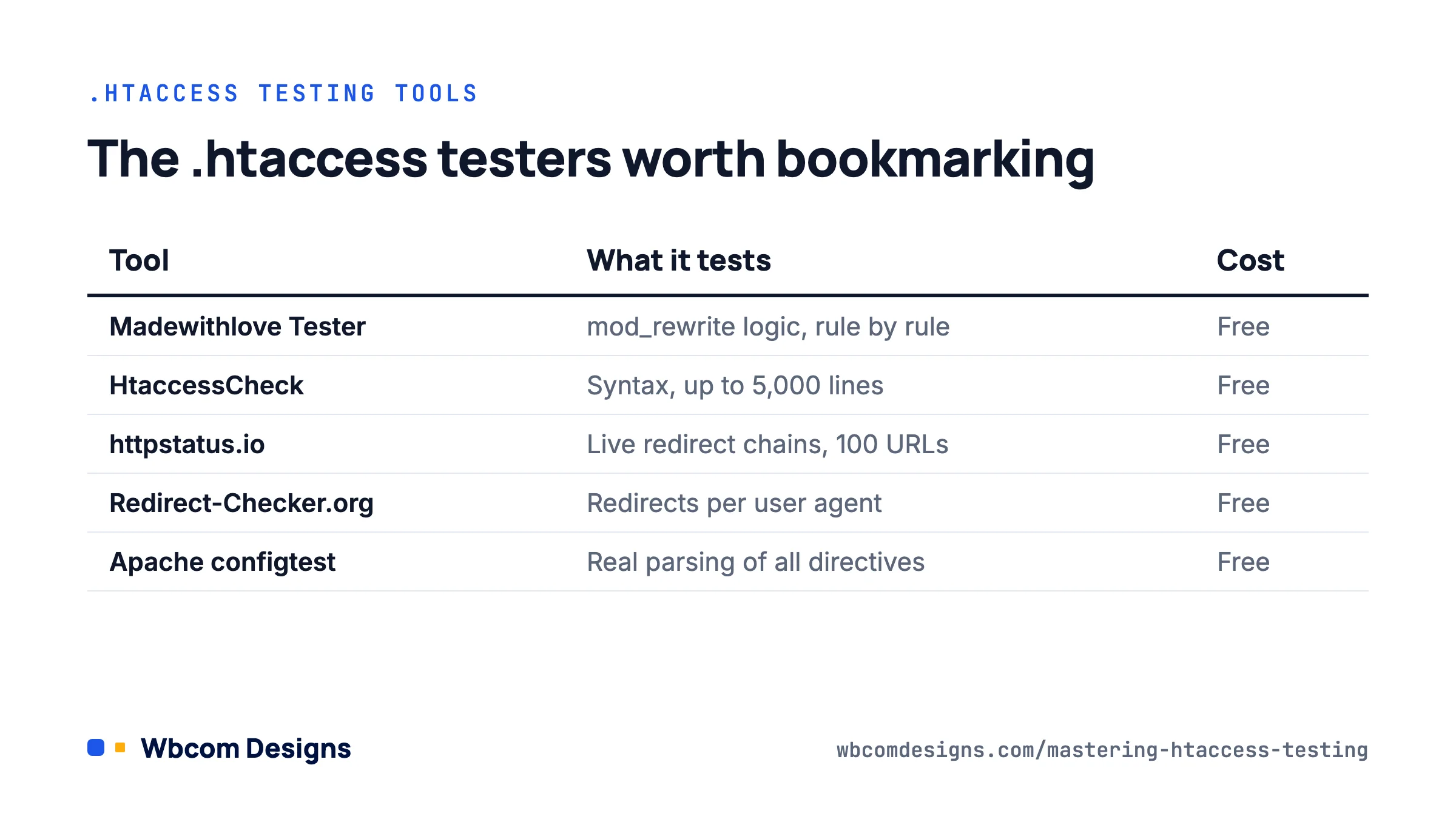
| Tool | What it tests | Best for | Cost |
|---|---|---|---|
| Madewithlove Htaccess Tester | mod_rewrite logic against a test URL, rule by rule | Debugging RewriteRule and RewriteCond chains | Free, open-source CLI available |
| TechnicalSEO.com .htaccess Tester | Same engine, SEO-focused interface | Checking redirect rules for canonical URLs | Free |
| HtaccessCheck | Syntax of the whole file, up to 5,000 lines | Catching typos before upload | Free |
| httpstatus.io | Live response codes and redirect chains for a list of URLs | Confirming redirects on the real server | Free |
| SEOptimer Redirect Checker | Status code and redirect path for a single URL | Quick 301 vs 302 checks | Free |
| Redirect-Checker.org | Redirect chains with different user agents | Spotting mobile or bot-specific redirect bugs | Free |
| Apache configtest and a local server | Real Apache parsing of your directives | Anything that touches more than rewrites | Free |
1. Madewithlove Htaccess Tester
Madewithlove’s tester is the one we reach for first. You paste a URL and your rules, and it walks through each RewriteCond and RewriteRule, marks which ones matched, and shows the final URL. If a rule never fires, you see exactly where the chain stopped. It also supports sharing a test by link, which is handy for support tickets.
The engine is open source. The companion htaccess-cli project, updated in August 2026, lets you run the same checks from a terminal or a CI pipeline, so a rewrite regression fails a build instead of a production site.
2. TechnicalSEO.com .htaccess Tester
TechnicalSEO.com’s tester runs on the Madewithlove engine with an interface aimed at SEO work. It sits alongside the site’s robots.txt tester, hreflang checker, and sitemap tools, so it fits a technical SEO audit workflow. Use it when the question is “does the old URL 301 to the right canonical URL” rather than “why does this regex not match.”
3. HtaccessCheck
HtaccessCheck is a syntax validator. Paste or upload a file up to 5,000 lines and it reports each syntax error with a line number and reason. It does not simulate rewrites; it answers the narrower question of whether Apache will accept the file at all. That makes it the right first pass when you have inherited a long .htaccess from a previous developer or a security plugin. Note the site is served over plain HTTP, so do not paste anything with secrets in it.
4. httpstatus.io
httpstatus.io replaces the Curious Website Designer tester, which is offline. It checks what the live server actually returns: paste up to 100 URLs and get the status code, every hop in the redirect chain, and response headers, with options to set the user agent and method. After you deploy a redirect set, this is how you confirm it works on the real server and not only in a simulator.
5. SEOptimer Redirect Checker
SEOptimer’s redirect checker is a single-URL tool aimed at marketers. It tells you whether a URL returns a 301, 302, or something else, and where it ends up. It is less detailed than httpstatus.io but quick for one-off checks, and it flags temporary redirects where a permanent one was intended, which is a common SEO mistake.
6. Redirect-Checker.org
Redirect-Checker.org replaces Ralf van Veen’s validator, which we could not reach. Its useful trick is switching the user agent: test the same URL as Googlebot, a mobile browser, and a desktop browser, and compare the chains. Rules that depend on %{HTTP_USER_AGENT} or mobile detection often behave differently from what the author expected, and this is the quickest way to see it.
7. Apache configtest and a local server
Online simulators only model mod_rewrite. Real .htaccess files also carry Header, ExpiresByType, Require, Options, and php_value directives, and a simulator will not tell you that your host has AllowOverride set to block half of them. The only complete test is Apache itself.
Run apachectl configtest (or httpd -t) on a local or staging server to parse the main config, and request a page to exercise the .htaccess. Local WordPress tools such as Local, DDEV, and Docker images with Apache let you drop in the exact file and watch the error log. If your production host runs LiteSpeed or OpenLiteSpeed, test there too: it reads .htaccess but not every Apache module is supported.
How to test an .htaccess change step by step
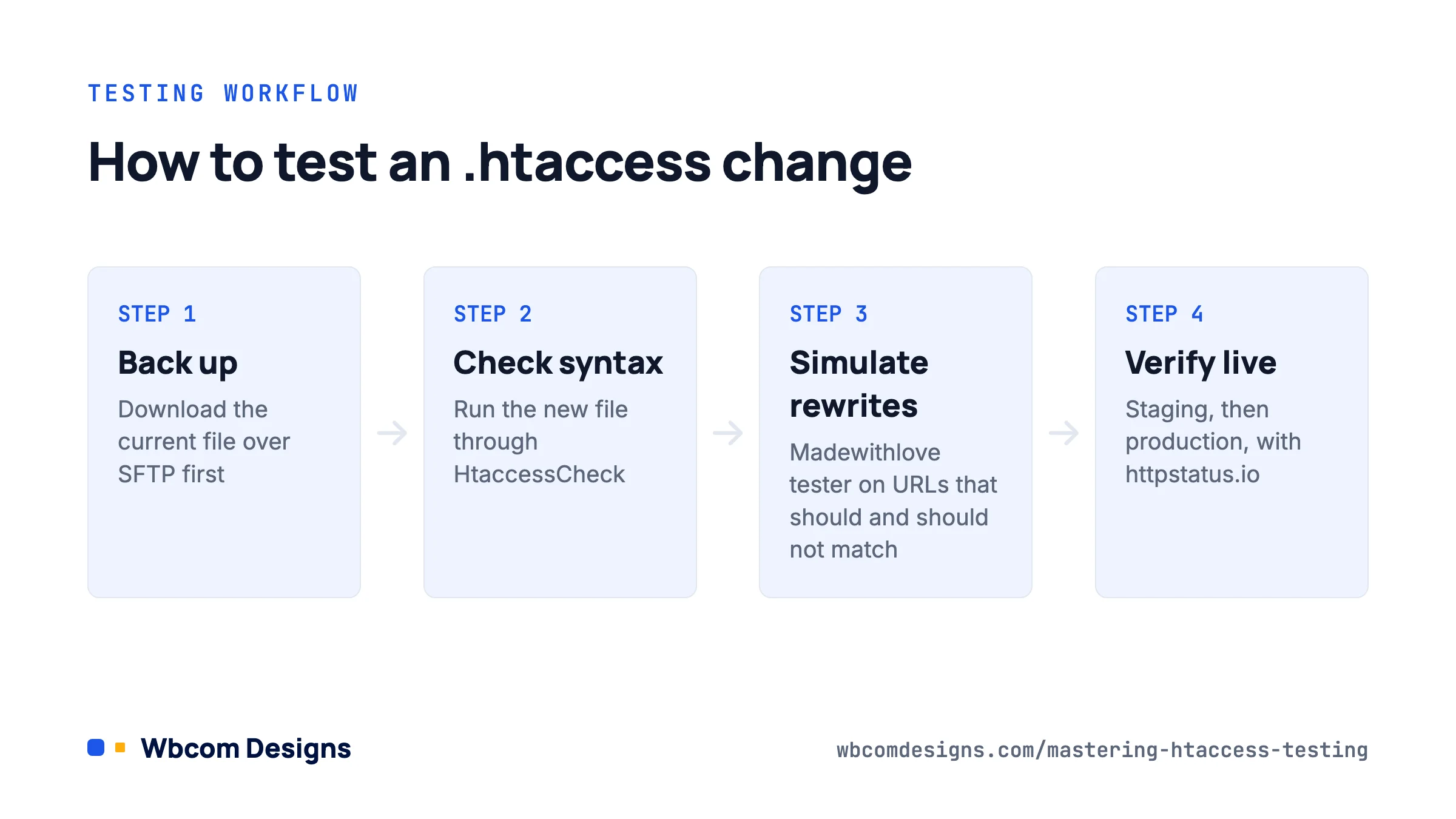
- Copy the current file. Download it over SFTP and keep it next to the new version. You will want the diff later.
- Run the new file through HtaccessCheck. Fix every syntax error before you go further.
- Simulate the rewrite logic in the Madewithlove tester. Test the URLs that should redirect, the ones that should not, and at least one that looks similar to a matched pattern but should pass through.
- Deploy to staging. Tail the Apache error log while you request pages. A rewrite loop shows up as “Request exceeded the limit of 10 internal redirects”.
- Verify with httpstatus.io. Paste your list of old URLs and confirm each returns a single 301 to the intended destination, with no chains.
- Deploy to production and repeat step 5. Then check the WordPress admin, the login page, and a REST API URL, because those are the routes custom rules break most often.
Common .htaccess mistakes the tools catch

- Missing
RewriteEngine On. Rules silently do nothing. - Rules placed after the WordPress block. WordPress’s own rules end with a catch-all that sends everything to index.php, so anything below it never runs. Put custom redirects above
# BEGIN WordPress. - Using
[L]when you meant[L,R=301]. The URL rewrites internally and the browser never sees the redirect, so search engines keep the old URL. - Redirect chains. Old URL to new URL to HTTPS to trailing slash is four hops. Collapse them into one rule.
- Unescaped dots in patterns.
page.htmlmatchespagexhtmltoo. Writepage\.html. - Directives your host blocks.
php_valuelines on a PHP-FPM server throw a 500 error. Move those settings to a.user.inifile or the wp-config file instead. - Editing the block between the WordPress markers. WordPress rewrites that block when you save permalinks, and your changes vanish.
Best Practices for .htaccess Testing
- Backup First: Always keep a copy of the working
.htaccessfile before making changes, and know how to restore it over SFTP if the admin goes down. - Use a Staging Environment: Test on a staging server that matches production, including the web server type and PHP handler.
- Monitor Logs: Apache error logs and access logs tell you what actually happened. Simulators tell you what should have.
- Keep it Minimal: Fewer rules mean fewer interactions. If a security or caching plugin already writes rules, do not duplicate them by hand.
- Document Changes: Keep the file in version control or at least a dated changelog, and comment every custom rule with why it exists.
- Prefer server config where you can: The Apache documentation is blunt that
.htaccessfiles slow every request. If you control the server, put the rules in the virtual host instead. The WordPress Advanced Administration Handbook covers the WordPress-specific details.
If .htaccess is part of a bigger performance or security cleanup, our WordPress performance optimization and security hardening services handle server-level rules, caching headers, and access restrictions as part of the work.
Frequently asked questions
What is the best .htaccess tester?
Madewithlove’s Htaccess Tester for rewrite logic. It is free, shows each rule’s result, and has an open-source CLI. Combine it with HtaccessCheck for syntax and httpstatus.io for live verification.
How do I check an .htaccess file for syntax errors?
Paste it into HtaccessCheck for a line-by-line report, or run apachectl configtest on a server where the file is in place. A 500 error immediately after saving the file is almost always a syntax problem.
Do these tools work for Nginx?
No. Nginx does not read .htaccess files at all. Rewrite rules live in the server block configuration, and you test them with nginx -t and a redirect checker. Hosts that run Nginx in front of Apache still honour .htaccess for PHP requests but may serve static files before Apache sees them.
Can I edit the rules between the WordPress markers?
You can, but WordPress will overwrite them the next time permalinks are saved. Put custom rules above the # BEGIN WordPress line or below # END WordPress, depending on whether they need to run before or after the core routing.
Does .htaccess work on LiteSpeed?
Yes. LiteSpeed and OpenLiteSpeed read .htaccess and support mod_rewrite syntax, which is why many WordPress hosts use them. Some Apache modules are not available, so test the file on the actual server, not only in a simulator.
Where to start
Bookmark three tools: HtaccessCheck for syntax, the Madewithlove tester for logic, and httpstatus.io for the live result. Run every change through them in that order, keep a copy of the last working file, and put custom rules above the WordPress block. That routine takes five minutes and prevents almost every .htaccess outage we get called in to fix.
Related reading