
3 min read
10 Best Figma Plugins in 2026


Figma continues to be one of the most useful interface design tools for teams that need speed, collaboration, and flexible workflows. Its plugin ecosystem is a major reason for that. The right plugins can save time, improve accessibility, add better content and assets, and make repetitive design tasks much easier to handle.
This guide covers 10 of the best Figma plugins in 2026 for designers who want a smoother workflow without overloading their design stack. The list focuses on plugins that solve practical problems instead of adding novelty for its own sake.
Updated on March 14, 2026
- They remove repetitive manual work from design tasks.
- They improve collaboration and handoff quality.
- They help with accessibility, content, images, and data visualization.
- They make prototyping and interface building faster.
If you use Figma as part of a broader web design workflow, it also helps to connect design decisions to implementation. WBCom’s WordPress customization services can help carry polished design ideas into production-ready WordPress builds.
1. Autoflow
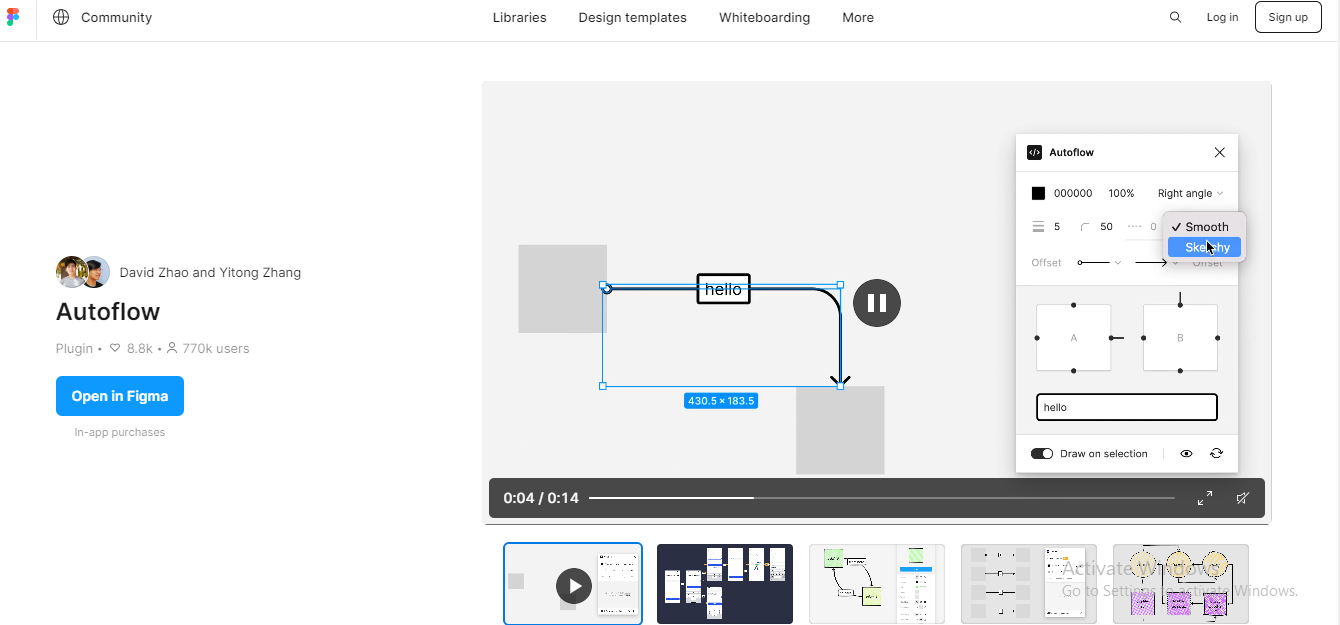
Autoflow is useful for mapping user journeys quickly. It creates connectors between frames and helps teams explain flows more clearly during reviews and handoff.
2. Content Reel

Content Reel speeds up wireframing and mockups by inserting text, icons, and images without forcing designers to leave Figma for placeholder content.
3. Unsplash
Unsplash remains a practical plugin for adding royalty-free photography directly into mockups and presentations without breaking the design flow.
4. Stark
Stark is one of the most useful plugins for accessibility-minded teams. It helps with contrast checks, visual impairment simulation, and more inclusive design decisions.
5. Iconify
Iconify makes it easier to browse and insert icons from multiple libraries in one place. That convenience matters when you need speed and consistency across UI work.
6. Figmotion
Figmotion helps designers add motion directly inside Figma. It is especially useful for explaining transitions, microinteractions, and animated states without exporting to a separate motion tool too early.
7. Blobs
Blobs is a lightweight plugin that helps add organic abstract shapes to interfaces and brand compositions. It is simple, but often useful in early visual exploration.
8. Charts
Charts helps teams create data visualizations directly in design files. That is useful when you need dashboards, reports, or data-heavy UI concepts to look realistic.
9. Lorem Ipsum
Lorem Ipsum is still valuable for quickly populating text-heavy layouts when you need to assess spacing, hierarchy, and typography without final copy in place.
10. Remove BG
Remove BG is a practical time-saver for isolating subjects from images inside the design workflow. It is especially helpful in marketing, ecommerce, and hero-banner mockups.
- Use Autoflow and Figmotion for prototyping and interaction work.
- Use Content Reel, Unsplash, and Lorem Ipsum for faster mockup creation.
- Use Stark for accessibility checks.
- Use Iconify and Charts for UI systems and dashboard work.
If your design work also feeds into web builds, it is worth pairing these tools with implementation-focused guidance. WBCom resources on tools for web designers, graphic design workflows, and wireframing tools can help extend that process.
Tip: The best Figma plugins are the ones that remove friction from daily work. A smaller plugin stack that your team actually uses is usually better than a long list of rarely opened tools.
Final thoughts
The best Figma plugins in 2026 are the ones that support real design work: prototyping, accessibility, asset management, content, and presentation. Start with the plugins that solve repeated problems in your workflow, then expand carefully as your process becomes more mature.
Related reading