
16 min read
WP Rocket vs LiteSpeed Cache: Which Caching Plugin Wins in 2026?

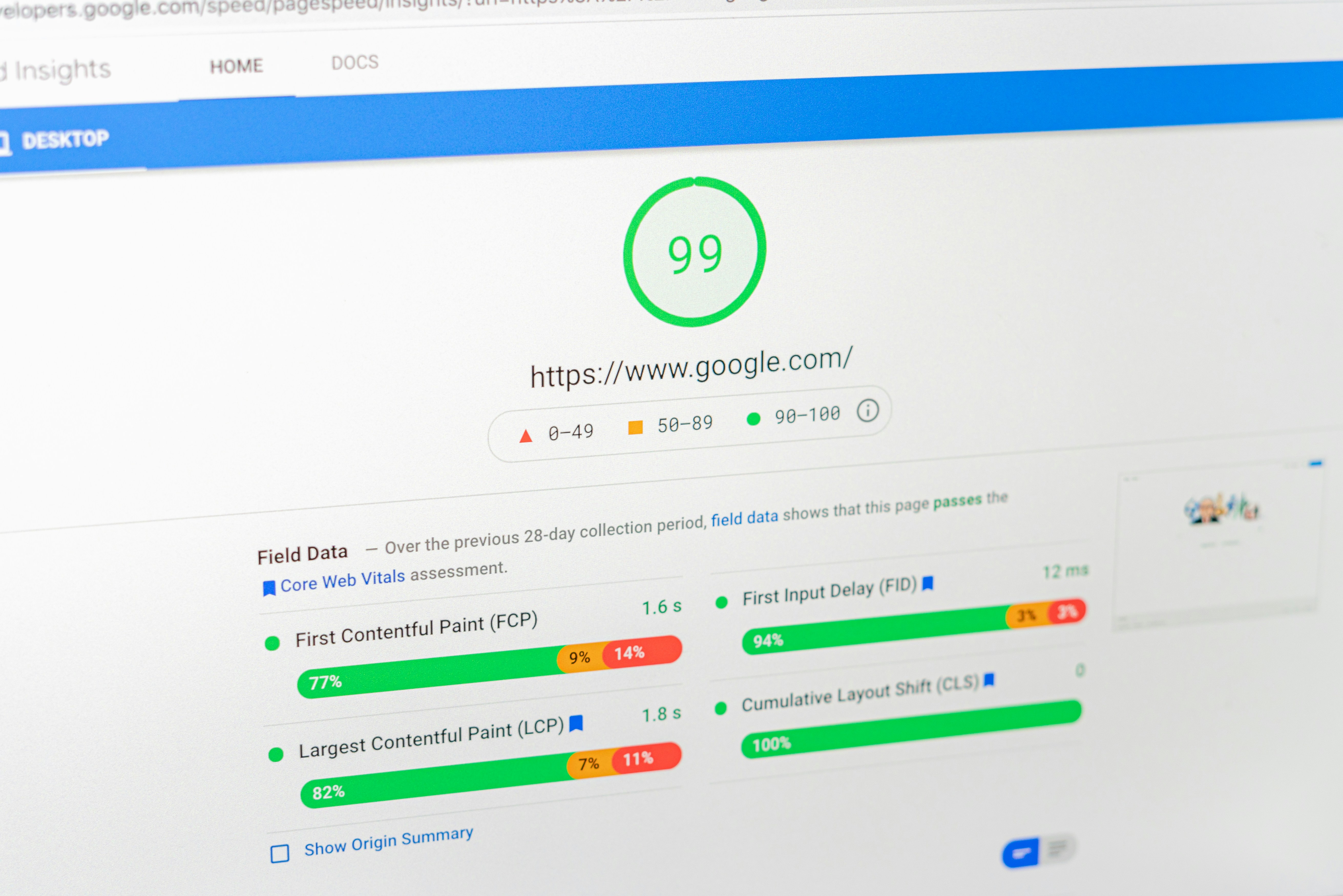
If you’ve read enough WordPress speed guides, you already know the two names that come up over and over: WP Rocket and LiteSpeed Cache. A WP Rocket vs LiteSpeed Cache comparison sits at the top of nearly every “best caching plugin” search, and both plugins show up in our own roundup of the top WordPress speed optimization plugins. But putting them side by side is a strange comparison, because they aren’t really solving the same problem the same way.
WP Rocket is a $59/year premium plugin that works identically no matter where you host, Apache, Nginx, LiteSpeed, doesn’t matter. LiteSpeed Cache is free, but its headline feature, true server-level page caching, only switches on if your hosting stack actually runs the LiteSpeed web server (or you route through its QUIC.cloud CDN). That single fact changes the entire decision. This isn’t “which plugin is better” in the abstract, it’s “which one matches your hosting.”
I’ve used both extensively across client sites and our own properties. I already covered each one in depth in the full WP Rocket review and the full LiteSpeed Cache review. This post skips the individual feature tours and goes straight to the head-to-head: setup, performance, interface, images and CDN, pricing, and WooCommerce support, then a straight verdict on which one you should actually install.

WP Rocket vs LiteSpeed Cache: Quick Overview
Before we dig into each category, here’s the short version. WP Rocket is a paid, host-agnostic plugin built for people who want speed without touching a server setting. LiteSpeed Cache is a free plugin that becomes something closer to a server-level performance suite, but only on the right infrastructure.
| Factor | WP Rocket | LiteSpeed Cache |
|---|---|---|
| Price | $59 - $299/year, no free tier | Free core plugin; paid QUIC.cloud credits optional |
| Hosting requirement | None, works on any server | Full server-level caching needs LiteSpeed/OpenLiteSpeed or QUIC.cloud |
| Setup | Optimized out of the box, minimal decisions | Setup wizard, more options to configure |
| Built-in CDN | No, bring your own (Cloudflare, BunnyCDN) | Yes, QUIC.cloud CDN included |
| Image optimization | Add-on via RocketCDN/Imagify integration | Built in, with WebP conversion |
| Best for | Any host, hands-off users | LiteSpeed hosting, budget-conscious power users |
Setup & Hosting Requirements: The Deciding Factor
This is the section that actually matters most, and it’s the one most comparison posts gloss over.
WP Rocket doesn’t care what server you’re on. Install it, activate it, and page caching, browser caching, and GZIP compression are live immediately. There’s no server-side dependency to check first, it works the same on a $5/month shared host running Apache as it does on a managed Nginx setup. That universality is the entire value proposition.
LiteSpeed Cache is a different animal. The plugin itself installs on any WordPress site, but its flagship feature, true server-level page caching, where LiteSpeed’s own web server handles cache lookups before PHP even loads, only activates when the underlying server is LiteSpeed Web Server Enterprise, OpenLiteSpeed, or LiteSpeed Web ADC. If you’re on a generic Apache or Nginx host and don’t have LiteSpeed underneath, the plugin still runs, but you lose the server-level cache and fall back to features that behave more like a standard plugin: minification, lazy loading, database cleanup, and image optimization. You still get real value, just not the headline performance win.
The workaround is QUIC.cloud, LiteSpeed’s own CDN service, which extends LiteSpeed-style caching to sites on any server, Apache and Nginx included. It’s a legitimate path if you’re not on LiteSpeed hosting and still want the caching engine, but it’s an extra account, an extra setup step, and a service with its own usage-based pricing once you’re past the free tier. That’s not a dealbreaker, but it’s not “install and forget” either.
Practical takeaway: check your host first. Providers like Cloudways, A2 Hosting, Namecheap, and many others do run LiteSpeed under the hood, if yours does, LiteSpeed Cache’s free tier is genuinely hard to beat. If you’re on a generic Apache/Nginx VPS or a host that doesn’t advertise LiteSpeed, WP Rocket sidesteps the whole question.
How to Check If Your Host Runs LiteSpeed
You don’t have to guess before installing either plugin. A few quick ways to confirm what’s actually running under your site:
- Check your hosting plan’s marketing page or knowledge base, hosts that run LiteSpeed almost always advertise it as a selling point, since it’s a genuine differentiator.
- Ask support directly: “Does my hosting plan use LiteSpeed Web Server or OpenLiteSpeed?” It’s a common pre-sales question, so support teams answer it instantly.
- Install LiteSpeed Cache itself, on activation, the plugin detects your server type and tells you whether server-level caching is available or whether you’re running in fallback mode.
- Look at the
Serverresponse header using your browser’s dev tools (Network tab) or any online header-checking tool, a genuine LiteSpeed server typically identifies itself there.
This five-minute check should happen before you commit to either plugin, because it determines whether you’re comparing “free with full server-level caching” against “paid with universal compatibility,” or “free with reduced functionality” against the same paid option. Those are two very different decisions.
Caching Performance & Core Web Vitals
Both plugins are capable of excellent Core Web Vitals scores, the differences show up more in how they get there than in a flat “one wins” number, and results shift depending on hosting, theme, and how aggressively you configure each one.
On a genuine LiteSpeed server, LiteSpeed Cache’s server-level caching tends to produce faster Time to First Byte (TTFB), because the web server itself serves the cached page before WordPress or PHP is even invoked. That head start feeds directly into Largest Contentful Paint (LCP), and under heavy concurrent traffic, LiteSpeed Cache has shown an edge in raw load-time consistency in independent testing.
WP Rocket’s strength shows up in a different metric: optimizing what happens after the page starts loading. Its “Remove Unused CSS” and “Delay JavaScript Execution” features are specifically built to address render-blocking resources, which is where a lot of sites lose points on PageSpeed Insights and Core Web Vitals even with caching turned on. In several independent comparisons, WP Rocket has scored slightly higher on PageSpeed Insights’ composite score, even when LiteSpeed Cache pulled ahead on raw page load time.
The honest summary: if your host runs LiteSpeed, LiteSpeed Cache’s server-level cache gives it a TTFB advantage that’s hard for any plugin-level cache to match. If you’re not on LiteSpeed, WP Rocket’s optimization toolkit, running on any server, will consistently outperform LiteSpeed Cache’s non-server-level fallback mode.
Ease of Use & Interface
WP Rocket’s interface is built around the idea that most users shouldn’t have to think about caching at all. Basic caching, browser caching, and GZIP compression are already on the moment you activate it. The settings that remain are grouped into clearly labeled tabs, Cache, File Optimization, Media, Preload, CDN, and so on, each with plain-English explanations. There’s very little here that can go wrong if you leave defaults alone, and the handful of “advanced” toggles (like delaying JavaScript) are clearly flagged as things to test before trusting.
LiteSpeed Cache asks a bit more of you. The setup wizard is genuinely helpful and gets you to a reasonable baseline quickly, but the full settings panel is dense, tabs for Cache, TTL, Purge, Excludes, Object Cache, Browser Cache, CDN, Image Optimization, Page Optimization, and several more, many with sub-tabs of their own. None of it is poorly labeled, but it’s a lot more surface area than WP Rocket, and it’s easy to leave value on the table simply because you didn’t know a setting existed. Agencies and developers who like granular control tend to prefer this; site owners who just want speed without a learning curve tend to find it overwhelming.
If you want to activate a plugin and move on with your day, WP Rocket wins this category outright. If you don’t mind spending 20 - 30 minutes going through settings once to unlock more of the plugin’s capability, LiteSpeed Cache rewards that effort.
Image Optimization & CDN
This is one of the clearest differentiators between the two, and it’s worth being specific about what each plugin actually includes versus what requires an add-on.
LiteSpeed Cache ships with built-in image optimization, lossy and lossless compression, automatic WebP conversion on upload, and lazy loading, all inside the free plugin. It also bundles QUIC.cloud CDN integration, which means you can have your images, CSS, JS, and even dynamic HTML served from edge servers worldwide without installing or paying for a separate CDN. QUIC.cloud’s free tier includes a monthly allotment of image optimization and CDN bandwidth; heavier sites will eventually need to buy more credits, but the entry point is genuinely free.
WP Rocket doesn’t include a CDN or an image compressor of its own. It integrates cleanly with third-party CDNs, Cloudflare, BunnyCDN, StackPath, and works well alongside a separate image optimization plugin like Imagify (also from the WP Media team, so the pairing is well tested) or ShortPixel. That’s an extra plugin and, in Imagify’s case, potentially an extra subscription, though Imagify’s free tier covers many smaller sites.
If you want caching, image optimization, and a CDN in a single free plugin, LiteSpeed Cache is built for exactly that. If you’d rather pick best-in-class tools for each job and don’t mind managing more than one plugin, WP Rocket plus Cloudflare plus Imagify is a proven combination too, it’s just three moving parts instead of one.
Pricing & Licensing
WP Rocket is premium-only, with three tiers based on how many sites you’re licensing:
- Single: $59/year, 1 website
- Plus: $119/year, 3 websites
- Multi (previously “Infinite”): $299/year, up to 50 websites
Every tier includes the exact same feature set, WP Rocket doesn’t gate features behind higher plans, you’re only paying for the number of sites you can activate the license on. Licenses renew annually, and renewing before expiry gets you a discount off the standard rate; WP Rocket also runs a Black Friday sale (historically around 30% off) and a smaller spring promotion. There’s a 14-day money-back guarantee if it doesn’t work out.
LiteSpeed Cache is free, full stop, for the plugin itself. Page caching (on compatible hosting), minification, lazy loading, database cleanup, and image optimization are all included at no cost. The only place money enters the picture is QUIC.cloud, LiteSpeed’s optional CDN and image-processing service. QUIC.cloud has a free tier with a set monthly allowance (bandwidth and image optimization credits); high-traffic sites that exceed it move to pay-as-you-go credit pricing. For most small-to-mid sites, the free QUIC.cloud allowance is enough that you may never pay anything.
On pure cost, LiteSpeed Cache wins for anyone whose host already runs LiteSpeed, you get server-level caching, image optimization, and a CDN for $0. WP Rocket’s value case is different: you’re paying $59+/year specifically for hosting independence and a plugin that doesn’t ask you to think about server compatibility at all.
WooCommerce Support
Both plugins are built with eCommerce in mind, and both handle the core problem the same way: excluding cart, checkout, and account pages from the page cache so customers never see stale session data or someone else’s cart contents.
WP Rocket does this automatically on activation with no configuration needed, it detects WooCommerce and applies sensible exclusion rules out of the box, alongside cache preloading so product and category pages stay warm after every update.
LiteSpeed Cache handles dynamic WooCommerce content through ESI (Edge Side Includes), which lets it cache the bulk of a page while keeping small dynamic fragments, like the mini-cart or “items in cart” count, live and personalized. It’s a more granular approach than a flat exclusion list, and on a LiteSpeed server it means even logged-in, cart-aware pages can benefit from server-level caching in a way WP Rocket’s exclusion-based model can’t replicate.
For a typical WooCommerce store, WP Rocket’s zero-configuration exclusions are safer for non-technical store owners. For a high-traffic store on genuine LiteSpeed hosting, LiteSpeed Cache’s ESI support is more sophisticated and can outperform a simple exclusion-based cache once traffic gets heavy.
Both plugins also let you exclude specific product pages, cart fragments, or query strings manually if the automatic rules ever misbehave with a theme or plugin combination, something worth checking after installing either one on a store with heavy customization.
Support & Documentation
Support quality is easy to overlook until something breaks, and it’s genuinely different between the two.
WP Rocket includes premium, ticket-based support as part of every license tier, no forums, no community-only help. Their support team is known for responding quickly and for actually understanding WordPress hosting edge cases, since diagnosing caching conflicts is effectively their full-time job. Documentation is concise and organized around common tasks rather than every possible setting.
LiteSpeed Cache’s free version relies primarily on the WordPress.org support forum and LiteSpeed’s own documentation site, both of which are thorough but slower and less personal than paid ticket support. QUIC.cloud customers get access to more direct support channels tied to their account. For a plugin this feature-rich, the documentation is genuinely good, the LiteSpeed Cache docs cover ESI, ESI-safe theme compatibility, and QUIC.cloud configuration in real depth, but you’re largely self-serving unless you’re a paying QUIC.cloud customer.
If dedicated, fast support matters more to you than saving money, that’s another point in WP Rocket’s favor. If you’re comfortable troubleshooting with documentation and community forums, LiteSpeed Cache’s free support model won’t slow you down much.
The Verdict: Which Should You Choose?
Neither plugin is objectively “better”, they’re built for different starting conditions, and the right pick depends entirely on your hosting and how hands-on you want to be.
Choose WP Rocket if:
- You’re not on a LiteSpeed server (most shared and managed hosts aren’t)
- You want strong caching and file optimization active within minutes of activation
- You run WooCommerce and want cart/checkout exclusions handled automatically
- You’d rather pay once a year and never think about server compatibility again
- You want the strongest out-of-the-box Core Web Vitals score with minimal tuning
Choose LiteSpeed Cache if:
- Your host runs LiteSpeed, OpenLiteSpeed, or LiteSpeed Web ADC (check with your host if you’re not sure)
- You want image optimization and a CDN bundled in without paying for separate plugins
- You’re comfortable spending time in a denser settings panel to unlock more control
- Budget matters and you want enterprise-grade caching at no cost
- You run a high-traffic WooCommerce store that would benefit from ESI-based dynamic caching
If you want a single rule of thumb: ask your host whether they run LiteSpeed before you install anything. If the answer is yes, LiteSpeed Cache is very hard to pass up at the price of free. If the answer is no or you’re not sure, WP Rocket removes the question entirely and gets you a fast site today.

Frequently Asked Questions (FAQs)
1. Is WP Rocket or LiteSpeed Cache better for WordPress speed?
It depends on your hosting. On a LiteSpeed server, LiteSpeed Cache’s server-level caching often edges ahead on raw load time and TTFB. On any other server, WP Rocket is the stronger performer because it doesn’t rely on a specific server technology to deliver its full feature set.
2. Do I need a LiteSpeed server to use LiteSpeed Cache?
You can install LiteSpeed Cache on any WordPress host, but its signature server-level page caching only activates on LiteSpeed Web Server, OpenLiteSpeed, or LiteSpeed Web ADC. On Apache or Nginx, you still get minification, lazy loading, image optimization, and database cleanup, or you can connect to QUIC.cloud to get LiteSpeed-style caching without LiteSpeed hosting.
3. Does WP Rocket work on any hosting provider?
Yes. WP Rocket is a plugin-level caching solution with no server dependency, so it works the same way on Apache, Nginx, LiteSpeed, or any standard WordPress hosting environment.
4. How much does WP Rocket cost compared to LiteSpeed Cache?
WP Rocket starts at $59/year for one site, $119/year for three sites, and $299/year for up to 50 sites. LiteSpeed Cache’s core plugin is completely free; its optional QUIC.cloud CDN and image optimization service has a free tier with usage limits, and paid credits for sites that exceed it.
5. Which plugin is better for WooCommerce stores?
Both handle WooCommerce well. WP Rocket automatically excludes cart, checkout, and account pages from caching with zero configuration. LiteSpeed Cache uses ESI (Edge Side Includes) to keep dynamic elements like the mini-cart live while caching the rest of the page, which scales better for high-traffic stores on LiteSpeed hosting.
6. Can I use WP Rocket and LiteSpeed Cache together?
No. Running two full-page caching plugins simultaneously causes conflicts, since both try to control the same caching layer. Choose one based on your hosting and use it exclusively; if you switch hosts later, deactivate one before activating the other.
7. Which plugin is easier to set up for beginners?
WP Rocket. It applies core optimizations immediately on activation with almost no configuration required. LiteSpeed Cache includes a helpful setup wizard, but its full settings panel has considerably more options to work through if you want to use everything it offers.
8. Does LiteSpeed Cache include a CDN?
Yes, through QUIC.cloud, which is built into the plugin and offers a free usage tier. WP Rocket does not include its own CDN; it integrates with third-party CDNs such as Cloudflare or BunnyCDN instead.
Interesting Reads:
WP Rocket Review 2026: Is It Still the Best WordPress Caching Plugin?
LiteSpeed Cache Review 2026: Is It the Best WordPress Caching Plugin?
Related reading