
14 min read
Three Privacy Fixes, One Bug. What Logged-Out Visitors Could See.

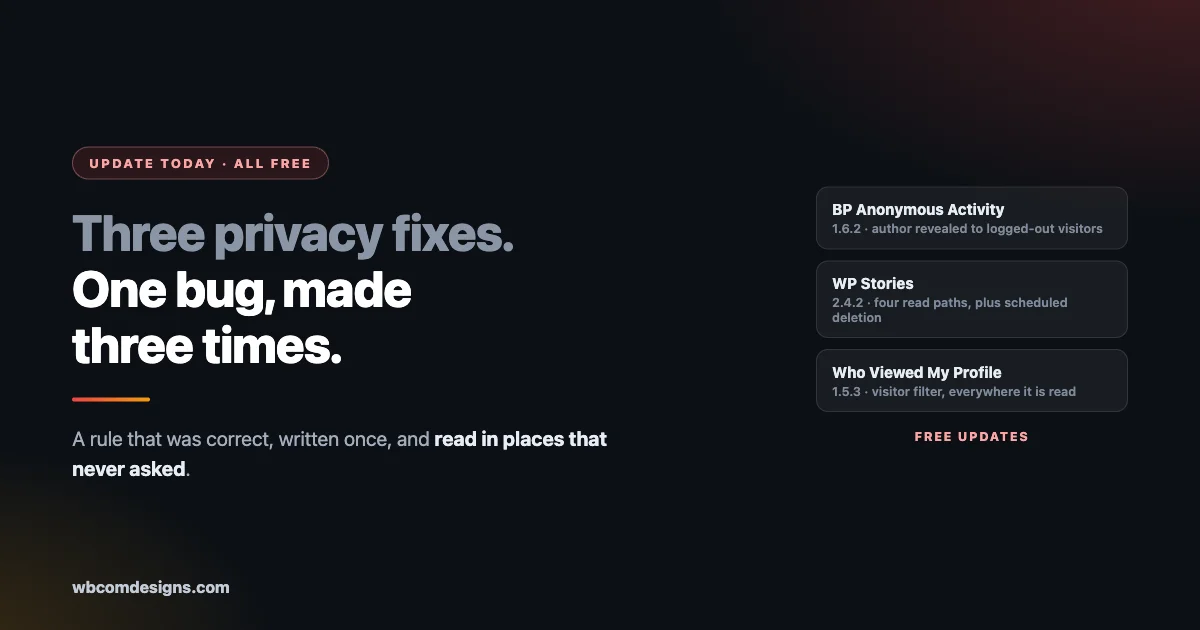
If you run anonymous forums on your community, stop reading and go update BuddyPress Anonymous Activity to 1.6.2. The rest of this will still be here in five minutes.
That release closes a defect where an anonymous forum post could reveal its real author to a logged-out visitor. The member chose to post anonymously. The interface honoured that choice everywhere they could see. On one read path it did not.
Two other products shipped privacy fixes the same day. WP Stories 2.4.2 closed four separate ways a story could be read or acted on by somebody who should not have seen it, and made scheduled deletion actually run. Who Viewed My Profile 1.5.3 fixed a logged-out visitor filter in every place it is read rather than the one place it was written.
Three products, one day, and underneath them one mistake made three times.
This post is what each one was, how to check whether it mattered on your site, and what we changed so this class of defect stops recurring. All three updates are free.
What to do first
Practical steps before the explanation, because the explanation can wait and the update cannot.
Update all three plugins if you run them. BuddyPress Anonymous Activity to 1.6.2, WP Stories to 2.4.2, Who Viewed My Profile to 1.5.3. None of these are Pro-gated. If you run the free version, the fix is in the free version.
If you run anonymous forums, treat this as the priority. Anonymous posting is a promise to a member. It is used by people discussing health, employment, abuse, money, and other things they specifically did not want attached to their name. A leak there is different in kind from most bugs.
Then check your own site the way a stranger would. Open a private browsing window, visit your community while logged out, and look at what loads. Not the pages you expect a visitor to see. The ones you expect them not to.
That last step is worth doing regardless of whether you run any of these three plugins, and the rest of this post is largely about why.
What each release fixed
Taking them one at a time, described at the level our release notes state, with links to the full detail.
BuddyPress Anonymous Activity 1.6.2
The plugin lets members post to forums without their name attached. The fix addresses a privacy issue where those anonymous posts could reveal the real author to logged-out visitors.
Read that carefully, because the shape matters. The anonymity worked. Logged-in members saw what they were supposed to see. The gap was on a path taken by visitors who were not signed in at all, which is precisely the audience least likely to be tested by the person who built the feature, and most likely to include somebody the member was hiding from.
Update is recommended for every site using anonymous forums, without exception.
WP Stories 2.4.2
Four separate ways a story could be read or acted on by somebody who should not see it. Four, in one product, found in one pass.
That number is the interesting part. When a single audit turns up four instances rather than one, the problem is not four mistakes. It is one assumption applied in four places, and it means the fifth place is worth looking for too.
The same release also made scheduled deletion actually run. If you had stories set to disappear on a schedule, they were not necessarily disappearing. Content you believed had expired may still have been present.
Who Viewed My Profile 1.5.3
The fix is described as correcting the logged-out visitor filter everywhere it is read.
Everywhere it is read. That phrasing is the whole story of this post in five words. The rule about what a logged-out visitor may see existed and was correct. It was applied in one place. It was read in several.
The release also restored the directory view-count badge on modern themes and reworked the admin navigation, which are ordinary improvements travelling alongside the fix.
One bug, made three times
Line those three up and the common structure is obvious.
In each case a privacy rule existed and was right. In each case it was implemented as a check in one location. And in each case the same data was read somewhere else, by a path that did not run the check.
This is the most expensive recurring defect we deal with, and it is worth naming precisely, because most teams reading this have it somewhere in their own code right now.
A privacy rule is not a feature. It is an invariant.
A feature is something that happens in a place. You build it there, it works there, and that is the end of the job. An invariant is something that must be true everywhere, on every path, forever. If it is implemented as a conditional inside one template, every other consumer of the same data is a leak waiting for somebody to find it.
And the person who finds it is not on your side. Not because they are malicious, usually, but because the discovery is accidental and the damage is done before anyone reports it.
The reason this defect class is so persistent is that it never looks like a bug during development. The developer builds the feature, tests the feature, sees the rule working, and is correct. The leak lives on a path they were not thinking about: a REST response, a load-more request, a server-rendered first paint, an RSS feed, a sitemap, a search result, an email digest. Each of those reads the same data through different code.
Where these paths usually hide
If you want to audit your own site or your own plugin, these are the places this class of bug tends to survive.
The logged-out path. Almost every one of these fixes involved a visitor who was not signed in. Development happens logged in as an administrator. The logged-out experience is the one nobody exercises daily, and it is the one exposed to the entire internet.
The API response. A template can be careful while the REST endpoint serving the same content is not. If your site has any headless surface, a mobile app, or a block that fetches its own data, that is a second read path with its own permission story.
Load-more and pagination. The first page is server-rendered by careful code. Page two arrives through an AJAX call that somebody wrote later. We have seen a filter applied correctly on first paint and skipped entirely on load-more.
Feeds, sitemaps and search. Content excluded from listings can still appear in a feed, an XML sitemap, or on-site search results, because those are built by different code with different assumptions.
Digest and notification email. An email assembled by a cron job runs with no user context at all, which makes it a common place for visibility rules to be quietly skipped.
Direct URL access. A thing can be hidden from every listing and still load perfectly for anyone who has or guesses the address. Hidden from the index is not the same as protected.
If you check nothing else, check the logged-out path and direct URL access. Those two account for most of what we have found across the portfolio.
There is a seventh place worth adding, because it catches people out repeatedly: the cache. A page can be generated correctly for a logged-in member and then stored by a page cache, a CDN, or an optimisation plugin, and served afterwards to somebody who should have seen a different version. The rule was applied. The result was then handed to the wrong person by a layer that has no idea what a permission is. If you run full-page caching on a community site, confirm that logged-in responses are excluded from it.
How to check your own community
A practical sequence any site owner can run in about twenty minutes, no development knowledge needed.
Open a private window. Everything below happens logged out. If you stay signed in as an administrator you will see the site behaving perfectly and learn nothing.
Visit a member profile. What is visible? Compare it against what your settings say should be visible to the public. Email addresses, phone numbers, real names on accounts that should be pseudonymous.
Visit a private group or space directly by its URL. Not through the directory, which correctly hides it. Paste the address in. Does it load?
Try the same with a piece of restricted content. A members-only post, a paid course, a private album. If you have the link, does the content appear?
Search your own site while logged out. Then search Google for `site:yourdomain.com` and look for anything that should not be indexed.
If you run anonymous posting, post something anonymously, then view the forum logged out. Look at the page and, if you are comfortable doing it, at the page source. The author name should be absent from both.
Anything that surprises you is worth reporting, to us or to whoever built the plugin. A privacy report is always welcome and we would much rather hear it from you than read about it somewhere else.
What we changed underneath
Fixing the reported screen would have been faster and would have left the class alive. Here is the structural change instead, described for anyone maintaining their own code.
The visibility rule no longer lives as a conditional inside a template. It is applied at the data layer, so every consumer receives a list that has already had the rule applied to it. Server-rendered first paint, REST response, load-more request: all of them ask the same question of the same code and get an answer that is already correct.
The practical effect is that a template can no longer forget, because a template is no longer being asked to remember.
That is the general principle and it transfers to any codebase. If a rule is re-authored in more than one place, the duplication is the defect and the incident that surfaced it is only a symptom. The tell is easy to look for: a private helper doing something another screen also needs, a hardcoded list, a capability check or a URL that appears more than once. Most of our worst recurring bugs were a two-minute search away from never existing.
We have written before about why fixing the seam beats fixing the screen, and this batch is the same lesson arriving in three products at once.
If you build plugins yourself
This section is for developers and agencies maintaining their own community code. The pattern above is not ours alone, and the fix generalises.
Write the visibility rule once, as a function that takes the viewer and the content and returns a decision. Then make every read path call it. Not copy it, call it. The moment a second implementation exists, the two will drift, and they will drift silently because nothing fails when they disagree.
Push it as low as you can. A rule enforced while assembling the data is enforced for everyone downstream. A rule enforced in the template protects only that template, and the next developer who adds an endpoint has no idea the rule exists.
Then write the test as a contract rather than as a unit test. The useful form is a statement about the world: a logged-out visitor requesting this content receives nothing, by any route. Then enumerate the routes and assert it for each. When somebody adds a sixth route later, the test file is the place that tells them what it has to satisfy.
Test as the wrong person. Most test suites run as an administrator or as the content author, because that is who the developer was when they wrote it. The interesting cases are the visitor, the banned member, the member who was removed from the group yesterday, and the person who has the URL but no account. Those are the identities the internet actually contains.
And treat a found instance as a search, not a fix. When WP Stories turned up four ways the same thing could happen, the correct response was not four patches. It was to ask what assumption produced all four and to fix that, then to go looking in the products that share the same foundation. That is why three releases went out on one day rather than one release going out three times over the following months.
Questions we have been asked
Do I need to update if my community is private? Yes. A private community still has a logged-out surface: the login page, anything cached, feeds, and any content that was public before you switched it. It also has members who are not administrators, and some of these rules govern what one member can see of another.
Was my site actually exposed? We cannot tell you that from here, and we would rather not guess on your behalf. What we can tell you is which paths were affected, which is in each release note, and how to check your own site, which is the twenty-minute walk earlier in this post. If you find something surprising after updating, tell us.
Do I need to notify my members? That depends on your jurisdiction, what data was involved, and whether you have evidence anything was actually accessed. We are not able to give you legal advice. What we would say is that the anonymous forum case is the one where a member made a specific choice about their identity, and if you conclude that choice was not honoured on your site, telling them is the decent thing regardless of what the law requires.
Will auto-updates handle this? Only if you have them enabled for these plugins, and many site owners do not for community plugins because a bad update on a live community is disruptive. Check your versions rather than assuming.
I run these on client sites. What do I tell clients? That three plugins issued privacy fixes, that you have applied them, and that you checked the logged-out view afterwards. The third part is the one clients actually want to hear, because it is the difference between applying an update and confirming an outcome.
How do I report something I find? Contact us directly rather than posting it publicly, and give us the URL and the steps. We would much rather receive an awkward email than have a member of somebody’s community discover it first.
Why you are hearing about this from us
There is a version of this business where fixes like these go out silently in a point release and nobody is told. It is a normal way to operate and much of the industry does exactly that.
We would rather not, for one reason. If we say nothing, the only people who learn what was wrong are the people it went wrong for, and they learn it the hard way, usually while trying to work out whether something is a bug, their own misconfiguration, or a thing they should be worried about.
The cost of writing this is a slightly worse-looking week in public. The cost of not writing it is a site owner who never updates, because nobody told them there was a reason to.
We would also rather you knew our standard. A fix is not done when the code changes. It is done when somebody has reproduced the original problem, applied the fix, and confirmed at runtime that the problem is gone, on the same paths where it was found. Code review passing is not verification.
The wider point about community software
Community plugins carry a different obligation from most WordPress code, and it is worth stating plainly.
A broken layout is embarrassing. A broken checkout costs money and can be refunded. A privacy leak cannot be undone. Once a logged-out visitor has seen who wrote the anonymous post, no update fixes that for the person it happened to.
That asymmetry should change how these features are built and how they are tested. Our own conclusions, after this batch:
Visibility rules get tested from the outside. Not as the author, not as an administrator. As a stranger with a URL.
Every read path is a surface. If content can be reached through a template, an API, a feed, an email and a search result, that is five places the rule has to hold, and one implementation is the only sane way to make that true.
Deletion has to be verified, not assumed. WP Stories had scheduled deletion that did not run. Anything that promises to remove content on a schedule should be checked against reality rather than trusted because the setting exists.
Anonymity deserves extra scrutiny. It is the feature where the gap between what the member was promised and what they got is widest, and where the consequences land hardest on the people least able to absorb them.
Defaults should be the safe option. A visibility setting that ships permissive and relies on the owner to tighten it will be wrong on most installs, because most owners never open that screen. If the safe default costs a little discoverability, that is the correct trade for anything involving member identity.
There is a broader habit behind all of this that we would recommend to anyone running a community, whatever software it is built on. Once a quarter, look at your own site as a stranger. Not a review of settings screens, an actual visit: logged out, in a clean browser, clicking into the places you assume are closed. Settings screens tell you what you configured. The logged-out view tells you what is true.
Update links
All three are free updates. Full detail on each:
If you manage sites for clients, this is worth pushing rather than waiting for auto-updates to reach them, particularly the anonymous activity one.
The short version
Three products, one bug class, one day. A privacy rule that was correct, implemented once, and read in several places that never asked.
Update BuddyPress Anonymous Activity to 1.6.2, WP Stories to 2.4.2, and Who Viewed My Profile to 1.5.3. Then spend twenty minutes browsing your own community in a private window and see what a stranger can see.
We would rather tell you this plainly than let you find it yourself, and we would rather you checked your own site than took our word that it is fine now.
Related reading
- Does Buddynext Scale Architecture
- Unlocking The Power of Wordpress Building And Monetizing Engaging Online Communities With Reign Buddyx And Buddyx Pro
- Online Communities Fundraising Ideas
- wb Gamification 1 6 4 Security Release
- Buy Now Pay Later Bnpl For Woocommerce
- Memberships And Subscriptions in Community Platforms