
8 min read
Collect and Manage Ideas in BuddyPress with Ease


Ideas posted in a BuddyPress activity stream disappear within a day, and the good ones get lost with the rest. If you want members to suggest features, vote on them and see what happened next, you need a board with statuses and votes, and you need it wired into profiles and activity so it is part of the community rather than a separate tool. This guide compares the realistic options, walks through setting up IdeaPush with its BuddyPress integration, and covers the workflow that keeps an ideas board from turning into a complaints box.
Why a dedicated ideas board beats the activity stream
Activity posts are good at conversation and bad at tracking. A suggestion made in March gets three comments and vanishes. Someone suggests the same thing in June. Nobody on the team remembers whether it was considered, and the member who posted it in March concludes nobody listened.
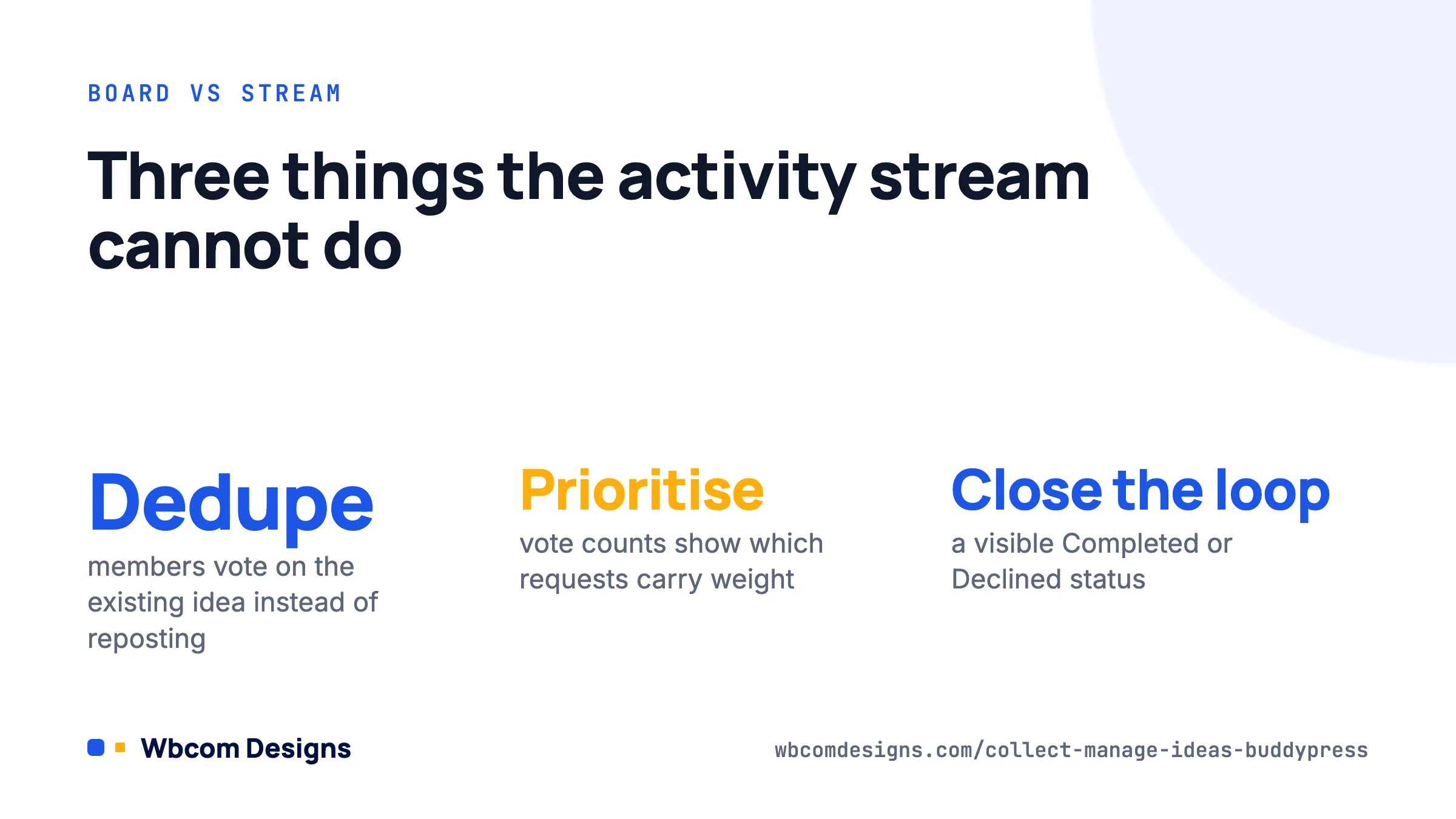
An ideas board fixes the three things the stream cannot do. It deduplicates, because members search before posting and vote on the existing entry. It prioritises, because vote counts tell you which requests have weight. And it closes the loop, because a status of Completed or Declined is visible to the person who asked. That last point matters most: members forgive a “no” far more readily than silence.
The catch is that a board on a separate page gets forgotten. The fix is to surface ideas inside the community itself, on profiles and in the activity feed, which is what the integration below does.
Your options in a BuddyPress community
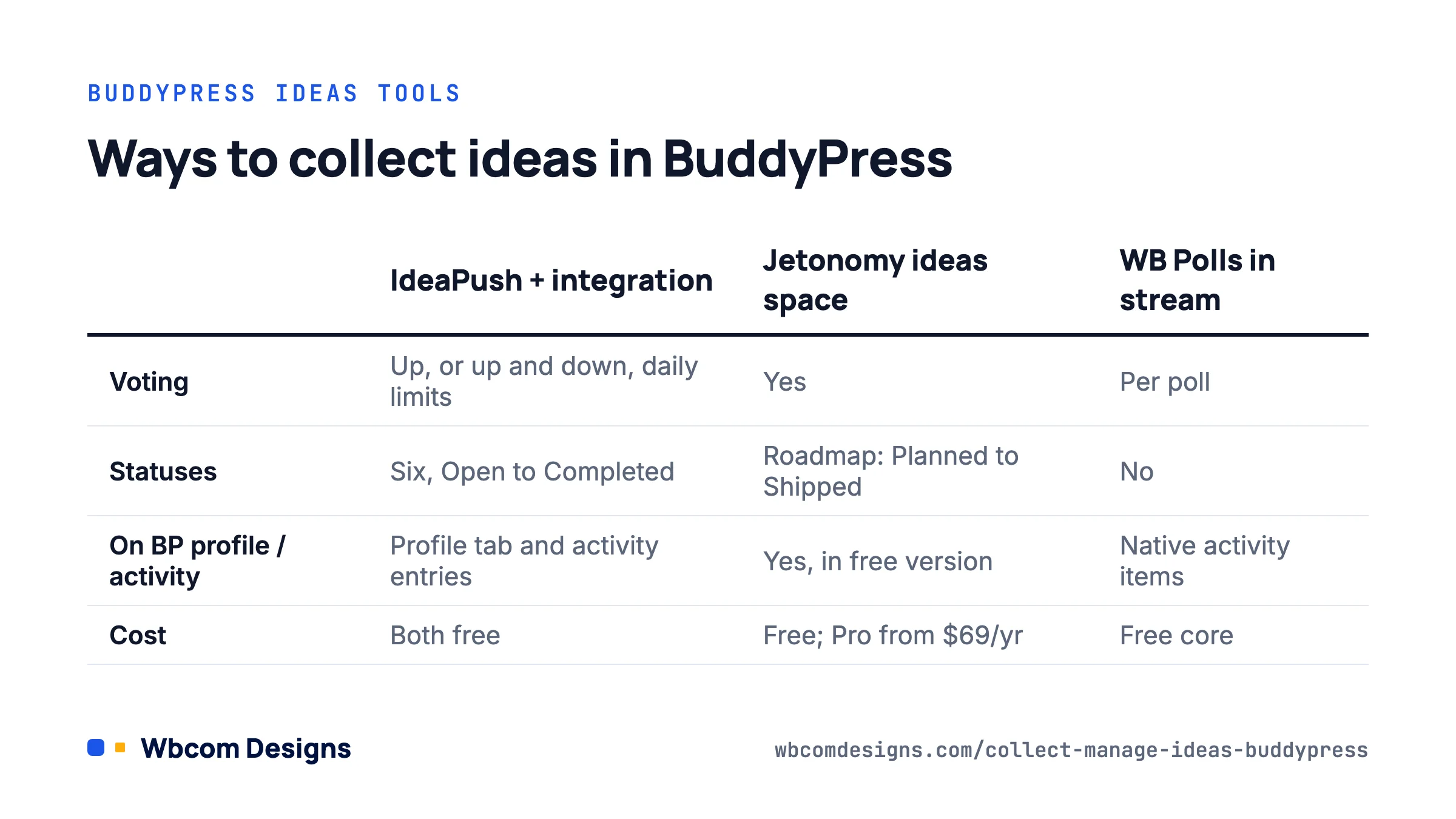
We checked all of these against current versions in August 2026.
| Approach | Voting | Statuses | Shows on BP profile / activity | Cost | Best for |
|---|---|---|---|---|---|
| IdeaPush + BuddyPress IdeaPush Integration | Up, or up and down, with daily limits | Open, Reviewed, Approved, Declined, In Progress, Completed | Yes, profile tab and activity entries via the integration | Both free; IdeaPush Pro for multiple boards | Product communities, member-run organisations |
| Jetonomy ideas space | Yes | Planned, In Progress, Shipped, Declined roadmap | Yes, BuddyPress integration in the free version | Free; Pro from $69/year | Sites that also want forums and Q&A in one plugin |
| WB Polls in the activity stream | Yes, per poll | No | Native, polls are activity items | Free core, Pro add-ons | Quick “which of these three” decisions |
| A BuddyPress group plus bbPress forum | No (thread replies only) | Manual, via topic tags | Partly, forum activity appears in the stream | Free | Very small communities, under 50 active members |
Our position: if ideas are a core part of how your community works (a software product, a co-op, a club that votes on events), use IdeaPush with the integration or Jetonomy. If you only need an occasional decision, a poll in the stream is enough and adding a board will create an empty page that makes the community look quiet.
Setting up IdeaPush
IdeaPush (version 8.77, May 2026, 700+ active installs on WordPress.org) is a standalone ideas board plugin. The free version gives you one board, which is all most communities need.
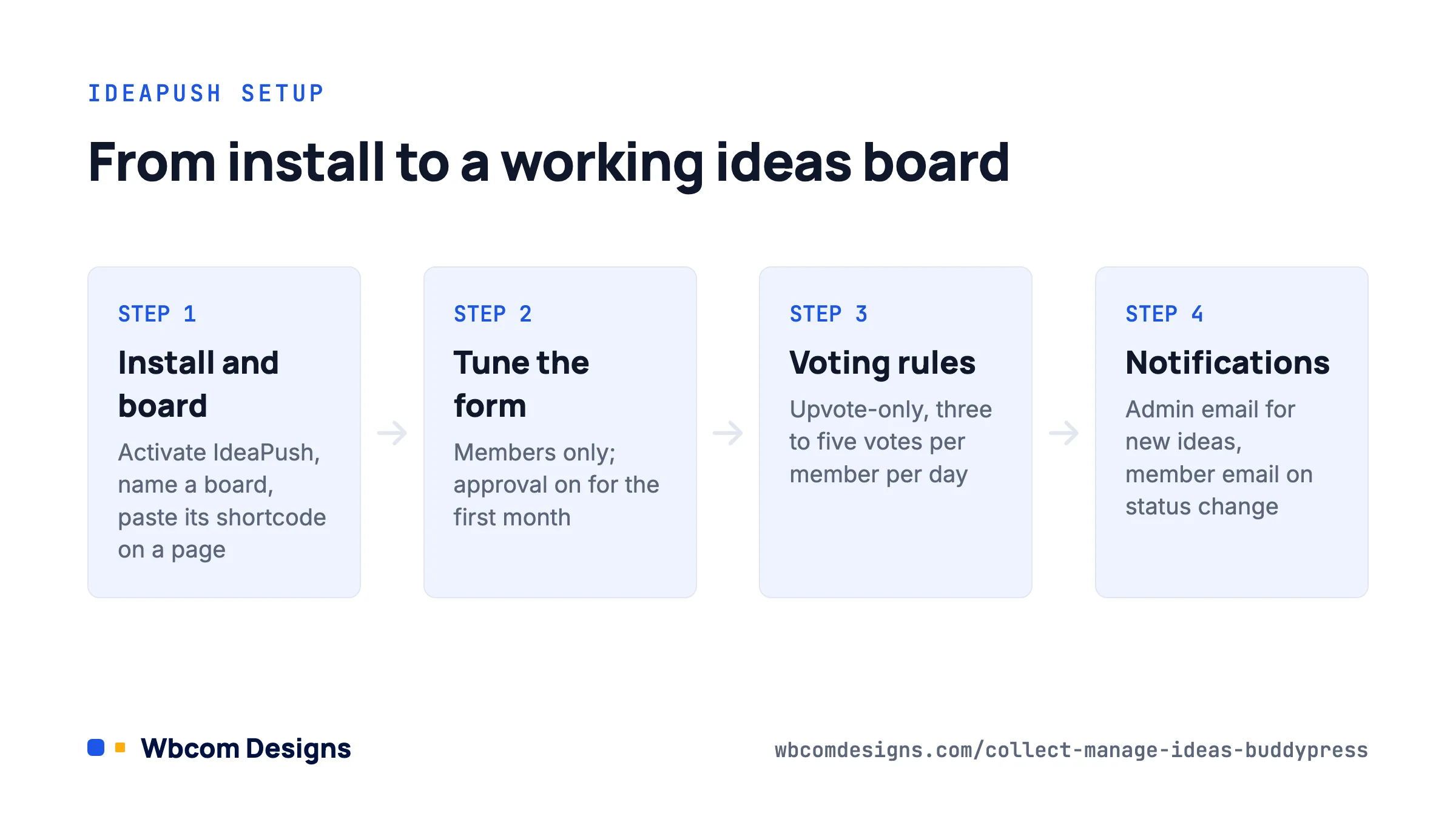
- Install from Plugins → Add New, search “IdeaPush”, activate.
- Open the IdeaPush menu in the admin sidebar. The settings are split into tabs: Boards, Statuses, Idea Form, Notifications, Design and Tag Page.
- On the Boards tab, name your board and copy the shortcode it gives you. Create a page called Ideas (or Suggestions, or Roadmap) and paste the shortcode in.
- On the Statuses tab, review the defaults: Open, Reviewed, Approved, Declined, In Progress, Completed. Rename them if your community uses different words, but keep the count to six or fewer. Every status you add is one more thing to keep current.
- On the Idea Form tab, set who can submit (logged-in members only, for a community) and whether submissions need approval before appearing. We turn approval on for the first month of any new board, then off once members understand the tone.
- Choose upvote-only or up and down voting. We prefer upvote-only for communities; downvotes make people reluctant to post, and the information you actually need is “how many people want this”, not “how many do not”.
- Set a daily vote limit per member so one enthusiastic person cannot push their own idea to the top. Three to five votes a day works.
- Under Notifications, turn on the admin email for new ideas and the member email for status changes. The second one is what closes the loop.
Test it as a member: submit an idea, vote on it, change its status from the admin, and confirm the email arrives.
Connecting the board to BuddyPress profiles and activity
Out of the box IdeaPush lives on one page. The free BuddyPress IdeaPush Integration (version 1.3.2, June 2026, works with BuddyPress and BuddyBoss Platform) puts each member’s ideas on their profile and announces new ideas in the activity stream.
- Install and activate the integration. It needs IdeaPush active first; it does nothing on its own and has no license key.
- Go to Wbcom Designs → BuddyPress IdeaPush Integration in the admin.
- Set the profile tab name and slug. “Ideas” is the default; “Requests” or “Suggestions” suit some communities better. The slug becomes part of the URL, for example
/members/jane/ideas/, so keep it short and lowercase. - Choose single-list or two-column layout for the tab. Two columns look better with short idea titles; single list is safer with long ones.
- Optionally set a character limit for idea previews so the tab stays scannable.
- Turn on activity entries for new ideas and edit the wording. The default is fine, but something like “posted a new idea: [title]” reads more naturally in most streams than a generic notice.
The effect is that an idea is no longer a thing that happens on a page nobody visits. It shows up in the feed where members already are, with a link to vote, and it stays attached to the member who posted it, which is a small but real form of credit.
Running the board so it stays useful
The plugin setup is an afternoon. The habits are what decide whether the board is alive in six months.
Review weekly, at a fixed time
Every idea should move out of Open within a week, even if only to Reviewed. A board full of month-old Open items tells members nobody is reading. Put it in a moderator’s calendar.
Decline openly
Declining an idea with a one-sentence reason (“we looked at this and it would need a paid API we cannot justify yet”) is healthier than leaving it open forever. Members can see the reasoning, and the next person with the same idea finds the answer before posting.
Use vote thresholds deliberately
IdeaPush can change status automatically when an idea reaches a vote count. We set this so that, say, 25 votes moves an idea to Reviewed and triggers an admin email. It guarantees popular ideas cannot be missed without committing you to build them.
Post the outcome back into the stream
When something ships, mark it Completed and post an activity update that links to the original idea and thanks the member by name. This is the single most effective thing you can do to get the next round of ideas.
A worked example: a 900-member photography club
A club we worked with used the activity stream for everything, and event suggestions were getting lost. We set up IdeaPush with the integration and a single board called “Trip and workshop ideas”, upvote-only, three votes per member per day, approval off.
Statuses were renamed to Suggested, Looking into it, Scheduled, Not this year and Done. The committee reviewed the board at its monthly meeting and moved everything out of Suggested. Ideas with 20 or more votes automatically moved to Looking into it.
In the first three months members posted 47 ideas, 9 were scheduled as real trips, and the committee stopped getting the same three suggestions by direct message every week. The profile tab turned out to matter more than expected: members started checking who had proposed the trips they enjoyed, and two of them were asked to join the committee.
Troubleshooting
- The profile tab does not appear. Confirm IdeaPush is active, then re-save permalinks under Settings → Permalinks. If you use a custom members slug in BuddyPress, check the tab after that change.
- New ideas do not show in the activity stream. The activity option in the integration settings is off by default on some installs. Also check that the Activity component is enabled under Settings → BuddyPress → Components.
- Members can vote more than the limit. Page caching is serving a stale board. Exclude the Ideas page from your cache plugin, or set the cache to bypass for logged-in users.
- The board looks wrong in the theme. IdeaPush’s Design tab controls colours and layout. BuddyX and Reign users usually only need to match the button colour.
- Spam submissions. Turn approval back on and restrict submissions to members who have been registered for more than a day. Most spam accounts post within minutes of registering.
Frequently asked questions
Do I need IdeaPush Pro?
Only if you need more than one board (for example, separate boards for feature requests and event ideas) or the extra customisation it adds. One board with good tags covers most communities.
Can ideas be posted inside a BuddyPress group?
Not with the IdeaPush integration; ideas are site-wide and attached to members. If you need group-scoped idea collection, Jetonomy’s spaces or a poll in the group activity are closer to that model.
Can members edit or delete their own ideas?
IdeaPush allows edits depending on the board setting; deletion is normally admin-only so vote history is preserved. Tell members this up front.
Does it work with BuddyNext?
The integration targets BuddyPress and BuddyBoss Platform. BuddyNext uses its own activity and profile system, so check its feature list for native idea or poll handling before combining the two.
Where to start
Install IdeaPush and the integration, create one board, set upvote-only with a daily limit, and turn on the profile tab and activity entries. Seed the board with five ideas of your own so it is not empty, post about it once in the stream, and put a weekly review in someone’s calendar. If after two months the board has fewer than ten member-submitted ideas, your community probably does not need one, and a poll in the activity stream every few weeks will serve you better.
Related reading
- Buddynext 1 0 4 What it Takes to Ship a Community Platform People Actually Join
- Wbcom Buddypress Plugin Ecosystem
- Engage Visitors by Points And Reward System of Buddypress
- How to Turn wp Site Into a Social Network Using Buddypress
- Buddypress Woocommerce Integration Guide
- Best Buddypress Themes And Plugins