
11 min read
WordPress Telegram Plugins: 11 Best Integration Tools


The best WordPress Telegram plugins in 2026 are WP Telegram for auto-posting and notifications, WP Telegram Login for sign-in with a Telegram account, Notification for Telegram for form and WooCommerce alerts, Chaty for a floating chat button, and Telegram Bot & Channel for building a bot around your site. All five are free on WordPress.org and were updated within the last year. Which one you need depends on the direction of the messages: site to Telegram, Telegram to site, or a visitor opening a chat with you.
Telegram passed one billion monthly active users in March 2025, which makes it the third biggest messaging app in the world and, in many countries, the main one. For WordPress users on the most popular CMS in the world, that is a large audience reachable through a free bot API, no approval process, and no per-message cost. The plugins below connect the two. Whatever kind of WordPress website you run, we rechecked every one against the WordPress plugin directory in August 2026 and replaced five that had been removed or abandoned.

| Plugin | What it does | Version | Last updated | Active installs | Price |
|---|---|---|---|---|---|
| WP Telegram (Auto Post and Notifications) | Posts and alerts to channels | 4.2.15 | Feb 2026 | 30,000+ | Free |
| WP Telegram Comments | Telegram-backed comments | 1.2.8 | Dec 2025 | 200+ | Free |
| WP Telegram Login & Register | Sign in with Telegram | 1.11.16 | Feb 2026 | 900+ | Free |
| Message Bridge for Contact Form 7 and Telegram | CF7 entries to Telegram | 1.0.9 | May 2026 | 10,000+ | Free |
| TelSender | Forms and orders to Telegram | 1.14.15 | Jan 2026 | 6,000+ | Free, Pro available |
| Chaty | Floating multi-channel chat button | 3.6.0 | Aug 2026 | 300,000+ | Free, Pro available |
| Bot for Telegram on WooCommerce | Sell and notify via bot | 1.3.0 | May 2026 | 300+ | Free |
| QuadLayers Telegram Button | Telegram chat button | 3.2.8 | Apr 2026 | 1,000+ | Free, Premium available |
| Telegram Bot & Channel | Bot builder and broadcast | 4.1.1 | Nov 2025 | 600+ | Free |
| WP Telegram Widget and Join Link | Channel feed on your site | 2.2.16 | May 2026 | 4,000+ | Free |
| Notification for Telegram | Forms, orders, users to Telegram | 3.5.2 | May 2026 | 4,000+ | Free |
Best WordPress Telegram Plugins
1. WP Telegram (Auto Post and Notifications)
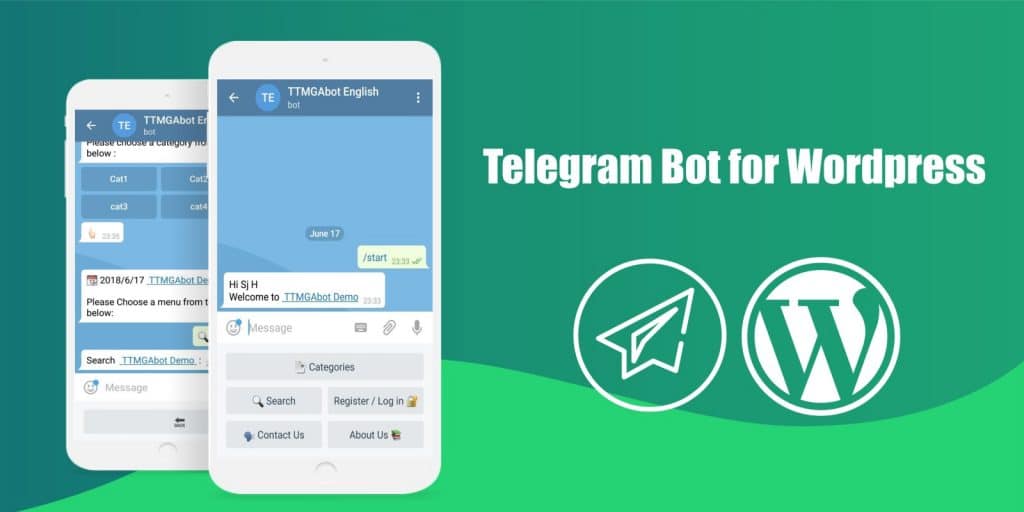
WP Telegram takes the top spot that used to belong to a paid Codester script we can no longer verify is on sale. It is the most installed Telegram plugin in the directory (30,000+ active installs, version 4.2.15, February 2026, 100 percent rating) and it covers the most common job: when a post is published or updated, send it to a channel, group or private chat automatically.
The message template supports conditional logic, so a WooCommerce product and a blog post can be formatted differently. It also has a notification module that forwards the emails WordPress sends (new comment, new user, order) to Telegram, and a proxy option for hosts that block api.telegram.org. Check your WordPress settings for permalinks first, since the plugin builds links from them. Support is run through a Telegram group, which is fitting.
Key Features
- Auto-post new and updated content to channels, groups and chats
- Message templates with conditional logic and post fields
- Forward WordPress email notifications to Telegram
- Works with custom post types and WooCommerce products
- Hooks and filters for custom behaviour
Download Now
Also Read: Best Wiki Knowledge Base WordPress Plugins
2. WP Telegram Comments

WP Telegram Comments (version 1.2.8, December 2025) comes from the same developer as WP Telegram and replaces the native WordPress comment form with a Telegram-backed widget. Every comment is tied to an authenticated Telegram account and stored on Telegram’s servers, which removes spam bots from the equation and keeps your database light. It supports conditional exclusion of specific posts or pages.
It is a small plugin with a small install base, so treat it as an option for sites whose audience already lives on Telegram rather than a general replacement for comments.
Key features include
- Comments from authenticated Telegram users only
- Works on posts, WooCommerce products and custom post types
- Like and dislike feedback on comments
- Readers can subscribe to a thread and get replies on Telegram
- Translation ready
Download Now
Also Read: Latest WordPress Trends To Build Successful Business Website
3. WP Telegram Login & Register

WP Telegram Login & Register (version 1.11.16, February 2026) adds a “Log in with Telegram” button to your login and registration forms, using Telegram’s official Login Widget. New visitors get an account created on the spot; existing users can link their Telegram ID so the other WP Telegram plugins can send them private notifications instead of email.
It is the right plugin for community and membership sites where a passwordless login lowers the barrier to joining. Pair it with a role-based redirect so new members land somewhere useful.
Key features include
- Verifies login data with SHA-256 hashing as specified by Telegram
- Creates WordPress users automatically with a role you choose
- Button available as a shortcode, widget and block
- Can be extended with custom code
Download Now
4. Message Bridge for Contact Form 7 and Telegram

WP Telegram Pro, which sat here before, has been removed from the directory. Message Bridge for Contact Form 7 and Telegram (version 1.0.9, May 2026, 10,000+ installs) is a better pick anyway for the most common notification need: getting form submissions to your phone in seconds. You create a bot, paste the token, and any Contact Form 7 form can be routed to one or more Telegram chats or groups.
Subscribers opt in by sending a command to the bot, and you approve them from the plugin settings, so a leaked token does not mean a stranger receives your leads.
Key features include
- Send Contact Form 7 messages to Telegram chats and groups
- Per-form routing to different chats
- Subscriber approval inside WordPress
- Bot token can be set as a PHP constant for WooCommerce and agency setups
- Filters such as wpcf7tg_skip for custom rules, plus shortcode-free setup
Download Now
5. TelSender

NG-Mail2Telegram, the previous occupant of this slot, was last updated in 2020 and has about ten active installs, so we have retired it. TelSender (version 1.14.15, January 2026, 6,000+ installs, 100 percent rating) does the same job with far wider coverage: it sends data from Contact Form 7, WPForms, Ninja Forms and Elementor forms to a Telegram bot, and it can forward new WooCommerce orders too. The description is written in Ukrainian first and English second, which puts some people off, but the plugin itself is well maintained.
The free version handles a single chat. The Pro version adds file attachments, multiple recipients, forum topics and different chats for different forms.
Download Now
Also Read: Free to Implement Contact Extensions for You
6. Chaty (replaces All-in-One Support Button)

All-in-One Support Button is no longer listed on WordPress.org. Chaty (version 3.6.0, 13 August 2026, 300,000+ installs) is the plugin most sites use for the same purpose now: a floating button that opens a chat on whichever channel the visitor prefers. Telegram is one of more than twenty options alongside WhatsApp, Facebook Messenger, Viber, Line, Slack, email, SMS and a plain phone call.
You decide which channels show on desktop and which on mobile. The free version limits how many channels can be active at once; Pro removes that limit and adds targeting rules, scheduling and analytics.
Download Now
7. Bot for Telegram on WooCommerce

The old Telegram Notifications for WooCommerce plugin is gone from the directory. Bot for Telegram on WooCommerce (version 1.3.0, May 2026) goes further than notifications: it lets customers browse your catalogue and place orders inside a Telegram bot, and it tells the WordPress admin when an order arrives. The developer folded the former Pro features into the free plugin in 2025, so there is no upsell.
It is a young plugin with a few hundred installs, so test it on staging first. For order alerts alone, Notification for Telegram at number 11 is the more proven choice; this one is for stores that want Telegram as a sales channel with WooCommerce support behind it. It is translation ready and works with WPML, and it can sit next to other add-ons for WooCommerce without conflict.
Download Now
8. QuadLayers Telegram Button

Telegram Contact Button has been removed from the directory, so QuadLayers Telegram Button (version 3.2.8, April 2026, 1,000+ installs) takes over. It does one thing: a Telegram chat button that opens a conversation with your account or group from any page. It works with almost every WordPress theme, can be placed with a shortcode, and lets you set a custom welcome message and button style.
Choose this over Chaty if Telegram is your only support channel and you want the lightest possible footprint. The Premium version adds multiple agents, availability hours and page-level display rules.
Download Now
9. Telegram Bot & Channel
Telegram Bot & Channel (version 4.1.1, November 2025, 600+ installs) is the plugin for anyone who wants an actual bot rather than a notification pipe. It includes a bot builder for autoresponders and commands, a broadcast tool that sends posts, pages or custom messages to channels, groups and subscribers, and a Zapier integration that connects the bot to several hundred other apps.
All connections use Telegram webhooks and require SSL. Version 4 brought a rebuilt admin interface, which was overdue.
10. WP Telegram Widget and Join Link

WP Telegram Widget and Join Link (version 2.2.16, May 2026, 4,000+ installs) works in the other direction from most of this list: it pulls your public channel or group feed onto your website, in a WordPress widget, a block or a shortcode. A join link with live member count sits alongside it, which is the simplest way to grow a channel from existing web traffic.
Key features:
- Responsive feed widget that updates automatically from Telegram
- Legacy and ajax widget modes for different channel types
- Available as a Gutenberg block
- Join link with member count
- Can be extended with custom code
11. Notification for Telegram

Notification for Telegram (version 3.5.2, May 2026, 4,000+ installs, tested with WordPress 7.0) is the broadest free notification plugin here. It sends a Telegram message when a form is submitted (Contact Form 7, Ninja Forms, WPForms, Gravity Forms and Elementor are supported), when a user registers, when a WooCommerce order is placed or changes status, when a product is added to the WooCommerce cart, and when a post of any type goes to pending review. You can also send custom messages with a shortcode.
If you only install one notification plugin, make it this one. It has replaced two or three single-purpose plugins on most sites we maintain.

How to connect any of these plugins to Telegram
Every plugin above needs a bot token, and the process is the same each time.
- Open Telegram and message @BotFather. Send /newbot, give it a name and a username ending in “bot”.
- Copy the token BotFather returns and paste it into the plugin’s settings.
- Add the bot to your channel or group as an administrator. Without admin rights it cannot post.
- Get the chat ID. Most plugins detect it for you once the bot is in the group; otherwise send a message and use the getUpdates URL the plugin documents.
- Send a test message. If nothing arrives, check that your host allows outgoing requests to api.telegram.org; some shared hosts in certain regions block it, and WP Telegram has a proxy setting for that case.
Store the token carefully. Anyone who has it can send messages as your bot. If you suspect it has leaked, send /revoke to BotFather and paste the new token into the plugin.
Frequently asked questions
Which WordPress Telegram plugin is best?
WP Telegram for sending posts to a channel, Notification for Telegram for form and order alerts, and Chaty for a chat button. Most sites need one from each group rather than one plugin that does everything.
Are WordPress Telegram plugins free?
All eleven plugins on this list have a free version on WordPress.org, and the Telegram Bot API itself is free with no message limits that a normal site would reach. TelSender, Chaty and QuadLayers Telegram Button sell paid upgrades for extra channels or rules.
Can visitors log in to WordPress with Telegram?
Yes. WP Telegram Login & Register uses Telegram’s official Login Widget to create or link a WordPress account with one tap. It suits membership and community sites where a password form costs you sign-ups.
Can I sell products through Telegram from WooCommerce?
Bot for Telegram on WooCommerce lets customers browse and order inside a bot. It is new and has a small user base, so test it before relying on it for revenue. For order notifications only, use Notification for Telegram.
What happened to WP Telegram Pro, NG-Mail2Telegram and the other removed plugins?
WP Telegram Pro, All-in-One Support Button, Telegram Notifications for WooCommerce and Telegram Contact Button are no longer listed on WordPress.org, and NG-Mail2Telegram has not been updated since 2020. Plugins that are closed or abandoned stop receiving security fixes, so we replaced them.
Where to start
Install WP Telegram first and connect it to a channel; that alone gives your site a distribution channel with no algorithm between you and your readers. Add Notification for Telegram if you run forms or a store and want alerts on your phone. Add Chaty or the QuadLayers button if you want visitors to start conversations with you, and WP Telegram Login if you run a community and want frictionless sign-ups.
If you are building a community site around these tools, our BuddyX theme and BuddyPress development team can wire Telegram notifications into member activity, groups and private messages.
If none of these integrations quite fit your workflow, or you need a custom bot, webhook handler, or Telegram-connected plugin built around your site’s specific logic, Wbcom Designs offers bespoke WordPress plugin development for exactly that kind of tailored integration work.
Interesting Reads:
How to Fix WordPress Custom Post Type 404 Error
Related reading