
6 min read
6 Best Chat-to-PDF AI Tools: Easily Turn Your Conversations into Organized PDFs


Ever had a meaningful conversation and wished you could save it as a PDF? Maybe it was a business chat, a customer support exchange, or just a memorable back-and-forth with friends. Being able to convert chats into PDFs saves time, keeps things organised, and makes sharing or referencing conversations a breeze.
Good news: there are excellent AI-powered tools that do exactly that, turning your chats into neat, well-structured PDFs. Let’s take a look at the six best Chat-to-PDF AI tools that can make your life a whole lot easier!

ChatGPT PDF Export (OpenAI)
If you’re already using ChatGPT, then you’re in luck! OpenAI’s ChatGPT now lets you export chats directly into a PDF format. That’s perfect for saving conversations or documenting interactions for future reference.
What’s cool about it:
- Simple Export: Click a button and voila, your conversation is saved as a PDF!
- User-Friendly: No technical skills needed. If you can chat, you can export.
- Perfect for Business: Whether you’re collaborating with clients or team members, you can quickly generate a professional PDF for documentation.
Why you’ll love it:
- Seamless Integration: If you’re already using ChatGPT, this feature feels natural and easy to use.
- No extra software: It’s built right into the chat platform.
Any downsides?
- Limited formatting options: If you’re after highly customised PDFs, this may not give you that level of control.
How to try it:
It’s built into ChatGPT, just look for the export option!
Also Read: Exploring SearchGPT: OpenAI’s New Search Prototype
2. WhatsApp to PDF Converter (WPS Office)
Ever needed to turn a WhatsApp conversation into a PDF? With WPS Office, it’s totally doable. The tool is especially useful for anyone using WhatsApp for business or project management, letting you convert chats into professional-looking PDFs in just a few steps.
What’s cool about it:
- Direct WhatsApp Conversion: Saves your WhatsApp conversations as PDFs without hassle.
- Formatting Flexibility: It allows some customisation so your PDF looks just the way you want.
- Compatible with Multiple Platforms: Works well on both desktop and mobile.
Why you’ll love it:
- Super handy for business chats: If you manage clients or projects over WhatsApp, this tool will organise those long chat threads into readable documents.
- Works with other file types: Besides WhatsApp, you can convert all sorts of documents to PDF with WPS Office.
Any downsides?
- Limited to WhatsApp chats: This might not help if you need to export chats from other platforms.
How to try it:
Download WPS Office and explore the PDF conversion tools built in. Super easy to find!
Also Read: How to Set up WhatsApp Business Profile - 5 Ways It’s Best for Marketing
3. Slack to PDF (Export & Archive)
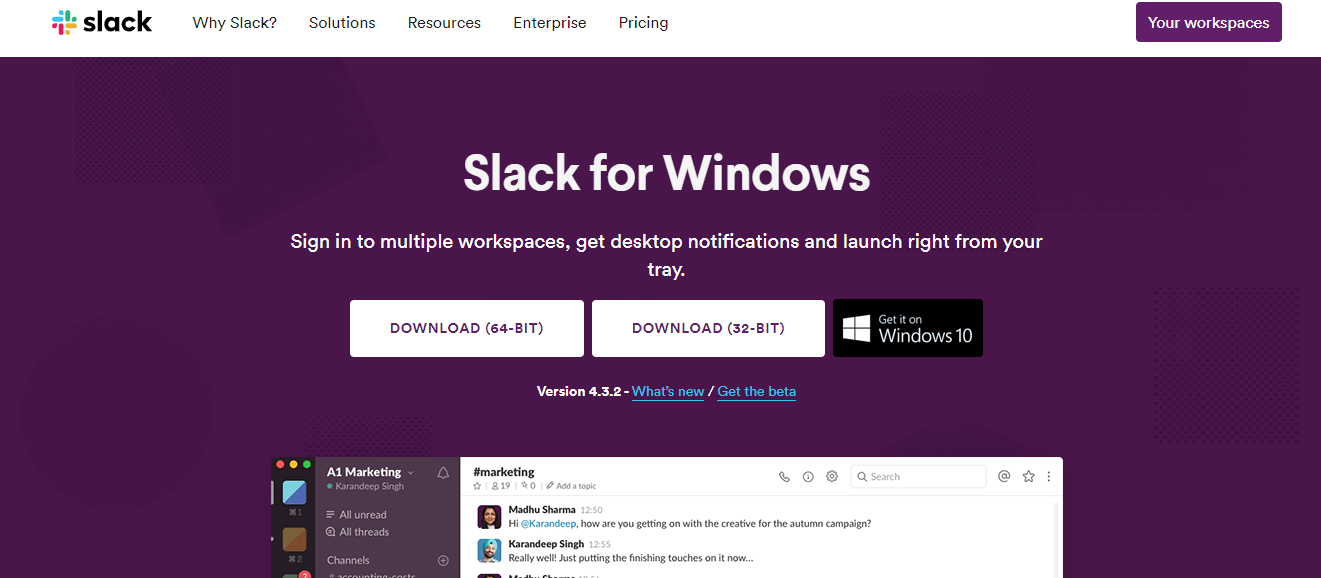
Slack is where many businesses live, and sometimes you need to save those all-important conversations. This option lets you export Slack chats into a PDF, which is especially handy for teams that archive or document discussions.
What’s cool about it:
- Designed for Slack: It’s built with Slack in mind, so exporting chats is intuitive and fast.
- Channel Support: You can export conversations from specific channels or DMs.
- Archive-Ready: Great for documenting team discussions or decisions.
Why you’ll love it:
- Perfect for teams: If you’re managing a team or working on a project, you’ll appreciate how easy it is to document progress through chat exports.
- No data loss: It keeps your chats intact, so you don’t lose context.
Any downsides?
- Slack-focused: If you’re not a Slack user, this won’t be useful.
How to try it:
You can either use Slack’s built-in export tools or third-party apps like Exportify that help with more customised exports.
Also Read: 10 Best Slack Apps
4. Telegram PDF Export Bot

For Telegram lovers, the Telegram PDF Export Bot is here to save the day. This nifty bot turns your chat threads into PDFs, which works for both personal and professional conversations.
What’s cool about it:
- Simple and Automated: Just use the bot, and it’ll do the work for you. No complicated steps.
- Works Across Devices: Use it on both mobile and desktop Telegram.
- Great for Business & Personal Use: Whether you’re using Telegram for work or chatting with friends, this bot has got your back.
Why you’ll love it:
- Quick Setup: It’s a bot, so there’s no need to install extra software.
- Completely free: No hidden fees or premium features.
Any downsides?
- Bot Limitations: Sometimes bots can be limited when it comes to customisation or formatting options.
How to try it:
Search for the “Telegram PDF Export Bot” within Telegram and follow the easy prompts to export your chat.
5. PDFShift Chat Export
PDFShift is an all-in-one online tool that converts various types of content into PDFs, chat logs included. It’s a good fit if you want a single tool for generating PDFs from chat platforms like Messenger, Google Chat, and more.
What’s cool about it:
- All-in-One: It supports multiple chat platforms, so you can use it for everything from Google Chat to Facebook Messenger.
- Highly Customizable: You can adjust how your PDF looks, from fonts to spacing.
- API Support: Developers can even integrate it into their apps for automated PDF generation.
Why you’ll love it:
- Versatility: Whether you’re a casual user or a developer, this tool works for everyone.
- Customisation Options: You’re in control of how the final PDF looks.
Any downsides?
- Learning Curve: If you’re not into techy stuff, the customisation options might feel overwhelming at first.
How to try it:
Visit PDFShift.io and start converting your chats into PDFs with ease.
Also Read: Best Chat Widgets for Your Website
6. Zapier Chat Export Workflows

If you’re a fan of automation, Zapier’s workflow tool can be a game-changer for turning chats into PDFs. Set up a workflow once and it’ll export chat conversations from platforms like Slack, Microsoft Teams, and others straight to PDF.
What’s cool about it:
- Complete Automation: Once set up, it’ll export your chats into PDF automatically without you lifting a finger.
- Works with Multiple Chat Platforms: You can integrate Slack, Teams, Discord, and even email threads.
- Perfect for Teams & Businesses: Ideal for companies that need to maintain detailed records of chat conversations.
Why you’ll love it:
- Set it and forget it: Automate the whole process and never worry about manual exports again.
- Flexible Integrations: It works with hundreds of apps, so you can customise the workflows to your heart’s content.
Any downsides?
- Not for beginners: If you’re new to Zapier, the initial setup might feel a bit tricky.
How to try it:
Head over to Zapier.com and explore workflows that let you automate your chat-to-PDF conversions.
Which Chat-to-PDF Tool is Best for You?
So, which of these tools is best for you? It really comes down to what you need:
- If you’re already using ChatGPT, the built-in PDF export feature will be a breeze.
- WhatsApp users will find WPS Office perfect for converting those business chats into professional PDFs.
- For Slack users, the built-in Slack export tools or third-party apps like Exportify are incredibly handy.
- If you love Telegram, the Telegram PDF Export Bot will get your conversations saved in no time.
- PDFShift is for those who need versatility and customisation across multiple platforms.
- If you’re all about automation, Zapier’s workflows will take care of everything without you lifting a finger.
Whichever tool you choose, these AI-driven solutions make it super easy to turn any conversation into a neatly organised, shareable PDF. Business, personal use, or just for fun, you’ve got everything you need at your fingertips!
Interesting Reads:
10+ Best AI Tools for Managers
Top Spreadsheet Software: Best Tools for Data Management and Collaboration
Top WordPress Telegram Plugins - Instant Messaging Service Integration
Related reading