
9 min read
How External Developers Build Winning WordPress Plugins

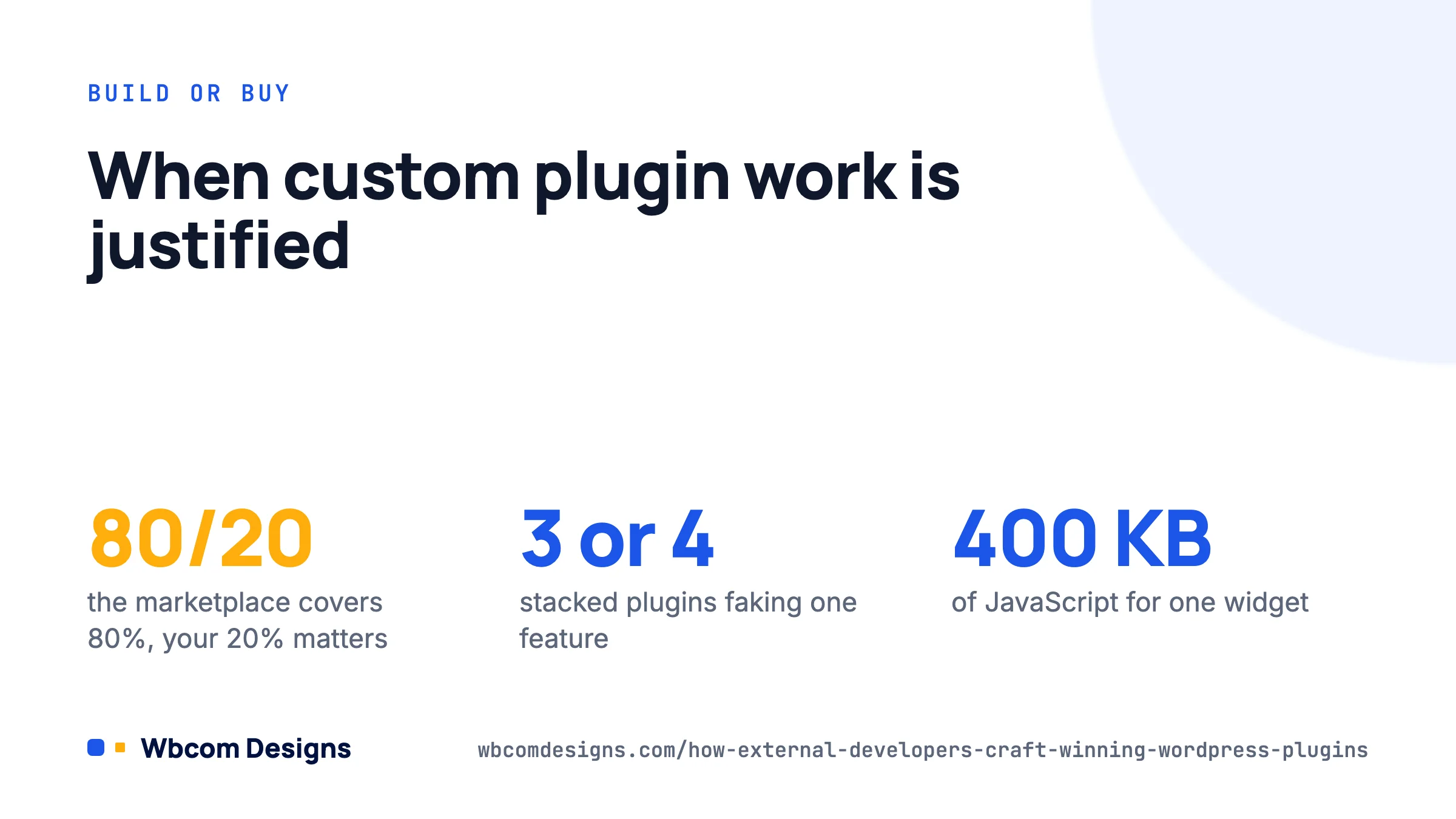
A growing business usually hits the same wall with WordPress: the marketplace plugin covers 80% of what you need and the last 20% is the part that matters. Hiring an outside developer to build a custom plugin fixes that, but only when the engagement is set up properly. This guide explains how experienced external developers scope, build, test and hand over plugins that keep working years later, and what you should ask for before you sign anything.
When a custom plugin is the right call (and when it is not)
We talk people out of custom plugins more often than you would expect. A plugin is a long-term liability as well as an asset: it needs updates when WordPress, PHP and the plugins it talks to change. So the first job of a good external developer is to check whether the problem can be solved without new code.
Custom development is justified when at least one of these is true:
- The business logic is yours alone (a pricing engine, a membership rule, an internal approval flow) and no marketplace product models it.
- You are stacking three or four plugins plus snippets to fake one feature, and they break each other on updates.
- Performance matters and the off-the-shelf option loads 400 KB of JavaScript on every page to give you one widget.
- You need to integrate with an internal system (ERP, CRM, booking engine) through its API.
It is usually the wrong call when a well-maintained plugin does 95% of the job and the gap can be closed with a small add-on or a filter. Extending an existing plugin through its hooks is cheaper to build and far cheaper to maintain than replacing it. A developer who suggests a 40-hour add-on instead of a 300-hour rebuild is doing you a favour.
How good developers scope the work
The difference between a plugin that ships on time and one that drags for months is almost always the brief. Experienced developers will not quote from a one-line request. Expect them to run a short discovery phase and come back with a written specification that covers:
- User stories, written from the point of view of each role. “As a shop manager I can mark an order as ‘awaiting parts’ and the customer receives an email.” Concrete, testable, no adjectives.
- Data model. Which custom post types, taxonomies, user meta or custom tables the plugin will create. Custom tables are worth it for high-volume logs or transactional data; post meta is fine for most settings and content.
- Integration points. The exact hooks from WooCommerce, LearnDash, BuddyPress or whatever the plugin needs to talk to, plus any external APIs with their rate limits and auth method.
- Admin and front-end screens, sketched as wireframes. Screens are where estimates go wrong, so they get called out explicitly.
- Out of scope, in writing. This list protects both sides.
- Environment constraints. Minimum PHP version (we target 8.1+ for new work), WordPress version, multisite or not, hosting restrictions, object cache in use.
If a developer skips this step and sends a fixed price straight away, the price is either padded heavily or wrong. Either way you pay for it.
What “winning” looks like in the code
You do not need to read PHP to know whether a plugin is well made. Ask for the following and check that the answers are specific.
It follows WordPress standards, measurably
The WordPress Coding Standards (WPCS) are enforced with PHP_CodeSniffer, and the WordPress.org team’s own Plugin Check tool (version 2.1 as of August 2026) runs the same kind of checks the directory reviewers use: prefixing of functions and classes, escaping and sanitising, direct file access guards, internationalisation, and minimum-version compatibility. Ask the developer to run both before each delivery and share the output. A clean run is not proof of quality, but a dirty one is proof of its absence.
It is secure by default
Every input sanitised, every output escaped, every form protected with a nonce, every admin action behind a capability check, every query with a variable built through $wpdb->prepare(). This is table stakes. A quick smell test: open any template file the developer delivers and look for echo $ without an esc_html(), esc_attr() or esc_url() wrapper. If you find one, there will be more.
// What you want to see in a settings save handler.
if ( ! current_user_can( 'manage_options' ) ) {
    wp_die( esc_html__( 'You are not allowed to do that.', 'acme-orders' ) );
}
check_admin_referer( 'acme_orders_save', 'acme_orders_nonce' );
$threshold = absint( wp_unslash( $_POST['acme_threshold'] ?? 0 ) );
update_option( 'acme_orders_threshold', $threshold );
It is extensible without editing
A plugin built for a growing business will be asked to do more next year. Good developers add their own actions and filters (do_action( 'acme_orders_after_status_change', $order_id, $status )) so the next change can live in a small companion plugin rather than a fork of the original. The same habit applies to templates: front-end markup should be overridable from the theme, the way WooCommerce lets you copy templates into your-theme/woocommerce/.
It respects performance
Scripts and styles enqueued only on the screens that use them. Expensive queries cached with transients or the object cache. Background work pushed to Action Scheduler or WP-Cron rather than run on page load. No autoloaded options holding large serialized arrays. These four habits separate plugins that scale from plugins that get blamed for a slow site six months in.
The build process you should expect
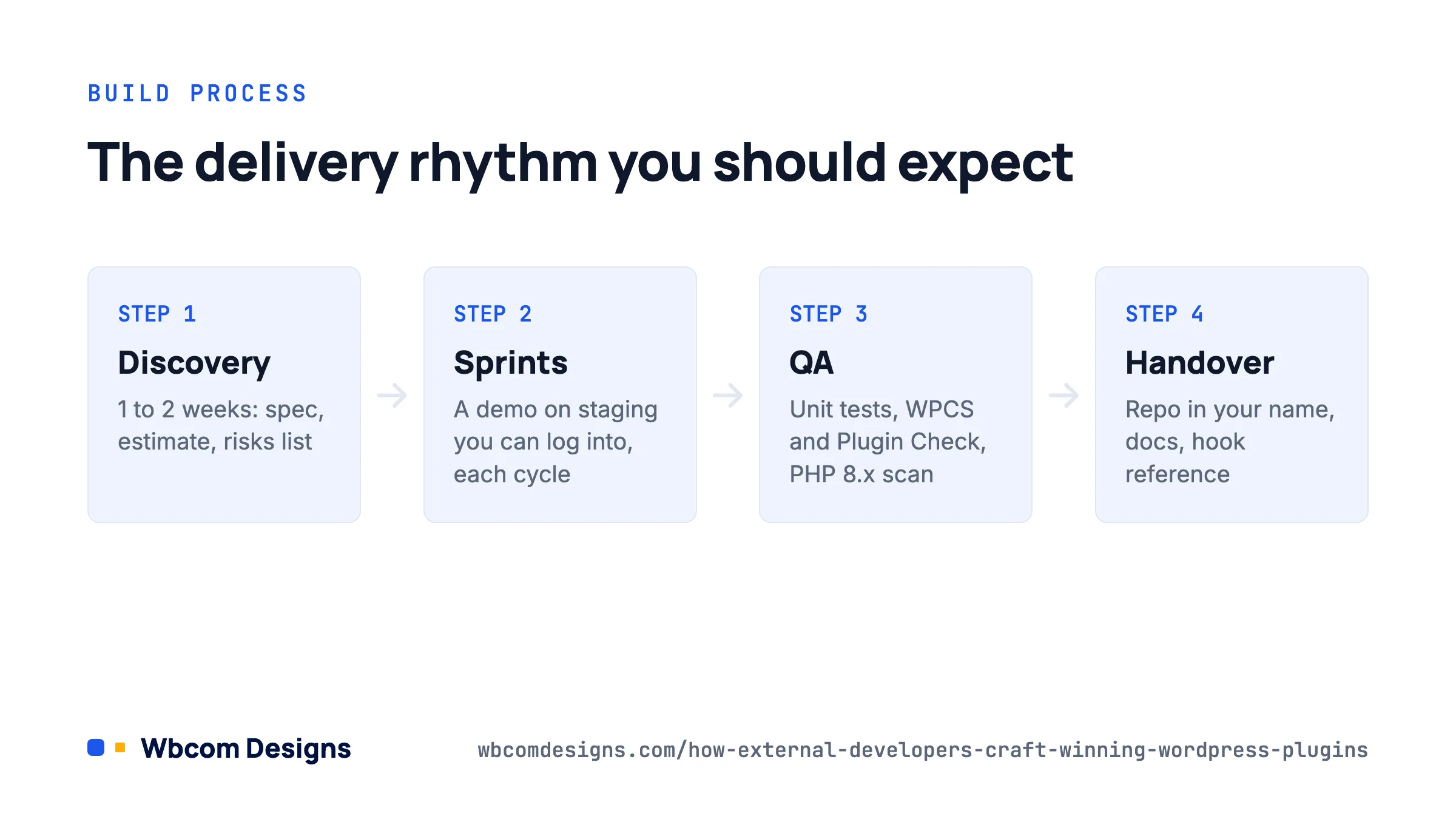
Here is the rhythm we have settled on after 13 years of client plugins, and it matches what other serious shops do.
| Phase | What happens | What you receive |
|---|---|---|
| Discovery (1 to 2 weeks) | Interviews, access to staging, review of existing plugins and theme | Specification, estimate, risks list |
| Build in sprints (1 to 2 week cycles) | Developer works in a Git repository, pushes to a staging site you can log into | Demo at the end of each sprint, changelog |
| QA | Unit tests for business logic, manual test plan for screens, WPCS and Plugin Check runs, PHP 8.x compatibility scan | Test report with pass/fail per user story |
| Handover | Code walkthrough, documentation, deployment to production | Repository access, readme, admin guide, hook reference |
| Warranty and maintenance | Bug fixes for an agreed period, then a retainer or per-release updates | Compatibility updates when WordPress or dependent plugins change |
Two things in that table are non-negotiable in our view. First, you must be able to log into the staging site and click through the work yourself at every sprint. Screenshots are not a demo. Second, the repository must be in your name (GitHub, GitLab or Bitbucket organisation you own) with the developer added as a collaborator, not the other way round. If the relationship ends, the code stays with you.
A worked example: a parts-availability plugin for a WooCommerce store
A regional auto-parts retailer came to us with a common problem. Roughly 15% of orders contained an item that was in stock on the website but not physically on the shelf, because stock synced from the warehouse system only nightly. Staff were phoning customers by hand.
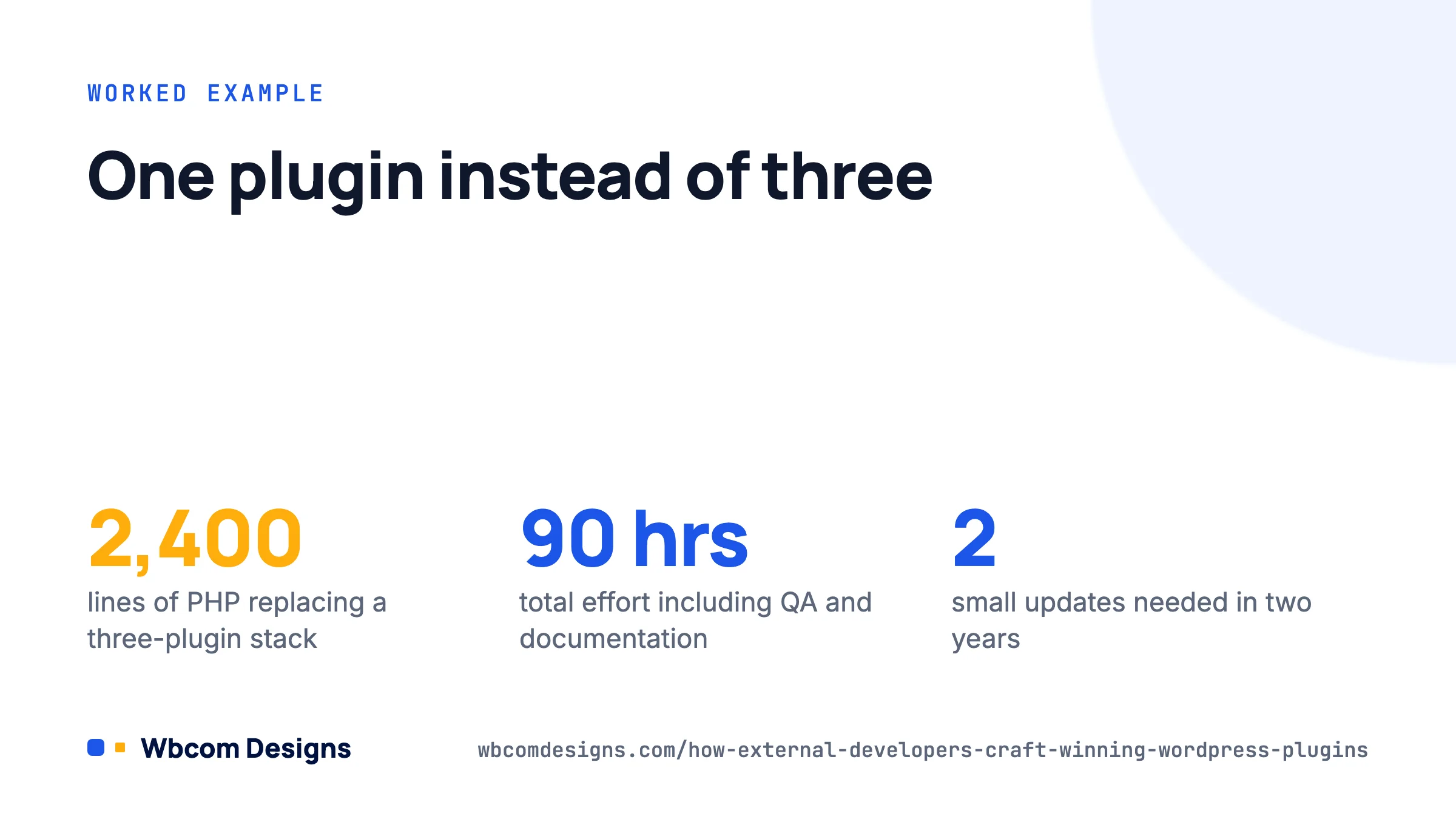
The off-the-shelf route would have been a stock sync plugin plus a follow-up email plugin plus a custom order status snippet. Instead we built one plugin, around 2,400 lines of PHP, that:
- Registers a custom order status,
wc-awaiting-parts, throughregister_post_status()and thewc_order_statusesfilter. - Polls the warehouse API every 15 minutes through Action Scheduler, storing results in a small custom table indexed by SKU, rather than hammering post meta.
- Hooks
woocommerce_checkout_order_processedto compare cart SKUs against the latest availability and move the order to the new status when needed. - Sends a templated email through the WooCommerce email class so it inherits the store’s branding and can be edited at WooCommerce → Settings → Emails.
- Exposes a filter,
acme_parts_threshold_days, so the store can change how long an order waits before it escalates without touching code.
Total effort was just under 90 hours including QA and documentation. Manual phone calls dropped to near zero within the first month, and the plugin has needed two small updates in two years, both for WooCommerce HPOS compatibility. That maintenance record is the real measure of a winning plugin.
Questions to ask before you hire
Put these to any external developer or agency. The quality of the answers tells you most of what you need to know.
- Can I see a plugin you built for a client that is still in production after two years? What changed in that time?
- Which version control host will the code live on, and who owns the account?
- What is your process when a WordPress major release breaks something? (WordPress 7.0 shipped earlier in 2026 and did break a few older plugins.)
- Do you run WPCS and Plugin Check? Can I see a sample report?
- How do you handle data on uninstall? (The right answer involves an
uninstall.phpfile and a setting that lets the client choose whether to keep data.) - Will the plugin work if I switch themes? (It should. Plugins that depend on a specific theme are a red flag unless that was the brief.)
- What happens to the licence? You want the GPL, which gives you the right to modify and redistribute, and full ownership of any custom work.
If you are comparing an agency against a freelancer, the honest trade-off is this: freelancers are cheaper per hour and often excellent, but you are buying one person’s availability. An agency costs more and gives you continuity, code review by a second pair of eyes, and someone to call when the original developer is on holiday. For a plugin that a growing business depends on daily, we would lean towards the latter, and our custom plugin development team is set up exactly for that kind of work.
Common mistakes that sink custom plugins
- Building in the theme instead of a plugin. Functionality in
functions.phpdisappears when the theme changes. Always a plugin. - No staging environment. Developing on the live site is still astonishingly common. Insist on staging; most hosts provide one.
- Hard-coded values. API keys, email addresses and thresholds belong in settings or constants in the wp-config file, never in the code.
- Skipping the uninstall routine. Orphaned tables and options pile up and slow down the site for the next developer.
- No documentation. A one-page readme with install steps, settings explained, and a list of hooks saves hours when someone new takes over.
- Ignoring the block editor. If the plugin outputs content, it should ship a block or at least a shortcode that works inside one. Shortcode-only plugins feel dated to editors in 2026.
FAQ
How much does a custom WordPress plugin cost?
A small add-on that hooks into an existing plugin typically lands between 20 and 60 hours. A standalone plugin with admin screens, a data model and an integration runs 80 to 300 hours. Hourly rates vary widely by region; what matters more is whether the estimate is backed by a written specification.
Should the plugin be published on WordPress.org?
Only if it has value beyond your business and you are prepared to support strangers. Publishing forces you through the directory’s 18 guidelines and a manual review, which is useful discipline, but most client plugins stay private.
Who maintains the plugin after handover?
Agree this up front. Options are a monthly retainer, a per-update fee, or training your in-house team. Whichever you choose, budget for at least two compatibility reviews a year.
Can a custom plugin be built to work with BuddyPress or LearnDash?
Yes, and these are among the most common requests we get, because both platforms expose hundreds of hooks. Our BuddyPress development and LearnDash development pages describe typical projects.
Where to start
Write down the three things your current plugin stack cannot do, in plain language, with an example of each. Send that to two or three developers and ask for a discovery proposal rather than a price. The one who asks the most questions back, and who is willing to tell you one of the three does not need custom code, is the one to hire.
Related reading