
11 min read
Ephemeral Content on WordPress: The 24-Hour Post Strategy


Why Disappearing Content Is Outperforming Permanent Posts
Somewhere between the rise of Snapchat and the explosion of Instagram Stories, a quiet revolution reshaped how people consume content online. The idea was counterintuitive: publish something that vanishes in 24 hours, and people will pay more attention to it than content that sticks around forever.
The numbers back it up. Platforms that introduced ephemeral content saw engagement rates climb by 20 to 40 percent compared to their permanent feed counterparts. Stories on Instagram alone account for over 500 million daily active users, and the format has spread to Facebook, LinkedIn, YouTube, and even Twitter (briefly, as Fleets). The pattern is unmistakable: time-limited content captures attention in ways that an evergreen blog post or a pinned announcement simply cannot.
For WordPress site owners, this presents both a challenge and an opportunity. Your CMS was built for permanence. Every post, every page, every custom post type is designed to live indefinitely in your database. But your audience has been trained by social platforms to expect and engage with content that disappears. The question is no longer whether ephemeral content works. The question is how you bring that experience to your own platform, on your own terms, without surrendering your audience to third-party networks.
This shift also ties directly into a larger movement toward visual storytelling on WordPress, where images and video sequences replace text-heavy posts as the primary engagement driver.
The Psychology of FOMO: Why 24-Hour Content Commands Attention
The effectiveness of disappearing content is rooted in a well-documented psychological phenomenon: the Fear of Missing Out, or FOMO. When people know that a piece of content will vanish, the perceived value of that content increases. Scarcity, even artificial scarcity, triggers urgency.
This is not a new concept in marketing. Limited-time offers have been a staple of retail for decades. Flash sales, countdown timers, and seasonal promotions all leverage the same principle. Ephemeral content simply applies it to the content itself rather than to a product or discount.
Consider what happens when a visitor lands on your WordPress community and sees a story indicator, that familiar ring or highlight, signaling new time-limited content. Several psychological triggers fire at once:
- Urgency: The content will not be there tomorrow. There is a built-in deadline to consume it.
- Exclusivity: Only people who check in during the active window get to see it. It creates a sense of belonging among those who caught it.
- Curiosity: The preview is deliberately incomplete. A thumbnail or avatar ring hints at what is inside without revealing it, driving taps and clicks.
- Social proof: Seeing that others have viewed or reacted to a story adds a layer of validation. If other community members are watching, it must be worth watching.
Research from the Journal of Consumer Psychology found that time-limited content increases perceived value by up to 33 percent compared to identical content presented without a time constraint. For community-driven WordPress sites, this translates directly into higher return visit rates, longer session durations, and more meaningful interactions.
The beauty of this approach is that it does not require you to create better content. The same update, the same announcement, the same behind-the-scenes photo generates significantly more engagement simply because it is temporary. The format does the heavy lifting.
How Top Brands and Communities Use 24-Hour Content
Before diving into implementation, it helps to understand how established brands and communities are already leveraging ephemeral content strategies:
Event-Driven Stories
Conferences, product launches, and community meetups are natural fits for 24-hour content. Attendees post real-time updates that create a shared narrative. Non-attendees follow along and feel the pull to attend next time. The content does not need to be polished because its value comes from immediacy, not production quality.
Behind-the-Scenes Access
Brands like Nike and Airbnb use stories to show what happens behind the curtain: the design process, team culture, early prototypes. This content would feel out of place in a permanent feed, but its temporary nature makes it feel authentic and intimate. WordPress community sites can replicate this by encouraging members to share day-in-the-life updates, workspace tours, or project progress.
Polls, Questions, and Quick Feedback
Ephemeral content is the perfect vehicle for lightweight engagement. A poll that disappears in 24 hours feels low-stakes and casual, which increases participation rates. Compare that to a permanent survey post that feels like homework. The temporary format lowers the barrier to interaction.
Limited-Time Announcements
Flash deals, early-bird registrations, and time-sensitive updates gain natural urgency when delivered as stories. There is no need for countdown timers or exclamation marks when the format itself communicates, “this will not be here tomorrow.”
User-Generated Content Highlights
Featuring member content in stories gives recognition without permanently altering your curated feed. A member’s project gets spotlighted for 24 hours, creating a moment of celebration without cluttering your permanent content archive.
Setting Up Auto-Expiring Content with WP Stories
Bringing ephemeral content to WordPress has traditionally meant cobbling together custom code, cron jobs, and workarounds. WP Stories changes that by providing a native stories experience directly within your WordPress and BuddyPress community.

The WP Stories viewer displays full-screen ephemeral content with automatic progression and a visible timer, reinforcing the temporary nature of each story.
Here is how the auto-expiration system works and how to configure it for your site:
Step 1: Install and Activate WP Stories
Download the plugin from the WBCom Designs store and install it through your WordPress admin panel. Upon activation, you will find a new “WP Stories” section in your admin menu with configuration options.
Step 2: Configure Expiration Settings
Navigate to the WP Stories settings panel. The General tab provides control over the core ephemeral behavior:

The admin settings panel gives you granular control over story duration, display preferences, and auto-expiration behavior.
- Story Duration: Set how long each story remains visible. The default is 24 hours, matching the social media convention that users already understand. You can adjust this based on your community’s activity patterns.
- Auto-Delete vs. Archive: Choose whether expired stories are permanently deleted or moved to an archive. Archiving allows you to resurface popular stories later or compile them into highlight reels, while auto-delete keeps your database lean.
- Notification Triggers: Configure whether community members receive notifications when new stories are posted. This is critical for driving views within the active window.
Step 3: Enable User Story Posting
WP Stories integrates with BuddyPress to allow community members to post their own stories. In the settings, you can control which user roles have story-posting permissions. You might start by limiting it to moderators and trusted members, then opening it up as the feature gains traction.
Step 4: Place Story Elements in Your Layout
WP Stories provides multiple display options for showing story indicators on your site. You can place them in the activity feed header, on profile pages, or in dedicated widget areas. The familiar ring indicator signals to users that new ephemeral content is available. For a deeper look at how mobile users interact with stories through swipe and tap gestures, see our guide on mobile-first content for WordPress.
Balancing Ephemeral and Evergreen Content Strategies
A common concern among WordPress site owners is that ephemeral content will cannibalize their permanent content strategy. The opposite is usually true. When implemented thoughtfully, 24-hour content and evergreen content serve complementary roles.
The Content Ecosystem Model
Think of your content strategy as an ecosystem with two layers:
- The Foundation Layer (Evergreen): Blog posts, documentation, tutorials, cornerstone pages. This content is optimized for search engines, provides long-term value, and serves as the backbone of your site. Having solid documentation practices is essential for this layer.
- The Engagement Layer (Ephemeral): Stories, time-limited updates, quick polls, behind-the-scenes glimpses. This content drives daily engagement, encourages return visits, and creates a sense of community momentum.
The two layers feed each other. A new blog post can be teased in a story to drive immediate traffic. A popular story topic can be expanded into a permanent blog post. Community feedback gathered through ephemeral polls can shape your evergreen content calendar.
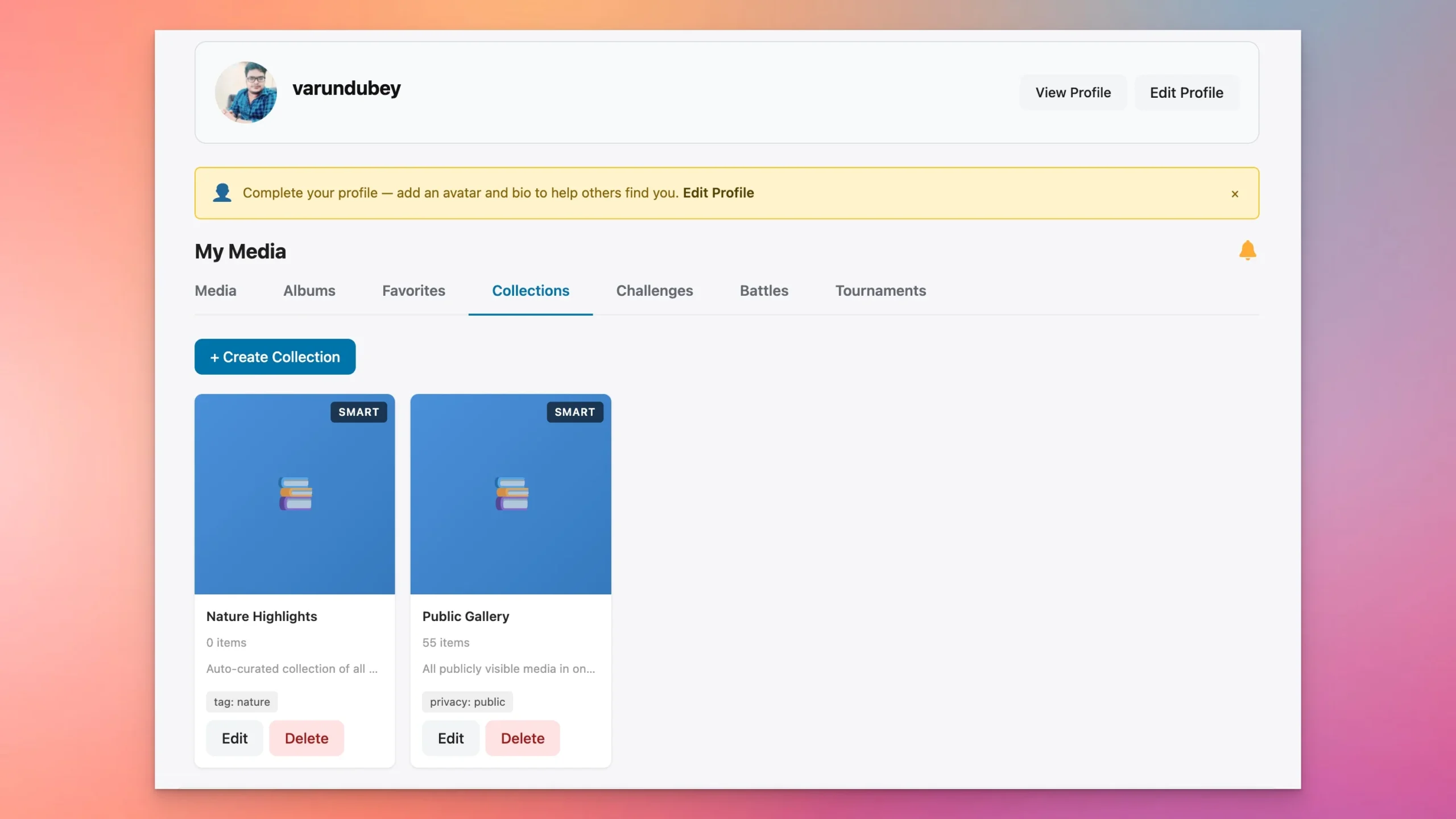
There is actually a third layer that sits between ephemeral and evergreen: permanent visual media. This is where WPMediaVerse fits. While WP Stories handles the 24-hour content that drives daily check-ins, WPMediaVerse provides the lasting media platform, albums, collections, an explore feed, reactions, follows, and privacy controls, where members build permanent portfolios and curate their best work.
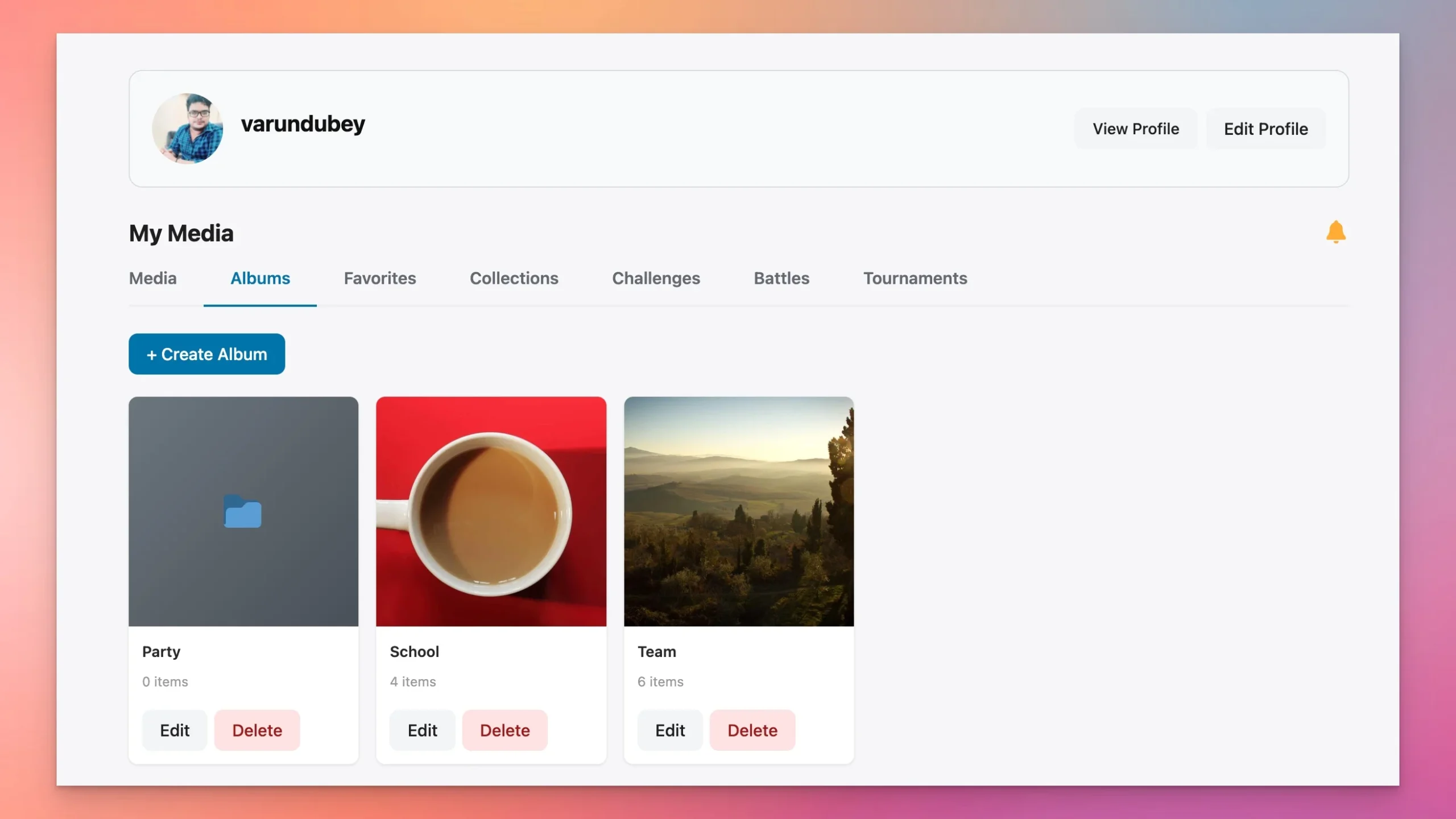
The workflow is natural: a member shares a quick behind-the-scenes shot in their WP Story (ephemeral, gone tomorrow), then uploads the finished piece to their WPMediaVerse album (permanent, discoverable forever). The story drives the daily visit; the album drives the lasting engagement. Both integrate with BuddyPress profiles, activity streams, and groups.
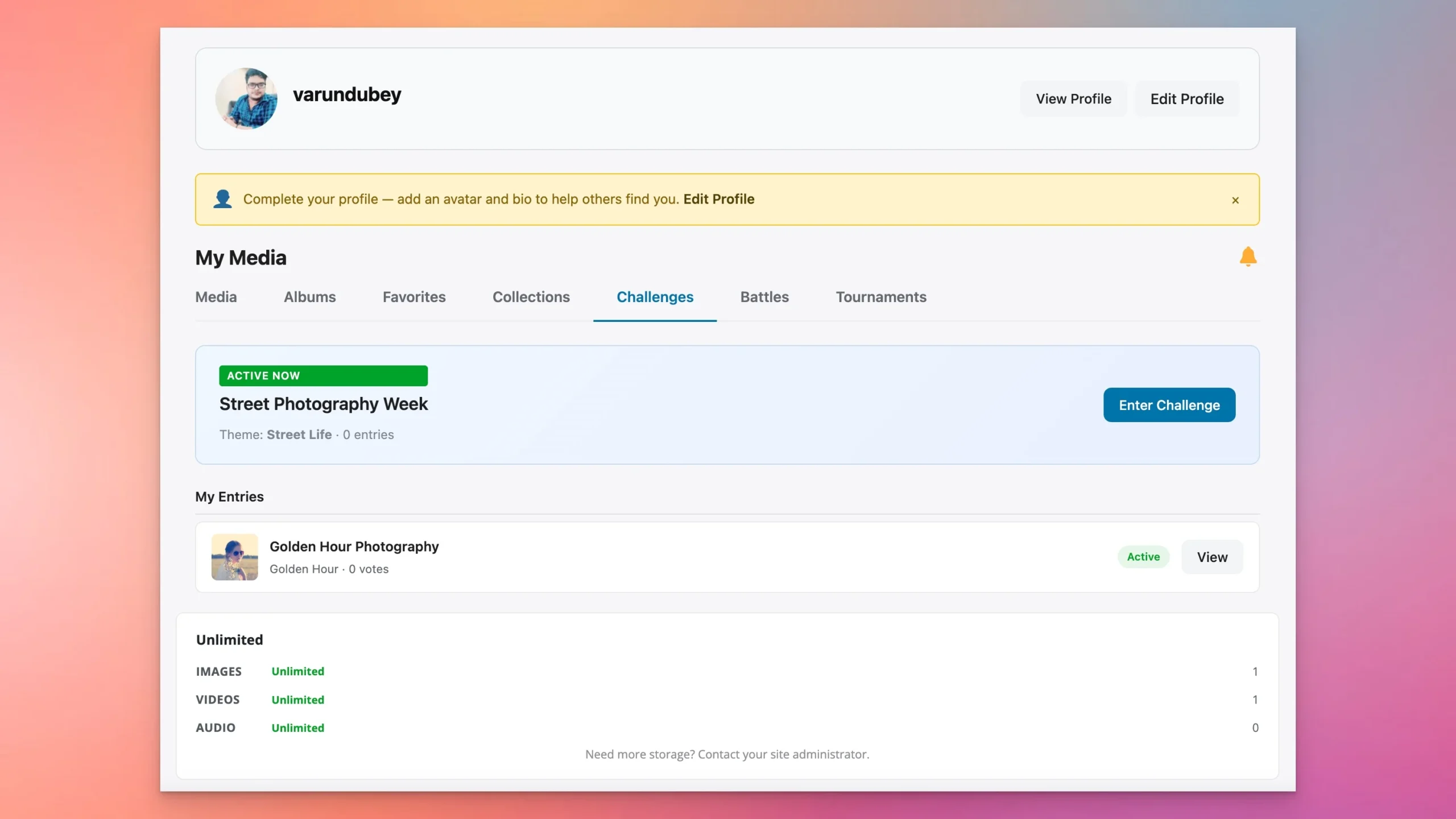
WPMediaVerse’s Pro version adds photo challenges and tournaments, recurring competitions that give members a reason to create and share content daily, feeding both the ephemeral layer (stories about submissions and results) and the permanent layer (winning entries in curated collections).
Try WPMediaVerse free in a sandbox to see how it complements an ephemeral content strategy.
Practical Allocation
For most WordPress communities, a healthy ratio is roughly 70 percent evergreen to 30 percent ephemeral. This means for every long-form blog post you publish, you might create two or three stories that support, tease, or extend that content. The ephemeral layer keeps your community engaged between major content releases.
What Works Best as Ephemeral Content
- Time-sensitive announcements and updates
- Quick tips and micro-tutorials (under 60 seconds)
- Behind-the-scenes and in-progress work
- Community spotlights and member features
- Polls, questions, and quick feedback requests
- Event coverage and live updates
- Teasers for upcoming permanent content
What Should Stay Permanent
- Comprehensive tutorials and how-to guides
- Product documentation and FAQs
- Case studies and detailed analysis
- Policy updates and important announcements that need a permanent record
- SEO-targeted content designed to attract search traffic
Measuring Engagement Lift: What to Track
Implementing ephemeral content without measuring its impact is like running a campaign without analytics. Here are the key metrics to track when you introduce 24-hour stories to your WordPress site:
Primary Engagement Metrics
- Story View Rate: The percentage of active users who view each story. A healthy benchmark is 30 to 50 percent of daily active users.
- Completion Rate: How many viewers watch a story all the way through. If viewers are dropping off before the end, your stories may be too long or the opening seconds may not be engaging enough.
- Return Visit Frequency: Track whether daily active users increase after implementing stories. Sites that implement stories typically see a 15 to 25 percent increase in daily active users within the first month.
- Posting Frequency: If you enable member story posting, track how many users create stories and how often. Healthy community engagement means at least 5 to 10 percent of active members are creating stories regularly.
Secondary Metrics
- Time on Site: Story viewers typically spend more time on the platform per session. Track average session duration before and after implementing stories.
- Content Cross-Pollination: Measure whether story teasers drive traffic to your permanent content. Use UTM parameters or custom tracking to connect story views to blog post visits.
- Member Retention: Over a 30 to 90 day period, compare retention rates for users who engage with stories versus those who do not. Story-engaged users typically show 20 to 35 percent higher retention rates.
Setting Baselines
Before launching stories, document your current engagement baselines: daily active users, average session duration, return visit frequency, and content engagement rates. This gives you a clean before-and-after comparison. Run stories for at least 30 days before drawing conclusions, as the initial novelty effect will inflate early numbers.
Getting Started: Your First Week of Ephemeral Content
The best way to launch ephemeral content on your WordPress site is with a structured first week that builds momentum and sets expectations:
Day 1: Setup and Announcement
Install WP Stories, configure your settings, and publish a permanent announcement post explaining the new stories feature. Create your first story as a behind-the-scenes look at the setup process itself.
Day 2-3: Lead by Example
Post two to three stories per day covering different content types: a quick tip, a poll, and a teaser for upcoming content. Vary the format to show the possibilities.
Day 4-5: Invite Participation
If you have enabled member story posting, reach out to your most active community members and invite them to try the feature. Offer a simple prompt like “Share what you are working on today.”
Day 6-7: Review and Adjust
Check your initial metrics. Which stories got the most views? What time of day saw the highest engagement? Did any stories drive traffic to permanent content? Use these early signals to refine your approach for week two.
Ongoing Optimization
After the first week, establish a sustainable rhythm. Most successful implementations settle into a pattern of one to three stories per day from the site itself, with member-generated stories adding additional volume.
Common Mistakes to Avoid
As you build your ephemeral content strategy, watch out for these pitfalls:
- Treating stories as permanent content: Stories should feel casual and immediate. Over-producing them defeats the purpose.
- Ignoring the viewing window: Post stories when your audience is active. A story posted at 2 AM wastes most of its 24-hour window.
- No clear call to action: Even ephemeral content should guide the viewer somewhere.
- Forgetting mobile optimization: The majority of story viewing happens on mobile devices. Make sure text is large enough to read on a phone screen.
- Launching without explanation: Your community needs to understand the new feature. Take the time to introduce it properly.
The Strategic Advantage of Owning Your Ephemeral Channel
There is a critical difference between posting stories on Instagram and hosting stories on your own WordPress site. When you use a third-party platform, you are building engagement on rented land. The platform controls the algorithm, the reach, and the data.
When you bring ephemeral content to your WordPress site with WP Stories, you own the entire experience. Your stories drive traffic to your platform, not away from it. Your engagement data stays in your analytics. Your community interactions happen in your ecosystem. If you are building a WordPress community, owning your engagement channels is essential for long-term growth.
Ready to Add 24-Hour Content to Your WordPress Site?
The shift toward ephemeral content is not a passing trend. It is a fundamental change in how people prefer to consume and share content online. Your WordPress site does not have to miss out on this shift.
Get WP Stories for ephemeral 24-hour content, and pair it with WPMediaVerse for the permanent media layer, albums, galleries, reactions, follows, and an explore feed. Together, they give your community both the daily urgency of disappearing content and the lasting value of a full media platform.
Related: Introducing WPMediaVerse: A Complete Media Platform for WordPress
Related reading
- Visual Storytelling on Wordpress Beyond Text Based Blogging
- Mobile First Content For Wordpress Vertical Swipeable Fast
- Interactive Audience Feedback Lightweight Wordpress Polls Surveys
- Share Code Text Snippets Standalone Pastebin Engine For Wordpress
- Protect Your Visual Assets Digital Watermarking Anti Hotlinking For Wordpress
- Collaborative Documentation in Wordpress Wiki Engine For Communities