
14 min read
What is Documentation? Definition, Types & How It Transforms Your Organization


If you have ever answered the same customer question for the tenth time in one week, chased an old Slack thread to remember how a process works, or watched a project handoff fall apart because no one wrote anything down, you already know the real problem. It is not always the product. It is not always the people. More often than most teams admit, it is a documentation problem. So if you want to define documentation clearly, start here: documentation is what turns scattered knowledge into something people can actually use.
The companies that get this right work differently. Customers find answers faster. Teams onboard faster. Work does not stall because one person is away or because the only explanation lives in somebody’s head. In this guide, I will answer the core question, what is documentation, explain the types of documentation that matter, and show how the right documentation setup changes how an organization runs day to day.
Table of Contents
- What Is Documentation?
- Types of Documentation
- Why Documentation Matters
- What Happens When Documentation Is Missing
- Documentation Best Practices
- What Makes a Good Documentation Website
- Building a Documentation Site With KnowX
- Documentation Examples by Organization Type
- How to Get Started With Documentation
- Frequently Asked Questions
- Conclusion
What Is Documentation?
If we define documentation in plain language, documentation is any structured content that explains how something works, how to use it, or how to repeat a process. That content can be written, visual, or interactive. It can be a help article, a process guide, a client handoff page, a policy document, an onboarding checklist, or a developer reference. The format matters less than the function. Good documentation captures knowledge in a way that makes it searchable, shareable, and reusable.
That point matters because most organizations do not suffer from a lack of knowledge. They suffer from knowledge being trapped in the wrong place. It sits in inboxes, chat threads, verbal handoffs, meeting recordings, or one person’s memory. That kind of knowledge might work for a while when the team is small and the founder is involved in everything. It breaks the moment the business grows, the team changes, or customers start expecting self-service support.
Documented knowledge behaves differently. It does not disappear when someone leaves. It does not depend on whether the right person is online. It does not need to be repeated from scratch every time a new customer, client, or employee asks the same question. That is why documentation is not just a manual or a side task. It is an operational system.
It is also worth clearing up what documentation is not. It is not limited to technical writing. It is not only for software companies. It is not a one-time project you finish and never revisit. And it is not useful only when something goes wrong. Good documentation improves support, onboarding, internal operations, and buyer confidence before problems even appear.
Good documentation turns what one person knows into what everyone can access.
Types of Documentation
When people search for the types of documentation, they are usually looking for categories that make the subject easier to understand. The simplest way to think about it is to split documentation into external documentation and internal documentation.
User Documentation
User documentation is customer-facing content that helps people use a product or service successfully. This usually includes help articles, tutorials, setup guides, FAQs, and troubleshooting content. For a software company, this is often the first layer of support. For a small business, it can be the difference between a customer resolving an issue independently and opening a ticket for something simple.
Knowledge Base Documentation
A knowledge base is a structured library of answers. Instead of publishing isolated articles and hoping users find them through search, a knowledge base organizes content into categories and gives people a clear place to browse. This is one of the most practical documentation formats because it creates immediate support value. When an article answers a question at midnight without a support agent involved, the documentation is doing real work.
Product Documentation
Product documentation explains the product itself in more depth. That can include feature explanations, release notes, onboarding flows, configuration details, and usage scenarios. This is especially important for SaaS companies, because a product that is not understood is often a product that gets abandoned. Strong product documentation helps users discover value faster and stay longer.
API Documentation
API documentation serves developers who need to integrate with a platform programmatically. It usually covers endpoints, authentication, request formats, response structures, parameters, and code examples. When this documentation is missing or weak, integration becomes harder than it should be and trust drops quickly. For developer-focused products, API documentation is part of the product experience.
Process Documentation
Process documentation captures how work gets done internally. This includes standard operating procedures, workflows, checklists, escalation paths, and runbooks. It is often the most important documentation a small business can create because it reduces dependency on one person. When order handling, refunds, client delivery, or publishing workflows are documented, the business becomes more stable.
Onboarding Documentation
Onboarding documentation helps new users, new clients, or new team members get up to speed. Agencies benefit from this more than they sometimes realize. A clean onboarding portal can reduce repetitive questions, set expectations early, and make the handoff experience feel more professional. Internally, onboarding documentation shortens training time and helps new hires become productive faster.
Internal Technical Documentation
This type of documentation is aimed at the team building or maintaining systems. It can include architecture notes, codebase references, deployment procedures, design decisions, environment setup instructions, and system diagrams. Teams often postpone this until complexity creates pain. By then, the cost of not documenting is already visible in slow onboarding, duplicated effort, and fragile systems.
The key point is that most organizations do not need every documentation type on day one. They need the right first type. SaaS companies usually begin with customer-facing docs because support and retention depend on them. Agencies often begin with client documentation. Small businesses often begin with internal processes because operational consistency is the fastest win.
Why Documentation Matters
Documentation matters because it changes how work scales. Without it, every answer must be delivered by a person. Every handoff depends on memory. Every repeat question interrupts someone. Every new hire starts with fragmented context. This creates friction that feels normal until a business sees the alternative.
The first transformation is support efficiency. A team without documentation spends time answering the same simple questions repeatedly. A team with a strong knowledge base handles many of those questions before they ever become tickets. That shift does not remove the need for support. It improves the quality of support by freeing people to focus on more complex cases.
The second transformation is knowledge retention. Many organizations run on undocumented experience. A senior employee knows which edge cases matter. A founder knows how invoicing really works. A project manager knows the unofficial steps that keep delivery smooth. The problem is not that this knowledge exists. The problem is that it exists only in a human brain. Documentation turns that private knowledge into an organizational asset.
The third transformation is onboarding speed. New customers, clients, and team members do better when there is a clear path to follow. Documentation reduces the need to rely on a chain of calls, messages, and repeated explanations. It gives people confidence because they know where to look next. That confidence matters more than many teams realize.
The fourth transformation is credibility. Detailed, well-organized documentation signals maturity. When a prospect sees clear setup guides, structured help content, and thoughtful explanations, they trust the company more. This is particularly true for software and digital products, where buyers often want proof that the team understands the product beyond sales copy.
The fifth transformation is leverage. One solid documentation article can answer the same question for hundreds or thousands of people over time. That is why documentation compounds. The cost of creating and maintaining it is real, but the value grows as more users, more clients, or more team members rely on the same body of knowledge.
What Happens When Documentation Is Missing
Poor documentation creates visible symptoms long before teams call it by name. Support queues stay crowded with repeated questions. Clients depend on the agency for small edits they should be able to handle alone. Team members ask the same operational questions because the answers live in chat, not in a usable system. Managers become bottlenecks because they are the fallback search engine for undocumented work.
Missing documentation also creates inconsistency. Two employees complete the same task differently because there is no shared process. Customers receive different answers from different support agents. New hires learn through informal shadowing, which means quality depends on who trained them and what they happened to cover. This is where documentation stops being a content problem and becomes an execution problem.
There is also a financial cost. Repeated support work consumes time. Slow onboarding delays productivity. Incomplete handoffs lead to frustration and rework. Lost institutional knowledge forces teams to rediscover what they already knew. Many businesses do not track these costs directly, but they feel them every week.
Documentation Best Practices
Good documentation is not just accurate. It is usable. That starts with clarity. People should be able to understand a page quickly without decoding jargon or reading around the point. When a reader lands on an article, they should know what problem it solves and what they need to do next.
Structure matters just as much as writing quality. Pages should be grouped logically. Headings should reflect real questions. Search should return relevant results. Readers should never feel lost inside the documentation website. If they do, even accurate content will underperform because the problem is not the article. It is discoverability.
Documentation also works better when it is written close to the real task. The best support article usually comes from a real support question. The best internal guide usually comes from a task the team performs often enough to justify standardization. Starting with actual recurring problems produces better documentation than starting with abstract brainstorming.
Maintenance is another best practice that teams ignore until content becomes stale. Documentation must evolve with the product and the business. A help center filled with outdated screenshots or old workflows damages trust quickly. A simple review cadence, even quarterly, is enough to keep important content current if somebody owns the process.
Finally, good documentation respects the reading environment. People often visit documentation when they are stuck, rushed, or frustrated. That means the site should load quickly, read clearly on mobile, and present information without clutter. Design is not decoration here. It directly affects whether the content gets used.
What Makes a Good Documentation Website
A documentation website is more than a folder of articles published online. It is a dedicated destination built to help users find answers efficiently. That usually means clear categories, prominent search, related articles, clean article layouts, and navigation that shows users where they are.
Search is especially important because many readers do not want to browse from the top. They arrive with a problem in mind and expect to type it directly. If search is weak or hidden, frustration rises immediately. A strong documentation website also uses breadcrumbs and category pages well, because readers often need context as much as content.
The reading experience matters too. Documentation should feel calm and readable. Typography needs to be clear. Spacing should reduce fatigue. Layout should prioritize the article itself, not distractions around it. On mobile, that becomes even more important because many users read support content from a phone while actively trying to solve a problem.
If community support is part of the workflow, forums can also add value. Articles answer repeatable questions. Forums handle edge cases, discussion, and unresolved scenarios. When both live together in one coherent experience, users get a more complete support system.
Building a Documentation Site With KnowX
If you want to build a documentation website on WordPress, using the right theme matters. A generic blog theme can be forced into a knowledge base with enough plugins and custom work, but that usually creates a compromised experience. It is better to start with a WordPress knowledge base theme designed for documentation from the beginning.
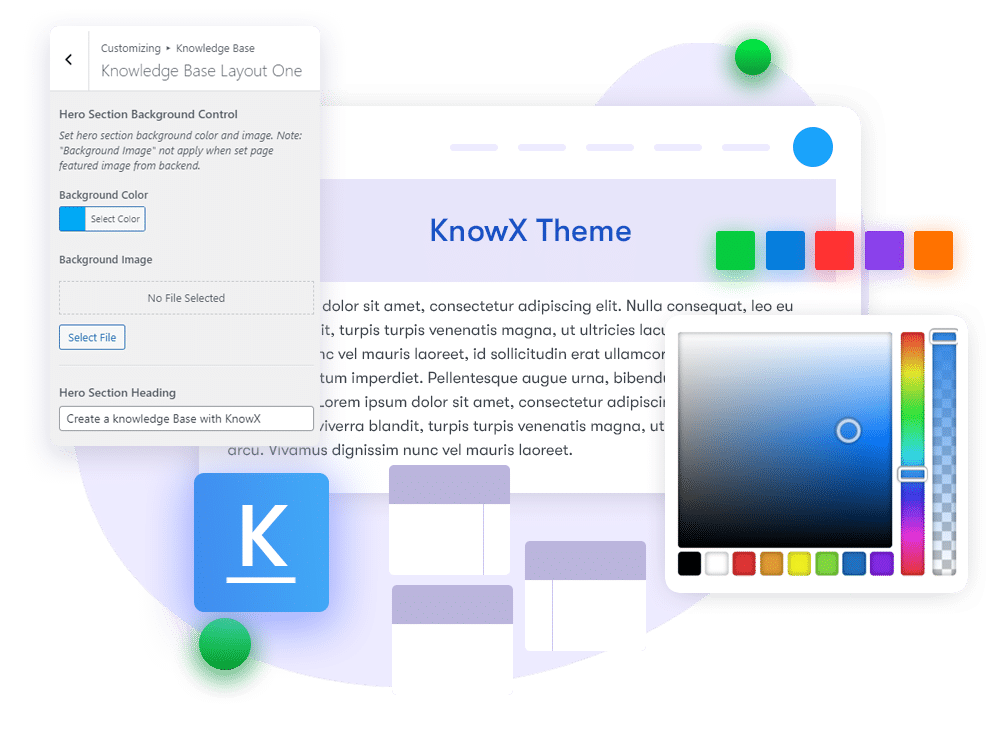
That is where KnowX fits. KnowX is positioned by WBCom Designs as a free WordPress knowledge base theme for documentation and FAQ sites. The product page describes it as a ready-to-use layout for support documentation and product knowledge base websites. That positioning makes sense because the theme is built around the core experience documentation teams actually need.
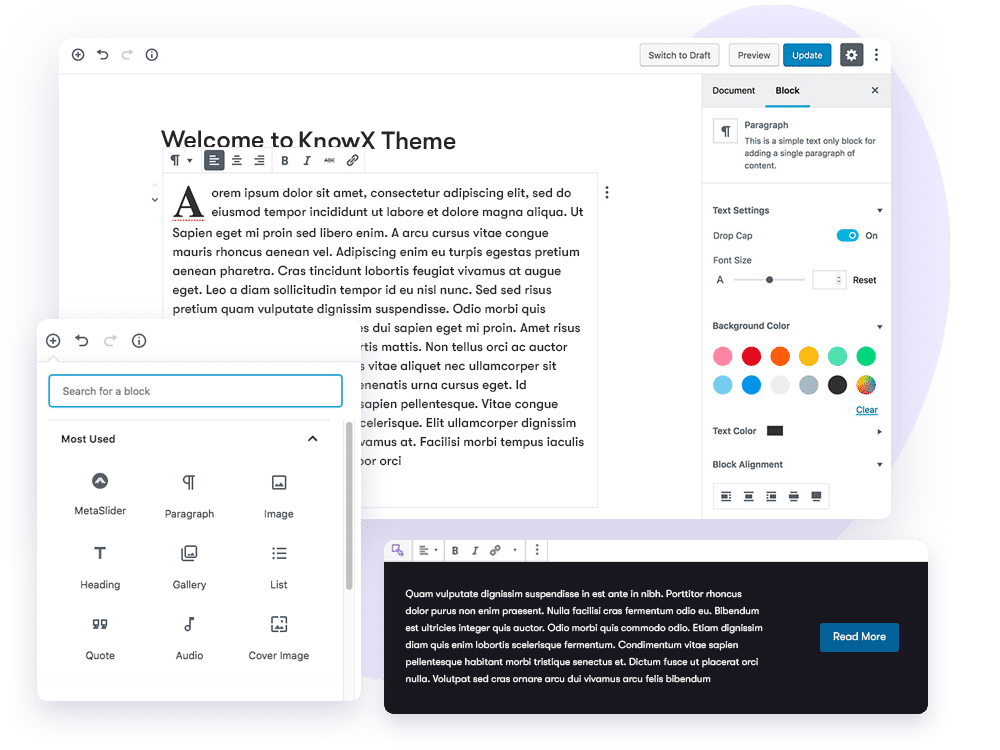
From the public product page, KnowX highlights the features that matter most for a documentation site. It supports a documentation-focused layout, demo-based setup, Elementor compatibility for visual customization, bbPress support for community discussion, and WPML support for multilingual documentation. It is also presented as mobile responsive, which is essential because support content is frequently read on smaller screens.
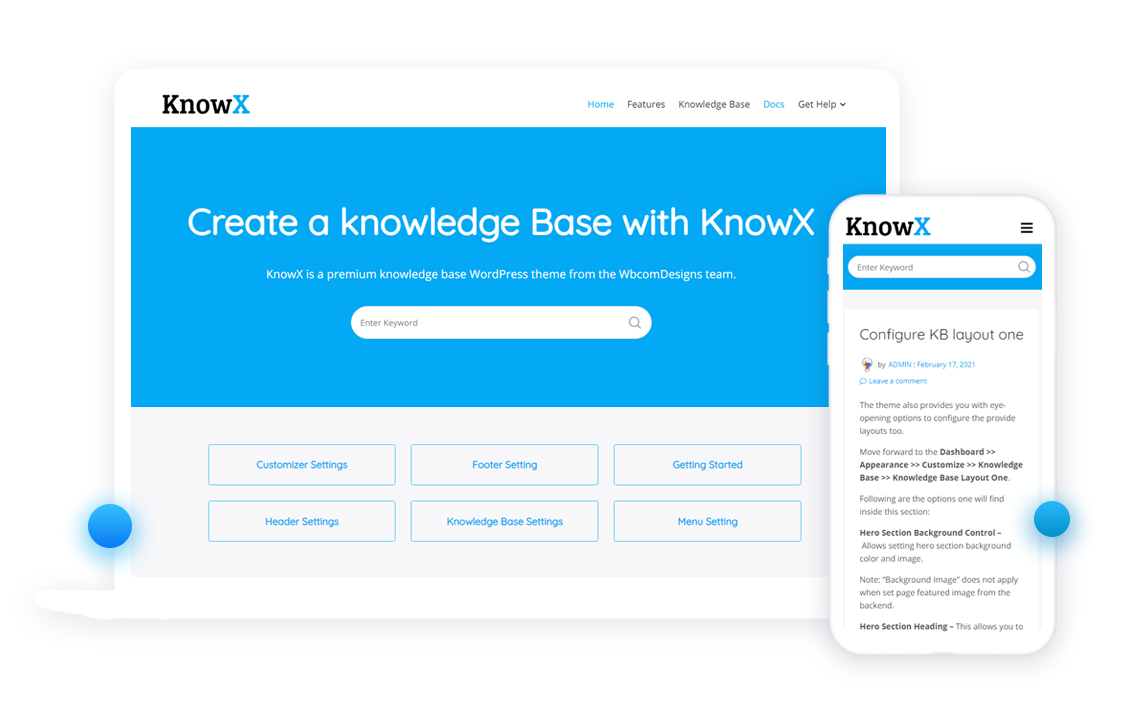
One of the practical advantages here is speed. The page positions KnowX as a faster route to launching a knowledge base instead of building one piece by piece. That is useful for agencies setting up client help centers, SaaS teams building a support portal, or businesses turning scattered help content into a more structured documentation website.
If your goal is to launch documentation on WordPress without overcomplicating the setup, KnowX gives you a focused starting point:
Download KnowX Free | View Live Demo
Documentation Examples by Organization Type
For a SaaS company, documentation often begins as a support tool and becomes part of the product experience. A categorized help center covering onboarding, billing, integrations, and troubleshooting helps users self-serve and reduces friction during adoption. Over time, that same documentation can support retention because users discover more value from the product.
For an agency or freelancer, documentation often improves handoff quality. Instead of closing a project and relying on ad hoc emails afterward, the agency can provide a client portal that explains common editing tasks, content update workflows, maintenance coverage, and next steps. The client feels more confident, and the agency gets fewer repeated questions.
For a small business, documentation often starts internally. The business owner writes down order processing steps, customer service procedures, staff onboarding basics, or vendor workflows. This reduces dependency on the owner and makes the business more resilient when someone is unavailable or when growth makes informal training unsustainable.
How to Get Started With Documentation
The easiest way to start is to look for the biggest repeated question in your business. That question is usually your first documentation article because it already represents a real gap. You do not need a complete library before launch. You need a useful starting point.
Next, decide whether your first documentation system should be external, internal, or both. If support volume is the pain point, begin with a knowledge base. If operations break because processes live in people’s heads, begin with internal process documentation. Most businesses eventually need both, but they do not need to build both at once.
After that, choose the platform. If you already use WordPress, a dedicated documentation theme for WordPress reduces setup time and gives you a more suitable structure from the start. That is one reason a theme like KnowX is useful. It gives teams a faster path to a proper documentation site instead of forcing a blog-first experience into a support role.
Then create your first ten pieces, not your first hundred. Focus on the most common support questions, the most important onboarding steps, or the most fragile internal processes. Organize those pages into categories before the library grows. A small, well-structured documentation website is more useful than a large one that is difficult to navigate.
Finally, assign ownership. Documentation without ownership gets outdated quickly. Someone should be responsible for reviewing key pages, updating content when products or processes change, and making sure the documentation website stays aligned with reality.
Frequently Asked Questions
What is documentation in simple terms?
Documentation is structured content that explains how something works or how to do something. It stores knowledge in a form that other people can find and use later.
What does it mean to define documentation?
To define documentation is to describe any written, visual, or structured content that records information for future reference and practical use. In business, that includes everything from help articles to SOPs and technical references.
What are the main types of documentation?
The main types include user documentation, knowledge base articles, product documentation, API documentation, process documentation, onboarding documentation, and internal technical documentation.
What is the difference between a knowledge base and documentation?
Documentation is the broad category. A knowledge base is a specific format within that category, usually a searchable and organized collection of support or help content.
How do I create a documentation website?
Start with WordPress or another CMS, organize your content into clear categories, make search prominent, and choose a structure built for help content rather than general blogging. If you use WordPress, a dedicated theme like KnowX can speed this up.
Why is documentation important for a business?
Documentation reduces repeated support work, preserves institutional knowledge, improves onboarding, builds trust, and helps teams scale knowledge without scaling the same questions.
Summary
The organizations that document well do not only look more organized. They operate with less friction. Customers get answers faster. Teams learn faster. Handoffs are smoother. Critical knowledge stops disappearing into chat history or memory.
That is the real answer to the question, what is documentation. It is not a side project. It is the system that turns knowledge into something usable at scale.
If you are ready to build a documentation website on WordPress, KnowX is a strong place to start. It is free, purpose-built for documentation and FAQ sites, and backed by a live demo that shows the format in action.
Related reading