
14 min read
Online Course Community Forum: Why Your Course Needs One

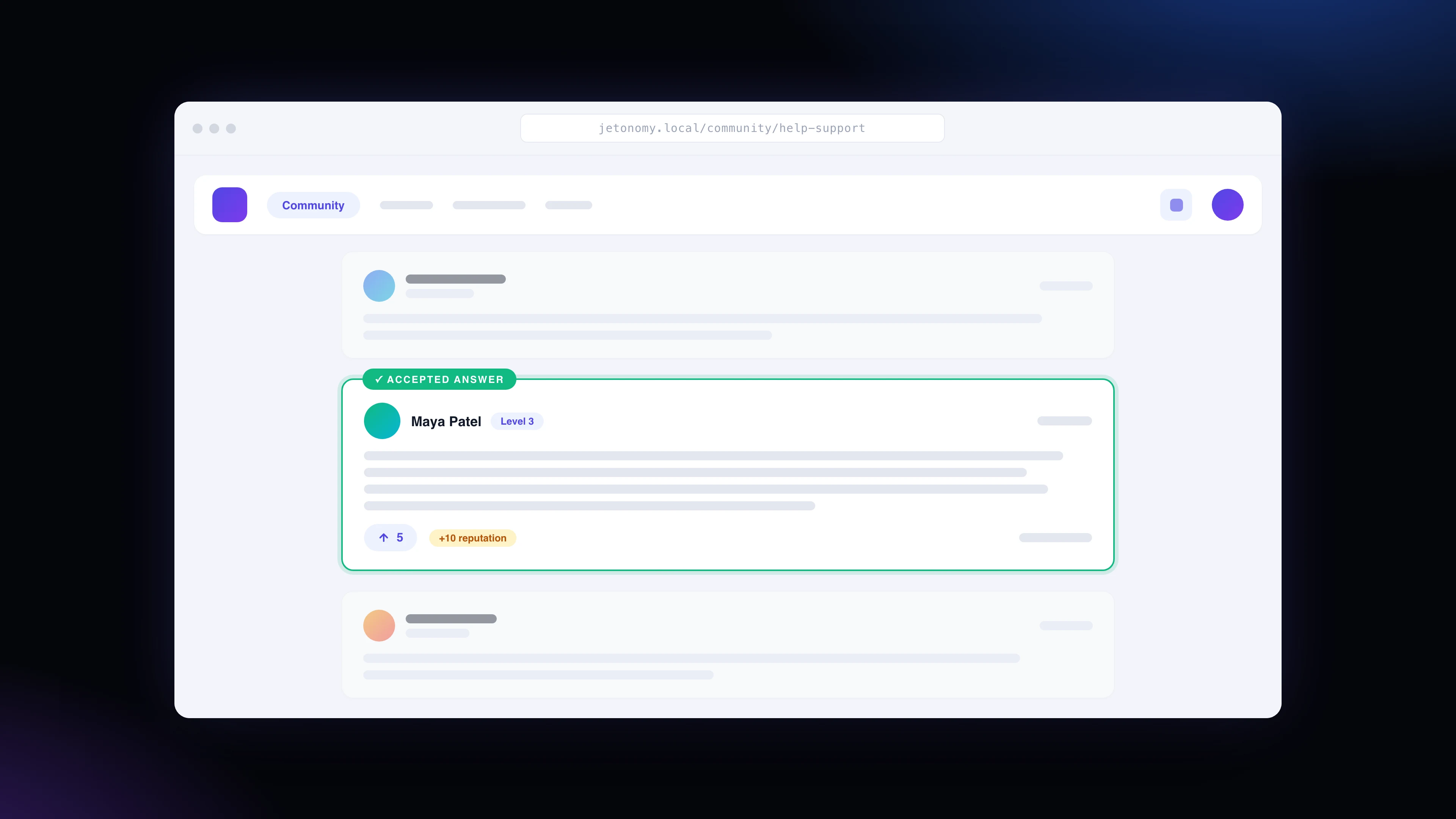
An online course community forum becomes useful at the exact moment a lesson stops being simple and the student has to apply it.
If you sell online courses on WordPress, the problem is rarely that every student hates the material.
Most drop-off happens in quieter places. A student watches the first few lessons, hits one unclear step, tells themselves they will come back later, and never does. Another student understands the lesson but does not know how to apply it to their own business, classroom, design, fitness plan, or client project. A third student finishes the video but has no signal that anyone else is moving through the same work.
That is where an online course community forum changes the course experience. Not as a decoration. Not as a place to dump announcements.
As part of the learning system.
An online course community forum gives students a place to ask questions, compare progress, find answers from older threads, and see that other people are doing the work too. For course creators, it also turns private one-to-one support into a reusable learning asset.
The completion problem is real
Completion rate statistics need context. Free MOOCs, paid cohort courses, workplace training, and premium coaching programs do not behave the same way. Some students sign up just to sample a lesson. Some only want one module. Some never intend to finish.
Still, the pattern is hard to ignore.
Katy Jordan’s analysis of 221 MOOCs found completion rates ranging from 0.7% to 52.1%, with a median of 12.6%. The same analysis found that the first and second weeks were critical for student engagement.
A HarvardX and MITx first-year report looked at 841,687 registrations across 17 edX courses. Only 43,196 registrants earned certificates. Another 35,937 used at least half the course without certification. And 292,852 registrants never engaged with the course content at all.
Again, not every one of those people was a paying student with a clear goal.
But for a course creator, the lesson is blunt: publishing lessons is only one part of the job. You also need to design for the moment when motivation drops.
Why students disappear after the first lessons
People do not usually abandon a course in a dramatic moment. They drift.
They get stuck on a small implementation detail. They feel embarrassed asking the creator a basic question. They do not know whether their work is good enough. They miss one week and feel behind. They open the lesson library and see a wall of unfinished modules.
Video lessons are good at delivery. They are weak at recovery.
A forum helps with recovery because it gives the student another path back into motion. The question does not need to wait for office hours. The answer does not vanish inside email. Another student can say, “I had the same issue. Here is what fixed it.” That small reply can save a learner from quitting.
Research around online learning points in the same direction. Hagedoorn and Spanakis found that active behaviors such as submitting assignments, posting in the forum, and filling out a profile were strong indicators of persistence in a MOOC. Gitinabard and coauthors studied three blended courses and found that students with more forum interaction and feedback tended to earn higher grades.
The point is not that a forum magically fixes a bad course. It does something more practical.
It gives students more ways to stay attached to the work.
Course forum loop
What an online course community forum adds
A course forum is not just “comments under lessons.” That usually becomes messy. A useful forum has structure.
For a course creator, the strongest structure is usually a small set of spaces: course announcements, module questions, student wins, resource sharing, and a private cohort area if you run live launches.
Keep it simple at the start. Empty categories make a community look abandoned.
Public answers reduce repeat support
If ten students email you the same question, you have ten support conversations. If one student asks inside the course forum and the answer is accepted, every later student has a place to look first.
This is especially useful for software courses, business courses, design courses, fitness programs, certification training, and coaching products where implementation creates many “it depends” questions.
The answer is no longer trapped in your inbox.
Peer progress creates accountability
Students do not need fake urgency. They need signs of life.
A leaderboard, reputation points, badges, visible replies, and marked answers show that people are participating. The psychology is simple: if the forum is active, the course feels alive. If the course feels alive, it is easier to come back after missing a few days.
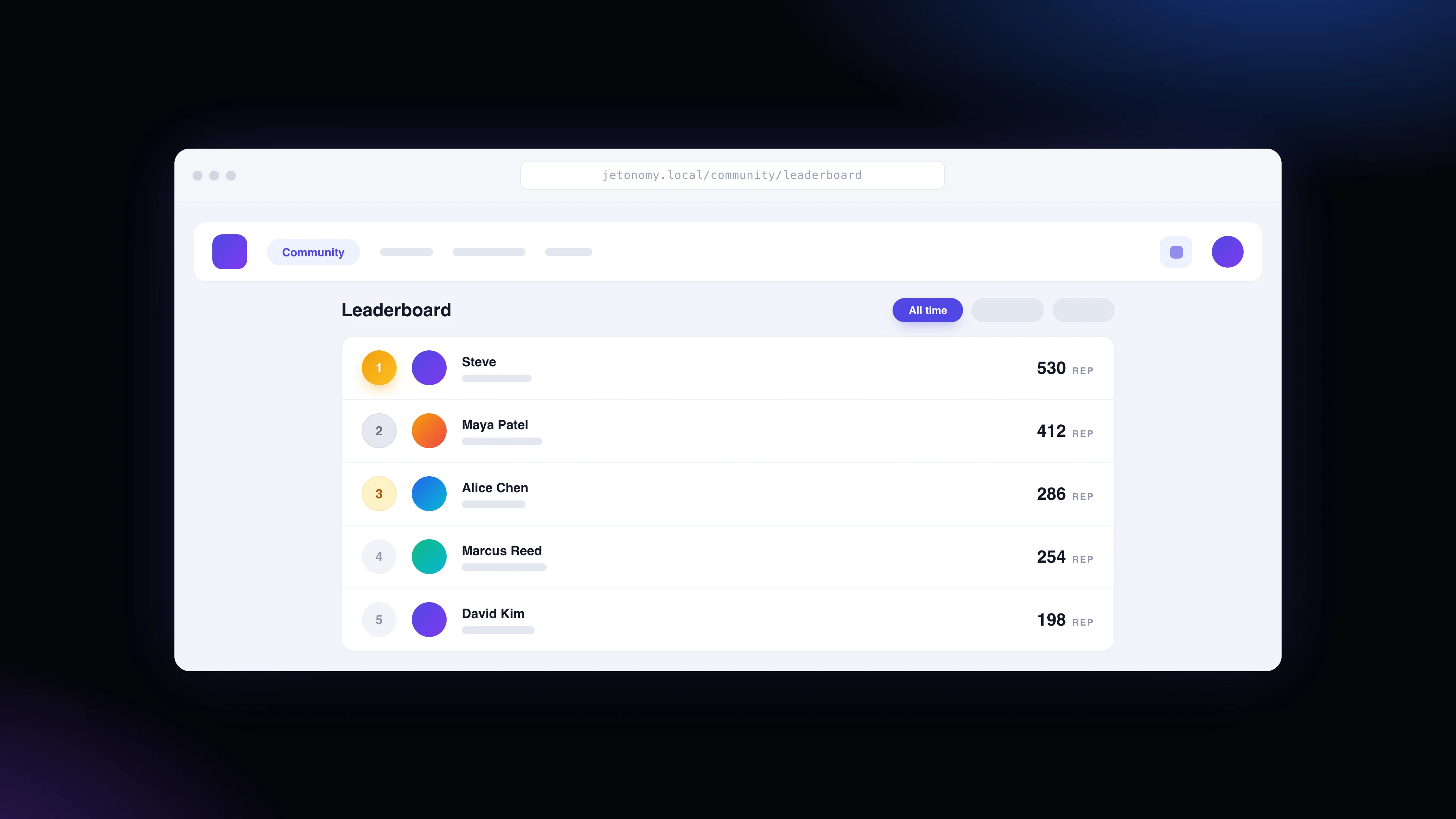
Use this carefully. A leaderboard should reward useful contribution, not noisy posting. Points for accepted answers, upvoted replies, and thoughtful topics are healthier than points for raw activity.
Students learn from edge cases
Your lesson teaches the main path. The forum captures the messy versions.
A student asks how to apply the lesson to a nonprofit. Another asks about a WooCommerce store. Another asks whether the method changes for a small coaching business. Those discussions make the course more useful because they cover the real-world situations you could never fit into every video.
Over time, the forum becomes the practical layer of the course.
The creator gets better course feedback
A quiet course dashboard tells you who logged in. A forum tells you where people are confused.
If the same question appears every week, the lesson needs a clearer example. If students keep asking for a template, build one. If a module has no questions and no wins, it may not be getting applied.
That feedback is hard to see in email because each message feels isolated. In a forum, patterns show up.
Those public threads can also become a long-term search asset when the space is open to search engines. Our article on community-led growth and forum SEO covers that angle in more depth.
Forum vs. chat group vs. social group
Discord, Slack, Facebook Groups, and WhatsApp can work for live energy. They are weaker as long-term course infrastructure.
Chat moves quickly. That is its strength. It is also the problem. The answer to a good student question can be buried by tomorrow. Search is inconsistent. Important threads fragment. The course creator ends up answering the same things again.
A forum is slower in a useful way. Topics have titles. Replies stay attached to the question. Accepted answers can sit at the top. Search engines can index public discussions when appropriate. Private course spaces can stay gated for paying students.
Use chat for live cohorts and quick energy if you want. Use the forum for the learning record.
If you are still deciding where community belongs in your stack, read our comparison of WordPress vs SaaS community platforms. If you are new to the format itself, our guide on what a forum is covers the basics, and our list of WordPress forum plugins can help if you are comparing tools.
How to improve course completion rate with a forum
An online course community forum only helps completion when it is tied to the course journey. A link in the footer is not enough.
Start with the first week. Jordan’s MOOC analysis found that early engagement matters, and course creators should treat the first week as the onboarding window. Do not wait until module five to introduce the community.
Here is a practical setup:
- Create one “Start here” discussion for introductions and first wins.
- Add a question prompt at the end of each major module.
- Pin one thread that explains how to ask a useful question.
- Mark accepted answers so students know which reply solved the issue.
- Review unanswered questions daily during launches, then less often once the forum has momentum.
- Move repeated questions into lesson updates, templates, or a public FAQ.
Do not ask students to “join the community” in vague terms. Give them a reason.
Better: “Post your draft offer in the Week 1 thread and reply to one other student.”
Better still: “If your checkout page is not converting, post your page link in the troubleshooting space. Use the template in the pinned post.”
Specific prompts create useful threads. Useful threads bring students back.
A 30-day launch plan for your course forum
Do not open an online course community forum and wait for students to make it interesting. That is how empty spaces stay empty.
The first month has one job: make the forum feel useful before it feels busy. A small forum with five good questions, three accepted answers, and one student win is stronger than a noisy group full of scattered chatter.
Start before the course opens. Seed the forum with the questions students usually ask in email, sales calls, workshops, office hours, and refund requests. These are not fake conversations. They are the real friction points your course already creates.
| Timing | What to do | Why it matters |
|---|---|---|
| Before doors open | Add five to ten starter questions with clear answers. Pin the rules for asking a good question. | Students see the forum as a help system, not an empty room. |
| Day 1 | Send students to one welcome thread and one first-action thread from inside the course. | The forum becomes part of onboarding instead of an optional side channel. |
| Week 1 | Reply quickly, mark accepted answers, and thank students who post useful context. | Early behavior sets the tone for the whole course. |
| Weeks 2-3 | Move repeated questions into a short FAQ thread and link it from the lesson that caused the confusion. | The course starts improving from real student friction. |
| Week 4 | Review unanswered threads, common topics, and student wins. Archive anything that no longer helps. | The forum stays clean enough for the next cohort to trust it. |
This does not require a large team. It requires rhythm.
During a live launch, check the forum at predictable times and say so. “I review questions every weekday morning” is better than vague availability. Students know when to expect help, and you avoid the pressure of watching the forum all day.
For evergreen courses, build the forum into the lessons. After a hard lesson, point students to a specific thread. After an assignment, ask them to post one artifact. After a common mistake, link the troubleshooting discussion directly below the video.
The forum should be close to the moment of effort.
Questions that belong in a course forum
The best course forums are not general hangout spaces. They are working rooms.
Ask students to post questions that include context. What were they trying to do? Which lesson were they following? What did they try already? What result did they get? A question with context is easier to answer, and it teaches future students how to diagnose their own work.
Good thread types include:
- Implementation questions: “I followed Lesson 3, but my checkout page still shows the old thank-you message.”
- Student work feedback: “Here is my draft offer. Does the promise sound too broad?”
- Troubleshooting: “The plugin is active, but the form does not appear on mobile.”
- Decision help: “Should I use a webinar or email sequence for this launch?”
- Wins and examples: “I booked my first client using the outreach script.”
That last type matters more than many course creators expect. Wins show the course is being used. They also give newer students proof that the work can lead somewhere.
Keep the forum away from vague prompts that produce weak replies. “What do you think?” is usually too broad. “Post your sales page headline and tell us which audience it targets” gives people something concrete to respond to.
Good prompts lower the cost of participation.
Common mistakes that make course forums quiet
A quiet forum is not always a demand problem. Sometimes the design is asking too much from students.
The first mistake is too many spaces. When a new student sees 18 categories, they have to decide where their question belongs before they can ask it. That small bit of uncertainty is enough to make many people leave.
The second mistake is making the instructor the only source of value. If every useful answer must come from you, the forum becomes another inbox with a different layout. Invite students to answer. Give credit for good replies. Correct mistakes kindly and visibly so the thread still helps later readers.
The third mistake is hiding the forum from the course flow. A community link in the navigation is easy to ignore. A question prompt inside the lesson is harder to miss.
The fourth mistake is treating every discussion as permanent. Some threads should be archived. Old launch details, outdated tool advice, broken links, and abandoned questions make the forum feel stale. A little pruning protects trust.
The fifth mistake is measuring success too early by volume. A new paid course may only need a handful of strong threads per module. If those threads answer real questions and help students continue, the forum is doing useful work.
Quiet is not the enemy.
Unanswered is.
What to measure after you add a course forum
Do not judge the forum by member count alone. A course community can have hundreds of quiet members and still be useful if the right questions get answered.
Watch these signals instead:
- First-week activation: how many students introduce themselves, ask a question, or reply during week one.
- Unanswered question age: how long questions sit without a helpful reply.
- Accepted-answer ratio: how many Q&A threads end with a marked solution.
- Return visits after posting: whether students come back after their first forum action.
- Support deflection: which email questions now have a forum thread you can link to.
- Lesson improvement backlog: repeated questions that should become course updates.
A small paid course does not need massive community numbers. It needs enough useful interaction to keep students from feeling alone when they hit friction.
Where Jetonomy fits for WordPress course creators
If your course already runs on WordPress, the cleanest community option is usually to keep the forum on the same site. Students do not need another login. You keep the content on your domain. The questions, answers, and student knowledge base stay attached to the course business you own.
Jetonomy is a free WordPress forum plugin built for forums, Q&A spaces, and idea communities. For course creators, the important pieces are Q&A spaces with accepted answers, voting, reputation, notifications, permissions, and SEO-ready forum pages.
That matters because a course forum has different needs from a general discussion board. You need private student spaces. You need useful answers to surface. You need moderation that does not turn into another job.
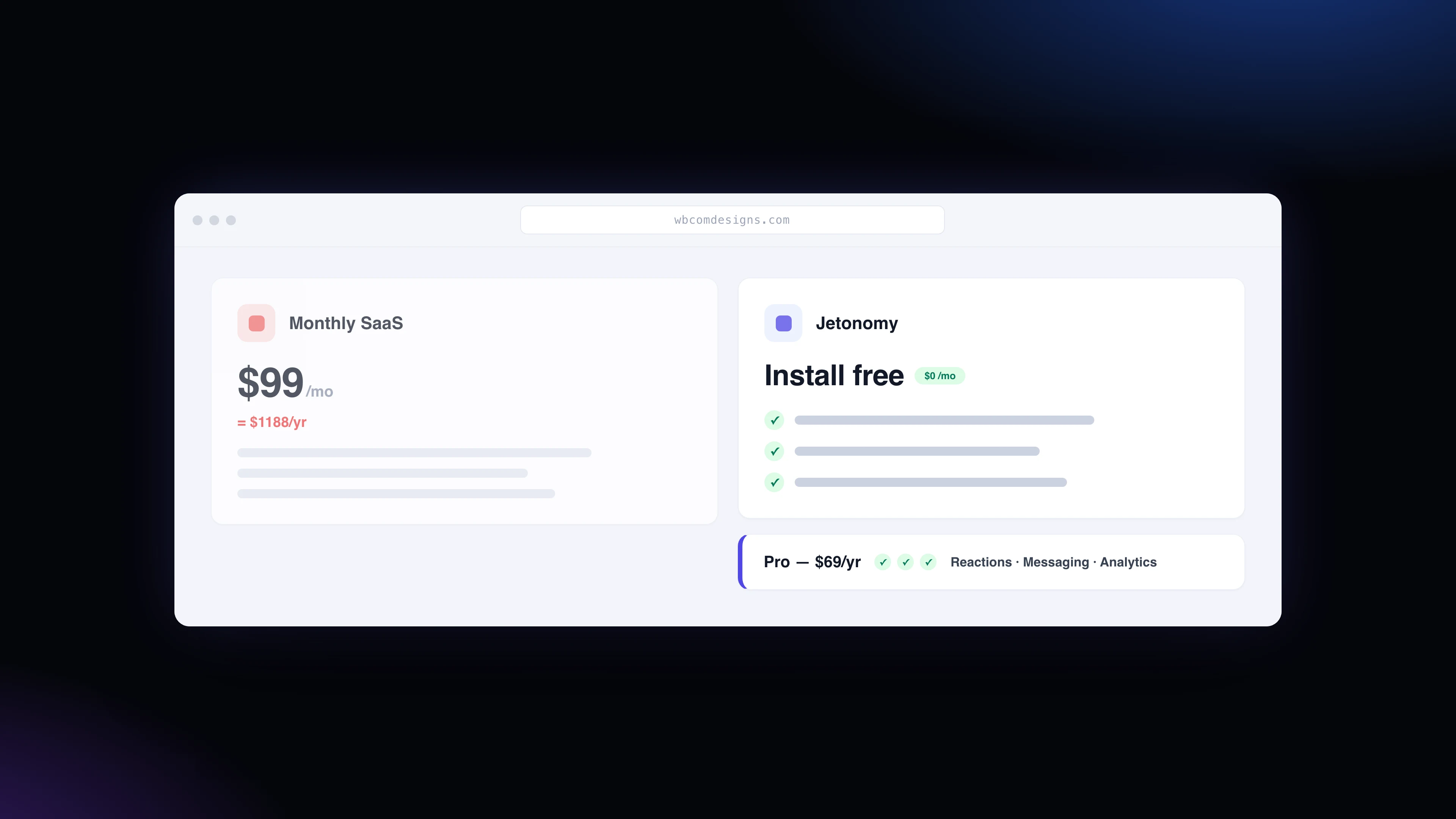
Jetonomy Pro extends the free plugin with private messaging, polls, analytics, custom badges, custom fields, email digests, webhooks, and more. The current Developer annual plan is listed at $69/year, with all 15 Pro extensions included in each license tier.
If your course is built with LearnDash, also see our article on adding discussion forums to a LearnDash LMS. If you are still planning the course platform itself, start with how to create an online course platform in WordPress.
When a forum will not fix the course
A forum is not a patch for unclear teaching.
If the course promise is weak, the lessons are poorly sequenced, or the student never gets a clear next action, adding a community will not solve the root problem. It may make the problem more visible.
That is useful, but uncomfortable.
Use the forum as a learning signal. If students keep asking the same question, improve the lesson. If they are afraid to post, add examples of good questions. If the forum is quiet, seed it with real prompts and answer quickly at the start. Research on Q&A forum usage also shows that many students hesitate to participate visibly because they fear looking uninformed. Good community design has to reduce that fear.
This is why anonymous posting, private spaces, clear norms, and instructor modeling can matter. The forum should feel like part of the course, not a public performance test.
A good course forum pays back over time
The first benefit is student support. Someone asks. Someone answers. The student keeps moving.
The bigger benefit arrives later.
Your course begins to develop memory. The common questions are answered. The strongest examples are visible. New students can learn from older students. You can improve the course from real friction instead of guessing.
That is why a community forum is not just a nice add-on for online educators. For many course creators, coaches, and training businesses, it becomes the difference between a library of videos and a learning environment students return to.
Add an online course community forum with Jetonomy
FAQ
Does a community forum improve online course completion?
It can, especially when the forum is tied to course milestones, Q&A, student work, and instructor feedback. A forum will not rescue a poorly structured course, but it can reduce isolation and help students recover when they get stuck.
Should I use a forum or a Facebook group for my course?
Use a forum when you want searchable threads, accepted answers, stronger ownership, and content that stays attached to your site. A Facebook group can create casual interaction, but useful answers are harder to organize and reuse.
How many spaces should a new course forum have?
Start smaller than you think. One welcome space, one Q&A space, one student wins or showcase space, and one private cohort space is enough for many courses. Add more only when conversation volume demands it.
Can students answer each other’s course questions?
Yes. In a healthy course forum, students often solve practical problems for each other. The creator should still watch for wrong answers, mark the best answer, and turn repeated questions into course improvements.
Related reading