
19 min read
The Proven Way to Build a Profitable Online Course in 2026

Most people who set out to build an online course get the course part right and the business part wrong. They spend six weeks recording video, then two days figuring out how to sell it. That order is backwards.
Building a course that makes money in 2026 means treating it as a product from day one. Price it with intent. Sell it to an audience that already trusts you. Deliver it on a platform that doesn’t quietly eat your margin every month.
This guide walks through each of those pieces, plus the part most course creators skip: what keeps a student around after they buy.
Decide what “profitable” actually means for your course
The market itself is not the risk here. Market researchers now size global online education at well over $200 billion, and that number keeps climbing every year. The risk is building a course nobody was clearly promised a price for, on a platform quietly taking a cut of every sale you make.
Before you touch a pricing page, do the math backwards. If you want $5,000 a month from a $199 course, you need 26 buyers a month, not 26 buyers ever. That number tells you whether you need a large audience with a low-touch product, or a smaller audience willing to pay more for something closer to done-with-you.
Write that number down before you build anything else.
It changes how you price the course, how you market it, and how much one-on-one time you’re willing to give away per student. A $49 course needs volume. A $1,500 program needs trust, and trust takes longer to build than a sales page.
Price the course like a business, not a favor
Value-based pricing beats hourly thinking
New course creators price based on how long the course took to make. Buyers don’t care how long you spent recording. They care what the outcome is worth to them.
A course that helps a freelancer land one $3,000 client is worth more than a course that took twice as long to film but only saves someone a Saturday afternoon of googling. Price against the outcome, not the runtime.
Give buyers a real choice, not just one price
A single price point leaves money on the table twice over. Some buyers want the cheapest way in. Others want more of your time and will happily pay for it.
- A self-study tier: the course, community access, and a certificate on completion
- A cohort tier: the same content, delivered on a schedule with live touchpoints and peer accountability
- A done-with-you tier: everything above, plus direct feedback from you
Three tiers is usually the ceiling. Add a fourth and buyers spend their decision energy comparing plans instead of clicking buy.
Build the audience before the curriculum exists
The most common mistake in course creation is sequencing. Build first, market second. Flip it. Start talking about the problem your course solves months before you open a cart.
The email list is the actual asset
Followers can vanish overnight when a platform changes its algorithm. An email list doesn’t. Every piece of content you publish before launch should have one job: get the right person onto that list.
A simple lead magnet works better than a polished one. A checklist, a short template, or a five-minute video that solves one small piece of the bigger problem will out-convert a 40-page PDF nobody opens.
Prove you can teach before you ask anyone to pay
Publish something that actually teaches, not something that just promotes. A short tutorial that solves a real problem for free tells a stranger more about your teaching ability than any sales page copy ever will.
This is also where a waitlist earns its keep. Announce the course before it exists. Collect names. When you open the cart, you’re selling to people who already raised their hand, not to strangers who just found your website.
Pick a platform you actually own
This is the decision that quietly shapes your margin for years. Every hosted course platform charges a recurring fee for the privilege of running your business inside its walls. That’s a reasonable trade for some people. It’s still worth understanding what it costs before you sign up.
What a platform like Kajabi gets right
Kajabi is a genuinely capable all-in-one platform, and it’s the name most people research first when they start looking. According to Kajabi’s own pricing page, plans start at $89 a month billed monthly, or $71 a month if you commit to a year, for a Starter plan limited to one product and 250 contacts.
To run more than a single course, most creators need the Basic plan at $179 a month ($143 billed annually) for up to five products, or Growth at $249 a month ($199 annually) once a list grows past a couple thousand contacts. Every one of those plans includes some version of a community space as a core feature, which says something: even a platform built around individual courses knows a course without people around it is easier to refund.
What it costs you over time
Run the Growth plan for three years and you’ve paid somewhere north of $7,000, and none of that spend belongs to you when you’re done. Cancel the subscription and the course pages, the checkout, the member area, and the community all disappear with it. You never owned the platform. You rented seats on it.
There’s also a ceiling built into the pricing itself. Contact limits and product limits both sit on that pricing page for a reason, and so does the admin-user cap most people never notice until their team grows past it. Those aren’t accidents. They’re the lever a company pulls when your business outgrows the tier you picked.
The self-hosted alternative
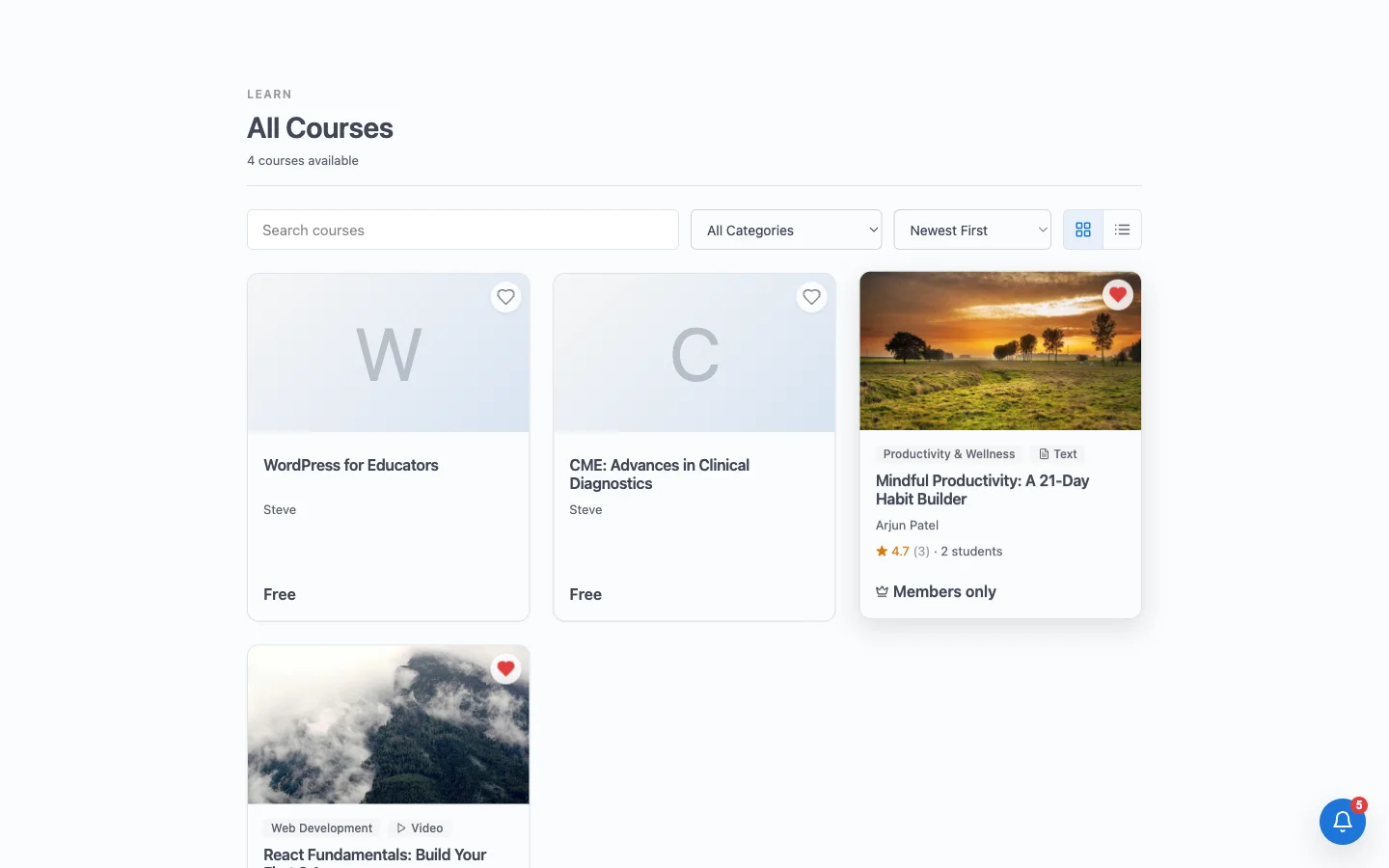
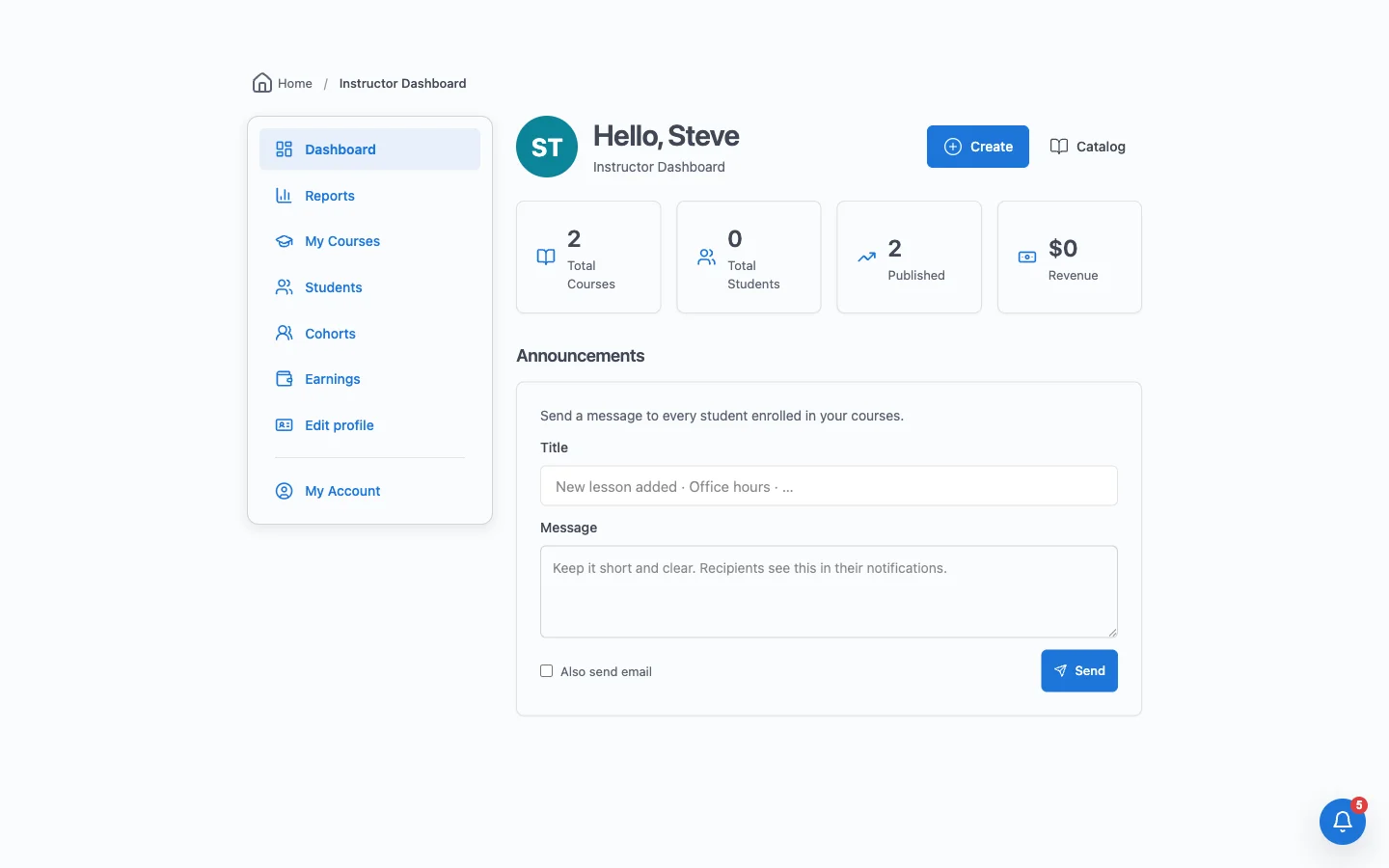
Learnomy takes the opposite approach. It’s a WordPress plugin that puts courses, quizzes, certificates, and memberships behind your own checkout, with Stripe and PayPal built in and no requirement to run WooCommerce alongside it. You install it on hosting you already control, and the course, the payment records, and every student’s progress live in a database you own.
The free version isn’t a crippled trial. It runs real payments and real quizzes, across six free question types and five layouts with partial-credit grading built in. It also issues certificates signed with Ed25519 encryption, so anyone can verify a certificate is genuine instead of trusting a screenshot someone edited in an afternoon. That single detail solves a problem most course platforms, hosted or otherwise, have never bothered to fix.
If your business already runs on another tool, a free built-in import wizard pulls courses over from LearnDash, Tutor LMS, or LifterLMS, so switching platforms doesn’t mean rebuilding a catalog from scratch. And because every action in Learnomy is built on a REST API with over 166 endpoints and JWT authentication, the platform is ready for a mobile app or an outside integration whenever you need one, without a rebuild.
Licensing works the opposite way from a subscription, too. A one-time license for a single site currently starts under $300, or under $110 a year if you’d rather pay annually, and it stops there. No per-contact fee. No product cap that forces an upgrade the month your course finally takes off.
| Kajabi | Learnomy | |
|---|---|---|
| Getting started | $89/mo (or $71/mo annually), 1 product, 250 contacts | Free to install, real payments and quizzes from day one |
| Room to grow | $179 to $249/mo for 5 to 50 products | One-time license from around $279, or roughly $104/year |
| Ownership | You rent the platform for as long as you pay | You own the code and the database it runs on |
| Certificates | Standard completion certificates | Signed certificates with public, tamper-proof verification |
| Payments | Kajabi’s built-in checkout | Direct Stripe and PayPal, WooCommerce optional |
Prices are current as of publication and worth re-checking directly on each company’s pricing page before you commit, since both change over time.
The community layer your course actually needs
Here’s the part most course platforms treat as an afterthought, and Learnomy treats as the whole point. A course sold in isolation eventually competes with a student’s inbox, their calendar, and everything else asking for their attention. A course sold inside a real community competes with almost nothing, because the student has a reason to log back in even on the days they aren’t watching a lesson.
This is where the companion apps come in. Learnomy handles courses; BuddyNext handles the social layer, and it installs free alongside as an independent product rather than a locked add-on.
BuddyNext gives your students a real activity feed. There is a composer for posts, reactions and comments on every update, hashtags for finding a topic, and polls for a quick pulse check on a cohort. Shares and bookmarks mean the best discussions do not disappear into an endless scroll. Course activity syncs both ways, so enrolments and completions surface where the conversation is happening.
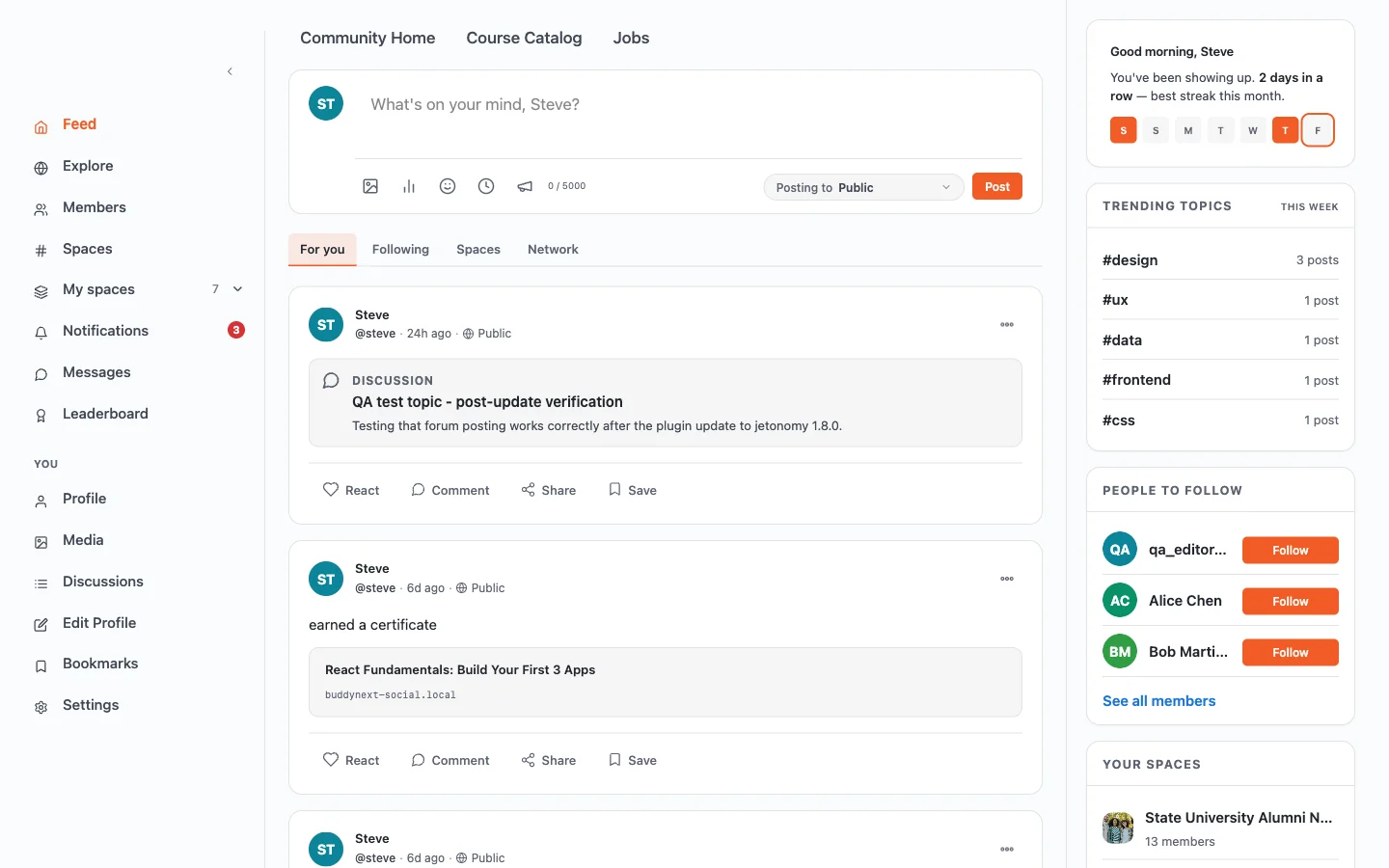
Students can join groups built around a cohort or a shared topic, each with its own membership rules ranging from fully open to invite-only. They get searchable profiles, can follow each other, and can message directly instead of hijacking a lesson’s comment thread with a private question that has nothing to do with the lesson.
Three more free apps from the same team round out the layer, and each is worth adding for a specific reason rather than for completeness:
- Jetonomy for forums and Q&A, running on custom database tables with automated trust levels. For a course business this is often the highest-return addition after the LMS itself, because every answered question becomes support you never have to give twice, and the archive compounds into something searchable.
- WB Gamification for points, badges, streaks, cohort leagues, and redemption stores across the whole site. Streaks in particular do measurable work on completion rates, which is the profit lever discussed below.
- WPMediaVerse for photo and video sharing, which matters whenever learners submit work rather than only consume it. Common in creative, fitness, and trade training.
Assembled from separate vendors, that stack is four licences and the integration work to make them agree on who a member is. Here it is one ecosystem at no additional cost, which is the practical difference when you are comparing a hosted platform’s monthly fee against a self-hosted build.
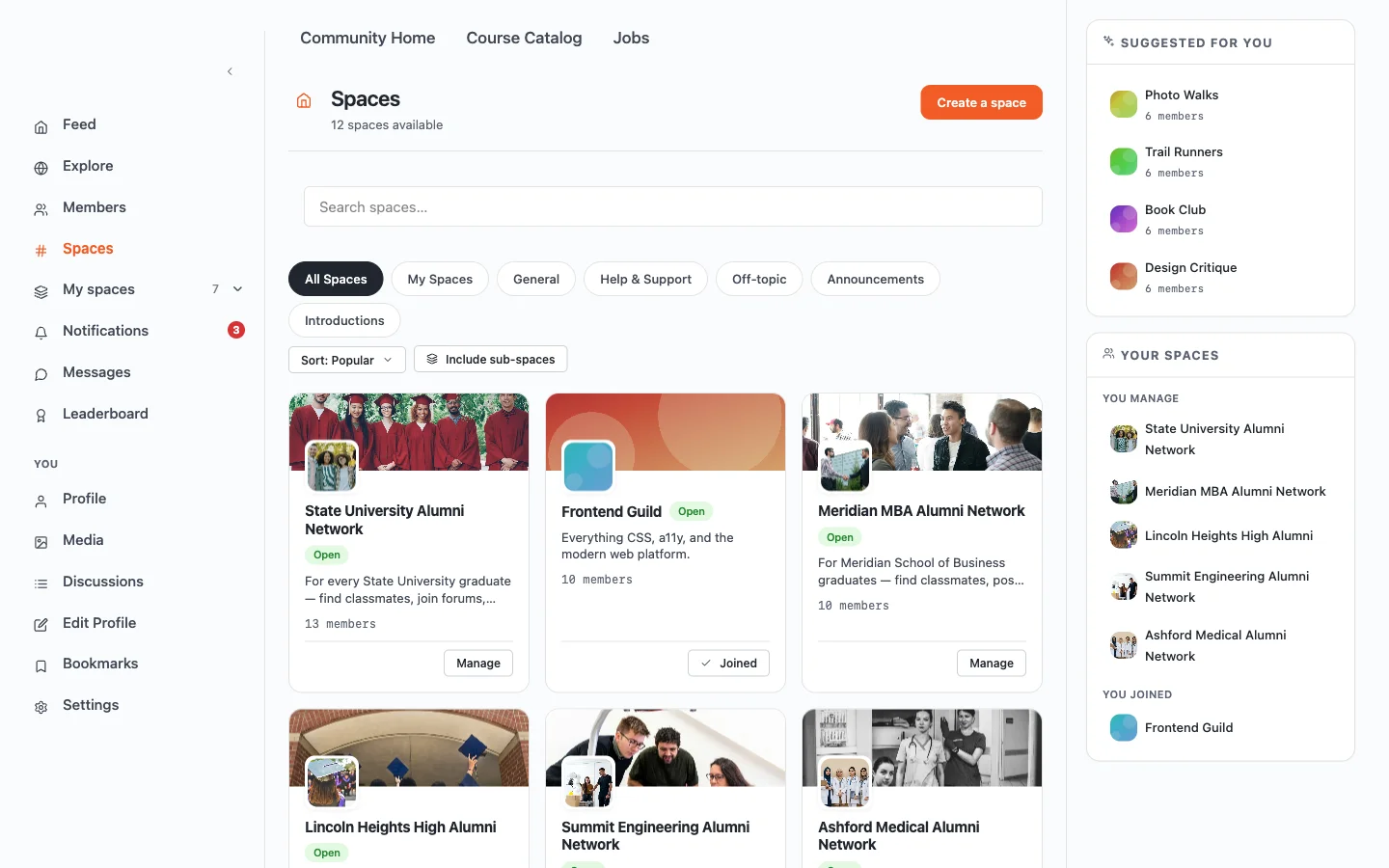
For deeper discussion, Learnomy runs actual forums and Q&A threads with accepted answers, plus lightweight social posts and an ideas board where students can suggest what you teach next. That’s four different ways to talk inside one course, not a single comment box pretending to be a community. Students can also share photos and short videos, organized into albums with their own browsing feed, which matters more than it sounds for cohorts working through a hands-on skill where seeing someone else’s result is half the motivation.
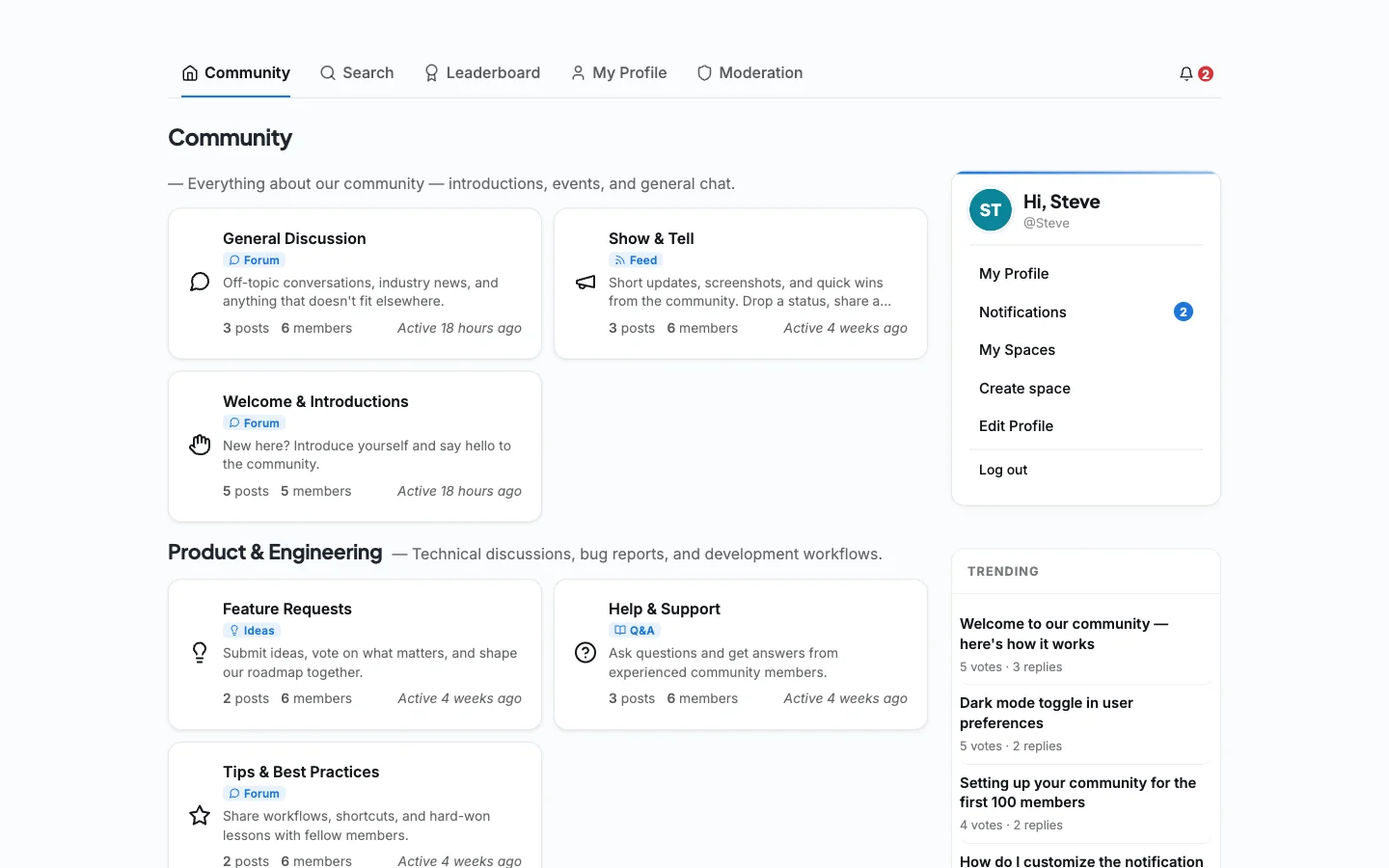
Then there’s the part that actually changes completion rates. Points reward simply showing up. Badges mark finishing a module. Levels track long-term progress, and streaks reward a student for coming back tomorrow instead of next month. Leaderboards turn a solitary habit into a slightly competitive one, and challenges give a cohort a shared goal to chase together. A redemption store lets points convert into something real, a discount on the next course or early access to a live call, so engagement is worth more than a badge sitting on a profile page.
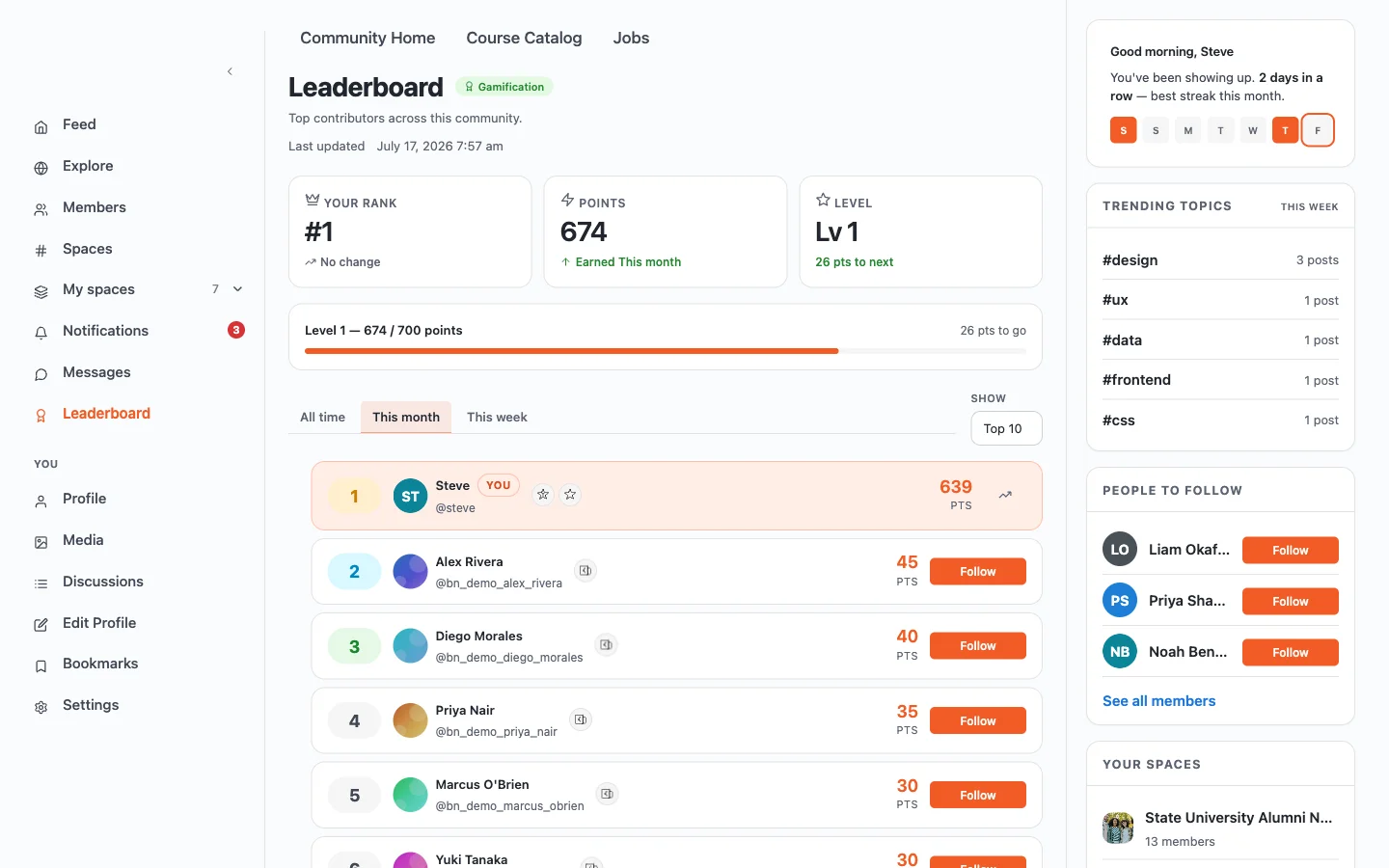
None of this is a guess. Third-party research on course platforms has repeatedly found that courses with an active social layer, discussion and visible peer progress, finish at meaningfully higher rates than courses without one.
None of this needs a second piece of software, a separate login, or a separate invoice. It’s part of the same platform that sells the course, with moderation tools built in so the community stays healthy once it grows past the size where you can read every post yourself.
Completion rates are the real profit lever
Course creators obsess over the sale and mostly ignore what happens after it. That’s backwards, because what happens after the sale determines refunds, reviews, and whether that student ever buys from you again.
Self-paced online courses have a well-documented completion problem. Left alone with a login and a video library, most buyers watch the first two lessons with real enthusiasm and then quietly stop. Nobody buys a course intending to abandon it.
That pattern shows up everywhere researchers look, not just in individual course businesses. Industry tracking of online course platforms puts typical self-paced completion in the 30 to 40 percent range, while cohort-based and community-driven formats climb into the 60 to 80 percent range, sometimes higher once a paid credential is on the line.
Life gets in the way. A course with no accountability built in gives a busy student nothing to push back against that.
A community changes the mechanics of that drop-off. A student who posted an introduction in a group is more likely to finish, because now other people know they started. A streak counter turns “I’ll get to it eventually” into a small, specific loss the moment they skip a day. A leaderboard turns quiet completion into something slightly public, which is often all the nudge someone needs.
None of these mechanics force anyone to finish a course they dislike. They just remove the friction that makes finishing a good course harder than it needs to be.
Higher completion means fewer refund requests, since most refund requests come from people who never really started in the first place. It also means better reviews and stronger testimonials, because a finished course is the only kind a student can honestly recommend to someone else.
Turn one sale into five
The easiest sale you’ll ever make is the second one to an existing student. They already trust you, already know your teaching style, and already have a login sitting in their inbox. Selling to them costs almost nothing compared to acquiring someone new.
Membership tiers give returning students an easy yes: ongoing access to new content and the community for a smaller recurring price than a one-off course purchase. Learning paths string several courses into a guided sequence, so finishing course one naturally points a student toward course two instead of leaving them wondering what’s next.
If your course business grows past what you can teach alone, a multi-instructor setup lets other teachers sell inside your platform with commissions split automatically, including their own payout queue, so you’re not manually calculating splits in a spreadsheet every month. That turns a single course into a small marketplace without adding headcount to your calendar.
Larger operations can go further with dedicated spaces, essentially separate portals inside the same platform, useful for an agency reselling training under its own name or a company running a private academy for its own team. Cohort enrollment deserves a mention here too. A time-boxed group that starts and finishes together creates a natural upsell moment, because a cohort that just finished side by side is the easiest group in the world to invite into a more advanced one.
A launch checklist that actually works
Most launch advice stays vague on purpose. Here’s what actually needs to happen, in order.
Before you open the cart
- Confirm your break-even number and price against the outcome, not the hours you spent recording
- Build a waitlist for at least four weeks before launch day
- Publish two or three free pieces of content that prove you can teach the subject
- Set up your platform and checkout, then add the community space and test the entire buyer journey yourself with a test card
Launch week
- Open the cart to your waitlist first, with a short window and a real reason for the deadline
- Answer every question publicly, where other prospects can see the answer too
- Welcome new students into the community the same day they buy, not a week later
After launch
- Watch completion data for the first cohort of buyers, not just the sales number
- Ask for a testimonial the moment someone finishes, while the result is still fresh
- Plan the next tier or the next course before the current one goes quiet
Kajabi or a self-hosted platform? An honest answer
Kajabi makes sense if you want to be selling within an hour and never want to think about hosting, updates, or WordPress at all. That convenience is real, and it’s worth paying for if your time is genuinely better spent elsewhere.
A self-hosted platform makes more sense once you can see the shape of a real business. That’s when the monthly fee starts feeling like rent instead of a tool cost, when you want a community with actual depth instead of a single generic feed, or when you’d simply rather your student data lived somewhere you control instead of on a vendor’s servers.
A course platform isn’t free just because it doesn’t send you a monthly invoice. But it should stop taking a cut once you’ve already paid for it.
That’s the entire case for Learnomy’s certificate and exam engine, and for the platform around it, in one sentence: pay once, and build a course business without an ongoing rent payment attached to every sale.
If you’re curious why a small WordPress company decided to build an LMS in a market this crowded, the reasoning behind that decision is worth reading, since it explains a lot about why Learnomy is built the way it is.
What to do in the first ninety days
Profitability is decided early, mostly by what you refuse to do. A rough sequence that keeps the maths working.
Days 1 to 30: sell before you build. Write the sales page and the curriculum outline, then offer the course to people who already know you at a founding-member price. If nobody buys a well-described course from someone they trust, more production value will not fix that, and you have saved yourself two months of recording.
Days 31 to 60: deliver it live. Run the first cohort as scheduled sessions rather than a self-paced library. It is more work, and it surfaces every confusing explanation in real time, which is information a finished recording cannot give you. Live cohorts also complete at far higher rates, which produces the results and quotes that sell the self-paced version later.
Days 61 to 90: fix the leaks, then scale. Look at where people stopped, how many refunded and why, and whether anyone came back for a second purchase. Those three numbers tell you whether you have a business or a one-off launch, and fixing them is cheaper than acquiring more traffic.
The thing to resist throughout is platform perfectionism. Every week spent configuring is a week not spent talking to buyers, and the stack you would build after ninety days of real feedback is different from the one you would build now.
Frequently asked questions
Is Kajabi worth it for a small course business?
For someone who wants to start selling within an hour without touching a server, yes. That convenience carries a real monthly cost, so weigh it against how many courses and contacts you actually plan to run before the price tier jumps.
What does Kajabi actually cost over a few years?
Kajabi’s own pricing page lists $89 a month to start, moving to $179 or $249 a month once you need more than one product or a bigger contact list. Run any of those plans for three years and the total comfortably clears several thousand dollars, none of which you keep once you cancel.
Does a community actually help students finish a course?
Industry research on course platforms consistently finds that self-paced courses without a social layer complete at a noticeably lower rate than cohort-based or community-driven courses. The mechanism is simple: a student who posted an introduction or built a streak has a reason to log back in that a lonely video library never gives them.
Can I sell courses on WordPress without WooCommerce?
Yes. Learnomy ships with Stripe and PayPal checkout built directly into the plugin, so you can take payments, run memberships, and issue certificates without installing or configuring WooCommerce at all. WooCommerce works too if you already run it, but it’s optional, not a requirement.
Is Learnomy’s free version actually usable, or is it a stripped-down trial?
It runs real payments and real quizzes today, across six free question types with partial-credit grading, plus signed certificates and a multi-instructor marketplace. It isn’t gated behind a trial clock, it’s a complete LMS you can run a business on before ever paying for anything.
Can I move from Kajabi or another hosted platform to a self-hosted setup later?
Yes, though there’s no one-click Kajabi importer today. Learnomy does ship a free import wizard for LearnDash, Tutor LMS, or LifterLMS if you’re coming from another WordPress plugin. Coming from a hosted platform like Kajabi, the realistic path is exporting your content and rebuilding the course structure inside Learnomy, which is straightforward since most courses are just video, text, and quizzes without proprietary formatting holding them hostage.
Start with the math, not the curriculum
A profitable course in 2026 isn’t the one with the best video quality. It’s priced against a real outcome. It’s sold to an audience that already trusts the teacher. It’s delivered on a platform that doesn’t quietly tax every sale. And it’s built with enough community around it that students actually finish what they started.
Get those four pieces right and the curriculum takes care of itself.
Related reading