
4 min read
6 Best WordPress Database Plugins 2026


The database is the most important part of your website. Your posts, comments, and user profiles are stored in your database. It needs to be protected and kept clean at all times. However, some elements in your database can make your site crash or malfunction. Here is where the WordPress database plugins come into the picture, they optimize your website database. They provide safety to your data through additional backup. In a nutshell, plugins strive to optimize your data, provide faster speeds, and ensure excellent performance.
Importance of a fast database:
- It decreases your website’s load time.
- It helps you rank higher on search engines.
- It lessens the strain from your servers.
- Overall, it gives your users an enhanced experience.
In this article, we will go through some of the finest WordPress database plugins 2026 for your website. Understand the kind of features they provide and choose one that suits you well.
1. Advanced Database Cleaner
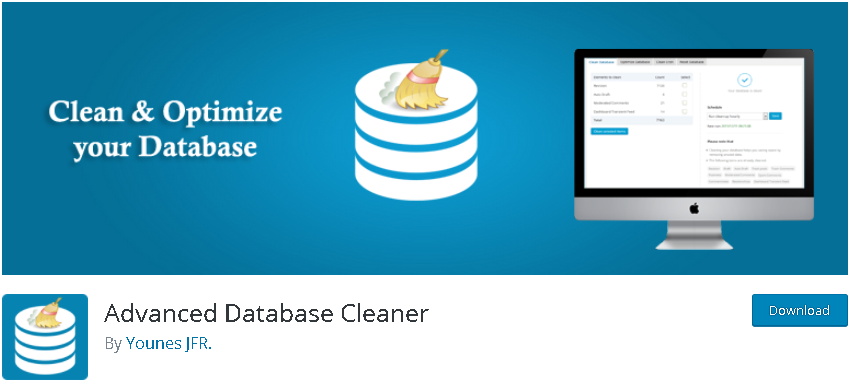
There is a high chance that your website is storing data it no longer needs and causing problems on your server. Advanced Database Cleaner helps you to clean up and optimize your database, thereby improving the overall functionality of your website. You can clean all your sites from one main site. You can define and customize the kinds of items that can be deleted automatically and how long particular files should be stored before they are deleted. In short, this plugin is ideal for all kinds of brands and businesses.
Know more about this plugin - Advanced Database Cleaner.
2. WP Database Backup
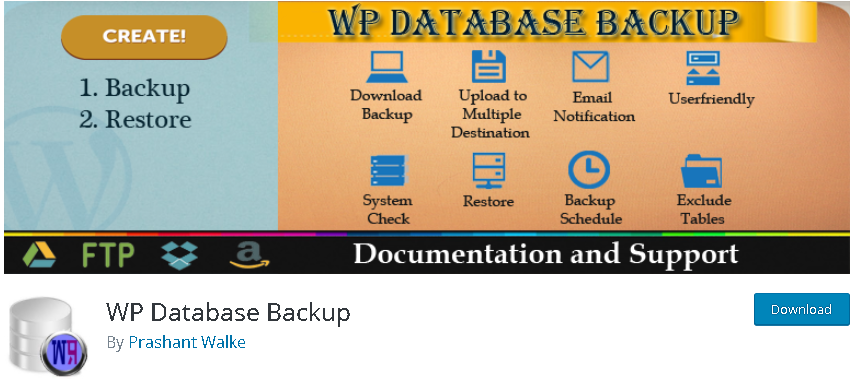
Create and store your backups in one click with WP Database Backup. You can store your database on a remote location and sort backups accordingly. The plugin is easy to set up and configure. You can also choose the option of an automated backup and set a schedule for it. It offers two basic features - back up and restore. It is user-friendly and flexible to use. The plugin mails you the reports that help you understand how your website works. Moreover, it allows you to send backups and reports to any email address.
Check out this plugin: WP Database Backup.
3. Participants Database

Participants Database focuses on customer information. An excellent feature of this plugin is that it allows you to determine all the fields of information that you want to store. With this, analyzing your stored data and making decisions accordingly becomes simple. It lets you set validation rules for fields, manage large amounts of information, edit records on the backend, use shortcodes, translate data, and so on. Moreover, it has an intuitive interface that makes this plugin user-friendly and highly flexible. This is not just a typical database plugin - it is a complete solution for your brand.
Know more: Participants Database.
4. Jetpack VaultPress Backup
Formerly known as VaultPress, this plugin is now part of Jetpack VaultPress Backup and is used by businesses all over the world for security. It is designed to protect your website. It runs security scans daily and helps you manage your site better by protecting you from harmful and malicious intent, negative comments, spam, and more. It also provides you with up-to-date backups. By instantly fixing threats that it recognizes, it makes your website clean and improves its functionality. With just a single click, you can restore your backed-up data. It provides security, backup and restore, file scanning, site migration, spam defense, and automated file repair.
Check out: Jetpack VaultPress Backup.
5. WP Cleaner Pro
This plugin offers cleaning solutions for your database. You can schedule and take a backup of all your data without any inconvenience, ensuring that your site loads fast. It also allows you to filter items in the database and choose what you would want to clean. It works well with many kinds of businesses. This cleaning also works for bad comments, pingbacks, duplicate content, and orphan data. If you require different filters for your website, this plugin is ideal. It is ideal for beginners because the configuration is simple and effective.
6. WP-Optimize

This plugin cleans, compresses, and caches your database, which leads to the optimization of your website. All you have to do is schedule the cleaning. It aims to remove all unnecessary files and backup all your data. The plugin can contain several weeks of database backups. It also lets you remove unwanted images. Moreover, it also provides you with the option of optimizing individual tables instead of the entire database. It is a simple and easy-to-use plugin that gives you everything you need. It offers multisite support, scheduling, and multilingual compatibility.
Check out this plugin: WP-Optimize.
No matter how big or small your brand is, you should always focus on a database plugin that works according to your requirements. We hope this article has helped you in understanding the diverse features of different kinds of database plugins. Go ahead, pick one and enjoy what it offers!
Interesting Reads:
How to speed up and optimise WordPress sites
Best WordPress Membership Plugins
Related reading
- Twitter x Style Polls Surveys Wordpress
- Netflix Style Protected Video Platform Wordpress
- Duolingo Style Points Streaks Leaderboard Wordpress
- Medium Style Multi Author Publishing Platform Wordpress
- Fiverr Style Freelance Service Marketplace Wordpress
- Yelp Style Business Directory Review Platform Wordpress