
12 min read
WooCommerce Is Retiring the Product Editor Beta: What Store Owners Need to Do Before 11.0

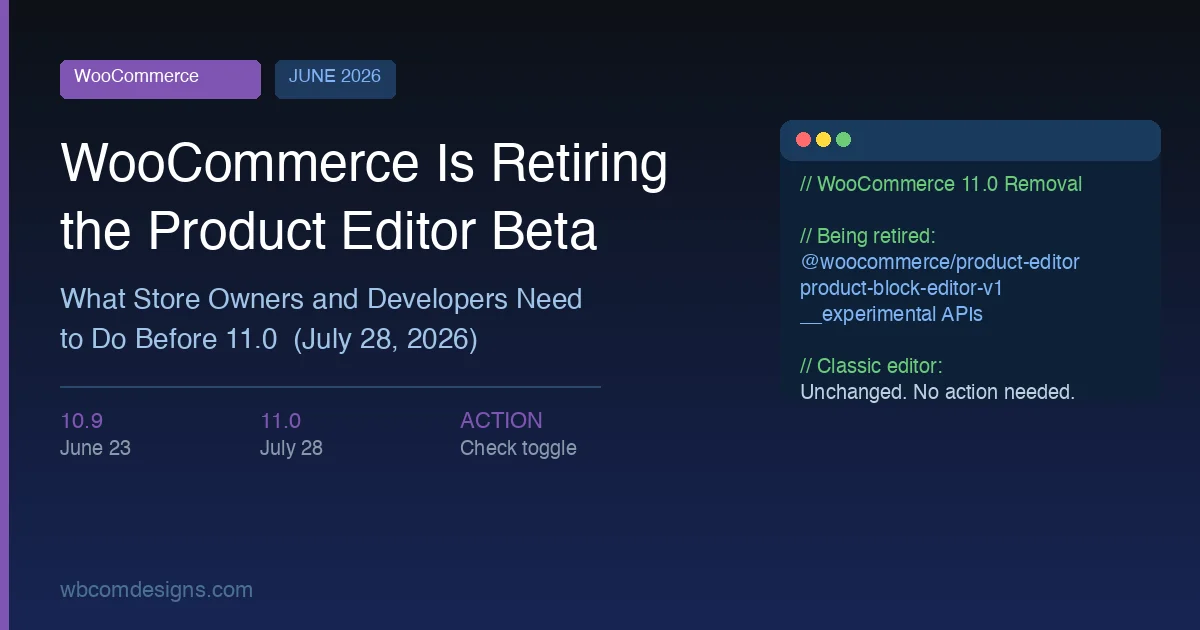
WooCommerce announced on June 2, 2026 that it is retiring the block-based product editor beta. If you run a WooCommerce store and have never heard of the product editor beta, that is fine - most stores never enabled it. If you did enable it, or if you build WooCommerce extensions, there are a few practical steps to take before July 28. Everything else stays the same.
What the Product Editor Beta Was
Starting with WooCommerce 6.8 in mid-2022, an optional “product editor (beta)” feature toggle appeared in WooCommerce settings. Turning it on replaced the standard product editing screen with a block-based interface built on the @woocommerce/product-editor package. The idea was to bring the familiar block paradigm to product management - sections, fields, and tabs rendered as blocks rather than as a classic metabox layout.
The beta introduced a tabbed interface that grouped product details into sections: General, Pricing, Inventory, Shipping, and Variations. Each section was built from composable block components, which in theory allowed extension developers to insert custom fields at precise locations in the layout rather than appending them to the bottom of a metabox. This was the core architectural promise - extensibility through blocks.
Because it was always experimental and opt-in, adoption stayed limited. Most store owners never touched the toggle. Some developers built extensions that hooked into it using the slot-fill system exposed by the @woocommerce/product-editor package. For the majority of WooCommerce stores, the product editor beta has been a background feature that existed in the codebase but was never part of day-to-day work.
What WooCommerce Is Removing
According to the official announcement on the WooCommerce developer blog, the following are being retired:
- The block-based product editor beta itself
- The
@woocommerce/product-editornpm package - The block-editor product pages and routes
- The feature toggle in WooCommerce settings
- All supporting
__experimentalAPIs tied to the beta
The classic product editor becomes the only built-in product editing interface going forward. Your products, pricing, stock data, descriptions, and attributes are completely unaffected. The announcement is explicit on this: “The product data layer is unchanged, so existing products remain editable in the classic editor.”
It is worth being clear about what is NOT changing: the standard WooCommerce product screen, the block editor on the storefront side (theme blocks, product blocks in pages), and all existing product data. The retirement is limited to the experimental admin editing interface.
The Timeline
Two WooCommerce releases carry this change:
| Release | Date | What Happens |
|---|---|---|
| WooCommerce 10.9 | June 23, 2026 | Deprecation notices begin. If you have the beta enabled, a notice will appear in wp-admin prompting you to switch back to the classic editor. |
| WooCommerce 11.0 | July 28, 2026 | Complete removal from core. The beta interface, package, toggle, routes, and experimental APIs are gone. |
You have roughly seven weeks from the 10.9 deprecation notice to the 11.0 removal. That is enough time to act without urgency, but do not leave it until July. The sensible window is to handle any switching immediately after your 10.9 update, confirm everything works, and then sit comfortably through the 11.0 upgrade.
How to Check Whether Your Store Uses the Beta
The toggle is in WooCommerce settings. Log in to your WordPress dashboard, go to WooCommerce > Settings > Advanced > Features, and look for “New product editor.” If you do not see it checked or highlighted as active, your store is using the classic editor and you have nothing to change.
If the toggle is on, you will know it immediately when you try to edit a product - the interface looks different from the standard WooCommerce product screen, with a tab-based layout rather than the classic top-down metabox arrangement. The URL pattern also differs: the beta editor uses a different route slug that includes the block editor path.
If you manage multiple WooCommerce stores, check each one separately. The toggle is per-site, and it is possible to have it on in a staging environment and off in production, or vice versa.
Store Owner Checklist Before July 28
Run through this list before you update to WooCommerce 11.0. If you are on auto-updates, confirm your host or update service is not set to install major WooCommerce releases automatically. Many managed WordPress hosts allow granular control over which plugin updates run automatically.
- Check the feature toggle. WooCommerce > Settings > Advanced > Features. If “New product editor” is off, you are done. Skip the rest of this list.
- After updating to 10.9, read the deprecation notice. WooCommerce will display an in-admin notice when 10.9 is active and the beta is still enabled. Use the link in that notice to switch back to the classic editor.
- Verify your product editing workflow on the classic editor. Edit a simple product, a variable product, and a downloadable product. Confirm pricing, stock, images, and attributes all look and save correctly. For most stores this takes five minutes.
- Test any WooCommerce extensions related to products. Product bundle plugins, subscription plugins, booking plugins, and similar add-ons occasionally shipped support for the product editor beta alongside their classic editor support. After switching back, confirm each extension renders its fields correctly on the classic product screen.
- Check your third-party SaaS integrations. Some inventory management systems, ERP connectors, and POS tools integrate at the product data level rather than the admin UI level, so they should be unaffected. However, if any integration documentation mentions the “new product editor” or block editor interface, verify with that vendor before 11.0.
- Update to WooCommerce 11.0 only after completing steps 2-5. There is no harm in waiting a week or two after the 11.0 release to give extension authors time to push compatibility updates.
Stores that were never on the beta have zero action items. The classic product editor is unchanged and continues to work exactly as it does today.
For Extension Developers
If you maintain a WooCommerce extension that touches the product editor, audit your codebase before 11.0 ships on July 28. The work varies significantly depending on how deeply your extension integrated with the beta.
What to Search For
- Any import or require of
@woocommerce/product-editor - References to
product-block-editor-v1in feature flags, class names, or route slugs - Any use of
__experimentalAPIs from the WooCommerce package - these were the hooks and components exposed by the beta - Any
fillorslotintegrations registered against product editor slot IDs such asproduct-tab/generalorproduct-section/product-details - References to
woocommerce_product_block_editorin PHP filters or actions - Any JavaScript files that conditionally load based on the block editor feature flag being active
What to Do
- Remove or replace all code paths that depend on the above references before 11.0. Code that imports from a package that no longer exists will throw a fatal error on activation in 11.0.
- If your extension added product fields via the block editor interface, move those fields to the classic product screen using standard WooCommerce hooks such as
woocommerce_product_options_general_product_data,woocommerce_product_after_variable_attributes, and the corresponding save hooks likewoocommerce_process_product_meta. - If you used the slot-fill system to place fields in specific block editor locations, the equivalent on the classic screen is the standard hook system. Fields appended via classic hooks may not land in exactly the same visual position, but they will be functional.
- Test on a staging site running 10.9 once it is released on June 23. The deprecation notices will flag affected areas before the hard removal in 11.0.
- Communicate with your customers if your extension had documented product editor beta support. A simple changelog note and a support article update are sufficient. Do not leave users wondering why the block editor interface disappeared.
Extensions that only integrate with the classic product screen through standard WordPress hooks and WooCommerce hooks require no changes. This change affects only code written specifically for the @woocommerce/product-editor package and its experimental API surface.
Timeline Guidance for Extension Developers
The practical schedule is: complete your audit and migration code by June 20 (three days before 10.9 releases), test against the 10.9 release candidate if one is published, release your compatibility update in the week following 10.9, and close out any remaining beta references well before July 28. Leaving it until the week before 11.0 creates unnecessary risk. Extensions with unresolved @woocommerce/product-editor imports that activate on a WooCommerce 11.0 site will produce PHP fatal errors or JavaScript errors depending on where the dependency is consumed.
The Bigger Picture: DataViews and DataForms
WooCommerce has been transparent about why this is happening beyond the immediate goal of reducing maintenance burden. The announcement describes the team “exploring future product management experiences that build on current WordPress interface work, including DataViews and DataForms.”
DataViews and DataForms are emerging WordPress core primitives introduced during the 6.x cycle. DataViews is the table and grid component now used in the redesigned Posts, Pages, and Media screens in WordPress 6.5 and later. DataForms is the companion editing interface that pairs with DataViews to provide inline and panel-based editing. Together they form a unified UI language for list-and-edit workflows across WordPress admin.
WooCommerce has published a “Reimagining catalog management” proof of concept that shows what a product management UI built on these primitives could look like. The concept uses DataViews for the product list and DataForms for product editing, presenting a more coherent admin experience that shares visual patterns with the rest of WordPress rather than diverging into a separate design system.
The signal here is meaningful for anyone planning a WooCommerce-based store over a multi-year horizon. Rather than maintaining a parallel block-based editor with its own package and API surface, WooCommerce is aligning its future admin UX with the direction WordPress core is already heading. This is a healthier long-term position than carrying experimental infrastructure indefinitely.
It also fits the broader trend of WordPress admin modernization. If you have been following the direction WordPress development is taking with headless and full-stack approaches, the DataViews direction is part of the same story: tighter integration between core primitives and major ecosystem plugins. WooCommerce adopting core UI patterns reduces the divergence between WP admin and WooCommerce admin that has frustrated developers for years.
There is no public timeline for when a DataViews-based product editor will ship in a stable WooCommerce release. WooCommerce has been deliberate about not committing to a release date in the announcement. Plan on the classic editor being the standard interface through 2026 and likely well into 2027. Extension developers who want to prepare for the DataViews direction can study the existing WordPress core implementations - the Posts screen DataViews integration is mature enough to provide a reasonable preview of what the extensibility model will look like.
Community Reaction
The announcement has generated an active discussion on r/woocommerce and in the WooCommerce community Slack. The general tone reflects what you would expect: store owners who never used the beta are largely unaffected and unsurprised, while developers who built extensions against the experimental APIs are working through their upgrade lists. There is no significant alarm about the deprecation itself. The consensus across discussions is that the beta was always fragile infrastructure and its retirement was expected sooner or later, particularly given that WooCommerce had not declared it stable after nearly four years in experimental status.
Context for Your Store
To put this in perspective: this change directly affects stores that enabled the product editor beta - an opt-in experimental feature that the majority of store owners never activated. The classic product editor, which most stores have used continuously since WooCommerce became the dominant WordPress eCommerce platform, continues unchanged. If you are among the majority, this update requires reading the headline and moving on.
For stores building out a serious WooCommerce setup, this is a good moment to audit your plugin stack more broadly. A well-managed store should know exactly which plugins interact with the product editing workflow and what they depend on. The WooCommerce ecommerce plugin ecosystem is large, and understanding which plugins are genuinely required for your store versus which are legacy installs is useful maintenance regardless of this specific change.
Similarly, if you are evaluating your store’s overall plugin architecture around this update cycle, it is a sensible time to review performance. WordPress speed optimization becomes increasingly important as stores grow their product catalog and traffic. Trimming deprecated or redundant plugins is the cheapest performance gain available.
If your WooCommerce store also handles memberships or subscription content, the landscape of WordPress membership plugins has matured significantly and is worth a review on its own merits.
Frequently Asked Questions
Will my products be deleted or changed when WooCommerce 11.0 removes the beta?
No. The product data layer is completely separate from the editing interface. All your products, prices, stock levels, images, descriptions, and attributes remain intact. The only thing that changes is which UI you use to edit them.
I enabled the beta and have been using it for months. Do I need to migrate product data?
No migration is required. Products created or edited in the block editor beta are stored in the same database tables as products on the classic editor. Switching back to the classic editor after 10.9 ships will show you the same products with the same data, just in a different editing interface.
Should I disable auto-updates for WooCommerce right now?
Only if you are on the block editor beta. If you are not on the beta, auto-updating through both 10.9 and 11.0 poses no risk from this specific change. If you are on the beta, you want to stay on auto-updates for 10.9 (to get the deprecation notice and the option to switch back), but verify the switch before 11.0 auto-installs.
Is this a sign that WooCommerce is moving away from Gutenberg?
Not exactly. WooCommerce is moving away from a standalone block-based admin interface that used its own package. The future direction - DataViews and DataForms - is also built on modern WordPress and React infrastructure. The distinction is between maintaining a parallel editing stack versus aligning with core WordPress admin primitives. The latter is the direction WooCommerce has signaled.
My extension developer has not released a compatibility update. What should I do?
Contact the extension developer and ask them directly whether their plugin uses the @woocommerce/product-editor package. If they confirm it does and have not released an update by the time WooCommerce 11.0 is near, hold off on the 11.0 update until the extension is patched. Running a store on an unpatched extension after 11.0 ships could cause fatal errors during product editing.
What to Do Right Now
The path forward is simple:
- Check the feature toggle in WooCommerce settings today. If it is off, no further action is needed.
- If it is on, wait for the 10.9 deprecation notice on or after June 23 and use it to switch back to the classic editor before updating to 11.0.
- If you maintain extensions, audit for
@woocommerce/product-editorreferences now and plan migration to standard WooCommerce hooks well before the July 28 deadline. - Communicate proactively with any store clients you manage who may have the beta enabled.
There is no data to migrate, no products to re-enter, and no store configuration to redo. WooCommerce has structured this transition cleanly, with a clear deprecation window and straightforward guidance. The stores that handle this smoothly are the ones that check the toggle today and do not leave it until the 11.0 release week.
Need Help with Your WooCommerce Setup?
If you are using this update cycle as an opportunity to review your store’s plugin stack, performance, or customization strategy, the Wbcom Designs team works with WooCommerce stores at every scale. We can audit your current setup, identify dependencies worth cleaning up, and help you plan for the coming WooCommerce UI changes as the DataViews direction matures. Get in touch to discuss your store.
Related reading