
21 min read
Best WordPress Membership Plugins in 2026: Dedicated Plugins Compared


However, many “best membership plugin” lists include tools that are not primarily membership plugins. Some are LMS plugins, community builders, CRM tools, page builders, or large all-in-one platforms where membership is only a secondary feature.
That can create problems. Extra features often mean extra database load, more scripts, more settings, more conflicts, and a heavier website. For many site owners, the better choice is a focused membership plugin that handles access control, member management, recurring payments, and protected content without adding unnecessary bloat.
In this guide, we compare the best dedicated WordPress membership plugins for 2026, including premium, free, WooCommerce-based, and community-focused options.
Quick Picks: Best WordPress Membership Plugins
| Category | Recommended Plugin | Why We Picked It |
|---|---|---|
| Best Overall | Paid Memberships Pro | Strong free version, flexible membership levels, developer-friendly, and scalable. |
| Best for Beginners | MemberPress | Polished setup, powerful access rules, payments, courses, and content dripping. |
| Best for CRM-Based Memberships | Memberium | Best for sites using Keap, ActiveCampaign, or CRM-driven automation. |
| Best Affordable Premium Plugin | ARMember | Feature-rich membership system with plans, payments, profiles, and content restriction. |
| Best for Community Profiles | Ultimate Member | Excellent for user profiles, directories, registration forms, and member communities. |
| Best Simple Free Option | Simple Membership | Lightweight and easy for basic protected content and simple paid access. |
| Best WooCommerce Store Option | WooCommerce Memberships | Best for stores that want member-only products, discounts, and product-based access. |
Why Most WordPress Membership Plugin Lists Are Misleading
Many membership plugin roundups mix dedicated membership plugins with LMS platforms, community suites, funnel builders, WooCommerce tools, and marketing automation plugins.
That is not always helpful. A plugin can include a membership feature without being the best choice for running a membership site.
The Problem with All-in-One Tools
All-in-one platforms can be useful, but they can also create unnecessary complexity. If you only need content restriction, paid membership levels, and subscription management, you may not need a large plugin that also includes courses, funnels, email marketing, quizzes, communities, and analytics.
| Dedicated Membership Plugin | All-in-One Platform |
|---|---|
| Focused on access control and memberships | Often includes many unrelated modules |
| Usually easier to maintain | Can increase setup complexity |
| Lower risk of unused features | More features may mean more conflicts |
| Better for modular WordPress stacks | Better when you truly need an all-in-one system |
For this guide, we focused on plugins that primarily help you create and manage memberships. That means the plugin should handle core membership features such as content restriction, member access, subscription plans, protected pages, payment integrations, or WooCommerce membership rules.
How We Tested the Best WordPress Membership Plugins
We evaluated these plugins based on real-world membership website requirements rather than marketing claims alone.
Our Testing Criteria
- Ease of setup and dashboard usability
- Content restriction flexibility
- Free and paid membership level support
- Recurring payment and subscription options
- WooCommerce compatibility
- BuddyPress and community compatibility
- LMS compatibility for course access
- Member profile and account management
- Performance impact and plugin bloat
- Pricing, add-ons, and long-term value
- Support, documentation, and update history
Our recommendations are based on hands-on testing, real-world usability, feature depth, performance analysis, integration quality, and long-term scalability.
Instead of declaring a single plugin as the best for everyone, we focused on identifying which membership plugins work best for different types of websites, budgets, and business models.
WordPress Membership Plugin Comparison Table
| Plugin | Best For | Free Version | WooCommerce | Community Features | Ease of Use | CTA |
|---|---|---|---|---|---|---|
| Paid Memberships Pro | Flexible membership sites | Yes | Yes | Good with add-ons | Moderate | View PMPro |
| MemberPress | Creators and course sites | No | Limited/Integrations | Basic | Easy | View MemberPress |
| Memberium | CRM-based memberships | No | Depends on stack | Limited | Advanced | View Memberium |
| ARMember | Affordable all-round membership sites | Yes | Yes | Good | Easy | View ARMember |
| Restrict Content Pro | Publishers and protected content | No | Yes | Limited | Easy | View RCP |
| ProfilePress | Paid memberships + user profiles | Yes | Yes | Good | Easy | View ProfilePress |
| RestrictMate | Simple content restriction | Yes | Limited | Limited | Easy | View RestrictMate |
| Ultimate Member | Profiles and directories | Yes | Extension | Strong | Moderate | View Ultimate Member |
| Simple Membership | Basic free memberships | Yes | Limited | No | Very Easy | View Simple Membership |
| WP-Members | Private content and registration | Yes | Limited | No | Moderate | View WP-Members |
| YITH WooCommerce Membership | WooCommerce member access | No | Native | No | Moderate | View YITH |
| WooCommerce Memberships | WooCommerce stores | No | Native | No | Moderate | View WooCommerce Memberships |
| Membership for WooCommerce | Free WooCommerce memberships | Yes | Native | BuddyPress support | Moderate | View Plugin |
1. Paid Memberships Pro

Paid Memberships Pro is one of the most flexible dedicated WordPress membership plugins. It is a strong choice for creators, associations, communities, publishers, private content websites, and businesses that want a scalable membership foundation.
The biggest advantage of PMPro is its generous free core plugin. You can launch a functional membership site without immediately paying for a premium license, then upgrade later if you need premium add-ons, support, or managed services.
Best For
Site owners who want a flexible, scalable, and developer-friendly membership plugin with a strong free version.
Key Features
- Unlimited membership levels
- Free and paid memberships
- Content restriction for posts, pages, and custom content
- Stripe and PayPal support
- Discount codes and membership checkout pages
- Add-ons for integrations, reports, email marketing, and more
- Developer-friendly hooks and customization options
Pros
- Excellent free version
- Highly flexible and scalable
- Good for developers and agencies
- Large ecosystem of add-ons
- Suitable for many membership business models
Cons
- Some advanced features require add-ons
- Can feel less beginner-friendly than MemberPress
- More setup decisions compared to simpler plugins
Pricing
Paid Memberships Pro has a free self-hosted option. Premium plans and managed options are available on its pricing page. Always check the official pricing page for the latest plan details.
Check Paid Memberships Pro Pricing
Our Verdict
Paid Memberships Pro is our top choice if you want flexibility, long-term scalability, and a serious membership system without being locked into a limited setup. It is especially strong for publishers, associations, communities, and developers building custom membership websites.
2. MemberPress
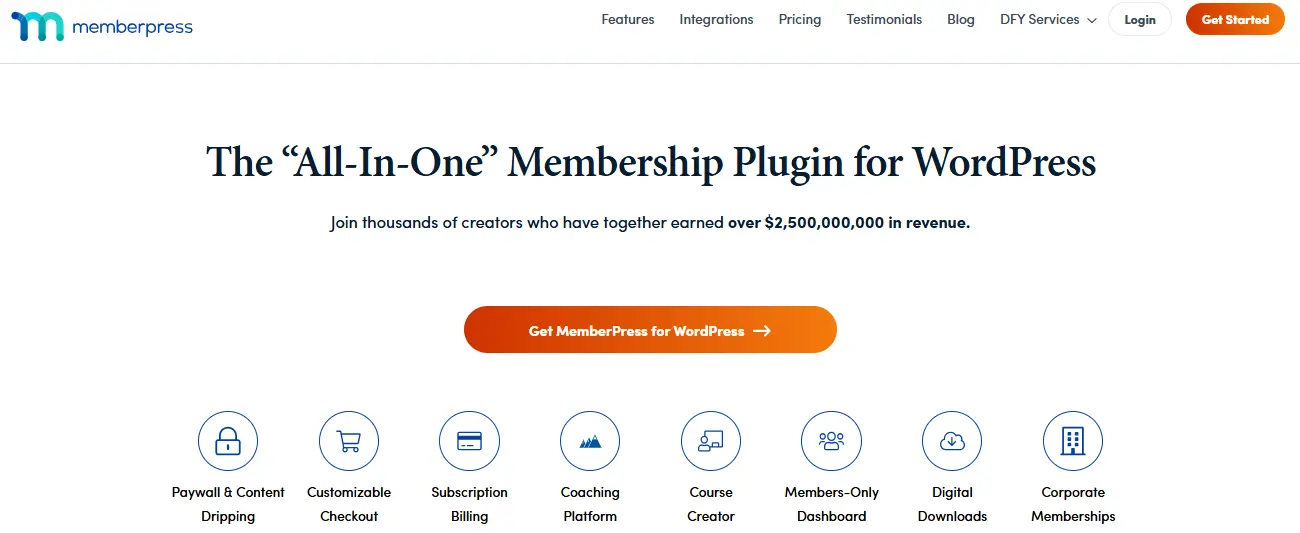
MemberPress is one of the most polished premium WordPress membership plugins. It is designed for creators and businesses that want to sell memberships, protect content, accept payments, drip content, and even sell courses from WordPress.
Compared with more modular tools, MemberPress feels more packaged and beginner-friendly. The setup is smoother, the access rules are powerful, and the plugin works well for users who want a professional membership site without building everything from scratch.
Best For
Creators, coaches, course sellers, and small businesses that want an easy-to-use premium membership plugin.
Key Features
- Powerful content access rules
- Membership subscriptions and one-time payments
- Stripe and PayPal integrations
- Content dripping and expiration
- MemberPress Courses for course-based memberships
- Coupons, checkout pages, and member account pages
- Integrations with email marketing and automation tools
Pros
- Beginner-friendly setup
- Strong access rules
- Good documentation and ecosystem
- Great for creators and course sites
- Professional checkout and member experience
Cons
- No free version
- Can be more expensive than simpler plugins
- May include more features than a basic content restriction site needs
Pricing
MemberPress is a premium plugin. Pricing and available features may change, so check the official page before purchasing.
Our Verdict
MemberPress is one of the best choices for users who want a powerful membership plugin that remains easy to manage. If you want fewer technical decisions and a strong all-in-one membership workflow, MemberPress is a safe option.
3. Memberium

Memberium is a specialized WordPress membership plugin built around CRM-driven membership automation. It is especially useful for businesses that rely on platforms like Keap or ActiveCampaign to manage contacts, tags, campaigns, and customer journeys.
Unlike simpler membership plugins, Memberium is not mainly for users who want a quick beginner setup. It is best for advanced membership businesses that want their CRM to control access, automation, onboarding, segmentation, and member experiences.
Best For
Advanced membership websites using CRM automation, especially Keap or ActiveCampaign-based business systems.
Key Features
- CRM-based access control
- Tag-based membership rules
- Integration with marketing automation workflows
- Protected pages, posts, and downloads
- Shortcodes for dynamic member experiences
- Support for course and membership automation
Pros
- Excellent for CRM-powered memberships
- Very flexible for automation-heavy businesses
- Strong for segmentation and personalized access
- Good fit for established online businesses
Cons
- Not ideal for beginners
- Requires a compatible CRM setup
- Overkill for basic content restriction
Pricing
Memberium is a premium plugin. Check the official pricing page for current plans and supported CRM options.
Our Verdict
Memberium is not the best choice for every membership site, but it is excellent if your membership business depends on CRM automation. For advanced segmentation, tagging, and personalized member journeys, it is one of the strongest options.
4. ARMember

ARMember is a feature-rich WordPress membership plugin that offers content restriction, recurring subscriptions, member profiles, digital downloads, communities, and WooCommerce subscription compatibility.
It is a good middle-ground option for users who want many membership features at a more affordable price point than some premium competitors.
Best For
Beginners and small businesses that want a feature-rich membership plugin with strong value for money.
Key Features
- Unlimited membership plans
- Content restriction and paywalls
- Recurring payments and flexible billing cycles
- Content dripping
- Member profiles and directories
- Pay-per-post options
- Social community features
- WooCommerce Subscriptions compatibility
Pros
- Feature-packed
- Good value for money
- Works for communities, paid content, and courses
- Includes many features that other plugins sell as add-ons
Cons
- Can feel heavier because it includes many features
- May be more than needed for simple content restriction
- Interface can require some learning
Pricing
ARMember has free and premium options. Visit the official page for current pricing and included features.
Our Verdict
ARMember is a strong choice if you want many membership features in one plugin without paying for multiple extensions. It is especially attractive for small businesses, coaches, creators, and community-style membership sites.
5. Restrict Content Pro

Restrict Content Pro is a dedicated membership plugin focused on content restriction, paid memberships, customer management, and subscription access.
It is a good option for publishers, bloggers, digital content businesses, and membership sites that want a cleaner, more focused system rather than a large all-in-one platform.
Best For
Publishers, content creators, and developers who want a focused membership plugin for paid content access.
Key Features
- Membership levels
- Content restriction
- Member management
- Payment integrations
- Discount codes
- Reporting
- WooCommerce-related integrations depending on setup
Pros
- Focused membership functionality
- Cleaner than many bloated solutions
- Good for content-heavy websites
- Developer-friendly approach
Cons
- Not as beginner-friendly as MemberPress
- Some setups may require add-ons or custom configuration
- Not ideal if you need advanced community features out of the box
Pricing
Restrict Content Pro pricing can change depending on current offers and ownership updates. Check the official page before buying.
Our Verdict
Restrict Content Pro is best for people who want membership functionality without too much unnecessary weight. It is especially useful for premium content websites and publishers.
6. ProfilePress

ProfilePress is a modern WordPress membership plugin that combines paid memberships, digital products, user profiles, content restriction, and registration/login customization.
It is a strong option when you need more than basic content restriction but do not want a full community platform. It works well for paid membership sites that also need custom registration forms, user profiles, member directories, and account management.
Best For
Membership sites that need paid access, profile management, custom forms, and digital product sales.
Key Features
- Paid memberships and subscriptions
- One-time and recurring payments
- Stripe, PayPal, Razorpay, Paystack, Mollie, and bank transfer support
- Content restriction for posts, pages, custom post types, categories, and tags
- Frontend login, registration, and profile forms
- Member directories
- Metered paywall add-on
Pros
- Modern and user-friendly
- Good payment gateway coverage
- Strong form and profile features
- Useful for paid content and digital product sites
Cons
- Some advanced features require premium add-ons
- Can overlap with profile/community plugins
- May be more than needed for very simple membership sites
Pricing
ProfilePress has free and premium options. Check the official pricing page for current plan details.
Our Verdict
ProfilePress is a great choice for membership websites that also need custom user registration, profiles, directories, and paid subscriptions. It is more polished than basic free plugins and more focused than many large platforms.
7. RestrictMate

RestrictMate is a newer WordPress content restriction and membership plugin available on WordPress.org. It focuses on restricting pages, posts, and content without overwhelming users with a large feature set.
This makes it interesting for users who want a lightweight approach to protected content and do not need a large subscription platform from day one.
Best For
Simple membership and content restriction websites that need a lightweight free option.
Key Features
- Restrict pages and posts
- Content restriction options
- Simple membership access control
- Lightweight setup
Pros
- Simple and focused
- Available on WordPress.org
- Good for basic protected content
- Less bloated than large multipurpose plugins
Cons
- Newer and less established than major plugins
- Not ideal for complex subscription businesses
- Limited ecosystem compared with PMPro or MemberPress
Pricing
RestrictMate is available through the WordPress.org plugin directory.
Our Verdict
RestrictMate is worth watching if you want a simpler and lighter content restriction plugin. For larger businesses, more mature options like PMPro or MemberPress will usually be safer.
8. Ultimate Member

Ultimate Member is a popular WordPress user profile and membership plugin. It is best known for frontend profiles, registration forms, login pages, member directories, custom user roles, and community-style features.
It is not the strongest option for pure paid subscriptions unless you use extensions, but it is excellent when your membership site needs strong member identity, profiles, directories, and frontend account experiences.
Best For
Community-style websites, profile-based memberships, directories, and user registration systems.
Key Features
- Frontend user profiles
- Frontend registration and login forms
- Drag-and-drop form builder
- Custom user roles
- Member directories
- Content restriction
- Conditional nav menus
- Paid extensions for Stripe, WooCommerce, bbPress, Mailchimp, social login, private messages, groups, and more
Pros
- Excellent profile and directory features
- Strong community-focused ecosystem
- Free core plugin
- Good for frontend user experiences
Cons
- Paid memberships usually need extensions
- Not primarily a subscription billing plugin
- Can become heavy if many extensions are installed
Pricing
The core plugin is free on WordPress.org. Paid extensions and bundles are available separately.
Our Verdict
Ultimate Member is ideal if your membership site needs beautiful user profiles, member directories, and registration workflows. For paid subscriptions, pair it carefully with the right extensions or consider a more payment-focused plugin.
9. Simple Membership

Simple Membership is a free WordPress membership plugin designed for basic content protection and simple paid access.
It is a good fit for small websites, bloggers, private content libraries, and users who want to protect posts and pages without dealing with a complex dashboard.
Best For
Beginners and small websites that need simple protected content without a premium plugin.
Key Features
- Free and paid membership levels
- Content protection for posts and pages
- PayPal payment support
- Member registration and login
- Shortcodes for protected content
- Optional add-ons for extra features
Pros
- Free and lightweight
- Easy to set up
- Good for basic membership sites
- Less overwhelming than larger plugins
Cons
- Limited advanced features
- Not ideal for complex subscriptions
- Design and customization options are basic
Pricing
The core plugin is free on WordPress.org.
Our Verdict
Simple Membership is one of the best free choices for basic content protection. It is not built for complex membership businesses, but it works well for small, simple projects.
10. WP-Members

WP-Members is a long-running WordPress membership plugin for restricting content, managing registration, and creating private areas inside WordPress.
It is best suited for simple membership use cases where you want to block content from non-registered users and control registration fields.
Best For
Basic private websites, internal content areas, and simple registration-based membership setups.
Key Features
- Restrict posts, pages, and custom post types
- Custom registration fields
- Login and registration forms
- Shortcodes
- Optional extensions
Pros
- Free core plugin
- Stable and established
- Good for basic registration-based protection
- Works inside standard WordPress workflows
Cons
- Not as modern as newer plugins
- Limited built-in monetization features
- Not ideal for advanced subscription businesses
Pricing
The core plugin is free on WordPress.org. Paid extensions may be available separately.
Our Verdict
WP-Members is a practical option for simple private sites, but it is not the best choice for advanced paid memberships or modern community experiences.
11. YITH WooCommerce Membership

YITH WooCommerce Membership is designed for WooCommerce store owners who want to sell or assign membership access through their online store.
It is useful when memberships are closely connected to WooCommerce products, customer purchases, private product areas, restricted content, or members-only offers.
Best For
WooCommerce stores that want to sell membership access as part of their product ecosystem.
Key Features
- Create membership plans
- Restrict products, pages, posts, and content
- Sell membership access through WooCommerce
- Offer member-only content or products
- Integrate with other YITH WooCommerce tools
Pros
- Built specifically for WooCommerce
- Good for product-based memberships
- Works well with store workflows
- Useful for member-only product catalogs
Cons
- Not ideal outside WooCommerce
- May require additional YITH or WooCommerce plugins for advanced workflows
- Less suitable for standalone communities
Pricing
YITH WooCommerce Membership is a premium WooCommerce membership plugin. Check the official page for current pricing.
Our Verdict
YITH WooCommerce Membership is a strong option if your membership model is directly tied to WooCommerce products and store access.
12. WooCommerce Memberships

WooCommerce Memberships is the official-style membership solution for WooCommerce stores that want to restrict products, content, discounts, or purchasing privileges based on membership access.
This is not the best plugin for a standalone non-commerce membership website. But if your membership business is built around WooCommerce, it is one of the most natural options.
Best For
WooCommerce stores that need product-based memberships, member discounts, and restricted product access.
Key Features
- Create membership plans
- Restrict WooCommerce products
- Restrict content and categories
- Offer members-only discounts
- Grant access after product purchase
- Works well with WooCommerce Subscriptions for recurring billing
Pros
- Excellent for WooCommerce-first websites
- Integrates naturally with products and orders
- Good for member-only stores
- Works well for product access and discounts
Cons
- Requires WooCommerce
- Recurring subscriptions may require WooCommerce Subscriptions
- Not ideal for lightweight non-store websites
Pricing
WooCommerce Memberships is a premium product. Check the official WooCommerce page for current pricing.
Our Verdict
WooCommerce Memberships is best when your membership site is really an eCommerce store with member-only benefits. For pure content memberships, PMPro or MemberPress may be simpler.
13. Membership for WooCommerce

Membership for WooCommerce by WP Swings is a WooCommerce-focused membership plugin available on WordPress.org. It helps store owners create membership plans, restrict access, offer discounts, and manage members inside a WooCommerce environment.
It is especially interesting because it includes WooCommerce HPOS compatibility and mentions BuddyPress, Tutor LMS, Elementor, WPML, and other integrations.
Best For
WooCommerce store owners who want a free membership plugin with upgrade options.
Key Features
- Create membership plans
- Restrict products, pages, and posts
- Offer cart discounts and free shipping for members
- Membership reports
- Members dashboard in My Account
- Google reCAPTCHA support
- BuddyPress compatibility
- Tutor LMS and Elementor compatibility
- WooCommerce HPOS compatibility
Pros
- Free version available
- WooCommerce-focused
- Includes many store membership features
- Useful compatibility list
Cons
- Best only if you already use WooCommerce
- May feel too store-focused for content creators
- Some advanced features require the premium version
Pricing
The core plugin is available on WordPress.org. A premium version is also available from WP Swings.
View Membership for WooCommerce
Our Verdict
Membership for WooCommerce is a useful free option for WooCommerce stores. If your membership model is tied to products, discounts, and store access, it is worth testing.
Best WordPress Membership Plugins by Use Case
| Use Case | Best Plugin | Alternative |
|---|---|---|
| Best overall membership site | Paid Memberships Pro | MemberPress |
| Best for beginners | MemberPress | ARMember |
| Best free membership plugin | Paid Memberships Pro | Simple Membership |
| Best for WooCommerce stores | WooCommerce Memberships | YITH WooCommerce Membership |
| Best for user profiles | Ultimate Member | ProfilePress |
| Best for CRM automation | Memberium | Paid Memberships Pro with integrations |
| Best for simple content restriction | Simple Membership | RestrictMate |
| Best for publishers | Restrict Content Pro | Paid Memberships Pro |
How to Choose the Right WordPress Membership Plugin
Before choosing a plugin, define your membership model clearly. The best plugin for a WooCommerce VIP store is not always the best plugin for a paid newsletter, private course, or BuddyPress community.
Choose Based on Your Main Goal
- For paid content: Choose Paid Memberships Pro, MemberPress, or Restrict Content Pro.
- For online courses: Choose MemberPress or use PMPro with an LMS integration.
- For WooCommerce stores: Choose WooCommerce Memberships, YITH WooCommerce Membership, or Membership for WooCommerce.
- For member profiles and directories: Choose Ultimate Member or ProfilePress.
- For CRM automation: Choose Memberium.
- For a free basic setup: Choose Simple Membership, WP-Members, RestrictMate, or PMPro.
Think About Performance
A membership plugin controls important parts of your website: users, access, payments, account pages, and protected content. Avoid installing a large all-in-one platform if you only need simple protected pages.
For best performance, use only the modules you need, test everything on a staging site, and make sure your caching setup does not accidentally expose member-only content.
What If You Want Community Features, Not Just a Paywall?
Every plugin above is a dedicated membership tool by design - that is the point of this list. But if your actual goal is a member community with profiles, activity feeds, and spaces, and membership tiers are just how you plan to charge for access to it, a dedicated plugin is the wrong shape of tool. You would be bolting a community on top of a paywall instead of the other way around.
BuddyNext, the free Community OS for WordPress, is built for that case. The free version is a full community platform - activity feed, Spaces, member profiles, and a directory. BuddyNext Pro adds native Stripe membership tiers (monthly, yearly, or one-time) with gated spaces and a customer portal, so the membership layer is part of the same platform instead of a separate plugin fighting for the same user data.
It is not a fit for a simple content paywall on an existing site - for that, the dedicated plugins above are the better and simpler choice. It is worth a look if you are building the community and the membership model at the same time. See BuddyNext.
Common Membership Plugin Mistakes to Avoid
1. Choosing a Plugin with Too Many Unused Features
Extra features may look attractive, but unused modules can make your site harder to manage and more prone to conflicts.
2. Ignoring Payment Workflows
Always test renewals, failed payments, refunds, upgrades, downgrades, and cancellations before launching.
3. Not Testing with Caching
Membership sites need careful caching rules. Account pages, checkout pages, and protected content should be excluded from unsafe caching.
4. Adding Too Many Membership Levels
Too many plans can confuse customers. Start with a simple structure and expand later.
5. Skipping Backups and Security
Membership websites store important user and payment-related data. Use backups, security monitoring, SSL, strong passwords, and trusted payment gateways.
FAQs About WordPress Membership Plugins
What is the best WordPress membership plugin?
Paid Memberships Pro is one of the best overall choices because it is flexible, scalable, and has a strong free version. MemberPress is better for beginners who want a polished premium experience.
What is the best free WordPress membership plugin?
Paid Memberships Pro is the best free option for serious membership sites. Simple Membership is a better choice for very basic protected content.
Which membership plugin is best for WooCommerce?
WooCommerce Memberships is the best option for WooCommerce-first stores. YITH WooCommerce Membership and Membership for WooCommerce are also strong alternatives.
Which plugin is best for BuddyPress membership sites?
Ultimate Member and Membership for WooCommerce both offer community-related functionality. If you need BuddyPress-specific access rules, test compatibility carefully before launch.
Can I build a membership site without WooCommerce?
Yes. Plugins like Paid Memberships Pro, MemberPress, ARMember, Memberium, ProfilePress, Simple Membership, and WP-Members can run membership functionality without WooCommerce.
Do membership plugins slow down WordPress?
They can, especially if they add heavy features, dynamic account pages, complex access rules, or many database queries. Choose a focused plugin and test performance on staging.
Should I use an LMS plugin as a membership plugin?
Only if your main product is online courses. If you mainly need paid access, protected content, and subscription management, a dedicated membership plugin is usually a cleaner choice.
Can I migrate from one membership plugin to another?
Yes, but migration can be complex. You may need to move users, membership levels, protected content rules, Stripe or PayPal subscriptions, and payment history. Always test migration on staging first.
Final Verdict: Which WordPress Membership Plugin Should You Choose?
If you want the best all-around dedicated WordPress membership plugin, start with Paid Memberships Pro. It is flexible, scalable, and strong enough for serious membership businesses.
If you want a polished premium plugin that is easier for beginners, choose MemberPress.
If your membership business depends on CRM automation, choose Memberium.
If you want a feature-rich but affordable membership plugin, consider ARMember.
For WooCommerce stores, WooCommerce Memberships, YITH WooCommerce Membership, and Membership for WooCommerce are better fits.
The most important rule is simple: choose a plugin built for your actual membership model. Avoid unnecessary all-in-one bloat, test everything on staging, and make sure your plugin can scale with your members, payments, and content library.
Related reading