
17 min read
LearnDash Student Management, Reports & Instructor Panels

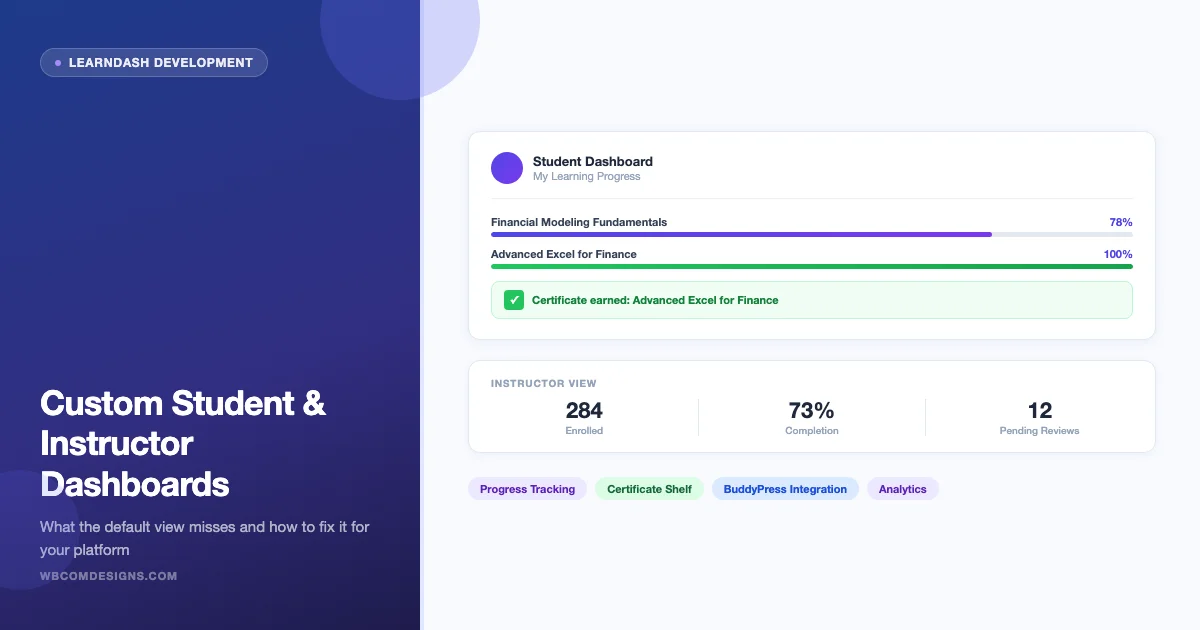
The default LearnDash student and instructor views ship with a fixed layout that was designed to get you started, not to run a serious online academy. Students land on a generic list of enrolled courses with no progress summary, no certificate shelf, and no quick path to pick up where they left off. Instructors get even less: no consolidated view of student activity, no earnings snapshot if they run a marketplace, and no way to surface who needs a push to complete a stalled course. When we build LearnDash development projects for clients, replacing or extending those default screens is almost always the first request on the spec.
This guide covers what a purpose-built LearnDash dashboard actually needs, which plugin options exist for both student-facing and instructor-facing views, how shortcode and block-based customization works, how BuddyPress integration changes the picture for social-learning platforms, and what to watch for on the performance side. If your platform is past the point where the default views are good enough, this is the decision map you need.
Why Default LearnDash Dashboards Fall Short
LearnDash’s out-of-the-box frontend is built around three shortcodes: [ld_profile] for the student view, the course grid, and the course page itself. These work for small catalogs and simple membership setups. They break down as soon as you add complexity.
- No progress summary at a glance. Students can see their enrolled courses, but not what percentage they have completed across the board, which assignments are pending, or when their next quiz is due.
- Certificate management is buried. Earned certificates live inside the course completion confirmation, not in a dedicated shelf where students can download, share, or track expiration dates.
- Instructor analytics require a backend login. Default LearnDash gives instructors no frontend view of who is progressing, who is stuck, or how much they have earned in a marketplace setup.
- No cohort or assignment workflow. Corporate training buyers in particular want a place where managers can see their team’s completion status without giving them WordPress admin access.
- The layout does not adapt to your brand.
[ld_profile]renders a table. It respects your theme’s typography, but it cannot be restyled into a card grid, a sidebar widget, or a tabbed interface without custom code.
The consequence is visible in completion rates. Platforms with a clear, personalized dashboard typically show 15 to 25 percentage points higher course completion than those relying on the default profile page, based on reported outcomes from clients we have worked with in the corporate training and online academy segments.
What a Student LearnDash Dashboard Needs
A well-designed student dashboard is a personal learning command center. It should answer three questions immediately when the student logs in: where am I, what is next, and what have I accomplished? Here is how each element maps to a real interface requirement.
Progress Tracking Across Courses
Students enrolled in multiple courses need a progress ring or bar for each course, not just the enrollment date and a “Resume” button. The most useful view shows percentage complete at the course level plus a count of lessons and quizzes remaining. For platform operators, this data lives in the LearnDash activity table and can be surfaced via learndash_user_get_course_progress() or the REST API endpoint at /ldlms/v1/users/{id}/course-progress.
Good LearnDash dashboard plugins expose this through a widget or block. Custom builds pull it from the database and render it in whatever card layout the design requires.
Certificate Shelf
Every completed course that issues a certificate should appear in a certificate shelf with a download button and, if your platform issues time-limited certifications, an expiry date. LearnDash stores certificate post IDs against course completion records. Surfacing them on a student dashboard requires a query against learndash_get_certificate_link() per completed course, then rendering the results as a grid of certificate cards.
This matters most on professional certification platforms and corporate learning systems where students need to export their certificate for LinkedIn, a compliance audit, or an HR file.
Assignment Status and Pending Actions
LearnDash assignments sit in a separate post type (sfwd-assignment). When students have submitted assignments waiting for instructor approval, or when they have pending quiz retakes, those should appear as actionable items on the dashboard, not require navigating back into the course. A “pending actions” panel reduces the friction that kills completion on assignment-heavy courses.
Resume Last Activity
LearnDash tracks the last completed step via learndash_user_get_course_progress() and the activity log. The next step in sequence is deterministic. A “Pick up where you left off” card on the student dashboard drives the single highest-value action a returning learner can take. Without it, students spend the first 60 to 90 seconds of each session re-orienting themselves, which translates into higher session abandonment.
Course Discovery and Upgrades
The student dashboard is also where upsells work best. If the platform has additional courses the student has not purchased, a “Courses for you” section based on category or tag overlap converts better than any email sequence. This is a standard feature in premium LearnDash dashboard plugins and straightforward to add in a custom build using get_posts() filtered by LearnDash course categories.
What an Instructor LearnDash Dashboard Needs
Instructor dashboards serve a different job than student dashboards. The instructor is not consuming content, they are managing outcomes. The interface needs to surface problems and opportunities, not just raw data.
Course-Level Analytics
At minimum: total enrolled, active in the last 30 days, completion rate, and average quiz score per course. More advanced implementations add a histogram of time-to-completion, a funnel view showing drop-off by lesson, and a list of students who enrolled but never started. LearnDash exposes this through the Reports API (learndash_get_user_activity()) and through its built-in reports screen, but neither is available on the frontend without custom code or a plugin. We walked through what this looks like natively, with real completion percentages and a per-student “last active” column, in this breakdown of Learnomy’s analytics dashboard.
For platforms where LearnDash video tracking is already in place, the analytics get more granular. You can see not just that a student dropped off at Lesson 4, but that they watched 12 seconds of the video before leaving. We covered how that data layer works in detail in our post on improving student learning with better video tracking.
Student Progress by Cohort
Corporate training platforms typically run cohort-based courses: a group of employees enrolled in the same course at the same time, with a manager or HR coordinator who needs to see the group’s progress. LearnDash Groups handle the enrollment grouping; the instructor dashboard needs to filter the activity view by group, not just by course. This is a standard feature request in enterprise LMS builds and requires either a premium plugin or custom development.
Earnings and Revenue Tracking in Marketplace Setups
When LearnDash runs with a marketplace layer, where multiple instructors sell their own courses and receive a revenue share, instructors need an earnings dashboard. This typically shows total revenue, pending payouts, and a per-course breakdown. This is territory where the LearnDash dashboard intersects with WooCommerce reporting or a Stripe Connect integration. Custom development is almost always required here; off-the-shelf plugins cover the basics but rarely handle complex payout rules or tax calculations.
Assignment Review and Grading Queue
Instructors with active courses get a queue of submitted assignments that need grading. The default LearnDash assignment review lives in the backend. A frontend grading queue, accessible without a WordPress admin login, is one of the most requested features in custom instructor dashboard builds. It requires a custom interface that queries pending assignments, renders the submitted file or text, and posts the grade back via the LearnDash REST API.
Plugin Options for Custom LearnDash Dashboards
Several plugins extend the default LearnDash dashboard experience. They range from lightweight shortcode packs to full UI frameworks. Here is an honest look at the options, including where each one reaches its limits.
Wbcom Designs LearnDash Dashboard Plugin
We build and maintain a LearnDash Dashboard plugin (product ID 70524) that replaces both the student profile and instructor views with a dedicated frontend interface. The student dashboard covers enrolled courses with progress rings, a certificate shelf, assignment status, and a resume-last-activity shortcut. The instructor dashboard covers course analytics, student progress by group, and an assignment review queue.
We use it on client sites and maintain it against each major LearnDash release. Because we also do custom LearnDash development, we extend it frequently for specific client requirements: white-label instructor portals, cohort management interfaces, and Stripe-connected earnings dashboards. The plugin is the baseline; the custom work is what makes it fit a specific platform’s workflow.
ProPanel by LearnDash
ProPanel is LearnDash’s own reporting add-on. It adds a backend reporting screen for administrators and instructors, with course-level activity graphs, real-time enrollment data, and a basic CSV export. It does not add a frontend student dashboard. If your requirement is cleaner backend analytics for administrators, ProPanel covers that well. If you need a student-facing experience or a frontend instructor portal, it is not the right tool.
Elementor or Beaver Builder with Custom Templates
Page builder integrations can replicate a dashboard look using dynamic data widgets that pull LearnDash data. This approach works for simple progress displays and course cards but breaks down quickly when you need real-time assignment status, grading workflows, or revenue data. Page builders are not a substitute for a purpose-built dashboard plugin on any platform with more than two or three courses.
BuddyBoss Platform
BuddyBoss includes its own LearnDash integration and a social-learning frontend that covers student dashboards as part of its full community layer. If you are building a platform where social interaction is as important as structured learning, BuddyBoss is worth evaluating. The tradeoff is lock-in: the frontend is tightly coupled to the BuddyBoss theme and component library, which limits how far you can push the design without touching theme code.
LifterLMS or TutorLMS as Alternatives
If you are in the planning stage and the default LearnDash dashboard limitations are a dealbreaker, LifterLMS and TutorLMS both ship with more polished frontend student interfaces out of the box. We mention them here for completeness, not as a recommendation to switch, since migration cost from an existing LearnDash platform is substantial. For new builds starting from zero, the choice between LMS platforms should include a dashboard experience evaluation.
Feature Comparison: What Each Approach Covers
| Feature | Default LearnDash | Wbcom Dashboard Plugin | ProPanel | Custom Development |
|---|---|---|---|---|
| Student progress overview | Basic list | Progress rings + summary | Backend only | Fully custom |
| Certificate shelf | None | Yes, with download | None | Yes, with expiry tracking |
| Resume last activity | None | Yes | None | Yes |
| Assignment status (student) | Buried in course | Dashboard panel | None | Actionable queue |
| Instructor course analytics | Admin backend only | Frontend dashboard | Enhanced backend | Custom frontend |
| Cohort/group progress view | Admin backend only | Basic group view | Yes (backend) | Custom filters |
| Earnings/revenue dashboard | None | None | None | Custom (Stripe, WooCommerce) |
| Frontend assignment grading | None | Basic queue | None | Full workflow |
| BuddyPress integration | None | Optional | None | Full integration |
Shortcode and Block-Based Custom Builds
For teams that want control over layout without writing PHP from scratch, LearnDash’s shortcode library is a starting point. The key shortcodes for dashboard-style displays are:
[ld_profile]- Student profile with enrolled courses and progress. Acceptsper_page,show_header, andcourse_points_userparameters.[learndash_course_progress]- Progress bar for a single course. Useful as a widget or sidebar element.[learndash_course_list]- Filtered course grid. Accepts category, tag, instructor, and enrollment status filters.[learndash_user_activity]- Recent activity log. Pairs with a certificate display for a basic accomplishments panel.
Shortcodes work inside any page builder or Gutenberg template. The limitation is that they output a fixed HTML structure that you style with CSS. For complex layouts with interactive elements (tabbed sections, Ajax-loaded assignment queues, live progress updates), shortcodes are not enough.
Gutenberg Block Extensions
LearnDash ships native Gutenberg blocks for course grid, progress bars, and profile displays. Third-party block packs extend this further with conditional visibility (show only to enrolled students, only to instructors) and dynamic data rendering. For teams committed to a block-only workflow, a combination of LearnDash blocks plus a conditional blocks plugin can cover most student dashboard requirements without custom PHP.
When Custom PHP Is the Right Answer
Three scenarios reliably push past what plugins and shortcodes can handle:
- Multi-instructor marketplace with custom payout rules. The logic for calculating who gets paid how much, handling refunds, and generating instructor-specific tax documents requires custom code. No plugin handles this generically.
- Enterprise SSO and cohort import. When students are provisioned from an external HR system via SCIM or CSV import, and cohorts are managed outside WordPress, the dashboard needs to read enrollment data from a non-WordPress source and write completion data back to it.
- Branded white-label portals for B2B clients. When a company licenses your platform and needs their employees to see a dashboard branded with the client company’s identity, with no reference to your platform, the customization depth required goes beyond CSS and shortcode parameters.
For an accurate picture of what custom development costs in these scenarios, see our breakdown of what it costs to build a custom online course platform.
BuddyPress Integration for Social Learning Platforms
When a LearnDash platform also runs BuddyPress for social features (discussion threads, peer groups, activity feeds), the dashboard experience can connect both systems. The integration points that matter most are:
Course-Linked BuddyPress Groups
Each LearnDash course can map to a BuddyPress group. Enrollment triggers group membership; course completion removes it (or grants a different role). On the student dashboard, this means the course card can show not just progress but also a link to the course discussion group, a member count, and the latest activity from peers in the same course. This makes the learning experience feel like a cohort, not a solo grind through videos and quizzes.
BuddyPress Profile Tab for Learning History
With the BuddyPress LearnDash integration active, a dedicated “Courses” tab appears on each member’s BuddyPress profile. It surfaces enrolled courses, completion badges, and earned certificates. This works as a public learning portfolio if the courses are visible to guests, or as a private record if the platform is members-only. For platforms focused on professional development, the public learning portfolio is a strong retention feature.
Activity Feed Events from Learning Actions
LearnDash completion events can post to the BuddyPress activity stream. “Alex completed Introduction to Financial Modeling” is a social signal that prompts other members to look at the course. This requires a hook connecting learndash_course_completed to bp_activity_add(). It is a small amount of code with a meaningful impact on organic course discovery within the community.
Use Cases: Who Needs a Custom LearnDash Dashboard
Not every LearnDash site needs a custom dashboard. Here is where the investment is clearly justified and where it is probably not.
Online Academies with Multiple Courses and Repeat Students
If students enroll in more than two or three courses over their lifetime on the platform, a custom dashboard pays back quickly in reduced support requests (“how do I find my certificate?”) and higher re-enrollment rates. The dashboard becomes the main interface for a student’s ongoing relationship with the platform, not just a list of one course they bought.
Corporate Training Platforms
The case for a custom instructor and group manager dashboard is strongest in corporate training. HR coordinators and department managers need to see completion reports without a WordPress login. Mandatory training compliance requires a clear audit trail with date-stamped completions and manager-visible records. These requirements cannot be met with default LearnDash screens or a standard plugin without custom development.
Certification Platforms
Professional certification platforms issue time-limited certificates. The student dashboard needs to show both earned certificates and upcoming renewal dates. The instructor or administrator side needs to be able to revoke certificates, trigger renewal reminders, and generate compliance reports. This is a recurring pattern in healthcare continuing education, financial services compliance training, and professional association platforms.
When You Probably Do Not Need Custom Development
A single course with a small enrollment and no repeat purchase path does not justify the cost of a custom dashboard. The default [ld_profile] page with your theme’s styling is adequate. The line is roughly: one to two courses with under 200 active students and no instructor portal requirement. Once you cross any of those thresholds, the default experience becomes a bottleneck.
Performance Considerations
Dashboard pages are inherently expensive. They are personalized per user, which means they cannot be cached by a full-page cache layer. Every page load requires database queries for course progress, certificate records, assignment status, and (if applicable) earnings data. On a platform with thousands of active students, this adds up fast.
Object Caching for LearnDash Data
LearnDash’s most expensive queries, specifically learndash_user_get_course_progress() for users with many enrolled courses, benefit significantly from object caching. With Redis or Memcached in place, the per-user progress query result can be cached with a short TTL (30 to 60 seconds is usually safe for a dashboard that does not need real-time accuracy). Without object caching, every dashboard page load runs the full set of queries against the database.
Deferred Loading for Heavy Sections
On dashboards with multiple data sections (progress, certificates, assignments, recommendations), load the critical elements (course cards with basic progress) on page load, and defer the expensive sections (certificate list, assignment queue) to an Ajax request after the initial render. This approach cuts the perceived load time significantly, even if the total data fetched is the same.
Avoiding N+1 Queries
The most common performance mistake in custom LearnDash dashboard development is building a progress display that runs one database query per enrolled course. A student enrolled in 15 courses fires 15 individual progress queries. The correct approach is to batch-fetch all progress data for the user in one query and render from the resulting array. LearnDash’s own functions do not always batch efficiently; custom builds need to query the learndash_user_activity table directly and process results in PHP, not via repeated function calls in a loop.
Setting Up a Custom LearnDash Dashboard: What the Process Looks Like
Whether you are deploying our LearnDash Dashboard plugin or building a custom solution, the setup process follows the same sequence of decisions.
- Map the user journeys. Start with what a student does in the first 30 seconds of a session, what an instructor checks when they log in, and what a manager or coordinator needs to verify for a group. Each user type needs its own view, not a shared page with conditional content.
- Decide on the access model. Dashboard pages are typically restricted to logged-in users. Determine whether instructors get the same page as students with instructor-specific sections revealed conditionally, or whether they have a separate dashboard URL. Separate URLs are cleaner to build and maintain; conditional sections are easier to brief to clients.
- Choose your data layer. Plugin, shortcodes, or custom PHP queries against LearnDash tables. The choice depends on your performance requirements and how far beyond standard features you need to go.
- Configure caching. Object caching is not optional for a production LearnDash platform with an active dashboard. Set it up before launch, not after you see slow queries in Query Monitor.
- Test with realistic data volumes. A dashboard that performs fine with 10 enrolled courses and 50 students may degrade badly at 40 courses and 500 students. Load test with realistic data before launch.
When to Hire a LearnDash Development Team
Plugin configuration and shortcode arrangement get most platforms 60 to 70 percent of the way to a good dashboard experience. The remaining gap, which is where user satisfaction and retention actually live, is custom development work. Knowing when to cross that line matters.
The clearest signals that you need a development team rather than another plugin:
- You have a specific user workflow that no plugin covers out of the box, and you are considering hacking the plugin’s output with CSS and JavaScript overrides.
- You need to connect the LearnDash dashboard to an external system: an HR database, a Stripe Connect marketplace, a CRM for enrollment automation, or a compliance reporting tool.
- Your platform has more than one client organization sharing the same WordPress installation, and each client needs its own branded experience.
- You need a frontend instructor interface that non-technical instructors can use without a WordPress backend login.
We build and maintain LearnDash platforms of this type on a regular basis. If the requirements you are working through map to any of these scenarios, the starting point is a conversation with our LearnDash development team about scope and approach.
Frequently Asked Questions
Can I use the LearnDash dashboard plugin with any WordPress theme?
Yes. Dashboard plugins render their own HTML structure and ship with their own CSS. They inherit your theme’s base typography but do not depend on theme-specific templates. Some styling conflicts can appear with highly opinionated themes, but they are resolvable with theme-specific CSS overrides.
Does a custom LearnDash dashboard work with LearnDash Groups?
Yes. LearnDash Groups is the foundation for cohort-based views in both plugin-based and custom dashboard builds. The group leader role maps to what most platforms call an instructor or manager view. Group membership data is accessible via learndash_get_learner_groups() and learndash_get_groups_administrator_ids().
How do I add a custom LearnDash dashboard to an existing site without breaking the current setup?
The safest approach is to create a new page, add the dashboard shortcode or block, and redirect logged-in students to that page via a login redirect plugin or a custom wp_login hook. Do not replace the existing [ld_profile] page until you have tested the new dashboard with a set of real user accounts across all enrollment states.
Can the instructor dashboard work for non-WordPress users?
Only if they have a WordPress account. LearnDash’s permission system is built on WordPress user roles. If you need an instructor interface for people who will not have WordPress logins, the options are: create limited WordPress accounts for instructors with a restricted role, or build an API-driven external application that queries LearnDash data. The latter is a significant build; the former is the practical choice for most platforms.
Summary
The default LearnDash student and instructor views are a starting point. For a platform that takes learning outcomes seriously, they are not an endpoint. A well-built LearnDash dashboard replaces friction (where is my certificate, how do I find my assignment, how are my students doing) with clarity and momentum.
Plugin options like our LearnDash Dashboard plugin cover most standard requirements. Custom development is the right path when the requirements include external system integration, multi-tenant branding, or complex instructor workflows that no plugin handles generically.
If you are evaluating whether to build a custom dashboard for your LearnDash platform, or whether to extend an existing plugin-based setup, talk to our LearnDash development team. We can scope the work based on your user requirements and help you decide which approach gives you the best return on the investment.
Related reading