
11 min read
8 Best Kajabi Alternatives to Create and Sell Online Courses


Kajabi is one of the best-known platforms for selling online courses, coaching, podcasts and memberships. It bundles a course builder with email marketing, landing pages and funnels, and it charges a monthly subscription that rises with your product and contact counts. If you are comparing it with something cheaper, more flexible or self-hosted, this guide covers eight alternatives and what each one costs and suits.
Last updated: 6 November 2026
Quick answer
The best alternatives to Kajabi are Learnomy and LearnDash if you want to own your platform on WordPress, Teachable, Thinkific and Podia if you want a hosted platform with lower entry prices, and ClickFunnels or Ontraport if marketing automation matters more than course tools. Udemy works as a marketplace for reach, not as a platform you control.

What Kajabi costs and where it pinches
Kajabi publishes three plans on its pricing page. Basic is $179 a month ($143 a month billed annually) with 5 products, 2,500 contacts and 2 admin users. Growth is $249 a month ($199 annually) with 50 products, 25,000 contacts and 11 admin users. Pro is $499 a month ($399 annually) with unlimited products, 100,000 contacts and 26 admin users.
Card payments through Kajabi Payments cost 2.9% + $0.30 on Basic, 2.8% + $0.30 on Growth and 2.7% + $0.30 on Pro. If you connect a third-party payment provider instead, Kajabi adds a fee of 2% on Basic, 1% on Growth and 0.5% on Pro, and the provider charges its own fees on top. Kajabi does not take a revenue share, but the subscription climbs with every limit you hit.
Those three pressure points, the monthly plan, the payment fee and the product and contact limits, are what most people want to escape when they search for an alternative.
Kajabi alternatives compared
| Platform | Type | Starting price | Best for |
|---|---|---|---|
| Learnomy | Self-hosted WordPress plugin | Free; Pro from $149/yr | Owning your platform and data |
| LearnDash | Self-hosted WordPress plugin | From $350/yr for one site | Established WordPress LMS with a large add-on market |
| Teachable | Hosted | $39/mo ($29/mo annual) | Simple course sales, no WordPress needed |
| Thinkific | Hosted | Paid plans, see Thinkific’s pricing page | Course creators who want templates and live lessons |
| Podia | Hosted | $49/mo ($42/mo annual) | Courses, downloads, email and community in one place |
| Ontraport | Hosted CRM and marketing | See Ontraport’s pricing page | Marketing automation with membership features |
| Udemy | Marketplace | No subscription for instructors | Reach, with less control over price and students |
| ClickFunnels | Hosted funnels | $97/mo ($81/mo annual) | Sales funnels with a few courses |
Prices are from each vendor’s public pricing page, checked on 6 November 2026. Plans change, so confirm before you buy.
The 8 best alternatives to Kajabi
Learnomy, our own WordPress LMS plugin, sits at number one, and the next section shows the numbers behind that placement. For a head-to-head on a WordPress option, see our comparison of LearnDash vs Kajabi.
1. Learnomy: the best alternative to Kajabi
Learnomy is a learning management system plugin for WordPress, built by Wbcom Designs. It runs fully standalone, so you do not need WooCommerce, and it lives on your own server. Kajabi rents you a platform. Learnomy gives you the platform to keep.
Here is the case, point by point, using Kajabi’s own pricing page and Learnomy’s published plans.
1. No platform fee and no revenue share. Learnomy states a $0 platform fee and takes no share of any sale. Kajabi also takes no revenue share, but it does charge a payment rate of 2.9% + $0.30 on its Basic plan (2.8% on Growth, 2.7% on Pro), and adds a 2% fee on Basic if you use a third-party processor. On Learnomy you pay only your payment processor, such as Stripe or PayPal, which are built in.
2. No plan ceilings. Kajabi Basic caps you at 5 products, 2,500 contacts and 2 admin users. Reaching 50 products and 25,000 contacts means the Growth plan. Learnomy has no limits on courses or students on any license.
3. The price does not climb as you grow. Kajabi runs $179 a month on Basic (about $143 a month billed annually), $249 on Growth and $499 on Pro. Learnomy is free to download, with Pro licenses starting at $149 a year. Your running cost is WordPress hosting.
4. You own the data. Students, progress, payments and certificates sit in your own database. If you ever leave, you export from your own site instead of asking a vendor.
5. It covers what a Kajabi course business needs. A drag-and-drop course builder with seven content types (video, audio, PDF, embed, download, live session and rich text), quizzes with eleven question types and auto-grading, certificates with QR verification, memberships and coupons, content drip, learning paths with prerequisites, and cohorts. Instructor commission splits with Stripe Connect payouts are built in if you run a multi-instructor academy.
| What you compare | Kajabi | Learnomy |
|---|---|---|
| Entry price | $179/mo monthly, $143/mo annual (Basic) | Free; Pro from $149/yr |
| Top plan | $499/mo monthly, $399/mo annual (Pro) | Free or Pro; no per-course or per-student tiers |
| Products or courses | 5 on Basic, 50 on Growth | Unlimited |
| Contacts or students | 2,500 on Basic, 25,000 on Growth | Unlimited |
| Payment fees | 2.9% + $0.30 on Basic via Kajabi Payments | $0 platform fee; processor fees only |
| Where your data lives | Kajabi’s servers | Your own WordPress database |
Kajabi figures are from its public pricing page, checked on 6 November 2026. Plans change, so confirm before you buy.
What it costs over three years. Kajabi Basic billed annually comes to about $5,148 ($143 x 36 months), and that is before card fees and before any move up to Growth. Learnomy on managed WordPress hosting at roughly $15 to $30 a month is $540 to $1,080 over the same period. Add a Pro license at $149 a year and the range is $987 to $1,527. The saving grows with every course and student you add, because none of the price depends on either.
Where Kajabi still wins. Kajabi is hosted, so there is nothing to install or maintain, and it bundles email marketing, funnels and landing pages in the same subscription. Learnomy needs a WordPress site, and you choose your own email tool. Community features are not part of Learnomy itself; you add them with a separate plugin such as BuddyNext. If you want zero technical ownership, Kajabi fits. If you want to own the platform and stop paying more as you grow, Learnomy is the stronger choice.
You can see it before you commit. Launch the one-click demo (no installation, no credit card), download the free plugin, or read the full comparison with hosted platforms.
Also compare: Best Teachable alternatives.
2. LearnDash

LearnDash is a WordPress LMS plugin, so like Learnomy it runs on your own site and your own hosting. Its pricing is annual and based on how many sites you run it on: $350 a year for one site, $599 for 10 sites, $799 for 25, $899 for 50 and $999 for 100, according to the pricing page now hosted on Liquid Web. Every plan includes The Events Calendar, Give and Kadence alongside LearnDash.
The course tools cover quizzes, assignments, certificates, group seat sales for teams, multi-instructor front-end course building and a built-in membership platform called MemberDash. Add-ons and themes are plentiful because the plugin has been around for years.
Compared with Kajabi, you give up the all-in-one email and funnel builder and need to maintain WordPress yourself. In return there are no contact limits and no platform payment fee, since you choose your own payment gateway. Our guide to selling online courses with a WordPress LMS shows the setup.
3. Teachable

Teachable is a hosted course platform focused on selling courses and coaching without technical setup. Its pricing page lists Starter at $39 a month ($29 billed annually), Builder at $89 ($69 annually) and Growth at $189 ($139 annually), plus a custom tier. There is no free plan; each paid plan has a 7-day trial and a 30-day money-back guarantee.
Published products are capped at 5 on Starter, 10 on Builder and 50 on Growth, and student numbers are listed as unlimited. Fees matter here: Starter carries a 7.5% transaction fee, while Builder and Growth show 0% when you use Teachable Payments, with standard card processing fees such as 2.9% + 30 cents still applying.
Teachable is cheaper than Kajabi at the entry level, but it is narrower on marketing tools. It suits creators who want to publish a handful of courses fast.
4. Thinkific

Thinkific is a hosted course platform that offers templates, a course builder with preview and publish, live lessons, certificates, assignments and coupons. It targets course creators who want structured course delivery more than a full marketing suite.
Check before you buy: Thinkific’s pricing page could not be read automatically, and third-party sites disagree on current prices and on whether a free plan still exists. Read the plan table and fee terms on Thinkific’s own site before comparing it with Kajabi.
5. Podia
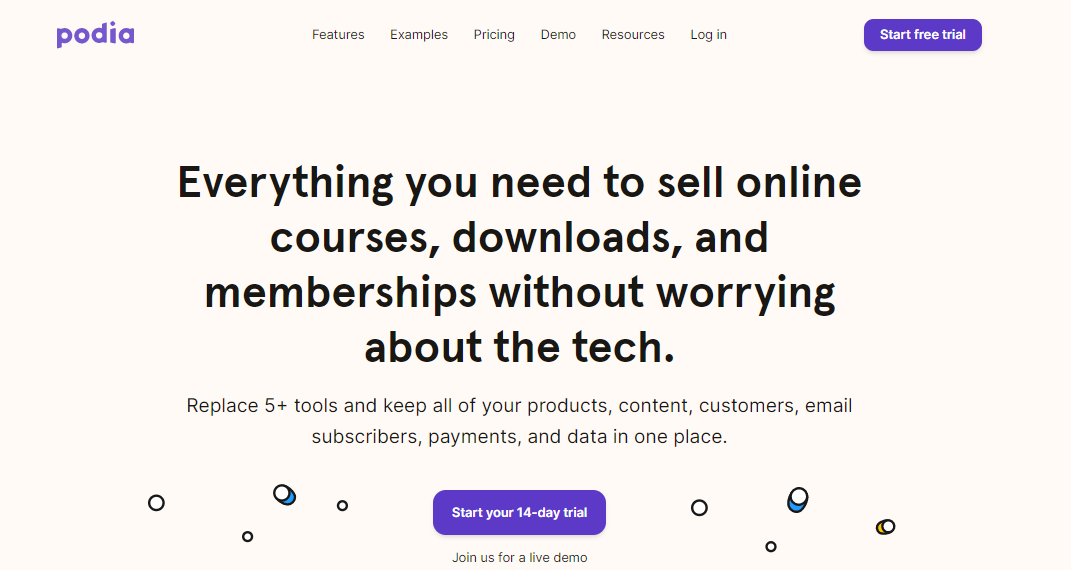
Podia is an all-in-one hosted platform for courses, digital downloads, coaching, events, a website and community. Per its pricing page, Mover is $49 a month ($42 billed annually), Shaker is $99 ($84 annually) and Earthquaker is $179 ($150 annually). Mover carries a 5% Podia transaction fee, while Shaker and Earthquaker have none; Stripe or PayPal charge their own processing fees of about 2.9% + 30 cents.
Podia has no permanent free plan, but offers a 14-day free trial with full access. Mover allows 50 products, Shaker 150 and Earthquaker unlimited, and customers are unlimited on all three. Podia’s built-in email is free up to a subscriber cap per plan, which can replace a separate email tool for smaller lists.
Of the hosted options, Podia is the closest in spirit to Kajabi at a lower price, though with fewer advanced automation features.
6. Ontraport

Ontraport is a CRM and marketing automation platform for growing businesses. Its membership and course features put it in the knowledge-commerce space, but the product is built around sales automation, contact tracking and campaigns, not around lesson delivery.
It fits you if your business is mostly marketing and you sell courses as one offer among several. If courses are the whole business, a dedicated tool such as Learnomy, LearnDash or Teachable gives you better learning tools. Check before you buy: pricing sources conflict and Ontraport’s own pricing page did not return readable plan details, so confirm the current plans and contact limits on its site.
7. Udemy

Udemy is a course marketplace, not a platform you own. Instructors publish courses and Udemy handles discovery, checkout and delivery, which gives you instant reach to an audience you did not have to build.
The trade-off is control. Udemy influences pricing and promotions, you do not own the student relationship the way you do on Kajabi or WordPress, and you earn a share of each sale rather than all of it. Many creators use Udemy to attract students, then send them to their own platform for premium content. Check Udemy’s current instructor terms for the revenue split before you commit.
8. ClickFunnels

ClickFunnels is a sales funnel and website builder with course hosting added on. The pricing page lists Launch at $97 a month ($81 billed annually) with 3 courses and 10,000 email contacts, Scale at $197 ($164 annually) with 6 courses and 75,000 contacts, and Optimize at $297 ($248 annually) with 10 courses and 150,000 contacts. A Dominate plan with 20 courses is sold annually only at $5,997.
The course counts show where its priorities lie. ClickFunnels is a better fit when your business runs on webinars, lead capture and sales pages, and a small number of courses sit behind them. It is not the cheapest route for a large course library.

How to choose
Start with ownership. If you want your students, content and payments on a site you control, pick a WordPress LMS such as Learnomy or LearnDash. If you want to avoid maintenance and accept a subscription, pick a hosted platform: Teachable for simple course sales, Podia for an all-in-one set at a lower price, Thinkific for structured course delivery.
Then look at the limits. Contact caps and product caps are where Kajabi and the hosted platforms start charging more. Finally, check the payment fee line on every pricing page. A 0.5% difference on $100,000 of sales is $500 a year.
Building a learning community around the courses? Our guide on how to build an online learning community covers it.
Conclusion for the best alternative to Kajabi
Learnomy leads the list because it removes the three costs that grow with Kajabi: the monthly plan, the payment fee and the product and contact limits. LearnDash gives a mature WordPress alternative with annual pricing per site, and the hosted options trade control for convenience. Pick the one that matches how much of the platform you want to own.
Frequently asked questions
What is the best alternative to Kajabi?
It depends on whether you want to own the platform. Learnomy and LearnDash run on your own WordPress site with no per-student pricing. Teachable, Thinkific and Podia are hosted and cheaper at the entry level than Kajabi Basic at $179 a month.
Is there a cheaper alternative to Kajabi?
Yes. Teachable Starter is $39 a month, Podia Mover is $49 a month and Learnomy has a free version. Each has trade-offs, such as a 7.5% Teachable Starter transaction fee or a 5% Podia Mover fee.
Does Kajabi take a percentage of sales?
Kajabi does not take a revenue share, but its payment processing costs 2.9% + $0.30 on Basic. Using a third-party payment provider adds a 2% Kajabi fee on Basic, plus the provider’s own fees.
Can I move my courses from Kajabi to another platform?
Usually yes, but not as a one-click export. You typically re-upload videos and recreate lessons, quizzes and membership rules. Check the target platform’s migration help before you commit, since some hosted platforms offer assisted migration.
Is a WordPress LMS better than Kajabi?
It is better if you want full ownership, no contact or product caps and lower long-term cost. Kajabi is better if you want everything hosted with email, funnels and pages built in, and you do not want to manage a website.
Related reading