
8 min read
The WordPress Gamification Plugin Built as One Central Hub


For years, adding gamification to WordPress meant assembling it. You installed a points plugin, then bought one add-on to connect WooCommerce, another for LearnDash, another for your community. Each was a separate purchase with its own settings, and none of them knew the others existed. The result was a stack of parts that rarely added up to one coherent experience for your members.
WB Gamification takes the opposite approach. It is one free plugin that holds the entire system in a single engine: points, badges, levels, leaderboards, streaks, kudos, challenges, a redemption store, and cohort leagues. Every integration is built into the core. There is no license key, no paid add-on, and no feature held back for a Pro tier. This guide explains what makes that model different, and how to set it up on your own site in under an hour.
One engine, not a pile of add-ons
The defining idea is centralization. Instead of a small core surrounded by paid extensions, WB Gamification ships every engine in the same download and lets them share one set of data. A comment, a purchase, and a completed lesson all feed the same points total, the same badges, and the same leaderboard.
For members, that means one place to see everything. The plugin auto-creates a hub page at /gamification and a public profile for each member at /u/{username}. For you, it means one admin area: thirteen screens that configure points, levels, badges, challenges, cohort leagues, the redemption store, webhooks, and API keys from the same menu.
Compare that to the established model. GamiPress and myCred are free at the core but charge for each integration as a separate add-on, so a site that rewards courses, purchases, and community activity ends up paying for three. WB Gamification includes all of it in the free plugin.
Ten integrations are wired in automatically, with more on the way
WB Gamification does not ask you to map actions by hand. A manifest loader scans for integration files as WordPress boots and registers their triggers before the engine starts. If a supported plugin is active, its actions appear in the points engine, badge rules, and challenge conditions immediately. If it is not active, the plugin skips it entirely.
The current release ships ten integrations and sixty-two ready-made actions:
- WordPress core (8 actions): registration, login, posts, approved comments, and profile completion.
- BuddyPress (10 actions): activity updates, group joins, reactions, and more.
- bbPress (3 actions): topics started and helpful replies.
- WooCommerce (4 actions): completed orders, reviews, and refund handling.
- LearnDash (5 actions): lessons, courses, and quiz passes.
- LifterLMS (5 actions): lessons, courses, and certificates.
- MemberPress (3 actions): membership signups and renewals.
- GiveWP (4 actions): one-time and recurring donations.
- The Events Calendar (3 actions): event attendance.
- WPMediaVerse Pro (17 actions): media uploads and album activity.
That last entry is where the model gets interesting. WPMediaVerse Pro is one of Wbcom’s own plugins, and it ships its gamification manifest inside its own plugin folder. The moment both plugins are installed, its seventeen media actions light up with no configuration. The rest of the Wbcom catalogue is being wired in the same way, so over time your in-house stack feeds one shared economy rather than a dozen disconnected ones.
Nothing is locked to a fixed list. Every action is a single do_action() call, so any plugin, including your own custom code, can declare its own triggers through a manifest file or a helper function. The same engine that powers the built-in integrations powers yours, and you can confirm what is detected at any time with wp wb-gamification doctor --verbose.
A central gamification hub for all your sites
This is the capability that sets WB Gamification apart from every other option in the category, and it is documented behaviour, not a roadmap promise. The plugin runs in two modes.
In local mode, the default, it behaves like any plugin: installed on one site, using normal WordPress sessions. In remote mode, one dedicated site becomes the gamification center that holds all the data, and your other properties authenticate with an API key and send their events to it. BuddyPress communities, WooCommerce stores, headless front ends, and mobile apps can all report to the same center.
The payoff is a single leaderboard, one unified badge library, and one admin interface across an entire network of sites. Each remote site carries its own identifier, so the center can break activity down by source while members still see one combined standing. Points earned on your store and points earned in your community count toward the same total.
That works because the plugin exposes a real API surface, not just PHP hooks. It ships a REST API with more than fifty endpoints, an OpenAPI specification, API-key authentication with the X-WB-Gam-Key header, and CORS handling for cross-origin requests. The same endpoints serve a browser session and a remote caller, which is what makes a network economy, a mobile app, or a headless front end practical instead of theoretical.
What actually sets it apart
Beyond the centralized model, several capabilities are uncommon in WordPress gamification:
- Built to scale. The points pipeline is event-sourced, writing to an immutable log and processing awards on a background queue through Action Scheduler. Leaderboards read from pre-computed member totals instead of recounting on every page load, and the read paths are benchmarked for sites with 100,000 members and more. A persistent object cache such as Redis is recommended on large installs.
- Verifiable credentials. Badges can be issued as OpenBadges 3.0 credentials with their own public, Open Graph-ready share pages, so members can prove and promote what they earned.
- More than one currency. Run Points, XP, and Coins side by side, with defined conversion rules between them.
- Cohort leagues. A Duolingo-style weekly competition that groups members into tiers by signup week or role, so newcomers compete with peers rather than with veterans.
- A built-in redemption store. Members spend points on rewards you define, including WooCommerce coupons with stock control.
- Member submissions. A moderation queue lets members submit achievement claims for admin approval, which routes through the same award path so totals stay consistent.
- Automation and portability. Outbound webhooks connect to tools like Zapier, Make, and n8n, WP-CLI commands handle bulk operations, and GDPR export and erasure are built in.
- Year in review. The plugin generates a Wrapped-style annual recap card for each member.
Set it up in under an hour
The depth above does not make setup heavy. A working system takes one afternoon, and the steps below are the order that matters.
1. Install and run the wizard
Upload the zip under Plugins, Add New, Upload Plugin, then activate it. It runs on plain WordPress and needs WordPress 6.4 or newer and PHP 8.1 or newer, with no external accounts to connect. On activation, a setup wizard offers five starter templates: Blog or Publisher, Community Engagement, Online Course, Coaching Platform, and Nonprofit. Pick the closest fit and the plugin pre-fills sensible point values you can change later.
2. Pick the handful of actions worth rewarding
Open the Points screen and review the actions the plugin can reward. Resist the urge to reward everything. A short, deliberate list works better than a long one: a one-time award for joining, a small nudge for the first login, a capped reward for comments, and a larger award for publishing a post.
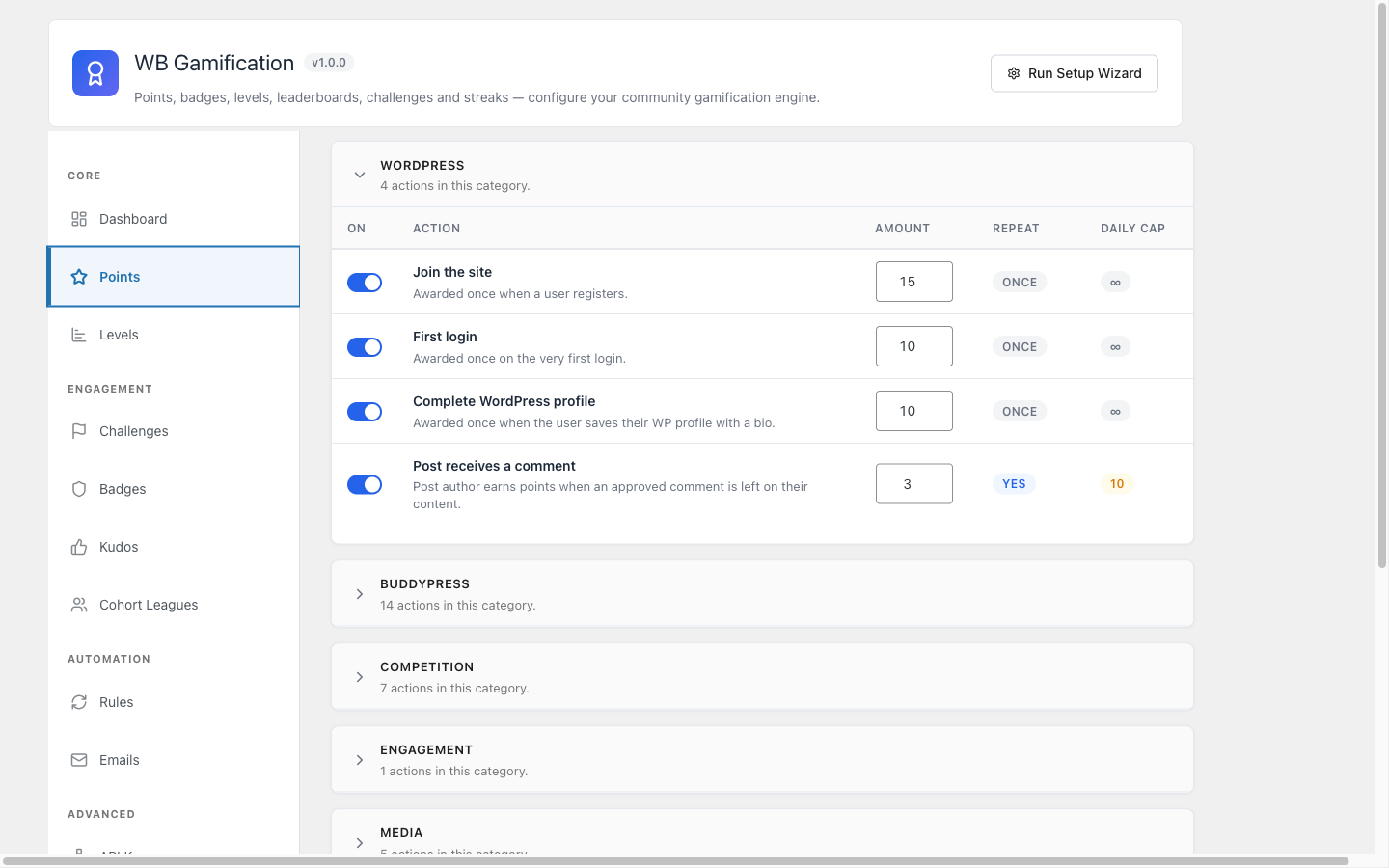
Notice the daily cap column. Caps are how you stop people from gaming the system by repeating low-effort actions. Set a cap on anything repeatable.
3. Set levels and badges so progress feels real
Points on their own are just a number. Levels and badges turn that number into a story. WB Gamification ships with five default levels and thirty ready-made badges. Adjust the level thresholds to match how active your community actually is: set early levels close together so new members feel momentum, then space later ones out. Keep the default badges to start, and add custom ones once you know which behaviours you want to celebrate.
4. Put the scoreboard where members will see it
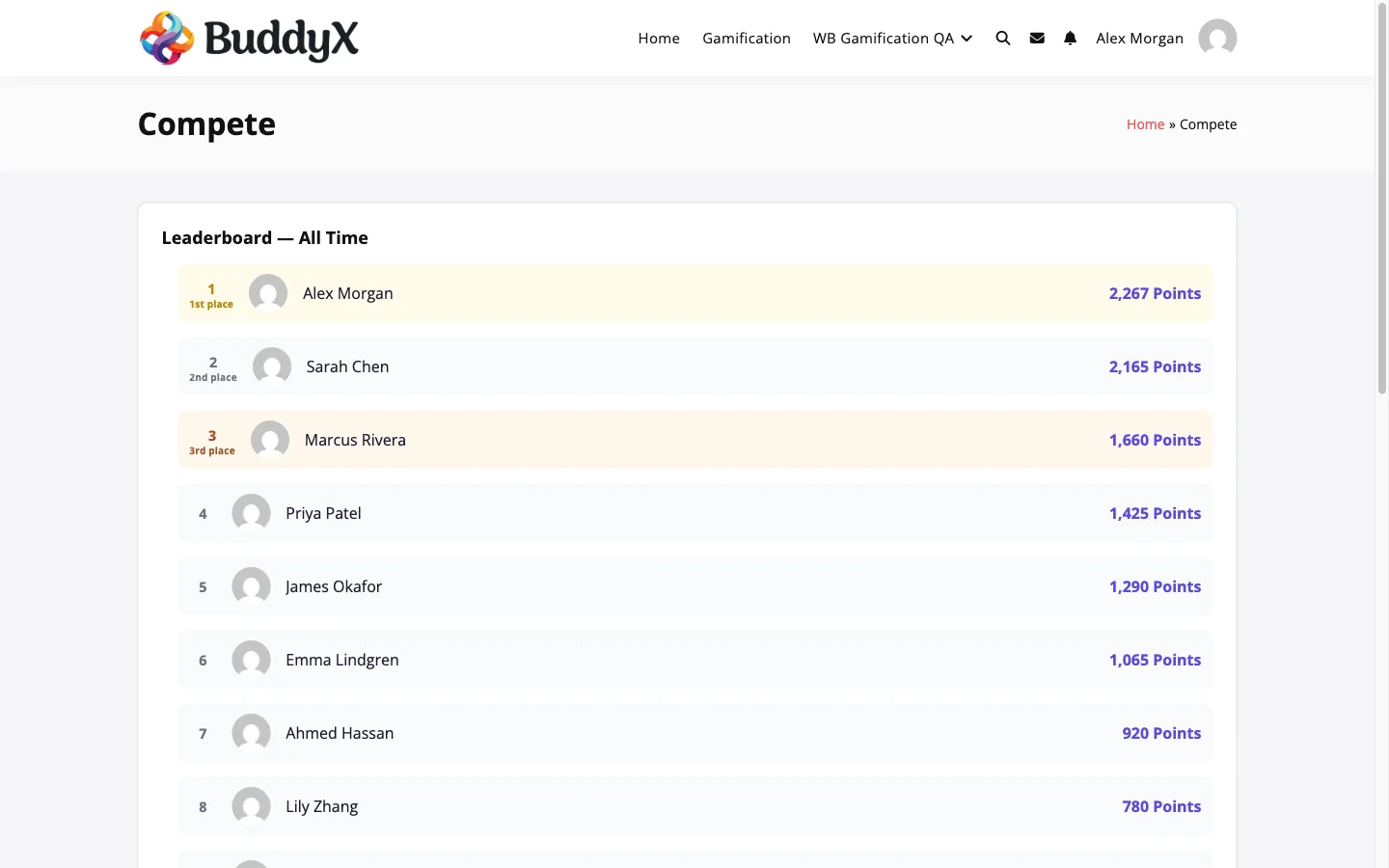
A leaderboard nobody sees does nothing. Every display surface ships as a Gutenberg block, and almost all have a matching shortcode, so you can place them on a page, in a sidebar widget, or on a BuddyPress profile tab. Start with the Leaderboard on a community page, then add Member Points and Level Progress to the profile so each person sees their own standing. The shortcode versions, such as [wb_gam_leaderboard] and [wb_gam_member_points], render styled to your theme.
5. Give points somewhere to go
Earning points is satisfying for a while. Spending them is what keeps the loop running. The built-in redemption store lets members trade points for rewards you define, including WooCommerce coupons. Even one or two rewards give members a concrete goal and a reason to keep earning past the next badge.
6. Give members one page that shows it all
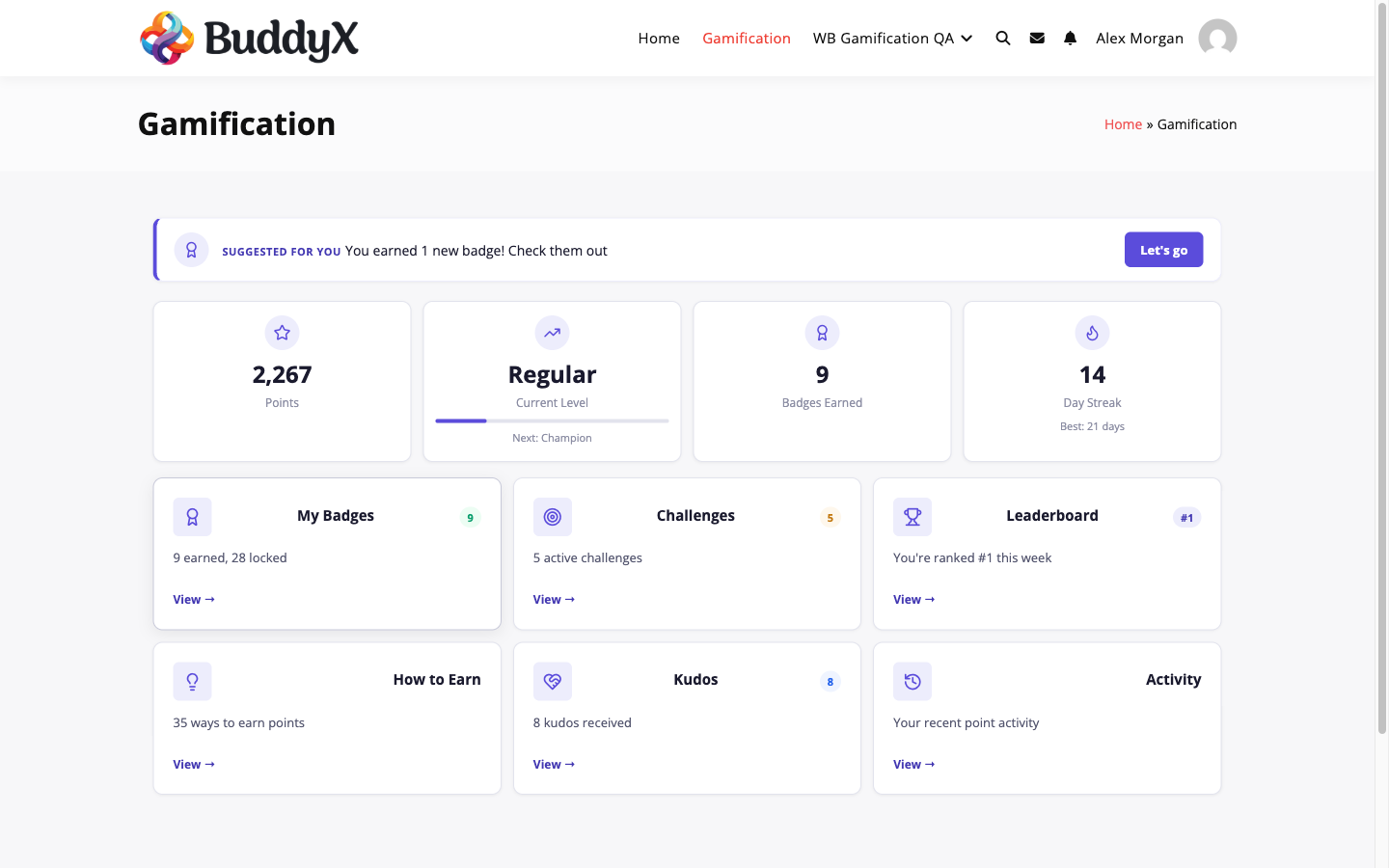
Point members to a single hub so they never have to hunt for their progress. The Gamification Hub pulls points, level, badges, streak, challenges, leaderboard rank, and recent activity into one view. This is the page to link from your main menu, because it answers the only two questions a member has: where am I, and what do I do next.
Usability tips that keep gamification from backfiring
Gamification done carelessly trains the wrong behaviour. A few rules keep it healthy:
- Reward value, not volume. Cap repeatable actions and pay more for higher-effort ones, so quality beats spam.
- Keep it visible but not loud. One hub and a profile widget is enough. Confetti on every page wears out fast.
- Make early progress fast. New members should earn something in their first session, or they will not return for a second.
- Match rewards to real goals. Tie points to actions you genuinely want more of, not to whatever is easy to count.
Get started
You can install WB Gamification today and have points flowing in an afternoon. It is free under GPLv2, works on any number of sites, and includes every feature described here in the single download, from the ten built-in integrations to the cross-site API.
Set up your points, place a leaderboard, and give your members a reason to come back tomorrow, on one site or across all of them.
Related reading