
18 min read
15 Content Promotion Platforms and Tools Worth Using


Great content is only the start. Without distribution and promotion, there is little chance anyone sees it.
Content marketing is a planned way to stay in touch with your audience and keep them. Useful, honest information helps people decide on its merits instead of on an advertisement. Any business that publishes regularly needs a way to get that content in front of readers, and that is what content promotion platforms and tools are for.
Promotion is how you tell customers what your product or service does for them. It is the voice of the brand, and it works best when it is planned instead of improvised.
You can write the best article in your niche. How will the people who want it find it?
Promotion is slow and repetitive by hand. The right tools automate scheduling, show you what is already working, find people who might share your work, and put paid reach behind your best pages. This post covers 15 of them, what each does, who it suits, and what the vendor lists for plans.
Last updated: 6 November 2026
Quick answer: The right content promotion platform depends on the channel. Hootsuite and Sendible schedule social posts, BuzzSumo shows what content gets shared, BuzzStream handles outreach, Taboola and Outbrain buy native ad placements, and Reddit, Quora, LinkedIn, Pinterest and Meta Ads reach communities directly. Hootsuite starts at $99 and BuzzSumo at $199 per month.
Why content promotion matters
Search alone is a shaky way to get readers. A Pew Research Center study of Google searches by 900 US adults in March 2025 found people clicked a regular result link in 8% of visits where an AI summary appeared, against 15% of visits without one.
Social and community channels are where many people now first meet a brand. DataReportal’s Digital 2026 report counts 5.66 billion social media user identities worldwide in October 2025, equal to 68.7% of the global population. It also cites GWI research saying nearly one in three internet users aged 16 and over learn about new products through search engines, and more than 30% through social media ads.
Those figures count accounts, not unique people, and say nothing about your niche. They do show why promotion across several channels beats waiting on one.
Comparison table
Details are what each vendor listed on 6 November 2026. Prices change, so confirm before you buy.
| Tool | Type | Listed pricing | Free trial or plan |
|---|---|---|---|
| Hootsuite | Social scheduling | From $99 per user per month, billed annually | 14-day trial |
| Followerwonk (now in Fedica) | Social analytics | Check Fedica | Check Fedica |
| Taboola | Native ads | Not published | Not stated |
| Medium | Publishing platform | Check Medium | Check Medium |
| BuzzStream | Outreach and link building | See its pricing page | Free trial offered |
| Sendible | Social scheduling | Core, Plus, Premium, Elite, Enterprise | 14-day trial, no card |
| Quora | Q&A community | Free to answer | Free |
| Quuu Promote | Curated sharing | Check before you buy | Check before you buy |
| BuzzSumo | Content research | From $199 per month, billed yearly | Trial offered, length not stated |
| Bloglovin | Blog discovery | Check before you buy | Check before you buy |
| Community | Free to post | Free | |
| Meta Ads (Facebook) | Paid social | Budget you set | None |
| Visual discovery | Free to post | Free | |
| Outbrain | Native ads | Not published | Not stated |
| LinkedIn articles | Professional network | Free to publish | Free |
15 Content Promotion Platforms And Tools:
- HootSuite
- Followerwonk
- Taboola
- Medium
- BuzzStream
- Sendible
- Quora
- Quuu Promote
- BuzzSumo
- Bloglovin
- Facebook (Ads)
- Outbrain
- LinkedIn articles
1. HootSuite
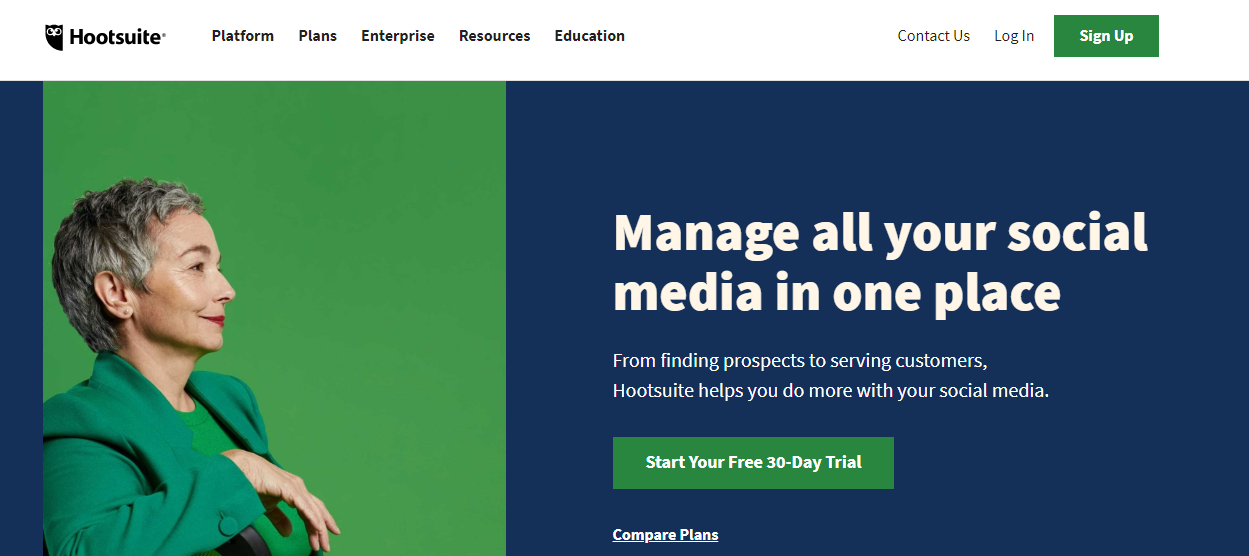
Hootsuite is a social media management tool that handles many accounts from one dashboard. You connect your networks, write a post once, attach text, links, photos or video, and send it to any group of linked accounts.
The scheduler lets you queue posts for the times your audience is most active, so a team can plan a month of promotion in an afternoon and keep every account busy without logging in each day. Its analytics section reports on engagement, clicks and shares for each connected account, which tells you which of your posts deserve a second push.
On its plans page, Standard starts at $99 per user per month billed annually and covers 10 social accounts. Professional starts at $199 with unlimited accounts, Advanced goes up to $399, and Enterprise is custom. Every self-serve plan has a 14-day free trial, capped at 10 to 20 posts per day with no bulk scheduling. For other options in the same category, see a list of Hootsuite alternatives.
Best for: teams that manage several brand accounts and need one calendar. Watch out for: the per-user pricing, which climbs fast as the team grows, and the trial limits that stop you testing bulk scheduling.
Visit Site
2. Followerwonk

Followerwonk is a social analytics tool built to help you find, compare and understand accounts on X, formerly Twitter. Its best-known feature is bio search, which lists accounts whose profile text contains a word such as SEO or link building, so you can find people in your industry who might care about your content.
You can then sort those accounts by followers, following, account age, tweet count or social authority. That gives you a shortlist of influential accounts and a view of your own audience: who follows you, when they are online, and how your follower count moves over time.
Followerwonk’s own site now says its tools are in Fedica, and its sign-up and login links point to fedica.com. If you want this kind of audience analysis, start on Fedica and check there which of the old Followerwonk features and prices carry over.
Best for: finding niche accounts to engage with before you promote. Watch out for: the tool is tied to one network, so it only helps if your audience is active on X.
Visit Site
3. Taboola

Taboola is an advertising platform that places your content as recommended links on publisher websites. It suits publishers and brands that want readers beyond their own channels, from individual writers to large media houses.
Its homepage describes performance-focused ad technology with first-party audience targeting built on its publisher data, support for many creative formats beyond native, and tools to monitor campaigns. Advertisers sign up through its Realize product. The site quotes a 679% average return on ad spend in advertiser case studies, which is a vendor figure and not a promise for your campaign.
Taboola does not publish a minimum budget or reach figure on its homepage. Expect to talk to the team or start a small test campaign, and judge it on cost per lead or sale, not on page views.
Best for: publishers and brands with a budget and a landing page built to convert. Watch out for: traffic from recommendation widgets is often cold, so read quality-of-visit metrics before you scale spend.
Visit Site
4. Medium

Medium is a publishing platform where you can put your writing in front of an existing readership. It covers technology, business, politics, social media and many other topics, and it is free to start writing.
Many marketers republish selected posts there, then link back to the original on their own site to send traffic home. Medium gives each story its own stats so you can see views and reads. Follow its content rules: the work must be yours, not plagiarized, and not a vehicle for selling.
The platform launched in 2012 under Ev Williams with a minimal editor and a focus on what you have to say, not who you are. Features, membership pricing and reader numbers change, so check the current terms on Medium before building a workflow around it. Add a canonical link or a clear link to the original, so search engines know which version is the source.
Best for: writers who want a ready audience for thought-leadership pieces. Watch out for: republishing the same text can split attention from your own site, so promote different angles or summaries where you can.
Visit Site
5. BuzzStream

BuzzStream is an outreach platform for digital PR and link building. It helps you:
- Locate journalists and influencers
- Manage relationships
- Send personalized outreach at scale
Its newer ListIQ tool builds media lists, finds active journalists and pulls contact details. The research side shows prospect metrics, the email and CRM side tracks every conversation so teammates do not contact the same person twice, and reports cover open rates, reply rates and placements.
Link monitoring checks the sites in your database to see whether they have linked to you, and can watch a single page or URL. BuzzStream is generally used for link outreach and PR, so judge it by placements won, not by posts sent.
The homepage offers a free trial but does not list prices, and the old direct pricing address returns an error. Use the plans link on the site to see current prices.
Best for: PR and SEO teams running repeatable outreach. Watch out for: it organizes outreach, it does not write a pitch worth answering, so the quality of your content and angle still decides the result.
View Site
6. Sendible

Sendible is a social media management tool for scheduling promotional posts across the major networks. Content libraries, scheduling queues and bulk importing make it quick to line up a campaign, and you can recycle posts so evergreen content stays visible.
Its content recommendation feature lets you search a topic and see popular posts to share, which you can schedule to several accounts at once. A simple built-in CRM keeps background details on the people you talk to, which helps you send personal replies without hunting for context. Collaboration and white label options make it a fit for agencies and teams.
Its pricing page lists five tiers. Core covers 1 workspace and 6 social profiles, Plus 18 profiles, Premium 42, Elite 90, and Enterprise 300. All plans include unlimited users, yearly billing saves 15%, and there is a 14-day free trial with no card required. Check the page for current dollar amounts.
Best for: agencies and teams that need many profiles and unlimited seats. Watch out for: daily send limits per workspace, which range from 100 on Core to 500 on Elite.
View Site
7. Quora

Quora is a question-and-answer site where people ask questions and subject experts answer them. Brands use it for awareness, traffic and thought leadership, because a detailed and honest answer can stay useful and findable for years.
The promotion happens inside the answer. Write a complete reply first, then link to a relevant piece of your own content where it genuinely helps the reader. Answers that only exist to carry a link get little attention and can break the rules of the site.
You can also create a Space around your topic, follow people and topics, and get notified when someone answers your questions. Quora is free to use. Search your topic, open the questions that fit your expertise, and answer the ones you can answer better than what is already there.
Best for: experts in a specific niche with time to write real answers. Watch out for: the pay-off is slow and uneven, so track referral traffic before deciding how much time to give it.
View Site
8. Quuu Promote

Quuu Promote is a service that has real people in your niche share your content on social networks. You submit a piece of content, Quuu reviews it against its quality criteria, and if it passes, users who chose your category can share it to their own followers.
The idea is to save you the manual work of emailing influencers one by one. You pick a niche so that only people with matching interests see your post, which keeps the sharing targeted. Because every submission goes through review, low-quality content is turned away, and that protects the audience that Quuu’s sharers have built.
Benefits the service aims for include:
- More mentions of your brand
- More traffic to your blog
- A chance to connect with industry voices and likely customers
Social shares are not a direct ranking factor, so treat the traffic as the benefit, not the SEO. The Quuu Promote site currently shows a login screen without a public plan description, so check before you buy: confirm current pricing, share counts and review rules on the vendor site.
Best for: small publishers who want steady social shares without manual outreach. Watch out for: shares from automated sharing accounts may bring clicks but few customers, so measure sign-ups, not impressions.
View Site
9. BuzzSumo
BuzzSumo helps marketers find content that is already being shared and the people who share it. Where tools like Followerwonk look at one network, BuzzSumo analyzes content and mentions across the web, so you can see what works, why, and who amplifies it.
It also tracks mentions of your brand, so you hear quickly when you are mentioned. Its filters let you narrow results by content type, word count, date and language, and its Trending Now views show what is gaining attention by category. Content analysis breaks down total engagement by day published, average engagement by content length and your top pieces.
Per its pricing page, Content Creation is $199 per month billed yearly (1 user, 2 alerts), PR and Comms is $299 (5 users, media database and outreach), Suite is $499 (10 users), and Enterprise is $999 (30 users, annual billing only). All plans include unlimited searches. Each plan has a Start Trial button but the page does not state the trial length, and you are charged for the full term if you cancel.
Best for: content teams that plan topics from data and want to find amplifiers. Watch out for: the entry price is the highest on this list for a single user, and cancelling mid-term does not refund unused time.
View Site
10. Bloglovin

Bloglovin is a blog-following platform where readers collect their favorite blogs in one feed and discover new ones by category. For bloggers it works as a community, and it can expose your posts to readers who prefer your niche.
Followers see your new posts in their feed as soon as you publish, and they can read, like and save posts for later. Seeing which posts get the most engagement tells you what your audience wants more of. It is available on web, Android and iOS.
Check before you buy or invest time: the site returned an access error when this post was updated, and public reporting on the company’s current products is thin. Confirm the service is active and what it now offers before you add it to your plan.
Best for: lifestyle and fashion bloggers who want a feed-based readership. Watch out for: unclear current status, so test with one post and compare referral traffic with your other channels.
View Site
11. Reddit
Reddit is a network of topic communities called subreddits, and for many niches it is where people ask for recommendations. A helpful post or comment in the right subreddit can bring focused traffic.
It is also the least forgiving place on this list for self-promotion. Each community sets its own rules on links and self-promotion, and members spot marketing quickly. Read the rules of every subreddit before posting, take part in discussions before you share your own work, and lead with something useful that does not need a click to be valuable.
Posting is free. Reddit also sells ads if you want paid reach, but treat organic participation as the main channel and be transparent about your connection to the content you share.
Best for: niche topics with an active community and a founder or expert willing to join discussions. Watch out for: link-dropping gets posts removed and can get accounts banned.
Visit site
12. Facebook (Ads)

Meta’s ad platform, still known as Facebook Ads, lets you promote a blog post, a page or a retargeting audience across Facebook and Instagram. You can also reach people beyond Facebook through the Audience Network.
Feed placements are the most used, because ads appear in the same stream as posts from friends and pages. Mobile-friendly content gets more value from them, since most social browsing happens on phones.
You can plan a campaign at every level, from boosting a single post to retargeting people who visited your site. The interface can be slow to learn, and building a campaign takes time, but simple ads and promotions are straightforward.
Pricing depends on your budget and targeting, and a few dollars is enough to start testing. Set a lifetime or daily budget yourself, because the default can be higher than a beginner wants. The best results come from a funnel that turns the click into a lead or sale.
Best for: promoting a proven post to a defined audience. Watch out for: boosting a weak post only buys you more people who ignore it, so test organic performance first.
View Site
13. Pinterest

Pinterest is a visual discovery platform where people save ideas to boards. Images of all kinds are easy to share there, which makes it useful for content with strong visuals such as guides, recipes, design and how-to posts.
Add a save button to your images so visitors can pin your content, and invite them to follow you for more. A small branded logo in the corner of each pin helps people recognize you as pins spread across boards.
Pins keep circulating long after you post them, so a good pin keeps sending traffic, unlike a feed post that disappears in hours. Make the pin image clear and the headline plain, and link to a page that delivers what the pin promised.
Best for: visual, evergreen topics. Watch out for: text-heavy B2B posts rarely suit the format unless you design a clear graphic for them.
Visit Site
14. Outbrain

Outbrain is an advertising platform that shows your content in recommendation widgets on publisher websites. It can promote landing pages, blog posts and third-party reviews, and you can target specific audiences so ads run on relevant sites.
The business now operates as Outbrain Direct Response, a subsidiary of Teads, and its site describes performance marketing across the open internet. Creating an ad takes only a few steps, and the ad appears as a recommendation next to articles readers are already reading.
Older descriptions say Outbrain charges per click against a bid you set. The current site lists no pricing model or minimum spend, so check before you buy and confirm the bidding model with the team.
Best for: advertisers with a conversion goal and a tracked landing page. Watch out for: ownership and product names have shifted, so get pricing and targeting terms in writing.
Visit Site
15. LinkedIn articles

LinkedIn lets members publish long-form articles directly on the network, a feature formerly branded Pulse. It reaches a professional audience that is open to business content, so it fits B2B topics, hiring, career advice and industry analysis.
Articles appear in your connections’ feeds and can be shared further. The platform shows you performance analytics for your posts and the job titles, industries and locations of the people who view them, which helps you see whether you are reaching the right buyers.
Publishing is free. Treat each article as a standalone piece that is useful without a click, then link to a deeper resource on your own site for readers who want more. Check LinkedIn’s help pages for the current rules on articles and newsletters, since the format has changed more than once.
Best for: B2B brands and consultants. Watch out for: reach depends on your network and engagement in the first hours, so ask colleagues to comment with real views, not just likes.
Visit Site
How to choose a promotion mix
Start with the job. If you need to publish consistently across many accounts, pick a scheduler such as Hootsuite or Sendible. If you do not know what to promote, use BuzzSumo to find what already gets shared in your topic. If you want links and press, use BuzzStream.
For reach you do not have yet, choose between paid placement (Meta Ads, Taboola, Outbrain) and earned attention (Reddit, Quora, LinkedIn, Pinterest). Paid is faster and costs money. Earned is slower and costs effort.
Start with two or three channels and measure traffic, leads and replies for a month before adding more.
A simple promotion routine for every new post
A tool does nothing if you only use it once. Most teams get further with a short routine they repeat for each post.
- On publish day, share the post on your own social accounts with a different angle per network, using a scheduler to stagger the posts.
- Within the first week, answer two or three real questions on Quora or Reddit where the post truly helps, and mention it only where it fits.
- Send the post to the handful of people it quotes, cites or helps. A short, personal note works better than a bulk email.
- Pick the best-performing post of the month and put a small paid budget behind it on one network.
- Re-share evergreen posts every few months with a fresh intro, since most of your audience missed them the first time.
Common mistakes to avoid
Posting the same text everywhere is the most common. Each network has its own habits, so adjust the headline and the first line.
Promoting before the post is ready is next. A weak page that gets more traffic is still a weak page.
The third is not measuring. Add UTM parameters to every promoted link so your analytics show which channel sent each visit.
Summary
Content marketing builds brand awareness and credibility, and promotion is what lets it reach people. The platforms above cover scheduling, research, outreach, paid placement and communities. Use the ones that match your audience and budget, and treat every vendor claim as something to test.
Frequently asked questions
What are content promotion platforms and tools?
They are services that help you distribute and amplify content after you publish it. They include social schedulers, outreach software, research tools, native ad networks and communities where you share your work.
Which content promotion tool is best for small teams?
Start with a social scheduler such as Sendible or Hootsuite, both of which offer a 14-day trial, and add free channels like LinkedIn, Pinterest and Quora. Keep paid tools such as BuzzSumo for when you have a steady publishing rhythm.
Is StumbleUpon still a way to promote content?
No. StumbleUpon closed in 2018 and moved its users to Mix, so it is no longer a channel. Reddit and Pinterest fill a similar discovery role today.
Is paid or organic promotion better?
Neither wins on its own. Paid channels such as Meta Ads, Taboola and Outbrain give fast reach you pay for. Organic channels such as Reddit, Quora and LinkedIn cost time but build trust, so most teams use both.
How much do content promotion tools cost?
Posting on Quora, Reddit, Pinterest and LinkedIn is free. Paid tools in this list start at $99 per user per month for Hootsuite and $199 per month for BuzzSumo, while ad platforms charge whatever budget you set.
How do I know whether promotion is working?
Track visits, signups and sales from each channel with UTM links in your analytics, then compare channels against the time or money you spent. Shares and likes alone do not show business results.
Related reading
- The Growing Demand For Quality Articles in a Content Driven Digital World
- Task Delegation in a Digital Marketing Team
- Utilizing The People Also Ask Box For Content Inspiration
- Non Competitive Brands For Content Collaboration
- Drawing Inspiration Online Forums Fresh Content Ideas
- Salesforce Sales Cloud Consultant Exam