
9 min read
How to Add Community Events and RSVPs to Your WordPress Site

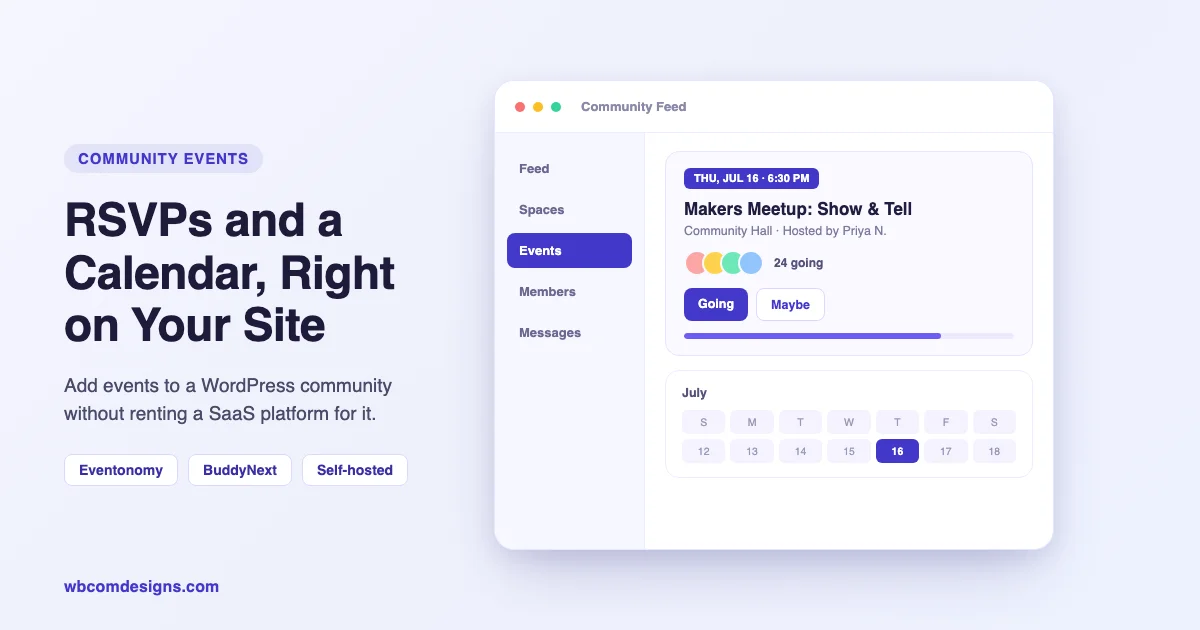
Your members already show up somewhere. The question is whether that somewhere is a Facebook group, a Meetup.com listing, or an Eventbrite page that takes a cut of every ticket you sell. Community events on WordPress means the calendar, the RSVP list, and the attendee data live on the site your group already runs, not on a rented platform. Members RSVP in one click, organizers stop juggling three different tools to run one meetup, and nobody sends a surprise bill because your list crossed some subscriber tier. Here’s how to add a real events layer to a community site with Eventonomy, and where that layer sits once BuddyNext is the engine underneath it.
Renting Your Events Layer Costs More Than the Subscription
Meetup, Eventbrite, and Facebook Events are the default choice for a reason: they’re fast to set up and everyone already has an account. But that convenience comes with a bill you don’t see on the invoice.
Attendee emails sit in the platform’s database, not in your own CRM or mailing list. Meetup wraps every listing in its own branding, so the next person who searches for your event lands on meetup.com, not on your site. Eventbrite and similar tools apply a service fee to nearly every ticket, stacked on top of whatever the payment processor already takes. And if the platform changes its pricing tiers, redesigns the app, or quietly retires a feature your group depends on, that risk belongs to the platform, not to you. Your community just has to live with it.
The alternative isn’t to build an events system from scratch. It’s to run the events layer as part of the WordPress site the group already owns, the same way many communities already run their forum, their member directory, or their blog in-house instead of renting them from somewhere else.
| Renting (Meetup, Eventbrite, Facebook) | Owning (Eventonomy on your site) | |
|---|---|---|
| Attendee data | Lives in the platform’s database | Lives in your WordPress database |
| Branding | The platform’s domain and design | Your domain, your theme |
| Ticket fees | A per-ticket service fee on top of gateway fees | A flat license, plus whatever your payment gateway charges |
| Who controls the roadmap | The platform decides what changes and when | You decide, because it’s your plugin and your data |
| Where members RSVP | A separate app or tab they have to remember to open | The same feed and profile they already use every day |
An event that lives on a platform you don’t control is a calendar you’re borrowing, not one you own.
Who Ends Up Adding Events to a Community Site
The people who reach for a plugin like this aren’t building an events business. They’re running something else, a community, a course, a local group, and events are one more thing that community needs to do well.
- Meetup organizers who are tired of paying a subscription to a platform that also owns the listing page and the attendee list.
- Membership and course communities that run live sessions, office hours, or cohort calls and want RSVPs sitting next to the rest of the member experience instead of in a separate calendar tool.
- Local nonprofits and volunteer groups that need a sign-up sheet with a capacity cap and a waitlist, without a percentage disappearing from every donation-linked ticket.
- Venues and recurring interest groups (a co-working space, a hobby club, a faith or civic group) that run the same kind of gathering on a schedule and want one venue and organizer catalog instead of re-typing the same address every time.
Add Events and RSVPs With Eventonomy
Eventonomy is a free events and RSVP plugin for WordPress. It covers the full run of an event inside the admin you already log into, rather than sending organizers to a separate tool for tickets and a spreadsheet for the attendee list.
The core kit, free
- Events and recurring series. One-off meetups or daily, weekly, monthly, and yearly series. Occurrences are pre-computed, so a long-running series doesn’t slow the calendar down as it grows.
- RSVPs with a waitlist. Members answer going, maybe, or no, with an optional guest count. Set a capacity cap and a waitlist takes over automatically once a session fills up.
- Calendar views. Grid, list, month, and upcoming views with clean URLs, so an event page reads like a normal part of your site instead of an embedded widget.
- Venues and organizers. A shared catalog so an address or an organizer’s name only has to be entered once and can be reused across every future event.
- A member dashboard. A dedicated hub where attendees track the events they’ve RSVP’d to, and organizers manage attendees and export lists, all in one place.
The RSVP flow itself is built to get finished, not abandoned halfway. A signed-in member RSVPs in a single click. A guest without an account gives a name and an email, then manages their RSVP later through a link sent to that address. Organizers can attach custom questions, text, dropdown, or checkbox, to collect whatever a specific event needs (dietary notes, t-shirt size, a parking permit request) without building a separate form.
What Eventonomy Pro adds
The free plugin is genuinely usable on its own for RSVP-only meetups. Once a group wants to charge for entry, Eventonomy Pro adds ticketing through Stripe, PayPal, Square, Mollie, or WooCommerce, with tax rates, booking fees, and coupon codes computed at checkout. Every order, refund, and attendee record shows up in the WordPress admin next to everything else, with CSV export when you need it. Pro also adds week and day calendar grids, scheduled reminder emails with optional SMS through Twilio, and a check-in scanner an organizer can run from a phone at the door.
The pricing model matters as much as the feature list: Eventonomy Pro is a flat license, not a recurring per-ticket cut. Compare that to a rented platform’s percentage fee on every sale and the math favors ownership pretty quickly once a group runs more than a couple of paid events a year.
Two ways to see it before installing anything: download Eventonomy free and set it up on a staging site, or open the live sandbox and click through a real RSVP flow first. If a group is already selling tickets somewhere else and wants the Pro ticketing layer, Eventonomy Pro is a one-time license rather than a monthly plan.
Where Events Live Inside a BuddyNext Community
BuddyNext is a free, self-hosted community platform for WordPress: an activity feed, spaces for smaller groups, member profiles, a member directory, messaging, and moderation, wired together as one engine rather than a bare starter kit. Events fit into that same engine instead of sitting off to the side as a separate destination.
When an event is created through Eventonomy on a site running BuddyNext, it can surface in the same feed members already scroll through every day, next to posts from spaces they’ve joined and updates from people they follow. RSVPing doesn’t mean leaving the community to go fill out a form somewhere else. It happens right where the member already is, and the event then shows up on their own dashboard alongside the rest of their activity.
How it fits together
- An organizer creates the event inside Eventonomy, sets the capacity and any custom questions, and adds tickets if the Pro ticketing layer is in use.
- The event publishes to its own clean URL with an add-to-calendar button, and inside a BuddyNext community it also appears in the shared member feed.
- Members RSVP in one click from wherever they already are: the main feed, a space they belong to, or their own profile page.
- Eventonomy’s dashboard tracks who’s going, who’s on the waitlist, and, on event day, who’s checked in, all inside the same WordPress install that runs the rest of the community.
In practice that plays out over a normal week rather than all at once. An organizer drafts the event on a Monday and sets a capacity of thirty with two custom questions. By Wednesday it’s showing up in the community feed and a dozen members have RSVP’d without ever leaving the site. On the day of the event, if it’s ticketed through Pro, the organizer checks people in from a phone at the door instead of scrolling through a spreadsheet. None of that requires a second login or a separate app; it’s the same WordPress site the community already runs.
This is also why keeping a community site on classic WordPress instead of going headless matters more than it looks. Plugins like Eventonomy and BuddyNext depend on the same hooks, the same database, and the same admin screens that the rest of a BuddyPress-style stack already uses. As a community grows, that shared foundation is also what makes organizing community content at scale manageable instead of a rebuild every time a new feature gets bolted on.
The Free Family: Eventonomy, BuddyNext, and What Else Plugs In
Eventonomy and BuddyNext are both free, self-hosted, GPL plugins. No seat limit on members, no trial clock counting down, no forced upgrade to keep the lights on. Eventonomy is one of a set of apps built to extend a BuddyNext community as it grows; for groups whose members want to ask questions and get answers rather than just RSVP to a meetup, Jetonomy adds forums and Q&A on the same foundation.
None of this requires picking every piece on day one. A group can start with BuddyNext alone for the feed and member directory, add Eventonomy the first time an in-person meetup gets planned, and bring in Jetonomy later once members start asking each other questions in the comments that deserve their own thread. The pieces share a database and an admin, so nothing here is a separate account to manage or a second login to remember.
For teams that would rather have this wired into an existing site, extended with custom event types, or connected to a member directory that already has its own structure, that’s the kind of build our BuddyPress development team handles day to day, alongside the wider work covered in our community platform builds.
Common Questions Before You Switch
Do you need BuddyNext to run Eventonomy?
No. Eventonomy is a standalone events and RSVP plugin that works with any WordPress theme on its own. BuddyNext is what turns a calendar page into part of a community feed, with events surfacing next to posts and spaces. If there’s no broader community yet, Eventonomy alone still replaces a Meetup or Eventbrite listing.
What happens to existing RSVPs if you add the Pro ticketing layer later?
Nothing needs to be rebuilt. The free plugin and Pro share the same event and RSVP records, so adding ticketing, week and day views, or the check-in scanner later extends what’s already running rather than replacing it.
Is attendee data portable if the site changes themes or plugins down the road?
Attendee records, RSVPs, and orders live in your own WordPress database, the same tables that hold your posts and users. That’s the practical difference from a rented platform: a theme change or a plugin swap doesn’t strand your attendee list somewhere you can no longer export it from.
Does it work with a theme the community already uses?
Eventonomy is built to work with any WordPress theme, self-hosted and GPL-licensed like the rest of the WordPress ecosystem, with RTL layout and multiple language translations included for communities that run in more than English.
What if a community already runs a dedicated events plugin?
If a site is already invested in a ticketed-events plugin built for large public sales, it’s worth weighing that setup against a community-first tool before switching. Our comparison of WordPress event calendar plugins covers where dedicated events tools and a community-native RSVP layer like Eventonomy each make more sense.
Get Started
Download Eventonomy free and add a calendar and RSVPs to your community site this week, or open the live sandbox and try the RSVP flow before you install anything. Pair it with BuddyNext if the events need a feed and member profiles to live inside, and reach out through a quick call if you’d rather have the whole stack set up for you.
Related reading
- Introducing Eventonomy Wordpress Events Plugin
- Eventonomy 1 3 0 Organizer Payouts Mobile
- Buddynext 1 0 4 What it Takes to Ship a Community Platform People Actually Join
- Online Community Shouldnt Get Slower as it Grows
- Building a Thriving Medical School Alumni Community Website
- How to Create an Mba Alumni Community Website