
10 min read
Selection of Color Combination in Web Design Process

Creating a professional, engaging, and on-brand website is no longer optional - it’s essential for any business aiming to build digital trust and customer connection. In today’s competitive digital landscape, your Web Design Process is often the first impression users have of your brand. It speaks for your business before a single word is read or a service explored. Visual design plays a critical role in shaping this impression, and one of the most powerful components of design is color.
While layout, typography, and intuitive navigation matter significantly, color influences how users feel, interact, and remember your brand. According to research by the Institute for Color Research, people form a subconscious judgment about a product within just 90 seconds of viewing, and up to 90% of that assessment is based on color alone. This statistic underlines the immense weight color carries in web design - it isn’t just a style decision; it’s a strategic one.
A thoughtfully chosen color palette can elevate usability, reinforce brand identity, and increase user engagement. From improving how easily content is consumed to encouraging conversions through carefully selected call-to-action colors, your site’s color choices shape the user journey at every level. Brands like Facebook, Spotify, and Coca-Cola all use color not just for aesthetics but as an extension of their brand experience. In fact, a study by the University of Loyola, Maryland found that color can increase brand recognition by up to 80%.
Understanding how color affects emotion and decision-making is key. Different colors evoke different psychological responses - blue often conveys trust and professionalism, making it popular in tech and finance. Green suggests growth and health, ideal for wellness or sustainability-focused brands. Red sparks urgency and energy, which is why it’s commonly used in retail. Yellow communicates optimism and warmth, while black denotes sophistication and luxury.
When used strategically, color can guide the user’s eye, convey mood, and even influence whether someone clicks a button or leaves the page. This is why designing with color isn’t about what looks pretty - it’s about what works. Great web design turns color into a language - one that resonates with your audience and aligns with your business goals. By learning how to use color intentionally, designers can transform static websites into dynamic user experiences that foster connection, clarity, and conversion.

The Color Theory
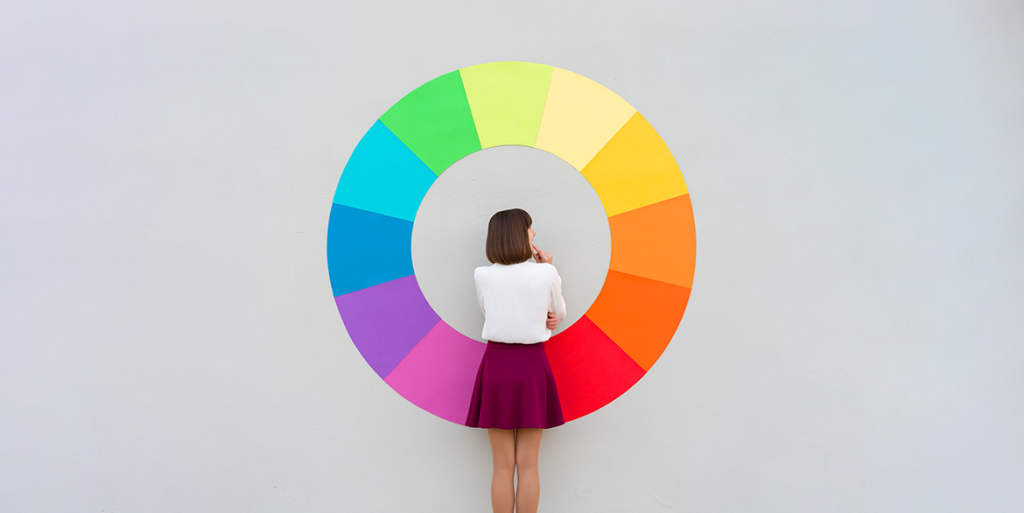
While designing a website, you have to know that the color theory covers three basic levels.
Complementation of Design
Complementary color schemes are at the heart of effective visual balance. In web design, this means using colors that work harmoniously rather than clashing harshly. Randomly combining intense shades like green, red, and purple without any logic can overwhelm users and make your site feel chaotic - more like a child’s play area than a professional digital space.
Instead, designers often turn to the color wheel for guidance. Complementary colors (those opposite each other on the wheel, like blue and orange) can create striking visual interest, while analogous colors (next to each other on the wheel) offer a more subtle, cohesive feel. For brand-heavy sites, it’s wise to work within your primary brand color’s palette - experimenting with lighter and darker shades for contrast, depth, and emphasis.
Good complementation also extends to UI components - using different tones of the same color family for navigation bars, hover effects, and headings helps unify the experience while subtly guiding user flow. When done well, your site feels aesthetically polished, intuitive, and pleasant to explore.
Contrast
Contrast plays a vital role in web accessibility and clarity. It ensures that key elements - like text, buttons, forms, and links - stand out against their background so users can interact without strain. But contrast isn’t just black vs. white; it’s the intentional use of brightness, saturation, and color temperature to improve readability and flow.
For example, placing light gray text over a white background may seem clean, but it sacrifices legibility. Conversely, using high-contrast combinations like navy text on a pale background boosts both accessibility and user satisfaction. Smart use of contrast also applies to images and icons - choose visuals that complement your color scheme and don’t create visual noise.
One of the golden rules from accessible design frameworks like WCAG (Web Content Accessibility Guidelines) is to aim for a contrast ratio of at least 4.5:1 for body text and 3:1 for large text. This ensures that all users - including those with vision impairments or color blindness - can engage with your content comfortably.
Also Read:Essential Premium Web Hosting Features for Speed and Security
Vibrancy-Web Design Process
Vibrancy refers to the energy and emotional tone that colors bring to your website. Bright, saturated colors like electric blue, crimson red, or lime green evoke excitement, urgency, or enthusiasm. Muted or pastel tones - like dusty rose or sage green - convey calmness, elegance, or subtlety. The vibrancy of your palette should match the purpose and tone of your content.
News portals like CNN and BBC use vibrant reds and clean layouts to keep users engaged and alert. E-commerce platforms use vibrant colors for CTAs to drive attention toward “Buy Now” or “Add to Cart” buttons. On the other hand, wellness or meditation sites use softer tones to promote relaxation and trust.
When used correctly, vibrancy can boost conversions and extend user time on site. However, too much brightness - especially across backgrounds, buttons, and text - can fatigue the user. The key is balance: use vibrant colors sparingly and purposefully to direct attention, trigger emotion, and keep your site lively but never overwhelming.
Understand Your Project
Before jumping into the design phase, take a step back and define the purpose of the website. What is the core message your brand needs to communicate? Are you aiming to build trust, generate leads, sell products, or educate users? Clear goals shape better design decisions - especially when it comes to color.
Design isn’t just about decoration - it’s about communication. The colors you choose must align with your message and your target audience’s expectations. For instance, a law firm’s site should feel trustworthy and calm, using colors like navy and gray, while a kid’s learning platform might lean into cheerful, bright tones.
This is also where color psychology plays a major role. Understanding how users perceive colors - like red signaling urgency, or blue signifying professionalism - lets you use them to your advantage. A strong design starts with intention, and choosing colors based on emotion and strategy is part of building a design that resonates.
Also Read:Is AI-Powered Customer Support the Right Move for Your SaaS Business?
Deliver a Message
Color can reinforce or contradict your message - often more powerfully than words. When used strategically, it amplifies the emotional tone and strengthens brand storytelling. In marketing and web design, it’s essential to ensure that color choices reflect the intention behind the content.
For example, imagine you’re designing a donation page for a thyroid cancer fundraiser. The client insists on a black background paired with the ribbon colors (teal, pink, and blue). While black can be dramatic and eye-catching, it also evokes mourning or severity, which might contradict a message of hope and healing.
As a designer, it’s your responsibility to communicate these nuances and recommend alternatives - such as white, soft gradients, or pastels - that align better with the emotional tone. Your color decisions should always enhance the clarity, tone, and intent of the message you want your audience to feel.
Get Feedback-Web Design Process
Design isn’t a one-way street. It thrives on iteration and perspective. When in doubt - or even when you’re confident - it’s valuable to ask for feedback. Show your designs to clients, teammates, or even unbiased users. Ask if the colors feel appropriate for the brand, if the content is readable, and if calls-to-action stand out.
Remember that color perception is subjective, influenced by cultural background, personal experience, and accessibility needs. That’s why testing with a diverse group of users can surface valuable insights you may not have anticipated.
Also consider the tone of your language when matching it with color. Words like “joyful,” “inspired,” or “peaceful” should be paired with light, bright, or pastel tones. More serious themes - like strength, power, or resilience - can use bolder, darker colors. Let your content and color palette work together in harmony to communicate the right message clearly and effectively.
Legibility and Visual Hierarchy-Web Design Process
Color not only affects how your website looks but also how it functions. One of its most critical roles is influencing legibility - the ease with which users can read and interpret content - and visual hierarchy, which helps guide the user’s eye through the design in a meaningful way.
When selecting colors, it’s vital to consider how they will be layered across various components like text, backgrounds, buttons, and images. Poor contrast or mismatched hues can diminish readability and user experience, especially on mobile devices. On the other hand, thoughtful color pairing can draw attention to important elements, highlight calls to action, and create an intuitive visual flow.
Hierarchy isn’t just about font size or layout - it’s also achieved through the smart application of color. Subtle shifts in tone, saturation, and brightness can signal relationships between elements (such as headlines and body copy), allowing users to process information more efficiently.
Using Contrast for Clarity
Contrast is one of the most powerful design tools at your disposal. It helps distinguish foreground elements (like text and icons) from background layers, ensuring every piece of content is accessible and easy to scan. Without proper contrast, even the most well-written content can go unread.
A classic example: white text on a dark blue background offers excellent contrast and readability. In contrast, a hot pink background with pastel text may look stylish, but it compromises legibility - especially for users with visual impairments.
Modern accessibility standards, such as the Web Content Accessibility Guidelines (WCAG), recommend a minimum contrast ratio of 4.5:1 for normal text and 3:1 for large text. Tools like WebAIM Contrast Checker can help ensure your color combinations meet best practices.
Also Read:Essential Premium Web Hosting Features for Speed and Security
Bright and Bold Colors with Purpose
When used thoughtfully, bright and bold colors can make a design feel energetic and impactful. However, overusing them - or placing them side by side without enough space - can lead to visual fatigue.
To use vibrant colors effectively, pair them with ample negative space (white space) and neutral or muted backgrounds. This allows bold elements - like a red CTA button or a vivid hero banner - to stand out without overwhelming the user. It’s a balancing act: bright colors should draw attention to key areas, not compete with the rest of the interface.
Color can also act as a visual cue. For example, a consistent use of orange for CTAs throughout your site helps condition users to expect action wherever that color appears. This reinforces hierarchy, boosts usability, and improves conversion rates.
Ultimately, successful use of bright colors isn’t about how loud they are - it’s about how clearly and consistently they guide the user experience.
Keep Experimenting: Color Mastery Comes with Practice
Color selection is part art, part science - and mastering it takes experimentation. No single palette or approach fits all scenarios, which is why the most effective designers treat every project as a creative sandbox. Trying different combinations, adjusting hues, testing gradients, and playing with opacity or shadows can yield surprising results and elevate your designs from functional to memorable.
Don’t be afraid to mix and match bold with muted, test monochromatic vs. complementary palettes, or break the rules intentionally to discover new visual directions. Even color schemes that don’t work in one context may prove perfect for a future project. Save your color tests and mockups; they’re valuable references, not wasted effort.
Over time, this process not only helps you develop a sharper eye for aesthetics - it also trains you to solve design problems with agility. It keeps your portfolio fresh, diverse, and relevant in an industry where visual trends evolve quickly.
Lastly, a practical rule: start your exploration by grounding your palette in your brand’s primary color. Extend it with tints, tones, and complementary accents. This reinforces your brand identity across your entire website while keeping the design cohesive and professional. When used intentionally, color becomes a signature that customers recognize and trust.
About the author: Rebecca Carter, a web designer at UK-Essays.com which provide essay writing services. She like keeping up with advancing technology. In this case, I try to study in order to master new skills.
Also Read: Simple Ways to Make Your Business Website More Visible

Conclusion-Web Design Process
Creating a membership website is a smart move for anyone looking to build sustainable online income while offering exclusive value to their audience. With the right tools and a clear content strategy, launching your own platform has never been easier. Whether you’re a creator, coach, or business owner, a membership site empowers you to build a loyal community and scale your brand. Start today - and take your digital business to the next level.
Intresting Read:
One Click Accessibility Vs Accessibility: WordPress Accessibility Plugin
Related reading