
21 min read
Best Paid Membership Plugins for WordPress


More and more creators and business owners are turning to membership websites, and for good reason. A well-designed membership site is not just a way to lock content behind a paywall. It is a reliable engine for building a paying audience and delivering consistent value over time.
Recent industry data backs this up. According to Statista, the global market for membership and subscription-based websites is on track to surpass $120 billion in 2025, fueled by the explosion of online learning, niche communities, and creator-led platforms.
You’ve probably seen some of the biggest names doing this already:
MasterClass offers premium video lessons taught by celebrities and industry pros.
-
Peloton blends workouts, live classes, and community into a compelling membership model.
-
The New York Times delivers exclusive reporting and tools through its digital subscriptions.
-
Patreon gives creators a way to earn directly from their most loyal fans.
But great content alone does not make a membership site succeed. How you deliver that content, and how the experience feels for your members day to day, determines whether they stay.
Here’s what most users expect from a modern membership site built with WordPress:
Flexible pricing tiers (free, one-time, recurring)
-
Gated content and downloadable resources
-
Clean, easy-to-use member dashboards
-
Interactive community features like forums or messaging
-
Seamless course integration (especially for educators)
-
Automated emails and CRM tools
-
Fully responsive and mobile-friendly design
Membership Flows That Convert in 2026
Your content is important, but the user journey through your membership site can make or break conversions. These are some of the most popular and proven flows being used right now:
Lead Magnet → Paid Upgrade
Offer something free → collect email → build trust → upsell a membership plan.
Free Trial → Subscription
Let users explore your content → hook them with value → auto-convert into paying members.
Content Drip or Module Unlock
Release lessons or content over time to boost engagement and keep members coming back.
Community Access by Tier
Offer basic community access to all, but unlock deeper features, like private groups or events, at higher levels (perfect with tools like BuddyNext for community and Learnomy for courses).
Freemium → Premium
Let users enjoy free content, then tempt them with premium extras just a click away.
Multi-Tiered Access (A top trend in 2026)
Offer structured plans with increasing value, great for coaches, educators, or anyone providing 1:1 support, exclusive downloads, or VIP access.
The best part? All of these flows are possible using WordPress. With the right membership plugins and a few smart integrations, you can build a feature-rich site that looks professional and grows as your audience does.
Whether you use MemberPress, Restrict Content Pro, or Paid Memberships Pro, pairing them with a community layer like BuddyNext and a course layer like Learnomy gives you a complete stack. WordPress gives you everything you need to:
Create dynamic member dashboards
-
Drip content and manage payments
-
Build private communities
-
Integrate with email and CRM platforms
-
Customize the experience at every level
WordPress is an incredibly versatile CMS. You can use it for blogs, stores, communities, courses, and much more. While membership sites might not be the first use case that comes to mind, it handles them well. To run a membership site with WordPress, you need one of the numerous free or paid membership plugins available. Here is a roundup of the best options you can start using on your website today.
To create a safe and secure environment for your members, all you will need is a membership plugin for your WordPress site. Here are some recommendations.
Paid Memberships Pro

A Flexible Powerhouse for WordPress Membership Sites
If you’re building a membership site with WordPress, chances are you’ve come across Paid Memberships Pro (PMPro). It’s one of the most established plugins in the space, offering a balance of flexibility, power, and scalability that appeals to both beginners and developers alike.
Unlike many tools that lock core features behind a paywall, PMPro offers a free version that’s surprisingly functional. That means you can launch a membership site with zero upfront cost, and upgrade only when you’re ready to scale.
What is Paid Memberships Pro?
At its core, PMPro lets you create membership levels, restrict access to content, manage billing, and integrate with your favorite tools, all within WordPress. The plugin is modular, so you can customize your setup using over 80 official add-ons depending on what features your site needs.
It’s ideal for content-based memberships, online learning platforms, private communities, and product-based sites that offer downloads or premium support.
Core Features and Why They Matter
PMPro supports unlimited membership levels with fully customizable pricing, billing cycles, and access rules. You can restrict content by post, page, category, or even specific sections within a post.
The billing options are flexible: one-time payments, recurring subscriptions, trial periods, discount codes, and paid upgrades or downgrades between tiers are all possible.
It integrates seamlessly with major payment gateways like Stripe, PayPal, Authorize.net, and Braintree. Setting up payments is straightforward and well-documented.
For those focused on community or learning, PMPro works well with plugins like BuddyNext for social networking and LearnDash for courses. It also connects to email marketing tools like Mailchimp, ConvertKit, and ActiveCampaign.
On the admin side, you get full visibility into member data, signups, reports, and revenue tracking. You can also export user data or segment your members by level.
Use Cases Where PMPro Shines
Paid Memberships Pro is a great fit for membership models that need:
Course access and learning modules (especially when paired with an LMS)
-
A gated blog or resource hub
-
Tiered memberships with different levels of benefits
-
Private communities with group access or messaging
-
Premium content delivery, including PDFs, videos, or downloads
Its modular structure means you can adapt it to match your business model, whether you’re offering exclusive content, running an online school, or building a professional network.
Pricing Overview
The base plugin is free, which is perfect for getting started or testing your concept.
When you’re ready to scale, premium plans start at $247/year for one site. This unlocks core add-ons like content dripping, advanced reports, and integrations. The $397/year plan gives you full access to 80+ add-ons and support for two sites. Agencies and developers managing multiple sites can opt for the $697/year Builder plan.
While it’s not the cheapest option, the pricing is fair considering the breadth of functionality and the support included.
Strengths of Paid Memberships Pro

One of its biggest strengths is flexibility. You can use just the features you need without bloating your site. The free core plugin is genuinely usable, not just a stripped-down demo.
Documentation is thorough, and their support forums are active and helpful. For developers, the plugin is well-structured and easy to extend.
Because it’s a native WordPress plugin, you’re in control. No third-party platforms, no lock-in, and no extra transaction fees.
Things to Keep in Mind
Some features, like content dripping, member email customization, or advanced analytics, require installing extra add-ons. This modular approach keeps things lightweight but can increase plugin management overhead.
The admin interface, while functional, isn’t as modern-looking as some newer SaaS platforms. If you need something extremely visual or beginner-proof, the learning curve might feel a bit steep at first.
Styling might also require custom CSS to perfectly match your theme, especially for membership account pages or login forms.
MemberPress

A Comprehensive Solution for WordPress Membership Sites
If you’re serious about building a membership site on WordPress, MemberPress is one of the most polished and complete tools available. It’s a premium plugin built for creators and business owners who want to sell content, manage members, and create a seamless user experience, all within the familiar WordPress dashboard.
Unlike some plugins that require lots of cobbling together, MemberPress comes close to being an all-in-one solution, especially for those who want to offer courses or gated content.
What is MemberPress?
MemberPress lets you set up unlimited membership levels and protect content behind paywalls. You can restrict access to posts, pages, categories, files, or even custom post types based on what membership level a user has.
Its strength lies in how tightly integrated everything is. From payments to user management and access rules, it feels cohesive and intuitive for both site admins and end users.
Built-in Course Builder
One of MemberPress’s standout features is its built-in LMS. You don’t need an extra plugin like LearnDash or LifterLMS if you’re running basic to mid-level courses. The course builder lets you add modules, track learner progress, and even set up quizzes.
For many creators, this means less plugin bloat and a simpler setup process.
Payment and Billing Options
You can set up one-time or recurring payments, offer free trials, and run promotions using discount codes. MemberPress works with major gateways like Stripe and PayPal, and also supports tax handling and invoice generation.
The billing options are highly customizable. You can offer monthly, yearly, or lifetime plans, and even allow users to upgrade or downgrade between tiers with prorated pricing.
User Experience and Customization
Checkout pages can be styled to match your brand, and MemberPress makes it easy to add pricing tables that convert. While you may need some CSS tweaks for full design control, the out-of-the-box templates are clean and modern.
The member account area is another strong point. Users can easily manage their subscriptions, download invoices, and update billing information without needing to contact support.
Integrations and Automation
MemberPress connects well with popular email marketing platforms like Mailchimp, ConvertKit, and ActiveCampaign. You can tag users based on their membership level and trigger automations as they join or leave.
It also integrates with affiliate systems, podcast hosting services, and webinar platforms, making it easier to expand your marketing and engagement strategies.
Pricing Details
MemberPress is a premium-only plugin with no free version. Plans start at $179.50/year for a single site with core features. The Plus plan at $299.50/year adds support for two sites and more integrations, while the Pro plan at $399.50/year supports up to five sites and unlocks advanced features like corporate accounts and automation tools.
There’s a 14-day money-back guarantee, which gives you some time to test it out before committing.
Where MemberPress Excels

MemberPress is ideal for anyone who wants a reliable, all-in-one solution without needing lots of third-party plugins. It’s especially effective for online course creators, gated content sites, and membership communities.
Its tight integration, built-in LMS, and solid documentation make it a top choice for non-developers and experienced site owners alike.
A Few Drawbacks
There’s no free version, which might be a barrier if you’re testing multiple plugins. Some of the advanced features are only available on higher-tier plans, which may not suit very small or hobbyist sites.
If you want highly customized designs, you may need a developer’s help to make everything pixel-perfect. However, for most use cases, MemberPress performs exceptionally well out of the box.
If your goal is to build a scalable, feature-rich membership site on WordPress, MemberPress is worth considering. It’s easy to use, thoughtfully designed, and packed with tools to help you grow and manage a paid community, online course, or content platform.
It may not be the cheapest option, but for those who need reliability and power without complexity, it’s one of the best in the game.
MemberMouse

If you’re running a serious WordPress-based business and looking to build a stable, revenue-generating membership site, MemberMouse is a name that deserves your attention. It’s built with marketers and digital product sellers in mind, especially those who want advanced control over subscriptions, content access, and customer data without constantly hacking together solutions.
What is MemberMouse?
At its core, MemberMouse is a premium WordPress plugin that allows you to sell memberships, restrict content, and manage customer subscriptions with precision. It’s designed for those who are past the early “hobby phase” of their business and need more automation, flexibility, and reporting built into their membership stack.
What sets it apart is how robust it feels right out of the box. You don’t need dozens of add-ons to do the basics, since it’s packed with features that many other plugins only offer through external modules.
Content Protection and SmartTags
MemberMouse allows you to easily restrict access to pages, posts, and even individual sections of content based on membership levels or bundles. One of its most unique features is the SmartTag system, which lets you display or hide content based on a user’s membership level, purchase history, or other dynamic conditions. This gives you granular control over the member experience without touching any PHP code.
Checkout and Payment Flexibility
The checkout experience in MemberMouse is optimized for conversions. It supports one-click upsells, downsells, coupons, and trials. You can customize the checkout process to fit different product types or membership tiers. Payment gateway options include Stripe, PayPal, Authorize.net, and Braintree, giving you plenty of flexibility for recurring and one-time transactions.
Powerful Reporting and Analytics
Where MemberMouse really shines is in its reporting. The built-in analytics dashboard offers insight into churn, lifetime value, refunds, and retention rates. For businesses that are scaling and need to understand performance across different customer segments, this level of reporting is a significant advantage.
Member Management and Automation
Managing users is straightforward. Admins can view customer profiles, cancel or pause subscriptions, and assign or revoke access manually. The plugin also includes tools for automating welcome emails, trial expirations, and failed payment follow-ups, helping you reduce churn without constant manual effort.
Integrations and Developer Support
MemberMouse integrates with leading email marketing platforms like Mailchimp, ActiveCampaign, and ConvertKit. It also connects with affiliate tools, CRM systems, and third-party analytics platforms. For developers, there’s a full suite of hooks and API access, making it possible to build custom workflows or integrations as your business evolves.
Pricing and Scalability
Unlike many other WordPress membership plugins, MemberMouse uses a subscription-based pricing model tied to your active member count, not a flat annual fee. Plans start at $199/year for up to 5,000 members and go up based on usage.
While this pricing model may not suit very small sites or early-stage creators, it’s a great match for businesses that are growing and want infrastructure that scales with them. You don’t pay more until your audience grows, and when it does, the value you get from features like automation and analytics increases significantly.
Pros and Cons
MemberMouse’s strengths lie in its depth. You get features like proration, advanced dunning, and lifetime value tracking without needing a suite of plugins. The plugin is stable, mature, and well-documented, which matters a great deal for high-traffic sites.
That said, the learning curve is steeper than more beginner-focused tools like MemberPress or Paid Memberships Pro. There’s also no free version, and the pricing based on member count may not appeal to those who prefer predictable flat fees.
Customization, while powerful, may require developer help if you’re looking to heavily modify templates or build a highly branded user experience.
MemberMouse is best suited for businesses that are ready to take their membership model seriously. If you’re past the experimentation phase and want a tool that offers automation, detailed reporting, and enterprise-level control within WordPress, it’s an excellent choice.
It may not be the right starting point for a casual blogger or someone launching a small community, but for online entrepreneurs, coaches, publishers, or course creators with a growing base of paying users, it’s a rock-solid foundation to build on.
Memberium

Powering Membership Sites with Keap Precision
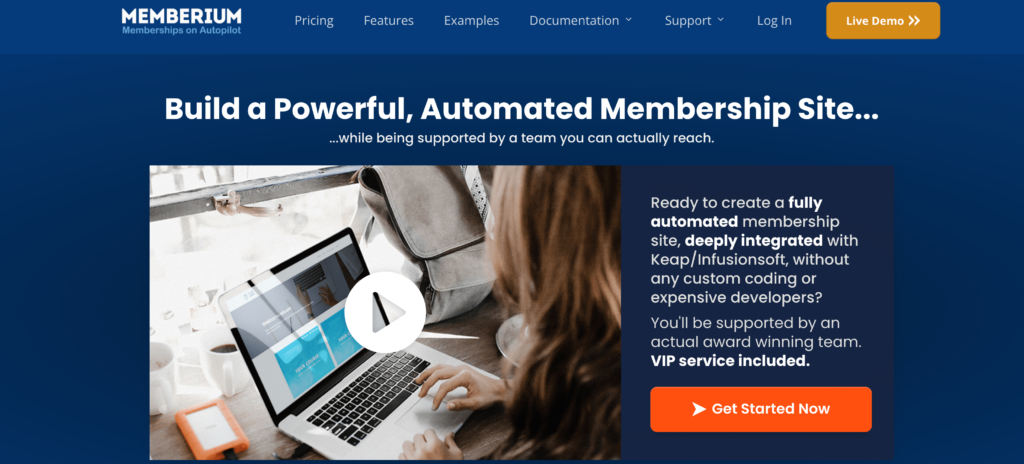
For WordPress users who run content-rich membership sites and want deep CRM automation, Memberium is built with them in mind. Especially geared toward online course creators, coaches, and entrepreneurs who use Keap (formerly Infusionsoft), Memberium offers a tightly integrated way to control access, personalize user experiences, and automate every part of the membership journey.
What Is Memberium?
Memberium is a premium WordPress plugin that connects your WordPress site with Keap/Infusionsoft, allowing you to build advanced, automated membership sites. It controls what content your members see, tracks their behavior, and uses tag-based rules to tailor content delivery and engagement, all through the CRM you’re already using.
Rather than being a general-purpose membership plugin, Memberium is built specifically for users of Keap and ActiveCampaign. This focus allows it to go deep where other plugins remain shallow, especially when it comes to automation and personalization.
Tag-Based Access Control
At the core of Memberium’s system is tag-based access. You don’t manually assign users to roles or levels. Instead, your CRM tags do the work. This means your email sequences, purchase flows, and content access are all managed in one place, allowing for a smoother backend and a more dynamic front-end experience for your members.
Dynamic Content Personalization
Memberium lets you show or hide specific content based on the user’s tags, membership level, or past behavior. This creates the kind of highly personalized experience users now expect, like showing only the lessons they’ve unlocked, or recommending next steps based on progress.
This type of granular control is especially useful for online courses, coaching programs, and digital product libraries where content needs to be unlocked progressively or customized for each user.
Built-in Course and Learning Tools
While Memberium isn’t a full LMS on its own, it integrates smoothly with learning tools like LearnDash, enabling you to create tiered course access, drip modules, and track student activity, all while syncing with your CRM.
For those running knowledge-based businesses, this ensures everything from onboarding to certification can be automated and personalized.
Tight Integration with Keap and ActiveCampaign
The real selling point of Memberium is how deeply it connects your CRM with your WordPress site. Every login, content unlock, or purchase can trigger automation in Keap or ActiveCampaign. You can build smart funnels where users receive the right email, see the right content, and get nudged toward the next offer, all based on real-time behavior.
This kind of integration eliminates the need for clunky middleware or manual syncing and is a major reason why Memberium is trusted by thousands of serious marketers.
Usability and Setup
Memberium is a robust tool, and that means it does come with a learning curve. The plugin is best suited for users already comfortable with Keap/Infusionsoft or ActiveCampaign. However, the documentation is detailed, and their support is responsive and experienced with both CRMs and WordPress.
It works well with standard WordPress themes and popular builders, although some design customization might require developer help. Once configured, Memberium runs reliably and scales well as your membership base grows.
Pricing and Plans
Memberium doesn’t offer a free version. Pricing starts at $597/year for a single site. This includes full access to features, integrations, and updates. While it’s a higher upfront cost compared to many general-purpose membership plugins, the value lies in the depth of CRM automation it unlocks.
It’s designed for businesses that are already monetizing their memberships and want to maximize retention, upselling, and personalization through automation.
Pros and Cons
Memberium shines in its deep integration with CRMs, offering tag-based control, behavioral tracking, and personalized content delivery that few competitors can match. It works smoothly with learning tools, supports automation-heavy workflows, and is ideal for those who already rely on Keap or ActiveCampaign.
It’s not for beginners. There’s a learning curve, particularly if you’re new to CRMs or haven’t yet mapped out your automation. It’s also more expensive than many entry-level membership plugins, which might be a barrier for hobbyists or small sites with basic needs.
If you’re running a serious online business and want your membership site to be as smart and automated as your email marketing, Memberium is one of the best tools available. It’s ideal for course creators and digital product sellers who use Keap or ActiveCampaign and need a seamless bridge between WordPress content and CRM automation.
Restrict Content Pro
Restrict Content Pro is one of the biggest names when it comes to membership plugins. It comes from Pippin’s Plugins, the same team behind Easy Digital Downloads and AffiliateWP. Pippin has rightfully built a reputation for releasing high-quality plugins and Restrict Content Pro is no exception.
Restrict Content Pro lets you create unlimited subscription levels. You can choose between free, trial, and premium subscriptions, which gives you a good deal of flexibility.
You can also get creative with pricing. For paid memberships, you can choose to charge a certain fee for a set period, as well as an optional one-time fee. This combination allows for some exciting pricing structures. For example, you could charge something like $20 per month with a one-time $50 signup fee.
If users want to move between plans, they can easily upgrade or downgrade and have the amount they paid prorated to their new plan. Only if you allow it, of course. Not many membership plugins offer this functionality.
To structure membership content, Restrict Content Pro lets you restrict content on a per-post basis. Or, you can use shortcodes to only restrict specific content inside an otherwise available post/page.
Restrict Content Pro vs MemberPress
ARMember Membership Plugin WordPress
ARMember WordPress membership plugin is an exceptional plugin that offers a unique set of features to boost your WordPress membership website.
If you are looking to create a WordPress membership website to sell online courses, PDF downloads, or digital resources, ARMember is a strong fit for building a capable membership site.
Better yet, you do not require to be a tech-savvy person to create a membership website for WordPress.
Let’s have a glance at the impressive features of the ARMember WordPress Membership plugin:
- It offers you gated content using the “content restriction” feature for various membership plans. Setting the content protection rules for posts, pages, taxonomy, custom posts, BuddyPress pages, and more.
- Allows you to access the “Drip Content” feature that gives you the option to schedule the content release for the selected posts, pages, custom content, user posts, and even for the products. It enables you to drip content (Immediately, after a certain time of subscription, after a certain time post is published or is modified, or from a specific date range)
- A striking feature of multiple payment gateways is to offer your members recurring payment options such as (Daily, Weekly, Monthly, Quarterly, yearly, or a one-time payment option) for accessing your premium content.
- Provides you with the powerful feature of the Membership setup wizard with the use of a single shortcode to integrate your plans, registration form, payment gateways, and coupons.
- Facilitates you with the Built-In form builder to create the signup/login forms with numerous customization options.
- Email Opt-Ins with the most famous email marketing software platforms
- Sending custom email notifications to the users or admins for a new subscription, failed payment, when the trial period ends, membership expired, and more. You can even create advanced notifications simply by editing the templates.
- Over 21+ Add-Ons options that help you to scale up your WordPress membership website.
Similarly, ARMember has plenty of other uniquely advanced features like if you want to Block IP Addresses, usernames, signups, and Block URLs, then you can even enable login attempt security as well. For higher security concerns, it even facilitates the two-step login verification feature.
Moreover, if you are looking to build an on-site social network where your site members can engage themselves by building connections, sending a friend request, following/unfollowing, private messages, and much more then ARMember Social Community Add-on can be a sure option to opt for!
MemberPress vs Paid Membership Pro
Pair Your Membership Plugin With a Community and Course Layer
A membership plugin handles what it was built for: access control, payment processing, and subscription management. What it does not handle is what members actually do once they are inside your site.
Two gaps come up on nearly every membership site. First, there is no dedicated space for members to connect with each other. Second, there is no structured way to deliver course content. Sites end up bolting in third-party tools that do not integrate cleanly, or committing to heavyweight LMS platforms that do far more than needed and introduce their own complexity.
Both gaps are worth closing before your member count grows. The two tools below slot in alongside whatever membership plugin you are running, without requiring you to rebuild your access rules or migrate your subscriber data.
BuddyNext: Free Community Engine for WordPress
BuddyNext is a free community engine for WordPress that adds member profiles, activity feeds, private messaging, and groups directly to your site. It gives members a reason to log in between content drops, which addresses one of the most common drivers of membership churn: members who stop perceiving value in the weeks between your posts or updates.
It works alongside the plugins covered in this roundup. You restrict BuddyNext groups or spaces by membership tier using your existing plugin. Higher-tier members get access to private mastermind groups; basic members see the open community. The access logic stays in your membership plugin where it belongs. BuddyNext handles the social experience on top.
Because it is built on the same WordPress database, there is no external platform to sync with and no separate subscriber list to maintain. Everything stays inside your site and under your control.
You can download it and read more at buddynext.com.
Learnomy: Free LMS for Course-Based Memberships
Learnomy is a free LMS plugin designed to sit inside an existing membership stack rather than replace it. Where platforms like LearnDash are built to operate as standalone course systems, Learnomy is designed to complement a membership plugin. Your membership plugin controls who can access which course. Learnomy handles the learning flow: module organization, lesson sequencing, and progress tracking.
The two concerns stay separate by design. Your access rules remain consistent across regular content and courses without any syncing setup, and you do not end up with two competing systems trying to manage the same users. For creators running a course component as part of a broader membership offer, this is a more straightforward path than adopting a full LMS platform with its own subscription tiers and admin interface.
If you want to see how it works before installing anything, there is a live Learnomy demo environment that launches instantly without requiring an account.
Final Thoughts on Membership Plugin WordPress
Each of the plugins covered here takes a different approach to the same core problem: controlling access and managing payments on a WordPress site. The right choice depends on where you are in building your membership business, how much automation you need, and whether you already have a CRM you want to plug into.
For most creators starting out, Paid Memberships Pro or MemberPress will cover the core requirements cleanly. For businesses that have outgrown basic access control and need deep reporting or CRM-driven automation, MemberMouse or Memberium may be worth the higher cost.
Once you have your membership plugin in place, consider what happens inside the membership. Layering on a community tool like BuddyNext and a course delivery tool like Learnomy gives your members more reasons to stay engaged, without requiring a platform migration or a new subscription billing system.
I hope this roundup helps you find the right membership plugin for your WordPress site. If you have questions or a plugin you have found useful that is not on this list, feel free to leave a comment below.
Related reading