
7 min read
MemberPress vs Paid Memberships Pro: Pricing and Features Compared


Last updated: 7 November 2026
Membership websites are viral these days. Everyone wants to add membership plans to websites to monetize them. Membership websites are also excellent ways of getting loyal members for your website. To create a perfect membership website, you need to install plugins. Two of the most popular membership plugins available to us are MemberPress and Paid Memberships Pro. These plugins will allow you to add extraordinary membership features to your website and gain many customers. However, most of us are confused regarding which plugin to go for, MemberPress or Paid Memberships Pro. Here we have discussed both these plugins in detail. We have also compared the important features of these plugins. For a broader shortlist beyond this one-vs-one comparison, review our updated guide to the best WordPress membership plugins.
Quick answer: Choose MemberPress if you want a paid, all-in-one plugin with built-in courses and community features, starting at $399 per year (a $199.50 introductory price is currently listed). Choose Paid Memberships Pro if you want a free core plugin you download from paidmembershipspro.com, with paid plans from $499 per year. Both handle membership levels, content restriction and recurring payments.
Table of Contents
- MemberPress vs Paid Membership Pro
- MemberPress
- Paid Memberships Pro
- Pricing
- Comparison Table
- Payment Processes
- Integrations
- Other Features
- Which to Choose
- Conclusion
- Frequently asked questions
MemberPress vs Paid Membership Pro
1. MemberPress
MemberPress plugin is an all-in-one membership plugin for your WordPress website. The plugin will help you to create excellent membership websites on WordPress. You will be able to accept online payments and control who gets access to your content. You will also be able to sell digital products without facing any difficulties. It is effortless to set up this plugin. You will be easily able to create and manage membership subscriptions. MemberPress also allows you to manage digital downloadable products from your website. The plugin provides you with the ability to manage your members by restricting their access to pages, posts, videos, and other categories based on their membership plans.
MemberPress plugin offers several excellent features to your WordPress website. Its Growth and Scale plans include ClubSuite community features, in the same space as a social community, and all plans include a built-in courses platform for selling online courses. It will integrate with your WordPress website. MemberPress also comes with three plans, Launch, Growth and Scale, which differ by payment gateways, transaction fee and included features (see the pricing section below). Its email integrations include Mailchimp, ActiveCampaign, Drip and Constant Contact, according to the MemberPress features page.
2. Paid Memberships Pro
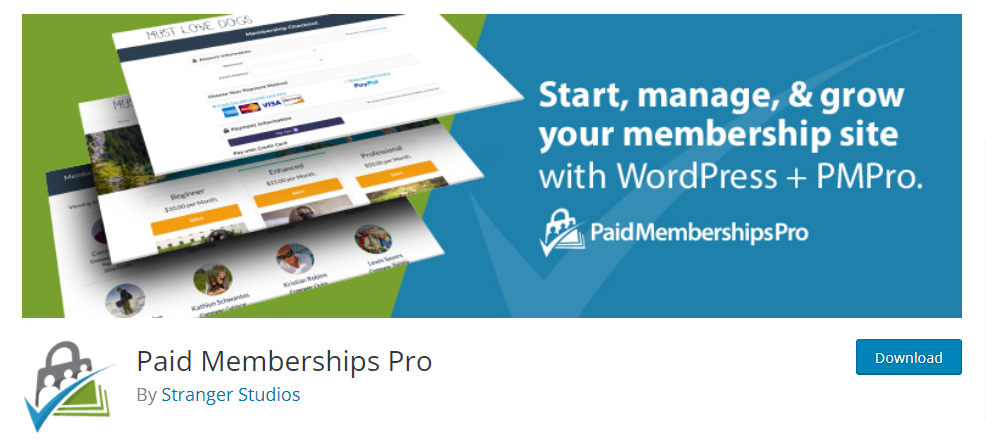
Paid Memberships Pro provides you with the tools required to start and manage your membership website. The plugin is suitable for subscription products, premium content websites, newsletters, and many more. The users will be able to select their membership level as per their choice. The checkout process is easy. As soon as your user completes the checkout process, he or she will immediately become a member of your website. You will be able to decide what content you want your members to access. The members will be able to log in and view their payments. They can also update their underlying information or cancel their account from the website itself.
Paid Memberships Pro lets you restrict access to the members-only content. Its site says you can create unlimited free or paid membership levels and protect 28 different types of website content. Several flexible pricing options are provided, including recurring payments, free membership subscriptions, and trials. It works with Stripe and PayPal, offline payments, and a built-in default gateway, per its features page. Some of Paid Memberships Pro’s most useful features include front-end user registration, front-end login, front-end profile editing, WP dashboard access, and many more. The plugin has a lot of popular add-ons, including Mailchimp and WooCommerce integration.
One change matters if you are installing it today. Paid Memberships Pro was closed on WordPress.org on 17 October 2024 at the author’s request, so you can no longer install it from the WordPress plugin directory. The free core plugin is downloaded from paidmembershipspro.com instead, which also lists the plugin as 100% GPL open source.
Pricing
All prices below are in US dollars as shown on each vendor’s pricing page on 7 November 2026. Local prices, taxes and renewals can differ, so confirm at checkout.
| MemberPress | Paid Memberships Pro | |
|---|---|---|
| Entry plan | Launch: $399 per year ($199.50 introductory price listed) | Free core plugin ($0); Standard: $499 per year or $49 per month |
| Mid plan | Growth: $699 per year ($349.50 introductory price listed) | Max: $999 per year or $99 per month (listed as regularly $149) |
| Top plan | Scale: $999 per year ($499.50 introductory price listed) | Max 2x: $2,999 per year or $299 per month |
| Transaction fee | 4.9% per successful payment on Launch; 0% on Growth and Scale | Not stated on the pricing page |
| Renewals | Introductory prices are special pricing; annual renewals are at full price | Annual billing saves about two months versus monthly |
| Refund policy | 14-day money-back guarantee | 100-day money-back guarantee on premium plans |
The two vendors structure plans differently. MemberPress limits payment gateways by plan: Launch is Stripe only, Growth adds PayPal, Square and offline payments, and Scale adds Authorize.net. Paid Memberships Pro’s Max and Max 2x plans are tied to its managed hosting environment, while Standard is the plain license for one site. MemberPress Launch also charges a 4.9% fee per payment on top of the normal processor fees, which is worth modeling against your expected revenue.
Comparison between MemberPress and Paid Memberships Pro
Membership features:
| MemberPress | Paid Memberships Pro | |
|---|---|---|
| Different membership levels | Yes | Yes, unlimited free or paid levels |
| Restrict content access | Yes | Yes, 28 content types per its site |
| Discounts and coupon codes | Yes, unlimited coupons | Yes, discount codes |
| Content dripping | Growth and Scale plans | Yes, per its features page |
| Built-in courses | Yes, unlimited courses and lessons on all plans | Not listed on its features page |
| Affiliate program | Easy Affiliate included on Scale | Check current add-ons |
Payment Processes
| MemberPress | Paid Memberships Pro | |
|---|---|---|
| Stripe | Yes, all plans | Yes |
| PayPal | Yes, Growth and Scale | Yes |
| Authorize.net | Yes, Scale only | Check current gateway documentation |
| Square | Yes, Growth and Scale | Not listed |
| Offline or manual payments | Yes, Growth and Scale | Yes |
Integrations
| MemberPress | Paid Memberships Pro | |
|---|---|---|
| Mailchimp | Yes | Yes |
| ActiveCampaign, Drip, Constant Contact | Yes | Check the add-on library |
| WooCommerce | Not listed on its features page | Yes, per its features page |
| BuddyPress | Not listed; ClubSuite adds its own community features | Yes, listed as an integration |
| Amazon S3, Zapier, REST API | Scale plan | Check the add-on library |
Other Features
| MemberPress | Paid Memberships Pro | |
|---|---|---|
| Support | Standard on Launch, Priority on Growth, VIP on Scale | Technical support on paid plans |
| Two-factor authentication and social login | Growth and Scale | Check the add-on library |
| Licensing | Commercial plugin | 100% GPL, per its site |
| Where to get it | memberpress.com | paidmembershipspro.com (closed on WordPress.org since October 2024) |
Some features are listed as “check” because the vendor pages we opened did not name them. Confirm those on the vendor sites before you commit.
Which to Choose
Pick MemberPress when you want one commercial product that covers payments, courses and community features under a single support contract. Pick Paid Memberships Pro when you want to start with a free core plugin, add only the add-ons you need, and keep an open-source codebase.
If you plan to build a community with BuddyPress, Paid Memberships Pro lists a BuddyPress integration, and our guide on how to add paid memberships to a BuddyPress community walks through the setup.
Summary
As you can see, both of these plugins come with a unique set of features and functionalities, each catering to specific needs and preferences. Selecting the right plugin depends on understanding your goals and the requirements of your membership website. Whether you prioritize ease of use, advanced customization options, or seamless integrations, the choice should align with your vision for your site. Take the time to evaluate your needs, such as payment gateways, content restriction capabilities, and user management features, to ensure you select the best fit. With the right plugin, you can create a professional and user-friendly membership website that delivers value and a seamless experience to your users.
Frequently asked questions
Is Paid Memberships Pro still on WordPress.org?
No. It was closed on WordPress.org on 17 October 2024 at the author’s request. You download the free core plugin from paidmembershipspro.com instead.
How much does MemberPress cost?
MemberPress lists Launch at $399 per year, Growth at $699 and Scale at $999, with introductory prices of $199.50, $349.50 and $499.50 shown on 7 November 2026. Annual renewals are at full price.
Does MemberPress charge transaction fees?
The Launch plan charges 4.9% per successful payment. Growth and Scale charge 0%. Standard processor fees from Stripe or PayPal apply on top.
Is Paid Memberships Pro really free?
The core plugin is free and listed as 100% GPL. Premium add-ons and technical support need a paid plan, which starts at $499 per year for Standard.
Which plugin is better for courses?
MemberPress includes a built-in courses platform on every plan. Paid Memberships Pro does not list a built-in course feature on its features page, so you would combine it with a separate course plugin.
Which plugin works with BuddyPress?
Paid Memberships Pro lists a BuddyPress integration on its site. MemberPress does not list one on its features page, but its Growth and Scale plans include their own ClubSuite community features.
Related reading