
3 min read
Best LearnDash Reporting Tools for 2026


Understanding how your online course performs is critical to improving student outcomes. LearnDash’s built-in analytics cover the basics, but dedicated reporting tools give you deeper visibility into learner progress, engagement patterns, and content effectiveness. With the right tool, you can make data-driven decisions that directly improve your courses.
Here are the best LearnDash reporting tools for 2026, along with what to look for when choosing one. If you’re still evaluating LMS options, start with our overview of the best LearnDash features to see why it’s the top WordPress LMS.
What Is LearnDash Reporting?
LearnDash reporting tools collect and analyze data from student interactions with your course content. They track metrics like:
- Course enrollment numbers
- Completion rates for courses and individual lessons
- Average time spent on modules
- Quiz and assessment performance
- User engagement metrics (login frequency, activity patterns)
This data helps you identify where students struggle, which content drives the most engagement, and where your course needs improvement.
What to Look for in a LearnDash Reporting Tool
When selecting a reporting tool, evaluate these criteria:
- LearnDash compatibility, The tool must integrate seamlessly with your LearnDash installation.
- Ease of use, Data should be presented in clear, understandable visualizations without requiring analytics expertise.
- Customization, You should be able to generate reports tailored to your specific goals and metrics.
- Data visualization, Charts, graphs, and dashboards make complex data sets actionable.
- Real-time reporting, Live data tracking lets you monitor student progress as it happens.
- Data security, The tool should protect sensitive student information.
- Cost, Choose a tool that offers value without sacrificing essential features.
Top LearnDash Reporting Tools for 2026
1. LearnDash Dashboard
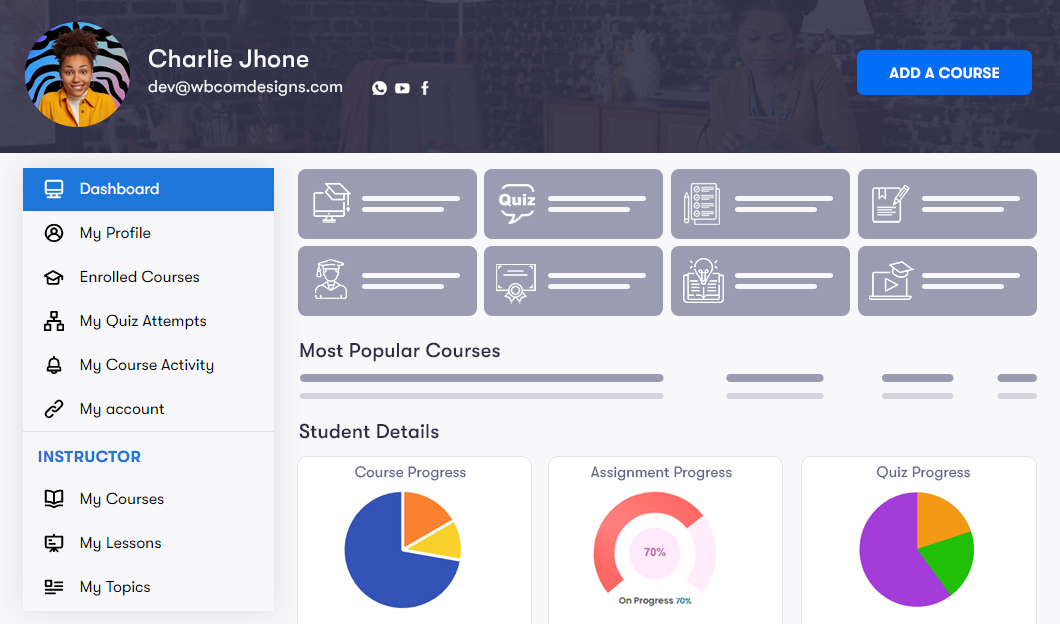
LearnDash Dashboard is one of the most powerful reporting tools available for LearnDash. It provides detailed reports on course progress, user activity, and performance metrics through customizable widgets displayed in a clear, easy-to-understand format.
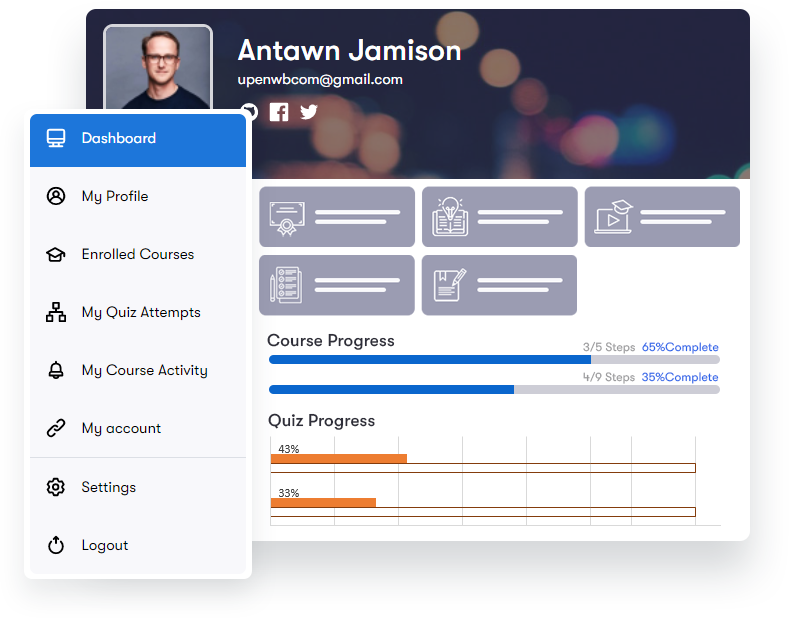
Key highlights include real-time user activity tracking, customizable dashboards, and a built-in front-end course builder that lets you create courses without accessing the WordPress backend. For a deeper look at analytics capabilities, see our LearnDash analytics plugin guide.
2. Uncanny Automator
Uncanny Automator lets you automate reporting and analysis tasks, saving time and increasing efficiency. Create custom workflows triggered by specific events, course completions, quiz scores, or enrollment milestones, and generate automated reports across multiple data sources.
3. GrassBlade xAPI Companion
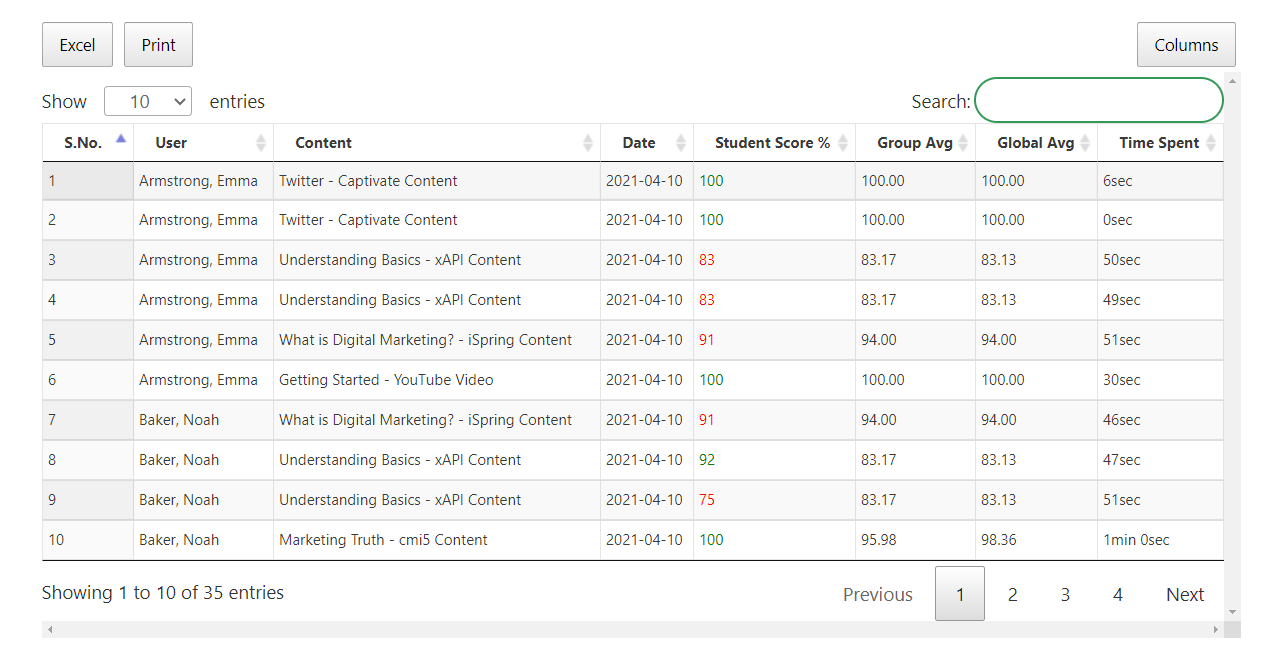
GrassBlade xAPI Companion uses Experience API (xAPI) technology for advanced tracking, including interactions with multimedia content and simulations. Its customizable analytics dashboards provide granular insights that go beyond standard LMS reporting.
4. LearnDash Reports by WisdmLabs
LearnDash Reports offers comprehensive analysis of user activity, course progress, and engagement metrics. It includes customizable report types, course completion reports, user activity reports, with clear visualizations including graphs and charts.
5. LearnDash Toolkit
LearnDash Toolkit provides a suite of reporting widgets including course progress trackers and quiz analysis tools. It integrates with Google Analytics and Microsoft Power BI, letting you pull data from multiple sources for comprehensive reporting.

Summary
The right LearnDash reporting tool transforms raw course data into actionable insights. Whether you need real-time dashboards, automated workflows, or xAPI-level tracking, these tools help you understand learner behavior and continuously improve your courses. Start with LearnDash Dashboard for the most complete reporting experience, then extend with specialized tools as your needs grow. If you’re also weighing platforms rather than just addons, see what native, built-in reporting looks like in this real analytics dashboard walkthrough.
Updated on March 14, 2026
Best LearnDash Features That Make It the #1 WordPress LMS
Best LearnDash Analytics Plugin for Course Insights
Related reading