
14 min read
Best Platforms To Create And Sell Online Courses In 2026

Last updated: 11 November 2026
Quick answer
Our pick is Learnomy, made by our team at Wbcom Designs, if you want to own the school: it is a free WordPress LMS plugin with no platform fee on sales, and Pro starts at $149 a year. Choose by who should own the school. If you already have a WordPress site, or want to keep all sales and student data, use a WordPress LMS plugin: Learnomy, LearnDash or Tutor LMS. If you want a hosted, all-in-one service with no server to run, Teachable, Thinkific, Kajabi and Podia are the main options, and their prices differ more than their feature lists. Learnomy is not the right choice if you want a hosted service with a built-in marketplace and no site to maintain.
Selling online courses means picking a place to host lessons, take payments, track students and send certificates. This guide compares two kinds of tool: hosted platforms that run on the vendor’s servers, and plugins that run inside your own WordPress site. It gives current prices from each vendor’s page, the fees that eat your income, and the trade-offs. If you are still choosing a topic, read our list of online course ideas that are gaining popularity. For an overview of the category, see learning management system software.
Disclosure: Learnomy is made by our team at Wbcom Designs, the company that publishes this site. It leads this guide because it is our product, so weigh that. We checked the others by the same criteria and say where ours does not fit. All prices were read from vendor pages on 11 November 2026 and change often. We did not sign up for or test any platform.
How we chose what to include
- Lets you sell your own courses with built-in or supported payments.
- Has a current vendor page we could open for prices and features.
- Is still sold and updated in 2026. WordPress plugins had releases in the last month or so.
We kept Udemy in the guide as a different kind of choice (a marketplace), but we could not open its current instructor terms, so we state no revenue figures for it. We removed the old claim that LearnDash includes video recording and editing, because LearnDash is a learning management system and does not record video. The old Udemy course and student counts were also removed, since we could not confirm them.
Comparison table
| Option | Type | Starting price we could see | Platform fee on sales | Best for |
|---|---|---|---|---|
| Learnomy (Wbcom, our pick) | WordPress plugin | Free; Pro from $149 a year | $0 platform fee; your payment fees | No-fee courses on WordPress |
| Teachable | Hosted | $29 a month billed yearly ($39 monthly) | 7.5% on Starter; 0% on higher plans with Teachable Payments | Simple setup, creators who want apps |
| Thinkific | Hosted | $82 a month billed yearly ($109 monthly) | Not stated as a platform fee; payment processing fees apply | Course-first schools with communities |
| Kajabi | Hosted | $143 a month billed yearly ($179 monthly) | No revenue share; card fees apply | All-in-one marketing and funnels |
| Podia | Hosted | $42 a month billed yearly ($49 monthly) | 5% on Mover; none on higher plans | Courses plus downloads and community |
| LearnDash | WordPress plugin | $350 a year (1 site) through Liquid Web | None from LearnDash; your payment fees | Established WordPress course sites |
| Tutor LMS | WordPress plugin | Free; Pro price on vendor site | None from Tutor; your payment fees | Free start with many features |
| Udemy | Marketplace | Free to list | Revenue share, not confirmed | Reaching new learners |
Hosted platform or WordPress plugin?
This choice affects your costs and control more than any feature.
Hosted platforms
- Good: nothing to install or update, support from the vendor, and checkout, video and email in one login.
- Not so good: a monthly fee that rises with your numbers, rules set by the vendor, and moving away later means moving students and content by hand.
WordPress plugins
- Good: you own the site and the data, there is usually no platform fee on sales, and it fits with the rest of your site, such as a blog, a store or a community.
- Not so good: you need hosting, backups, updates and some skill, and video hosting is a separate cost.
Marketplaces
A marketplace such as Udemy brings its own audience, but it sets the rules, price floors and the share of each sale. You do not own the customer relationship. It works as a way to reach new learners, not as the home of your business.
What to compare before you pay
- Total monthly cost at your size. Several hosted plans limit products, contacts or admins. Check the limit that you will hit first.
- Transaction fees. Some plans take a percentage of each sale on top of the card processor’s fee. Teachable’s Starter plan lists 7.5%, and Podia’s Mover plan lists 5%.
- Payment processor fees. These apply everywhere. Teachable’s page shows 2.9% plus 30 cents for U.S. cards as an example. Rates vary by country.
- Video hosting. Some platforms include it. WordPress sites usually need a separate service.
- Certificates, quizzes and drip. Check which plan includes them. Thinkific’s Start plan has quizzes and certificates, while Teachable lists certificates on Growth.
- Branding. Several lower plans keep the vendor’s name on your pages.
- Leaving. Ask how to export students, courses and sales records.
The platforms and plugins in detail
1. Learnomy (our pick, made by our team)
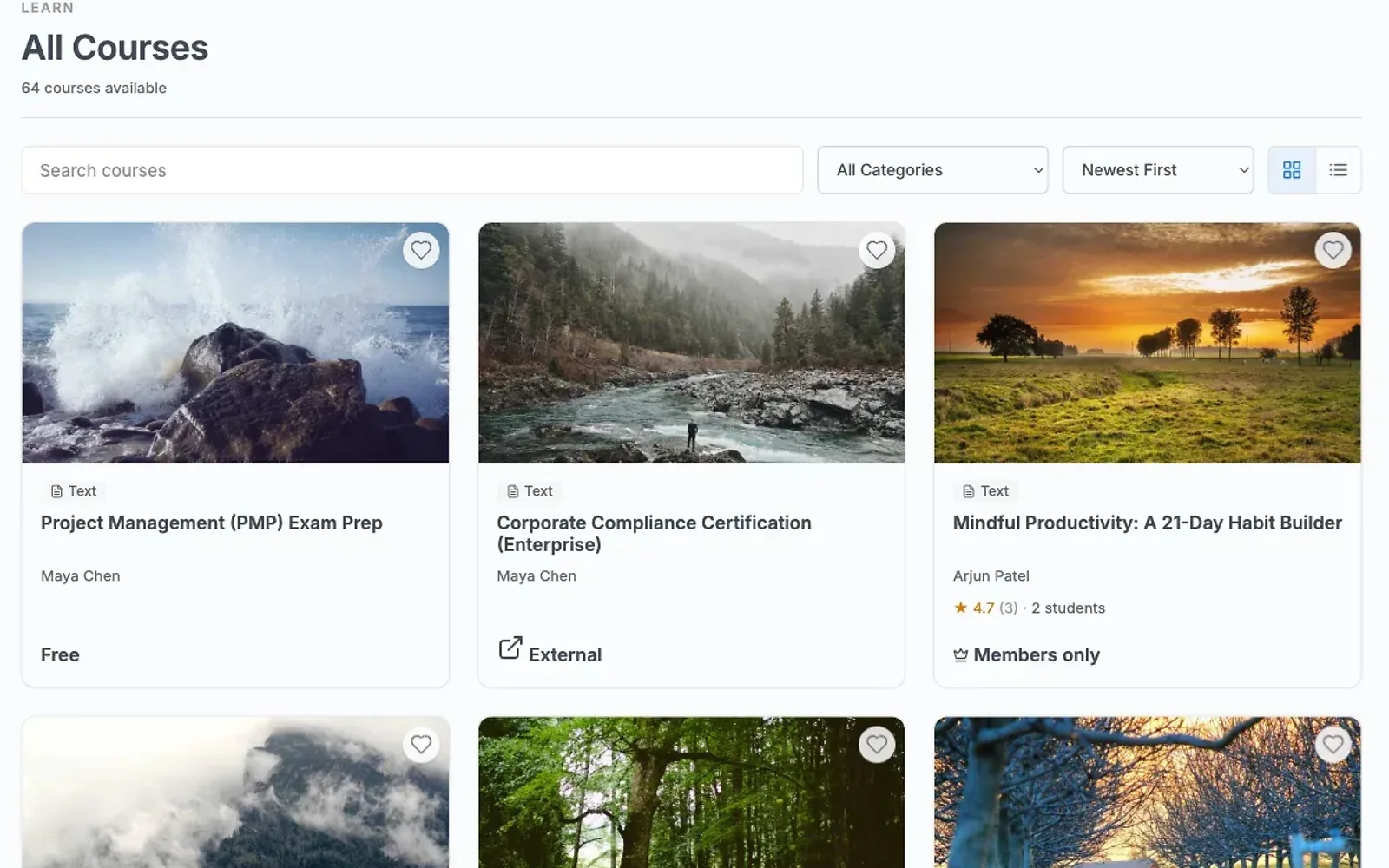
Learnomy is a WordPress LMS plugin that the page describes as a complete course platform inside WordPress that runs standalone. The free version has no time limit and includes unlimited courses and students, Stripe and PayPal checkout, membership plans, quizzes, certificates, instructor commissions and the full REST API. Pro adds seat sales to companies, a gradebook with assignments, SCORM, xAPI, LTI, QTI and H5P support, drip content, learning paths, cohorts, subscription upgrades and payment retries, Stripe Connect instructor payouts, Open Badges 3.0, white label and analytics.
- Pricing: Pro is $149 a year for 1 site, $249 for 5 sites and $399 for unlimited sites. Lifetime plans are $399, $599 and $999. All tiers include the same Pro modules. Annual licences renew at 30% off.
- Fees: the page says it takes $0 platform fee on any sale. You pay your payment processor’s fees. Marketplace sites can take their own commission.
- Payments: built-in Stripe and PayPal checkout without WooCommerce, and support for WooCommerce, Easy Digital Downloads, MemberPress, Paid Memberships Pro and Restrict Content Pro.
- Video: the page says protected video works when the MediaShield plugin is active.
Best for: a WordPress site owner who wants to start free, pay no platform fee and add Pro features such as cohorts and SCORM later.
Not the best fit if: you want a hosted service with support from a vendor who runs the servers, or an existing audience of learners to find you. LearnDash has the longer track record and the larger add-on set. The page does not state a refund policy, so read the terms.
2. Teachable
Teachable is a hosted course platform. Its pricing page lists:
- Starter: $39 a month, or $29 a month billed yearly. 5 products, a 7.5% transaction fee, AI creation tools, student apps for iOS and Android, global payments and taxes, upsells and cart recovery, and 1 admin.
- Builder: $89 monthly, or $69 billed yearly. 10 products, 0% transaction fee with Teachable Payments, an affiliate program and real-time support.
- Growth: $189 monthly, or $139 billed yearly. 50 products, certificates, removal of Teachable branding, imported students, custom admin permissions, free subtitles and translations, and 5 admins.
The 0% applies when you use Teachable Payments, and standard processing fees still apply. There is no free plan. The page states a 7-day free trial and a 30-day money-back guarantee, while a pop-up on the same page mentions a 30-day trial, so confirm the current terms.
Best for: creators who want a simple setup, mobile apps and built-in tax handling.
Watch for: the cheapest plan takes 7.5% of sales and caps you at five products, and certificates need the Growth plan.
3. Thinkific
Thinkific lists Start at $109 a month ($82 billed yearly), Grow at $219 ($164 yearly), Expand at $499 ($374 yearly), and a custom Plus plan. Start includes unlimited courses, live cohorts and coaching, quizzes, assignments and certificates, bundles and payment plans, memberships, a custom domain, 1 community and 2 administrators. It has no bulk email, API access or analytics. Grow adds branding removal, 3 communities, bulk enrollment by CSV, API and webhooks, analytics and bulk email. Plus adds exams, SSO, SCORM and learning paths. Thinkific Payments has a standard rate of 2.9%, and using Stripe or PayPal as a gateway adds a third-party gateway fee that varies by plan. A 30-day free trial gives access to the full platform. A branded mobile app costs $199 a month extra.
Best for: schools that want live cohorts, communities and certificates from the first plan.
Watch for: the entry price is the highest of the hosted options except Kajabi, and analytics and email sit one plan up.
4. Kajabi
Kajabi is an all-in-one platform for courses, memberships, coaching, email, landing pages and funnels. The pricing page lists Basic at $179 a month ($143 billed yearly, 2,500 contacts, 5 products), Growth at $249 ($199 yearly, 25,000 contacts, 50 products) and Pro at $499 ($399 yearly, 100,000 contacts, unlimited products). It says Kajabi takes no revenue share. Card processing in the U.S. is 2.9% plus 30 cents on Basic, 2.8% on Growth and 2.7% on Pro, with an outside-processor fee of 2%, 1% and 0.5%. Kajabi branding appears in the footer on Basic. All plans have a 14-day free trial and a 30-day money-back guarantee. Extra contacts cost $125 a month per block of 25,000.
Best for: course sellers who want email, funnels and a community in the same tool and will pay for it.
Watch for: it costs the most, and contact limits push the bill up as your list grows.
5. Podia
Podia lists Mover at $42 a month billed yearly ($49 monthly), Shaker at $84 ($99 monthly) and Earthquaker at $150 ($179 monthly). Mover has a 5% transaction fee, up to 100 email subscribers, 50 products and 500 videos. Shaker and Earthquaker have no transaction fee, and Shaker adds affiliate marketing, upsells, PayPal and Zapier. All plans include courses, digital downloads, community, coaching, events, a website and blog, a custom domain, landing pages and sales tax handling in 230 countries. There is no permanent free plan, but a 14-day trial needs no credit card. Stripe or PayPal charge their own fee, listed at 2.9% plus 30 cents.
Best for: creators who sell courses next to downloads, a community and a small email list.
Watch for: the cheapest plan takes 5% and lacks affiliate tools and PayPal.
6. LearnDash
LearnDash is a WordPress LMS plugin with a course builder, quizzes, assignments, certificates, memberships and group seat sales. It is now sold through Liquid Web. The vendor page lists tiers by site count: 1 site at $350 a year, 10 sites at $599, 25 at $799, 50 at $899 and 100 at $999. Every plan lists LearnDash together with The Events Calendar, Give and Kadence, and the page says MemberDash is in every plan. We could not find a refund policy on the page. The vendor does not take a share of your sales, and your payment processor charges its own fee.
Best for: established WordPress course businesses that want a large add-on set and a long track record.
Watch for: the one-site price is the highest of the WordPress options, and you manage hosting and video yourself.
7. Tutor LMS
Tutor LMS is a WordPress LMS plugin with version 4.2.1, 90,000+ active installs and an update on 9 November 2026. The free version covers unlimited courses and lessons, a course builder and several quiz types. The listing’s changelog tags assignments, a gradebook, content drip, memberships, a certificate builder and reports as Pro features. We could not read the Pro price from the WordPress.org page, so check the vendor site.
Best for: a free start with a large user base.
Watch for: several features you may expect sit in Pro or add-ons.
8. Udemy
Udemy is a marketplace where anyone can publish a course and learners find it through Udemy search and promotions. You do not run a school of your own. Udemy sets prices and promotions, and it takes a share of revenue. We could not open the current Udemy instructor revenue page (it returned a forbidden error), so we cannot state the percentages. Read them on Udemy’s own site before you count on this channel.
Best for: reaching new learners with an entry course, then moving buyers to your own site.
Watch for: you do not own the customer list, and Udemy can discount your course.
Other WordPress LMS plugins
Three more WordPress plugins are worth a look if the ones above do not fit. We read these figures from WordPress.org on 11 November 2026, and did not review their features in detail.
- LearnPress: version 4.4.13, 70,000+ active installs, updated 30 October 2026.
- LifterLMS: version 11.0.1, 10,000+ active installs, updated 4 November 2026.
- Sensei LMS: version 4.27.0, 9,000+ active installs, updated 10 November 2026.
Which should you choose?
- Have a WordPress site and want to own it, or want a free start (our pick): Learnomy, or LearnDash and Tutor LMS as alternatives.
- Want zero setup and a simple price: Podia or Teachable.
- Want live cohorts and communities in a hosted school: Thinkific.
- Want email, funnels and courses in one tool, and can pay: Kajabi.
- Need an audience first: list a short course on Udemy and send learners to your own site.
What a course business costs per month
Compare the full monthly bill, not only the plan price. Here is how to work it out for a school with 200 students paying $100 each over a year, so $20,000 in sales.
- Payment processing. At about 2.9% plus 30 cents per sale, you pay roughly $640 on that sum on any platform. This is the same everywhere, so it does not decide the choice.
- Transaction fee. On a 5% or 7.5% plan, add $1,000 to $1,500. Moving up a plan that removes the fee can pay for itself at this size.
- Plan price. Multiply the monthly price by twelve. A $29 plan is $348 a year, and a $199 plan is $2,388.
- Video and email. If the platform does not include them, add the cost of a video host and an email service.
- Hosting and upkeep for WordPress. Add hosting, backups and your time. For many sites this is the real cost of the plugin route.
The numbers are an example for working out your own case, not a prediction. A transaction fee that looks small at ten sales a month becomes a large line at two hundred.
How to launch your first course
- Pick one clear outcome. “Learn to bake sourdough in a week” sells better than “Baking”.
- Outline before you record. List the lessons and the one thing a learner can do after each.
- Record in short lessons. Five to ten minutes each is easier to finish than one long video.
- Add a check at the end of each section. A short quiz or task keeps people moving.
- Test the whole purchase. Pay with a real card, receive the email and open the first lesson on a phone.
- Offer a refund policy. A clear one lowers the fear of buying.
- Ask the first ten learners for feedback. Fix the weak lessons before you advertise.
Questions to ask a vendor before you buy
- What happens to my courses and students if I stop paying?
- Can I export students, progress and sales in a standard file?
- Which features are in the plan I am buying today, and which need an upgrade?
- Is there a transaction fee, and does it change when I use my own payment processor?
- How are sales tax and VAT handled for buyers in other countries?
- What is the refund policy, and does it cover the first renewal too?
- How long does support take to reply, and is it included on my plan?
Write down the answers. A vendor who answers clearly before the sale is more likely to answer clearly after it.
Frequently asked questions
What is the best platform to create and sell online courses?
It depends on who should own the school. Our pick is Learnomy, made by our team, which runs on your own WordPress site and gives you control of data and fees, as do LearnDash and Tutor LMS. Teachable, Thinkific, Kajabi and Podia are hosted and simple.
Can I sell online courses for free?
Partly. Tutor LMS and Learnomy have free versions on WordPress.org or from the vendor, but you still pay for hosting and payment processing. The hosted platforms here have trials, not permanent free plans.
Which platform has no transaction fee?
Kajabi says it takes no revenue share. Teachable’s Builder and Growth plans and Podia’s Shaker and Earthquaker plans list no transaction fee. WordPress plugins such as LearnDash and Learnomy do not take a share, but your payment processor still charges its fees.
Is a WordPress LMS better than a hosted platform?
It is better if you want ownership and low platform fees and can manage a site. A hosted platform is better if you want to launch fast and have no wish to run updates, backups and hosting.
Can I move my course from one platform to another?
Usually yes, but it takes work. Video files and text move easily. Student accounts, progress and sales history are harder, so ask each vendor how export works before you commit.
Is Learnomy a good LearnDash alternative?
It is an option if you want a free version and no platform fee. LearnDash has been around longer and has a larger add-on set. Read both feature lists against your needs.
What we could not confirm
- We did not sign up for or test any platform. All facts come from vendor pages and WordPress.org.
- We could not open Udemy’s instructor revenue terms, so no figures are stated.
- We did not find a LearnDash or Learnomy refund policy on the pages we read.
- We could not read the Tutor LMS Pro price.
- Teachable’s page states two different trial lengths.
- Hosted prices change often and vary by country. Check the vendor page on the day you buy.
Related reading