
5 min read
Why Premium WordPress Themes Help Developers Build Faster


A premium WordPress theme gives a developer a tested starting point: layouts, templates, options and updates that someone else maintains. Designing a site from a blank folder takes weeks of coding, and a good premium theme turns that into days of configuration. Here are the reasons premium themes help developers, and where they do not.
Last updated: 6 November 2026
Quick answer
Premium WordPress themes help developers because they supply tested templates, design options and vendor support, so a client site reaches launch faster. They do not replace design judgment, performance checks or security updates. Developers still choose the right theme, configure it and extend it with child themes or custom plugins.
Premium WordPress Themes Are a Blessing for Developers
Less boilerplate, more of the work that matters

A premium theme ships with headers, footers, archive layouts, a mobile menu and a settings panel already built. You do not write those from scratch for every client, so your hours go into the parts that are specific to the project.
If you are a coder by heart, there is still plenty of room. WordPress documents child themes as the safe way to change an existing theme: your changes live in a separate folder, so parent theme updates do not overwrite them. The only mandatory file is style.css, with a Template header that matches the parent theme’s folder name exactly. Custom functionality that should survive a theme switch belongs in your own plugin.
Build a website in days, not weeks
Most of the work on a premium theme is already done. What remains is branding, content and a handful of project-specific templates. The time spent on design and development decides how much a project costs, so a theme that cuts the first milestone from weeks to days changes the budget conversation with a client.
The audience for this is large. According to W3Techs, WordPress is used by about 39.5% of all websites and holds a 58.2% share among sites with a known content management system (checked 6 November 2026). A big market means clients arrive with a WordPress site already in mind, and a premium theme is the quickest route to meeting that expectation.
Added value from the start
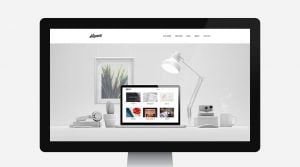
Demo content and live previews let a client see roughly what the finished site will look like before any work starts. That prevents the worst kind of rework: building something the client rejects on first sight. A developer can read the client’s reaction to a demo and learn what they actually expect.
Premium themes also usually bundle things a free theme leaves to you: vendor support, regular updates, documentation and extra page layouts. Compare that with the free directory. The official WordPress.org theme directory lists 8,778 themes at the time of writing, and many of them are excellent, but support is a volunteer forum rather than a paid channel.
Design skills are important too
Think of a premium theme as an instrument in the hands of a developer. It takes a skilled person to judge the difference between shades, typography styles and spacing. A website is not a pile of pictures and fonts someone happens to like, because every design choice has a function and leaves an impression.
A theme gives you good defaults. It cannot decide your client’s hierarchy of information or choose a palette that fits their audience. That is still your job.
The developer’s role gets wider
Themes shift the developer from drawing pages to making decisions about SEO, speed, security and fit. Picking the right theme means assessing the client’s needs first and the demo second.
Modern themes also push configuration into a single file. In block themes, theme.json controls colors, default typography and other global settings and styles. The WordPress handbook says it is not strictly required, yet you will work with it for nearly any theme project. Knowing it makes you better at adapting any premium theme, block-based or not.
What to check before you buy a premium theme
Not every premium theme is worth the licence fee. Before you commit to one for a client, run through these checks.
- Update history. Look at the changelog. A theme with no release for a year is a risk for security and compatibility.
- Licence terms. Confirm how many sites one licence covers and whether client use is allowed.
- Weight. Test the demo in a speed tool. Heavy page builders and sliders can slow a site down.
- Code quality. Look for child theme support, translation readiness and clean template overrides.
- Support. Read the support terms and check how fast the vendor answers pre-sale questions.
Prices vary widely between marketplaces and vendors, so compare the current price on the vendor’s own page before you decide.
When a premium theme is not the right call
A premium theme is a poor fit when the project needs a very unusual layout, when the client wants the lightest possible page, or when the theme brings a dozen features nobody will use. In those cases a lean starter or a custom block theme is the better base.
Frequently asked questions
Are premium WordPress themes worth it for developers?
Yes, when the project has a normal layout and a deadline. A premium theme saves the hours spent on boilerplate templates and settings, and it comes with vendor support. It is less useful for highly custom designs.
Do premium themes need coding knowledge?
No, most are configured through a settings panel or the Customizer. Coding knowledge helps when you want to change templates safely, which is what a child theme is for.
What is the difference between a premium and a free WordPress theme?
Premium themes are sold with paid support, regular updates and usually more layouts and options. Free themes from the WordPress.org directory are reviewed against the directory’s guidelines but come with volunteer support.
Do premium themes help SEO?
A well-built theme gives you clean markup, a responsive layout and sensible heading structure, which supports SEO. The theme alone does not rank a site, because content and links still do the heavy lifting.
Should I use a child theme with a premium theme?
Yes, if you plan to edit templates or styles. A child theme keeps your changes separate, so you can still install parent theme updates.
If you have a thought to share or a thing to suggest, kindly drop a comment below.
Related reading
Related reading