
21 min read
Build Your Social Network Website Like Facebook


Every founder who wants a real community eventually asks the same question: why not just start a Facebook Group? It is free, everyone already has an account, and you can be live in ten minutes.
Then reality shows up. Facebook owns the member list, not you. Facebook’s algorithm decides who sees your posts, not you. Facebook can suspend your group, change the rules, or bury you under an ocean of ads for other people’s products, and there is nothing you can do about it, because you never owned any of it in the first place. And when a member in your group wants to sell a course, a service, or a bit of ad space to the rest of the community, Facebook has no mechanism for that at all. Every dollar your members could be making stays unmade.
This is why “build your own Facebook” keeps coming back as a serious business question, not a vanity project. In 2018 we wrote a short post about that idea, back when the honest answer was “hire a consultant, pick a CMS, and hope BuddyPress add-ons cover what you need.” That answer is out of date. This is the rewrite, a full walkthrough of how to build a self-hosted social network today, on WordPress, with a free plugin called BuddyNext and a small family of companion plugins that turn a community into an actual business. Every screenshot below is from a real, running install, not a mockup, not a marketing render.
Why Not Just Use Facebook For Your Members?
Four reasons keep coming up, and they compound each other the longer a community runs.
Security and data ownership. When your members’ conversations, profiles, and purchase history live inside Facebook’s database, you are one policy change or one account suspension away from losing your entire community overnight, with no appeal process that actually moves fast enough to matter. A self-hosted network keeps every row of data on your own server, under your own backup policy, subject to your own privacy rules, not a third party’s terms of service that can change on a Tuesday with no warning.
Marketing opportunity. A Facebook Group gives you no owned channel back to your members, no email list, no on-site notification system, no way to run your own campaigns without Facebook’s algorithm deciding who actually sees them. Post reach in Facebook Groups has been trending down for years, which means the audience you spent months building becomes progressively harder to actually reach without paying for boosted posts. A self-hosted community is the opposite: every member who joins is a contact you can message, segment, and market to directly, forever, without paying a platform to reach the people who already opted in.
Monetization. This is the big one. Facebook does not let your members sell each other courses, services, or ad placements, and it does not give you a way to charge for membership access. A self-hosted community can do all three at once, and that is the part of this guide with the most new ground to cover.
Control over the experience itself. A Facebook Group sits inside an app designed to maximize time spent on Facebook, not time spent in your community. Every scroll is one tap away from a stranger’s ad, a Reels rabbit hole, or a notification about a completely unrelated group. A self-hosted site has exactly one job: being your community. There is nowhere else for a member’s attention to leak to.
There is a fifth reason worth naming even though it rarely comes up first: discoverability. A Facebook Group is invisible to search engines by design, nothing your members post there will ever bring a new person to your community through Google. A self-hosted community, by contrast, is a real website with real, indexable URLs. A public forum thread, a business listing, a course description page, every one of them can rank, and every visitor who lands on one already has a reason to join. Growth on a self-hosted platform compounds in a way growth inside a closed platform structurally cannot.
What Is BuddyNext?
BuddyNext is a modern, standalone WordPress community plugin, activity feeds, profiles, groups, messaging, and moderation, built to feel like Facebook, X, or LinkedIn, except every byte of it lives on your own server. It does not require BuddyPress. It is not a BuddyPress fork with a new coat of paint. It is a lean, REST-first rebuild aimed at one goal: a community platform that stays fast whether you have 100 members or 100,000.
The core plugin is free, and importantly, it is not a trial. Activity feeds, member profiles, groups, direct messaging, notifications, moderation tools, two-factor authentication, social login, all of it ships in the free version with no artificial caps blocking basic use. A paid BuddyNext Pro layer sits on top for owners who want memberships, advanced moderation, email automation, analytics, and AI features, but Pro never removes a capability that was free, it only adds.
Under the hood, everything runs through a proper REST API rather than the old admin-ajax patchwork most WordPress community plugins still rely on, which is also why a native mobile app is on the roadmap without needing to rebuild the backend. Feeds, directories, and search are cached and paginated for scale, not bolted on after the fact, so a community with a few hundred members and one with a hundred thousand run on the same architecture without a rewrite in between.
Just as important: nothing here is mandatory. Every feature, memberships, moderation rules, gamification, forums, is a toggle an owner switches on when they are ready, not a wall of complexity dumped on day one. That is what a self-hosted platform should feel like: freedom to grow into the features you need, instead of being boxed into someone else’s roadmap.
Who Actually Needs This
Not every audience needs a full social network, and it is worth being honest about that before you build one. A course creator with 200 students might genuinely be better served by a simple forum. But the moment you are dealing with any of the following, a self-hosted community stops being optional and starts being the obvious answer: a paid membership or coaching program where members need to interact with each other, not just consume content; a brand or SaaS product that wants an owned support and advocacy channel instead of a Facebook Group its own competitors can advertise into; a marketplace of practitioners, coaches, freelancers, consultants, who need to both connect with each other and sell to a shared audience; or any niche interest group large enough that losing access to it overnight would actually hurt. If any of those describe what you are building, everything below is built specifically for you.
The Activity Feed, Your Members’ Home Base
The moment a member logs in, they land on the Feed, a familiar, scrollable stream of posts, photos, links, and polls from the people and spaces they follow. Reactions, threaded comments, shares, bookmarks, hashtags, @mentions, the whole vocabulary of a modern social app is here, built into the core plugin at no cost.
A public Explore feed sits right next to it for discovery, a place logged-out visitors and new members can see what the community is talking about before they commit to following anyone, which does real work for onboarding and SEO both.

Member Profiles and Directory
Every member gets a real profile, avatar, cover photo, bio, social links, custom fields, a follow button, and a “Connect” request for mutual relationships closer to a friend request than a one-way follow. The Members directory is fully searchable and filterable, and member types (Student, Mentor, Staff, whatever fits your community) let you organize the directory the way your community actually works.


Spaces, Your Members’ Own Neighborhoods
Spaces are BuddyNext’s version of groups, sub-communities with their own feed, their own membership, and their own settings. Public spaces or request-to-join, unlimited spaces, nested sub-spaces for organizing a large space into focused sub-topics, categories for browsing the directory by interest, roles and moderators scoped to each individual space, and per-space bans when things go sideways in one corner of the community without needing to touch the rest of it. A book club, a founders’ lounge, a trail-running group, a design critique circle, each one gets a home that feels distinct from the main feed, complete with its own notification preferences, without needing a separate site or a separate login.


Private Messaging and Notifications
Members message each other one-to-one with a real inbox, mute, pin, archive conversations, react with emoji, quote-reply, see typing indicators and read receipts. It is built to feel like the DMs your members already use every day, minus the ads and minus the platform reading over their shoulder.

A bell icon and a dedicated Notifications page keep everyone caught up on follows, mentions, comments, and replies, with digest emails available for members who would rather get one roundup a day than a dozen pings.

Moderation and Safety, Built In
A community you own is only worth owning if you can actually keep it safe, and this is where a lot of “roll your own social network” advice quietly goes silent. BuddyNext ships a real moderation stack in the free tier: a report button on every post, comment, and profile; a moderation queue where reports get dismissed, escalated, or resolved with a full audit log behind every decision; warnings and strikes that can auto-suspend a repeat offender; and an appeals process so a suspended member can make their case instead of just disappearing.
Always-on content safeguards, banned-word filtering, blocked link domains, blocked IPs, and post-rate limiting, run quietly in the background without an admin having to babysit the feed. Two-factor authentication and email verification are available at signup, and a “Private Community” lockdown option can turn the entire site members-only with one setting, which matters enormously for communities dealing with sensitive topics. None of this requires trusting a platform’s opaque, one-size-fits-all enforcement, the rules are yours, and so is the record of every decision made under them.
Forums and Discussions, Jetonomy (Free)
BuddyNext handles the social layer beautifully, but sometimes a community needs a proper forum, long-form discussion, Q&A with accepted answers, an ideas board members can vote on. That is what Jetonomy adds, a free companion plugin that plugs straight into BuddyNext’s spaces and design system so it never feels like a bolted-on afterthought.

Threaded replies, a Trust Level system that automatically promotes helpful members and throttles spam, full-text search, and a genuine importer for anyone migrating off bbPress or wpForo. Each Jetonomy space can even mirror into a BuddyNext space’s activity stream, so a new forum topic shows up in the main feed without members having to check two places. Under the hood it runs on its own purpose-built database tables rather than overloading `wp_posts`, which is part of why a busy forum stays fast even after tens of thousands of replies.

Photo and Video Sharing, WPMediaVerse (Free)
Photo sharing is the feature every “Facebook alternative” post promises and half of them fail to deliver cleanly. WPMediaVerse is the free, standalone media engine BuddyNext’s messaging and profile media tabs are actually built on, albums, six reaction types, threaded comments on photos, six privacy levels per upload, and an Explore grid with tag and category filtering.

Members can attach photos directly to an activity post, build albums on their own profile, and browse a public feed the same way they would on Instagram, except every image lives on your server, under your privacy rules, not a third-party CDN scraping metadata for ad targeting.
Gamification, Points, Badges, and a Leaderboard
WB Gamification is completely free with no paid tier at all, and it is one of the most effective retention tools in this whole stack. Points for posting, commenting, completing a profile, finishing a course, the engine tracks dozens of actions across BuddyNext, Jetonomy, Learnomy, and WooCommerce automatically. Badges, levels, streaks, peer-to-peer “kudos,” and even Duolingo-style weekly cohort leagues keep members coming back for reasons that have nothing to do with FOMO marketing.

A community-wide leaderboard gives your most active members visible status, and a redemption store lets them spend earned points on rewards you set, including auto-generated WooCommerce coupons, which quietly turns engagement into a small but real revenue loop of its own. Streaks with milestone bonuses at 7, 30, 100, and 365 days reward consistency specifically, not just volume, which matters because a community full of people who show up daily is worth more than one full of people who posted once and left. Peer-to-peer “kudos” let members recognize each other directly, which spreads the social proof around instead of concentrating it all on a handful of power users.
None of this requires a separate app or a third-party loyalty program bolted on top, it is one plugin, reading real activity across the whole stack, and it costs nothing to run at any community size.

A Career Board Your Members Can Actually Use
WP Career Board turns your community into a job board without leaving WordPress. Employers post openings from a frontend dashboard, candidates apply with or without creating an account, and every posted job automatically drops into the BuddyNext activity feed so it gets seen the way any other update does.

Applications move through a real tracking pipeline, Submitted, Reviewing, Shortlisted, Rejected, Hired, with inline status updates candidates can watch from their own dashboard, and Google-for-Jobs schema markup on every listing so postings can surface in Google’s job search results without any extra SEO work. Company profiles give employers their own public page inside your community, and the plugin ships genuinely free, no payment gate blocking basic job posting. If you want to charge employers for listings later, that becomes a Pro upgrade (a credits system tied to WooCommerce or your membership plugin) rather than something you had to plan for on day one.

Selling Online Courses, and Letting Members Sell Theirs
This is where the “build your own Facebook” idea turns into an actual business. Learnomy is a full learning management system, courses, quizzes with six question types and five different exam layouts, certificates with QR-code public verification, and direct Stripe or PayPal checkout with no WooCommerce required. Instructors get their own dashboard for managing courses, tracking students, and watching earnings, all separate from the general admin so a course creator never needs wp-admin access at all.

The part that changes the whole conversation: Learnomy has a real instructor marketplace built into its free tier. Members can apply to become instructors, get approved, and sell their own paid courses, with a default 30% platform commission going to you as the site owner and the rest automatically split among the instructor and any co-instructors. It is a genuine Udemy-style revenue-share economy running on your own WordPress install, at no extra software cost. If your community doesn’t need a multi-instructor marketplace, a single toggle called Solo Academy mode turns the whole thing into a simple one-owner course site instead, nothing is forced on you.

Business Listings and Directories
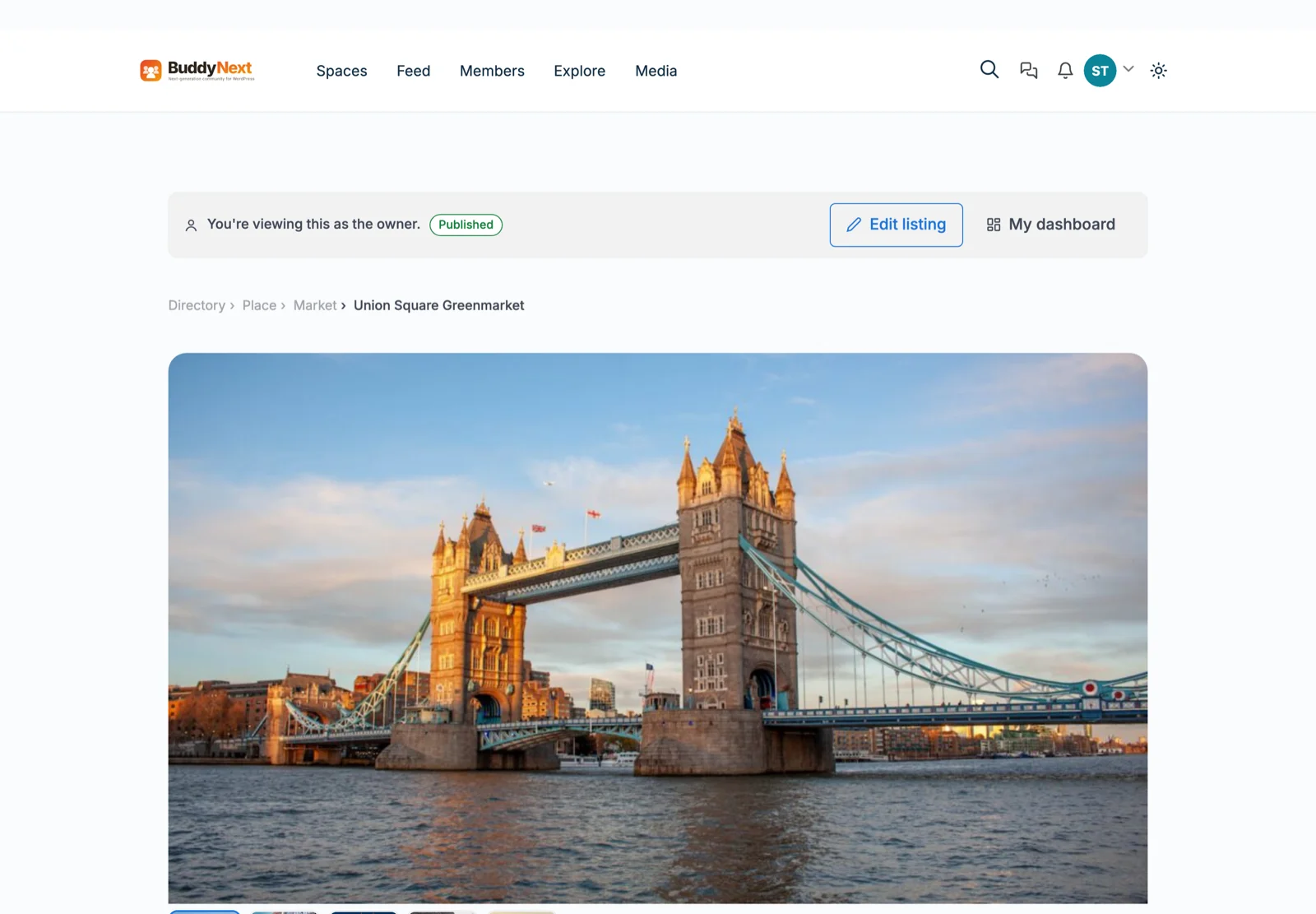
WB Listora turns your community into a real directory, think Yelp or a local business listing site, for restaurants, services, real estate, events, or anything else your members want to catalog. Faceted search, interactive maps, business hours with an automatic Open Now / Closed badge, reviews with owner replies, and a genuine claims workflow for existing businesses someone else originally listed.

Members submit their own listings from a guided, multi-step frontend wizard, no admin access required, and manage everything from a personal dashboard afterward.

Letting Members Sell Services, a Fiverr Inside Your Community
This is one of the more surprising pieces of this stack: WP Sell Services is a complete, standalone service marketplace, no WooCommerce needed, that lets any member become a vendor and sell gigs the way they would on Fiverr or Upwork, without ever leaving your community.

Vendors build tiered pricing packages, collect requirements, deliver files, handle revisions, and get paid through Stripe or PayPal checkout built directly into the plugin. As the site owner, you take a configurable commission on every completed order, anywhere from 0% to 50%, globally or per vendor, which means every transaction your members make with each other quietly puts a percentage back into your own pocket, with zero extra software to manage.

The order flow is built for real disputes, not just happy paths: buyers can request revisions, vendors can propose paid extensions on an active order, and if something genuinely goes wrong there is a built-in dispute process with evidence upload and admin mediation rather than the conversation just falling apart in someone’s inbox. Buyer Requests let members post a job and have vendors bid on it directly, with milestone-based contracts for larger engagements that release payment in stages instead of all at once.
Every vendor gets a real dashboard, active orders, earnings, portfolio, seller level, even a vacation-mode toggle, so this never feels like a bolted-on side feature. It feels like the marketplace was the point all along.

Selling Ad Space, Your Own Facebook Ads Manager, Owned by Your Members
The last monetization piece closes the loop entirely. WB Ad Manager is a free ad rotation engine with placements built specifically for BuddyPress and BuddyNext communities, the activity stream, member directory slots, group pages, all of it. On its own, it is a tool for running your own ads or manually arranged sponsorships.
The Pro layer is where it gets genuinely interesting: it opens an advertiser portal where your own members can become advertisers, load a prepaid credit wallet, and buy ad placements or classified listings themselves, no admin approval bottleneck required for every transaction. Credits can be topped up through WooCommerce, a membership plugin you already use, or a direct Stripe/PayPal checkout, so you are not standing up a new payment processor just for this. A full classifieds marketplace ships alongside it, complete with featured/highlighted/urgent paid upgrades, so members can post and pay to promote their own listings the same way they would on Craigslist or Facebook Marketplace, except every dollar of that stays inside a platform you control.
Five distinct “site modes”, Publisher, Sponsored Advertisers, Paid Portal, Classifieds Marketplace, or Full Platform, let you pick exactly how much of this you want running on day one, and a setup wizard provisions the right pages for whichever mode you choose. You can run this as a simple, owner-managed ad slot today and open it up to member-run advertising later without starting over.


Membership Tiers, the Recurring-Revenue Backbone
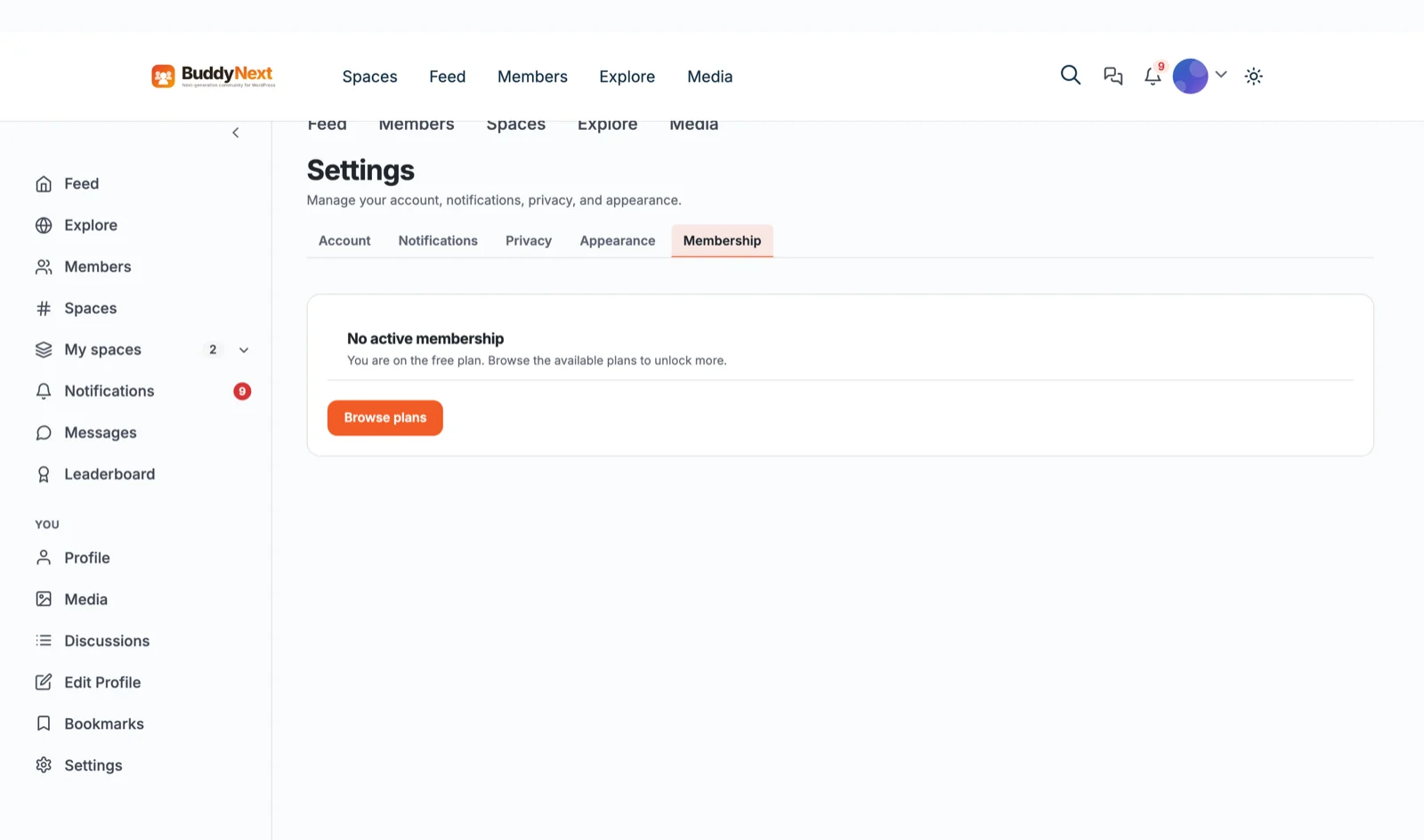
Underneath all of that sits the one feature that ties an entire community into a subscription business: BuddyNext Pro’s membership tiers. Set a price, a billing interval, a free trial, and a granular list of perks, space-creation limits, pinned-post allowances, advanced search, personal analytics, whatever entitlements matter for your plan, then gate specific spaces or individual posts behind that tier. A member who hasn’t paid sees a teaser and a checkout button instead of the content, and an entire space can require a specific tier to join at all, so your highest-value discussion lives behind the paywall while your public feed stays open for discovery and growth.
This is also, notably, an opt-in feature exactly like everything else in this guide, a brand-new BuddyNext install ships with monetization switched off, so a fresh community is never accidentally turned into a paywalled site before its owner is ready. Flip it on in Settings → Features when membership tiers are actually part of the plan, and the pricing page, checkout flow, and billing dashboard all provision themselves automatically.

Set up a plan in the admin, and BuddyNext automatically generates a real, editable pricing page for your community, no separate landing-page builder needed.

Payment gateways are not locked to a single provider, Stripe and PayPal both work out of the box, and there is even a gateway that lets members “pay” for a tier with points they earned through gamification, which is a genuinely unusual and effective way to reward your most engaged members with real access instead of just a badge. Every member gets a self-service billing page, current plan, renewal date, invoices, one-click cancel, so you are not fielding “how do I update my card” emails by hand.
Nothing Is Mandatory, That’s the Whole Point of Self-Hosting
Here is the piece that separates this stack from every hosted alternative: not one of these features is forced on your community. Memberships, forums, gamification, listings, services, ad sales, every single one is an opt-in module you switch on from a settings screen when your community is actually ready for it, not a wall of complexity dumped on a brand-new site.

Turn a feature off, and it is genuinely gone, its database routes, its templates, its nav links all disappear together, not just hidden behind CSS. That is a deliberate design choice, and it is exactly what “self-hosted” is supposed to mean: you decide what your platform is, on your own timeline, instead of a vendor deciding it for you.
How This Compares to the Old BuddyPress Approach
If you have looked into building a WordPress community before, BuddyPress is probably the name you remember, it has been the default choice for over a decade, and it earned that reputation honestly. But BuddyPress was designed in an era before mobile-first design, before REST APIs were standard practice, and before anyone expected a community platform to also run a marketplace. The result, for most site owners, is a familiar pattern: a solid core plugin, then a long shopping list of third-party add-ons to reach feature parity with what people actually expect from a social app in 2026, one add-on for better profiles, another for messaging, another for a modern UI, another for mobile responsiveness, each with its own settings screen, its own update cycle, and its own compatibility risk.
BuddyNext takes the opposite starting position: build the modern feature set into the core, keep the plugin genuinely lean by making everything optional, and let a small number of purpose-built companion plugins, not forty scattered add-ons from a dozen different authors, cover the specialized territory like forums, courses, and marketplaces. You end up with fewer moving parts, a consistent design language across every feature, and one vendor to look to when something needs fixing, without losing any of the depth that made the BuddyPress ecosystem popular in the first place.
How to Actually Build This
The stack, in the order most communities adopt it:
- WordPress. The foundation everything else sits on. Any reasonably modern host works, this is not a heavy install, and you almost certainly do not need to move hosts to run it.
- BuddyNext (free). Install it, run the setup wizard, and you have activity feed, profiles, spaces, messaging, notifications, and moderation live the same day. This alone is a complete, launch-ready community, not a demo waiting for you to unlock the real product.
- A BuddyNext-compatible theme. A theme like Reign adapts to BuddyNext’s design tokens automatically, including dark mode, so you are not hand-writing CSS overrides before you have a single member.
- Add companion plugins as your community actually asks for them. Jetonomy for forums, WPMediaVerse for richer media, WB Gamification for retention, WP Career Board for jobs, Learnomy for courses, WB Listora for listings, WP Sell Services for a service marketplace, WB Ad Manager for ad revenue. Every one of these installs independently and does nothing until you activate it, there is no reason to turn all eight on in week one.
- Turn on BuddyNext Pro’s membership tiers when you are ready to charge for access. Not before. There is no reason to build a paywall before you have anything worth paying for, and every day you wait is a day of goodwill you are not spending.
Nothing here requires a developer, a consultant, or a technology comparison spreadsheet the way the old “Ning vs. Drupal vs. Ruby on Rails” advice did. It requires picking the features your specific community actually needs and turning them on one at a time, which is a fundamentally different, much lower-risk way to build than committing to a full feature set before you have a single member to validate any of it.
Frequently Asked Questions
Is BuddyNext actually free, or is this a “free trial” pattern?
The core plugin is free with no time limit and no artificial caps on the features that matter for launch, activity feed, profiles, spaces, messaging, moderation, two-factor auth, and social login are all fully functional from install. BuddyNext Pro is a separate paid add-on for owners who specifically want memberships, advanced moderation automation, email campaigns, or analytics, but it only adds capability. It never takes something away that was free.
Do I need to know how to code?
No. Every plugin covered here ships with Gutenberg blocks, shortcodes, and setup wizards that provision the required pages automatically. Developers can go deeper through the REST APIs and hooks if they want custom behavior, but nothing here requires it to launch.
Can I migrate an existing Facebook Group or forum into this?
Partially, and it depends on the source. Jetonomy ships one-click importers for bbPress, wpForo, and Asgaros forums with automatic redirects. Facebook itself does not provide a clean export of group posts and members, so a Facebook Group migration is mostly a matter of re-inviting your audience to the new home, which is exactly the marketing-ownership problem this whole guide is about.
What if I never want to sell anything, can I just run a free community?
Yes, indefinitely. Every monetization feature in this stack, membership tiers, course sales, service commissions, ad revenue, is opt-in. A community that only ever uses the free BuddyNext core plus a couple of companion plugins is a completely normal, fully supported way to run this.
Does adding all these plugins slow the site down?
Each plugin here uses its own dedicated database tables rather than overloading WordPress’s core `wp_posts` table, and BuddyNext’s own architecture is built around cached feeds and indexed queries specifically so it holds up at scale. Installing a plugin you are not using yet costs you almost nothing, it does no work until you turn its feature on.
How much of my community’s revenue does the platform itself take?
None of it, by default, every commission rate mentioned in this guide (Learnomy’s instructor split, WP Sell Services’ vendor commission) is money that flows to you, the site owner, not to Wbcom Designs or any third party. You set every percentage. The only recurring cost is whatever you already pay for hosting and, if you choose to use BuddyNext Pro or a companion plugin’s Pro tier, that plugin’s own license fee, which is a fixed cost, not a cut of your community’s revenue the way a hosted platform or app-store marketplace would take.
Wrapping Up
Building “your own Facebook” was never really about copying Facebook’s feed. It was always about owning the relationship with your audience, their data, their attention, and the value they create for each other, instead of renting it from a platform that can change the rules at any time. A self-hosted community built on BuddyNext gives you every social feature members expect, plus something Facebook was never going to offer: real, member-driven monetization, from paid memberships and course sales to service marketplaces and ad revenue, all running on infrastructure you control completely.
And unlike the platform you are moving away from, every one of those revenue paths is optional. A community that only ever wants to be a warm, well-moderated place for people to talk never has to touch a single monetization feature in this guide. One that wants to become a full business, courses, services, listings, ads, paid membership, can turn each of those on independently, in whatever order actually matches how the community grows, instead of committing to a business model before there is a community to build it on.
Start with the free core. Add what your community actually asks for. Turn on monetization when there is something worth paying for. That is the whole playbook, and unlike 2018, none of it requires guessing which CMS to bet on.
Related reading:
How to Create a Community Website with User Forums
Related reading