
10 min read
7 Top Game Changing Social Media Trends Of 2017

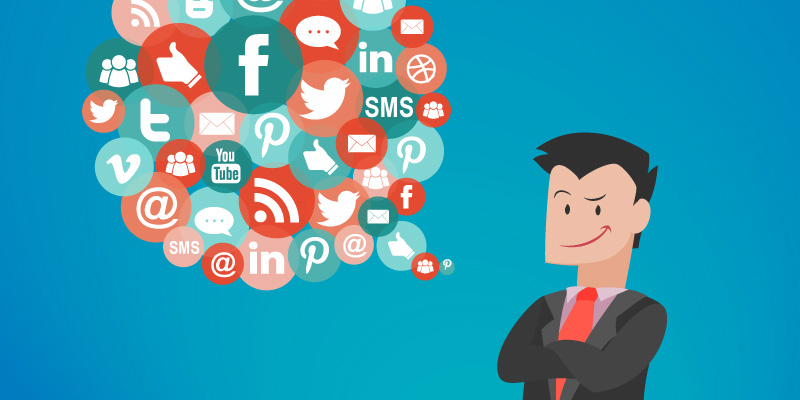
Social media has fundamentally reshaped how businesses communicate with their audiences, how consumers discover products, and how communities form around shared interests. For WordPress developers and web professionals, understanding the evolution of social media trends is not merely an academic exercise. It directly impacts how we build websites, design user experiences, integrate plugins, and create content strategies for the clients and communities we serve. This comprehensive guide explores the top game-changing social media trends that have redefined digital marketing, and more importantly, how WordPress site owners can leverage these shifts to build stronger, more engaging online platforms in the years ahead.
The Rise of Live Video and Its Impact on WordPress Sites
Live video streaming transformed the way brands connect with their audiences by removing the polished veneer of pre-recorded content and replacing it with raw, unfiltered interactions. Platforms like Facebook Live, Instagram Live, and YouTube Live opened doors for real-time engagement that static blog posts simply could not match. For WordPress site owners, this trend created a powerful opportunity to embed live streams directly into their websites, turning a standard blog or business site into a dynamic broadcasting hub.
The implications for WordPress theme development were significant. Developers began building themes with dedicated video sections, hero banners that could display live feeds, and sidebar widgets that notified visitors of upcoming streams. BuddyPress-powered community sites especially benefited from this trend, as live video gave community managers a way to host real-time events, Q&A sessions, and product launches without requiring members to leave the platform.
From a technical standpoint, embedding live video on WordPress requires careful attention to performance. Heavy video embeds can slow page load times, impact Core Web Vitals scores, and frustrate mobile users on slower connections. Smart developers addressed this by implementing lazy loading for video embeds, using lightweight placeholder images that only load the full player when a user clicks, and leveraging content delivery networks to serve video assets from edge servers closest to the viewer.
Social Commerce and the WordPress E-Commerce Revolution
The convergence of social media and e-commerce created an entirely new shopping paradigm. Rather than requiring customers to navigate from a social media post to a separate website, complete a registration form, and then proceed through a multi-step checkout, social commerce compressed the entire purchase journey into just a few taps. Platforms introduced native shopping features that allowed users to browse, select, and purchase products without ever leaving the app.
For WordPress developers working with WooCommerce, this trend demanded new integration strategies. The challenge was not simply about listing products on social platforms but about creating a seamless experience that maintained brand consistency across every touchpoint. This meant building WordPress starter templates that matched the visual language of social media storefronts, ensuring that when a customer did click through to the main website, the experience felt familiar rather than jarring.
Product catalog synchronization became critical. WooCommerce store owners needed their inventory, pricing, and product descriptions to remain consistent across Facebook Shops, Instagram Shopping, and Pinterest Buyable Pins. Plugins that automated this synchronization saved countless hours of manual work and reduced the risk of overselling or displaying outdated pricing. The lesson for WordPress professionals was clear: a website can no longer exist in isolation. It must function as the hub of a connected ecosystem where social platforms serve as satellite storefronts.
Building Shoppable Content Experiences
Beyond simple product listings, forward-thinking WordPress developers began creating shoppable content experiences. Blog posts featured embedded product cards that allowed readers to add items to their cart without navigating away from the article. Recipe blogs included ingredient lists with direct purchase links. Fashion blogs displayed outfit grids where each item was clickable and purchasable. This approach merged content marketing with direct commerce, turning every piece of content into a potential revenue driver.
Messaging Apps as Customer Service Channels for WordPress Businesses
The explosive growth of messaging applications shifted customer service expectations dramatically. Consumers who once tolerated 24-to-48-hour email response times began expecting instant replies through WhatsApp, Facebook Messenger, and similar platforms. For WordPress-based businesses, this created both a challenge and an opportunity.
The challenge was operational. Small business owners running WordPress sites often lacked the staff to monitor multiple messaging channels simultaneously. The opportunity lay in automation. Chatbot integrations for WordPress, powered by platforms like ManyChat or Chatfuel, allowed site owners to provide instant responses to common queries, qualify leads before routing them to human agents, and even process simple transactions entirely within the messaging interface.
WordPress developers responded by building plugins and integrations that bridged the gap between messaging platforms and WordPress backends. A customer inquiry received via Facebook Messenger could automatically create a support ticket in a WordPress-based helpdesk system, update a CRM contact record, and trigger an automated workflow that ensured no message went unanswered. This level of integration turned WordPress from a simple content management system into a comprehensive business operations platform.
The Shift Toward Conversational Commerce
Messaging apps also gave rise to conversational commerce, where the entire shopping experience occurred within a chat window. A customer could ask about a product, receive personalized recommendations, view images, and complete a purchase without ever visiting a traditional web page. For WordPress developers, this meant rethinking the role of the website itself. Rather than being the sole destination for transactions, the website became one of many channels, and its primary value shifted toward content, community, and brand storytelling.
Mobile-First Advertising and WordPress Performance Optimization
The dominance of mobile advertising fundamentally changed how WordPress sites needed to be built. When the majority of social media ad clicks originated from mobile devices, sending those users to a desktop-optimized WordPress site was essentially throwing money away. Slow load times, tiny text, unresponsive layouts, and difficult-to-tap buttons all contributed to abysmal conversion rates for mobile traffic.
This trend forced the WordPress community to embrace mobile-first design as a non-negotiable standard rather than a nice-to-have feature. Theme developers restructured their approach, designing for small screens first and then scaling up for desktop. The BuddyX theme from Wbcom Designs exemplifies this philosophy, providing a responsive community experience that works seamlessly across devices.
Performance optimization became equally critical. WordPress developers adopted aggressive caching strategies, image optimization pipelines, code minification, and database query optimization to ensure that pages loaded in under three seconds on mobile connections. The rise of Google’s mobile-first indexing made this even more urgent, as search rankings began to reflect mobile performance rather than desktop performance.
Accelerated Mobile Pages and WordPress
The AMP (Accelerated Mobile Pages) initiative emerged as one response to mobile performance challenges. WordPress plugins made it relatively straightforward to generate AMP-compliant versions of posts and pages, but the trade-off was significant. AMP pages stripped away much of the custom styling, interactive elements, and branding that made a WordPress site unique. Many developers found that investing in proper performance optimization of their standard WordPress pages delivered a better balance of speed and user experience than AMP could offer.
Progressive Web Apps for WordPress
Progressive Web Apps (PWAs) represented another mobile-first innovation that WordPress developers embraced. By implementing service workers, web app manifests, and offline caching, WordPress sites could behave like native mobile applications. Visitors could add the site to their home screen, receive push notifications, and even access content offline. For community sites built on BuddyPress, PWA capabilities meant members could stay engaged with their community even without a dedicated native app.
Virtual and Augmented Reality in Web Experiences
Virtual reality and augmented reality moved from science fiction into practical marketing tools, and WordPress developers began exploring how to bring immersive experiences to the web. While fully immersive VR experiences still required dedicated hardware, web-based VR using technologies like WebXR opened new possibilities for WordPress sites.
Real estate websites built on WordPress could offer virtual property tours. E-commerce stores could let customers preview furniture in their own rooms using augmented reality. Educational platforms could provide interactive 3D models that students could explore from every angle. The WordPress block editor made it increasingly straightforward to embed 3D and VR content alongside traditional text and images.
For WordPress theme and plugin developers, supporting these new media types meant rethinking content architecture. A theme that only accommodated text, images, and video was no longer sufficient. Modern themes needed to handle 3D models, 360-degree photos, interactive panoramas, and embedded VR experiences gracefully, with appropriate fallbacks for browsers and devices that did not support these features.
Ephemeral Content and Its Lessons for WordPress Content Strategy
The rise of disappearing content on platforms like Snapchat and Instagram Stories introduced a new content philosophy: not everything needs to be permanent. This concept challenged the traditional WordPress approach where every piece of content was published with the expectation of long-term value and SEO benefit.
For WordPress site owners, ephemeral content taught valuable lessons about urgency, authenticity, and audience engagement. Limited-time offers promoted through Stories drove immediate action. Behind-the-scenes content humanized brands. Polls and questions generated audience insights that informed longer-form WordPress content. The key takeaway was that a successful content strategy needed both permanent cornerstone content on the WordPress site and ephemeral social content that drove traffic and engagement in the moment.
Integrating Ephemeral and Evergreen Content
Smart WordPress content strategists developed workflows that connected ephemeral social content with evergreen site content. A Story highlighting a customer success story would link to a detailed case study on the WordPress site. A disappearing poll revealing audience preferences would inform the next comprehensive blog post. This integration ensured that the energy generated by ephemeral content was captured and amplified through permanent WordPress content.
Influencer Marketing and WordPress Community Building
Influencer marketing evolved from a niche tactic into a mainstream strategy that directly impacted how WordPress communities were built and grown. For BuddyPress-powered community sites, partnering with relevant influencers could drive waves of new member registrations. For WooCommerce stores, influencer endorsements could generate sales spikes that tested the limits of hosting infrastructure.
WordPress developers needed to build sites that could handle traffic surges from influencer campaigns without crashing. This meant implementing proper caching layers, using scalable hosting solutions, and setting up monitoring alerts that triggered when traffic exceeded normal thresholds. It also meant building landing pages optimized for the specific audiences that influencers would drive to the site, with messaging and design that aligned with the influencer’s brand and audience expectations.
Data Privacy, Algorithm Changes, and the Case for Owned Platforms
Perhaps the most important trend for WordPress professionals was the growing recognition that businesses needed to own their audience relationships rather than renting them from social platforms. Algorithm changes could devastate organic reach overnight. Platform policy updates could restrict how businesses communicated with their followers. Data privacy regulations like GDPR added complexity to social media marketing that many small businesses struggled to navigate.
This realization made WordPress more valuable than ever. A WordPress-powered website with a well-maintained email list, an active BuddyPress community, and a robust content library represented an owned asset that no algorithm change could take away. Social media remained important for discovery and engagement, but the smart strategy was to use social platforms to drive traffic to owned WordPress properties where the business controlled the relationship.
Practical Steps for WordPress Site Owners
Understanding these trends is only valuable if it translates into action. Here are concrete steps WordPress site owners can take to capitalize on the social media landscape:
- Audit your WordPress site’s mobile performance using tools like Google PageSpeed Insights and address any issues that could cause mobile visitors from social media ads to bounce.
- Install and configure social commerce plugins that synchronize your WooCommerce product catalog with Facebook Shops and Instagram Shopping.
- Implement a chatbot integration that connects your WordPress site’s customer service system with Facebook Messenger and WhatsApp.
- Build a content calendar that explicitly maps ephemeral social content to evergreen WordPress content, ensuring that every Story or temporary post drives traffic to permanent site content.
- Invest in community-building features like BuddyPress forums and groups that give social media followers a reason to create accounts on your owned platform.
- Set up proper analytics tracking that attributes conversions to specific social media channels, so you can invest more in what works and less in what does not.
The WordPress Advantage in a Social-First World
WordPress remains the most flexible and powerful platform for capitalizing on social media trends because of its extensibility. While closed platforms offer limited customization, WordPress allows developers to build exactly the integrations, experiences, and workflows that their specific business needs demand. The vast ecosystem of plugins, themes, and developer tools means that when a new social media trend emerges, the WordPress community responds with solutions faster than any other platform.
For web developers and site owners who want to stay ahead of the curve, the strategy is clear: use social media for what it does best, which is discovery, engagement, and brand awareness, while building and strengthening your WordPress site as the owned hub where relationships deepen, transactions occur, and communities thrive. The trends may change, but the value of owning your platform is permanent.
Best Social Media Platform for Business
Related reading