
7 min read
6 WordPress Membership Plugins Compared

WordPress is a versatile and user-friendly platform. If you are planning to convert your website into a membership site, then you need to choose the right WordPress Membership Plugin. Although there are a variety of plugins in WordPress, you have to choose the apt plugin according to your requirements. To make your search for the best membership plugin a lot easier, here is a roundup of six WordPress membership plugins, with what each one is good at and what to check before you pay.
Last updated: 7 November 2026
Quick answer: For most sites, MemberPress is the full-featured paid choice, WooCommerce Memberships fits stores that already run WooCommerce, and WP-Members or Simple Membership are free options for simple content locking. Memberium suits sites built around a CRM such as Keap, and Restrict Content Pro is now sold as Kadence Memberships.
Membership Plugins at a Glance
| Plugin | Cost | Best for | Check first |
|---|---|---|---|
| MemberPress | Launch $399/year regular price (introductory $199.50); Growth $699; Scale $999 | Paid memberships with courses on one plugin | Launch charges a 4.9% transaction fee and supports Stripe only |
| Restrict Content Pro | Free core plus Kadence Memberships Pro | Straightforward paid content restriction | Now branded Kadence Memberships |
| Memberium | See vendor pricing pages per CRM | CRM-driven access (Keap, ActiveCampaign, HighLevel) | Requires a supported CRM |
| WooCommerce Memberships | Annual license, shown as ₹19,077 per year from India (local currency) | Stores selling products and memberships | Needs WooCommerce; recurring billing needs WooCommerce Subscriptions |
| WP-Members | Free | Simple registration and content locking | Check which features need paid extensions |
| Simple Membership | Free | Small sites with PayPal or Stripe | Check which features need paid add-ons |
Prices are taken from vendor pages on 7 November 2026 and change often, so confirm them at checkout.
WordPress Membership Plugins
1. MemberPress
MemberPress plugin offers a lot of features for the membership site. The site owner can make an unlimited number of membership packages or digital products. Users can restrict access to content that can include pages, posts, categories, tags, files, and videos (using the MemberPress AWS add-on). The plugin seamlessly integrates with PayPal, MailChimp, GetResponse and Amazon Web Services, and BluBrry for podcast hosting.
MemberPress is sold directly by the vendor and is not listed on WordPress.org. According to its pricing page, the Launch plan lists a regular price of $399 per year (an introductory $199.50 was shown) with unlimited members, courses and lessons, Stripe as the only gateway, and a 4.9% fee per successful payment. Growth removes the transaction fee and adds PayPal and Square, and Scale adds the REST API, webhooks and Zapier. Renewals are charged at full price.
2. Restrict Content Pro Membership Plugin
Restrict Content Pro is no longer sold as a standalone product. The restrictcontentpro.com address now redirects to Kadence by Liquid Web, and the WordPress.org listing is named Membership Plugin - Kadence Memberships (version 4.0.5, 8,000+ active installations, tested up to WordPress 7.1.4). The free version supports membership levels, Stripe and manual payments, auto-renewals and WooCommerce product restrictions, while a Pro tier adds PayPal, discount codes and reporting.
Restrict Content Pro does not only work to restrict content. There’s more to it. It’s easy to configure and users need not have any pre-coding skills. It is the best plugin if you are planning to market it. Locking down existing pages and posts to be viewable only by registered members comes easy with this membership plugin. One can build an unlimited number of subscription packages, prices, and levels with this plugin. Users can pay via PayPal and later the site can be integrated with PayPal Pro/Express or Stripe.
3. Memberium Membership Plugin
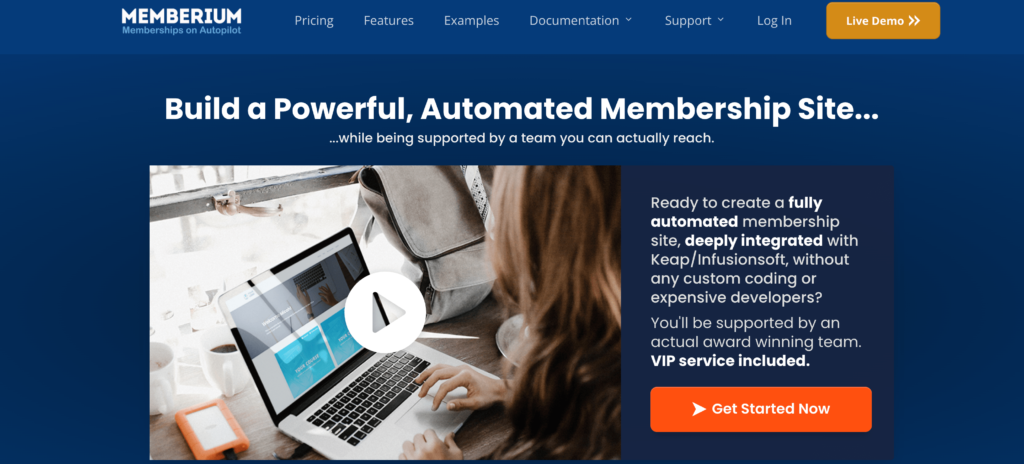
Memberium is a membership plugin that grants and revokes access to WordPress content based on tags in your CRM. Its website lists ActiveCampaign, Keap (formerly Infusionsoft) and HighLevel as supported CRMs, and it does not require custom coding.
The vendor describes LMS support that comes pre-installed (check before you buy which LMS features your plan includes), allowing you to create online courses to teach people about your areas of expertise without the need to separately integrate LearnDash, LifterLMS, Sensei, WP Courseware, or LearnPress.
Whether you are an author, course creator, providing internal training, or running a service business, the plugin enables the administrator to give an unlimited number of students, members, or others access to restricted information, create as many courses as you like and sell them, and build an unlimited number of membership levels.
Memberium can be used to onboard new clients, collect information transmitted straight to Keap, establish a billing portal, and have clients upload files. It can also be used to distribute digital products, block individuals from sharing download links, and train your team or employees internally.
4. WooCommerce Membership Plugin
WooCommerce Memberships is a powerful plugin that allows users to create multiple membership tiers, whether they are paid or free. Members can find all of the information they need about their memberships in the Member Area. It lets you export members to a CSV file so that you can get member data out of WooCommerce and into other tools.
The product page also lists drip content, member-only discounts and free shipping, and restricted viewing or purchasing of products. It is tested up to WordPress 7.1.3 and WooCommerce 11.2.1, and recurring billing needs the separate WooCommerce Subscriptions extension. The one-year license was shown as ₹19,077 when viewed from India, so check the price in your own currency.
5. WP-Members: Membership Framework Plugin

WP-Members is the original membership plugin for WordPress and is simple to install and configure. Users can install this membership plugin to control content access to registered users by blocking posts, pages, and individual content, and manage user login, registration, and profile integrated into the theme. This plugin works great for newsletters, premium content sites, clubs/associations, etc. Users can also create some special pages with simple shortcodes available in the plugin.
The WordPress.org listing shows version 3.5.8.3, 50,000+ active installations, and a tested-up-to rating of WordPress 7.1.4.
6. Simple Membership Plugin

Simple Membership is a simple but complete plugin that offers free and paid membership with unlimited membership levels. Site admin can choose to hide all the content or can display teaser content to attract users to register or login. Simple Membership plugin works with PayPal and offers translation in 20 languages. The feature to either go for one-time or recurring/subscription payments is also supported by the plugin. Users can accept one-time membership payments via the Stripe payment gateway. It can work with any WordPress theme.
The WordPress.org listing shows version 4.8.7, 40,000+ active installations, and a tested-up-to rating of WordPress 7.1.4.
Summary
Membership plugins play a very important role when it comes to creating membership levels on your WordPress website. Some of these are free while some are paid and you can easily choose the one that suits your site’s purpose.
How to Choose
Start with how you take payment. If you already sell products with WooCommerce, WooCommerce Memberships keeps everything in one cart. If your contacts live in Keap, ActiveCampaign or HighLevel, Memberium reads access from CRM tags. For a small content site that only needs to lock posts behind a login, WP-Members or Simple Membership cost nothing to try.
Then check three things before buying: the gateways you need, whether the plan charges a transaction fee, and whether renewals are billed at the full price. A cheap first-year price can hide a much higher renewal.
Frequently asked questions
What is the best WordPress membership plugin?
MemberPress is the most complete paid option in this list, because it combines memberships, courses and several payment gateways. For free use, WP-Members and Simple Membership are the most established listings on WordPress.org.
Is Restrict Content Pro still available?
Not under that name. The restrictcontentpro.com address redirects to Kadence by Liquid Web, and the plugin on WordPress.org is now called Kadence Memberships.
Do I need a membership plugin if I use WooCommerce?
If you want member-only products, discounts or content, yes. WooCommerce Memberships adds membership plans, drip content and member pricing, and WooCommerce Subscriptions adds recurring billing.
Are free membership plugins good enough?
For simple content locking and one-time or recurring PayPal and Stripe payments, yes. You will need a paid plugin once you want course delivery, advanced reporting, or CRM-based access rules.
Is Paid Memberships Pro available on WordPress.org?
The WordPress.org plugin directory lists Paid Memberships Pro as closed, so check the vendor site for current downloads. Our MemberPress vs Paid Membership Pro comparison covers the differences.
If you want a community alongside your memberships, see our guide to BuddyPress paid membership plugins.
We hope you found this article informative. If you have any suggestions for us, let us know in the comments below.
Interesting Read:
How To Effectively Title Your Membership Levels
Related reading