
5 min read
Best WordPress YouTube Plugins 2026


If you own a WordPress website and you wish to include video content on your website, then this is the place for you. WordPress provides you with a number of YouTube plugins using which you will be able to import videos directly from YouTube.
Why add WordPress YouTube plugins to your website?
Viewers like to get information in an easy way and as soon as possible, and giving them what they want is your responsibility. The YouTube plugin helps you add videos to your website pages, and adding YouTube content to your website can provide many benefits.
YouTube is the second largest search platform after Google. People are most likely to watch videos to learn about something. It gives you the option to create, add, share, and promote YouTube videos. Having a video on your website or a tutorial video on your blog post can improve the user experience and drive traffic to your WordPress website.
WordPress YouTube Plugins
Using these plugins, all the videos would work beautifully with your website. People will also start to spend more time on your website. You will also be able to increase the conversion rate and keep your visitors engaged for a longer duration of time.
Here are some of the best WordPress YouTube plugins for 2026:
1. WP YouTube Hub

WP YouTube Hub is a premium WordPress YouTube plugin that lets you create a video gallery. You can import videos from channels, playlists, and searches without manually entering categories and titles. Everything can be done automatically.
You can set the starting time of your videos and mute them whenever required. WP YouTube Hub lets you create a playlist that can be displayed on your website. The plugin also supports automatic video scheduling. It is SEO-friendly, highly responsive, and allows bulk video import.
2. WP YouTube Lyte
WP YouTube Lyte is an excellent WordPress YouTube plugin that lets you embed YouTube videos on your website. Video rendering is much faster compared to default embeds, and you can post multiple videos on the same page.
WP YouTube Lyte has a number of features to modify the look of your player. You can set the player size and the starting time of your videos. You can also add a link to an entire YouTube playlist. The plugin is multilingual, cross-platform compatible, can force HD, and supports video object microdata.
3. YouTube Videos & Shorts Plugin by Tagembed

Embedding videos one by one can consume time and affect website speed. The YouTube Widget for WordPress by Tagembed makes this easier. It helps you collect, curate, customize, and display YouTube feeds from channels, playlists, YouTube Shorts, keywords, and more.
The plugin lets you personalize your widget, moderate feed content, and keep your site running fast. It is compatible with 19+ social media platforms and handles all types of content without affecting performance.
4. ARVE Advanced Responsive Video Embedder

ARVE Advanced Responsive Video Embedder is one of the most powerful and flexible WordPress YouTube plugins. It is ultra-responsive and works on any popular web browser. You can set a custom title and description for your videos, and add powerful shortcodes to any page.
ARVE is SEO-ready, highly intuitive, and has responsive CSS embeds. Other useful features include a loop mode, privacy mode, subscribe button, and WYSIWYG support.
5. Video Gallery by YotuWP
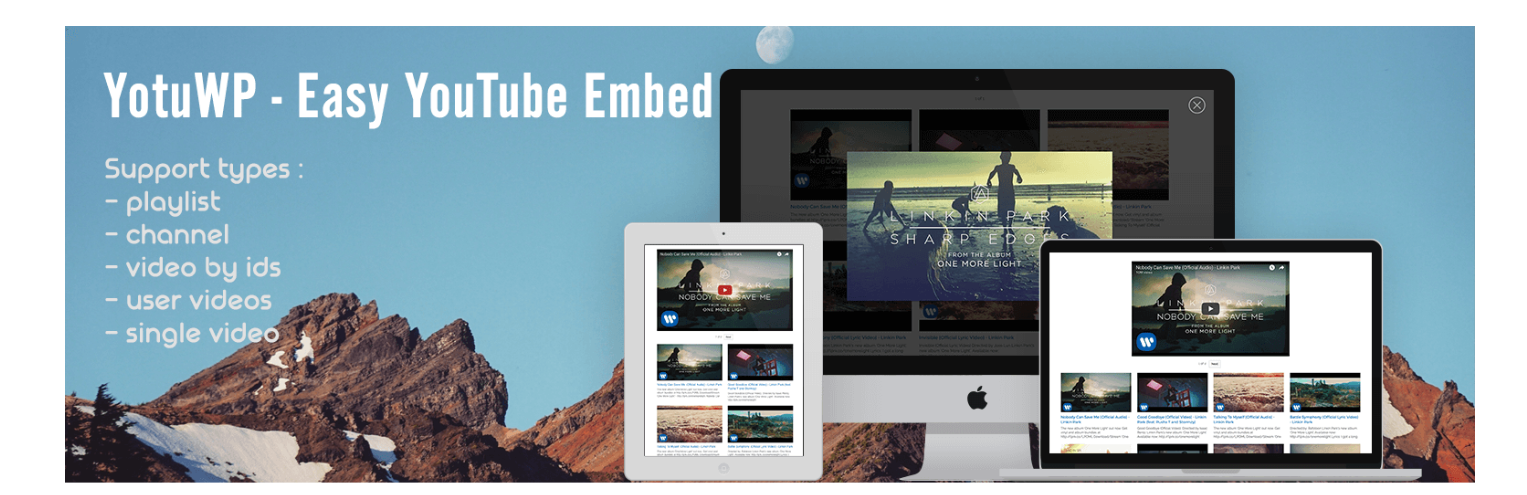
Video Gallery by YotuWP is a flexible and responsive video gallery plugin. It lets you import YouTube videos, playlists, channels, and usernames to your WordPress website. The gallery is retina ready and works well on any screen size.
YotuWP is highly customizable and comes with a Shortcode Generator that is easy to use. Multiple thumbnail styles are available, and the plugin uses Google API caching. Plenty of style setting options let you match the gallery to your site design.
6. Widget Responsive For YouTube

YouTube Widget Responsive lets you add YouTube videos to your website with ease, including sidebar widgets and custom shortcodes for pages and posts. The plugin is SEO-ready and highly flexible with many customization options. You can change the color of the progress bar, set the video start time, and track video analytics.
7. YouTube Showcase

YouTube Showcase lets you create video galleries and play YouTube videos on your website in the best possible way. It is a free plugin that automatically sets up your video gallery page after installation. Even someone with no technical knowledge can use it.
YouTube Showcase comes with thorough documentation, supports grid layout, lets you use sidebars to promote videos, and allows you to set autoplay, video resolution, categories, and titles.
8. Video Gallery - YouTube Gallery
Video Gallery is a responsive and user-friendly plugin that supports YouTube, Vimeo, and Wistia. It has a user-friendly editor so you can customize it without any technical knowledge. Pre-built themes and layouts help you create an attractive gallery quickly, complete with hover effects, lightbox effects, and gallery pagination.
The plugin lets you match video gallery colors to your website. The free version covers all the basics, while the premium version adds hundreds of fonts, hover effects, and styling options.
9. Embed Plus Plugin for YouTube
You can download Embed Plus for free from WordPress.org. It is compatible with the Gutenberg block editor, so you can embed YouTube videos, channels, and playlists directly from a block. You can also feature a YouTube channel or playlist in a video gallery and set videos to autoplay. The plugin defers noncritical JavaScript to improve page load times.
10. Feeds for YouTube
Feeds for YouTube lets you embed your YouTube channel on your website without adding videos one by one. The free version supports three layouts: grid, list, and gallery. If you have two or more channels, you can create multiple pages or widgets. The feeds look great on any screen size and the plugin updates regularly with new features and API fixes.
Bonus: Want to Host Your Own Video Platform?
The plugins above are great for embedding and displaying YouTube content. But if you want to go further and let your members upload their own videos and photos directly on your site, you need something more powerful.
WPMediaVerse Pro turns your WordPress site into a self-hosted media platform, similar to YouTube, Instagram, or Flickr, but owned and controlled by you. Members can upload videos and photos, create channels and playlists, like, comment, follow, and share content. The plugin also supports photo and video contests, frontend submission flows, and monetization through WooCommerce.
It integrates natively with BuddyPress for member profiles and activity feeds. The best-fit themes to pair with it are Reign, for premium community and commerce sites, and BuddyX, the free community-first base theme.
Summary
These are some of the best WordPress YouTube plugins for 2026. Just by installing these plugins, you can import video content to your website and present videos to your visitors in an attractive way. Which WordPress YouTube plugin do you like the most? Let us know in the comments below.
Interesting Reads
Related reading