
9 min read
List Of Web Design Trends That Will Take Over Our Screens

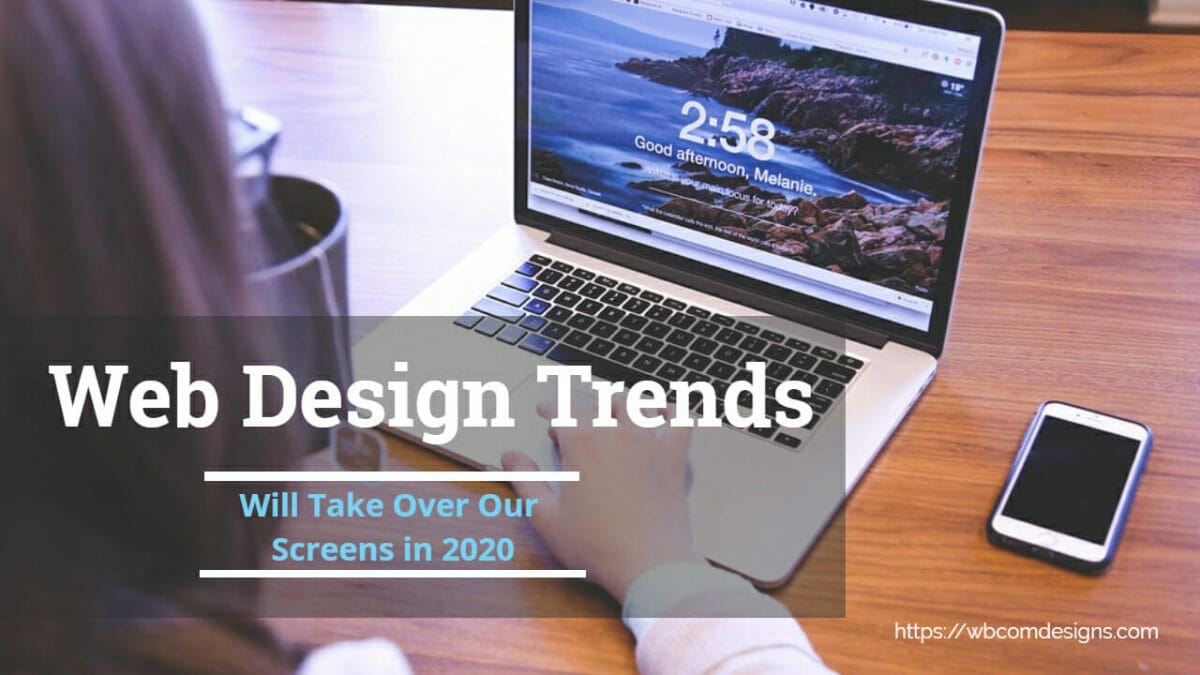
Web design is the art and discipline of crafting digital experiences that live on websites and web applications. It encompasses graphic design, user interface design, user experience planning, responsive layout engineering, and front-end development. Because the web evolves relentlessly, the trends that shape how we build and consume sites shift every single year. For WordPress site owners and developers, staying ahead of these trends is not optional - it is a competitive necessity. Below is a comprehensive list of the web design trends that are reshaping our screens and redefining how visitors interact with online content.
Web Design Trends
1. AI-Powered Chatbots and Conversational Interfaces
Artificial intelligence has moved well beyond novelty status. AI-powered chatbots are now embedded into WordPress sites through plugins and headless integrations, providing instant customer service, lead qualification, and even product recommendations. Modern chatbots leverage natural language processing to handle complex queries, routing visitors to human agents only when necessary. The result is a 24/7 support layer that reduces bounce rates and increases conversions.
For WordPress developers, implementing chatbots has become straightforward. Plugins like Tidio, WPBot, and custom REST API integrations with services such as OpenAI allow site owners to deploy conversational widgets in minutes. The design trend here is subtlety - chatbots should blend into the overall aesthetic rather than dominate the page. Floating action buttons, slide-in panels, and contextual triggers based on scroll depth or time on page are the preferred patterns.
Beyond customer service, chatbots are increasingly used in community-driven WordPress sites to onboard new members, answer frequently asked questions about groups or forums, and guide users through registration flows. This trend shows no sign of slowing because both user expectations and the underlying technology keep advancing in lockstep.
2. Minimalist and Content-First Design
Minimalism in web design is not about stripping away functionality - it is about eliminating distractions so that content takes center stage. The modern minimalist approach reduces visual clutter by using generous white space, limited color palettes, and typography-driven layouts. WordPress themes like BuddyX and Flavor have embraced this philosophy, providing clean canvases that let your content breathe.
This trend is especially powerful for blogs and documentation sites. When readers land on a page, they want the information fast. Heavy sidebars, aggressive pop-ups, and competing calls to action slow them down. A minimalist layout with a clear visual hierarchy - think bold headings, comfortable line heights, and a single primary CTA per section - dramatically improves readability scores and dwell time.
From a technical standpoint, minimalism also benefits performance. Fewer DOM elements, smaller CSS files, and reduced JavaScript payloads translate directly into faster load times. And because search engine optimization rewards speed, a minimalist design indirectly boosts your rankings as well.
3. Immersive 3D Elements and WebGL Experiences
Three-dimensional rendering on the web has graduated from experimental to mainstream. Libraries like Three.js, Spline, and even native CSS 3D transforms allow designers to embed interactive 3D objects directly in web pages. Product showcases, architectural walkthroughs, and interactive data visualizations are all benefiting from this technology.
For WordPress sites, the integration typically happens through custom Gutenberg blocks or embedded iframes pointing to hosted 3D scenes. E-commerce stores are leading the adoption curve - letting customers rotate, zoom, and inspect products in three dimensions reduces return rates and builds buyer confidence. The key design consideration is progressive enhancement: the 3D experience should degrade gracefully on devices that lack GPU power, falling back to static images or simple animations.
4. Voice User Interfaces and Accessibility-First Design
Voice assistants have trained millions of people to interact with technology using natural speech. This behavior is migrating to the web. Voice search optimization, voice-navigable menus, and speech-to-text input fields are becoming standard considerations in modern web design.
For WordPress developers, accessibility is the foundational layer. ARIA landmarks, semantic HTML5 elements, keyboard navigation support, and proper focus management are prerequisites before voice features can work reliably. Themes and plugins that pass WCAG 2.1 AA compliance testing give site owners a head start. Voice interfaces built on top of accessible markup serve users with disabilities while simultaneously improving the experience for everyone who prefers hands-free interaction.
This trend also affects content strategy. Voice search queries tend to be longer and more conversational than typed searches. Optimizing headings and FAQ sections for natural language patterns improves discoverability through voice assistants like Siri, Alexa, and Google Assistant. Tools from the WordPress theme ecosystem are adapting to support these patterns natively.
5. Full-Screen and Immersive Layouts
As device screen-to-body ratios continue to grow, web designers are taking advantage of every available pixel. Full-screen hero sections, edge-to-edge imagery, and viewport-height content blocks create an immersive experience that pulls visitors into the narrative immediately.
This approach works particularly well for portfolio sites, landing pages, and brand storytelling. On WordPress, full-width page templates combined with the block editor’s cover block and group block make it straightforward to build these layouts without custom code. The design principle is simple: remove the chrome and let the content fill the frame. Navigation collapses into hamburger menus or slides in from the side, keeping the viewport unobstructed.
Mobile design follows the same trajectory. With modern smartphones offering nearly bezel-free displays, responsive designs that embrace full-screen layouts feel native and app-like. This blurring of the line between web and app is a defining characteristic of contemporary web design.
6. Ethical Data Collection and Privacy-Centric Design
Data collection remains a critical web design concern, but the conversation has shifted from “how much can we collect” to “how transparently can we collect.” GDPR, CCPA, and evolving global privacy regulations have forced designers to rethink cookie banners, consent flows, and data minimization strategies.
The best WordPress sites now implement privacy-by-design principles. This means collecting only the data you actually need, explaining in plain language why you need it, and giving users granular control over their preferences. Cookie consent plugins have evolved from simple banners to sophisticated preference centers that categorize cookies by purpose - essential, analytics, marketing, and personalization.
From a design perspective, transparency builds trust. Sites that handle data ethically see higher opt-in rates than those that use dark patterns to trick users into consenting. The trend is clear: privacy-centric design is not just a legal requirement - it is a competitive advantage that drives better engagement on community-based platforms and membership sites alike.
7. Smart Push Notifications and Micro-Interactions
Push notifications remain one of the most effective channels for re-engaging website visitors. However, the approach has matured significantly. Instead of bombarding users with permission requests on their first visit, modern best practice is to use behavioral triggers - asking for notification permission only after the user has demonstrated genuine interest, such as reading multiple articles or adding items to a cart.
The design of the notification itself matters too. Segmented, personalized notifications with clear value propositions outperform generic blasts by orders of magnitude. On WordPress, plugins like OneSignal and PushEngage provide segmentation, A/B testing, and scheduling capabilities that let site owners deliver the right message at the right time.
Micro-interactions - subtle animations triggered by user actions like hovering, clicking, or scrolling - complement push notifications by providing instant visual feedback within the site itself. Together, these small details create a polished, responsive feel that keeps users engaged.
8. Strategic White Space and Visual Breathing Room
White space (or negative space) is one of the most underappreciated tools in a designer’s arsenal. Despite its name, white space does not have to be white - it simply refers to the empty areas between and around design elements. Used strategically, it improves readability, draws attention to key content, and creates a sense of elegance and professionalism.
For WordPress theme developers, white space starts at the CSS level. Generous padding on containers, ample margins between sections, and comfortable line spacing in body text all contribute to a layout that feels open rather than cramped. The Gutenberg block editor’s spacer block gives content creators explicit control over vertical rhythm without touching code.
Research consistently shows that layouts with appropriate white space improve comprehension by up to 20 percent. In an era where attention is the scarcest resource, giving your content room to breathe is one of the simplest and most effective design decisions you can make. This is especially true for sites built with tools from the Starter Theme collection which prioritize clean layouts.
9. Augmented Reality Integration
Augmented reality on the web - often called WebAR - has moved from gimmick to genuine utility. Using technologies like WebXR and AR.js, developers can overlay digital content onto the real world through a device’s camera, all within the browser without requiring a dedicated app.
E-commerce is the primary driver. Furniture retailers let customers place virtual sofas in their living rooms. Eyewear brands offer virtual try-on experiences. Real estate sites provide AR-powered property tours. For WordPress-based stores running WooCommerce, AR product viewers are available as plugins and custom integrations that attach 3D models to product pages.
The design challenge with AR is onboarding. Users need clear instructions on how to activate the experience, and the fallback for unsupported devices must be seamless. Progressive enhancement remains the guiding principle: AR enriches the experience but should never be a requirement for completing a task.
10. Video-First Content Strategy
Video content consumption continues to accelerate. Studies show that visitors spend 88 percent more time on pages that include video. For WordPress site owners, embedding video is trivially easy - paste a YouTube or Vimeo URL and the block editor handles the rest. But the trend goes deeper than simple embeds.
Background videos in hero sections, video testimonials on landing pages, animated product demonstrations, and short-form video snippets in blog posts are all part of a video-first content strategy. The key is intentionality. Every video should serve a specific purpose, whether it is explaining a concept, building trust through social proof, or demonstrating a product feature.
Performance optimization is essential when working with video. Lazy-loading video elements, using facade patterns for YouTube embeds (where a static thumbnail replaces the iframe until clicked), and serving videos from CDNs all prevent video from degrading page speed. WordPress developers who get this balance right create sites that are both engaging and fast, which is the combination that both users and search engines reward.
Why These Web Design Trends Matter for WordPress
WordPress powers over 40 percent of the web, which means these design trends directly impact the largest slice of the internet. Whether you are building a personal blog, a BuddyPress community, a WooCommerce store, or a corporate site, understanding and selectively adopting these trends ensures your site remains competitive, accessible, and engaging.
The common thread across all ten trends is user-centricity. Every trend listed above - from AI chatbots to video-first content - exists because it makes the visitor’s experience better. That is the ultimate measure of good web design: does it help people accomplish their goals efficiently and enjoyably?
As you evaluate which trends to adopt, focus on the ones that align with your audience’s needs and your business objectives. You do not need to implement all ten at once. Start with the trends that address your biggest pain points - perhaps page speed, or accessibility, or engagement - and iterate from there.
Social Media Black Friday Sale
Related reading