
11 min read
How To Build Thriving Brand Communities In 2026?

Building a thriving brand community has become one of the most effective strategies for businesses seeking deeper customer relationships, higher retention rates, and organic growth. Unlike social media followings that you rent from platforms you do not control, a brand community gives you direct ownership of the relationship between your business and your most engaged customers. In 2026, the tools and strategies for creating these communities have matured significantly, particularly within the WordPress ecosystem.
This guide walks you through the complete process of building a brand community from scratch: the strategic foundations, a technical build on BuddyNext as a complete community platform, and the ongoing content and engagement strategies that keep communities vibrant and growing.
What Is a Brand Community?
A brand community is a dedicated online space where people who share an affinity for your brand come together to discuss, participate, and engage with each other and your team. Unlike a generic forum or social media group, a brand community is built around your specific products, values, and culture.
Members join because they have an emotional connection to what you offer. They want to stay informed about your latest developments, connect with like-minded people, participate in exclusive events, and have a direct line of communication with your team. This creates a feedback loop that benefits both the business and its customers.
Successful brand communities share several characteristics:
- Shared identity, Members feel they belong to something meaningful beyond a transaction
- Active participation, The community generates its own content and conversations, not just consumption
- Value exchange, Members receive tangible benefits like early access, exclusive content, or direct support
- Owner control, The business owns the platform, data, and relationship rather than depending on third-party algorithms
Why Building a Brand Community Is Essential in 2026
Social media platforms have progressively reduced organic reach, making it increasingly expensive to maintain visibility with your audience. Algorithm changes can overnight reduce your engagement by 50 percent or more, and you have no recourse because you do not own the platform.
A brand community solves this fundamental problem by giving you:
- Complete control over metrics and data, Understand exactly who your most engaged customers are, what they care about, and how they interact with your brand
- Direct communication channels, Reach your community members without algorithmic gatekeeping or pay-to-play advertising
- Higher customer retention, Members who feel connected to a community are significantly less likely to switch to competitors
- Reduced acquisition costs, Community members naturally refer friends and colleagues, creating organic growth that reduces reliance on paid advertising
- Product development insights, Direct feedback from your most invested customers informs better product decisions
If you already have engagement on social media platforms, a brand community allows you to deepen those relationships in an environment you control. For guidance on building social communities specifically, explore how to create a social community WordPress website.
Step-by-Step Guide to Building a Thriving Brand Community
Step 1: Understand Your Brand Identity and Audience
Before building any technical infrastructure, you need clarity on two fundamental questions: what does your brand stand for, and who are the people most likely to rally around it?
Understanding your brand community requires analyzing:
- Your brand’s core values and mission beyond selling products
- The common interests, challenges, and aspirations your customers share
- The type of content and interactions that generate the most engagement on your existing channels
- The unmet needs your current social media presence cannot address
This foundational understanding shapes every subsequent decision, from the features you include in your community platform to the content strategy that drives ongoing engagement.
Step 2: Define Clear Goals and Milestones
Set specific, measurable objectives for your brand community. Vague goals like “build engagement” are insufficient. Instead, define targets such as:
- Achieve 500 active community members within six months
- Generate 50 user-contributed posts per month by quarter three
- Reduce customer support ticket volume by 20 percent through community-based peer support
- Increase customer retention rate by 15 percent among community members versus non-members
These measurable milestones keep your team focused and provide clear indicators of whether your community-building efforts are delivering results.
Step 3: Choose WordPress as Your Community Platform
WordPress is the ideal foundation for a brand community for several compelling reasons:
- Complete ownership, You own your data, your design, and your member relationships
- Extensibility, A single connected platform can cover forums, courses, moderation, and more without leaving WordPress
- Cost efficiency, WordPress itself carries no license cost
- SEO benefits, Community-generated content creates a steady stream of indexable pages that improve your search visibility
- Integration flexibility, Connect with email marketing tools, CRMs, payment processors, and analytics platforms
Step 4: Secure Hosting and a Domain Name
Your community needs reliable hosting that can handle concurrent users, database-heavy operations, and media uploads. Choose a hosting provider that offers:
- Managed WordPress hosting with automatic updates and backups
- SSD storage and adequate RAM for database-intensive community operations
- CDN integration for fast content delivery globally
- SSL certificates included for secure member data transmission
For your domain name, consider whether your community should live on your main domain (community.yourbrand.com) or a dedicated domain. Subdomains or subdirectories of your primary domain typically provide better SEO consolidation.
Step 5: Install BuddyNext, Your Complete Community Platform
Install BuddyNext once, and the social core of a brand community is already there, working together as one system instead of separate pieces that need to be wired up:
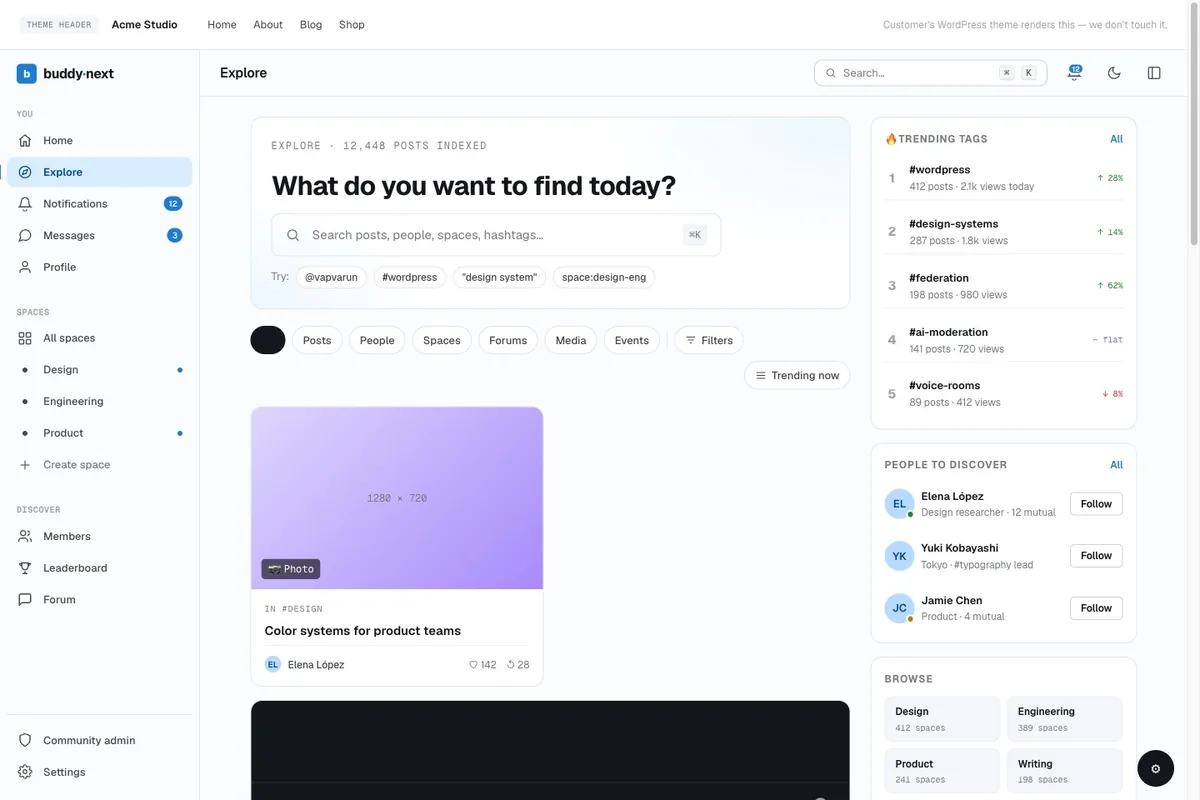
- Activity feed, A rich post composer with reactions, threaded comments, hashtags, and polls, the same “what’s happening” feed your community checks daily
- Spaces, Open, private, or secret groups for product lines, regions, VIP tiers, or ambassador circles, each with its own feed and roles
- Member profiles and directory, Customizable fields, member types, and a searchable directory so members can find each other, not just post into a void
- Direct messaging, Member-to-member conversation without leaving the community
- Moderation built in, Reports, strikes, banned words and domains, and space-scoped moderator roles that do not require your team to police every conversation personally
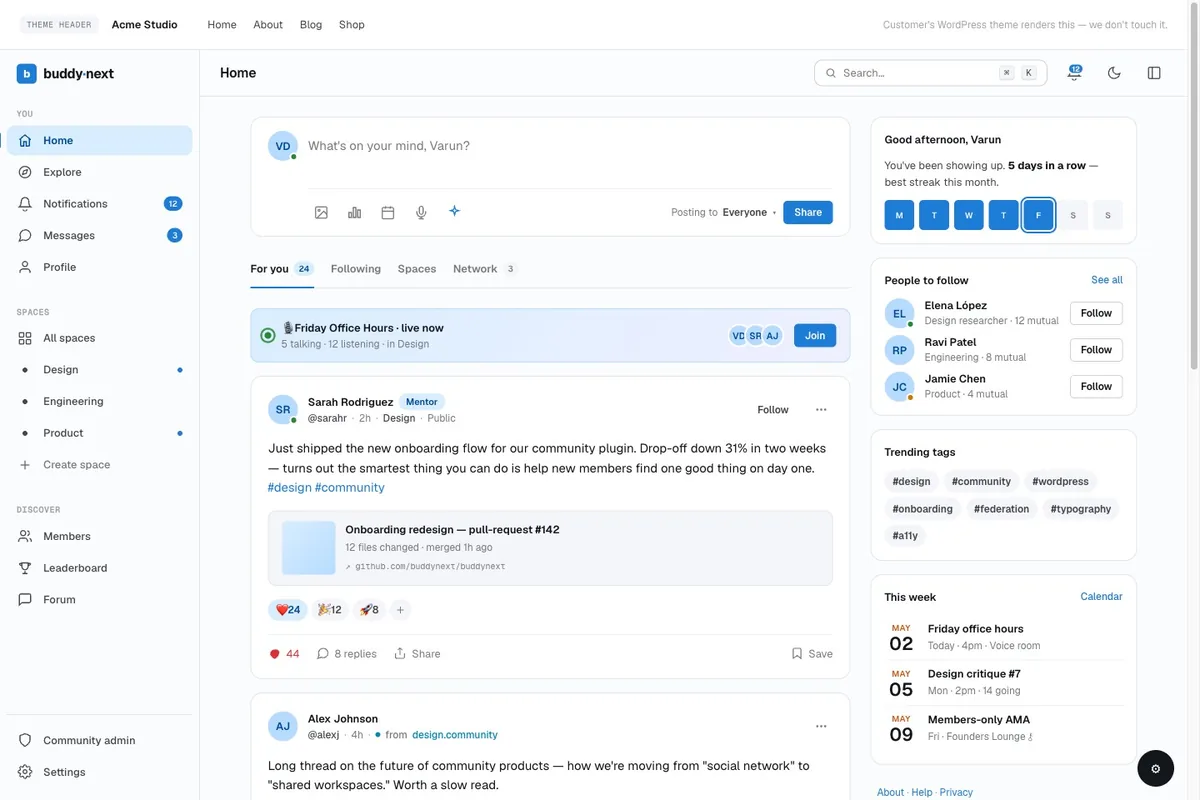
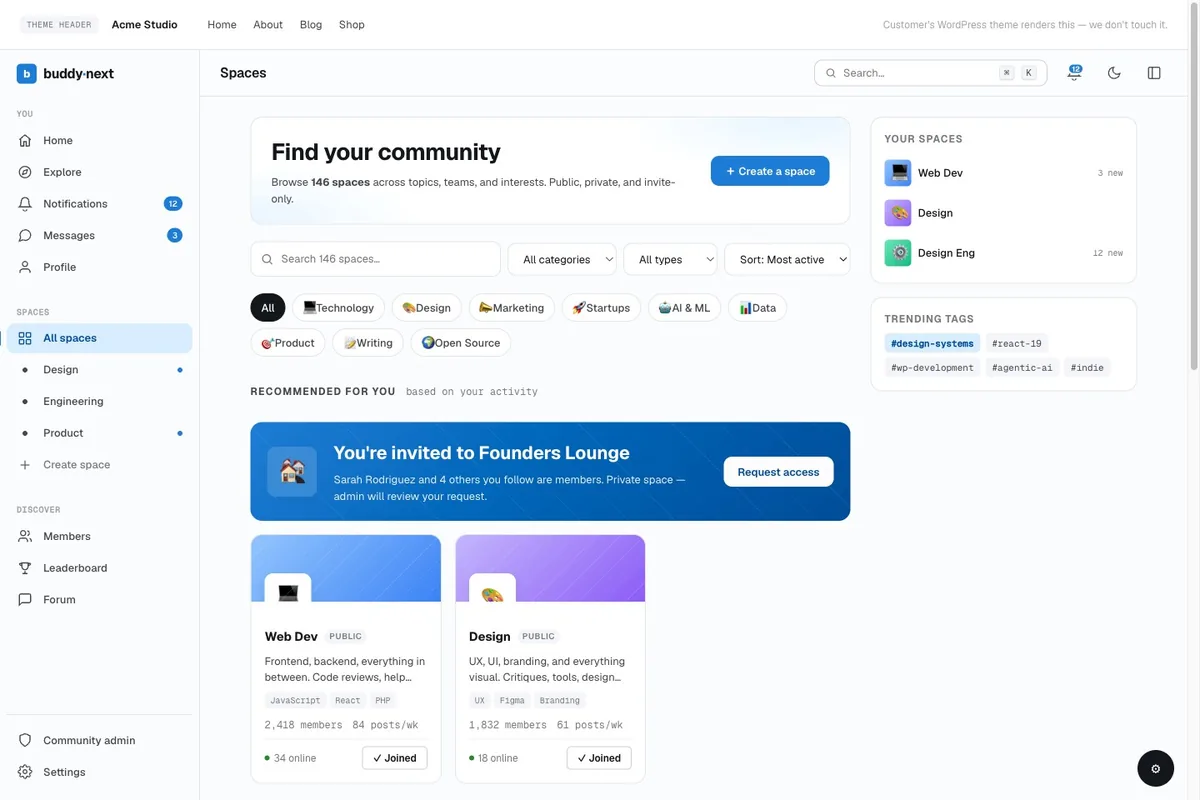
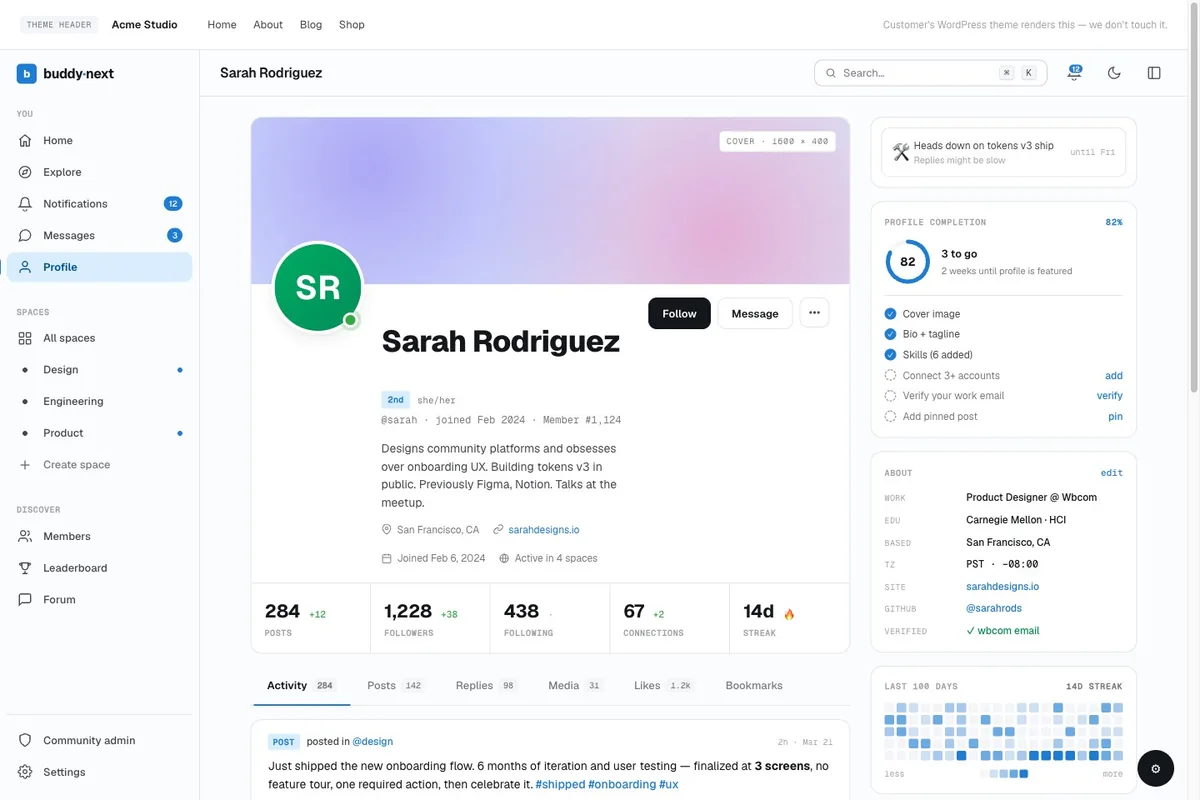
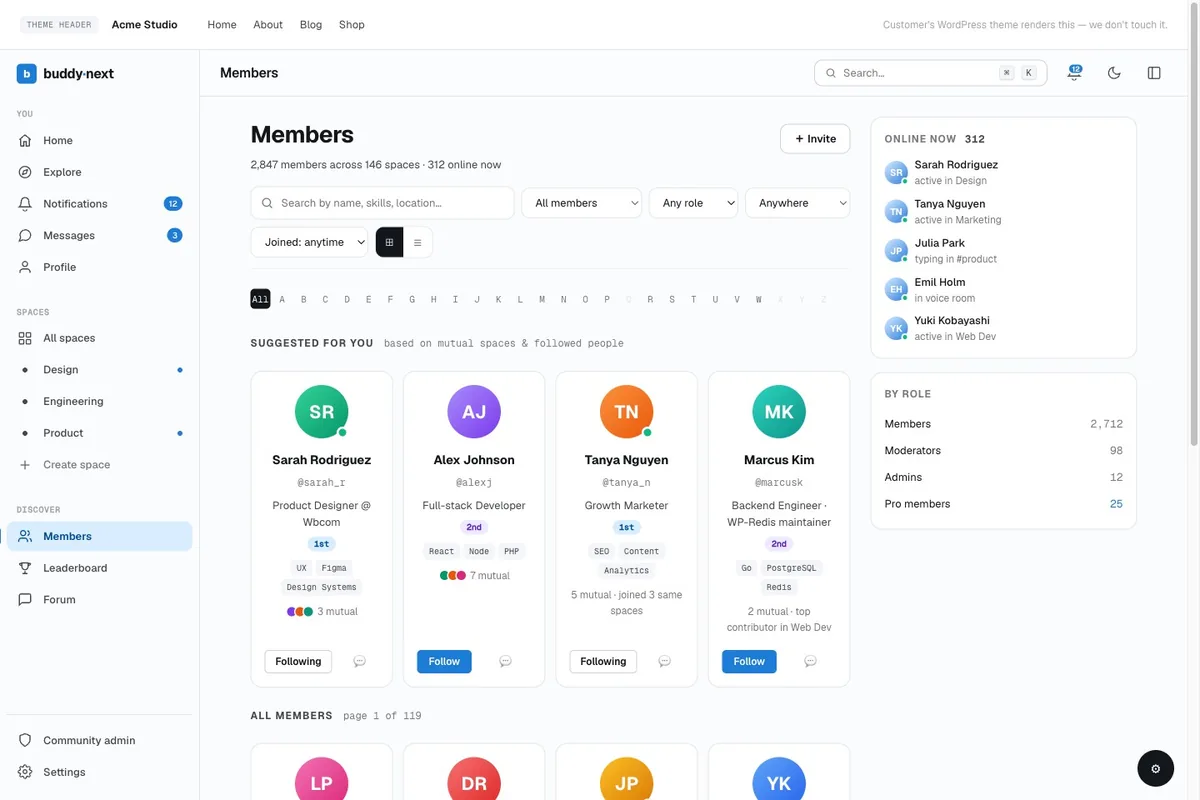
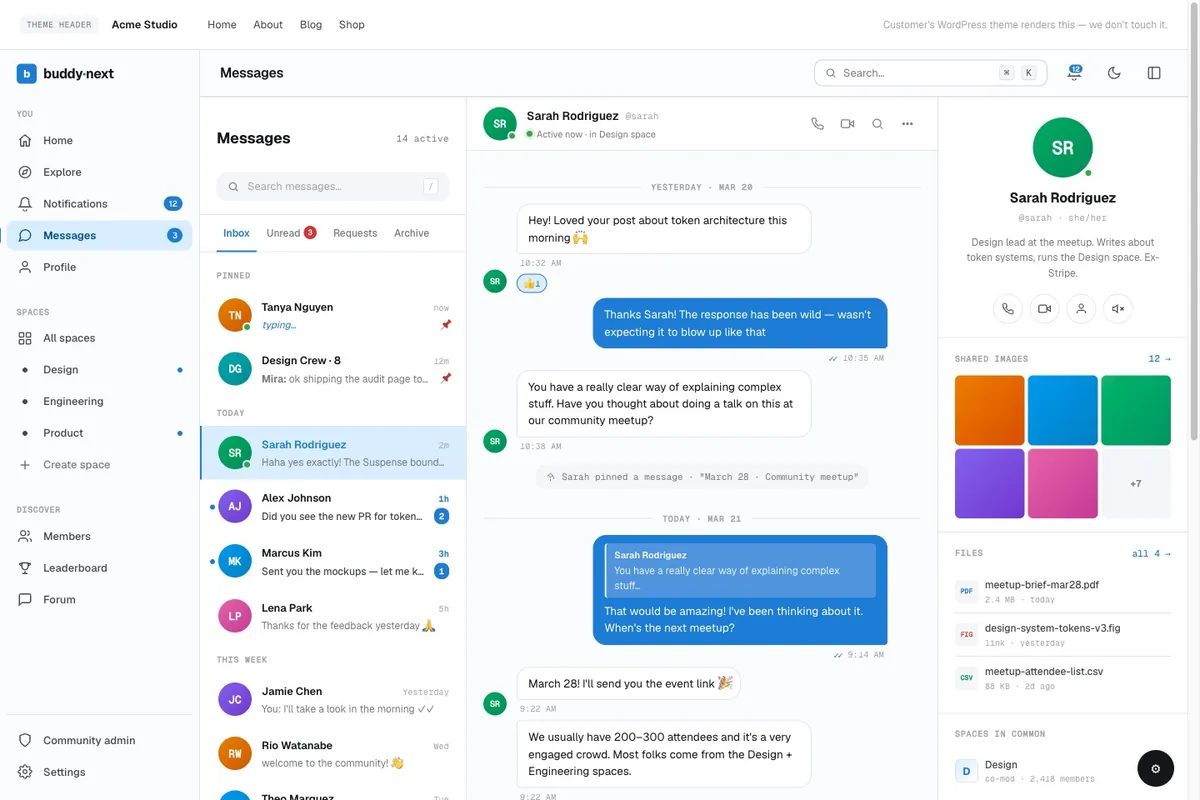
That is one setup, one admin screen, and one database, not a base plugin plus a growing list of unrelated add-ons.
Step 6: Give Your Community Your Brand’s Design
A community that looks like a stock install undercuts the “this is ours” feeling a brand community depends on. Pair BuddyNext with the BuddyX Pro theme and the visual layer becomes part of the platform instead of a separate design project:
- A token-based color and typography system, so your brand palette applies everywhere at once, not screen by screen
- Dark mode support built on the same tokens
- Ready-made style variations for different community layouts, feeds, directories, and profiles
- Responsive by default across desktop and mobile, since most members will check in from a phone
The result is a community members recognize as yours on sight, not a generic template with your logo dropped on top.
Step 7: Grow Into the Full Platform As Your Community Grows
A brand community rarely stays “just a feed” for long. The activity stream is where members show up daily, but the reasons they stay tend to be more specific: a place to get real support, a reason to keep coming back, a way to feel recognized. BuddyNext’s platform grows with those needs instead of asking you to bolt on a new plugin and a new login for each one:
- Forums and Q&A, Move product questions and troubleshooting out of the feed and into threaded discussions with a best answer, so the same question never gets asked, and answered, five times
- Courses and certificates, Run onboarding, product training, or a certification program for power users inside the same community they already have accounts on
- Gamification, Points, badges, streaks, and a live leaderboard that turn your most active members’ contributions into something visible, instead of invisible
- Directory and job board, A member directory doubles as an ambassador or local-chapter finder; a job board works for brands running an affiliate, partner, or hiring program through their community
- Membership tiers, Gate a VIP space, an early-access tier, or exclusive content behind a plan members buy directly on your site, with no per-member platform fee added on top
Every one of these shares the same member profiles and the same moderation as the core platform, not a separate account, a separate login, or a separate vendor to manage.
What a Brand Community on BuddyNext Can Actually Do
It helps to see the complete list mapped to what a brand specifically needs a community for, not a generic feature dump, but the shape of a real brand-community build.
Turn superfans into an ambassador program
Member types tag your most active customers as ambassadors. A private Space gives them a channel that is not public. Gamification tracks their referrals and contributions with points and a leaderboard. A directory lets other members, and your team, find them.
Deflect support tickets before they become tickets
A searchable Q&A space, staffed partly by your own power users, answers the questions your support team currently answers by email, visibly, so the next person with the same question finds it before they ask it.
Sell access, not just product
Membership tiers turn “join our community” into a real offer: an early-access tier, a paid mastermind Space, a single gated post walking through a launch. The checkout and the community are the same platform, so there is no separate cart and no separate login.
Train customers on your product, at scale
Courses and certificates work for a SaaS brand’s onboarding curriculum as well as they work for a course creator’s paid program. A certified-user badge, awarded on completion, becomes something members display and defend.
Keep the whole thing safe without a full-time moderator
Reports, strikes, banned domains and words, and space-scoped moderator roles mean the volunteers or part-time staff running individual Spaces can act without escalating every decision to you.
Own the design, not just the content
The token-based design layer from Step 6 means the community can look distinctly like your brand, not “a WordPress site with your logo on it,” down to dark mode and the layouts for feeds, directories, and profiles.
None of this requires stitching together separate plugins from separate vendors, and none of it requires renting the relationship from Circle, Skool, or Mighty Networks. It is one platform, built by one team, that a brand can grow into piece by piece as the community actually needs each piece, never all at once, and never before it is needed. You can try the live platform before committing anything to your own site.
Step 8: Develop a Content Strategy
Content is the fuel that keeps your community active and growing. Your content strategy should balance three types of material:
- Brand-created content, Exclusive articles, tutorials, behind-the-scenes updates, and product announcements that give members a reason to visit regularly
- Community-generated content, Encourage members to share their experiences, ask questions, and contribute knowledge. User-generated content creates authentic engagement and reduces the burden on your team
- Interactive content, Polls, Q&A sessions, challenges, and events that require active participation and create shared experiences
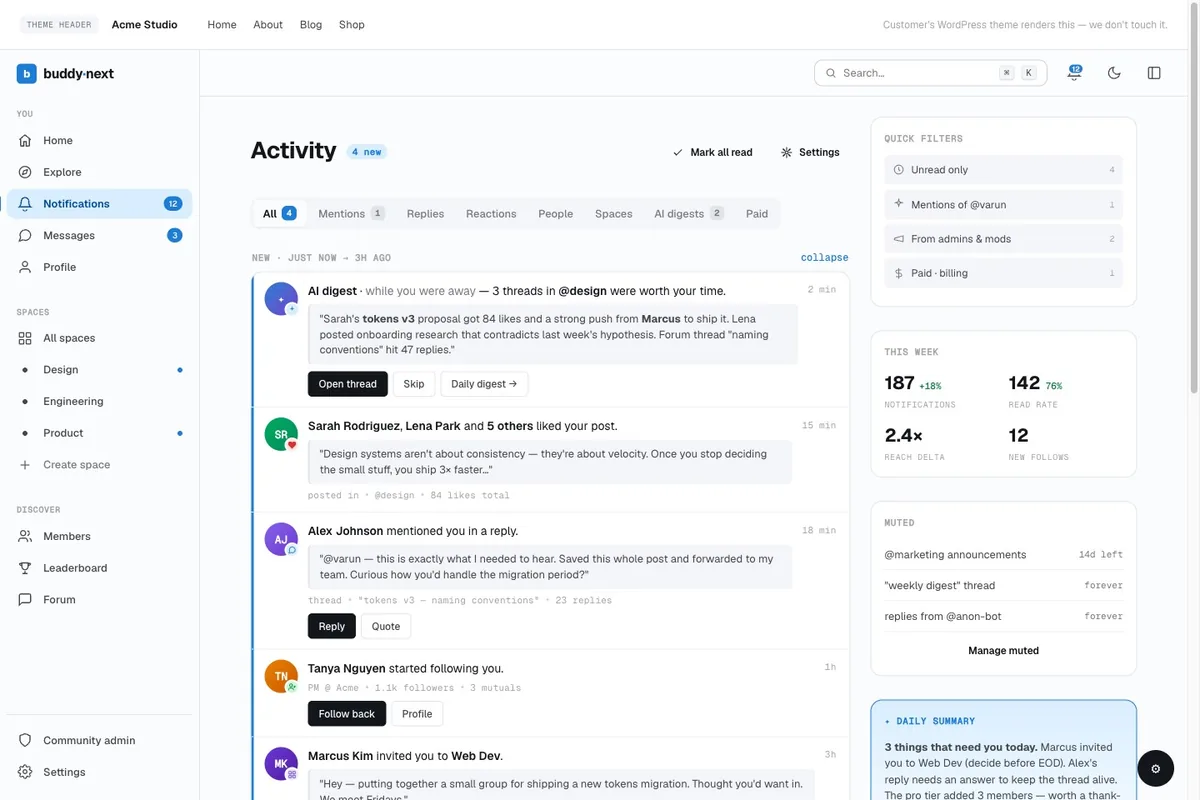
Consistency is critical. Establish a content calendar and commit to regular updates so members know your community is active and worth their time. For strategies on optimizing your content for search engines, learn how to create SEO-friendly headlines that drive traffic to your community.
Step 9: Launch, Promote, and Iterate
Launch your community with a core group of founding members, ideally your most engaged customers from existing channels. Promote the community through:
- Email announcements to your subscriber list highlighting exclusive community benefits
- Social media posts that showcase community highlights without revealing everything, creating curiosity
- Website banners and pop-ups that invite visitors to join
- Exclusive launch offers such as early access to products or special pricing for community members
After launch, continuously gather feedback and iterate on your community’s features, content, and engagement strategies. The communities that thrive are those that evolve based on what their members actually want and use.
Measuring Brand Community Success
Track these key metrics to evaluate your community’s health and growth:
- Active member ratio, The percentage of registered members who log in and participate within a given period
- Content engagement rate, Comments, likes, shares, and user-generated posts per active member
- Member retention, How many members remain active over three, six, and twelve-month periods
- Referral growth, New members acquired through existing member invitations and sharing
- Business impact, Customer lifetime value, support ticket reduction, and conversion rates among community members versus non-members
Summary
Building a thriving brand community in 2026 is both a strategic imperative and a practical, achievable goal. BuddyNext provides the technical foundation as a complete community platform rather than a base plugin, the BuddyX Pro theme delivers a design layer that is actually yours, and a thoughtful content and engagement strategy brings it all to life. The investment pays dividends in customer loyalty, reduced marketing costs, organic growth, and invaluable product insights. Start with clear goals, build on a platform you own, and commit to serving your community members with genuine value.
For developer-focused communities, a searchable code library can turn member contributions into a long-term knowledge asset that keeps growing over time.
Related reading