
4 min read
LearnDash Frontend Dashboard: Complete Course Management Without WP Admin

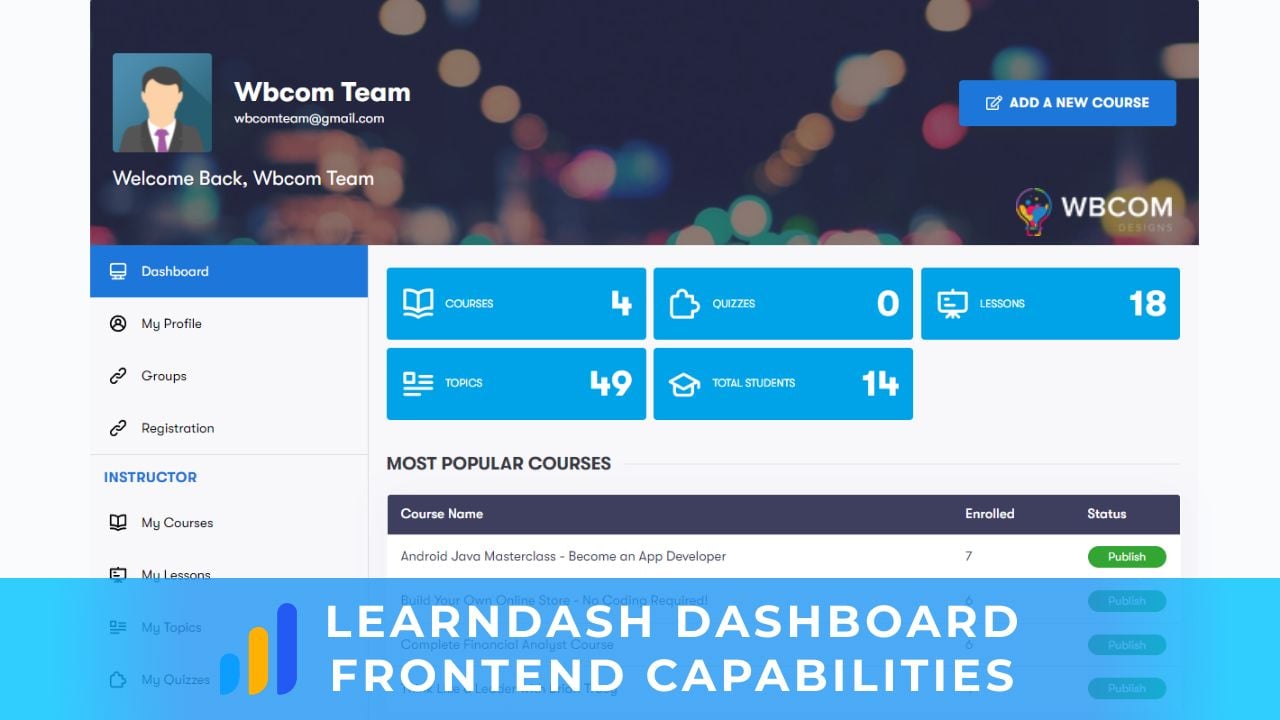
If you run a LearnDash-powered learning site in 2026 with multiple instructors or a large student base, you’ve probably run into the same problem: instructors need WordPress admin access to create or edit courses, but giving admin access to instructors is a security and UX nightmare. The Wbcom LearnDash Dashboard plugin solves exactly that. It gives instructors and students a clean frontend interface for managing courses, lessons, quizzes, profiles, and reporting, entirely outside the WP admin. This guide covers what the plugin does and why it matters for serious LearnDash sites.
In this post

Why a Frontend Dashboard Matters for LearnDash
LearnDash is the leading WordPress LMS plugin, but its course-management interface lives entirely in WP admin. That works fine for solo instructors who also own the site. It breaks down fast when:
- You have multiple instructors who shouldn’t see each other’s drafts or plugin settings
- You want a polished, branded interface for instructors instead of the WordPress admin look
- You’d rather not grant Editor or Admin roles to people who only need to manage their own courses
- Your students want a clean place to see progress, quiz scores, and attempt history without digging through course pages
A frontend dashboard solves all four. Wbcom’s LearnDash Dashboard plugin builds a complete instructor and student interface on top of LearnDash, so the LMS-management experience matches the rest of your site’s design instead of looking like the WordPress backend.
Three Separate Roles: Admin, Instructor, Student
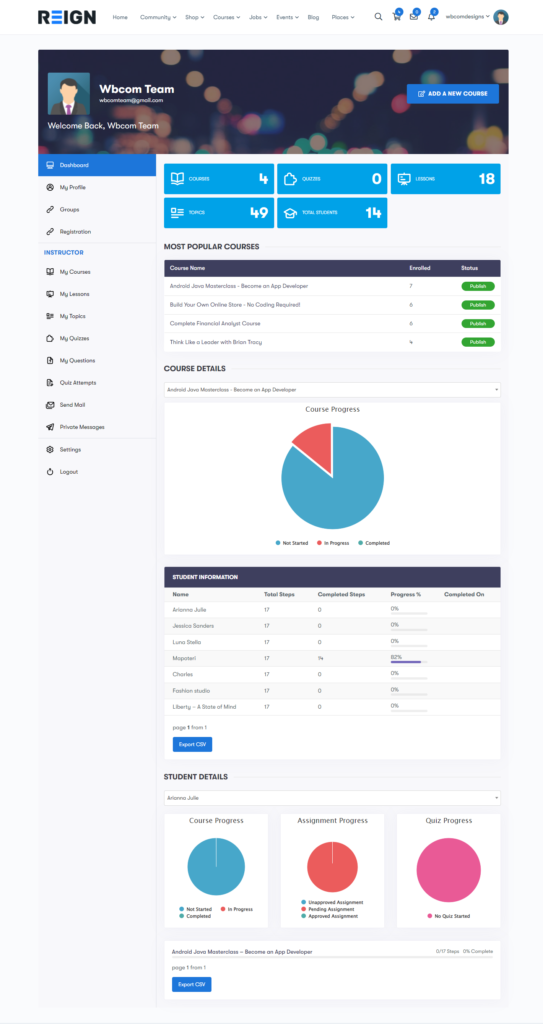
The plugin introduces three distinct roles with separate frontend dashboards:
- Admin, full site control with the option to restrict which fields instructors can see, plus oversight of all courses and reporting.
- Instructor, a dedicated frontend workspace to create, edit, and manage courses, lessons, topics, quizzes, and questions without WP admin access. Plus student progress reporting.
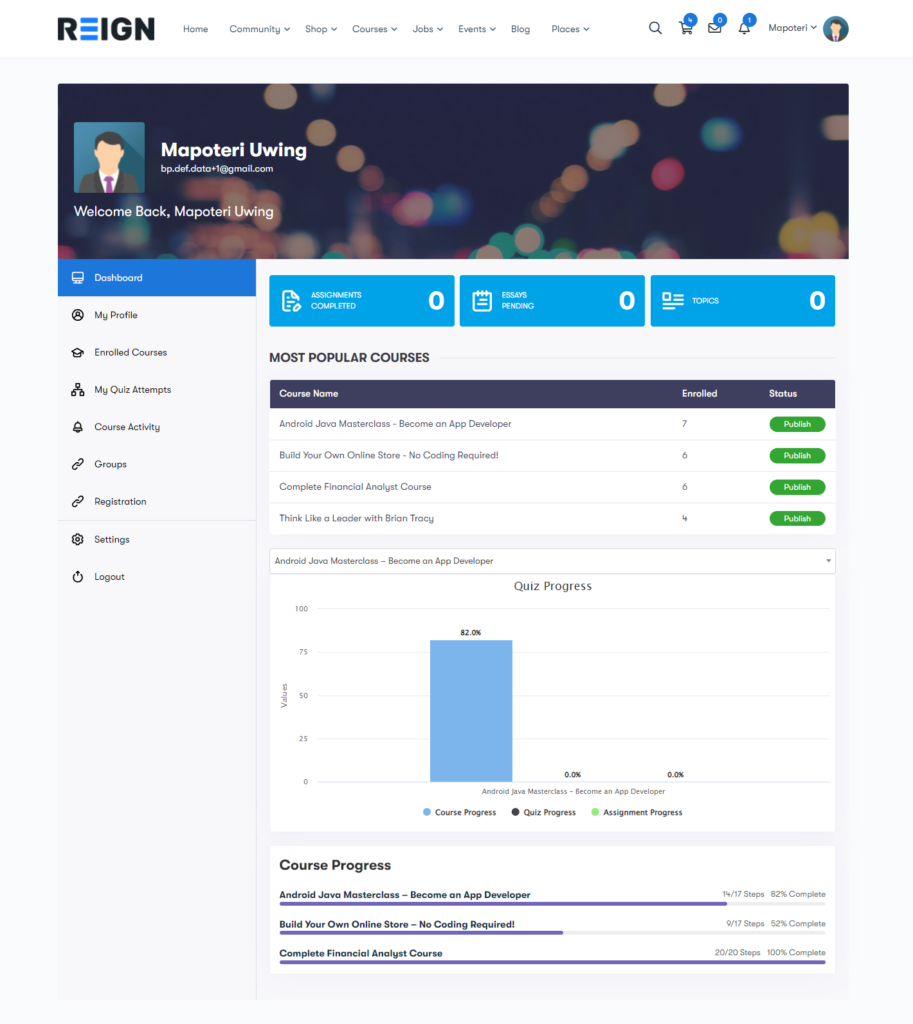
- Student, a clean frontend view of enrolled courses, progress, activity, quiz attempts, and scores.
Each role only sees what’s relevant to them. Instructors don’t see other instructors’ courses by default. Students don’t see instructor controls. Admins see everything plus field-restriction controls.
Frontend Capabilities
Frontend Course Control
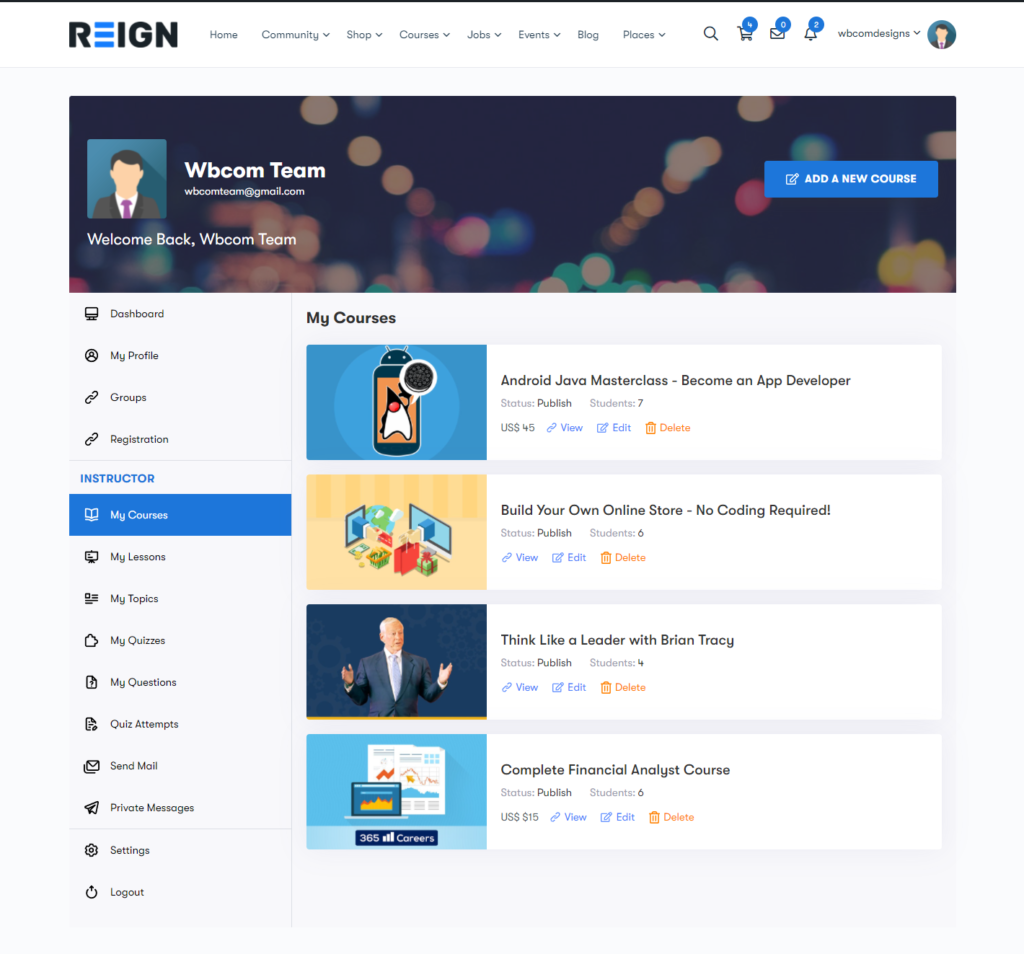
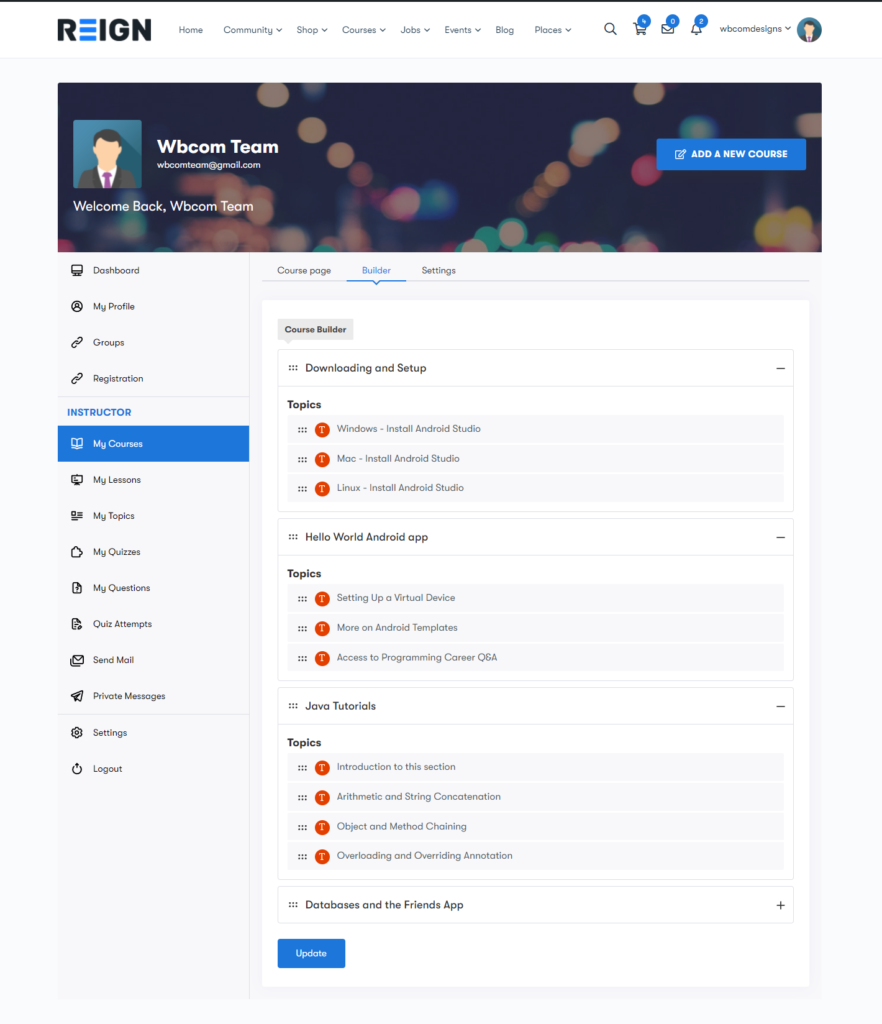
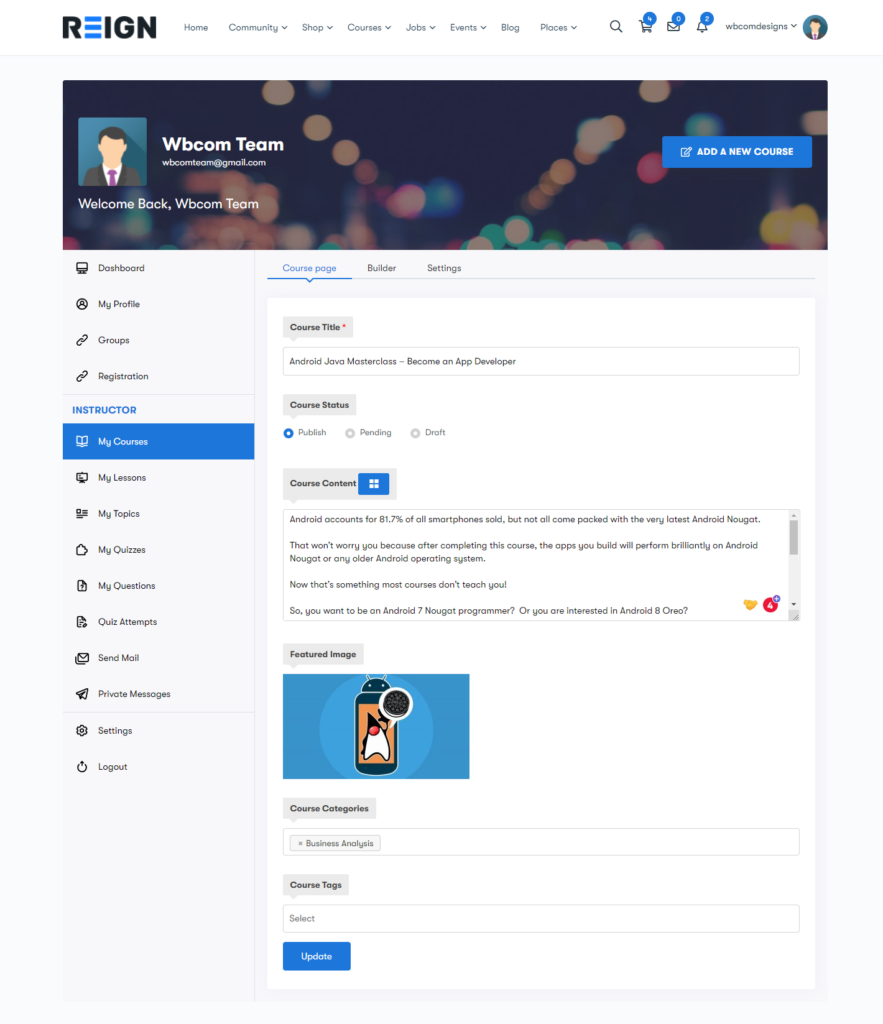
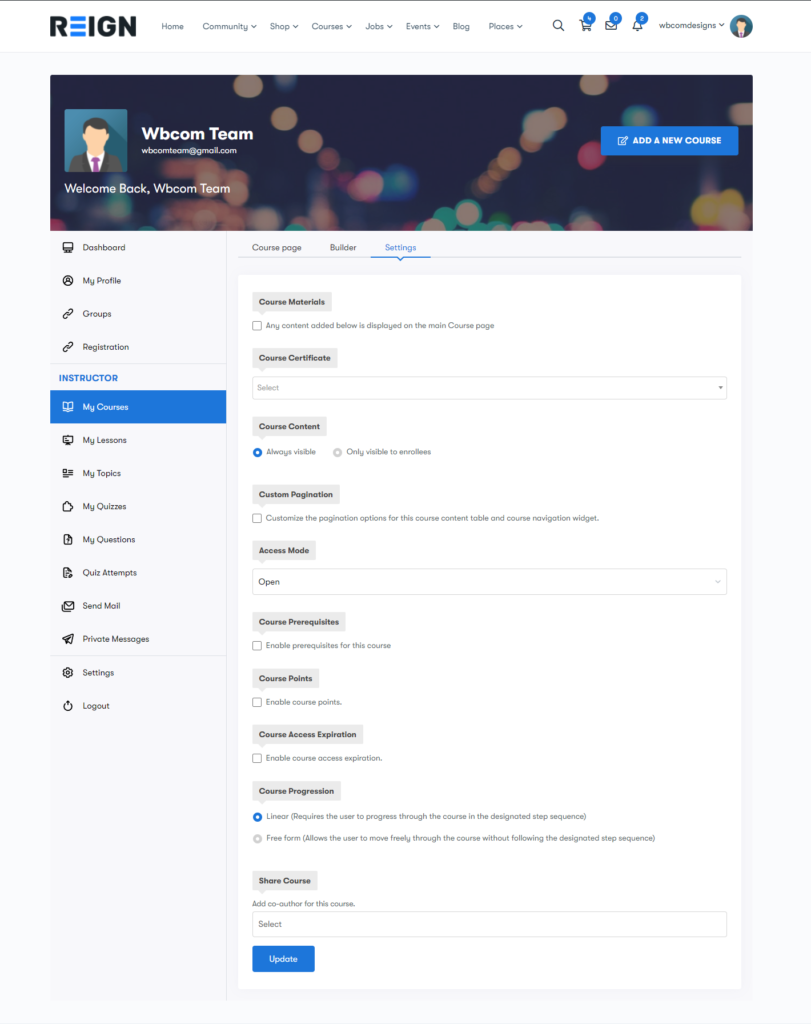
Instructors can add and edit courses, lessons, topics, quizzes, and questions entirely from the frontend dashboard. The course builder, course settings, and content sequencing all happen outside WP admin.
Frontend Lesson Creation
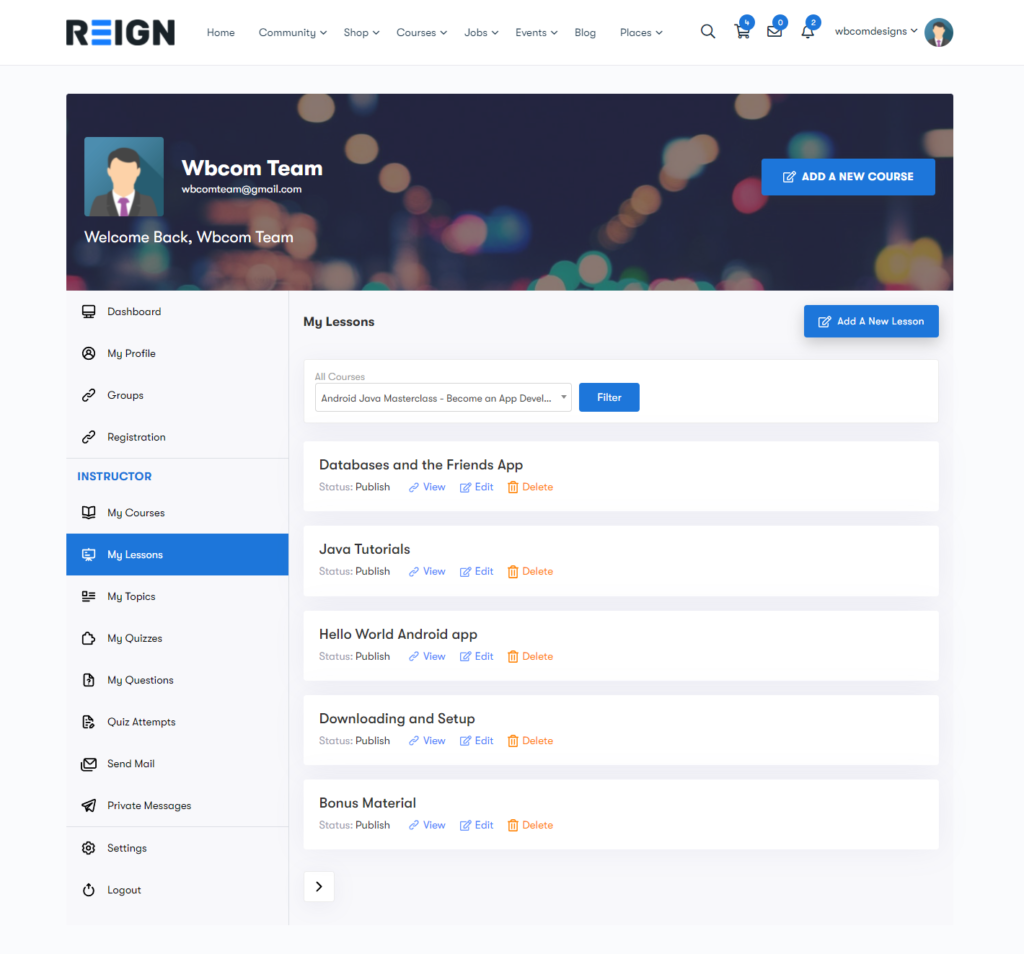
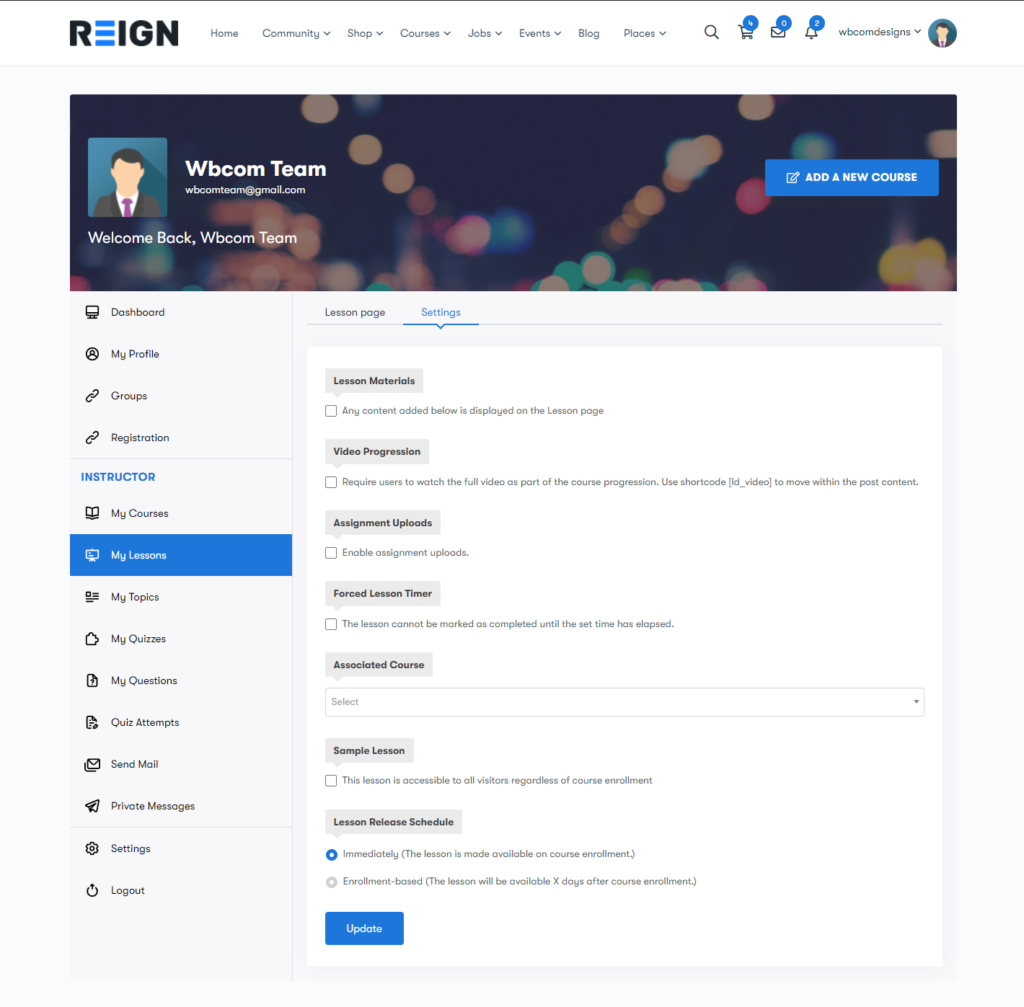
Lessons get their own dedicated tab in the instructor dashboard. Filter by course, edit, view, or delete lessons. All lesson-related settings (materials, video URLs, lesson order, drip-feed schedules) are available without leaving the frontend.
Frontend Quiz Management
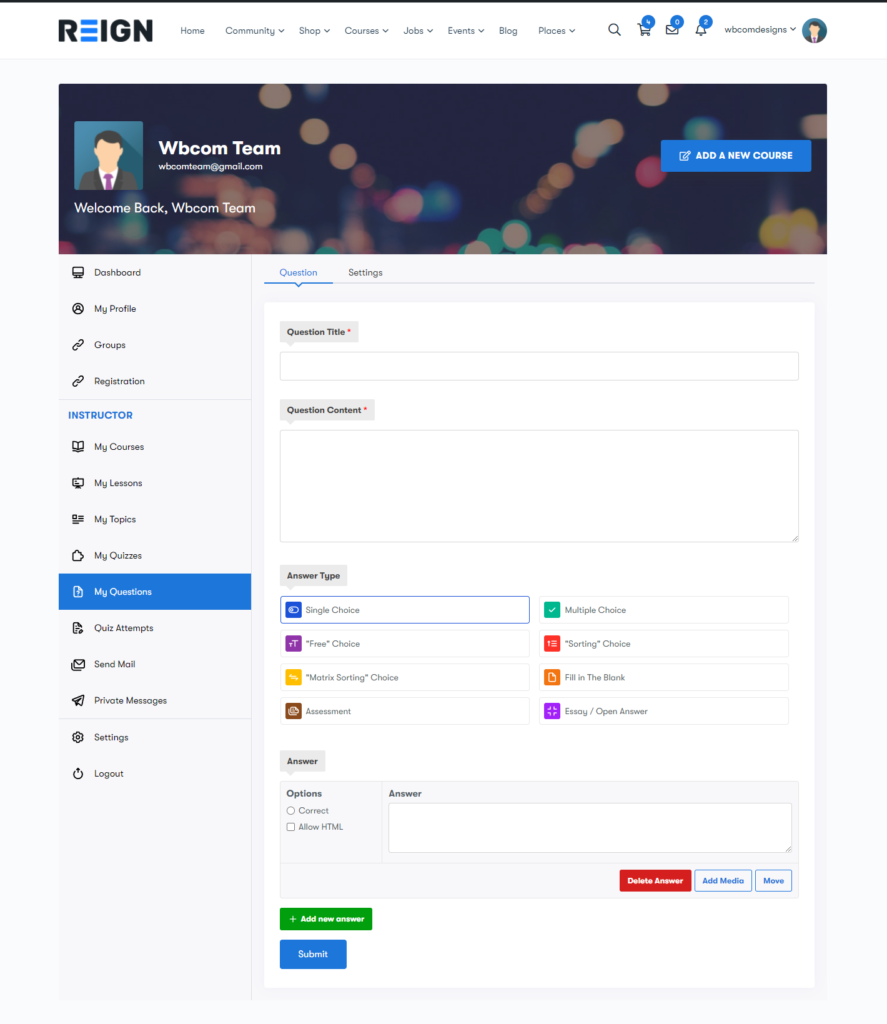
A complete quiz management system runs on the frontend. Add question titles, content, and answers, plus configure quiz settings (passing score, attempts allowed, feedback rules, time limits) directly from the instructor dashboard.
Field Restrictions
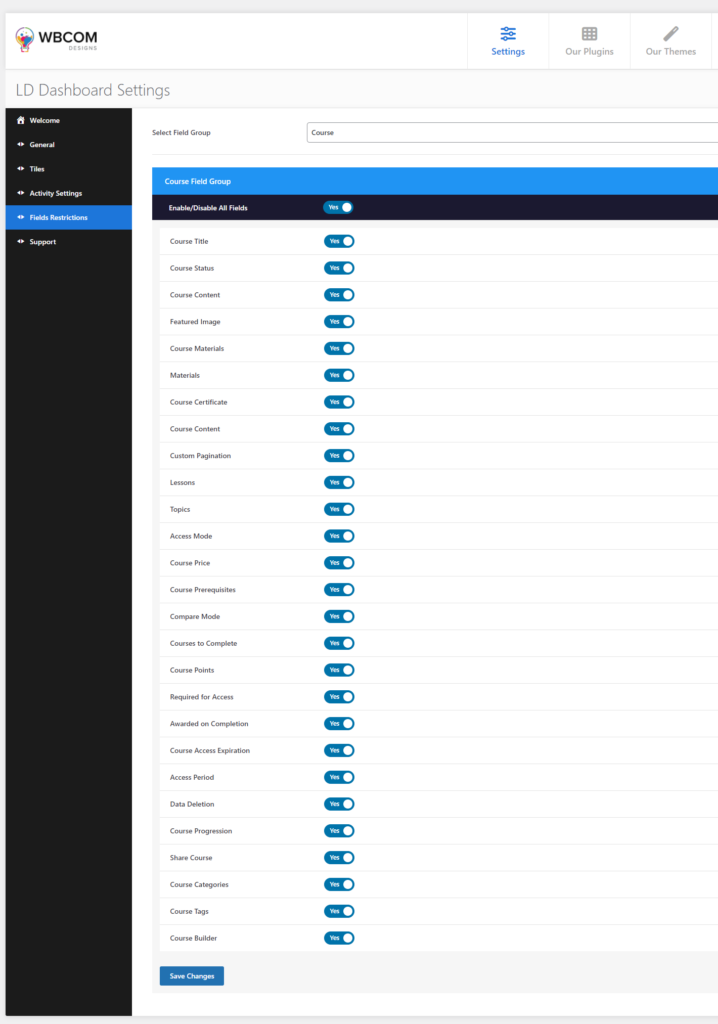
Admins can restrict any field from a given field group, which hides that field from the frontend instructor interface. This is the key to a polished instructor UX, hide settings they don’t need to manage so they only see the controls relevant to their workflow.
Profile Management
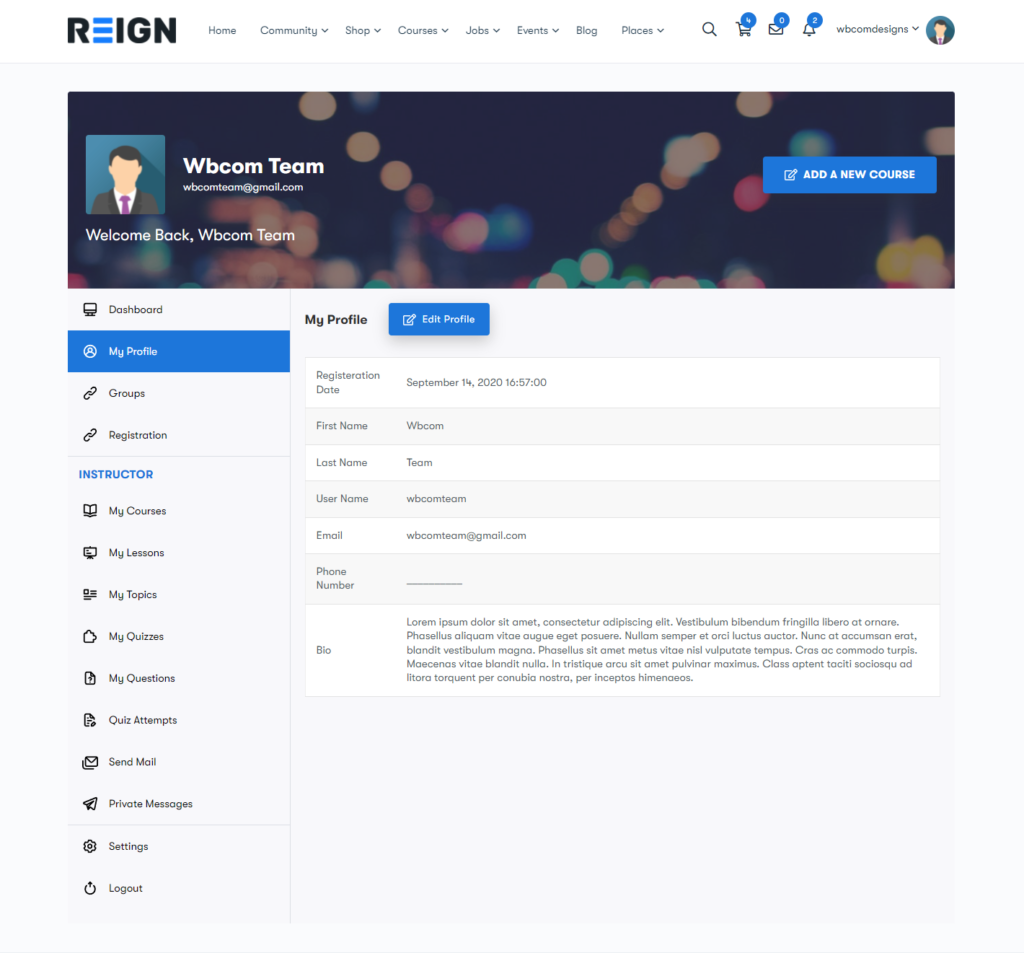
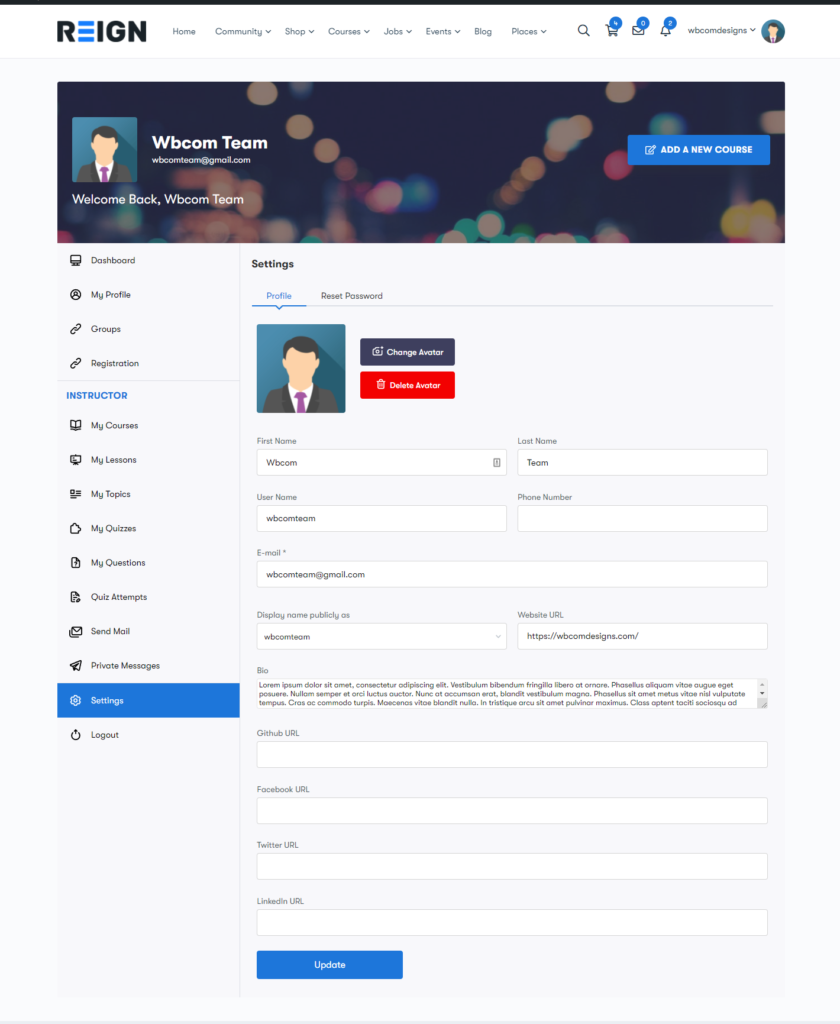
Instructors and students can both manage their profile details on the frontend: avatar, name, bio, important links, URLs, and password reset, all from within the same dashboard.
Student Dashboard
Students see their enrolled courses, progress, activity, quiz attempts, and scores in a single clean view. No more clicking into individual courses to check progress.
Pair It With LearnMate LearnDash Theme
For the best end-to-end LearnDash site experience in 2026, pair the LearnDash Dashboard plugin with our LearnMate LearnDash theme, Wbcom’s purpose-built LearnDash theme. LearnMate styles LearnDash courses, lessons, and quizzes with a polished, modern UI, and pairs natively with the LearnDash Dashboard plugin so the frontend instructor and student experience matches the rest of your site’s design.
Together, LearnMate + LearnDash Dashboard gives you a complete LearnDash front-end: clean course design, frontend course management, and a frontend student experience, without exposing WP admin to anyone outside your core team.
Get Started
The LearnDash Dashboard plugin is available now from Wbcom Designs. It works with the current LearnDash release and supports the LearnDash 4.x branch with modern PHP and WordPress compatibility.
For broader LearnDash + community + commerce builds, see our WordPress development services, we’re the team behind the Reign and BuddyX themes plus 15+ BuddyPress add-on plugins on WordPress.org.
Interesting Reads:
Related reading