
11 min read
Top 8 Event Management Tools Compared

Marketers and event organizers may make their lives simpler by using one of the top event management tools on the market to operate stress-free events ranging from small gatherings to multi-day conferences. One of the most appealing advantages of an event management system is the automatic email outreach, the seamless snapshotting of the events calendar, and the natural improvement in professionalism. Do you require one? Check through the top event management software list below to get the best event management platform for you.
Last updated: 6 November 2026
Quick answer
Quick answer: The best event management tool depends on the size of your event. Eventbrite suits public ticket sales, Cvent and EventsAir suit large conferences, Eventzilla suits small paid events with low fees, Evite suits private invitations, and Eventonomy suits events run from your own WordPress site. Wrike is a project management tool, not an event platform.
Event management tools at a glance
| Tool | Best for | Pricing model (checked November 2026) |
|---|---|---|
| Eventonomy | Events on a WordPress or community site | Free plugin, Pro adds paid ticketing with no per-ticket platform fee |
| Wrike | Planning the work behind an event | Free plan, Team $10, Business $25 per user per month billed annually |
| Eventbrite | Public ticket sales | Free events cost nothing, paid tickets 3.7% + $1.79 service fee plus 2.9% processing |
| Cvent | Corporate and association events | Pricing not published, free trial offered |
| EventsAir | Conferences with abstracts and speakers | Pricing not published |
| Eventzilla | Small and mid-size paid events | From $1.50 per registration, free events are free |
| Evite | Private party invitations | Free and premium invitations, Evite Pro $249.99 per year |
| Eventgroove | Nonprofits, schools, fundraisers | Free for organizers, attendees pay the service fees |
Prices come from each vendor’s own pricing page and change often, so confirm before you buy.

Event Management Tools
1. Eventonomy
Eventonomy is the WordPress events plugin our own team builds, for organisations that already run their site on WordPress and want to manage events, RSVPs and attendees without sending data to a third-party service. Everything runs on the WordPress site you already control, with the attendee list kept in your own database. Key Features:- Unlimited events, with recurring series for weekly or monthly meetings.
- RSVPs with a capacity limit and an automatic waitlist.
- Four calendar views and a calendar feed people can subscribe to.
- A dashboard page where members see their RSVPs and organisers manage attendees.
- Paid ticketing in the Pro version, with no per-ticket platform fee.
For a large conference with sponsors, floor plans and badge printing, the dedicated tools below do more. See the Eventonomy plugin page for current version details.
2. Wrike
 Wrike is a cloud-based collaboration and project management solution that assists users in managing projects from start to completion by offering complete visibility and control over activities. The end-to-end system manages projects from the original request by tracking work progress and reporting outcomes. It also improves collaboration and communication with your team. Wrike is not an event ticketing tool, so pair it with a registration platform. Its pricing page lists a free plan, Team at $10 and Business at $25 per user per month billed annually, with Pinnacle and Apex on request (Wrike pricing, checked November 2026). It suits event teams that need task lists, Gantt charts and approvals for run-of-show work.
Key Features:
- Project and task management entails creating, scheduling, and delegating work, visualizing your goals on a Gantt chart, and tracking project time and budgets.
- Team collaboration includes:
- Discuss tasks with your team.
- Receiving real-time notifications about work developments.
- Sharing and editing files online.
- Reviewing and approving digital assets.
- Real-time workspace: Use free mobile applications to streamline all requests, organize work files, assignments, and debates, and manage your responsibilities on the move.
- Build bespoke, interactive reports by project, team, department, and so on, and share them with executives or staff.
- Advanced security features include:
- Role-based access control.
- SSO.
- Two-factor authentication.
- Powerful data center security and protection.
- Custom processes, fields, user groups, branding, and 30+ connectors are available (including Salesforce, JIRA, etc.)
3. Eventbrite
 Eventbrite is a ticketing and event technology platform that assists businesses in organizing and selling online event tickets. It hosts events of all kinds and sizes, from seminars to concerts to conferences to world-renowned film and music festivals. This professional event software simplifies event preparation with its ticketing system, scanner capability, and user-friendly design. Free events cost nothing to publish. For paid tickets, Eventbrite lists a service fee of 3.7% + $1.79 per ticket and a payment processing fee of 2.9% per order, and buyers pay them by default unless you absorb them (Eventbrite organizer pricing, US page, checked November 2026). Rates differ by country.
Key Features:
- Create a listing for the Eventbrite event database to reach new audiences and use built-in options such as social media sharing, audience targeting, and custom email invitation generation.
- Eventbrite’s 15+ built-in reports, which can be accessed from any device and are updated in real time, provide insight into sales and other event information.
- Take advantage of mobile ticket scanning on the Eventbrite event management Android and iOS applications to give a better guest experience.
- Manage event ticket sales with real-time sales data and analytics, and take advantage of the flexibility to sell tickets on a customized event website or social media channels.
- Integrate with over 100 third-party applications to synchronize data and streamline workflows, including CRM, marketing, fundraising, accounting, and event management tools.
4. Cvent
 Cvent provides entire event website design, development, and management services to corporate clients. The program is a simple-to-use, powerful online platform that has increased attendance and engagement while allowing easy navigation of each event procedure. Cvent states it has managed 8.3 million events and that 89% of the Fortune 100 use it (Cvent event management software). It does not publish prices on the product page, so expect to request a quote or start a trial. It is built for corporate and association programs, and is more than a small team usually needs. Cvent assists the company in successfully organizing and executing marketing events, and Cvent’s ticketing technology allows for completely branded event tickets.
Key Features:
- Cvent’s event management software is designed to streamline the event resource planning process, making it easier for meetings and event planners to traverse all aspects of the event process.
- Increase event attendance by creating complex marketing campaigns around events using Cvent event management software.
- Create a comprehensive plan for guests by scheduling events with a drag-and-drop interface and allowing them to design their daily calendar depending on the sessions they wish to see and attend.
- Tailor an event website with all critical information and corporate logo and customize all event messages to send to guests using a variety of pre-built templates.
- Evaluate event success with real-time analytics and reports on variables such as footfall, audience interaction, ticket sales, guest comments, and more.
Also Read: Best 2D Animation Software (Free And Paid)
5. EventsAir
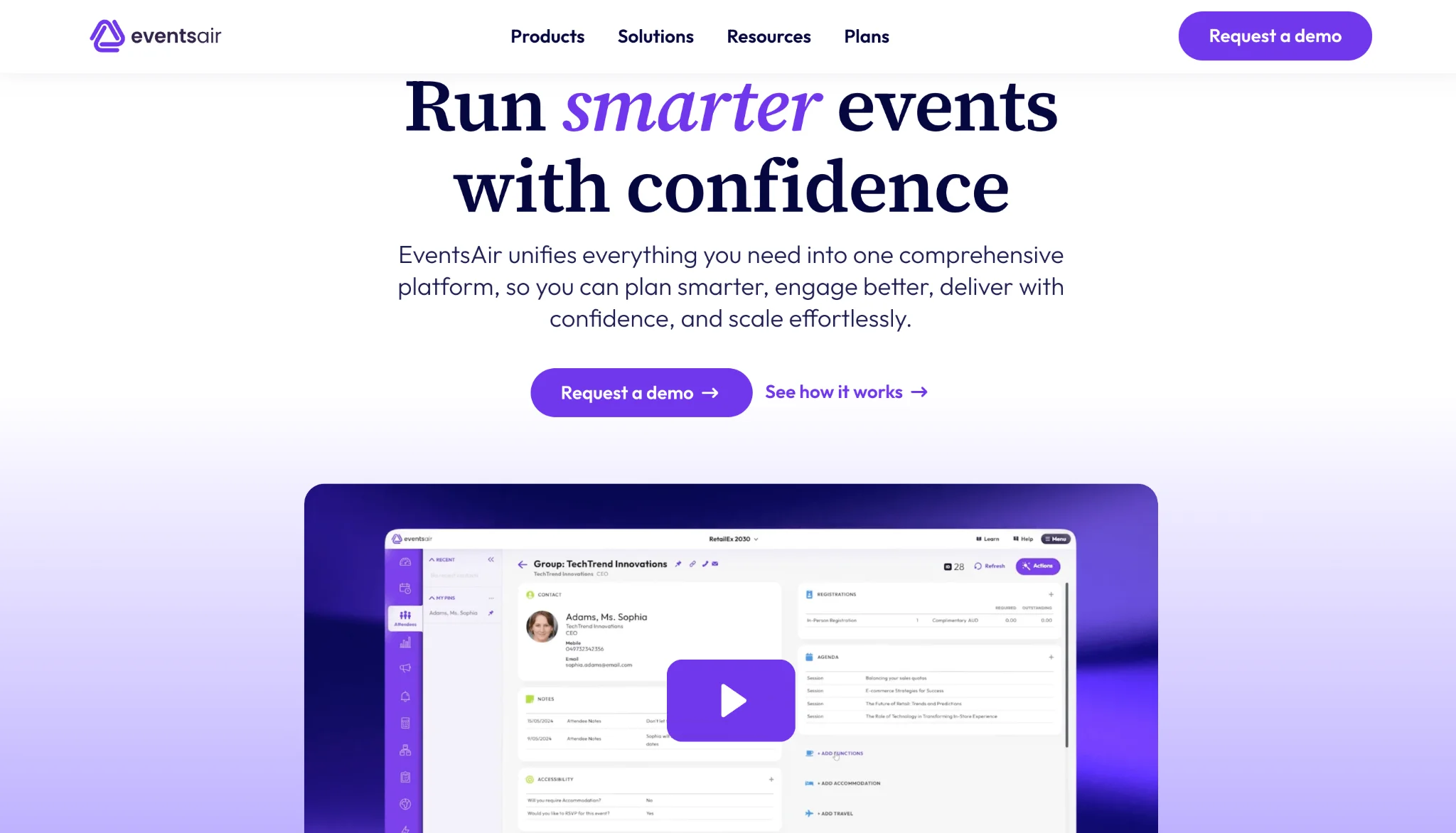 EventsAir is an all-in-one event management platform built for planners who handle detailed, high-stakes programs across in-person, virtual, and hybrid formats. It regularly features among the best conference management software for associations and PCOs, and EventsAir says its planners power more than 400,000 events worldwide. It’s a strong fit if you are a professional conference organizer, an association, a university, or a government team. These are groups where one event can involve hundreds of presenters, multiple registration types, and strict compliance needs.
What sets EventsAir apart is how much of the pre-event workload it absorbs. You can collect and review abstracts, build dynamic agendas, and manage speakers in the same system that handles registration. You can also manage travel and accommodation there. Agencies running several client events at once can clone entire events and reuse templates instead of rebuilding from scratch. On event day, mobile check-in, kiosks, and instant badge printing keep arrivals moving. Its Air Intelligence AI assistants help teams track engagement and prove ROI afterward.
Key Features:
- Abstract submission, review, and program scheduling.
- Rules-based registration with conditional logic and unlimited registration types.
- Speaker, sponsor, and exhibitor management with lead capture.
- Custom-branded mobile event app with gamification and meeting matching.
- Travel and accommodation management.
- AI-powered analytics, plus integrations with Salesforce, HubSpot, and Microsoft Dynamics.
6. Eventzilla
 Eventzilla is an all-in-one event management software that assists with everything from easy setup to comprehensive reporting on a single platform. They offer a clean yet extremely adaptable theme designer for the appearance and feel of an event. It enables customers to create unique registration forms, discount codes, and many registration choices. Online and offline payments are accepted, and Eventzilla offers a wide range of payment options. Payment processing is charged separately, with Eventzilla Payments listed at 2.9% + $0.99 per transaction and other gateways such as PayPal and Stripe billed by the processor.
Key Features:
- Pricing is per registration: Basic is $1.50 per paid registration with one ticket type, Pro is 1.9% + $1.50 with unlimited ticket types, and Plus is 2.9% + $1.50 and can pass all fees to attendees. Free events are free, and the Scale plan is custom-priced with no per-registration fee (Eventzilla pricing, USD, checked November 2026).
- Eventzilla gives you total control over your event page’s style, feel, and branding. Additional options include removing any references to Eventzilla and registering events within the user’s domain.
- All payments are made in real-time, and Eventzilla does not keep any transactions due.
- Attendance check-in with a single click and export of all attendee details, as well as extensive reporting features.
- Form design flexibility allows you to capture information from registrations and attendees.
- Private event and non-standard registration procedures, including pre-approval criteria, ticket unlock codes, waiting lists, and other features, are supported.
Also Read: How To Pin A BuddyPress Post On Your Timeline Like A pro?
7. Evite
 Evite makes it simple to create a digital experience by allowing you to design and send invites, monitor attendance, provide customized messages, and track emails, texts, and messengers. Evite is best understood as an invitation and RSVP tool for private events, not a ticketing or conference platform. The site lists free invitations with RSVP tracking and a shared photo album, premium designs, and Evite Pro at $249.99 per year (Evite, checked November 2026). It also fits event management software uses that allow non-profits, enterprises, and event planners to issue online invites, hold virtual events, measure attendance, and more. These capabilities integrate seamlessly with the features of an RSVP app, ensuring efficient event management and a smooth user experience.
Key Features:
- Businesses may use Evite to add video chat to invites, organize virtual events, and pick from a range of hand-illustrated graphics to use on cards or invitations.
- Users may modify and upload their invitation layouts with photographs, track RSVPs, and manage the guest list on a centralized platform.
- Businesses may send SMS, Facebook, or email invitations, view event details from several locations, and post photographs in a private stream.
- Teams may use a unified dashboard to track event performance, guest status, and invitation information to expedite decision-making processes.
- Nonprofits may conduct virtual fundraisers, customize invites with custom logos, check attendance, send event reminders to visitors, and connect with participants via messages and surveys.
8. EventGroove
Eventgroove delivers a full‑service event management platform that lets you create branded event pages, sell tickets, collect RSVPs, and engage attendees across virtual, in‑person, or hybrid formats. From customizable event pages and mobile‑first check‑in to built‑in promotion tools and real‑time analytics, Eventgroove streamlines every step, from invitation and registration to fundraising, merchandise sales, and on‑site operations. Whether you’re a nonprofit, enterprises, schools, or independent planner, its private‑label, no‑hidden‑fees model ensures you own your data and brand, while seamless integrations (email, text, CRM, fundraising, e‑commerce) and optional on‑demand printing give you everything you need for a smooth, professional experience.Eventgroove states that it is free for organizers: attendees and donors pay the service fees, and free events cost nothing. It also runs fundraising tools such as auctions, raffles and peer-to-peer campaigns, plus print-on-demand merchandise (Eventgroove, checked November 2026).
Key Features:- Beautiful Event Pages: Fully branded, responsive pages with custom images, banners, and text.
- Virtual, In‑Person & Hybrid Events: Host any format with secure access links and mobile‑optimized delivery.
- Ticketing & Registration: Flexible ticket types, reserved seating charts, complimentary/offline tickets, and discount codes.
- Promotional Tools: Built‑in email, social media, and text‑messaging campaigns, plus unique tracking links.
- Ticket Sales Widget: Embed an automatically updating calendar or “Buy Tickets” button on your own website.
How to choose an event management tool
Start with who pays and who owns the data. Public ticketed events need a marketplace like Eventbrite or a fee-per-registration tool like Eventzilla. A conference with abstracts, speakers and badge printing needs Cvent or EventsAir. A community, school or membership site that already runs on WordPress can keep RSVPs and attendee lists in its own database with Eventonomy, and members can then discuss events inside a community platform for online events.
Add up fees at your real ticket price. A 3.7% + $1.79 service fee plus 2.9% processing on a $10 ticket is a much bigger share than on a $200 ticket.
Before you buy, check that the tool exports attendee data, supports your payment gateway and sends reminder emails. Reminders pair well with email outreach and newsletters.
Conclusion on Event Management Tools
Businesses and individuals can host virtual gatherings more easily than ever before. Event management software is a type of product that aids in the planning, promotion, and execution of private, corporate, or charitable events. The finest event management software simplifies the management of all parts of an event, from programming to speakers to attendance. These are eight event management software solutions worth comparing. Before selecting software, you should know what you want in a software and then select appropriately; this way, you can employ the software fully.
Frequently asked questions
What is the best event management software?
There is no single best tool. Eventbrite is the common choice for public ticket sales, Cvent and EventsAir for large conferences, Eventzilla for small paid events, and Eventonomy for events run on your own WordPress site.
What is the cheapest event management software?
Eventbrite, Eventzilla and Eventgroove charge nothing for free events. For paid events Eventgroove is free for organizers because attendees pay the service fees, and Eventzilla starts at $1.50 per paid registration.
How much does Eventbrite charge?
Free events cost nothing. On the US pricing page, paid tickets carry a 3.7% + $1.79 service fee and a 2.9% payment processing fee per order. Buyers pay by default, or you can absorb the fees.
Is Wrike an event management tool?
Wrike is project management software. It handles tasks, schedules and approvals for an event team, but it does not sell tickets or manage registration.
Can I run events on WordPress?
Yes. A WordPress events plugin such as Eventonomy keeps events, RSVPs and attendee lists in your own database, so you avoid third-party platform fees and keep control of attendee data.
Related reading