
7 min read
The 8 Best Blogging Platforms and How to Choose One


Starting a blog means choosing between owning your site, renting space on a hosted builder, or writing inside a network. The right answer depends on whether you want control, speed, a newsletter or a business.
This article compares 8 blogging platforms, checked against each vendor’s own pages in November 2026.
Last updated: 15 November 2026
Quick answer
WordPress.org is the best blogging platform for most people who want control and long-term growth, WordPress.com is the easiest hosted version, Ghost and Substack suit newsletter-led writers, and Wix and Squarespace suit people who want a visual builder. Medium and Blogger are the lightest ways to start.

Blogging platforms at a glance
| Platform | Type | Starting cost (per vendor) | Best for |
|---|---|---|---|
| WordPress.org | Self-hosted | Software free; hosting extra | Control and growth |
| WordPress.com | Hosted | Free; paid from $4 per month | Easy WordPress |
| Ghost | Hosted or self-hosted | From $18 per month | Newsletters and memberships |
| Substack | Newsletter network | 10% of paid subscriptions | Newsletter audiences |
| Medium | Network | Check Medium | Quick publishing |
| Wix | Site builder | Free; paid from $17.77 per month | Small business sites |
| Squarespace | Site builder | 14-day trial; no free plan | Design-led sites |
| Blogger | Hosted by Google | Check Blogger | Simple hobby blogs |
Prices come from the vendor pages on 15 November 2026, mostly in US dollars. Check each page for your local currency and tax.
How to choose a blogging platform
Start with your goal. If you want search traffic over years, pick a platform with strong SEO control and clean URLs. If you want a paid newsletter, look at Ghost or Substack. If you want to publish a few posts with no setup, Medium and Blogger are the shortest path.
Then check five things:
- Editor: you will use it every day, so try it before committing.
- Design control: themes, templates and how much you can change.
- Extensions: a platform with a plugin ecosystem scales with you, so you will not need to move later.
- Ownership: who owns the audience, the domain and the content export.
- Cost over time: compare the annual price, including the renewal rate.
Once readers arrive, see Research-Proven Techniques for Higher User Engagement for ways to keep them reading.
The best blogging platforms
1. WordPress.org (self-hosted)
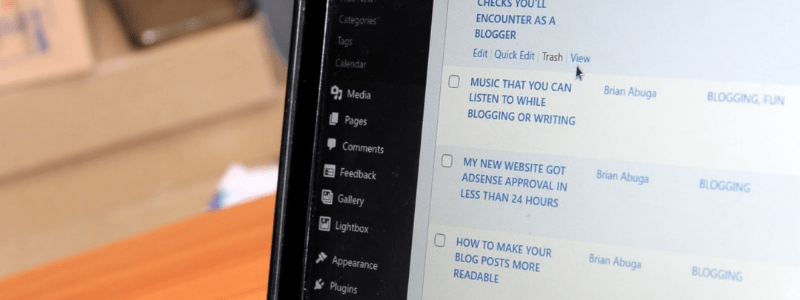
WordPress.org is the free, open-source software behind most of the blogs you read. You install it on your own hosting, so you control the design, the data and the domain. According to W3Techs, WordPress is used by 38.6% of all websites and holds a 57.6% share of sites with a known CMS (data dated 15 November 2026).
The download page recommends PHP 8.3 or greater and MySQL 8.4 or MariaDB 10.11 or greater.
Pros
- Full control over design, URLs, data and monetization
- Large plugin and theme ecosystem for forums, stores, courses and memberships
- Strong SEO control through plugins and clean URLs
- Community-focused extensions exist too, such as BuddyPress Allow Users to Create Blog Posts From Frontend
Cons
- You handle hosting, updates, security and backups
- A learning curve compared with hosted builders
Cost: The software is free; you pay for hosting and a domain, plus any premium themes or plugins.
Best for: bloggers who want ownership and room to grow into a business.
2. WordPress.com
WordPress.com is the hosted version run by Automattic. The pricing page lists Free, Personal, Premium, Business and Commerce plans. The Free plan gives you a WordPress.com subdomain with 1 GB of storage and no plugins; plugin installation is available on every paid plan.
Pros
- No server or update management
- Free plan to start
- Plugins available on paid plans
Cons
- The free plan has no custom domain and no plugins
- Less control than self-hosting on lower tiers
Cost: Free; paid plans start at $4 per month billed yearly for Personal, $8 for Premium, $25 for Business and $45 for Commerce (US dollars, excluding taxes, per the pricing page on 15 November 2026). Check the page for your local currency.
Best for: beginners who want WordPress without managing hosting.
3. Ghost
Ghost is an open-source publishing platform built for blogs, newsletters and paid memberships. Its pricing page lists Ghost(Pro) plans from Starter to Business, and links to its open-source code on GitHub for people who prefer to host it themselves.
Pros
- Focused on writing, newsletters and memberships
- Paid-subscription plans with 0% Ghost transaction fees on higher tiers
- Open-source code available
Cons
- Smaller theme and plugin ecosystem than WordPress
- The Starter plan does not include paid subscriptions
Cost: Ghost(Pro) is listed from $18 per month (Starter) to $29 (Publisher) and $199 (Business) on yearly billing, in US dollars; payment processor fees still apply.
Best for: writers and publishers who want a clean editor and built-in memberships.
4. Substack
Substack combines a newsletter with a blog and a paid-subscription option. Its paid subscription page says writers keep 90% of their revenue minus credit card fees, which means Substack takes 10% of paid subscription revenue.
Pros
- Fast setup focused on email subscribers
- Built-in paid subscriptions
- Simple writing interface
Cons
- Limited design and customization
- The audience relationship runs through Substack’s platform rules
Cost: The page does not state a charge for free newsletters; the 10% cut applies to paid subscriptions, plus credit card fees.
Best for: writers whose main goal is a paid or free newsletter audience.
5. Medium
Medium is a publishing network where you write inside Medium’s own reader audience instead of running your own site. Medium returned an access error (HTTP 403) to our automated checks, so confirm its current terms, member program and pricing on its site before you commit.
Pros
- No setup or hosting
- Built-in reading audience
- Clean writing experience
Cons
- You do not own the site or its design
- Limited customization and branding
Cost: Check Medium’s own pages for current writer and membership terms in your currency.
Best for: writers who want to publish quickly without running a site.
6. Wix
Wix is a drag-and-drop website builder that can add a blog to any site. Its plans page lists a free plan with no credit card required and paid Light, Core, Business and Business Elite plans.
Pros
- Drag-and-drop editor and thousands of templates
- Free plan to start
- Blog can sit alongside a business site
Cons
- Moving a Wix site to another platform is harder than moving a WordPress site
- Prices and currency vary by location
Cost: The page lists USD prices for reference, from $17.77 per month for Light to $159.77 for Business Elite on yearly plans; prices and currency vary by location.
Best for: small businesses that want a simple builder with a blog included.
7. Squarespace
Squarespace is a hosted website builder known for polished templates. Its pricing page lists Basic, Core and Advanced plans, a 14-day free trial and no free plan.
Pros
- Design-focused templates
- Hosting and updates handled for you
- 14-day free trial
Cons
- No free plan
- Less extensible than WordPress
Cost: When we opened the pricing page it showed Indian rupees, for example Basic at ₹810 and ₹630 per month (annual billing assumed). Check your own currency on the page.
Best for: creatives and small businesses who care about design out of the box.
8. Blogger
Blogger is Google’s blogging service. Its about page says you can use a blogspot.com address or buy a custom domain, show Google AdSense ads, and view built-in analytics.
Pros
- Simple and backed by Google
- Custom domain option
- AdSense support
Cons
- Fewer extensions than WordPress
- Limited design options
Cost: The page does not state a price; check Blogger for current terms.
Best for: hobby bloggers who want a simple tool from Google.

Frequently asked questions
What is the best blogging platform for beginners?
WordPress.com is the easiest way to start with WordPress, and Wix or Squarespace suit people who want a drag-and-drop builder. All three handle hosting for you.
Which blogging platform is best for making money?
WordPress.org gives the most monetization options because you can add ads, stores, courses and memberships. Ghost and Substack are built for paid newsletters, and Substack takes 10% of paid subscription revenue.
Can I blog for free?
Yes. WordPress.com, Wix and Substack let you start for free, and Blogger and Medium are also approachable starting points. Free plans usually limit custom domains, plugins or branding.
WordPress.com or WordPress.org?
WordPress.com is hosted for you and has paid plans with plugin installation. WordPress.org is the free software you install on your own hosting for full control.
Can I move my blog to another platform later?
Usually yes, but it takes work. Self-hosted WordPress and Ghost are the easiest to move, and site builders such as Wix are harder to leave. Check the export options before you invest in content.
Summary
There is no single best platform, only the one that fits your goal. Choose WordPress.org for ownership and growth, a newsletter platform if email is the point, and a builder if you want the shortest path to a good-looking site.
Pick one, publish regularly and move only when your needs change.
Interesting Reads:
Related reading