
9 min read
8 Best WordPress Domain Checker Plugins


The best WordPress domain checker plugins in 2026 are WP Domain Checker (paid, the most complete, with WHMCS and WooCommerce checkout), WP24 Domain Check (the best free option, 1,600+ TLDs via WHOIS and RDAP), and Domain Search for WHMCS if you already run a WHMCS billing system. Every plugin below was checked live in August 2026 for its last update, active installs and price. Four plugins from the older version of this list have been dropped because they are no longer published or have not been updated in years.
A domain checker plugin lets visitors type a domain name into a search box on your WordPress site and see straight away whether it is available. The good ones query WHOIS or the newer RDAP protocol, cover generic TLDs and country codes, protect the form with reCAPTCHA or Turnstile, and hand the visitor to a registrar or a WHMCS cart to buy. Hosting resellers, agencies and anyone running a WordPress site that sells domains alongside hosting is the audience.
Most of these work with a single shortcode. Several now ship Gutenberg blocks or Elementor and WPBakery widgets as well. We have listed the free options first within each price band and said plainly which checking method each one uses, because that decides accuracy.

| Plugin | Price | Check method | Last update | Best for |
|---|---|---|---|---|
| WP Domain Checker | $29 (CodeCanyon) | WHOIS + RDAP, 1,300+ TLDs | Nov 2025, v7.0.0 | Resellers who need WHMCS or WooCommerce checkout |
| WP24 Domain Check | Free | WHOIS + RDAP, 1,600+ TLDs | Jan 2026, v1.12.0 | Best free all-rounder |
| Domain Names Checker (InkThemes) | $17 | Domainr / DreamHost API | Update date not published | Affiliate-link monetisation |
| Domain Search for WHMCS | Free | Redirects to WHMCS cart | Aug 2026, v3.1.6 | Existing WHMCS users |
| Dominion Domain Checker | Free; Pro $19 | Built-in lookup, no API | Nov 2025, v2.3.1 | WPBakery sites |
| Doment | Free | Redirects to WHMCS cart | Dec 2025, v2.0.4 | Elementor sites with WHMCS |
| OWH Domain WHOIS RDAP | Free | RDAP against IANA list | Jul 2026, v1.3.2 | Block editor users who want WHOIS details |
| Hostingforall Domain Checker | Free; paid Pro | DNS (free) / WhoisFreaks API (Pro) | Mar 2026, v4.6.0 | Selling domains as WooCommerce products |
WordPress Domain Checker Plugins
1. WP Domain Checker

WP Domain Checker is the longest-running paid option and still the most complete. Version 7.0.0 shipped in November 2025 and added RDAP lookups alongside the legacy WHOIS queries, which matters because more registries are switching WHOIS off. It checks any gTLD or ccTLD from a list of 1,300+ extensions, needs no reseller API, and has passed 3,100 sales on CodeCanyon.
The AJAX search box can be dropped in with a shortcode or widget, a theme designer lets you match colours without CSS, and Google reCAPTCHA keeps bots off the form. The two features that justify the price over the free plugins are WHMCS integration and WooCommerce support with per-TLD pricing, so a visitor can search, add the domain to a cart and pay without leaving your site. It also does WHOIS and IP lookups (IPv4 and IPv6). Regular licence is $29.
Download Now
Also Read: Top Backlink Checker Tools
2. WP24 Domain Check
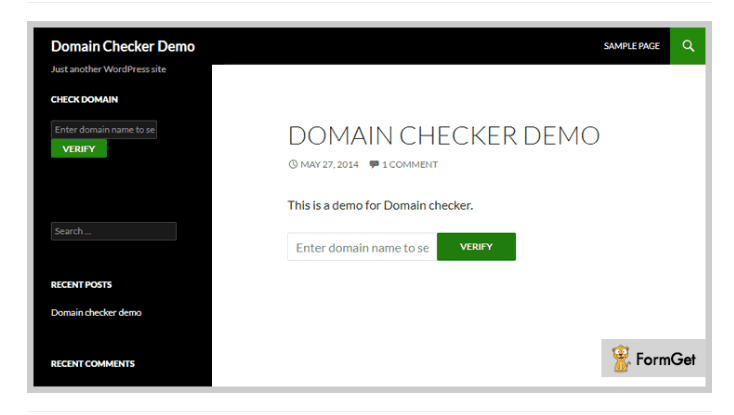
WP24 Domain Check is the free plugin we would install first. It has 4,000+ active installs on WordPress.org, a 4.3-star rating from 32 reviews, and version 1.12.0 was released in January 2026 with WordPress 6.9 compatibility. It replaces the old “Domain Checker Shortcode and Widget” entry on this list, which is no longer available in the plugin directory.
It queries WHOIS servers and RDAP endpoints for more than 1,600 TLDs. You choose which extensions appear in a dropdown, allow free-text entry, or let visitors check every TLD at once. The AJAX form works through a widget or shortcode, supports Google reCAPTCHA or Cloudflare Turnstile, translates through WPML and Polylang, and has a basic WooCommerce hand-off. There is no Pro tier to upsell you, which is rare in this category.
Download Now
Also Read: How to Choose the Right Domain Name
3. Domain Names Checker for WordPress
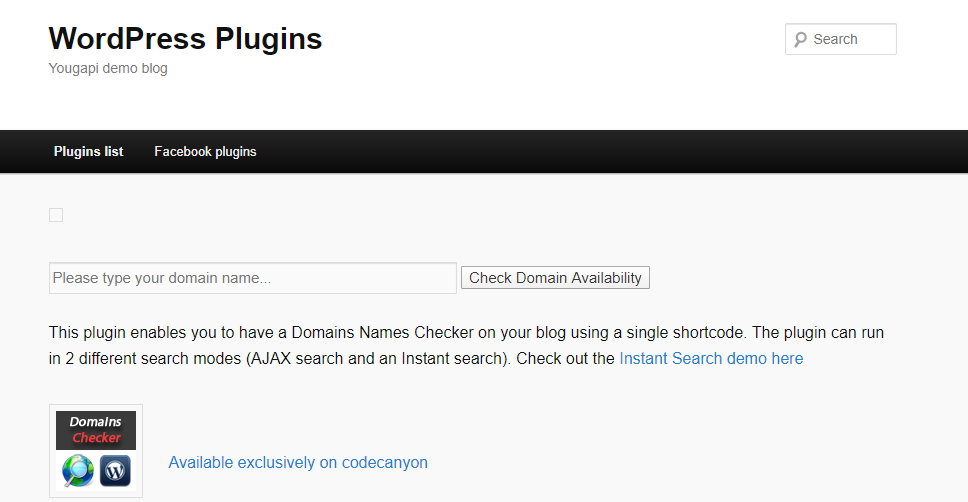
Domain Names Checker from InkThemes is a $17 plugin aimed at bloggers who want to earn affiliate commission on domain registrations rather than sell domains themselves. You add it with a shortcode, pick a registrar affiliate link, and available results link out with your referral code attached.
It offers two search modes. AJAX search waits for the visitor to press the button; instant search shows results as they type. Lookups run through the Domainr or DreamHost API with configurable caching so you do not hammer the API on every keystroke, and it can show WHOIS details for taken domains. One caution: InkThemes does not publish a last-updated date on the product page, so test it on a staging site before buying.
Download Now
Also Read: Top 5 WordPress Plagiarism Checker Plugins
4. Domain Search for WHMCS
If you already run WHMCS for hosting billing, this is the simplest way to put a domain search on your WordPress front end. The plugin renders a lightweight form (about 1.7 KB of CSS, no front-end JavaScript) and sends the visitor to your WHMCS cart, where the real availability check and purchase happen. No API keys, no WHOIS calls from your WordPress server, nothing to break when a registry changes its WHOIS format.
It is actively maintained: version 3.1.6 landed on 13 August 2026 and it is tested up to WordPress 7.1. You can create unlimited shortcodes pointing at different WHMCS installs or branded variants, style the form with a live preview, and hook into five filters if you need custom behaviour. It is free and collects no data. This entry replaces “Domain Check”, which has not been updated since January 2022.
Download Now
Also Read: 20 Best WordPress Custom Login Page Plugins
5. Dominion Domain Checker
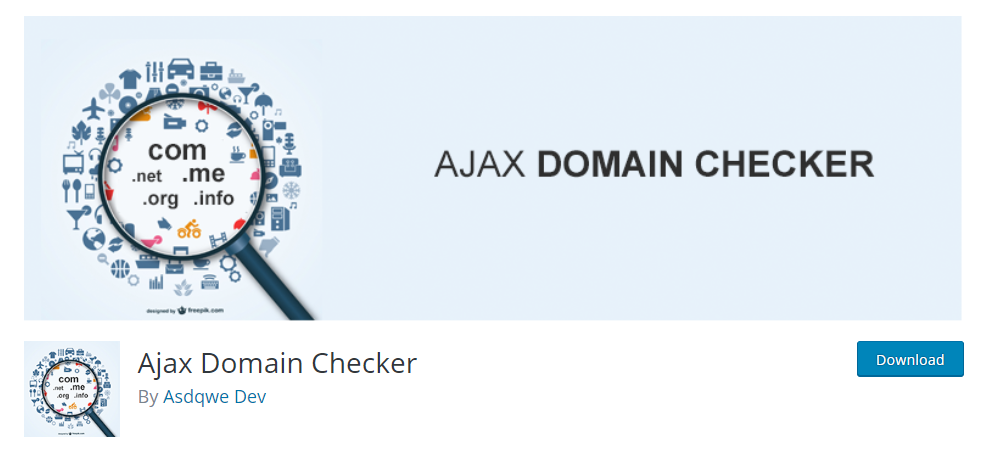
Dominion is the one to pick if your site is built with WPBakery Page Builder. The free version on WordPress.org (v2.3.1, November 2025) adds a domain checker element to WPBakery, and it also works as a plain shortcode in the block editor if you do not use the builder. It checks availability without a reseller API, supports unlimited TLDs, and gives you parallax backgrounds, colour and font controls, and a configurable “buy” button URL for the available-domain result.
The Pro version on CodeCanyon ($19) adds ten more layouts, WHMCS integration, Google reCAPTCHA v2, 35+ animation styles and Google Fonts. With around 60 active installs of the free build and 117 Pro sales it is a small plugin, so do not expect fast support. It replaces “AJAX Domain Checker”, which is no longer listed on WordPress.org.
Download Now
Also Read: Top 10 Form Builder Plugins
6. Doment: Domain Search and WHMCS Elementor Addon
Doment does for Elementor what Domain Search for WHMCS does for shortcodes. It adds domain search and domain transfer forms as Elementor widgets (and as shortcodes if you prefer), and posts the query to your WHMCS cart. Elementor itself is optional; WHMCS is required, because the plugin does not perform any lookup on its own.
You can change placeholder text, button labels and colours, and the forms inherit your theme styles so they do not look bolted on. Version 2.0.4 was released in December 2025, it requires PHP 7.4 or newer, and it is free with a donation link. It takes the slot previously held by NamePress, which we could not find in any current plugin directory.
Download Now
7. OWH Domain WHOIS RDAP
OWH Domain WHOIS RDAP is the most technically modern plugin here. It skips legacy WHOIS entirely and uses RDAP, the structured JSON protocol that ICANN is pushing registries towards. A search first validates the TLD against IANA’s official list, then queries the correct RDAP server for that registry, and only the domain name leaves your server.
It ships three Gutenberg blocks (search, results, details) with colour, typography and border controls, plus matching shortcodes for classic themes, and it caches responses so repeated checks are fast. Version 1.3.2 shipped in July 2026 and it is tested with WordPress 7.0. Install count is still tiny, so treat it as a promising newcomer rather than a proven one. It replaces DomainsBot, whose WordPress plugin we could not verify as still available.
Download Now
8. Hostingforall Domain Checker
Hostingforall Domain Checker is built for sites that sell domains as WooCommerce products. You map each TLD to a WooCommerce product ID, and an available domain goes straight into the cart at that price. The free version (v4.6.0, March 2026) includes a shortcode, an Elementor widget and TLD management.
The trade-off is in the checking method. The free build uses DNS lookups, which are fast but can report a recently registered domain as available because the DNS has not propagated. The Pro version switches to real-time checks through the WhoisFreaks API and adds styling options; pricing is on the developer’s site rather than the plugin page. It replaces “Easy Domain Checker”, which no longer appears in the WordPress.org directory.
Download Now
Also Read: Best WordPress Search Filter Plugins

How to Choose a Domain Checker Plugin
Three questions settle it.
Where does the purchase happen? If you have WHMCS, use a redirect plugin (Domain Search for WHMCS, Doment) and let WHMCS do the lookup. If you sell through WooCommerce, you need WP Domain Checker or Hostingforall. If you only want affiliate commission, InkThemes’ plugin is built for that.
How accurate does the check need to be? DNS-based checks are fast and wrong often enough to annoy buyers. WHOIS is the old standard and still works for most TLDs. RDAP is the future and already the only option for some registries. WP Domain Checker, WP24 and OWH support RDAP.
Which editor do you use? Block editor users get the cleanest experience from OWH or WP24. Elementor sites should look at Doment or Hostingforall. WPBakery sites have Dominion.
Whichever you pick, put reCAPTCHA or Turnstile on the form. Domain search boxes attract bots, and an unprotected one can run up your API quota or get your server’s IP rate-limited by WHOIS servers within days. Our WordPress security hardening service sees this on hosting-reseller sites more often than you would think.
Need a Custom Domain Search Tool Built Into Your Site?
The plugins above cover standard use cases. Registrars, hosting companies and agencies often need more: bulk search, registrar-specific pricing pulled live from ResellerClub or OpenSRS, name suggestions, or a checkout that matches the rest of the site. We build exactly that. See our custom WordPress plugin development service, or hire a developer for a shorter engagement.
Frequently asked questions
A plugin that adds a domain availability search to your WordPress site. Visitors type a name, the plugin queries WHOIS, RDAP, DNS or a registrar API, and shows whether the domain is free to register.
WP24 Domain Check, Domain Search for WHMCS, Doment, OWH Domain WHOIS RDAP and the base versions of Dominion and Hostingforall are all free on WordPress.org. WP24 is the most capable free option that does its own lookups.
Only through a billing system. WP Domain Checker and Hostingforall connect to WooCommerce; Domain Search for WHMCS, Doment and Dominion Pro hand off to WHMCS. The plugin itself never registers the domain.
WHOIS is a 1980s text protocol with no standard format, so parsers break when a registry changes its output. RDAP returns structured JSON over HTTPS and is the replacement ICANN requires registries to support. Plugins using RDAP are less likely to break over time.
Most of the plugins here only check the exact name typed across several TLDs. Name suggestion usually needs a paid API such as Domainr, which the InkThemes plugin supports, or a custom build.
Related reading