
7 min read
How to Build a Travel Community Website with WordPress

Traveling is a feast for many people. Some travel with their loved ones, family members, and friends, or some people travel solo, going and traveling around places they love in peace. Solo traveling is fun, but have you ever tried to find random people trying to travel to a similar location. Creating a travel community is easy, you just need to install a few things to set up a full-fledged website. This post walks you through building a travel community website from scratch with WordPress and BuddyPress.
Completing a trip with strangers can be a lot of fun, but the obvious question is how to find them. There are multiple options for finding people to travel with. Many travel community websites promote such strangers’ group travels. You can look for people on the website who are interested to travel the same place as you. You can form a group of two, three, or even more than eleven to twenty people online.
Last updated: 7 November 2026
Quick answer: To build a travel community website, install WordPress, add a community theme, then activate BuddyPress for member profiles, destination groups, activity feeds and private messages. Add bbPress for forums, a map plugin for destinations, an events plugin for group trips, and turn on moderation tools before you invite members.
Try BuddyX Theme DemoBuy BuddyX Pro Theme and Community bundle add-onto create a highly engaging Community Platform Today!
What is a travel community?
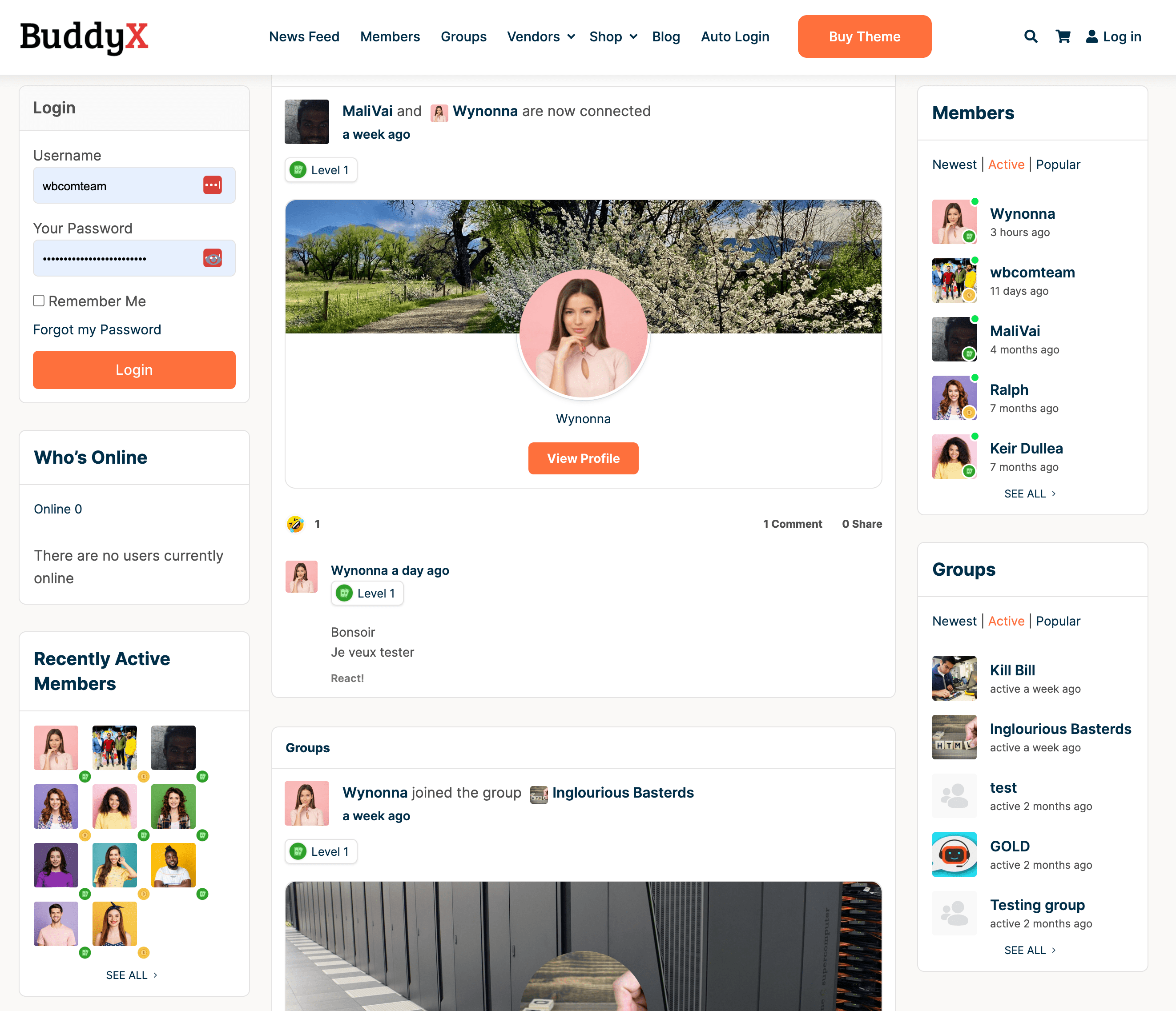
A travel community is an online social network that allows people to share their experiences and connect with others who are interested in the same things. It’s like a virtual neighborhood where you can meet other travelers, exchange tips, ask questions, get recommendations, find out about local events, and more. For instance, a fitness community is a place for gym freaks to join and get fit together.
Also Read: 10 Best And New Social Network Communities
How online communities have shaped the travel industry?
Travel communities have been around for many years now but they were never as popular or well known as today. The reason behind this is that it was hard to create one before the internet came into existence. However, since then, there has been a huge growth in the number of these sites. Today, you can easily find a travel community site by searching Google.
Although online travel communities are a big thing, there are quite a few questions attached to them.
1. Why do we need a travel community?
The main purpose of creating a travel community is to help people to make new friends, learn about different cultures, and enjoy the experience of meeting new people. In addition, it helps them to save money, avoid scams, and find the best deals.
2. Is it safe to join a traveling community?
Yes! When joining a travel community, you should be aware of what kind of information you provide. Make sure that your profile is private so that only those whom you want to see your profile can view it. Also, don’t give away any personal details like phone numbers, email addresses, and credit card information.
3. How does a traveling community work?
You sign up, complete a profile with the places you want to visit, and then join groups by destination or travel style. Many communities also let you message members privately before you commit to a trip.
You can also use the search feature to find people who are looking for the same destination as you, whether it’s a cruise in Antarctica, a safari in Botswana, or a WWII historical tour across Europe.
What to keep in mind while building traveling community websites?
There are already many travel websites, so a community site has to give people a reason to stay. A community works when members can find each other by destination and trust what they read.
Plan your content and safety features around that goal.
- Add a destination search filter so members can pick a location and see others who plan to travel there.
- Invite travelers who live in or know a destination well to write local guides and tips.
- Add community moderation features so members can report suspicious people or posts.
- Add a blog section where travel bloggers can post stories from their trips.
- Embed maps for popular destinations so members can see where a trip will go.
- Let members share photos and short videos from their trips in the activity feed.
How do you build a traveling community website?
It takes quite a few steps to create a top-notch travel community website. The steps are long but each one is simple. These are the major steps.
1. Create a Website using WordPress

First and foremost, you must create a WordPress website. Then, create your website and give it a memorable name. A name that will entice visitors to your newly created travel community website. Keep your name in reference to traveling, someplace related to traveling, or a common word that is used a lot by travelers.
2. Choose a theme compatible enough with travel-style websites
After you have successfully completed the setup of your website, you may go on to obtain a suitable theme template for your travel community website. Use a suitable theme that supports all of the essential plugins needed to establish a unique travel community website. You can choose one of our greatest themes, such as the BuddyX theme. Should I tell you what our plugin’s finest feature is? It is completely free to use! It has all of the elements required to establish a traveler’s community website.
3. Run your dream traveling community website
After activating the BuddyX/another theme, run the theme setup and import a sample for assistance. BuddyX is a helpful and responsive theme designed for large community websites.
4. Install BuddyPress for profiles, groups and messaging
BuddyPress turns a WordPress site into a social network. Its WordPress.org listing describes extended profile fields, public, private or hidden groups, global, personal and group activity streams, private messaging, notifications and friend connections. Version 14.5.4 was released on October 23, 2026 and is listed as tested with WordPress 7.1.4, so it is actively maintained.
Create a group for each destination or trip type, for example “Backpacking in Southeast Asia” or “Solo female travelers”. Use extended profile fields for home country, travel style and languages spoken, so members can filter by what matters to them.
5. Add a forum with bbPress
Groups handle small conversations. A forum handles questions that many members ask, such as visa rules, packing lists and safety tips. bbPress, the forum plugin from the WordPress project, is at version 2.6.21 (updated October 27, 2026) and is tested with WordPress 7.1.4. Create forum categories by region and pin a short posting guide at the top of each one.
6. Add destination maps and group trip events
Maps and event calendars make a travel community useful beyond chat. Map plugins such as WP Go Maps (version 10.1.10, rated 96 out of 100 on WordPress.org) let you show destinations on Google Maps, OpenStreetMap or Leaflet. Events Manager (version 7.4.13, updated November 5, 2026) adds calendars, bookings and tickets, which suits group departures and meetups. Check each plugin’s privacy and licensing terms before you enable maps that load third-party tiles.
7. Set up moderation and safety rules
Travel communities involve strangers meeting in person, so safety is part of the product. Write clear community rules, give members a report button, and keep new-member profiles private until they are approved. Remind members to meet in public places first and to keep payment details, passport numbers and exact travel dates out of public posts.
| Step | Tool | What it adds |
|---|---|---|
| Social features | BuddyPress | Profiles, groups, activity, messages, notifications |
| Forums | bbPress | Topic-based discussion boards |
| Maps | WP Go Maps | Destination maps with Google Maps, OpenStreetMap or Leaflet |
| Trips and meetups | Events Manager | Calendars, bookings and tickets |
If you want to see how other community types are set up, read our guide to creating a private community website with WordPress and our roundup of social network communities.
Frequently asked questions
Can I build a travel community website without coding?
Yes. WordPress, BuddyPress and bbPress are installed like any plugin or theme, and the setup is done in the dashboard. You will not need to write code for a basic community.
Which WordPress plugin is best for a travel community?
BuddyPress is the standard choice for member profiles, groups and activity feeds. Pair it with bbPress for forums and a map or events plugin for destinations and group trips.
How do I keep members safe in a travel community?
Make profiles private by default, add a report button, moderate new members and publish rules about meeting in public places. Tell members never to post passport or payment details.
How do I make money from a travel community website?
Common options are paid memberships, sponsored destination guides, affiliate links to tours and gear, and paid events. Be clear about sponsored content so members keep trusting your recommendations.
Do I need a special theme?
You need a theme that supports BuddyPress and bbPress styling. Check its documentation for those plugins and test member pages, group pages and the forum on mobile before launch.
Related reading