
14 min read
rtMedia vs MediaPress vs WPMediaVerse: Which BuddyPress Media Plugin Should You Choose?


Quick Verdict: WPMediaVerse is the right choice for new BuddyPress communities and for anyone migrating away from rtMedia, MediaPress, or BuddyBoss Media. The free core ships a complete social layer - AI moderation, a discovery feed, follows, direct messages, and six privacy levels - at no cost. rtMedia remains functional if you are already running it with stable content and no reason to move. MediaPress fits one narrow situation: a lightweight album-only plugin where no social features are needed. For almost every other scenario, WPMediaVerse is the clear answer.
Why This Comparison Matters
Media sharing is the backbone of any online community. Photo and video uploads drive engagement and give members a reason to return beyond reading forum threads. But the BuddyPress media plugin landscape has shifted considerably over the past two years.
rtMedia, once the dominant option, has seen its development slow to a crawl. The architecture dates to an earlier WordPress era and has not kept pace with block editor expectations, REST API patterns, or AI-assisted moderation. MediaPress continues to serve a narrow audience but has never expanded beyond basic album and gallery management.
BuddyBoss bundles its own media layer, but that locks you into a full platform purchase - theme, plugin, and annual pricing combined. Community builders who want a standalone media solution that works with BuddyPress, the block editor, and modern hosting environments needed something different.
This comparison covers what each plugin does and where each one falls short, so you can choose with confidence. Full disclosure: we built WPMediaVerse at Wbcom Designs. We will be honest about where the alternatives have genuine strengths.
The Three Contenders
rtMedia
rtMedia was built by rtCamp and launched over a decade ago. It is the most widely installed BuddyPress media plugin. The free core handles photo, video, and audio uploads tied to BuddyPress activity and profiles. Premium add-ons extend it with album privacy, playlists, and a handful of encoding features.
rtMedia was designed for an earlier WordPress era. It stores everything in wp_posts and wp_postmeta. There is no block editor support, no REST API, and no modern JavaScript framework powering the frontend. Its development pace has slowed significantly - the last meaningful feature release was years ago, and newer WordPress patterns like the Interactivity API and AI moderation are absent entirely.
MediaPress
MediaPress takes a focused approach: albums and galleries for BuddyPress, handled cleanly. It uses WordPress attachments under the hood and delivers a straightforward gallery experience. A premium version adds privacy controls and a few extra layout options.
The scope has always been intentionally limited. There is no social layer, no AI moderation, no explore or discovery feed, and no REST API. MediaPress is a gallery plugin, not a media platform, and it does not try to be one.
WPMediaVerse
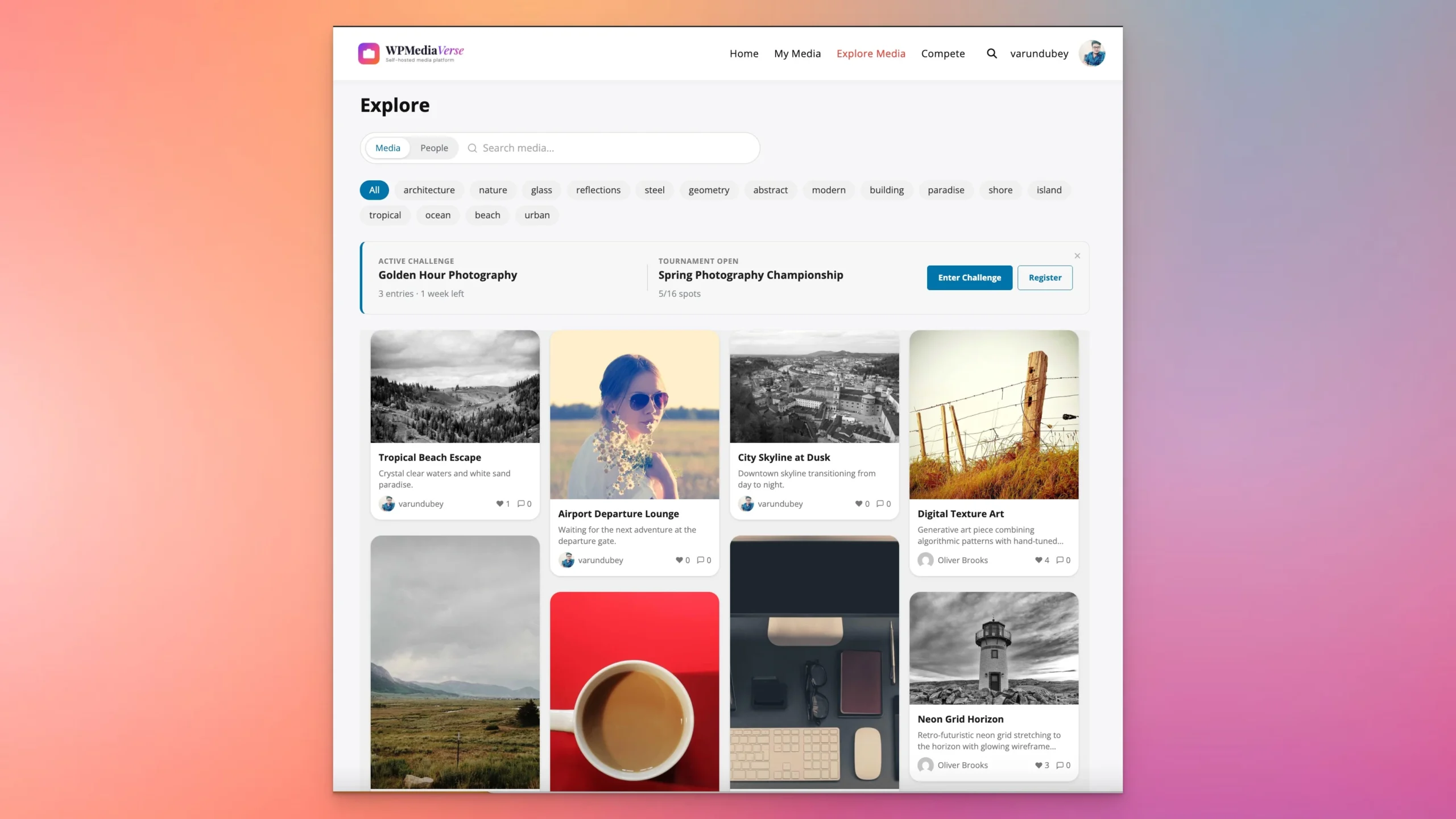
We built WPMediaVerse because community builders kept asking for a media-sharing experience that felt like a real platform - something that belonged alongside BuddyPress rather than feeling bolted on. The free core ships with everything you need to run a complete media community: a social layer, AI safety moderation, an explore feed, six privacy levels, and 80+ REST API endpoints. WPMediaVerse Pro (starting at $69/year) adds cloud storage, video transcoding, photo competitions, and one-click migration from rtMedia, MediaPress, or BuddyBoss Media.
Under the hood, WPMediaVerse uses 9 custom database tables rather than wp_posts. Its frontend is powered by WordPress Interactivity API blocks. It works with BuddyPress, BuddyBoss, or completely standalone - no community plugin required.
Feature Comparison Table
Full breakdown below. Where a feature requires a paid add-on, that is noted.
| Feature | rtMedia | MediaPress | WPMediaVerse |
|---|---|---|---|
| Media Types | Photos, video, audio, documents (add-on) | Photos, video, audio | Photos, galleries, video, audio, documents |
| Albums / Collections | Yes (basic) | Yes (core strength) | Yes, nested albums, cover images, drag-to-reorder |
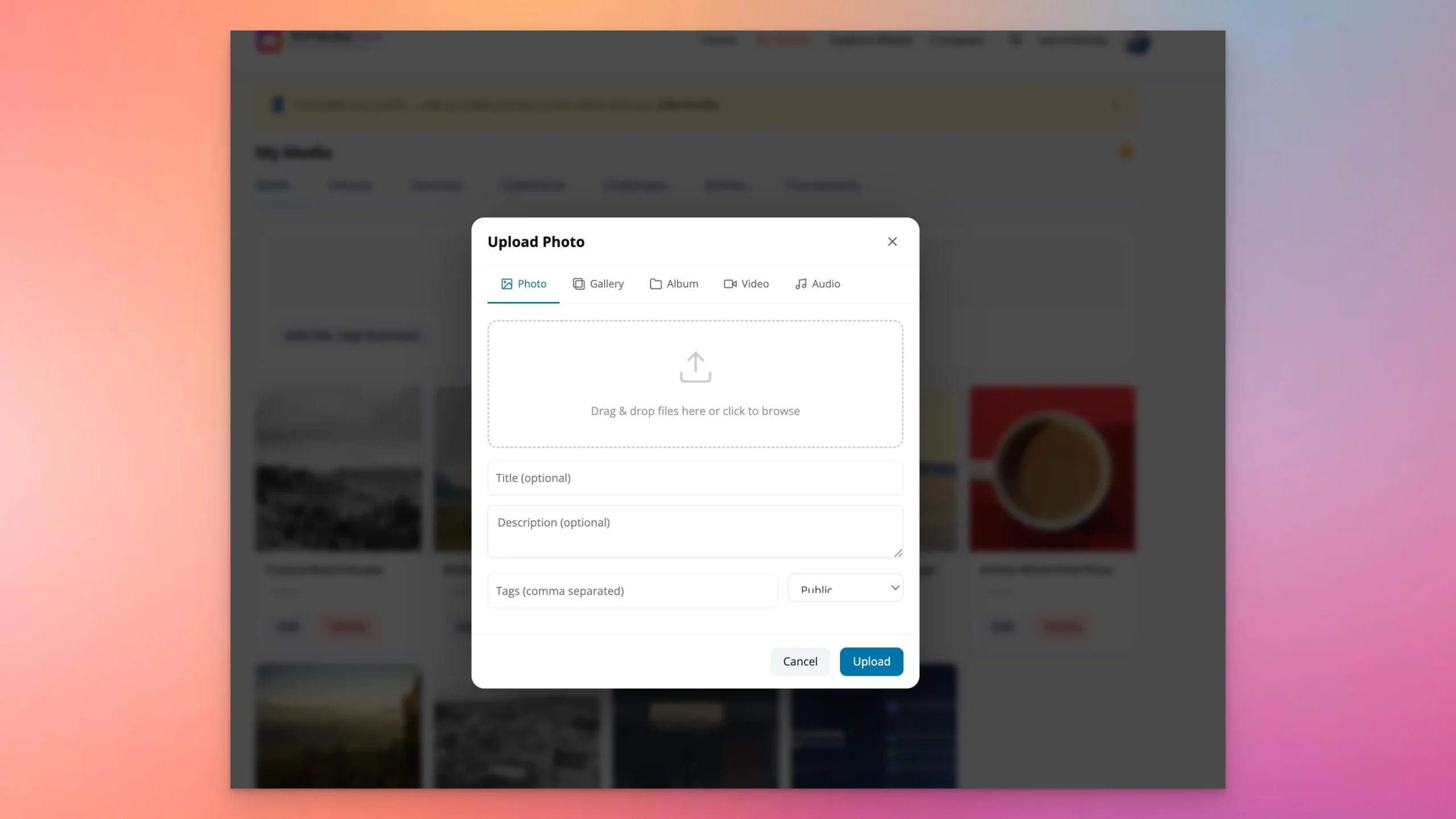
| Upload Experience | Basic multi-upload | Basic upload form | Drag-and-drop modal, bulk upload, progress bars |
| Emoji Reactions | No (likes only) | No | Yes, 6 emoji reactions per media item |
| Threaded Comments | Basic comments | No | Yes, threaded, with mentions |
| Follow System | No | No | Yes, follow users, see their media in feed |
| Direct Messages | No | No | Yes, media-aware DMs |
| Mentions | No | No | Yes, @mentions in captions and comments |
| Explore / Discovery Feed | No | No | Yes, tag-filtered explore page with trending |
| Privacy Levels | Public, friends, private (add-on) | Public, logged-in, friends (premium) | 6 levels: Public, Logged-in, Friends, Followers, Private, Custom |
| AI Moderation | No | No | Yes, NSFW detection, auto-flag, auto-quarantine |
| REST API Endpoints | None | None | 80+ endpoints |
| Gutenberg Blocks | None | None | Yes, Interactivity API powered |
| BuddyPress Integration | Yes, deep integration | Yes, activity, profiles | Yes, activity, profiles, groups, notifications |
| Standalone Mode | Limited (requires BP for most features) | Requires BuddyPress | Yes, works without BuddyPress |
| Cloud Storage | No (add-on for S3) | No | Yes, S3, DigitalOcean Spaces, Cloudflare R2 (Pro) |
| Video Transcoding | No (Kaltura add-on, discontinued) | No | Yes, FFmpeg, HLS streaming, auto-captions (Pro) |
| Photo Competitions | No | No | Yes, Photo Battles with 1v1 voting (Pro) |
| Layout Modes | Grid, list | Grid | Grid, masonry, justified, list, carousel (5 layouts) |
| Migration Tools | N/A | N/A | rtMedia, MediaPress, BuddyBoss importers (Pro) |
| Database Architecture | wp_posts + wp_postmeta | WordPress attachments | 9 custom tables, purpose-built schema |
| GDPR Compliance | Basic (data export) | Limited | Full: export, erasure, consent management |
| bbPress Integration | Yes | No | Not yet (planned) |
Where WPMediaVerse Pulls Ahead
We built WPMediaVerse to do what the existing plugins could not. Here is what distinguishes it.
A database built for media at scale. Nine custom database tables designed specifically for media operations replace the wp_postmeta approach. Proper indexing, a purpose-built schema, and faster queries on large datasets. Sites with hundreds of thousands of media items do not hit the wall that rtMedia’s architecture creates.
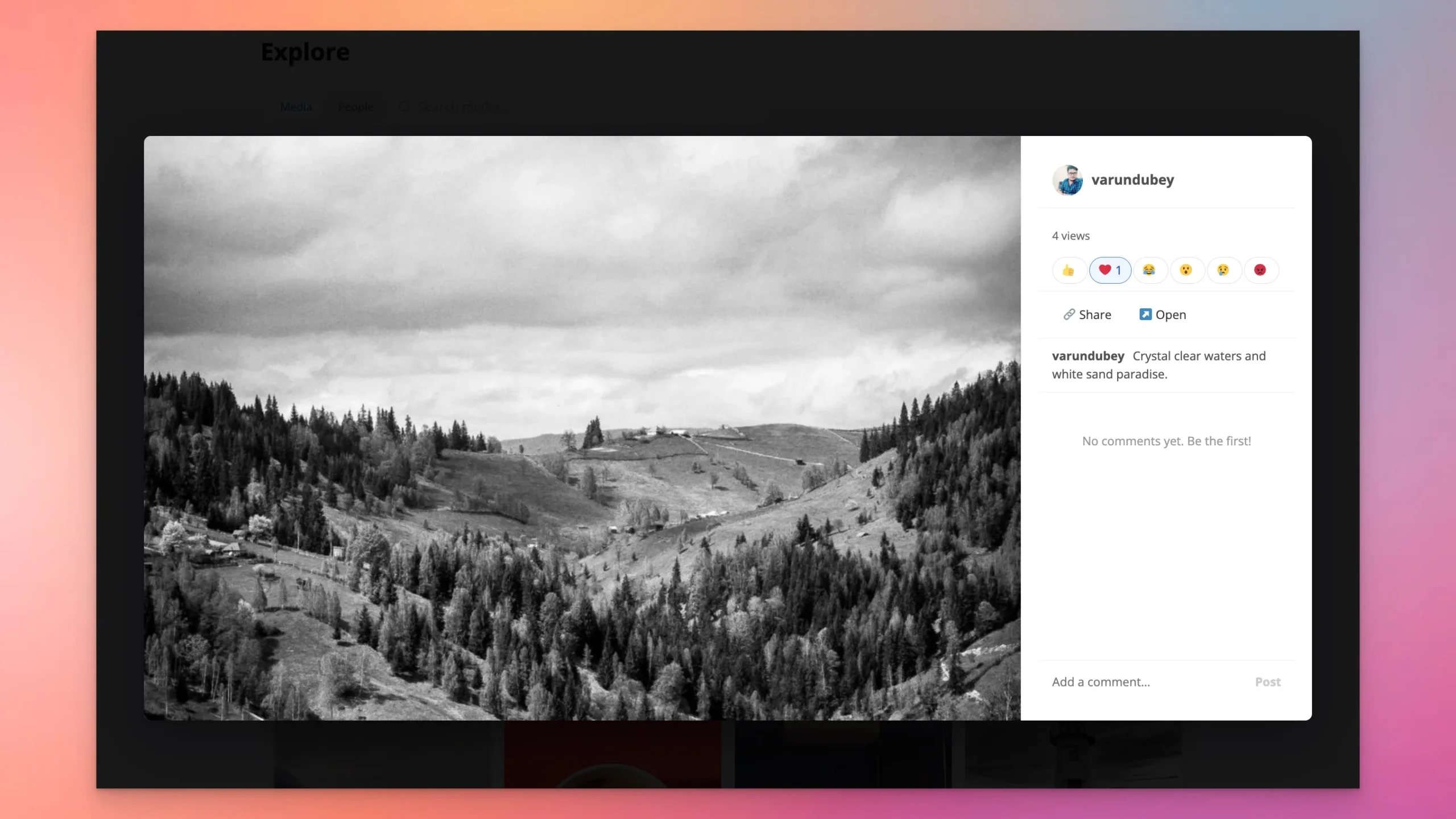
A social layer that feels native. Emoji reactions, threaded comments with @mentions, a follow system, and media-aware direct messages are all included in the free core. Members get a social experience that belongs on the platform rather than something added as an afterthought.
AI safety moderation that runs automatically. Built-in NSFW detection flags or quarantines uploads based on your configured thresholds, without requiring a manual review queue for every item. For any community accepting user-generated content, this is the feature that changes the moderation workload. Neither rtMedia nor MediaPress offers anything comparable.
An explore and discovery feed. A tag-based explore page lets members browse trending media and discover content from across the community. This is what separates a media upload tool from a media platform. rtMedia and MediaPress have no equivalent.
Six privacy levels out of the box. Public, Logged-in, Friends, Followers, Private, and Custom - all available free. rtMedia requires a paid add-on for anything beyond basic privacy. MediaPress puts privacy controls behind the premium version.
80+ REST API endpoints. Every feature in WPMediaVerse is API-accessible. If you need a mobile app or headless frontend, the endpoints are there. rtMedia and MediaPress offer zero REST endpoints.
Works standalone. WPMediaVerse runs without BuddyPress. Photography portfolios and client galleries do not need a full community plugin installed first. MediaPress requires BuddyPress. rtMedia is severely limited without it.
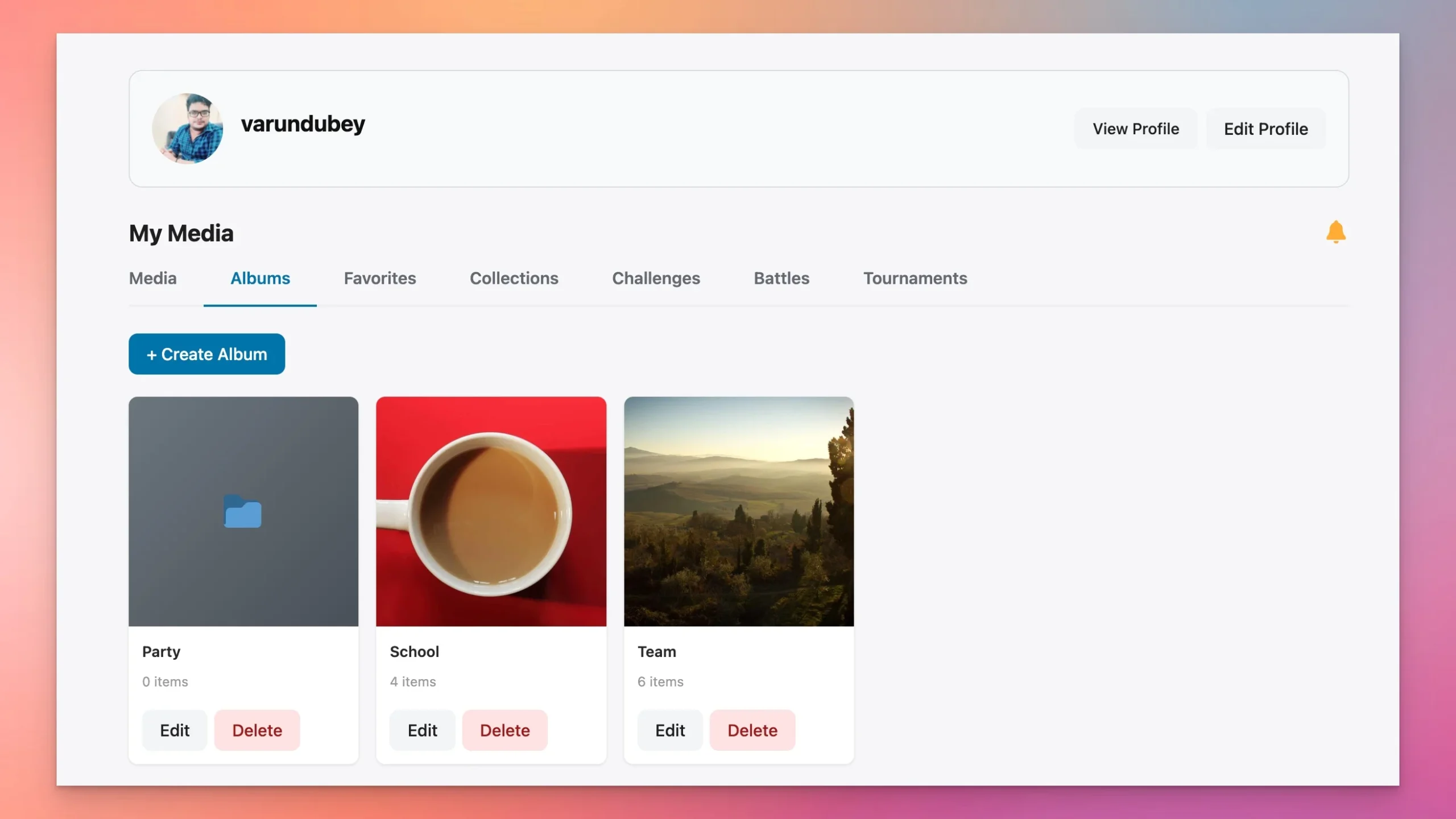
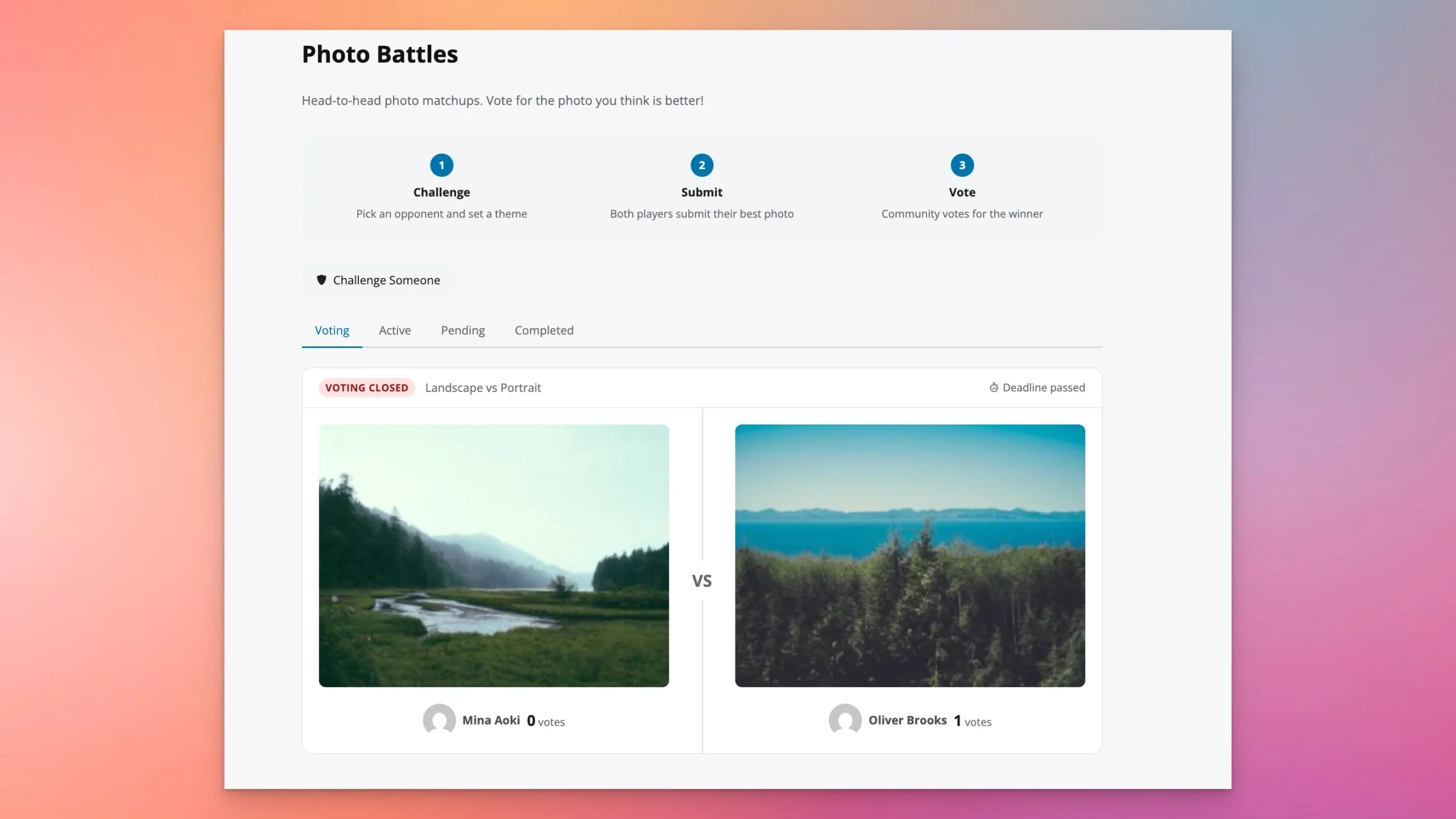
Photo Battles. A Pro-exclusive feature that adds gamification through 1v1 photo matchups with community voting. It drives a type of engagement that neither rtMedia nor MediaPress can approach.
Pairs with BuddyNext for a complete community stack. If you need a community engine alongside the media platform, BuddyNext from Wbcom Designs integrates directly with WPMediaVerse. The two plugins share the same architectural approach and work together without friction.
Where the Competitors Still Have Ground
Neither rtMedia nor MediaPress is the right choice for most new projects. But there are specific situations where each one holds a genuine advantage.
rtMedia
bbPress integration. If embedding media in bbPress forum topics and replies is essential to your workflow, rtMedia is the only plugin in this comparison that supports it today. WPMediaVerse has bbPress support on its roadmap but has not shipped it yet.
Established community knowledge. Tens of thousands of sites run rtMedia. That installed base means you can find answers on forums and in tutorials for almost any configuration question. WPMediaVerse’s community is still growing.
Beyond those two points, rtMedia’s architecture limits what it can do. No block editor support, no REST API, no AI moderation, and a wp_postmeta-based schema that degrades under heavy media volume. Sites that do not need bbPress integration have little reason to choose it for a new project.
MediaPress
Minimal footprint. MediaPress adds very little overhead. If the use case is strictly albums and galleries with no social features and performance on a resource-constrained host is the top priority, MediaPress delivers that with minimal impact.
The limitation is scope. No social features, no discovery feed, no follow system, no REST API, no AI moderation, and BuddyPress is required. If your community needs any of those things, MediaPress is not the answer.
Where WPMediaVerse Has Gaps
Newer plugin, smaller ecosystem. WPMediaVerse does not have a decade of Stack Overflow answers and third-party tutorials behind it. Documentation is comprehensive and support is responsive, but the broader community knowledge base is still growing.
No bbPress integration yet. This is the one functional gap that matters for certain communities. If media in forum threads is a core requirement, WPMediaVerse cannot do it today. rtMedia can.
Requires PHP 7.4 or higher. PHP 7.4 reached end of life in 2022. If your host is running older versions, that is a hosting problem worth addressing regardless of which plugin you choose.
Migration: Moving to WPMediaVerse
WPMediaVerse Pro includes importers built specifically for leaving rtMedia, MediaPress, or BuddyBoss Media. Each one follows the same approach: dry-run first, batch process in chunks, resume on interruption. One-click migration means your media, albums, and privacy settings come with you.
From rtMedia
The rtMedia importer migrates media items, albums, privacy settings, and associated metadata from rtMedia’s wp_posts-based storage into WPMediaVerse’s custom tables. Dry-run mode shows a full preview before anything changes. Batched processing handles sites with hundreds of thousands of items without timing out. Run the dry-run on staging before touching production.
From MediaPress
MediaPress stores media as WordPress attachments. The importer maps those attachments into WPMediaVerse’s custom schema while preserving album structures and user ownership. The process is clean because the source data is clean.
From BuddyBoss Media
For sites leaving the BuddyBoss platform, the BuddyBoss Media importer handles that storage format and gives you an exit path that does not mean losing years of community content. You keep the media. You leave the platform lock-in behind.
Which Plugin Should You Choose?
Choose WPMediaVerse if:
- You are building a new community site and want an architecture designed for scale from day one.
- You need a full social media experience - reactions, comments, follows, direct messages - not just file storage.
- AI safety moderation matters because your community accepts user uploads from the public.
- You want a discovery feed that keeps members engaged beyond their own uploads.
- You are planning a mobile app or headless frontend and need REST API endpoints.
- You want a plugin that works with BuddyPress, with BuddyBoss, or without any community plugin at all.
- You are migrating from rtMedia, MediaPress, or BuddyBoss Media and want to keep your content intact.
Choose rtMedia if:
- You are already running it with years of content and a stable community, and migration risk outweighs the benefit of switching.
- You rely on bbPress integration for media in forum topics and replies.
- You have no plans for a mobile app or headless frontend and the current feature set fully covers your needs.
Choose MediaPress if:
- Your use case is strictly albums and galleries with no social features - nothing more and nothing less.
- Minimal plugin footprint is the top priority on a small, resource-constrained site.
Pricing Comparison
| Plan | rtMedia | MediaPress | WPMediaVerse |
|---|---|---|---|
| Free Core | Yes, basic uploads, activity integration | Yes, albums, galleries | Yes, full social layer, AI moderation, explore feed, 5 layouts, 80+ API endpoints |
| Entry Premium | Individual add-ons from ~$29/yr each | ~$49/yr (single site) | $69/yr (1 site): cloud storage, video transcoding, photo battles, migration tools |
| Mid-Tier | Add-on bundles ~$199/yr | ~$99/yr (5 sites) | $149/yr (5 sites) |
| Agency / Unlimited | All add-ons bundle ~$399/yr | ~$149/yr (unlimited) | $249/yr (25 sites) |
| What Free Includes | Basic uploads, activity feed, simple gallery | Albums, galleries, basic privacy | Social layer, AI moderation, explore feed, reactions, follows, DMs, mentions, 5 layouts, REST API, Gutenberg blocks, standalone mode |
The gap becomes clear when you look at what each free version actually covers. rtMedia’s free core is bare-bones: privacy controls, playlists, and most useful features require purchasing individual add-ons. WPMediaVerse ships its entire social layer, AI moderation, explore feed, and REST API in the free version. The Pro tier adds infrastructure (cloud storage, video processing) and engagement features (photo battles) rather than gating core functionality behind a paywall.
Frequently Asked Questions
Can I migrate from rtMedia to WPMediaVerse without losing my media?
Yes. WPMediaVerse Pro includes a dedicated rtMedia importer that migrates your media items, albums, privacy settings, and metadata. It supports dry-run mode so you can preview the migration before committing, batched processing for large sites, and resume capability if a batch is interrupted. Run the migration on a staging site before touching production.
Does WPMediaVerse require BuddyPress?
No. WPMediaVerse works with BuddyPress, with BuddyBoss, or completely standalone on any WordPress site. The standalone mode is useful for photography portfolios and client galleries where a full community plugin is not needed.
Is rtMedia still actively maintained?
rtMedia focuses on its core use case - media uploads, albums, and BuddyPress activity integration. It does not include block editor support, a REST API, AI moderation, or newer WordPress features like the Interactivity API. If those features matter for your project, WPMediaVerse includes them all in the free version.
How does WPMediaVerse handle AI moderation?
WPMediaVerse includes built-in AI-powered content moderation that scans uploaded media for NSFW content. It can automatically flag suspicious uploads for manual review or quarantine them based on your configured thresholds. This is included in the free core plugin - no paid add-on required.
Which plugin performs best at scale with hundreds of thousands of media items?
WPMediaVerse is designed for scale with 9 custom database tables and proper indexing. rtMedia stores everything in wp_posts and wp_postmeta, which becomes a bottleneck at high volumes. MediaPress uses WordPress attachments which have similar scaling limitations. If you are planning for a large community, WPMediaVerse’s custom architecture is the right foundation.
Can I try WPMediaVerse before installing it on my site?
Yes. A free sandbox lets you test every feature without installing anything on your server. Launch the WPMediaVerse sandbox to spin up a temporary WordPress site with the plugin pre-installed and configured.
Get Started with WPMediaVerse
Whether you are building a new community or replacing an aging media plugin, here are your next steps.
- Try the sandbox - Spin up a free demo site and test every feature: Launch WPMediaVerse Sandbox
- Download the free plugin - Full social layer, AI moderation, explore feed, and more at no cost: Get WPMediaVerse Free
- Upgrade to Pro - Cloud storage, video transcoding, photo battles, and migration tools starting at $69/year: Get WPMediaVerse Pro
- Read the documentation - Setup guides, developer references, and configuration walkthroughs: WPMediaVerse Docs
- Browse the source - WPMediaVerse is open source on GitHub: WPMediaVerse on GitHub
- Read the deep dive - Full introduction covering architecture, design decisions, and the story behind the plugin: Introducing WPMediaVerse
Related Reading
Related reading