
9 min read
Oxolo Review: What Happened to the AI Product Video Tool


Oxolo, the Hamburg startup that turned a product URL into a finished AI video with a virtual presenter, no longer sells that product. As of August 2026 oxolo.com markets an AI voice assistant for construction-site documentation, priced from €49 a month for a five-licence team, and the old URL-to-video generator is gone from the site. The AppSumo lifetime deal that introduced most WordPress users to Oxolo is marked sold out.
If you came here deciding whether to buy Oxolo for product videos, the short answer is that you cannot. This review keeps our original testing notes so you know what the tool did well and badly, then covers what to use instead for WooCommerce product videos in 2026: Creatify for URL-to-video ads, HeyGen or Synthesia for avatar presenters, and InVideo AI for cheap volume.
What is Oxolo?
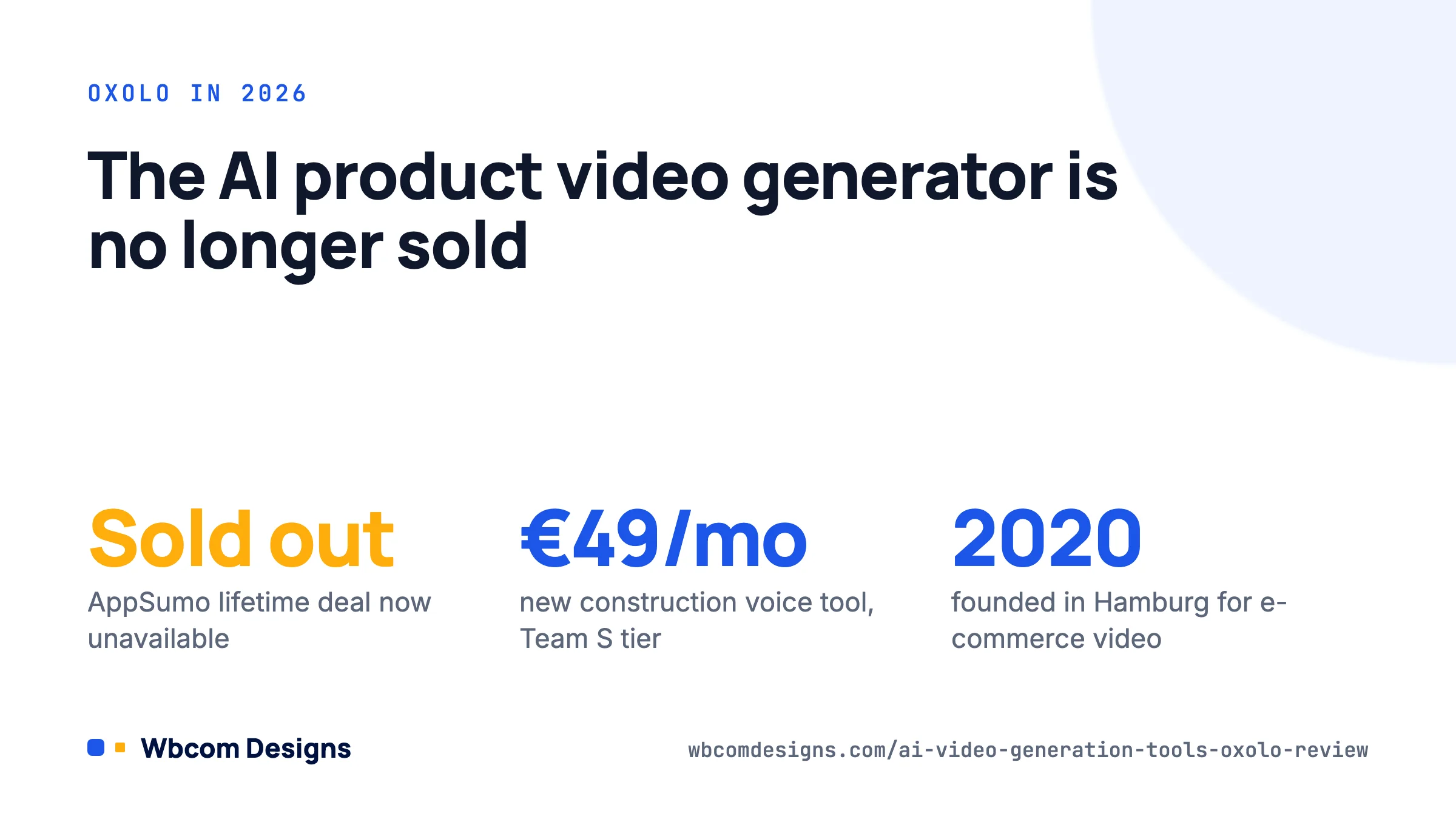
Oxolo was founded in Hamburg in 2020 and raised Series A funding to build an AI video platform for e-commerce. The pitch was simple: paste a product page URL, and the system would read the page, write a script, pick a virtual presenter, generate the voiceover, add music and stock footage, and return a complete product video in a few minutes.
That removed the three barriers that kept most small stores away from video: cost, time and skill. A single professionally produced product video still costs anywhere from several hundred to several thousand dollars. Oxolo’s idea was to make a video for every product in a catalogue affordable, which is exactly what WooCommerce store owners with hundreds of SKUs needed.
Some time after our original test the company changed direction. The current Oxolo product listens to workers speaking on a construction site, transcribes, extracts tasks, fills in protocols and sends reports by WhatsApp or email. It is sold in team tiers (Team S, M and L at €49, €99 and €199 a month billed annually, plus custom plans) and is a different product for a different buyer. We found no public announcement explaining the pivot, and app.oxolo.com now shows only a logo.
How Oxolo Worked: Four Steps to a Product Video
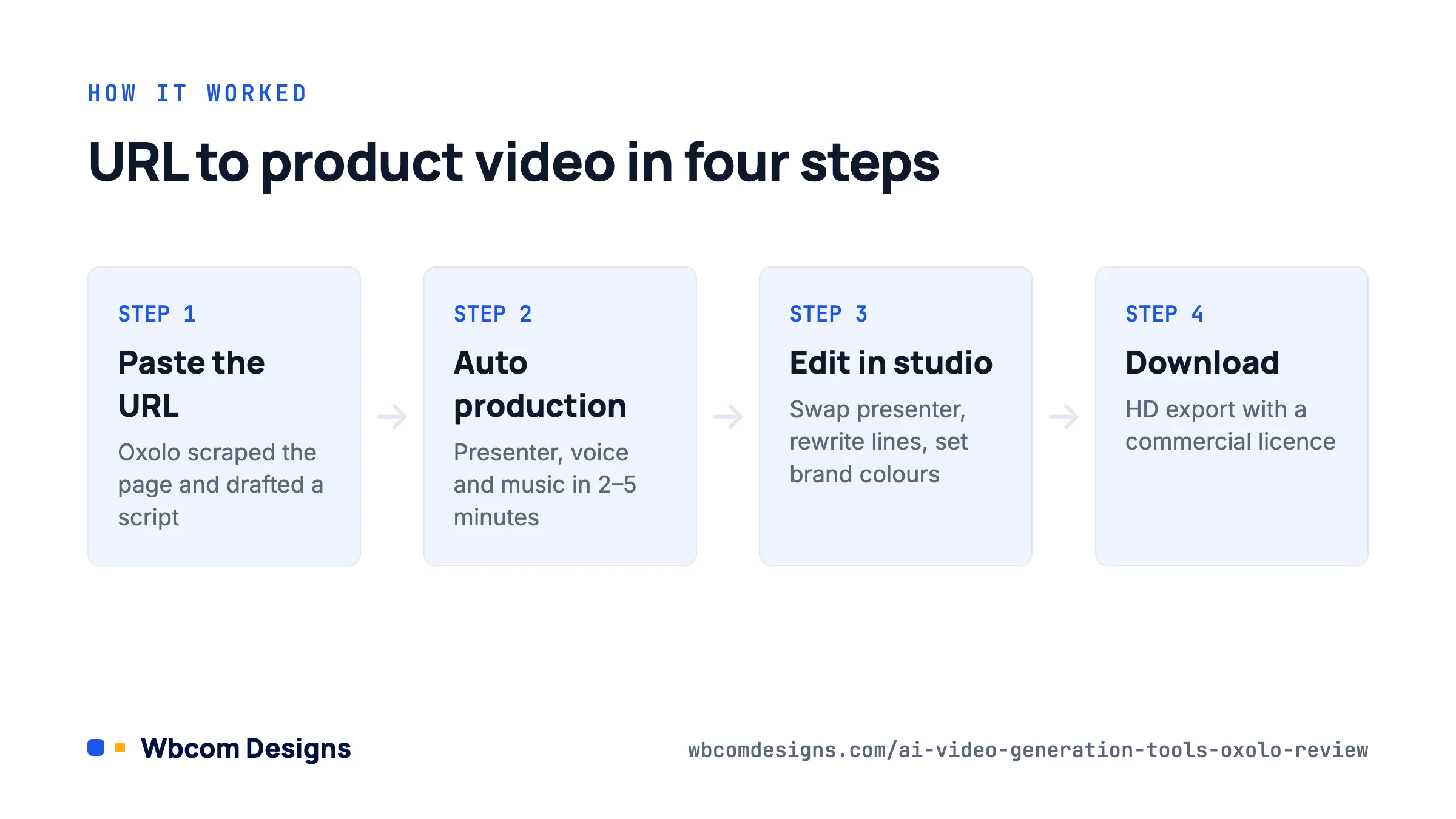
For the record, and because several current tools copy the same flow, here is how the video generator worked when we tested it:
- Step 1: Paste the product URL. Oxolo scraped the product page, pulled the title, description, features and images, and drafted a script around the main selling points.
- Step 2: Automatic production. The platform chose a presenter, generated a synthetic voice, picked background music and assembled visuals into a multi-scene video. This took two to five minutes per video.
- Step 3: Edit in the studio. A browser editor let you swap the presenter, change the voice, rewrite lines, replace images with your own and adjust brand colours. No timeline editing skills were needed.
- Step 4: Download and publish. Videos exported in HD for product pages, social media and ads, with a commercial licence included.
On our five test products the first draft was usable about half the time. The script was accurate to the page but generic in tone, the presenter was clearly synthetic, and product images from the page were sometimes cropped badly. Ten minutes in the editor fixed most of that.
Key Features and Capabilities
The feature set Oxolo offered at the time of testing, which is now the baseline you should expect from any replacement:
- AI script generation from page content, editable line by line.
- 16+ AI presenters with different ages, genders and styles.
- 50+ languages for script and voice, useful for stores selling across the EU.
- Multi-scene structure of up to five scenes: intro, features, proof, offer, call to action.
- 25 templates for different video styles and platforms.
- Brand kit: logo, colours and your own images or clips.
- Automatic subtitles, which matter because most social video plays muted.
- Stock image library to fill gaps where the product page had too few images.
- HD download and a commercial licence on every video.
- Basic analytics on views and engagement for hosted videos.
Who Should Use Oxolo?
Nobody looking for product videos, because that product is no longer sold. The construction documentation tool is aimed at site managers, foremen and contractors in German-speaking markets who need legally sound daily reports without typing.
The audience the original tool served is still there, and still underserved:
- WooCommerce and Shopify store owners with large catalogues and no video budget.
- Digital marketers who need a dozen ad variations a week.
- Agencies and freelancers producing product videos for clients at a fixed price.
- Course creators and SaaS teams who want short explainer clips for feature pages.
For those readers, the alternatives section below is the useful part of this page.
Strengths and Considerations
Oxolo’s real strength was the URL-first workflow. Competitors at the time made you write a script or upload assets; Oxolo started from the page you already had. For a store with 300 products that was the difference between “video for the top five” and “video for everything”.
The weaknesses were the ones every avatar tool still has. Presenters looked synthetic, lip sync was close but not perfect, and the scripts were safe to the point of being forgettable. For products where trust and hands-on demonstration sell, such as cosmetics, tools or food, an AI presenter reading specs was a supplement to real footage, not a replacement.
The biggest consideration now is the one we could not have predicted: platform risk. Lifetime deal buyers lost access to the tool when the company changed course. If you rely on a young AI video vendor, export your finished videos, keep your scripts, and do not build a workflow you cannot move.
Pricing and Value
Oxolo’s video generator was sold on a monthly subscription (our earlier notes had it at roughly $49 a month for the entry plan) and through an AppSumo lifetime deal with three tiers of 10, 50 and 100 videos a month. The AppSumo page now reads “sold out” and “this deal is unavailable”. We cannot verify any current video pricing because the product is not listed.
Current Oxolo pricing is for the construction product only: Team S at €49 a month (up to 5 licences, €588 a year), Team M at €99 a month (10 licences), Team L at €199 a month (20 licences), and custom plans above that, all billed annually with a free 7-day trial. None of this is relevant to video.
The value question for WordPress site owners has not changed, though. If a tool lets you publish product videos that would otherwise never exist, and product pages with video convert better than those without, then $20 to $50 a month pays for itself on a handful of extra orders. The tools below make that bet possible today.
Oxolo alternatives for product videos in 2026
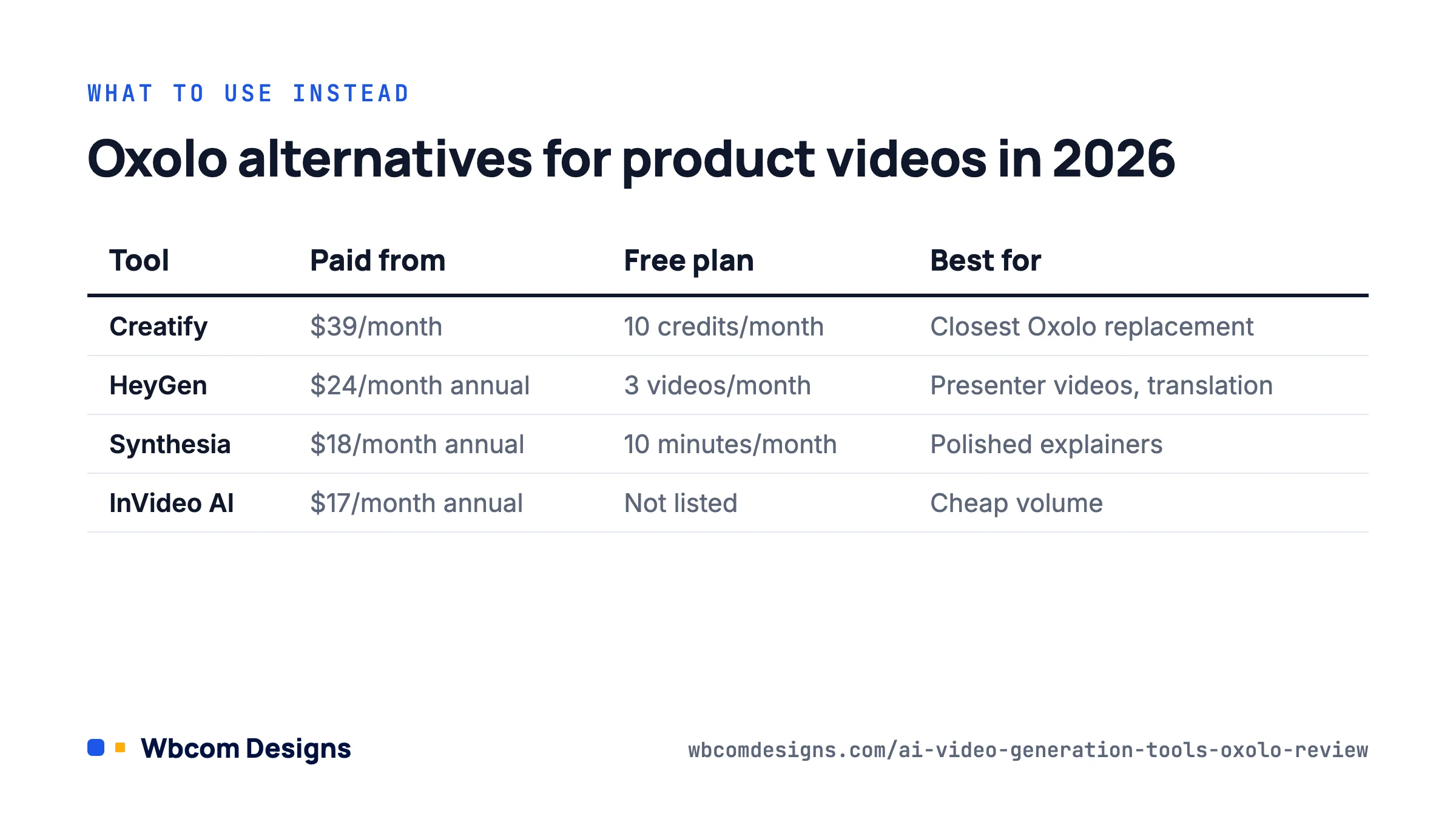
We re-ran the same five-product test on the current market. Prices are from the vendors’ pricing pages on 21 August 2026 and change often, so confirm before buying.
| Tool | URL to video | AI presenters | Free plan | Paid from | Best for |
|---|---|---|---|---|---|
| Creatify | Yes, core feature | Yes | 10 credits/month (about 2 video ads) | $39/month (Starter, 100 credits) | Closest Oxolo replacement for product ads |
| HeyGen | Via Video Agent prompts | Yes, large library | 3 videos/month | $24/month annual (Creator) | Presenter videos and translation |
| Synthesia | No, script-first | 125+ on Starter | 10 minutes/month | $18/month annual (Starter) | Polished explainers, 160+ languages |
| InVideo AI | Prompt-based | 4 on Plus | Not on pricing page | $17/month annual (Plus, 75 credits) | Cheap volume, stock-footage style |
Creatify
Creatify is the tool that does what Oxolo did. Paste a product URL and it produces short video ads with an AI avatar, script, voice and captions, in several aspect ratios. The free tier gives 10 credits a month (roughly two video ads); Starter is $39 a month for 100 credits and Pro is $99 for 300. Quality of the first draft was on par with Oxolo’s best days and the editor is better.
HeyGen
HeyGen is the strongest avatar platform. It has a free plan of three videos a month, a Creator plan at $24 a month billed annually ($29 monthly), and Business from $149 a month. It is script-first, but the Video Agent can build a product video from a prompt and a link, and the translation with lip sync is the best we have used for multilingual stores.
Synthesia
Synthesia is the enterprise favourite. The free Basic plan allows about 10 minutes of video a month with 9 avatars; Starter is $18 a month billed annually with 125+ avatars, and Creator is $64. It does not scrape product pages, so you bring the script. Output quality and language coverage (160+ languages and voices) are the best on this list.
InVideo AI
InVideo AI is the budget option for volume. Plus is $17 a month billed annually for 75 credits and 4 avatars; Max is $85 for 390 credits. It leans on stock footage and generative clips rather than a talking presenter, which suits lifestyle products better than spec-heavy ones.
Integrating AI Videos with Your WordPress Site
Whichever tool you pick, the WordPress side is the same. Download the MP4, then decide where it lives. These are the practices we follow on client stores:
- Host externally or with a proper video host: upload to YouTube, Vimeo or Bunny Stream and embed, rather than serving 50 MB files from your web server. If you sell the videos themselves or need them protected, MediaShield adds a protected player and analytics inside WordPress.
- Add VideoObject schema: name, description, thumbnail, upload date and duration, so product videos can appear in Google video results. Most schema plugins and Rank Math handle this.
- Lazy-load embeds: use a facade (a thumbnail that loads the player on click) so the iframe does not hurt your Core Web Vitals.
- Publish the transcript: AI tools give you the script for free. Paste it below the video for accessibility and indexable text.
- Put the video in the product gallery: WooCommerce supports video in the gallery through several extensions, and a video as the second gallery item is where shoppers look for it. Our WooCommerce development team can wire this into a custom theme if the off-the-shelf options do not fit.
For more on how motion content changes product pages, see our piece on 360-degree product views, which pair well with a short presenter video.
Frequently asked questions
Is Oxolo still available for AI product videos?
No. Oxolo’s website now sells an AI voice documentation tool for construction teams. The URL-to-video product is not listed, and the AppSumo lifetime deal is sold out.
What is the closest Oxolo alternative?
Creatify. It generates product video ads from a URL with an AI avatar, has a free tier, and starts at $39 a month.
Can I get a lifetime deal on an AI video generator?
Occasionally, on marketplaces such as AppSumo. Oxolo’s own deal is a warning: a lifetime licence lasts only as long as the product does. Prefer vendors with clear export options.
Do AI product videos help WooCommerce conversions?
In our client work, product pages with any video outperform those without, and an AI video beats no video. A real demonstration still beats an AI presenter for products where touch and trust matter.
Which tool is cheapest for lots of product videos?
InVideo AI Plus at $17 a month billed annually is the lowest entry price on our list, followed by Synthesia Starter at $18. Watch the credit limits, which cap how many minutes you can render.
Where to start
Do not spend time looking for Oxolo’s video tool; it is gone. Sign up for Creatify’s free tier, paste your three best-selling product URLs, and judge the drafts against your own standards. If the presenter style does not suit your brand, try HeyGen’s free plan next. Budget $20 to $40 a month, export everything you make, and put the first video on your top product page this week.
WP EasyCart vs ImpleCode: Comparison of WordPress E-commerce Plugin
Best Employee Scheduling Software
Its High Time To Change Old Powerpoint: Modern Software For Presentation
Related reading