

About 65% of users prefer to access blogs in their native language, and 40% of respondents say they wouldn’t buy from websites that don’t speak their language—making it clear that no language barrier should hold you back from reaching a global audience. Across the world, people speak hundreds of languages, so by adding a language switcher to your site, you make your content on multilingual websites more accessible and searchable to a much larger, more diverse audience. This significantly boosts your visibility on SERPs and enhances your multilingual SEO strategy. When international users can easily choose their preferred language, you improve user experience, reduce bounce rates, and build trust.
Using tools like TranslatePress AI and Microsoft Translator, you can scale your translation efforts efficiently while preserving your brand’s voice and message. TranslatePress AI is particularly powerful for managing multilingual WordPress sites, allowing seamless integration, accurate language detection, and URL translation—ensuring that every part of your site, including slugs and links, appears in the correct language. Additionally, a Translation Delivery Network ensures your translated content loads quickly across different geographies, improving site performance and engagement.
Leveraging machine translation tools such as TranslatePress AI helps you scale your multilingual websites quickly, but it’s important to ensure translations align with your brand tone. Properly implemented language switchers, combined with accurate machine translation, URL translation, and a robust Translation Delivery Network, help search engines crawl and index your multilingual WordPress sites more effectively. This means your website content is more likely to be discovered globally. In short, a language switcher isn’t just a convenience—it’s a powerful tool for global engagement, conversion, multilingual SEO, and rankings.

Why do you Need WordPress Language Translator Plugins?
WordPress is used all over the world you can use it to create websites in any language. However, WordPress does not come with built-in functionality to create a multilingual website. That is why people use the language translate plugin to convert their website into a multilanguage website.
However, 59.6% of websites find those that use the English language. English is the most used language on the web but there are other languages in the world too that we can’t ignore. So when you create a worldwide website, do not use the world’s languages. Having a monolingual website can decrease our potential or reach.
Also Read: Benefits of HubSpot for Your Business
Language Switcher & Translator Plugins
There are two types of language translation plugins:
- WordPress multilingual plugins
- WordPress translation plugins
With WordPress multilingual plugins you need to add the other language content by yourself manually. Because you add the multilingual content manually that means your translation will be better than the translation tools.
If you have a website where you post so much content and don’t have time to update it manually then you go for WordPress translation plugins. You don’t need to write your content in multiple languages by using WordPress translator plugins. In this blog, we will talk about WordPress translation plugins only.
1. MultilingualPress

The MultilingualPress WordPress Plugin is an excellent solution for managing your website’s content in more than one language. It is a highly sophisticated multi-site solution that simplifies the management of Multilingual sites, giving you full control over your translated pages and content structure. Its multi-site functionality allows you to create websites with unique designs and features within the same network, while also letting you choose which languages appear on each site. If you have a site in more than one language, it can even manage the permalinks for your translated pages seamlessly.
MultilingualPress supports translation services and allows you to manage translator accounts for better content control. This makes it easy to assign tasks to various Translator Accounts when working with teams. The plugin also integrates well with Yoast SEO, helping you optimize your translated pages for better visibility in search results. It supports custom post types, the Gutenberg editor, and advanced caching options, all while enabling streamlined translation services for consistent user experiences across different languages.
If you’re a frequent blogger, this plugin helps manage your content translation effortlessly by giving you a single translation option for each post, making translation services more efficient. With Yoast SEO compatibility, your multilingual content remains optimized for global audiences. To get started, go to your control panel, open your dashboard, and navigate to “Plugins” > “Add New” > “Upload Plugin to Server.” Once installed, define your base language or create a dedicated page for each language you want to support. MultilingualPress will then automatically copy your existing content, plugins, and files, making it easy to create and manage high-quality translated pages across your entire network.
Also Read: Reasons Why You Should Switch To WordPress
2. WPML

WPML enables the translation of any online content into various languages. This powerful translation management system has over a million users globally, with a strong following in the United States and Europe. It allows you to translate your website’s content into various languages, including English, Russian, Spanish, Italian, Dutch, French, and others. The plugin includes several advanced features such as translation memory, which helps improve consistency and reduces the time needed for future translations. WPML also offers a free trial for users to explore its capabilities.
WPML installation is straightforward; you only need to input the website URL you want to translate. A license key is created by providing the website’s URL, and the license can then be transferred to other users and clients. WPML will notify you when security updates are available and advise you to enable Toolset Types. Media Translation, String Translation, and Translation Management will be suggested if you have a CMS license. The system also integrates translation memory to help speed up the translation process by reusing previously translated content.
WPML is quite user-friendly; however, it is not fully error-free. If you’re not sure how to install the plugin, see the WPML help page. It gives an overview of the core plugin’s status and the available plugin add-ons. If you’re not familiar with the interface, you may learn more by reading the WPML user forum. While WPML is a powerful translation management system, keep in mind that even with a membership, you will still need to manually translate some content for complete accuracy.
Also Read: What Does SEO Mean for Translated Content?
3. Google Website Translator
A Google Website Translator WordPress Plugin is an amazing choice for multilingual requirements. This free plugin leverages Google’s automated translation capabilities to assist you in translating your WordPress site into any language. The plugin includes inline help in all four tabbed styles and is easy to install. It has nearly little effect on page load speed and allows configuration import/export and feature requests.
The plugin has several advanced options. You may specify which languages will be translated and the default language for your site. A page or post’s content translation choices can also be determined. The advanced options enable you to hide and adjust the language selector widget. Google Analytics tracking can also be enabled. Google Website Translator Pro is also available for purchase. It costs $50 and includes many additional capabilities, such as the ability to switch between languages and index your translations.
The Google Website Translator WordPress Plugin offers an easy-to-use administration interface. When installed, it displays a list of accessible languages and the flags associated with each. The translations may be found on the sidebar. You may also modify your translations’ styles and alignment modes. Custom permalinks and alts are also provided by the plugin. On a WordPress site, the plugin is free to use. Before purchasing the premium edition, you should install the free version on your website and test it out.
4. Google Language Translator
The Google Language Translator WordPress Plugin is free. It converts strings from English to other languages automatically. The translation blocks are added as a WP menu item, floated down, or a floating bar. It also allows for custom scripting to alter the presentation and design. Additionally, the plugin supports editable strings from English to other languages. To use the Google Translate API, you must enable it in your website’s settings.
The Google Language Translator WordPress Plugin is simple to set up and operate, and you only need to install and activate the plugin. To use the plugin, create a free account. Then you must choose a language to translate. You may then select which languages you want to translate and which ones should be translated.
The plugin is compatible with all sorts of WordPress sites, and you may even tailor the translations to your specific requirements. It’s worth noting that the Google Translation API is utilized to keep the translations up to date.
Also Read: Best WordPress Translation Plugins
5. Weglot- Translate plugin
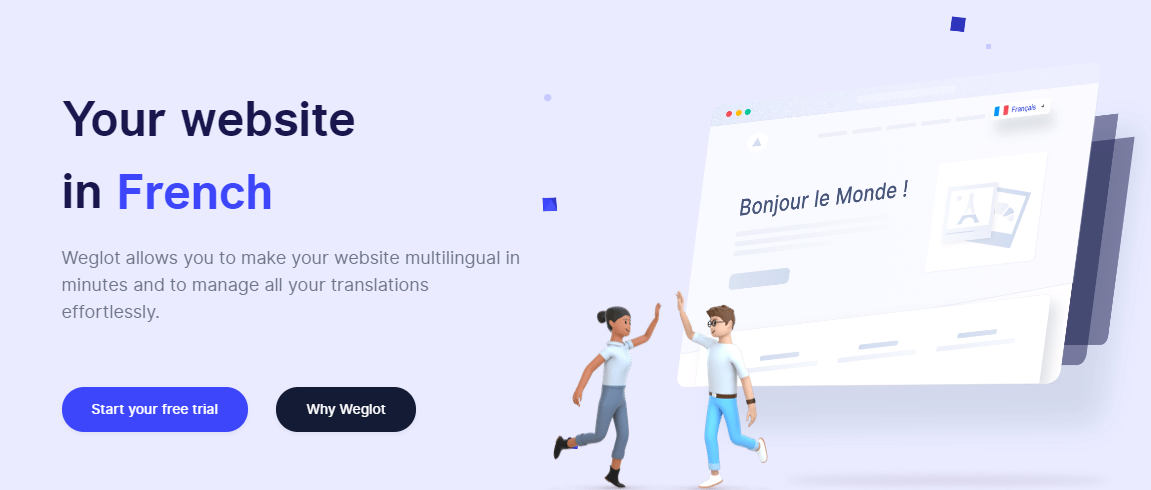
Weglot is a WordPress plugin that allows you to translate your text into many languages. It takes only a few minutes to install and is completely integrated into the WordPress system. This plugin supports various languages and is simple to use. It allows you to specify your native language and the first language you want your material to be translated into. After you’ve uploaded the plugin, a language switcher visual editor appears, along with a drop-down menu button on the bottom right of the page. This enables users to easily change the language they’re reading on your site, improving aesthetics and user engagement. The plugin is compatible with popular site builders, making integration seamless.
Suppose you’re not sure which language you want your site translated into. In that case, Weglot provides an easy-to-use visual translation interface that makes it an excellent alternative for websites aiming for a worldwide reach. With Weglot, you can even create a regional version of your website tailored to specific audiences. The plugin may be installed through the WordPress dashboard. To begin, provide your API key and the original language of your website. After you’ve submitted these two pieces of information, you may choose which languages you want your site to be translated into.
Then, copy the API key and paste it into the right locations on your WordPress dashboard. You will then be able to select your destination language and your originating language using the language switcher visual editor. If you have many languages, you must choose one as the target language. Weglot ensures SEO-friendly URLs, which help search engines index each translated page properly—boosting your international visibility.
After that, click the “Translate” button to begin translating your site. You can also double-check your content’s translation for foolproofing through the language switcher visual editor, ensuring consistency and quality. Additionally, Weglot’s support for SEO-friendly URLs improves multilingual search rankings, giving your translated content a competitive edge. Having a regional version of your site also helps tailor content to different cultures and regions. The drop-down menu makes it even easier for users to switch languages on any device, improving navigation and user satisfaction.
Also Read: Convert your site into a multilingual one using WPML Plugin
6. Translate WordPress with GTranslate
It Supports 104 languages by connecting to Google Translation API. It has both automatic and human translation, making it more useful for you to convert your content language. Apart from the page and post, it translates the menu, widgets, category, tags, theme, and plugin. It’s fully compatible with the WooCommerce store as well. It uses a cloud-based approach that does not make your website slow.
Its paid version is SEO integrated which will increase the visibility of your website worldwide GTranslate you can make your website appear on search engines in different languages which will improve our traffic on the international level. In its paid version you will get unlimited translation page views, and several words to translate.
It hides Google’s top frame after translation. You can even add a related company language flag on the menu. translate your slug into any language and with its paid version you get an SEO-friendly slug in the translated language. There is an option where you can manually correct or edit the content if you find something is not right.
It has many features in its free version if you are a small business and just started your website you can go with the free one but for advanced features like SEO-friendly and manual content edit option, you can go with its pro version.
Also Read: How Photography Influencers Can Harness WordPress for Online Education
7. Loco Translate
Loco translate also connects with Google API which is why it will work with any automatic translation tool. It has a built-in translation editor with WordPress admin. You to create and update the language files directly in your theme or plugin. It optimises for SEO and performance, and these features are the most important part of your website growth.
Loco Translate can be used by developers also because they can extract strings and generate templates with the help of this plugin. Loco Translate integrates with translation APIs including DeepL, Google, Microsoft, and Lecto AI. it is a pretty handy plugin to use you don’t need to put extra effort into understanding it.
In its basic version, you can only get 2000 translations but in its pro version, you get 5000 translations, business nets 25000, and add agency offers 125000.
Also Read: best Premium WordPress Plugins
8. TranslatePress- Language Switcher
The translatePress plugin free version plugin and it’s both automatic and manual translation. You can translate your content including media, custom posts, themes, plugins, and more. You can easily add a language switcher to your website. TranslatePress allows users to translate directly on the front end with a live preview.
It has a very friendly user face and is also compatible with all themes and plugins. Google Translate API to translate the strings on your site. This feature can be enabled or disabled according to your requirements. If you are using it for an e-commerce store you are at the right place because it is fully compatible with WooCommerce.
Create a multilingual website with TranslatePress and make your website accessible worldwide. Just don’t limit your content to a single language.
Also Read: Empowering Wanderlust Influencers: Create Your Ultimate Travel Blog with WordPress
9. Lingotek Translation
Lingotek Translation also supports manual and automatic translators. It is a free WordPress translation plugin with lots of features to use. You get three choices for translating your content.
- Manually translate the content by yourself or you can collaborate with a translation agency.
- You need to translate your commercial API content with the help of Microsoft Translate. All the work is done by using the Lingotek workbench.
- In this option, you can go to the Lingotek experienced personnel to take your work. However, it will cost you some money.
Here you will get so many benefits like faster translation time and higher quality work. You will get a real-time monitoring option that will help you to find out our mistakes easily. Lingotek makes your website WordPress with its smooth interface and amazing customer support.
With so many good features, there is something that Lingotek lacks. Its SEO support is not compatible.
Also Read: WordPress Plugins to Create Content
10. Polylang- Language Switcher
Polylang is a free WordPress plugin that automatically translates the language of your website. It translates the content of your post, page, widget, and more with easy-to-use backend settings. It’s integrated with popular WordPress SEO plugins and creates an SEO-friendly URL for each language.
You can use Polylang a WordPress multilingual plugin which means you manually add the translated content to your website. It supports as many languages as our site requires. It is compatible with a WooCommerce subscription, product bundles, WooCommerce bookings, and more.
The free version of this plugin does not support translating your WordPress and Themes. Its basic feature also didn’t support e-commerce. Or all these features you need to get its pro version. Its premium version is fully integrated with the WooCommerce plugin with many features. It translates WooCommerce pages including shop, check-out, cart, and my account. Emails that you send from WooCommerce are also translated and sent to your customers in their languages.

Conclusion of Language Switcher & Translator Plugins
To better understand what is out there and which plugins or services best suit your needs, I strongly advocate evaluating different options. One tool does not suit all. In the end, the best WordPress translation plugin depends only on your website’s requirements and your budget.
Interesting Reads:
Best Tips To Build A Successful WordPress Theme
Powerful Multilingual Plugins for Your WordPress Website
Understanding Google’s Ranking Factors vs. Ranking Signals for SEO
