

As an eCommerce store owner, Stripe stands out as a widely embraced online payment solution, catering to millions of businesses. With support for over 135 payment methods and currencies, it seamlessly operates in more than 35 countries. For those who favor Stripe, it’s worthwhile to consider comparing it with Fondy, as Fondy’s offerings might present a compelling alternative.
For WooCommerce store owners seeking a streamlined payment handling solution through Stripe, this article delves into the top WooCommerce Stripe plugins available in the market. Read on to discover the ideal plugin to enhance your payment processing experience.
Table of Contents
- Stripe for WooCommerce
- YITH Stripe Connect for WooCommerce
- YITH WooCommerce Stripe
- Stripe Payment Plugin for WooCommerce
- Payment Plugins for Stripe WooCommerce
What is a WooCommerce Stripe Plugin?
A WooCommerce Stripe Plugin is an extension or integration designed to enhance the payment processing capabilities of a WooCommerce-powered online store by seamlessly integrating with the Stripe payment gateway. WooCommerce, a popular eCommerce plugin for WordPress, can be extended with various plugins to add functionality, and Stripe plugins specifically focus on facilitating smooth and secure transactions using the Stripe payment system.
Key features of a WooCommerce Stripe Plugin typically include:
- Payment Processing: Enable customers to make payments using various payment methods, including credit and debit cards, through the Stripe payment gateway.
- Security: Ensure secure transactions with the robust security protocols provided by Stripe, including SSL encryption and compliance with PCI DSS standards.
- Currency and Country Support: Support for a wide range of currencies and the ability to process payments in multiple countries, aligning with Stripe’s global reach.
- Subscription and Recurring Payments: Enable subscription-based models and recurring payments for businesses offering services or products with ongoing charges.
- Refunds and Disputes: Facilitate easy management of refunds and address payment disputes through the WooCommerce interface.
- User Experience: Enhance the overall user experience by providing a seamless checkout process and a user-friendly interface for managing payments.
- Customization: Offer customization options to tailor the payment gateway settings according to the specific needs of the online store.
By incorporating a WooCommerce Stripe Plugin, businesses can leverage the capabilities of the Stripe payment gateway to accept payments securely, provide a smooth checkout experience for customers, and expand their reach to a global audience. These plugins play a crucial role in optimizing the online shopping experience for both merchants and customers using the WooCommerce platform.
List of WooCommerce Stripe Plugins
1. Stripe for WooCommerce
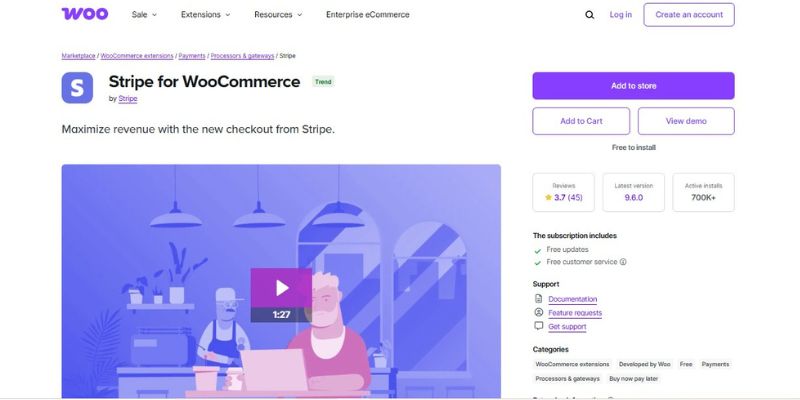
The Stripe for WooCommerce integration plugin is a robust and reliable solution for online stores using WooCommerce. Built and maintained by the WooCommerce team, it is specifically designed to deliver frictionless payment experiences. With over 900,000 active installations on the WordPress plugin repository, it remains one of the most trusted payment solutions available today. When it comes to integrating Stripe with WooCommerce, there’s no better choice than the official plugin created by the platform’s developers.
This plugin allows your customers to make secure payments using all major credit and debit cards—Visa, MasterCard, American Express, Discover, JCB, Diner’s Club, and more—right from your WooCommerce checkout page.
Key Features
- Official Integration: Built by the WooCommerce team, ensuring full compatibility and reliability.
- Wide Adoption: Used by over 900,000 WordPress websites globally.
- Comprehensive Card Support: Accepts major credit/debit cards for ease of customer use.
- Digital Wallets: Supports Apple Pay and Google Pay for seamless one-click transactions.
- Top-Tier Security: Backed by Stripe’s industry-leading encryption and fraud protection.
- Easy Setup: Integrates effortlessly with WooCommerce with minimal configuration.
- Embedded Checkout: Customers can pay directly on your site—no redirects.
- Consistent Updates: Backed by the WooCommerce core team for reliable maintenance and upgrades.
Pricing:
- Price: Free
- Included Benefits: Regular updates, official WooCommerce support, and dependable performance.
2. YITH Stripe Connect for WooCommerce
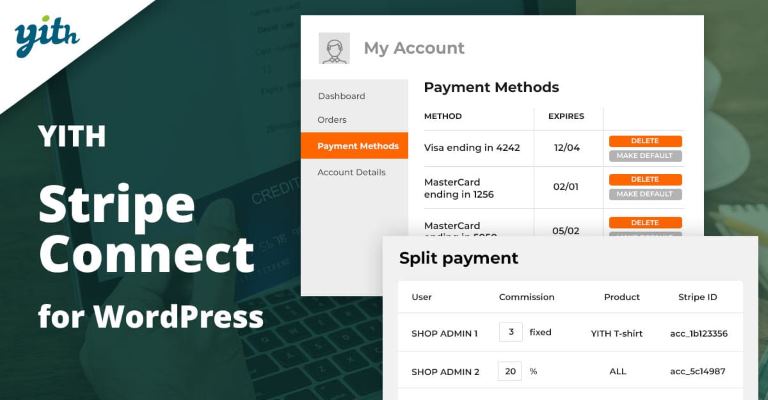
Ease the burden of manual order checking and commission management with YITH Stripe Connect, a powerful WooCommerce Stripe Plugin. No more hair-tearing moments or calculator headaches – this tool streamlines the process of splitting payments made on your store by credit cards among your business partners.
Enjoy the efficiency of automatic and immediate payment distribution, making complex financial tasks a thing of the past. Take a deep breath, and let YITH Stripe Connect simplify your payment management woes.
Key Features:
- Add an unlimited number of receivers effortlessly.
- Utilise Direct Charges and Destination Charges (under specific conditions).
- Integrate support for Multibanco payments.
- Set fixed commissions for streamlined financial management.
- Apply percentage-based commissions as needed.
- Associate commissions with overall product sales or specific products.
- Choose to postpone commission payments for flexibility.
- Opt for automatic commission payments to streamline your workflow.
Pricing:
- Price: $89.99 per year
- Subscription Duration: 1 year
- Included Benefits: 1 year of updates and support, 30-day money-back guarantee
Also Read: 10 Best Payment Plugins for WordPress
3. YITH WooCommerce Stripe

YITH WooCommerce Stripe simplifies the integration of credit card payments and supported payment methods into your online shop. Ensure your business operates in one of the supported countries listed on the plugin’s reference page before implementation.
By leveraging the capabilities of Stripe, this plugin enables the automatic processing of payments and refunds, contributing to a seamless buying experience for your users. With YITH WooCommerce Stripe, you can effectively reduce cart abandonment rates during the checkout process, simultaneously reinforcing trust and reliability in your brand.
Key Features:
- Standard Mode Activation: Display fields for entering credit card details (requires SSL).
- Stripe Checkout Mode: Opt for the “Stripe Checkout” mode, redirecting users to the secure Stripe Checkout page for compatibility across all devices.
- Elements Checkout Mode: Activate the “Elements checkout” mode, showcasing a form managed by Stripe for secure credit card data entry.
- SCA Support: Stay compliant with Strong Customer Authentication requirements for enhanced security.
- Credit Card Data Management: Choose to automatically save users’ credit card data or allow them to opt for keeping it for future transactions.
- Required Billing Fields: Set billing fields as needed, ensuring completeness in both standard and checkout form modes.
- Test Environment: Conduct tests using dummy credit cards for a risk-free assessment of the payment processes.
Pricing:
- Initial Price (First Year): $79.99
- Regular Price (After First Year): $94.99
- Subscription Duration: 1 year
- Included Benefits: 1 year of updates and support, 30-day money-back guarantee
4. Stripe Payment Plugin for WooCommerce

Enable seamless payments on your WooCommerce store with the WooCommerce Stripe plugin, allowing customers to effortlessly pay with their credit or debit cards during checkout. This ensures a secure and streamlined payment experience for your users.
This free payment plugin introduces a user-friendly Stripe overview page for your WooCommerce store. This centralised platform offers a unique and intuitive interface for managing Stripe payments. With convenient one-click capture and refund options, it simplifies the process of handling transactions efficiently.
Key Features:
- Seamless Checkout Integration: Activate Stripe checkout on your WooCommerce store, allowing customers to make quick and secure credit or debit card payments during the checkout process.
- User-Friendly Overview Page: The plugin introduces an intuitive Stripe overview page within WooCommerce, providing a consolidated and user-friendly platform for managing transactions.
- One-Click Capture: Simplify the transaction process with a one-click capture feature, allowing efficient and swift handling of payments.
- Refund Capabilities: Offer convenient refund options directly from the Stripe overview page, streamlining the process of managing returns and ensuring customer satisfaction.
- Free Payment Plugin: Enjoy the benefits of a free payment plugin that enhances your WooCommerce store’s payment capabilities without additional costs.
- Enhanced Payment Flow: Integrating the Stripe Payments Gateway ensures a smooth and reliable payment flow, optimising the checkout experience for both customers and businesses.
Pricing:
Free version available
- Plan Name: Single Site
- Price: $59.00 per year
- Subscription Duration: 1 year
- Included Benefits: 1 year of updates and support from the date of purchase; Option to cancel renewal anytime.
Also Read: Stripe And PayPal: Which Payment Method Should You Choose?
5. Payment Plugins for Stripe WooCommerce
Optimise your WooCommerce store’s conversion rate with Stripe for WooCommerce, a dynamic payment plugin designed to reduce payment friction for your customers. This plugin goes beyond traditional methods, offering seamless integration of Google Pay, Apple Pay, and Stripe’s Browser payment methods directly on product pages, cart pages, and at the top of your checkout page. Elevate your customer experience and boost conversions with the streamlined and efficient features of Payment Plugins for Stripe WooCommerce.
Key Features
- Conversion Boost: Elevate your WooCommerce store’s conversion rate by reducing payment friction for customers.
- Payment Variety: Provide Google Pay, Apple Pay, and Stripe’s Browser methods directly on product and cart pages, as well as at the checkout page top.
- Smooth Integration: Seamlessly integrate with your WooCommerce store to ensure an efficient payment experience.
- Friction Reduction: Minimise hurdles in the payment process, making transactions quicker for customers.
- Customer-Centric: Enhance the overall customer experience with streamlined payment features.
- Strategic Placement: Position payment options strategically for maximum visibility and accessibility.
Pricing:
- Price: Free
- Subscription Duration: Lifetime (no renewal required)
- Included Benefits: Free updates and support via WordPress.org support forum, regular updates, full feature access
Also Read: How to Set Up Stripe for WordPress Website?
Final Thoughts on WooCommerce Stripe Plugins
Leveraging WooCommerce Stripe plugins opens a gateway to a seamless and secure payment experience for your online store. Whether activating standard mode for SSL-secured credit card details or opting for Stripe Checkout or Elements Checkout modes, these plugins offer diverse choices to suit your business needs.
With SCA compliance, robust credit card data management options, and the ability to set required billing fields, these plugins ensure both security and flexibility. The inclusion of a test environment using dummy credit cards allows for risk-free assessments.
In your final considerations, the versatility and user-friendly features of WooCommerce Stripe plugins not only streamline transactions but also contribute to reducing cart abandonment rates. Choose the plugin that aligns with your business requirements, reinforcing trust and reliability while providing a positive buying experience for your customers.
Interesting Reads:
How to Set a Price per Job listing?
