

Online reviews have become one of the most powerful decision-making tools online, and the same applies to community platforms. With the help of BuddyPress review plugins, community owners can bring transparency, credibility, and member feedback directly into their networks. Whether someone is choosing a product, evaluating services, joining a new community, or assessing another member’s reputation, reviews help users understand real experiences before committing.
When members can review each other or rate groups based on value, behavior, or expertise, it builds trust and encourages meaningful engagement. On a BuddyPress-powered community website, reviews make it easier for users to identify credible contributors, choose valuable groups, and participate more confidently in discussions.
Considering that 95% of shoppers read reviews before buying and 83% of job seekers check company reviews before applying, the impact of reviews stretches far beyond eCommerce. In an online community, reviews help newcomers understand the culture, gauge interaction quality, and determine whether the space aligns with their interests—leading to stronger engagement and higher retention.

Why Reviews Matter in a Community Site
Reviews bring substantial value to community-driven platforms. Here’s why:
Persuading Potential Members
Reviews offer real perspectives from current members, helping new users understand whether a community—or a specific group—is active, valuable, and aligned with their interests. Authentic feedback builds trust and encourages people to join and participate.
Providing Valuable Insight
Modern users crave information. Reviews help them understand what to expect from a group or member, leading to better decisions. Positive reviews also help highlight your community’s strengths and expertise.
Improving Community Quality
Both positive and negative reviews guide administrators in understanding where improvements are needed. As admins address concerns, members often revise negative ratings to positive ones, improving the community’s overall reputation.
How to Add Review Features Using BuddyPress Add-ons
Adding review functionality to your BuddyPress community is simple, cost-effective, and does not require coding. You only need:
- BuddyPress (or BuddyBoss Platform) is installed on your WordPress site
- Free Plugins such as BuddyPress Group Reviews and BuddyPress Member Reviews
These plugins allow group reviews, member-to-member ratings, custom criteria, notifications, and filtering options.
How to Install the BuddyPress Review Add-ons
Step 1: Download the add-ons:
- BuddyPress Group Reviews
- BuddyPress Member Reviews
Step 2: Upload each plugin folder to:
/wp-content/plugins/
Step 3: Activate the plugins from the WordPress → Plugins menu.
Now your community is ready to accept reviews!
Best Free BuddyPress Reviews Plugins
1. BuddyPress Group Reviews
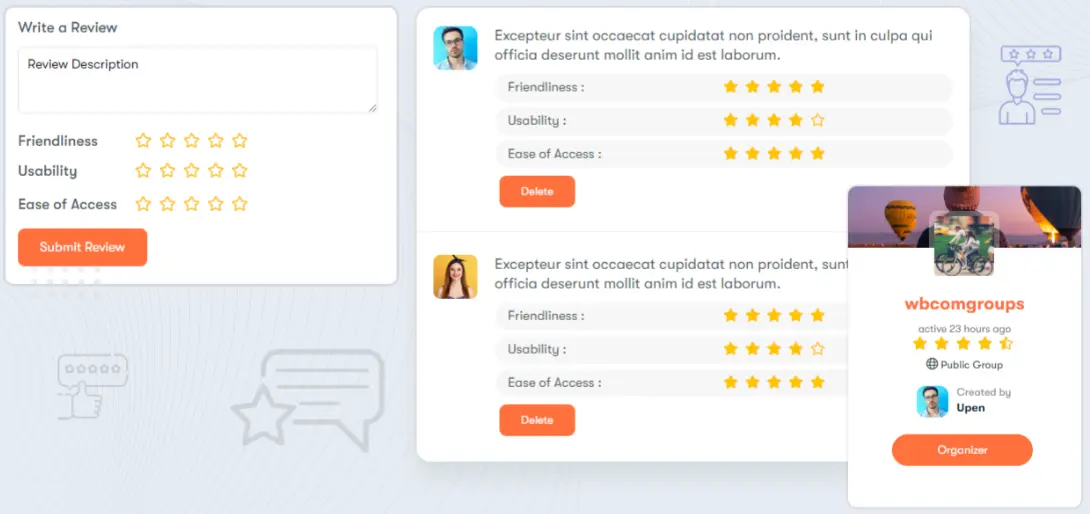
This add-on allows members to rate and review BuddyPress groups using star ratings and customizable criteria. It helps highlight the most active and valuable groups in your community.
Key Features
- Members can submit reviews and star ratings for groups
- Admin-defined criteria for consistent ratings
- Manual or automatic review approval
- Email and notification support
- Rating-based group filters
- Color customization for rating elements
- Shortcodes for embedding review forms anywhere
- Top-rated groups widget
2. BuddyPress Member Reviews
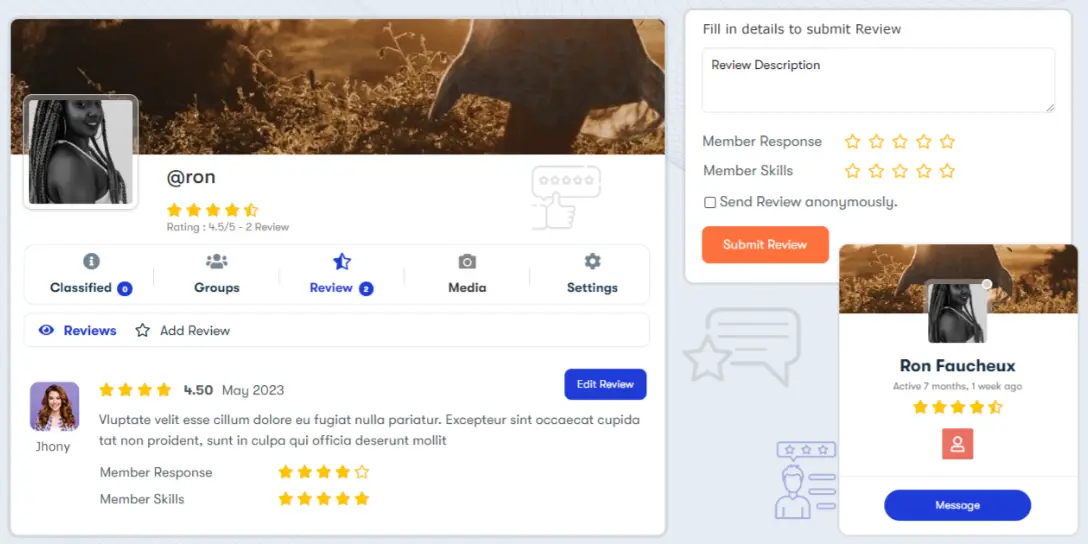
This add-on lets members review and rate each other based on admin-defined criteria. It enhances transparency and helps community members evaluate credibility and professionalism.
Key Features
- Members can review and leave star ratings on user profiles
- Widgets for showcasing top-rated members
- Shortcode support for embedding review forms
- Admin-defined review criteria
- Option to exclude specific members from being reviewed
- Email and profile notifications
- Multiple rating templates
- Manual or auto-approval for reviews
- Ability to filter members by rating
Best Way to Use These BuddyPress Review Plugins

Both are BuddyPress addons, so you have to integrate the BuddyPress plugin into your website. And to use the BuddyPress plugin to its full potential, it is recommended to use a compatible BuddyPress theme like our BuddyX theme, which is free to use.
With the help of this WordPress community theme, BuddyX, you can easily integrate various community functionalities of the BuddyPress plugin that integrates many other features, such as e-commerce plugins like WooCommerce, LMS plugins like LearnDash, Dokan, and WC Vendors for the multivendor feature, forum integration with bbPress, and much more are just a few clicks away.

Final Thoughts
Reviews have become an essential part of how people interact online, and your BuddyPress community is no exception. When members can share honest feedback—whether about groups or other users—it creates a more transparent, engaging, and trustworthy environment for everyone.
The best part is that adding these features doesn’t require complex tools or expensive software. With simple BuddyPress add-ons like BuddyPress Group Reviews and BuddyPress Member Reviews, you can instantly introduce helpful rating and review systems to your site. Pair them with a BuddyPress-optimized theme such as BuddyX or Reign, and your community gets a smooth, integrated review experience that feels natural and easy to use.
Whether you’re running a niche network, a learning community, or a social platform, enabling reviews gives your members a voice—and that voice helps shape a stronger, more active community. Add reviews to your BuddyPress site and let your users guide the way to a better community experience.
Interesting Reads:
How to Create a Dating Website Using WordPress Plugins
